
MOVIDA studio a modeling environment to create viewpoints

- Slides: 53
MOVIDA studio : a modeling environment to create viewpoints and manage variability in views Marie Gouyette, INRIA Olivier Barais, IRISA Université Rennes 1 Jérôme Le Noir, Thalès Reseach and Technology Cédric Brun, Obeo Date /Référence Marcos Almeida Da Silva, LIP 6 Xavier Blanc, Labri, Daniel Exertier, Thalès Corporate Services, Jean-Marc Jézéquel, Irisa, Université de Rennes 1
Talk outline • Viewpoint modeling and variability overview • MOVIDA project presentation • MOVIDA tools presentation : • Obeo Desiger • Praxis • Variability tool • Tutorial example • Conclusion 2 2
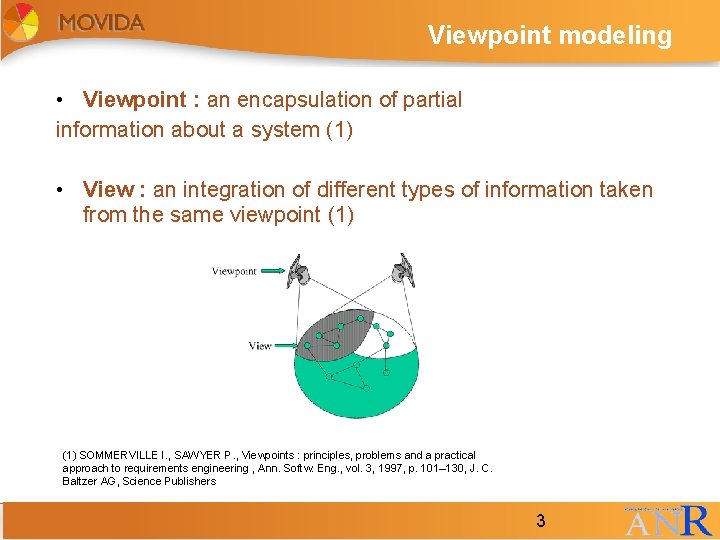
Viewpoint modeling • Viewpoint : an encapsulation of partial information about a system (1) • View : an integration of different types of information taken from the same viewpoint (1) SOMMERVILLE I. , SAWYER P. , Viewpoints : principles, problems and a practical approach to requirements engineering , Ann. Softw. Eng. , vol. 3, 1997, p. 101– 130, J. C. Baltzer AG, Science Publishers 3 3
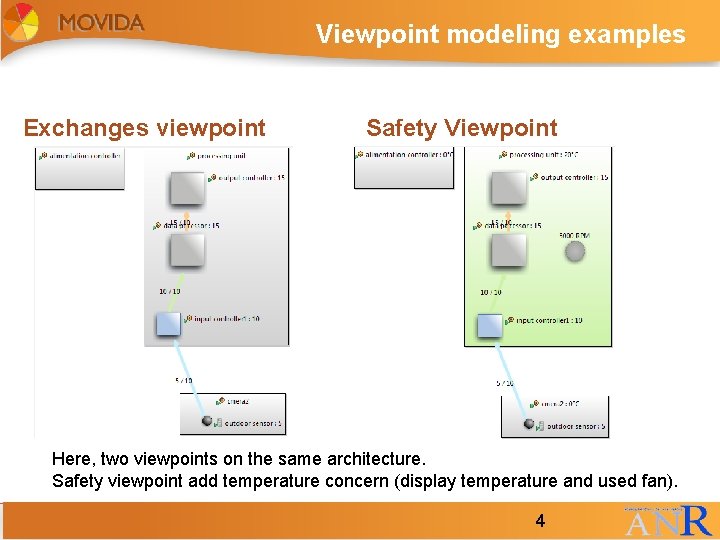
Viewpoint modeling examples Exchanges viewpoint Safety Viewpoint Here, two viewpoints on the same architecture. Safety viewpoint add temperature concern (display temperature and used fan). 4 4
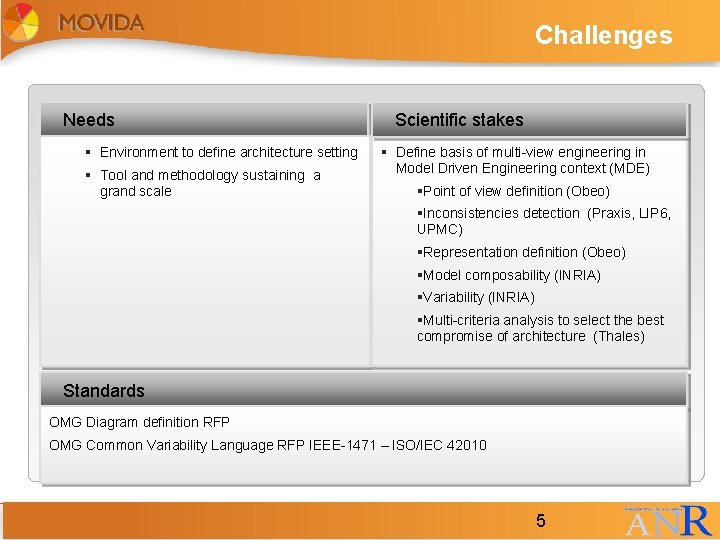
Challenges Needs § Environment to define architecture setting § Tool and methodology sustaining a grand scale Scientific stakes § Define basis of multi-view engineering in Model Driven Engineering context (MDE) §Point of view definition (Obeo) §Inconsistencies detection (Praxis, LIP 6, UPMC) §Representation definition (Obeo) §Model composability (INRIA) §Variability (INRIA) §Multi-criteria analysis to select the best compromise of architecture (Thales) Standards OMG Diagram definition RFP OMG Common Variability Language RFP IEEE-1471 – ISO/IEC 42010 5 5
MOVIDA Overview 1/2 • MOVIDA : MOdelling VIews and Decision support for Architects • ANR project (2009 -2011) • Aim : multi-view engineering in Model Driven Engineering context (MDE) • Partners : 6 §Multi-criteria analysis to select the best compromise of architecture (Thales) 6
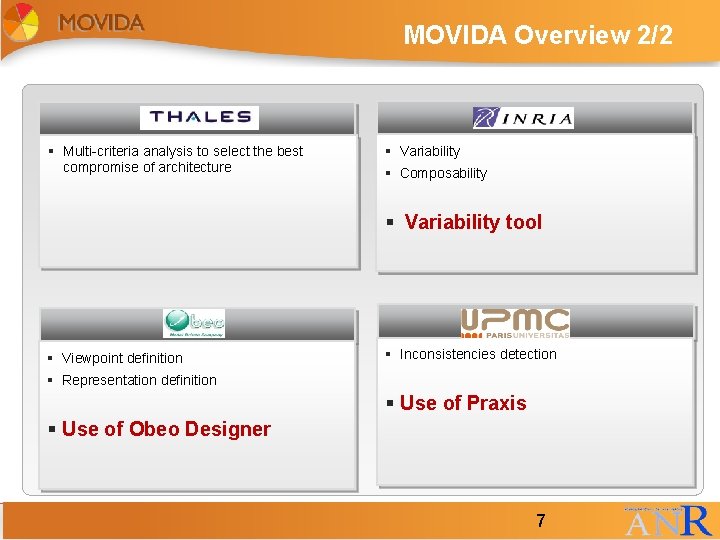
MOVIDA Overview 2/2 § Multi-criteria analysis to select the best compromise of architecture § Variability § Composability § Variability tool § Viewpoint definition § Inconsistencies detection § Representation definition § Use of Praxis § Use of Obeo Designer 7 7
Check inconsistencies between the different viewpoint • Is information from different viewpoints on the same system are consistent? • How to check it? • => Writing some constraints • Should Manage : • Incremental check : check only the last actions on the model not the whole actions on the model • Multi-model : detect inconsistencies between different models 8 8
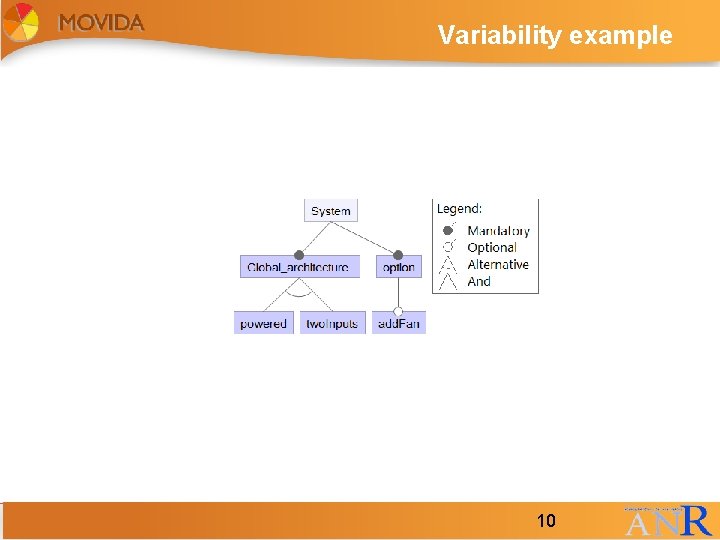
Variability overview • Software Product Line (SPL) : • Engineering techniques to manage software systems that have some commonalities and some variations (variability) between them • Variability can be modeled through features. • Feature : • “a distinguishable characteristic of a concept (e. g system components and so on) that is relevant to some stakeholder of the concept” (1) Ulrich W. Eisenecker, K. C. , ed. : Generative Programming : Method Tools and Applications. Addison. Wesley Professional (2000) 9 9
Variability example 10 10
Obeo Designer 11 11
MOVIDA tools presentation • We will present here three of tools used in MOVIDA : • Obeo Designer (Obeo) • Praxis (UPMC, LIP 6) • Variability tool (INRIA/IRISA) 12 12
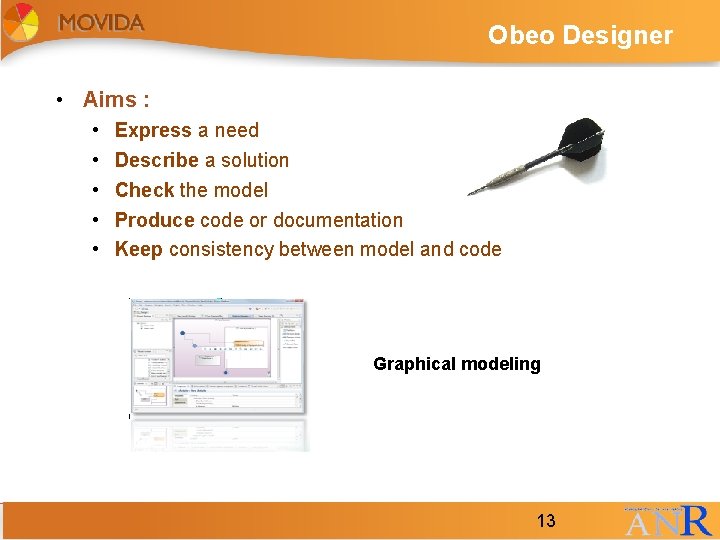
Obeo Designer • Aims : • • • Express a need Describe a solution Check the model Produce code or documentation Keep consistency between model and code Graphical modeling 13 13
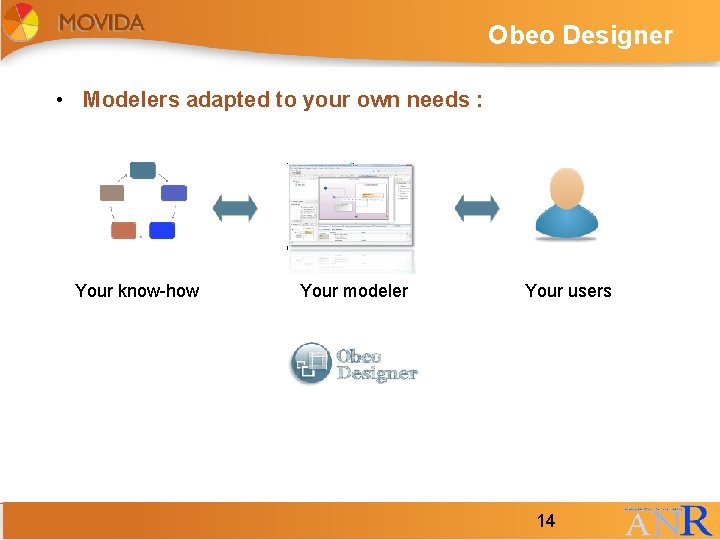
Obeo Designer • Modelers adapted to your own needs : Your know-how 14 Your modeler Your users 14
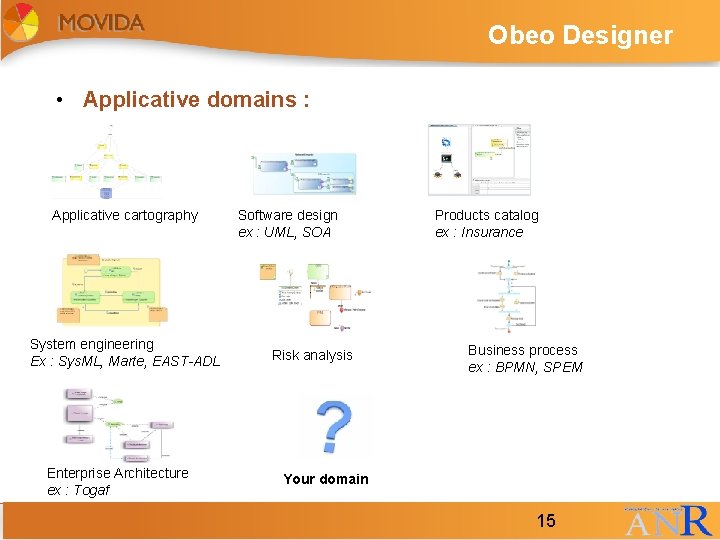
Obeo Designer • Applicative domains : Applicative cartography System engineering Ex : Sys. ML, Marte, EAST-ADL Enterprise Architecture ex : Togaf 15 Software design ex : UML, SOA Risk analysis Products catalog ex : Insurance Business process ex : BPMN, SPEM Your domain 15
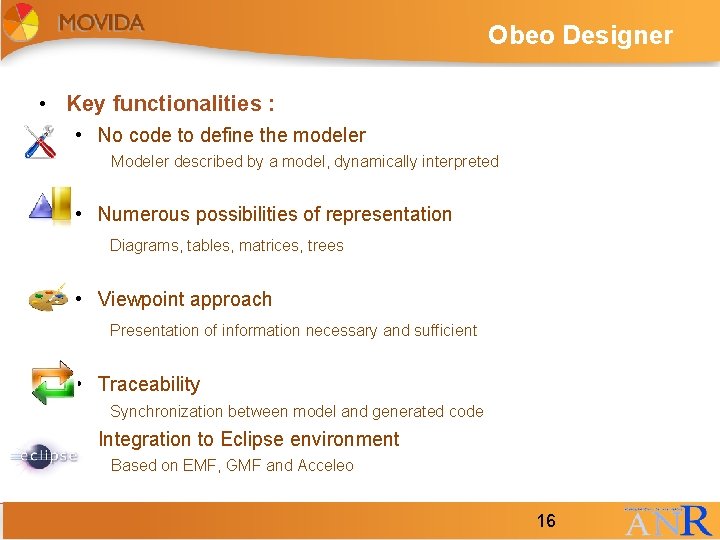
Obeo Designer • Key functionalities : • No code to define the modeler Modeler described by a model, dynamically interpreted • Numerous possibilities of representation Diagrams, tables, matrices, trees • Viewpoint approach Presentation of information necessary and sufficient • Traceability Synchronization between model and generated code • Integration to Eclipse environment Based on EMF, GMF and Acceleo 16 16
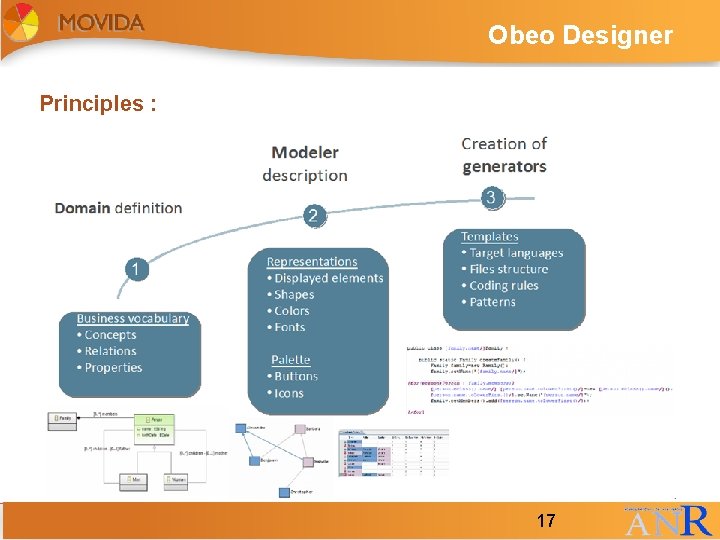
Obeo Designer Principles : 17 17
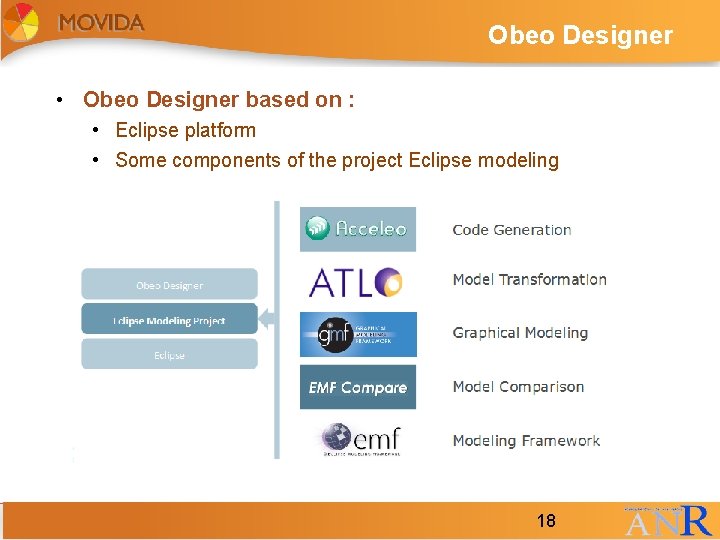
Obeo Designer • Obeo Designer based on : • Eclipse platform • Some components of the project Eclipse modeling 18 18
Obeo Designer TO DO add 1 or 2 more technical slides : Graphical concepts Mapping language 19 19
Praxis overview • Aim : Incremental detection of inconsistency in design models • Principles : • Model represented as the set of construction actions • Incremental inconsistency detection based on increments • Tool separated into two parts : • Praxis. Rules inconsisteny rules editor • Praxis inconsistency detector 20 20
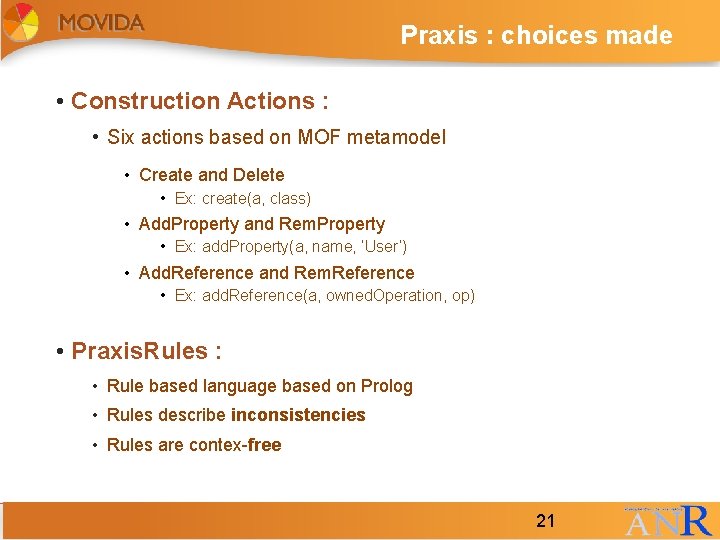
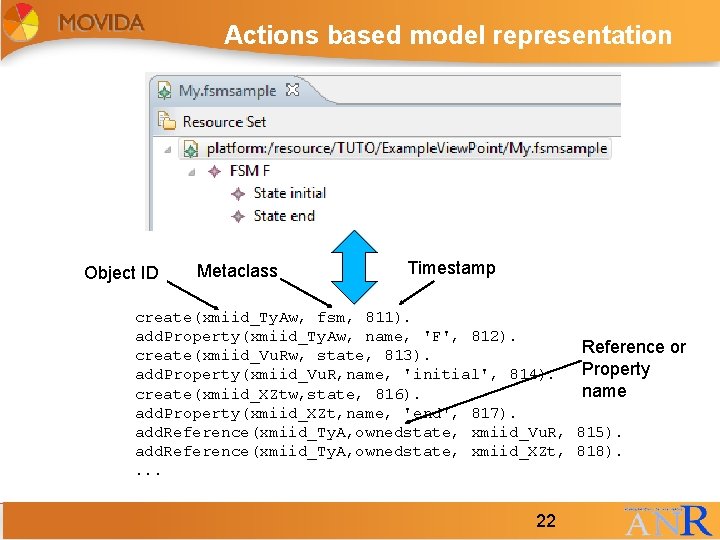
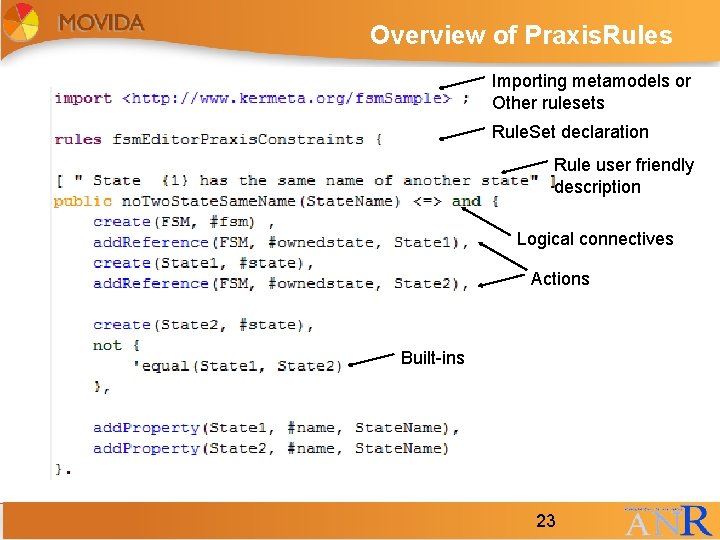
Praxis : choices made • Construction Actions : • Six actions based on MOF metamodel • Create and Delete • Ex: create(a, class) • Add. Property and Rem. Property • Ex: add. Property(a, name, ‘User’) • Add. Reference and Rem. Reference • Ex: add. Reference(a, owned. Operation, op) • Praxis. Rules : • Rule based language based on Prolog • Rules describe inconsistencies • Rules are contex-free 21 21
Actions based model representation Object ID Metaclass Timestamp create(xmiid_Ty. Aw, fsm, 811). add. Property(xmiid_Ty. Aw, name, 'F', 812). create(xmiid_Vu. Rw, state, 813). add. Property(xmiid_Vu. R, name, 'initial', 814). create(xmiid_XZtw, state, 816). add. Property(xmiid_XZt, name, 'end', 817). add. Reference(xmiid_Ty. A, ownedstate, xmiid_Vu. R, add. Reference(xmiid_Ty. A, ownedstate, xmiid_XZt, . . . 22 22 Reference or Property name 815). 818).
Overview of Praxis. Rules Importing metamodels or Other rulesets Rule. Set declaration Rule user friendly description Logical connectives Actions Built-ins 23 23
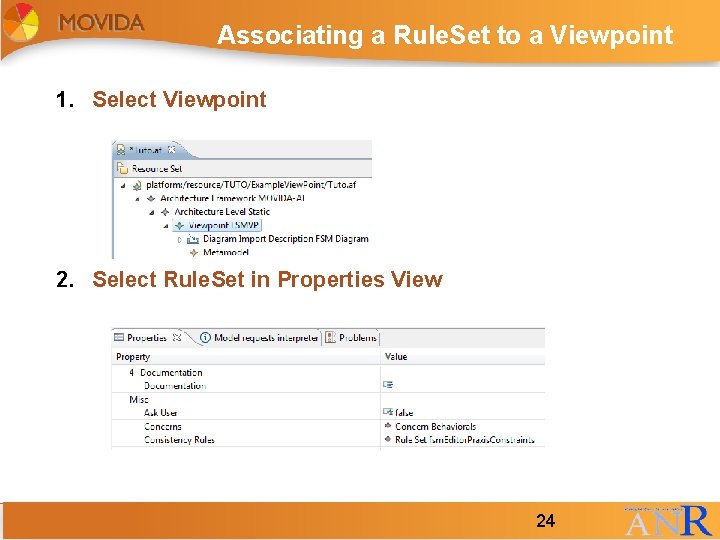
Associating a Rule. Set to a Viewpoint 1. Select Viewpoint 2. Select Rule. Set in Properties View 24 24
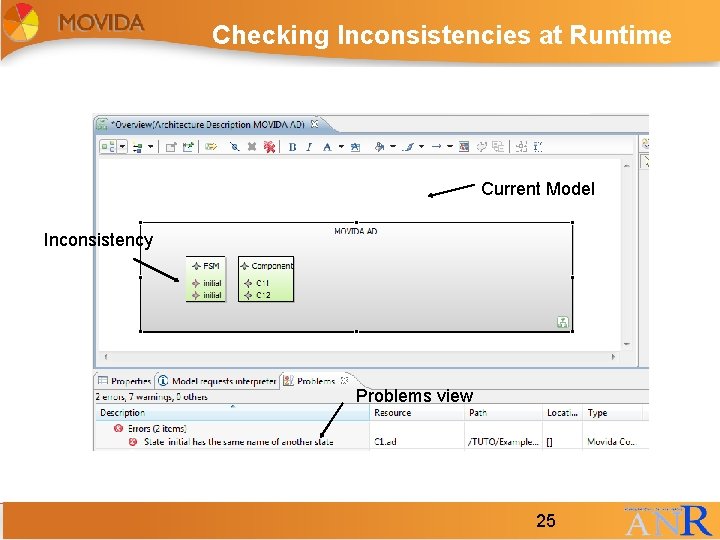
Checking Inconsistencies at Runtime Current Model Inconsistency Problems view 25 25
Variability tool overview • Aim : model variability on an architecture with the possibility to derive it to obtain the final architecture • Tool separated into four parts : • Graphical feature diagram editor with constraints to check it • Base Model Decorator • Selection Engine • Product Derivation engine • Technologies used : • • 26 EMF (Eclipse Modeling Framework) Obeo Designer Praxis Kermeta (Domain Specific Language dedicated to metamodel engineering (INRIA Triskell team) 26
Variability tool : choices made • Feature metamodel : • Decomposition edge such as or, xor (called here alternative), card • Attributes : associate metadata to features • Direct mapping with Domain model elements in features • Graphical notation : • similar to FORM notation (Kang et al. (1) ) (but simplification of the notation on the tool) • Constraints : • Integrated with the graphical editor (1) Kang, K. C. , Kim, S. , Lee, J. , Kim, K. , Shin, E. , Huh, M. : FORM: A Feature-Oriented Reuse Method with Domain-Specific Reference Architectures. Ann. Softw. Eng. 5 (1998) 143– 168 27 27
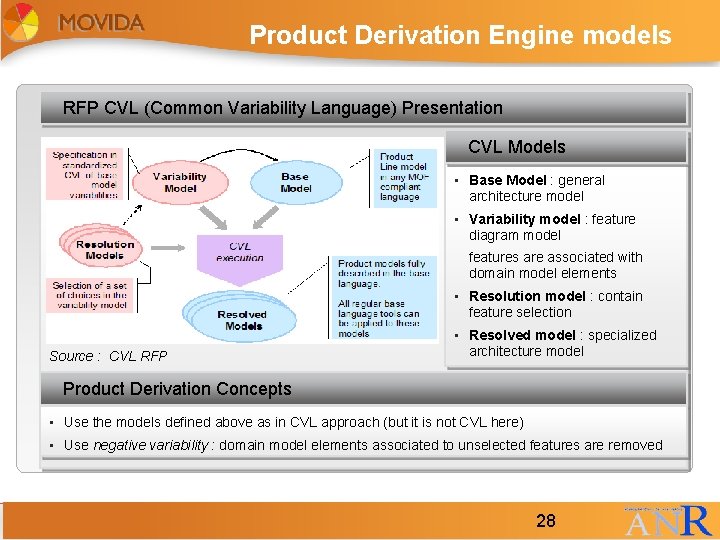
Product Derivation Engine models RFP CVL (Common Variability Language) Presentation CVL Models • Base Model : general architecture model • Variability model : feature diagram model features are associated with domain model elements • Resolution model : contain feature selection Source : CVL RFP • Resolved model : specialized architecture model Product Derivation Concepts • Use the models defined above as in CVL approach (but it is not CVL here) • Use negative variability : domain model elements associated to unselected features are removed 28 28
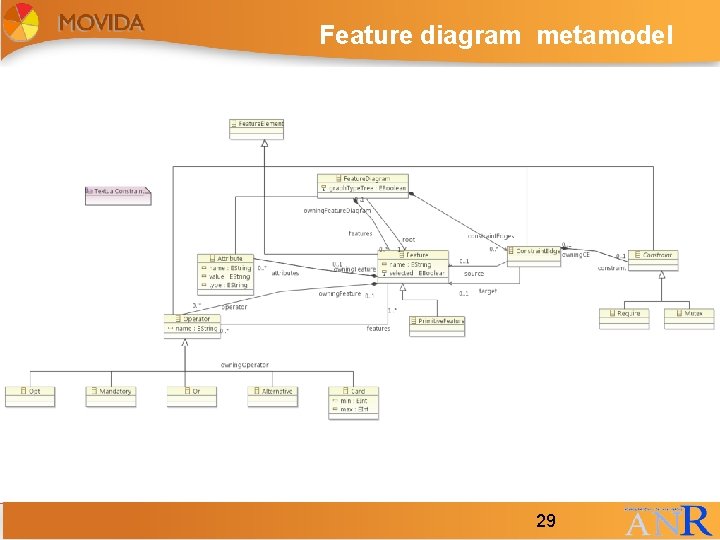
Feature diagram metamodel 29 29
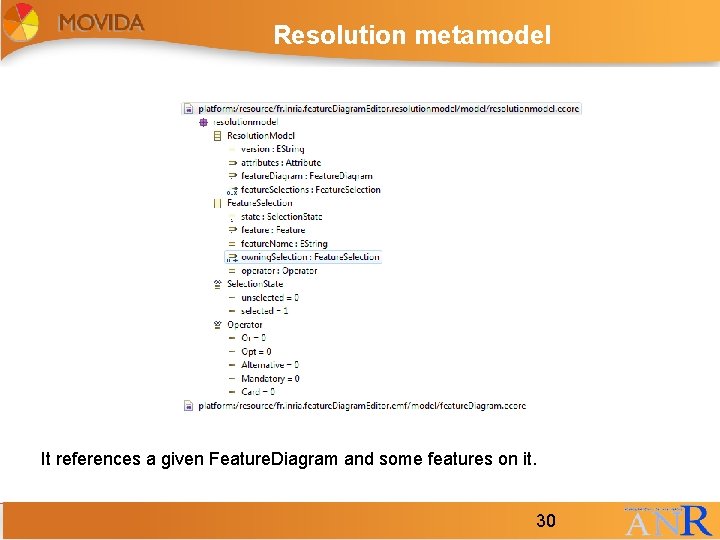
Resolution metamodel It references a given Feature. Diagram and some features on it. 30 30
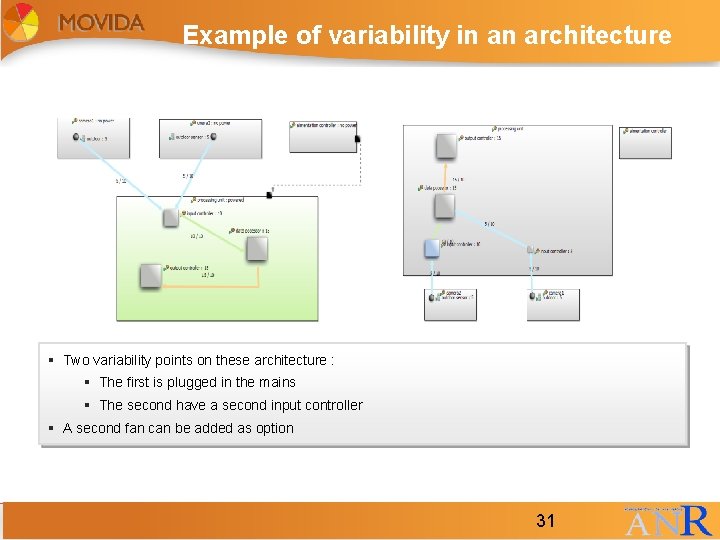
Example of variability in an architecture § Two variability points on these architecture : § The first is plugged in the mains § The second have a second input controller § A second fan can be added as option 31 31
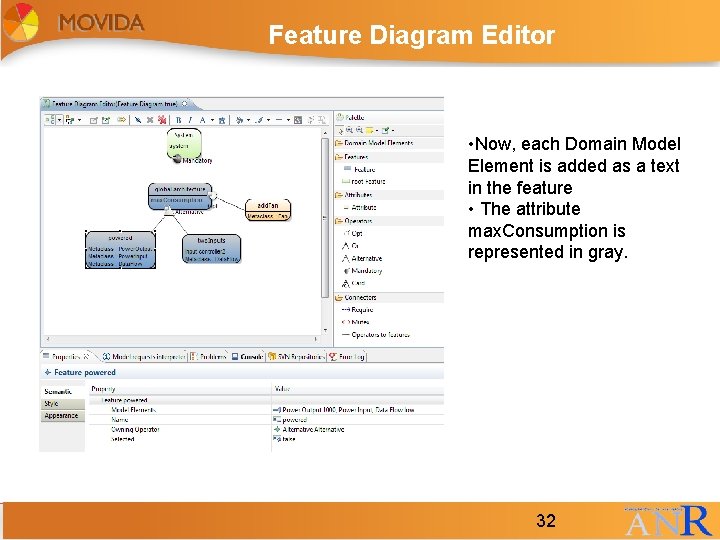
Feature Diagram Editor • Now, each Domain Model Element is added as a text in the feature • The attribute max. Consumption is represented in gray. 32 32
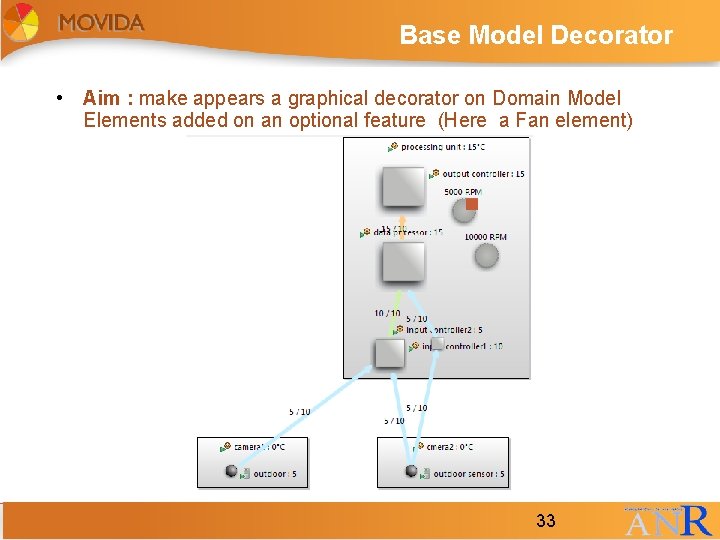
Base Model Decorator • Aim : make appears a graphical decorator on Domain Model Elements added on an optional feature (Here a Fan element) 33 33
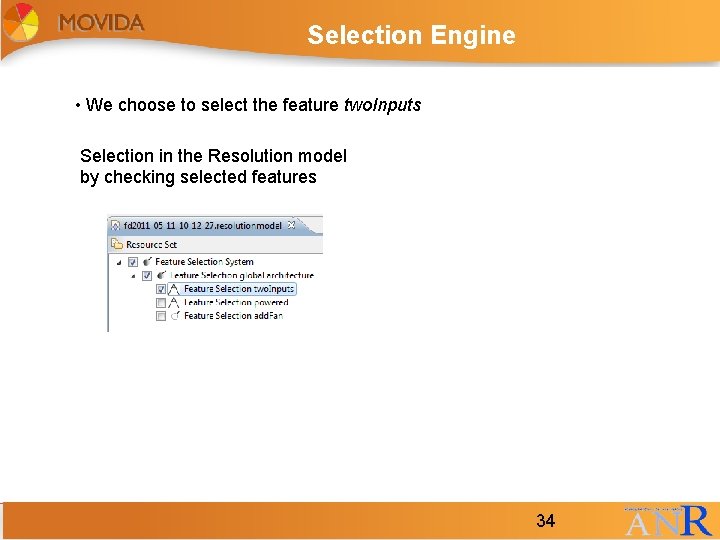
Selection Engine • We choose to select the feature two. Inputs Selection in the Resolution model by checking selected features 34 34
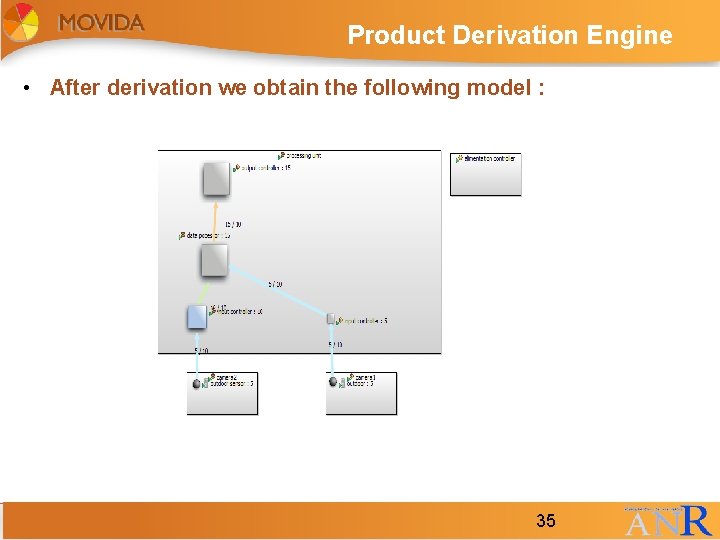
Product Derivation Engine • After derivation we obtain the following model : 35 35
Tutorial example presentation • Aim of this tutorial : using the following tool to create a new DSML on which we can add some variability • Steps : • EMF and Obeo Designer • Praxis and OCL • Variability tool 36 36
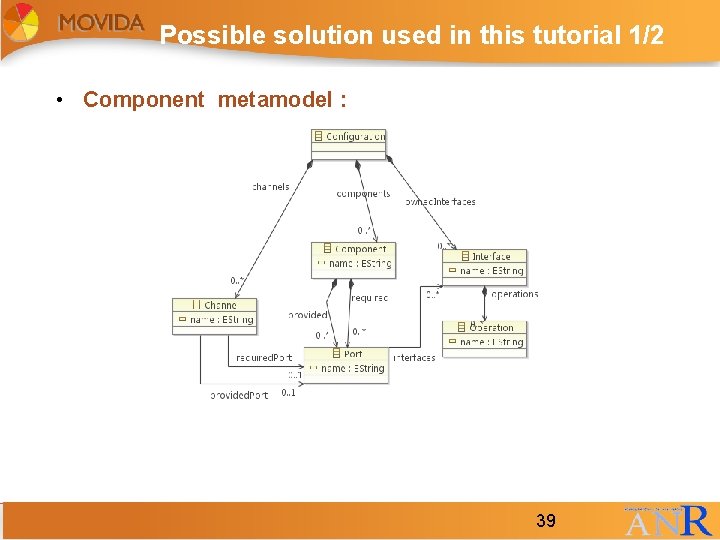
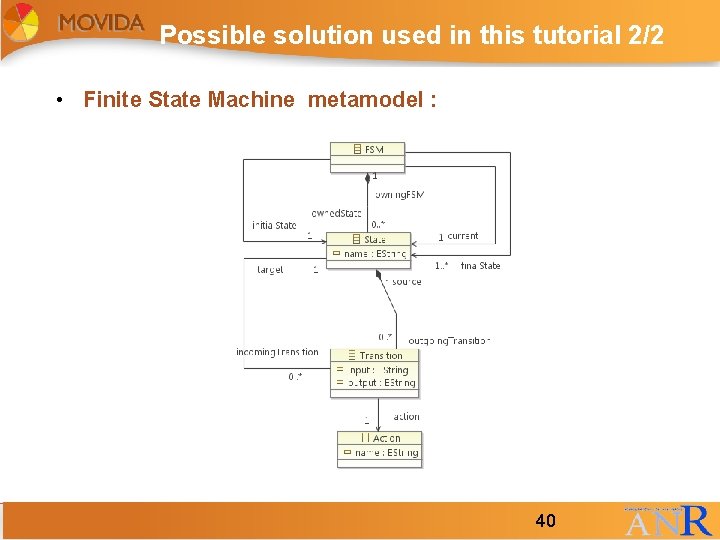
Example presentation • We want to model some component which behavior can be modeled through a Finite State Machine model. • These components can have : • • Provided and required ports A way to link these ports Some interfaces with some operations A link to a given Finite State Machine • For the finite state machine we need : • States • Transitions 37 37
Practice : Metamodel proposition • QUESTION 1 : What metamodel could we propose for the component model and the Finite state machine? 38 38
Possible solution used in this tutorial 1/2 • Component metamodel : 39 39
Possible solution used in this tutorial 2/2 • Finite State Machine metamodel : 40 40
Express constraints on this metamodel 1/2 • QUESTION 2 : What constraints could we write on these metamodels? 41 41
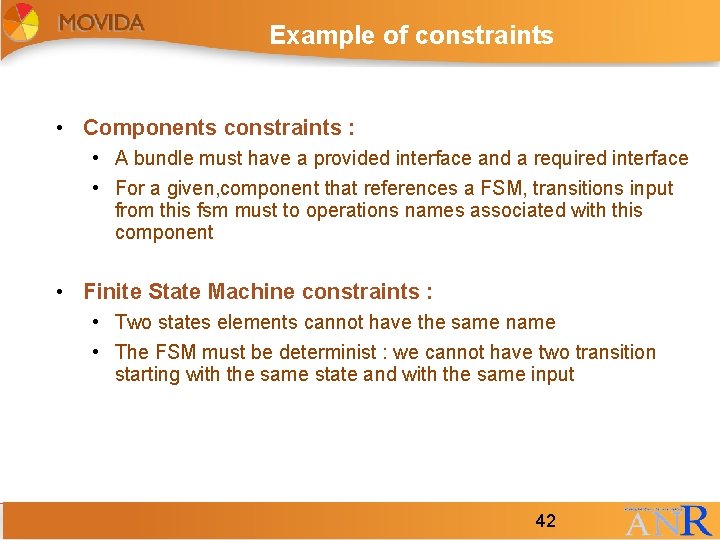
Example of constraints • Components constraints : • A bundle must have a provided interface and a required interface • For a given, component that references a FSM, transitions input from this fsm must to operations names associated with this component • Finite State Machine constraints : • Two states elements cannot have the same name • The FSM must be determinist : we cannot have two transition starting with the same state and with the same input 42 42
Write constraints in OCL and Praxis • QUESTION 3 : How to write these constraints in OCL and Praxis? 43 43
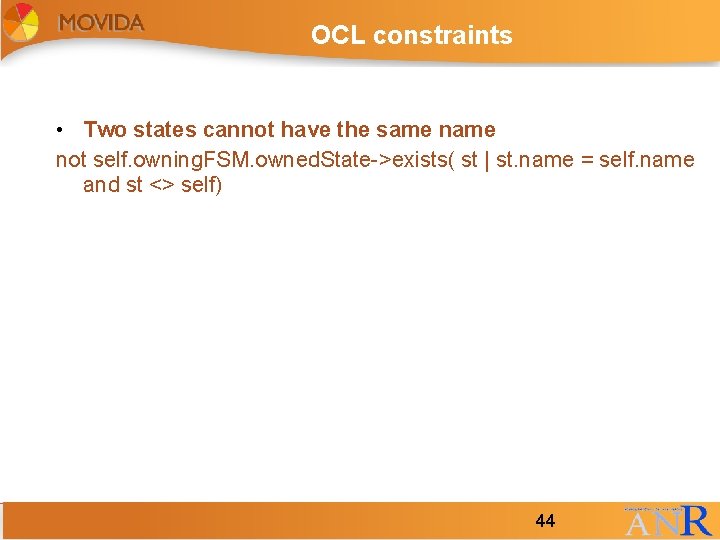
OCL constraints • Two states cannot have the same not self. owning. FSM. owned. State->exists( st | st. name = self. name and st <> self) 44 44
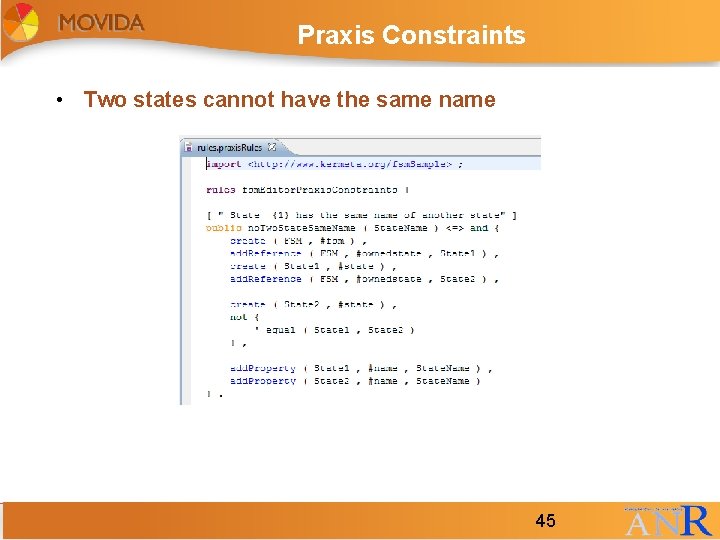
Praxis Constraints • Two states cannot have the same name 45 45
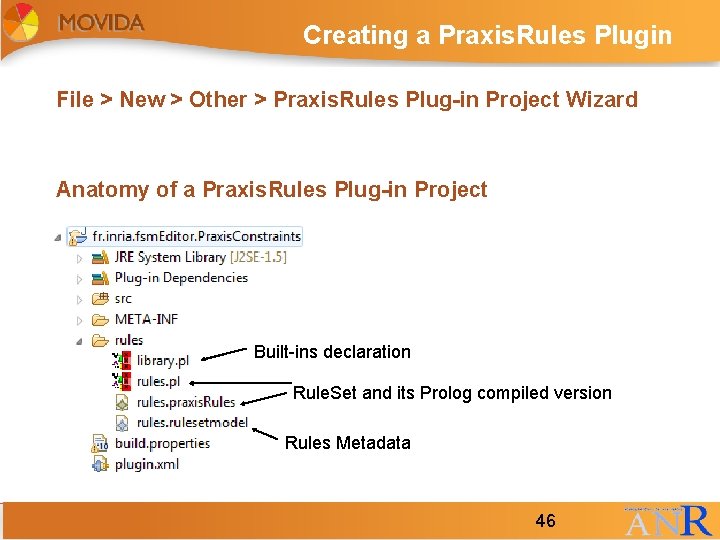
Creating a Praxis. Rules Plugin File > New > Other > Praxis. Rules Plug-in Project Wizard Anatomy of a Praxis. Rules Plug-in Project Built-ins declaration Rule. Set and its Prolog compiled version Rules Metadata 46 46
TO DO : present other constraints 47 47
Write constraints in OCL and Praxis • QUESTION 4 : Create an EMF model for FSM and an Obeo Designer modeler following the tutorial (Chapter 3) 48 48
Write constraints in OCL and Praxis • QUESTION 5 : Write constraints in Praxis and OCL (Chapter 4) 49 49
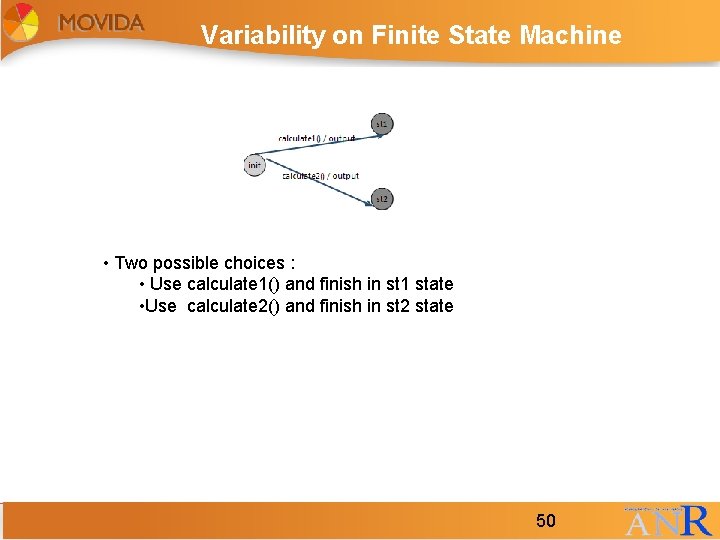
Variability on Finite State Machine • Two possible choices : • Use calculate 1() and finish in st 1 state • Use calculate 2() and finish in st 2 state 50 50
Write constraints in OCL and Praxis • QUESTION 6 : Use the variability tool (Chapter 5) 51 51
Conclusion • This tutorial has shown how to : • Create a metamodel and a graphical modeler using EMF and Obeo Designer • Write constraints on a given metamodel in OCL and Praxis and how to check it • Use the variability tool for model created with the previous modeler • For more information please refer to : • MOVIDA update site : http: //movida. gforge. inria. fr/index. php? n=Main. Home. Page 52 52
Questions Thank you for your attention. Do you have any questions? 53 53