
Motion Capture Use digitized motion to animate a
- Slides: 38
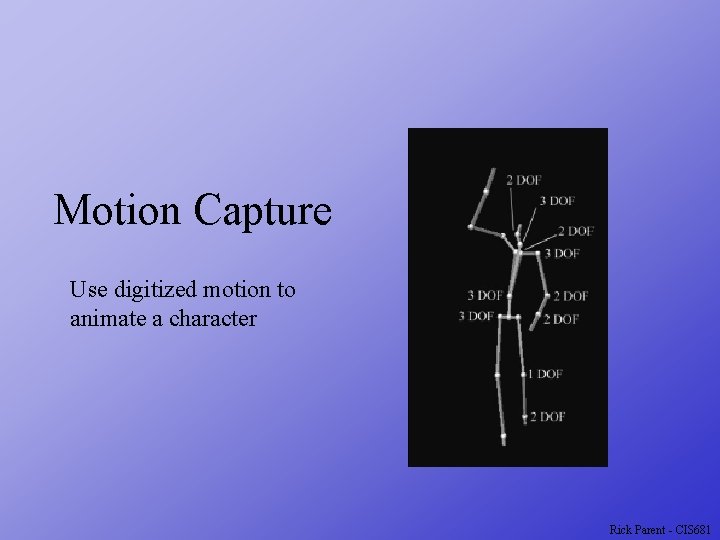
Motion Capture Use digitized motion to animate a character Rick Parent - CIS 681
Animation Techniques Keyframe Surface model Procedural - simuleate Model or rules Set initial conditions Motion libraries Stitch together e. g. , games Digitize motion Rick Parent - CIS 681
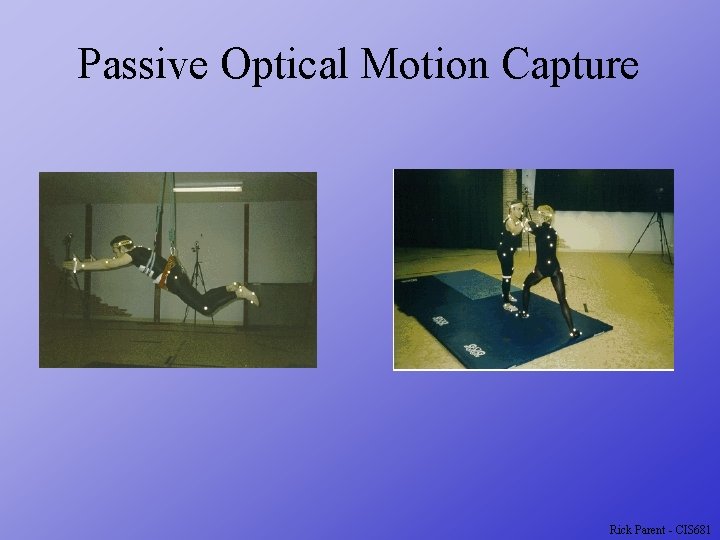
Technologies Passive optical - reflective markers Multiple cameras Need non-reflective environ. Active optical - LEDs pulse ID Need power supply Multiple cameras Magnetic - Active sensors Cheaper Need magnetic-neutral environment Need power supply Tether or wireless comm. Smaller work area Mechanical - Rotary Only poses Cheapest Rick Parent - CIS 681
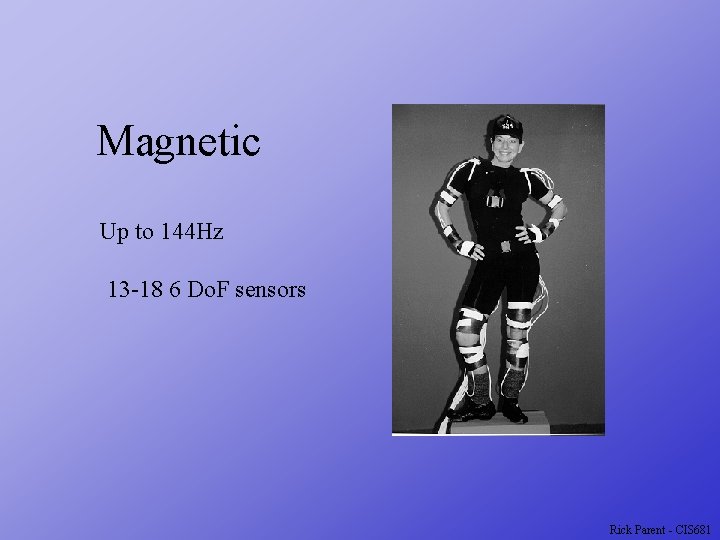
Magnetic Up to 144 Hz 13 -18 6 Do. F sensors Rick Parent - CIS 681
Passive Optical Motion Capture Rick Parent - CIS 681
Active Optical Motion Capture Rick Parent - CIS 681
Optical Motion Capture Instrument “talent” Capture 2 D position of markers in multiple cameras Convert multiple 2 D marker positions to 3 D positions Establish correspondence of markers in images Triangulate 3 D position using two or more images Compute joint positions from 3 D positions of multiple surface markers Determine limb lengths from joint coordinates Create synthetic character with those dimensions and animation Rick Parent - CIS 681
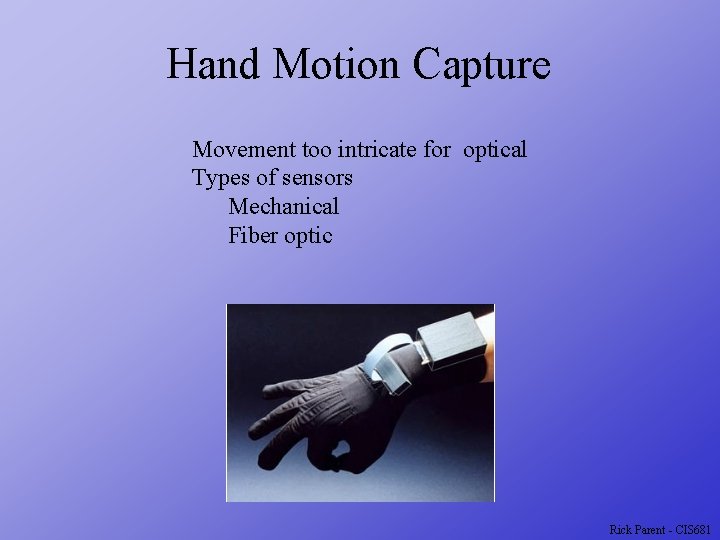
Hand Motion Capture Movement too intricate for optical Types of sensors Mechanical Fiber optic Rick Parent - CIS 681
Facial Motion Capture Motion too detailed for sensing at distance Rick Parent - CIS 681
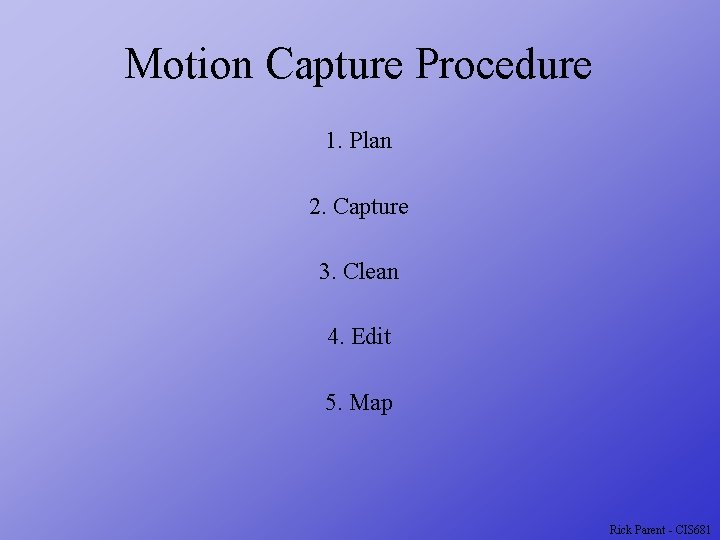
Motion Capture Procedure 1. Plan 2. Capture 3. Clean 4. Edit 5. Map Rick Parent - CIS 681
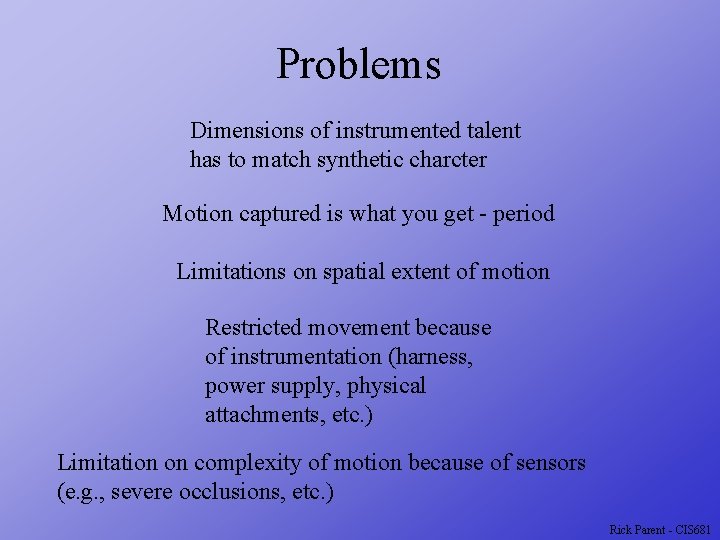
Problems Dimensions of instrumented talent has to match synthetic charcter Motion captured is what you get - period Limitations on spatial extent of motion Restricted movement because of instrumentation (harness, power supply, physical attachments, etc. ) Limitation on complexity of motion because of sensors (e. g. , severe occlusions, etc. ) Rick Parent - CIS 681
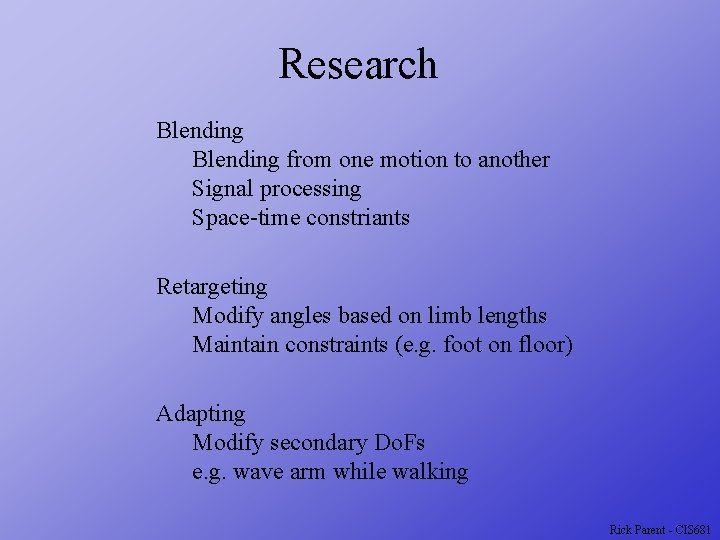
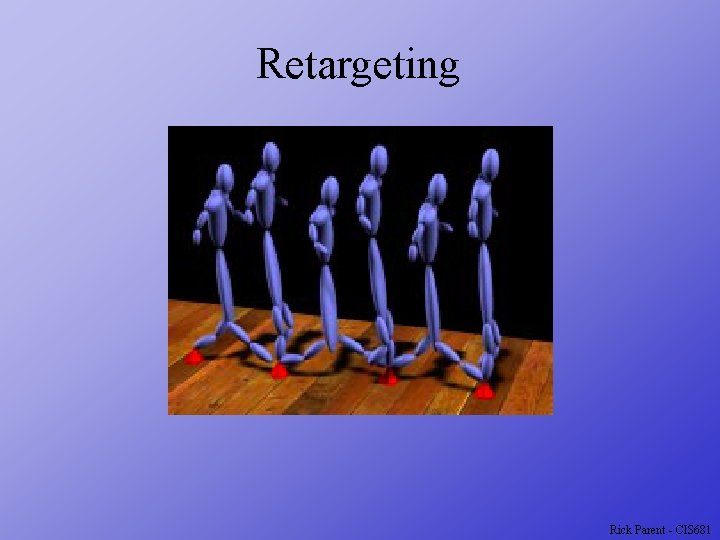
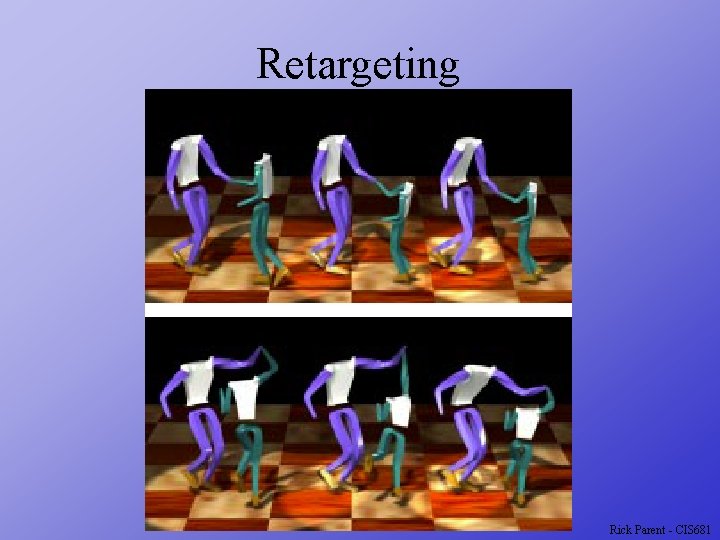
Research Blending from one motion to another Signal processing Space-time constriants Retargeting Modify angles based on limb lengths Maintain constraints (e. g. foot on floor) Adapting Modify secondary Do. Fs e. g. wave arm while walking Rick Parent - CIS 681
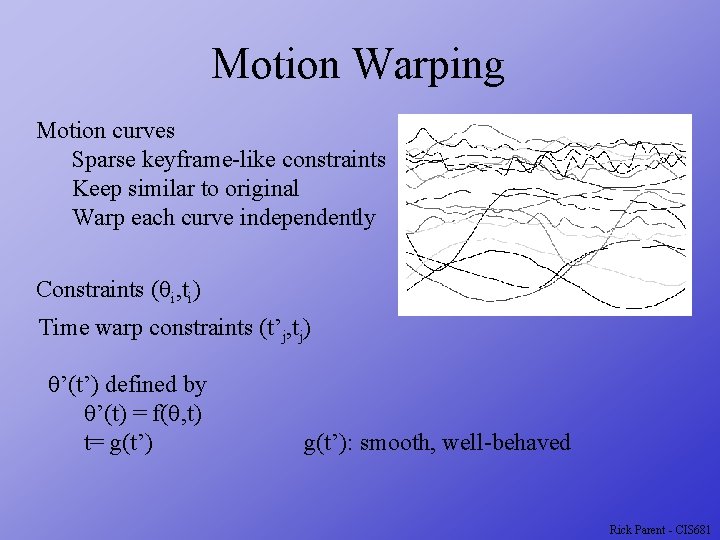
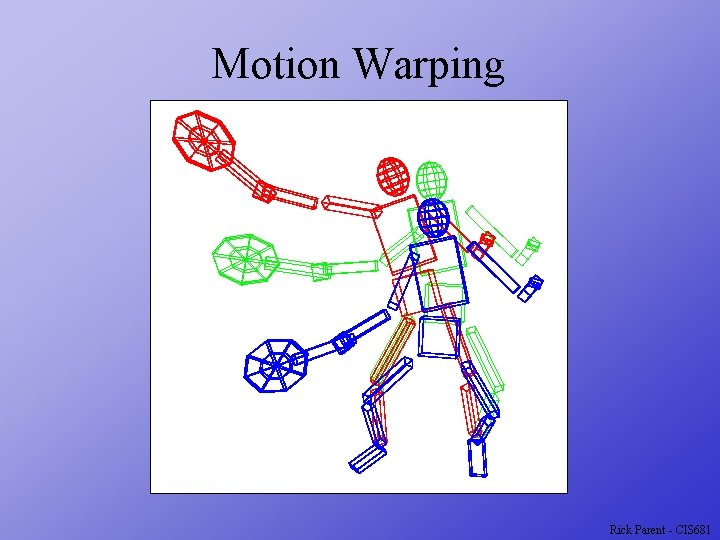
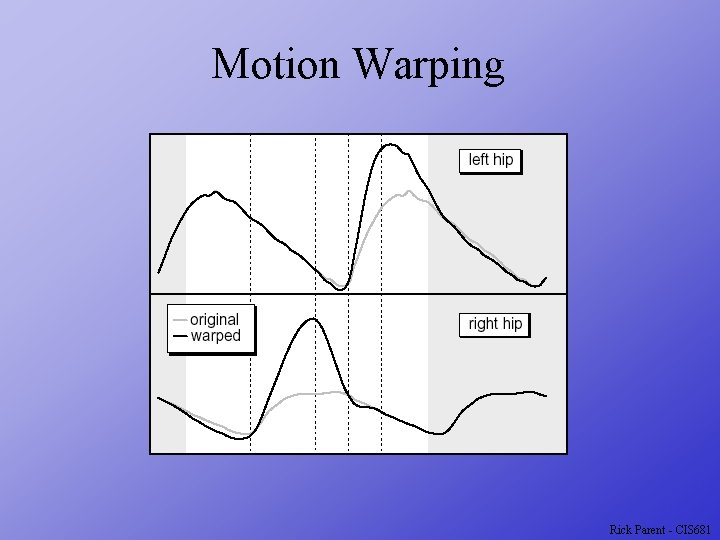
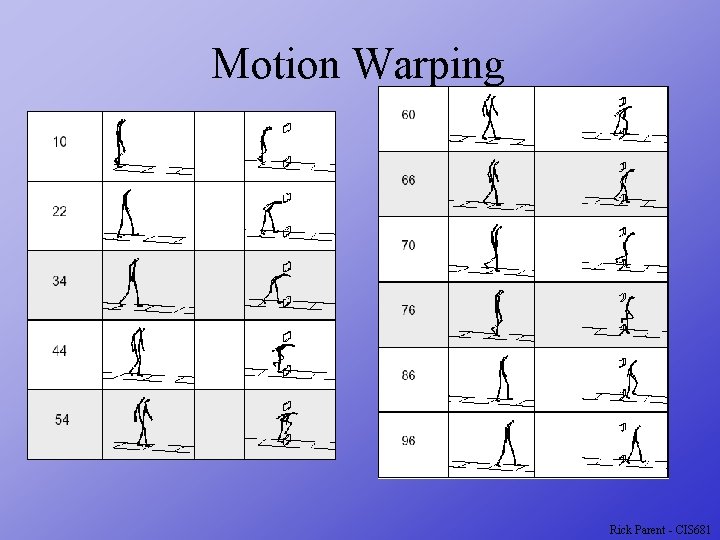
Motion Warping Motion curves Sparse keyframe-like constraints Keep similar to original Warp each curve independently Constraints (qi, ti) Time warp constraints (t’j, tj) q’(t’) defined by q’(t) = f(q, t) t= g(t’): smooth, well-behaved Rick Parent - CIS 681
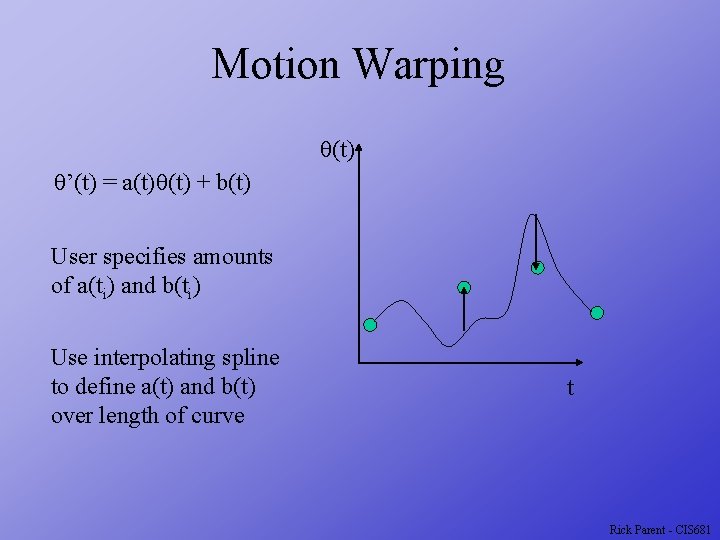
Motion Warping q(t) q’(t) = a(t)q(t) + b(t) User specifies amounts of a(ti) and b(ti) Use interpolating spline to define a(t) and b(t) over length of curve t Rick Parent - CIS 681
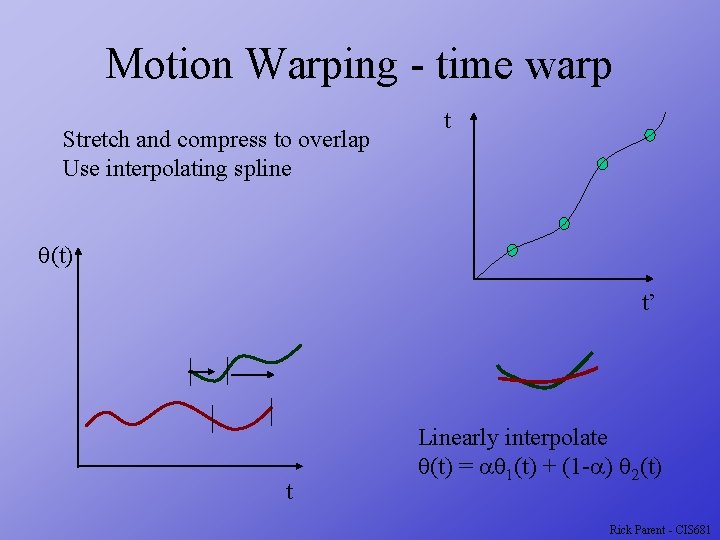
Motion Warping - time warp Stretch and compress to overlap Use interpolating spline t q(t) t’ t Linearly interpolate q(t) = aq 1(t) + (1 -a) q 2(t) Rick Parent - CIS 681
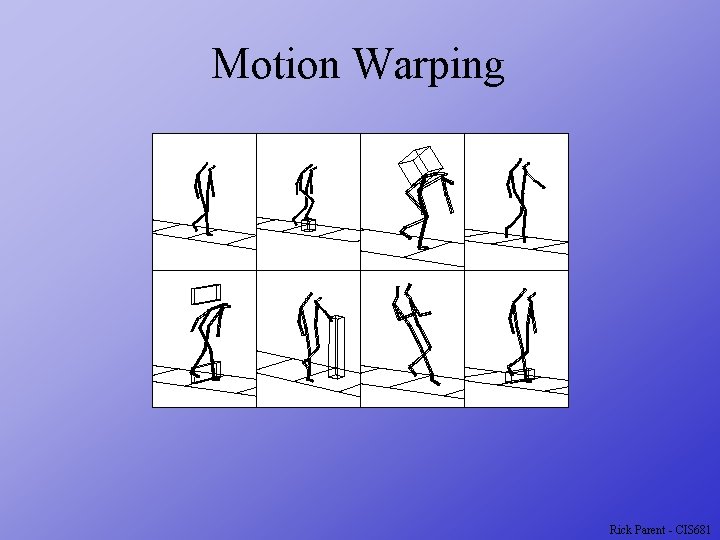
Motion Warping Rick Parent - CIS 681
Motion Warping Rick Parent - CIS 681
Motion Warping Rick Parent - CIS 681
Motion Warping Rick Parent - CIS 681
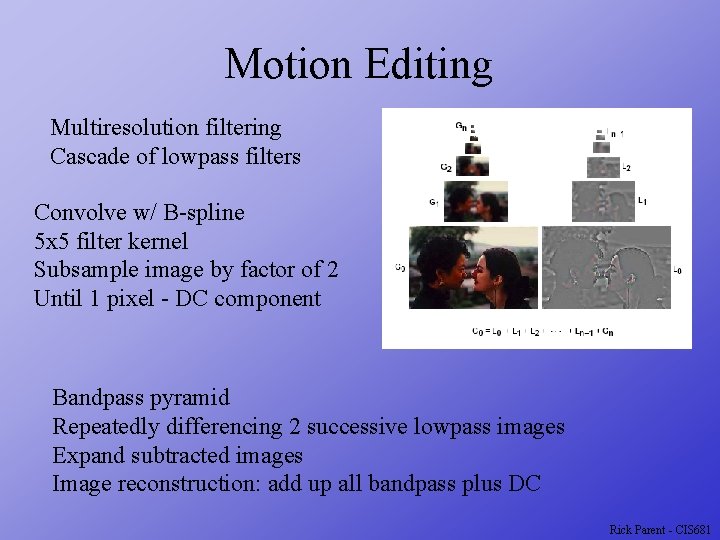
Motion Editing Multiresolution filtering Cascade of lowpass filters Convolve w/ B-spline 5 x 5 filter kernel Subsample image by factor of 2 Until 1 pixel - DC component Bandpass pyramid Repeatedly differencing 2 successive lowpass images Expand subtracted images Image reconstruction: add up all bandpass plus DC Rick Parent - CIS 681
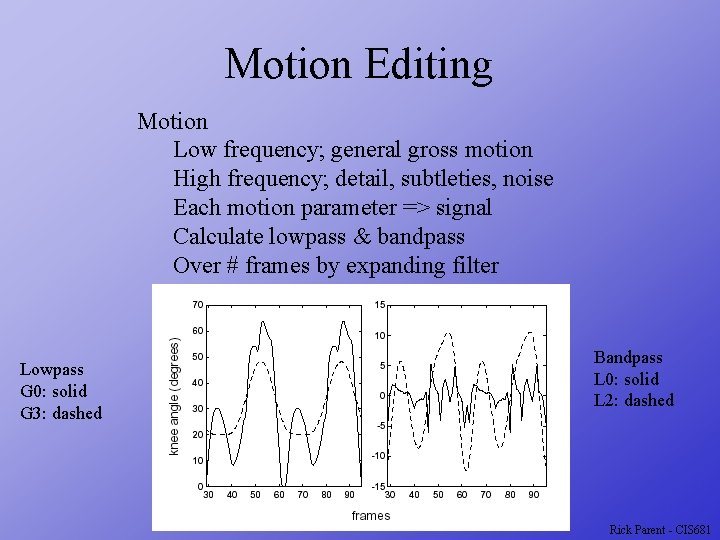
Motion Editing Motion Low frequency; general gross motion High frequency; detail, subtleties, noise Each motion parameter => signal Calculate lowpass & bandpass Over # frames by expanding filter Lowpass G 0: solid G 3: dashed Bandpass L 0: solid L 2: dashed Rick Parent - CIS 681
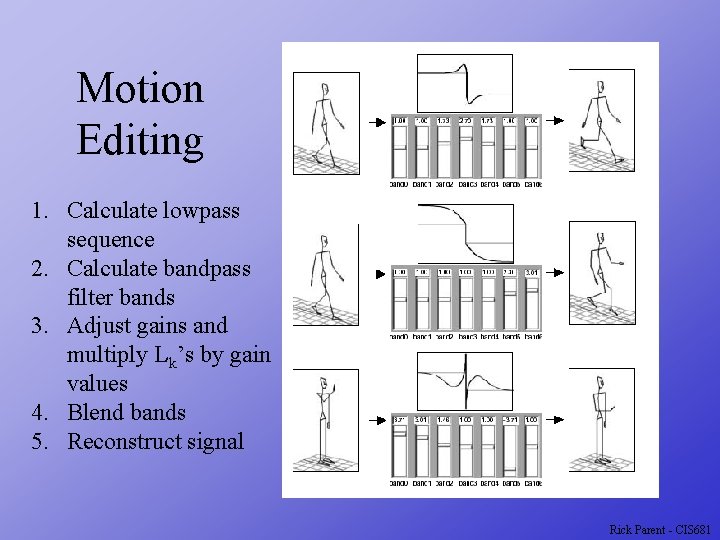
Motion Editing 1. Calculate lowpass sequence 2. Calculate bandpass filter bands 3. Adjust gains and multiply Lk’s by gain values 4. Blend bands 5. Reconstruct signal Rick Parent - CIS 681
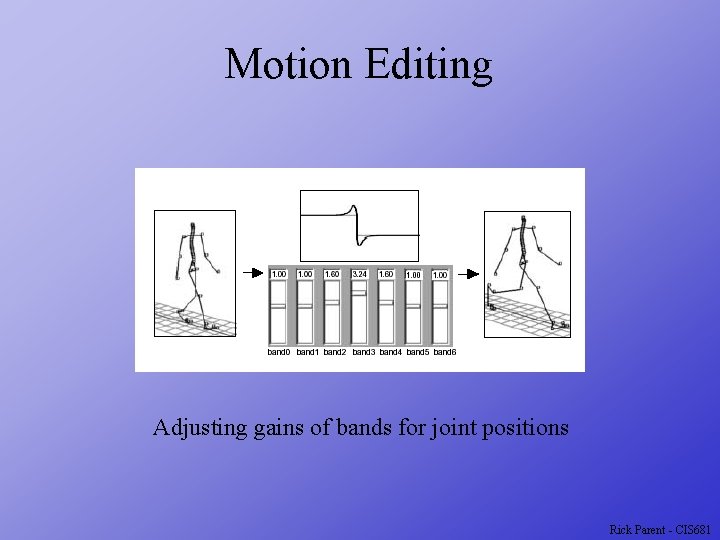
Motion Editing Adjusting gains of bands for joint positions Rick Parent - CIS 681
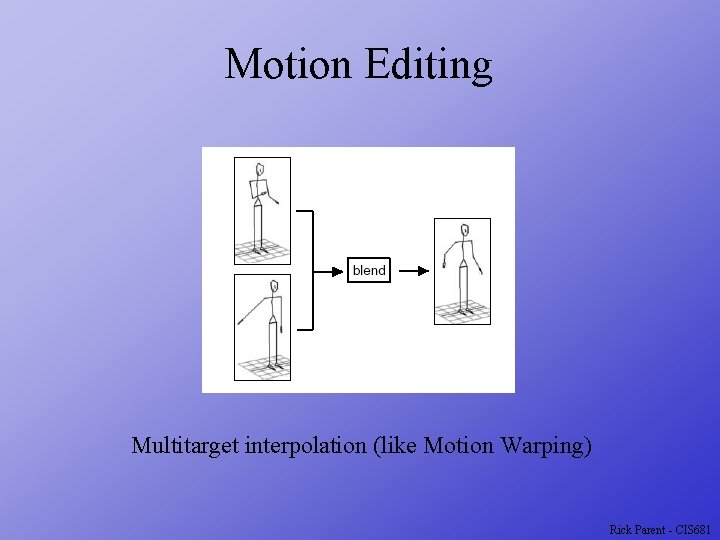
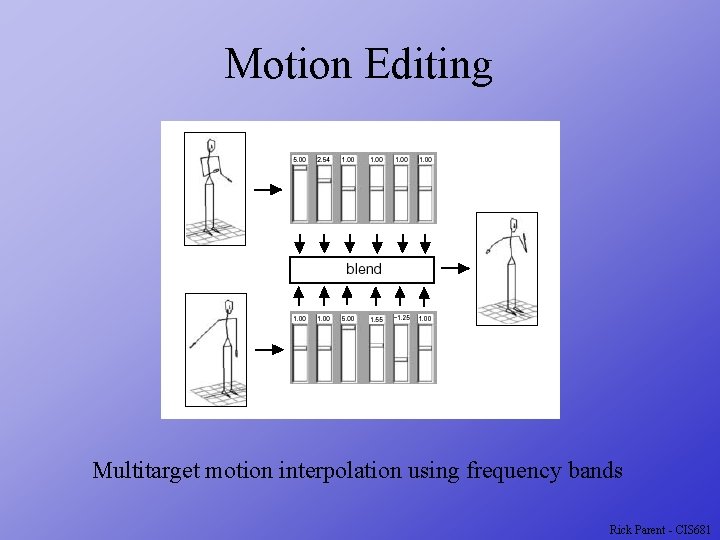
Motion Editing Multitarget interpolation (like Motion Warping) Rick Parent - CIS 681
Motion Editing Multitarget motion interpolation using frequency bands Rick Parent - CIS 681
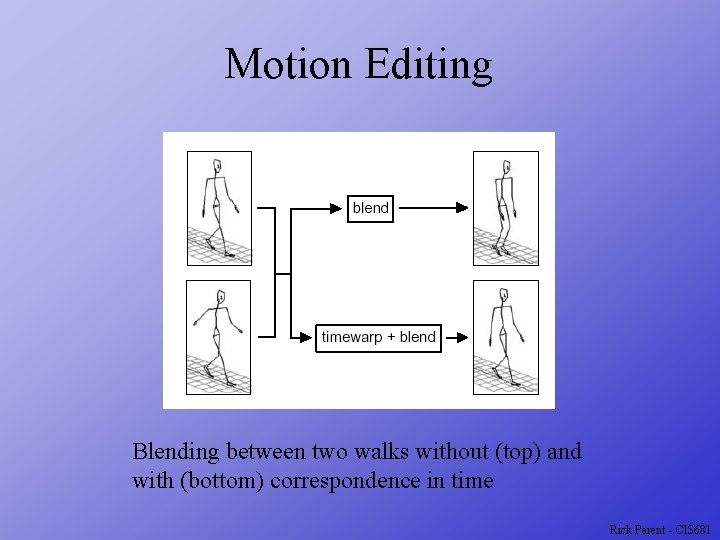
Motion Editing Blending between two walks without (top) and with (bottom) correspondence in time Rick Parent - CIS 681
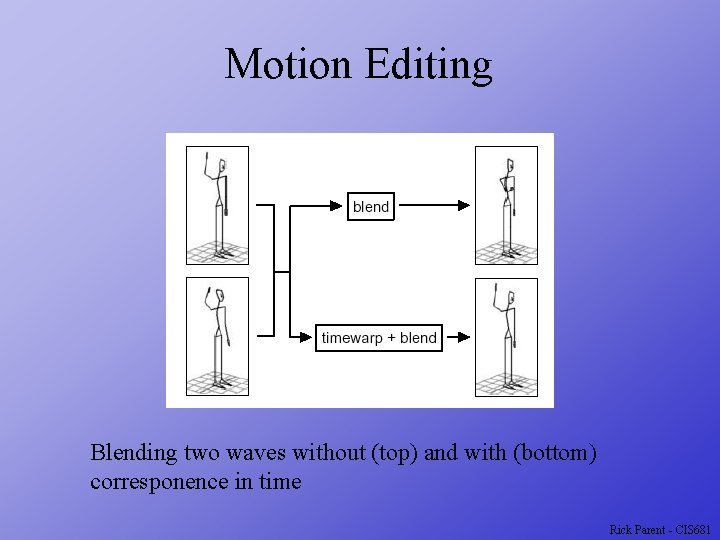
Motion Editing Blending two waves without (top) and with (bottom) corresponence in time Rick Parent - CIS 681
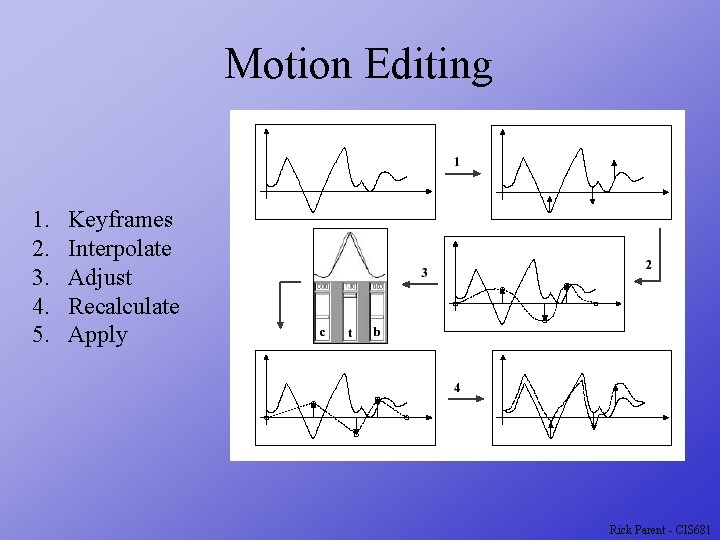
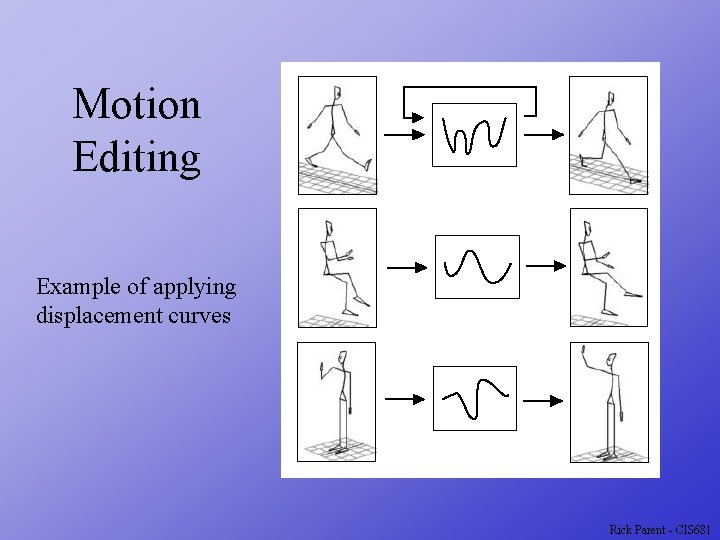
Motion Editing 1. 2. 3. 4. 5. Keyframes Interpolate Adjust Recalculate Apply Rick Parent - CIS 681
Motion Editing Example of applying displacement curves Rick Parent - CIS 681
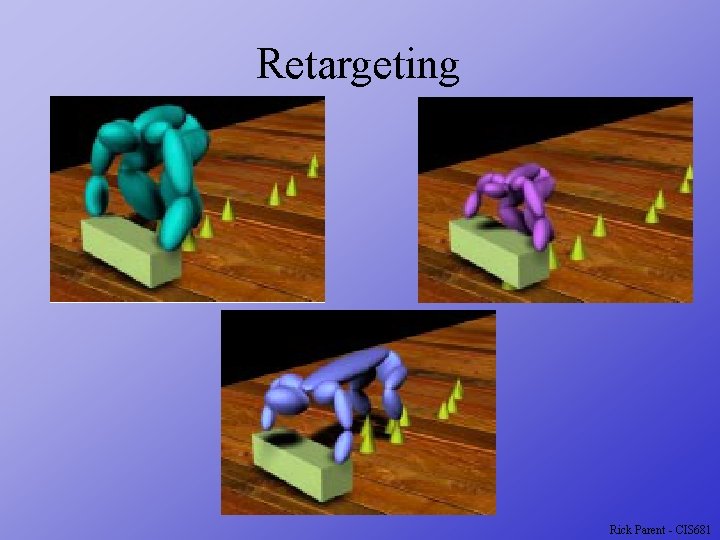
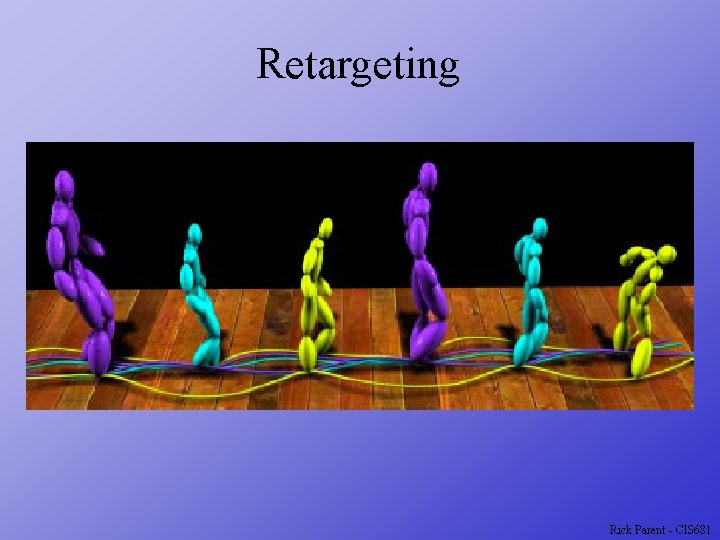
Retargeting Assume identical structure Use motion displacements m(t) = m 0(t) + d(t) IK to enforce constraints can add High-frequence components Use spacetime constraints Rick Parent - CIS 681
Retargeting Minimize difference from original motion Constraints (kinematic) Joint limits Footplants Point at same place Point on character follows another point 2 points at specified distance Vector between points at specified orientation Rick Parent - CIS 681
Spacetime Constraints Consider spacetime particle Position: x(t) Jet-force: f(t) Motion equation: mx -f - mg = 0 Constraints x(t 0) = a x(t 1) = b Minimize Find f such that x satisfies the boundary conditions and R is minimized Numerical solution: sequential quadratic programming Rick Parent - CIS 681
Sequential Quadratic Programming Compute second order Newton-Raphson step in R Compute first order Newton-Raphson step in the C’s Combine by projecting the first onto the null space of the second Requires Jacobian of the constraint function and Hessian of the objective function Final update = Sj + Tj Until C’s = 0 and R at minimum Rick Parent - CIS 681
Linear System Solving Use pseudo inverse Use conjugate gradient to compute the pseudo inverse Rick Parent - CIS 681
Retargeting Rick Parent - CIS 681
Retargeting Rick Parent - CIS 681
Retargeting Rick Parent - CIS 681
Retargeting Rick Parent - CIS 681