
Motion Capture Hardware Workflow Rama Hoetzlein 2011 Lecture
- Slides: 27
Motion Capture: Hardware & Workflow Rama Hoetzlein, 2011 Lecture Notes Aalborg University at Copenhagen
Hardward for Motion Capture 1. Passive optical 2. Active optical 3. Time modulated active 4. Markerless 5. Non-optical: mechnical, magnetic
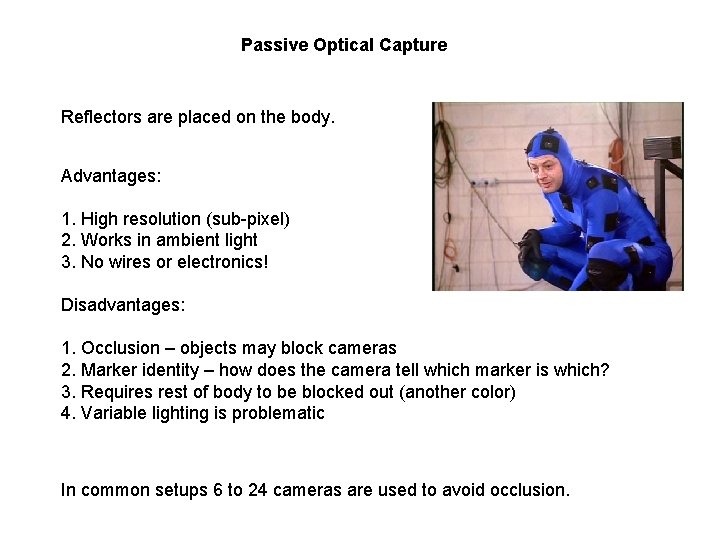
Passive Optical Capture Reflectors are placed on the body. Advantages: 1. High resolution (sub-pixel) 2. Works in ambient light 3. No wires or electronics! Disadvantages: 1. Occlusion – objects may block cameras 2. Marker identity – how does the camera tell which marker is which? 3. Requires rest of body to be blocked out (another color) 4. Variable lighting is problematic In common setups 6 to 24 cameras are used to avoid occlusion.
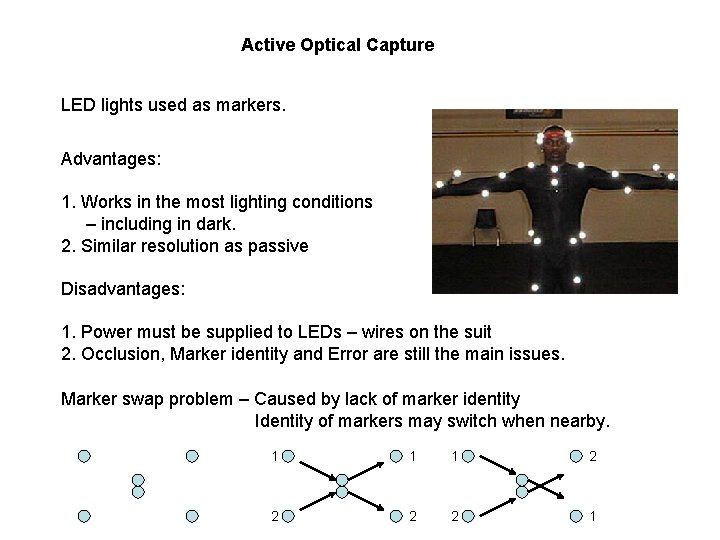
Active Optical Capture LED lights used as markers. Advantages: 1. Works in the most lighting conditions – including in dark. 2. Similar resolution as passive Disadvantages: 1. Power must be supplied to LEDs – wires on the suit 2. Occlusion, Marker identity and Error are still the main issues. Marker swap problem – Caused by lack of marker identity Identity of markers may switch when nearby. 1 1 1 2 2 1
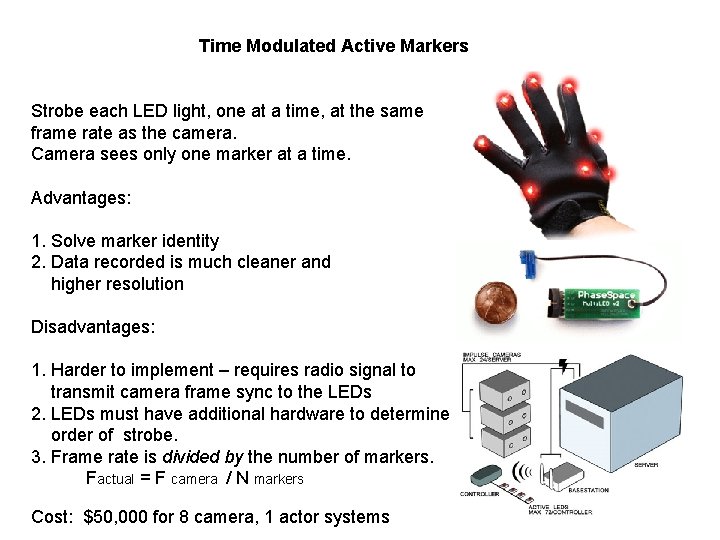
Time Modulated Active Markers Strobe each LED light, one at a time, at the same frame rate as the camera. Camera sees only one marker at a time. Advantages: 1. Solve marker identity 2. Data recorded is much cleaner and higher resolution Disadvantages: 1. Harder to implement – requires radio signal to transmit camera frame sync to the LEDs 2. LEDs must have additional hardware to determine order of strobe. 3. Frame rate is divided by the number of markers. Factual = F camera / N markers Cost: $50, 000 for 8 camera, 1 actor systems
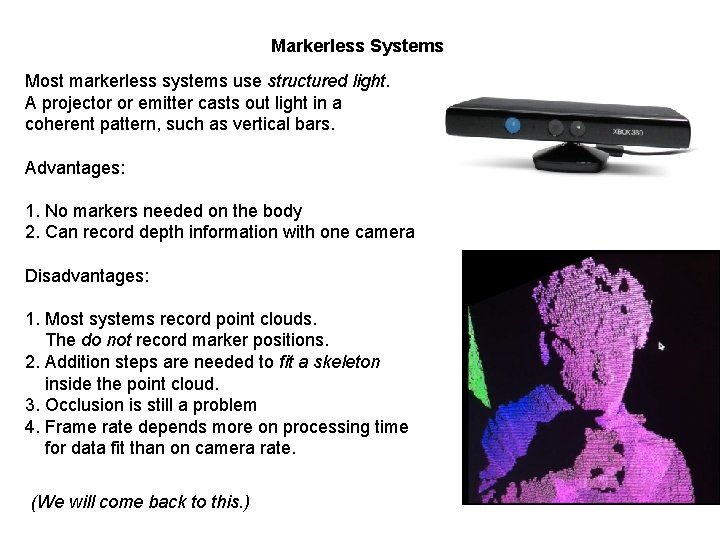
Markerless Systems Most markerless systems use structured light. A projector or emitter casts out light in a coherent pattern, such as vertical bars. Advantages: 1. No markers needed on the body 2. Can record depth information with one camera Disadvantages: 1. Most systems record point clouds. The do not record marker positions. 2. Addition steps are needed to fit a skeleton inside the point cloud. 3. Occlusion is still a problem 4. Frame rate depends more on processing time for data fit than on camera rate. (We will come back to this. )
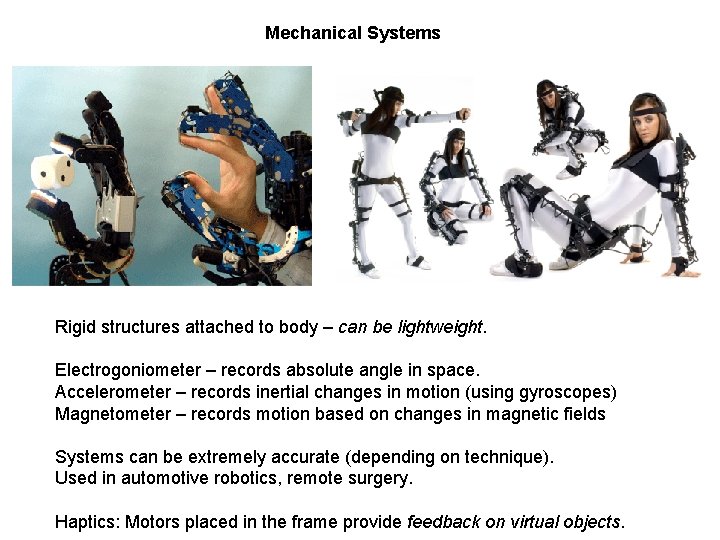
Mechanical Systems Rigid structures attached to body – can be lightweight. Electrogoniometer – records absolute angle in space. Accelerometer – records inertial changes in motion (using gyroscopes) Magnetometer – records motion based on changes in magnetic fields Systems can be extremely accurate (depending on technique). Used in automotive robotics, remote surgery. Haptics: Motors placed in the frame provide feedback on virtual objects.
Keyframe Animation vs. Motion Capture
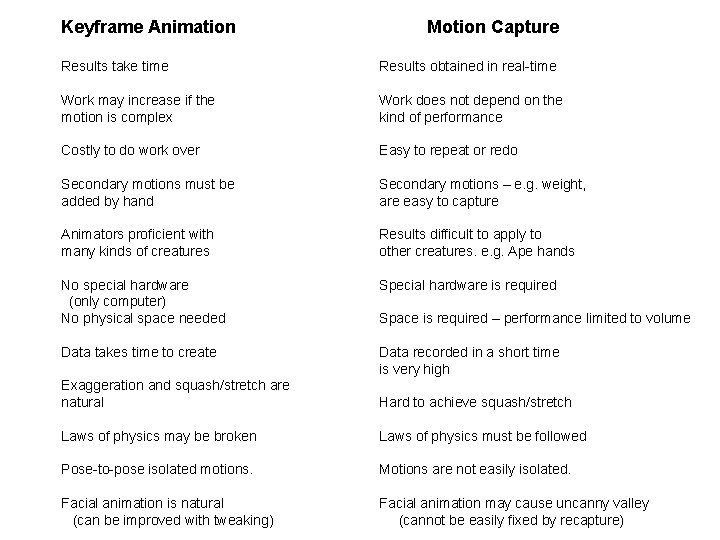
Keyframe Animation Motion Capture Results take time Results obtained in real-time Work may increase if the motion is complex Work does not depend on the kind of performance Costly to do work over Easy to repeat or redo Secondary motions must be added by hand Secondary motions – e. g. weight, are easy to capture Animators proficient with many kinds of creatures Results difficult to apply to other creatures. e. g. Ape hands No special hardware (only computer) No physical space needed Special hardware is required Data takes time to create Data recorded in a short time is very high Space is required – performance limited to volume Exaggeration and squash/stretch are natural Hard to achieve squash/stretch Laws of physics may be broken Laws of physics must be followed Pose-to-pose isolated motions. Motions are not easily isolated. Facial animation is natural (can be improved with tweaking) Facial animation may cause uncanny valley (cannot be easily fixed by recapture)
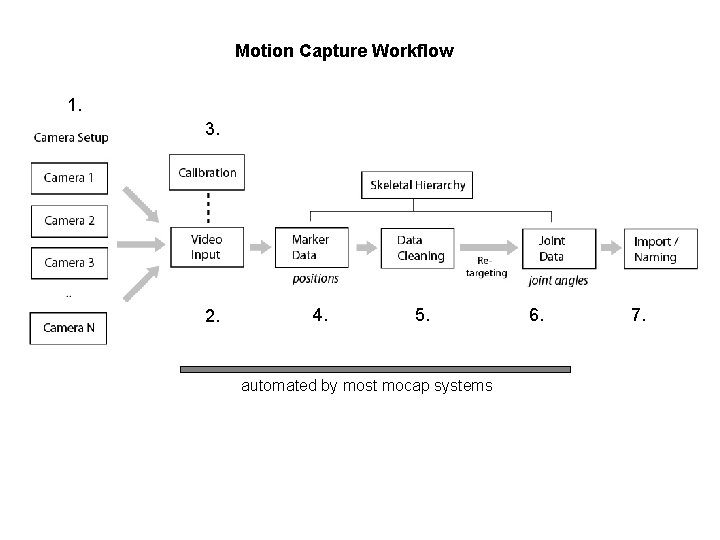
Motion Capture Workflow 1. 3. 2. 4. 5. automated by most mocap systems 6. 7.
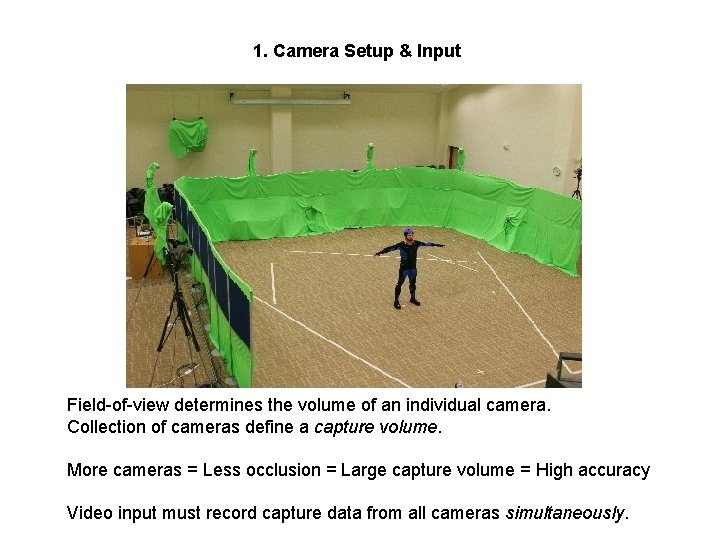
1. Camera Setup & Input Field-of-view determines the volume of an individual camera. Collection of cameras define a capture volume. More cameras = Less occlusion = Large capture volume = High accuracy Video input must record capture data from all cameras simultaneously.
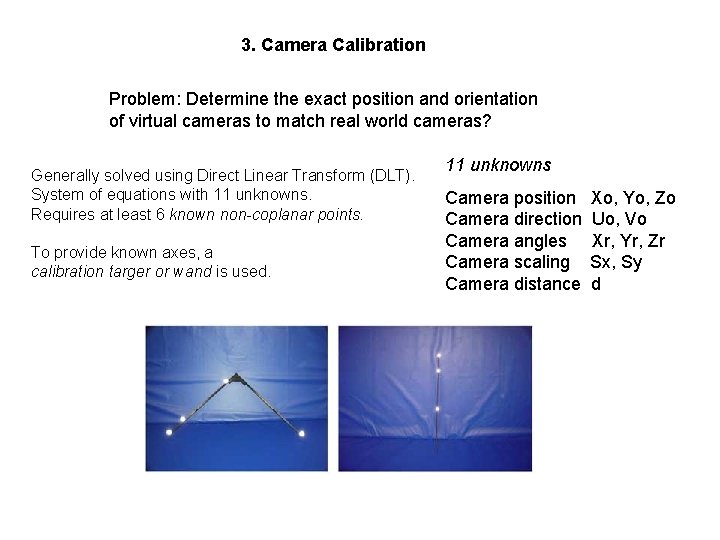
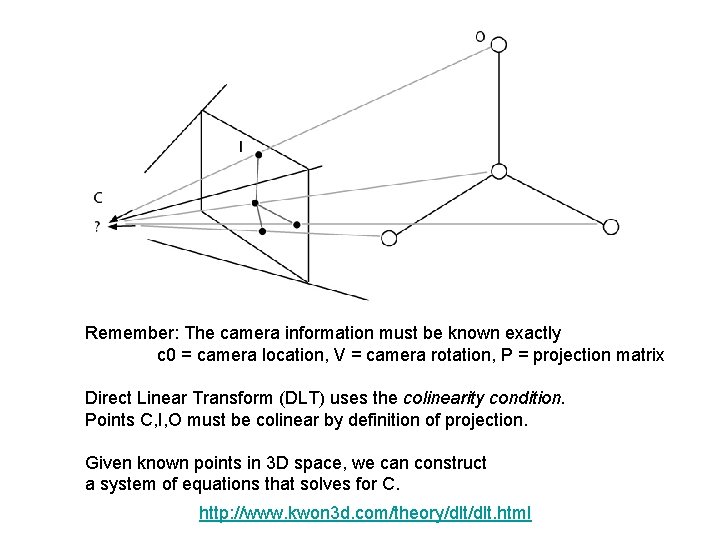
3. Camera Calibration Problem: Determine the exact position and orientation of virtual cameras to match real world cameras? Generally solved using Direct Linear Transform (DLT). System of equations with 11 unknowns. Requires at least 6 known non-coplanar points. To provide known axes, a calibration targer or wand is used. 11 unknowns Camera position Camera direction Camera angles Camera scaling Camera distance Xo, Yo, Zo Uo, Vo Xr, Yr, Zr Sx, Sy d
Remember: The camera information must be known exactly c 0 = camera location, V = camera rotation, P = projection matrix Direct Linear Transform (DLT) uses the colinearity condition. Points C, I, O must be colinear by definition of projection. Given known points in 3 D space, we can construct a system of equations that solves for C. http: //www. kwon 3 d. com/theory/dlt. html
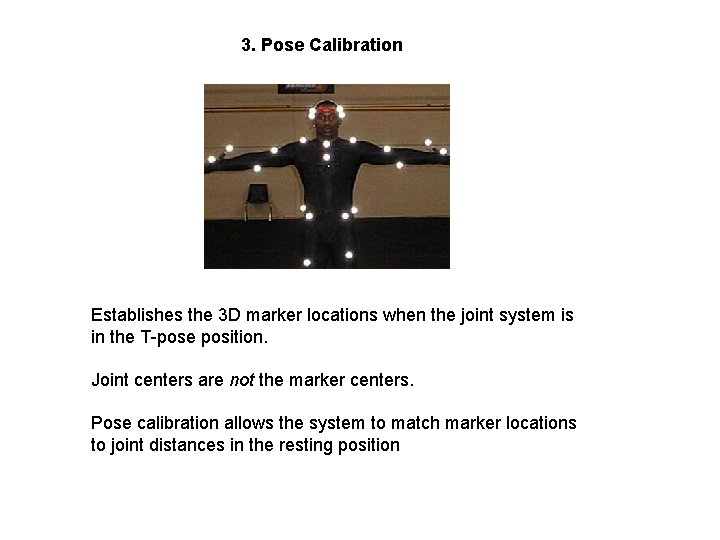
3. Pose Calibration Establishes the 3 D marker locations when the joint system is in the T-pose position. Joint centers are not the marker centers. Pose calibration allows the system to match marker locations to joint distances in the resting position
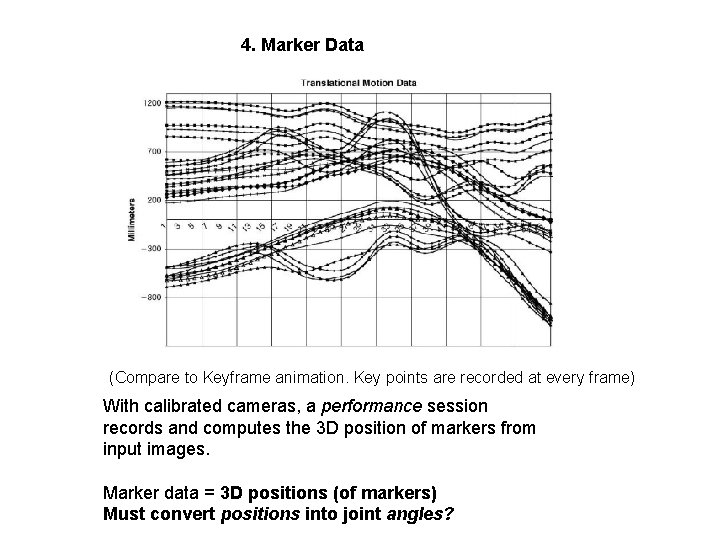
4. Marker Data (Compare to Keyframe animation. Key points are recorded at every frame) With calibrated cameras, a performance session records and computes the 3 D position of markers from input images. Marker data = 3 D positions (of markers) Must convert positions into joint angles?
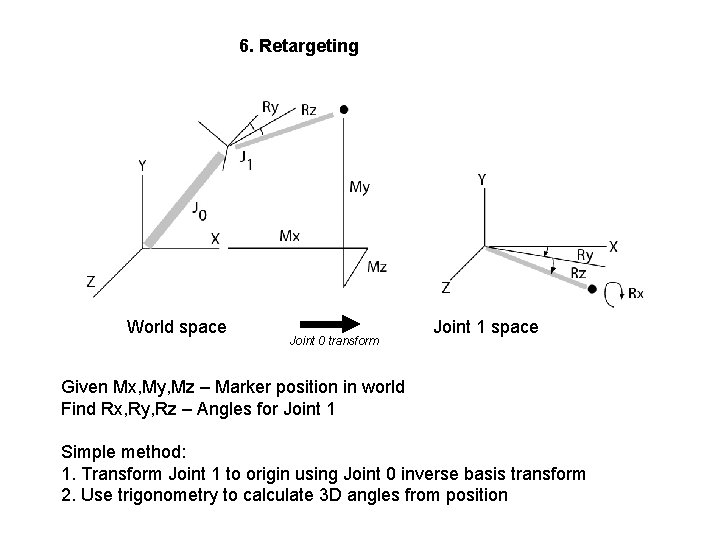
6. Retargeting World space Joint 0 transform Joint 1 space Given Mx, My, Mz – Marker position in world Find Rx, Ry, Rz – Angles for Joint 1 Simple method: 1. Transform Joint 1 to origin using Joint 0 inverse basis transform 2. Use trigonometry to calculate 3 D angles from position
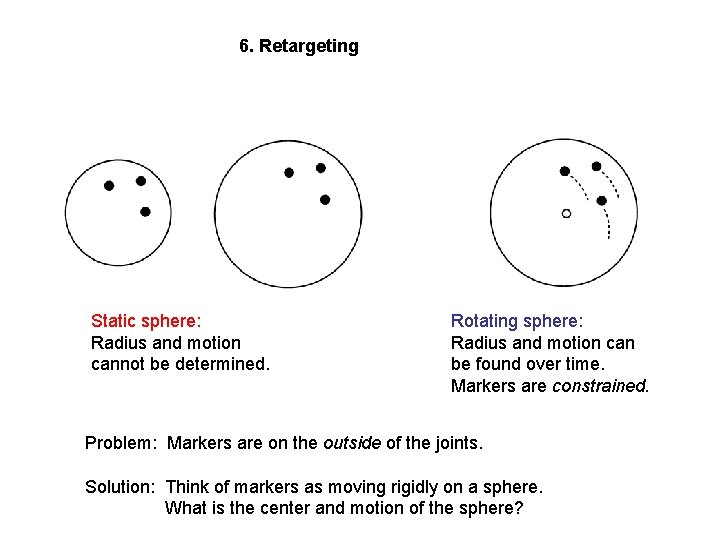
6. Retargeting Static sphere: Radius and motion cannot be determined. Rotating sphere: Radius and motion can be found over time. Markers are constrained. Problem: Markers are on the outside of the joints. Solution: Think of markers as moving rigidly on a sphere. What is the center and motion of the sphere?
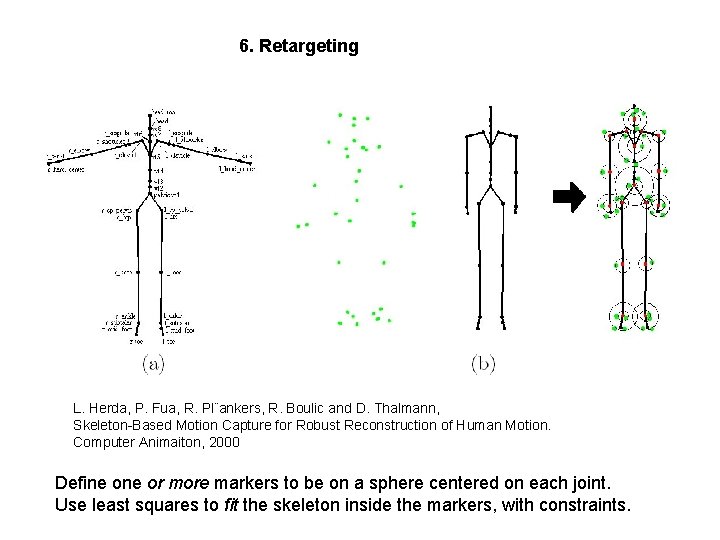
6. Retargeting L. Herda, P. Fua, R. Pl¨ankers, R. Boulic and D. Thalmann, Skeleton-Based Motion Capture for Robust Reconstruction of Human Motion. Computer Animaiton, 2000 Define or more markers to be on a sphere centered on each joint. Use least squares to fit the skeleton inside the markers, with constraints.
5. Data Cleaning Why? Causes of error: - Incorrect calibration (usually fix this, don’t data clean) - Calibration accuracy - Video noise - Camera shake - Camera focus - Lighting conditions - Line intersection error (magnifies errors) When? Data cleaning takes time. Best way is to avoid bad data. Good calibration. Lots of cameras. Some occlusion may still occur. What? Clean marker data. . Don’t clean joint data.
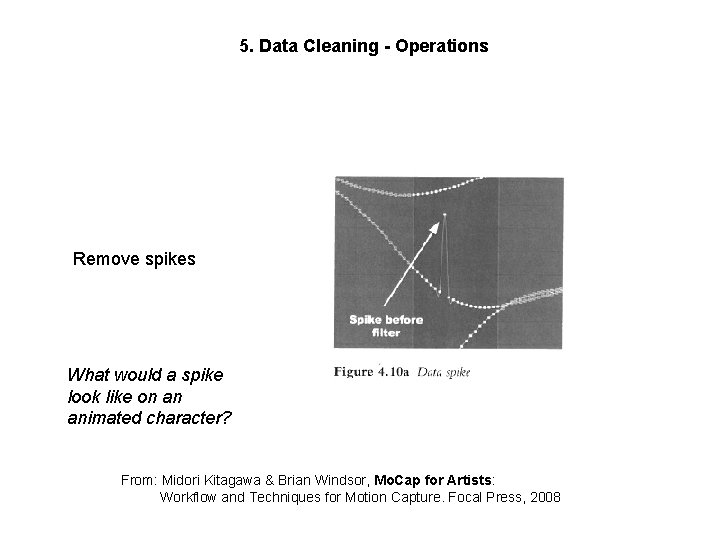
5. Data Cleaning - Operations Remove spikes What would a spike look like on an animated character? From: Midori Kitagawa & Brian Windsor, Mo. Cap for Artists: Workflow and Techniques for Motion Capture. Focal Press, 2008
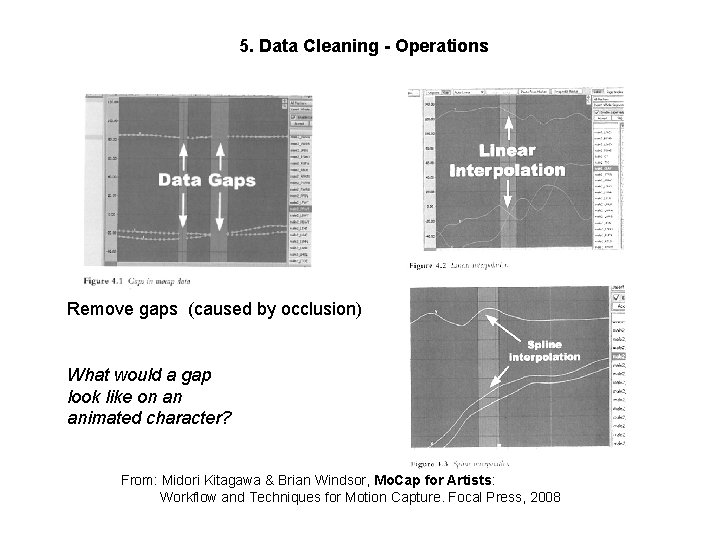
5. Data Cleaning - Operations Remove gaps (caused by occlusion) What would a gap look like on an animated character? From: Midori Kitagawa & Brian Windsor, Mo. Cap for Artists: Workflow and Techniques for Motion Capture. Focal Press, 2008
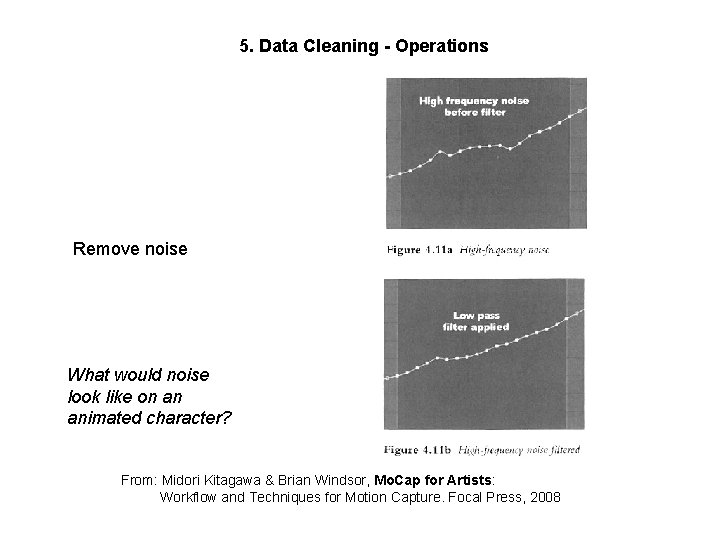
5. Data Cleaning - Operations Remove noise What would noise look like on an animated character? From: Midori Kitagawa & Brian Windsor, Mo. Cap for Artists: Workflow and Techniques for Motion Capture. Focal Press, 2008
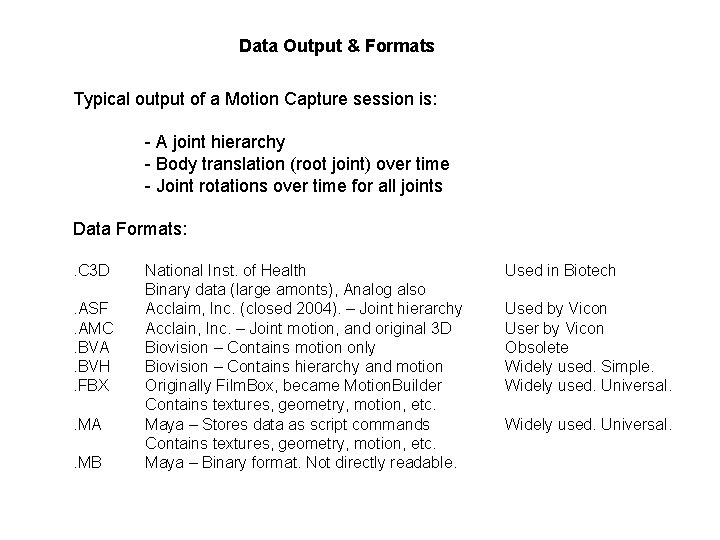
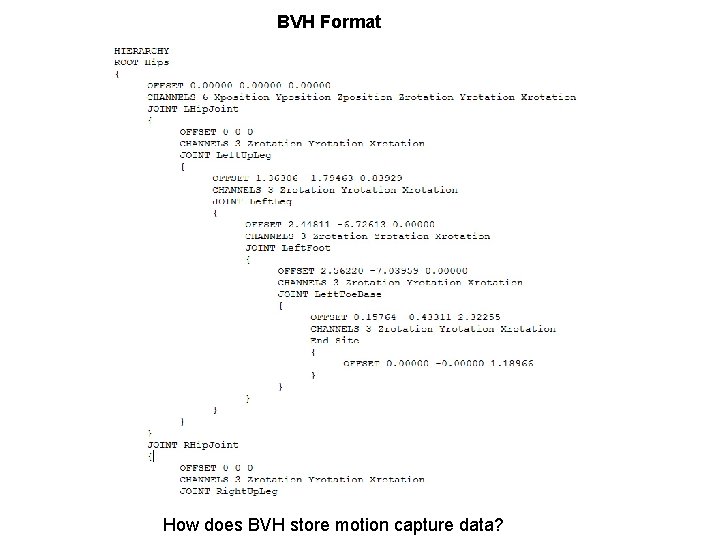
Data Output & Formats Typical output of a Motion Capture session is: - A joint hierarchy - Body translation (root joint) over time - Joint rotations over time for all joints Data Formats: . C 3 D. ASF. AMC. BVA. BVH. FBX. MA. MB National Inst. of Health Binary data (large amonts), Analog also Acclaim, Inc. (closed 2004). – Joint hierarchy Acclain, Inc. – Joint motion, and original 3 D Biovision – Contains motion only Biovision – Contains hierarchy and motion Originally Film. Box, became Motion. Builder Contains textures, geometry, motion, etc. Maya – Stores data as script commands Contains textures, geometry, motion, etc. Maya – Binary format. Not directly readable. Used in Biotech Used by Vicon User by Vicon Obsolete Widely used. Simple. Widely used. Universal.
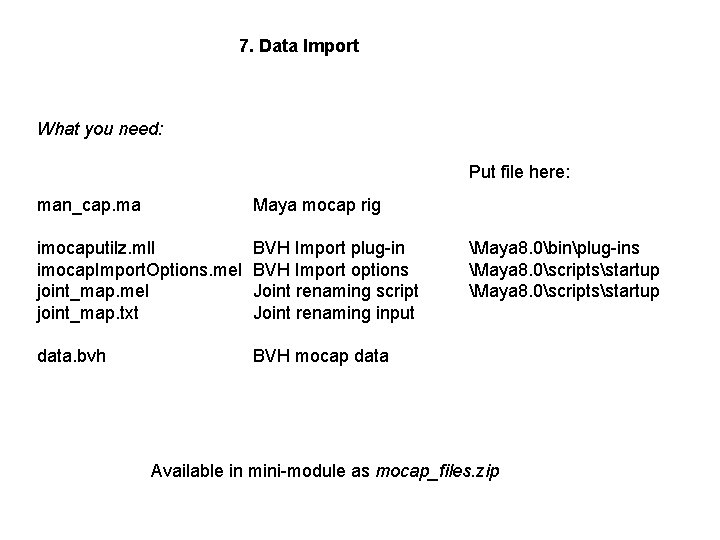
7. Data Import What you need: Put file here: man_cap. ma Maya mocap rig imocaputilz. mll imocap. Import. Options. mel joint_map. txt BVH Import plug-in BVH Import options Joint renaming script Joint renaming input data. bvh BVH mocap data Maya 8. 0binplug-ins Maya 8. 0scriptsstartup Available in mini-module as mocap_files. zip
BVH Format How does BVH store motion capture data?
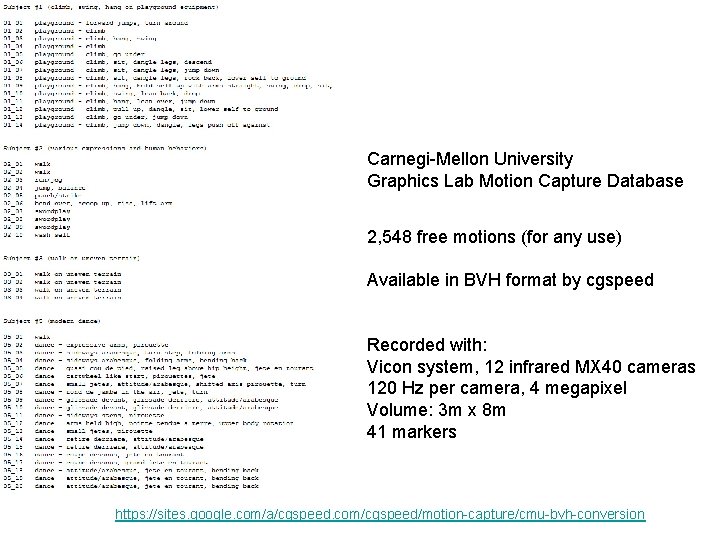
Carnegi-Mellon University Graphics Lab Motion Capture Database 2, 548 free motions (for any use) Available in BVH format by cgspeed Recorded with: Vicon system, 12 infrared MX 40 cameras 120 Hz per camera, 4 megapixel Volume: 3 m x 8 m 41 markers https: //sites. google. com/a/cgspeed. com/cgspeed/motion-capture/cmu-bvh-conversion
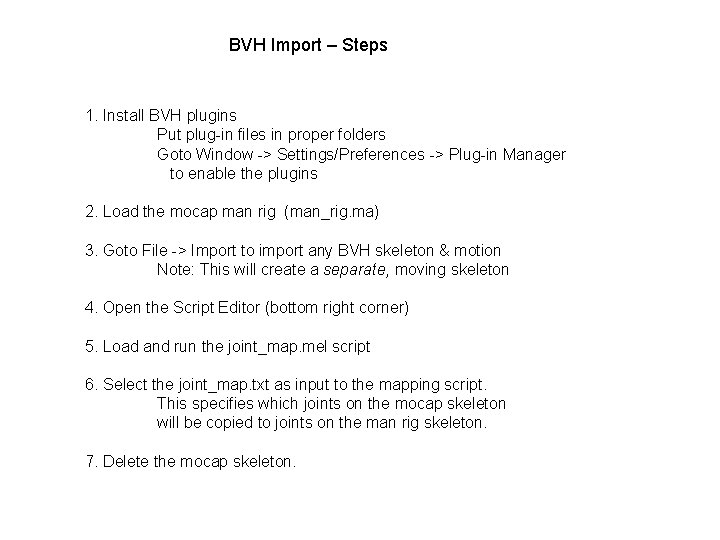
BVH Import – Steps 1. Install BVH plugins Put plug-in files in proper folders Goto Window -> Settings/Preferences -> Plug-in Manager to enable the plugins 2. Load the mocap man rig (man_rig. ma) 3. Goto File -> Import to import any BVH skeleton & motion Note: This will create a separate, moving skeleton 4. Open the Script Editor (bottom right corner) 5. Load and run the joint_map. mel script 6. Select the joint_map. txt as input to the mapping script. This specifies which joints on the mocap skeleton will be copied to joints on the man rig skeleton. 7. Delete the mocap skeleton.