
MOST Maynard Operation Sequence Technique Work Measurement System



































- Slides: 158
MOST Maynard Operation Sequence Technique Work Measurement System
Methods - Time Measurement H. B. Maynard was one of three persons instrumental in the creation of MTM.
Kjell Zandin, while working in the Swedish Division of H. B. Maynard in the late 1960’s, detected striking similarities in the sequence of MTM defined motions whenever an object was handled.
Under MOST, the primary work units are no longer basic motions as in MTM, but collections of these basic motions dealing with moving object.
MOST makes the assumption that to move an object, a standard sequence of events occurs.
Under MOST, objects can be moved in only one of two ways: • They are picked up and moved freely through space -- the GENERAL MOVE. • They are moved and maintain contact with another surface -- the CONTROLLED MOVE.
The MOST Family • • Basic MOST -- General Operations Mini MOST -- Repetitive Operations Maxi MOST -- Non-repetitive Operations Clerical MOST -- Clerical Operations
Maxi MOST is used to analyze operations that are likely to be performed less than 150 times per week.
Basic MOST is used for operations that are likely to be performed more than 150 times but less than 1500 times per week.
Mini MOST is used to analyze operations likely to be repeated more than 1500 times per week.
The Decision Diagram provides a simple procedure for selecting the most appropriate MOST Work Measurement System to use.
The MOST Decision Diagram is based on +/- 5% accuracy and a 95% confidence level.
System Selection Charts may be used in lieu of the Decision Diagram for choosing the best MOST Work Measurement System to use.
The MOST Standard Form provides the analyst with a simple, consistent format for analyzing work using the method.
It should be possible to complete a MOST analysis by observing two complete cycles of work in slow motion.
If the method is well established and the analyst knows the operation and conditions, the Basic MOST calculations can be made from the office and used to predict the times for a new procedure.
General Rules for Using MOST • Each sequence model is fixed. • No letter may be added or omitted for the General or Controlled Move Sequence. • In general, no letter may be added or omitted for the Tool Use Sequence, with a few exceptions.
General Move Sequence
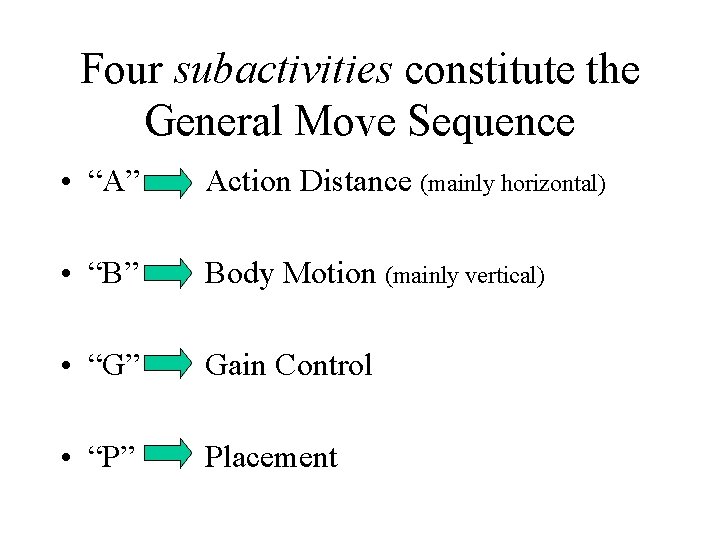
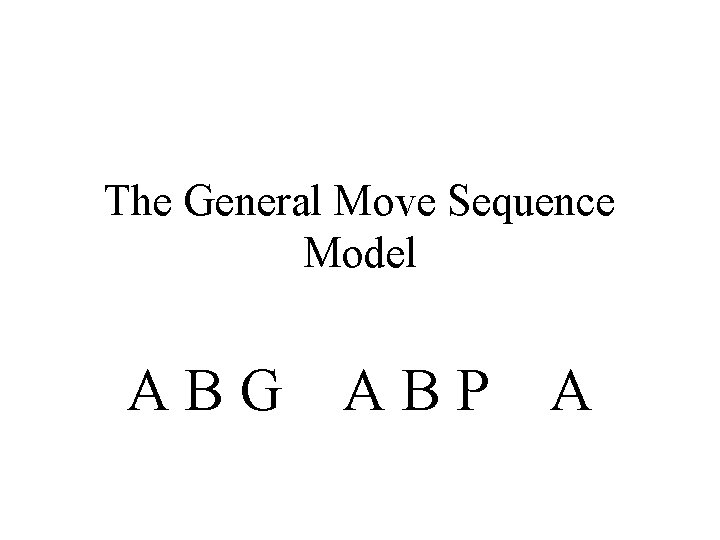
Four subactivities constitute the General Move Sequence • “A” Action Distance (mainly horizontal) • “B” Body Motion (mainly vertical) • “G” Gain Control • “P” Placement
Roughly 50% of all manual work occurs as a General Move. The percentage runs higher for assembly and material handling and lower for machine shop operations.
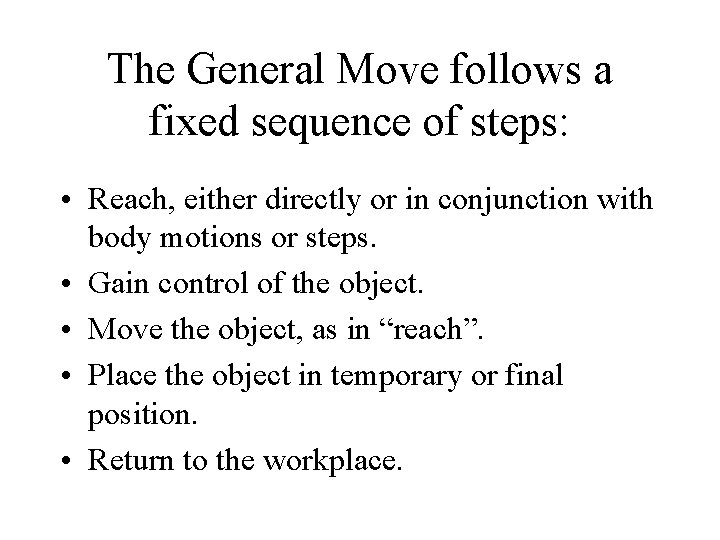
The General Move follows a fixed sequence of steps: • Reach, either directly or in conjunction with body motions or steps. • Gain control of the object. • Move the object, as in “reach”. • Place the object in temporary or final position. • Return to the workplace.
The General Move Sequence Model ABG ABP A
Action Distance (A) This parameter is used to analyze all spatial movement or actions of the fingers, hands, and/or feet.
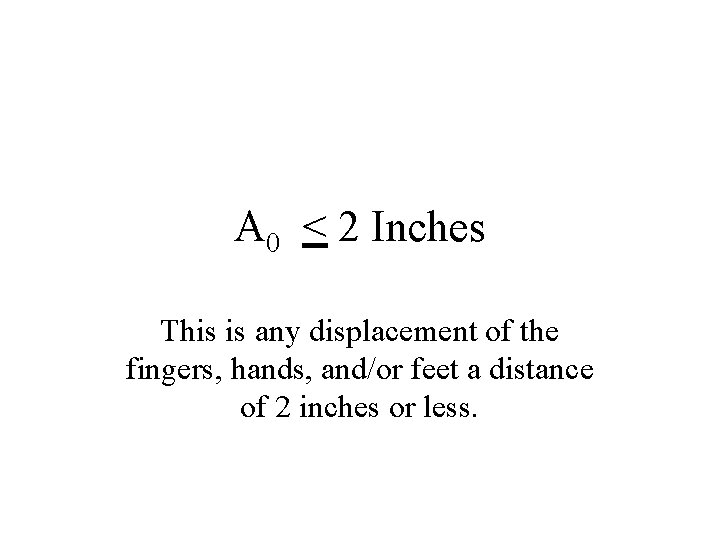
A 0 < 2 Inches This is any displacement of the fingers, hands, and/or feet a distance of 2 inches or less.
A 1 Within Reach Actions that are confined to an area described by the arc of the outstretched arm pivoted about the shoulder.
A 3 One to Two Steps The trunk of the body is shifted or displaced by walking, stepping to the side, or turning the body around using 1 or 2 steps.
More Than 2 Steps Used with Action Distance data table to cover longer movements.
Body Motion (B) This parameter is used to analyze either vertical motions of the body or the actions necessary to overcome an obstruction or impairment to body movement.
B 6 -- Bend & Arise From an erect standing position, the trunk of the body is lowered by bending from the waist and/or knees to allow the hands to reach below the knees.
B 3 -- Bend & Arise, 50% Occurrence Bend & Arise is required only 50% of the time during a repetitive activity.
B 10 -- Sit or Stand A series of several hand, foot, and body motions to move a stool / chair into position followed by the body sitting or standing.
B 16 -- Stand Bend This is a case where a sitting person must stand up and walk to a location to gain control of an object placed below knee level, where a Bend & Arise is required.
B 16 -- Bend & Sit This applies when gaining control of an object requires a Bend & Arise followed by a Sit prior to placing the object.
B 16 -- Climb On or Off This parameter variant covers climbing on or off a work platform on any raised surface (~3 ft) using a series of hand body motions to lift or lower the body.
B 16 -- Passing Through Door Passing through a door consists of reaching for and turning the handle, opening the door, walking through the door, and subsequently closing the door.
Gain Control (G) This parameter is used to analyze all manual motions employed to obtain complete manual control of an object(s) and to subsequently relinquish that control.
G 1 -- Light Object Gain control of an object by grasping it as long as no difficulty is encountered.
G 1 -- Light Objects Simo One hand gains control of a light object while the other hand obtains another light object.
G 3 -- Light Object(s) Non-Simo While one hand is grasping an object, the other hand must wait before it can grasp the other object.
G 3 -- Heavy or Bulky In grasping a heavy or bulky object there is a delay between when the object is grasped and when it begins to move due to weight, bulk, etc.
G 3 -- Blind or Obstructed Access to the object is restricted because an obstacle prevents the operator from seeing the object or creates an obstruction to the hand/fingers in attempting to gain control.
G 3 -- Disengage An application of muscular force to free an object from its surroundings typified by a need to overcome resistance followed by sudden movement and recoil of the object.
G 3 -- Interlocked means the object is intermingled or tangled with other objects and must be separated or worked free before reaching control.
G 3 -- Collect Gain control of several objects jumbled together in a pile or spread out on a surface.
Placement (P) This parameter is used to analyze actions at the final stage of an object’s displacement to align, orient, and/or engage the object with other object(s) before control of the object is relinquished.
P 0 -- Pickup Objects This is “placement” in which no placement occurs. The object is picked up and held.
P 0 -- Toss Object(s) Another “placement” where placement does not occur. The object is released during the “action distance” (A) parameter without placing motions or pause to point the object toward the target.
P 1 -- Lay Aside The object is placed in an appropriate locations with no apparent aligning or adjusting motions.
P 1 -- Loose Fit The object is placed in a more specific location than described by the Lay Aside parameter, but with tolerances so loose that only a modest amount of control is needed for placement.
P 3 -- Adjustments are defined as the corrective actions occurring at the point of placement, and recognized by obvious efforts, hesitations, or correcting motions to align, orient, and/or engage the object.
P 3 -- Light Pressure Because of close tolerances or the nature of the placement, the application of muscular force is needed to seat the object.
P 3 -- Double With “double”, two distinct phases occur during the total placing activity.
P 6 -- Care or Precision Extreme care is needed to place an object within a closely defined relationship with another object, and characterized by the obvious slow motion of the placement due to the high degree of concentration required.
P 6 -- Heavy Pressure As a result of very tight tolerances, a high degree of muscular force is needed to engage the object.
P 6 -- Blind or Obstructed Accessibility to the point of placement is restricted because an obstacle prevents the operator from seeing the point of placement, or creates an obstruction to the hand/fingers when attempting to place the object.
P 6 -- Intermediate Moves Several intermediate moves of the object are required prior to placing.
General Move Example From a stack located 10 feet away, a heavy object must be picked up and moved 5 feet and placed on top of a workbench with some adjustments.
General Move Example An assembly worker gets a handful of washers (6) from a bin located within reach and puts one on each of six bolts located within reach, which are four inches apart.
General Move Example A worker gains control of two fittings that are within reach and located more than two inches apart, one at a time, and places them on separate trays that are within reach and located less than 2 inches apart.
B 3 -- Sit or Stand without Moving Chair When the body is simply lowered into a chair from an erect position, without hand/foot motions required to manipulate the chair.
P 3 -- Loose Fit Blind In this case the operator must feel around for the placement location before a loose placement can occur.
Controlled Move Sequence
Three new subactivities are found in the Controlled Move Sequence “M” Move Controlled “X” Process Times “I” Align
The Controlled Move Sequence describes the manual displacement of an object over a “controlled” path.
The Controlled Move follows a fixed sequence of steps: Reach, either directly or in conjunction with body motions or steps. Gain control of the object. Move the object over a controlled path. Allow time for the process to occur. Align the object after the move/process. Return to the workplace.
A Controlled Move is performed under the following conditions: • The object or device is restrained by its attachment to another object • It’s controlled during the move by the contact it makes with the surface of another object. • It must be moved on a controlled path to accomplish the activity.
Move Controlled (M) This parameter is used to analyze all manually guided movements or actions of an object over a controlled path.
M 1 -- One Stage < 12” Object displacement is achieved by a movement of the fingers/hands/feet not exceeding 12 inches.
M 1 -- Button/Switch/Knob The device is actuated by a short pressing, moving, or rotating action of the fingers/hands/wrist/feet.
M 3 -- One Stage > 12” Object displacement is achieved by a movement of the hands, arms, or feet, plus body motion, exceeding 12 inches.
M 3 -- Resistance, Seat/Unseat Conditions surrounding the object or device require that resistance be overcome prior to, during, or after the Controlled Move.
M 3 -- High Control This parameter reflects the need to align an object using a high degree of visual concentration.
M 3 -- Two Stages < 12” An object is displaced in two directions or increments a distance not exceeding 12 inches per stage without relinquishing control.
M 6 -- Two Stages > 12” -- OR-With One - Two Steps An object is displaced in two directions or increments a distance exceeding 12 inches per stage without relinquishing control.
M 10 -- Three to Four Stages --- OR --3 - 5 Steps An object is displaced three or four directions or increments without relinquishing control or pushed/pulled on a conveyor belt.
M 16 -- Move Controlled with 6 9 Steps Push or pull an object(s) using 6 - 9 steps.
“Cranking” action is performed by moving the fingers, hand, wrist, and/or forearm in a circular path more than half a revolution. Less than this is considered a Push/Pull/Pivot.
Push - Pull Cranking If cranking results in a back - and forth movement of the elbow instead of pivoting at the wrist and / or elbow, it is considered push - pull cranking.
Pivotal cranking is more efficient than push - pull cranking, and should be used whenever possible.
Process Time Process time is that portion of work controlled by electronic or mechanical devices / machines, not by manual actions.
As a rule of thumb, the process time expressed as an index number should not exceed 20% of the cycle time.
Alignment refers to manual actions following the Move Controlled or at the conclusion of process time to achieve an alignment or specific orientation of objects.
Within the area of normal vision (a 4” diameter circle), the alignment of an object to two points can be performed without any additional “eye times”.
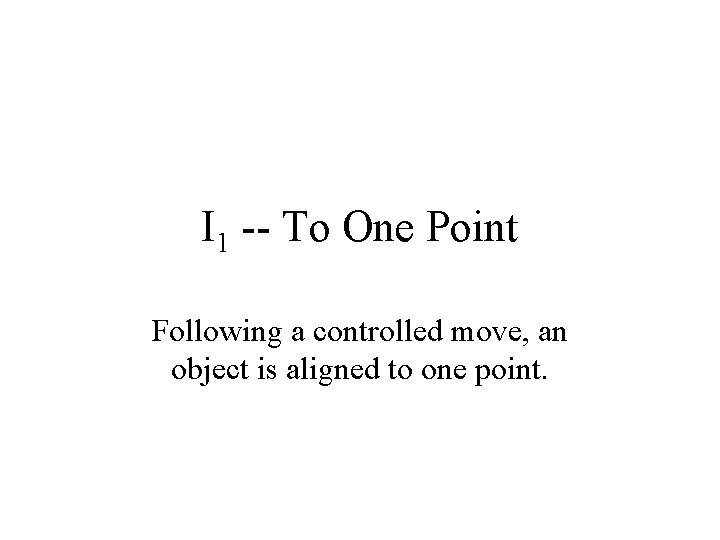
I 1 -- To One Point Following a controlled move, an object is aligned to one point.
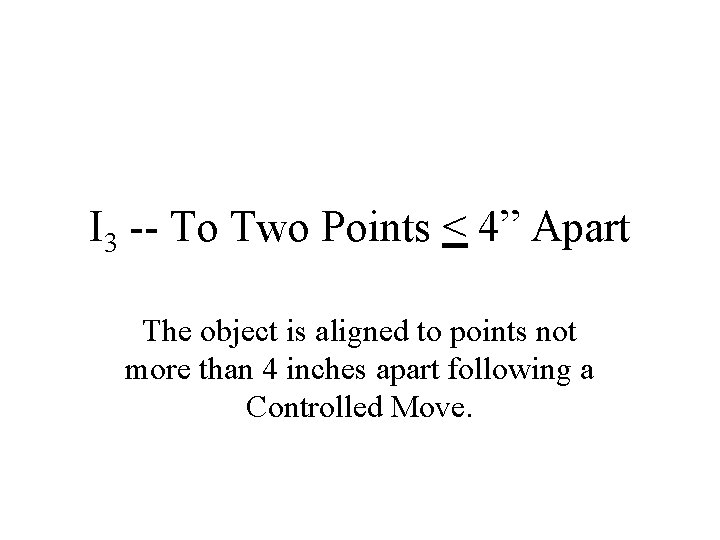
I 3 -- To Two Points < 4” Apart The object is aligned to points not more than 4 inches apart following a Controlled Move.
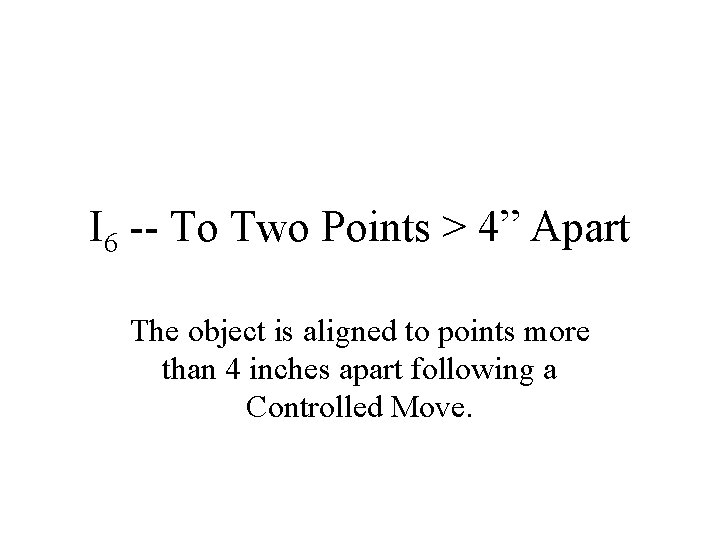
I 6 -- To Two Points > 4” Apart The object is aligned to points more than 4 inches apart following a Controlled Move.
I 16 -- Precision The object is aligned to several points with extreme care or precision following a Controlled Move.
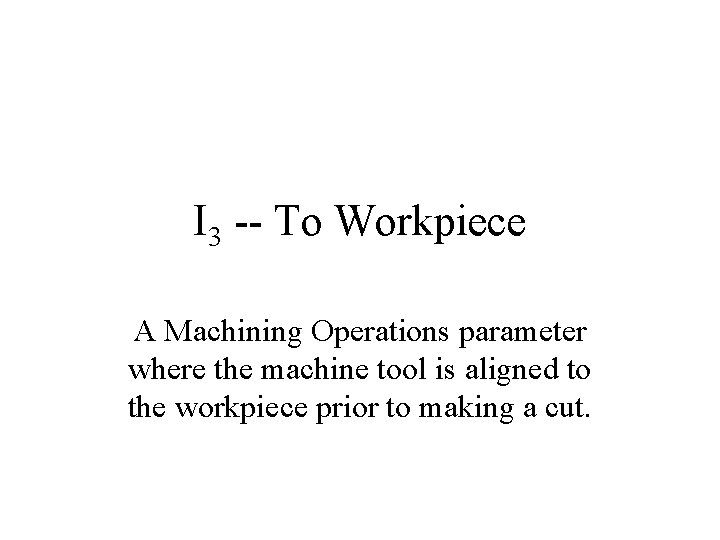
I 3 -- To Workpiece A Machining Operations parameter where the machine tool is aligned to the workpiece prior to making a cut.
I 6 -- To Scale Mark Another Machining Operations parameter, the machine tool is aligned to a scale mark prior to making a cut.
I 10 -- To Indicator Dial The third Machining Operations parameter, the machine tool is aligned to the correct indicator dial setting prior to making a cut.
Alignment of Nontypical Objects Nontypical objects are those that are especially large, flimsy, sharp, or require special handling.
Alignment of a nontypical object normally takes place as a series of short correcting motions (< 2”) following the Controlled Move, usually with the assistance of stops, guides, or marks.
Controlled Move Example From a position in front of a lathe, the operator takes two steps to the side, turns the handwheel two rotations, and sets the cutting tool by aligning the handwheel dial to a scale mark.
Controlled Move Example A milling machine operator walks four steps to the quick-feeding cross lever and engages the feed. The machine time following the 4” lever action is 2. 5 seconds.
Controlled Move Example A material handler takes hold of a heavy carton with both hands and pushes it 18” across conveyor rollers.
Controlled Move Example Using the foot pedal to activate the machine, a sewing machine operator makes a stitch requiring 3. 5 seconds process time. The operator must reach the pedal with the foot.
The Tool Use Sequence is a combination of the General Move and Controlled Move activities.
Tools not listed in the tables that are similar to a tool in the table can use their time values for analysis.
Tool Use Phases • • • Get Tool (Object) Put Tool (Object) in Place Use Tool Put Tool (Object) Aside Return
The Tool Use Sequence model makes use of the “A”, “B”, “G”, and “P” parameters, which are all familiar to us, plus the new Tool Use parameters.
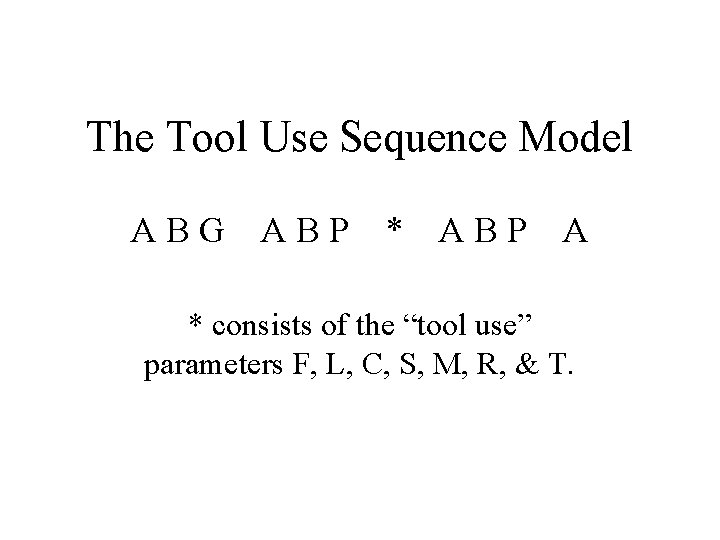
The Tool Use Sequence Model ABG ABP * ABP A * consists of the “tool use” parameters F, L, C, S, M, R, & T.
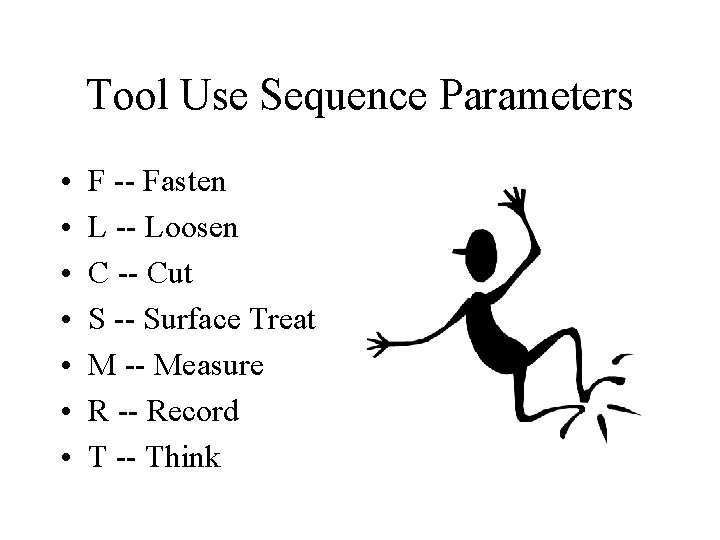
Tool Use Sequence Parameters • • F -- Fasten L -- Loosen C -- Cut S -- Surface Treat M -- Measure R -- Record T -- Think
Fasten / Loosen Manually or mechanically assembling or disassembling one object to or from another using the fingers, a hand, or hand tools.
Index values for “F” and “L” are determined by the body member performing the action.
Finger Spins are the movement of the fingers and thumb to run a threaded fastener down or out, and include a light application of pressure for seating / unseating the fastener.
Wrist Actions • • Wrist Turn Wrist Stroke (with reposition) Wrist Crank Tap
Wrist Turn During a wrist turn, the tool is not removed from the fastener during use and not repositioned on the fastener after an action.
Wrist Stroke (with reposition) In this tool use, after each stroke with the tool and before making each subsequent stroke, the tool must be removed from the fastener and repositioned.
Wrist Crank Wrist crank applies to tools that are spun or rotated around a fastener while remaining affixed to it.
Tap This parameter covers the use of a hammer (or similar device) to exert short tapping motions by pivoting the hand at the wrist.
Arm Actions • • • Arm Turn Arm Stroke (with reposition) Arm Crank Strike T-Wrench (two hands)
Arm Turn(s), applying to ratchets, occur when the tool is held near the end of the handle, resulting in a pulling action on the tool.
Arm Stroke (with reposition) Following each stroke or pull with the tool, it must be removed and repositioned again on the fastener before making a subsequent pull.
Arm Crank The tool is used with a circular movement of the forearm as it is pivoted at the elbow or the shoulder to push or crank the tool around the fastener.
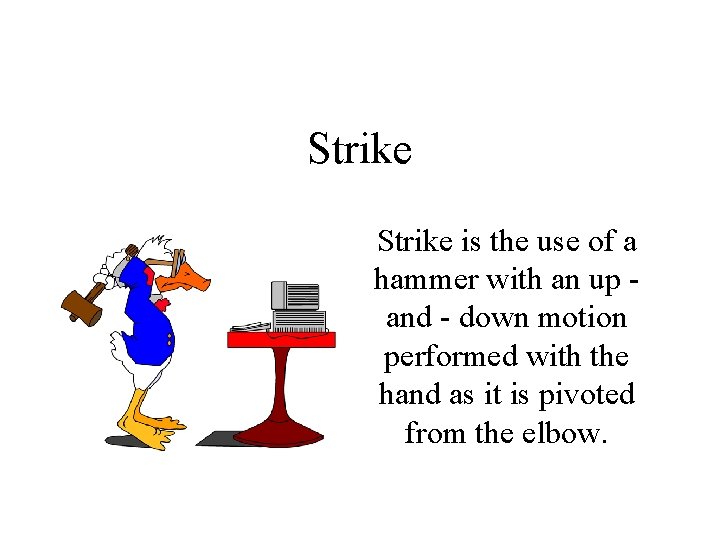
Strike is the use of a hammer with an up and - down motion performed with the hand as it is pivoted from the elbow.
T-Wrench (two hands) A two - handed arm action, including the reach for each hand to the opposite handle before making the next turn, and involving a 180 degree turn of the T-wrench with each action.
Power Tools The use of electric and pneumatic power wrenches to run a standard threaded fastener down or out a length 1 1/2 times the bolt diameter.
The time values generated by the data card for power tool use must be compared to the times generated by the tools used in the shop, and adjusted if necessary.
Torque Wrenches • F 6 -- Torque wrench handle length to 10”. • F 10 -- Handle length from 10 - 15”. • F 16 -- Handle length from 15 - 40”. • In all cases, the value is for one arm action and includes the time either to align the dial or to await the click.
Tool Placement As a general rule, the “P” parameter for the Fasten / Loosen tools will carry the index values indicated in the Tool Placement table.
Tool Use Frequencies Example An operator picks up a screwdriver within reach and tightens two screws with six wrist turns each and then sets aside the screwdriver.
Multiple Tool Actions Example A screw is fastened with a screwdriver. A total of 18 spins and 4 wrist turns are necessary.
Multiple Tool Actions Example A nut is fastened with a ratchet wrench. Following 3 wrist cranks, 6 wrist turns are applied.
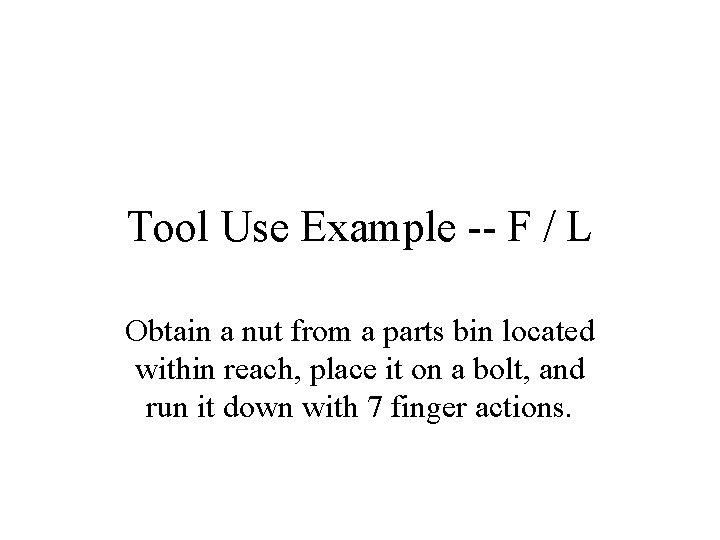
Tool Use Example -- F / L Obtain a nut from a parts bin located within reach, place it on a bolt, and run it down with 7 finger actions.
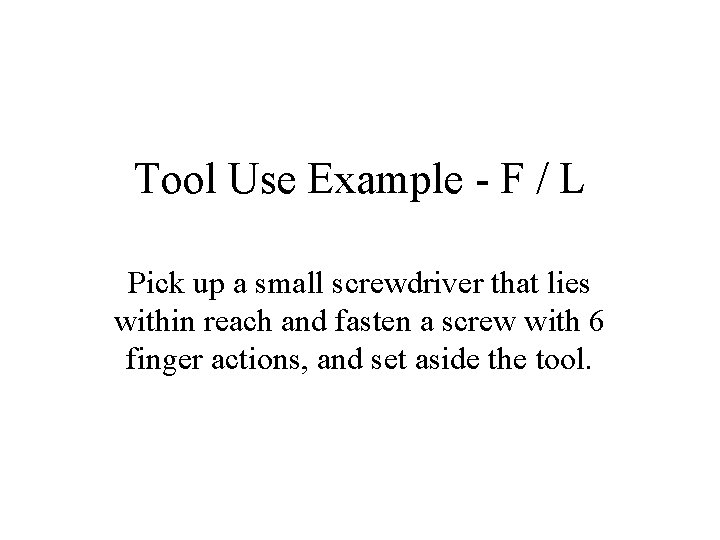
Tool Use Example - F / L Pick up a small screwdriver that lies within reach and fasten a screw with 6 finger actions, and set aside the tool.
Tool Use Example -- F / L Obtain a power wrench that lies within reach, run down four 3/8” bolts located 6” apart, and set aside wrench.
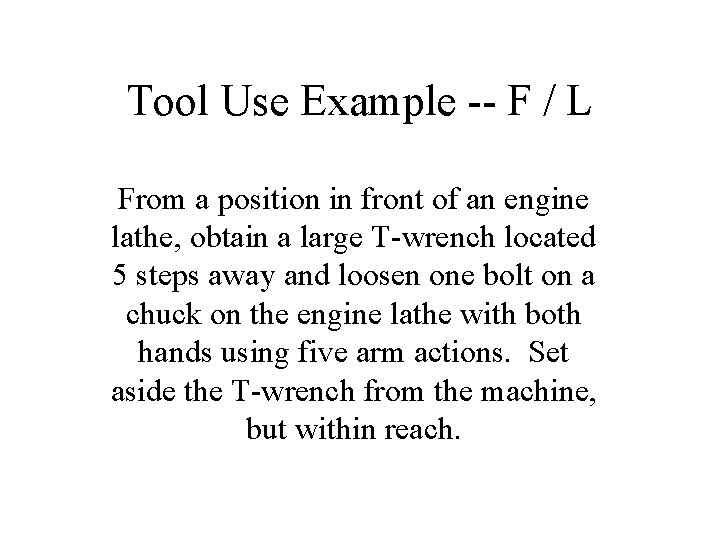
Tool Use Example -- F / L From a position in front of an engine lathe, obtain a large T-wrench located 5 steps away and loosen one bolt on a chuck on the engine lathe with both hands using five arm actions. Set aside the T-wrench from the machine, but within reach.
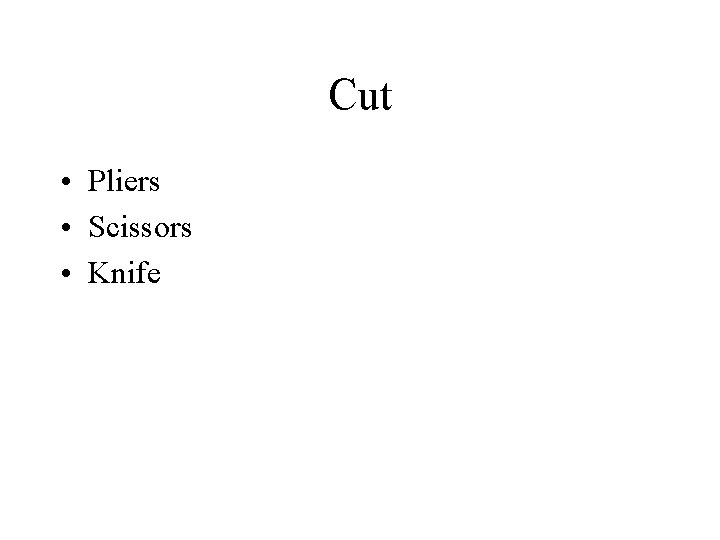
Cut • Pliers • Scissors • Knife
Pliers • C 3 -- Soft: Using pliers with one hand making one cut. • C 6 -- Medium: Using pliers with one hand making two cuts. • C 10 -- Hard: Using the pliers with two hands and making two cuts.
Pliers • C 1 -- Grip: Using pliers to hold an item and subsequently release the pressure on the item. • C 6 -- Twist: Close pliers jaws on two wires and use two twisting actions to join the wires together. • C 6 -- Form Loop: Close pliers jaws on wire and using two actions, bend loop in end of wire. • C 16 -- Secure Cotter Pin: Use pliers to bend both legs on cotter pin to hold it in position.
Index values using scissors are selected according to the number of cuts used.
Tool Use Example -- Cut An operator picks up a knife from a workbench two steps away, makes one cut across the top of a cardboard box, and sets aside the knife on the workbench.
Tool Use Example -- Cut During a sewing operation, a tailor cuts the thread from the machine before setting aside the finished garment. The scissors are held in the palm during the sewing operation.
Tool Use Example -- Cut Following a soldering operation, an electronic component assembler must cut off the excess small - gauge wire from a terminal connection. The pliers are located within reach.
Tool Use Example -- Cut An electrician working on transmission lines takes a pair of pliers from the tool belt and cuts off a piece of line. The line is heavy, such that 2 hands are needed to cut through the wire.
Surface Treat covers the activities aimed at cleaning material or particles from or applying a substance, coating, or finish to the surface of an object.
Index values for cleaning tools are based primarily on the amount of surface area (sq. ft. ) cleaned.
Tool Use Example: Surface Treat Before marking off a piece of sheet metal (4 ft sq) for a cutting operation, the operator takes a rag from his or her back pocket and wipes an oily film from the surface.
Tool Use Example: Surface Treat Following a sanding operation, an operator standing at a workbench picks up a brush located within reach and brushes the dust and chips from the working are (6 ft sq), and then sets aside the brush on the workbench.
Tool Use Example: Surface Treat Before assembling three components to a casting, the operator obtains an air hose (within reach) and blows the small metal filings left from the previous machining operation out of 3 cavities. The distance between cavities is > 2”.
M 10 -- Profile Gauge Used to compare the profile of an object to that of the gauge.
M 16 -- Fixed Scale Covers the use of a linear (yardstick) or angular (protractor) measuring device.
M 16 -- Calipers < 12” Covers the use of vernier calipers with a capacity to 12 inches.
M 24 -- Feeler Gauge Covers the use of a gauge to measure the gap between two points.
M 32 -- Steel Tape < 6 Ft. This parameter covers the use of a steel tape to measure, from a fixed position, between two points.
Micrometers < 4” • M 32 -- Depth measurement • M 42 -- Outside diameter measurement • M 54 -- Inside diameter measurement
Tool Use Example -- Measure Before welding two steel plates, a welder obtains a square and checks the angle between the plates to see that it is correct. The square (a profile gauge) is located three steps away on a workbench.
Tool Use Example -- Measure Following a turning operation, a machinist checks the diameter of a small shaft with a micrometer. The micrometer is located on and returned to the workbench 2 steps away.
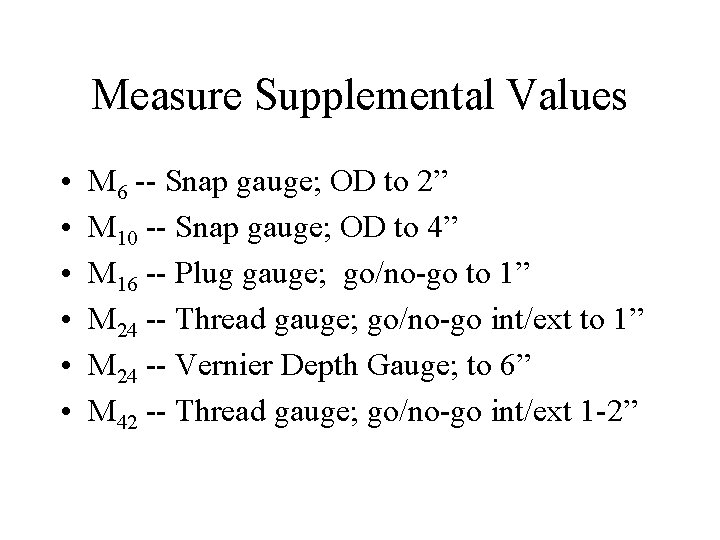
Measure Supplemental Values • • • M 6 -- Snap gauge; OD to 2” M 10 -- Snap gauge; OD to 4” M 16 -- Plug gauge; go/no-go to 1” M 24 -- Thread gauge; go/no-go int/ext to 1” M 24 -- Vernier Depth Gauge; to 6” M 42 -- Thread gauge; go/no-go int/ext 1 -2”
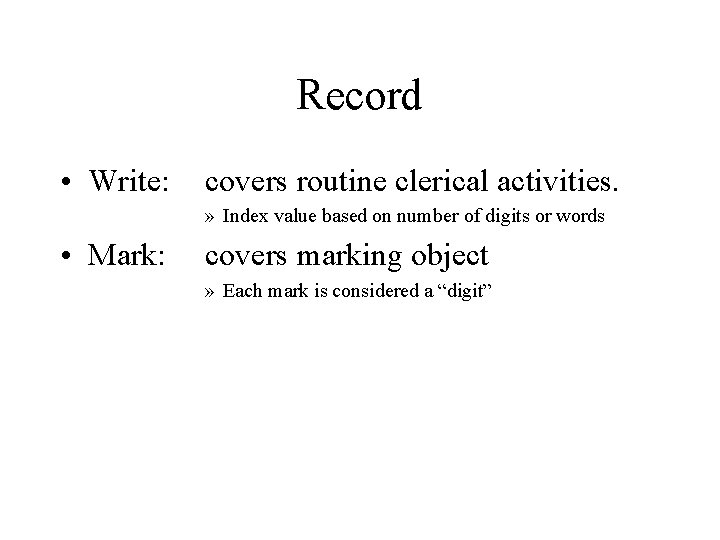
Record • Write: covers routine clerical activities. » Index value based on number of digits or words • Mark: covers marking object » Each mark is considered a “digit”
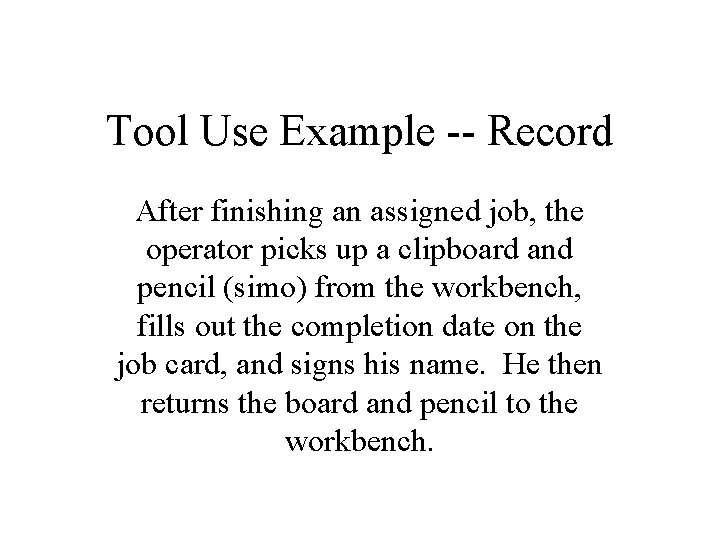
Tool Use Example -- Record After finishing an assigned job, the operator picks up a clipboard and pencil (simo) from the workbench, fills out the completion date on the job card, and signs his name. He then returns the board and pencil to the workbench.
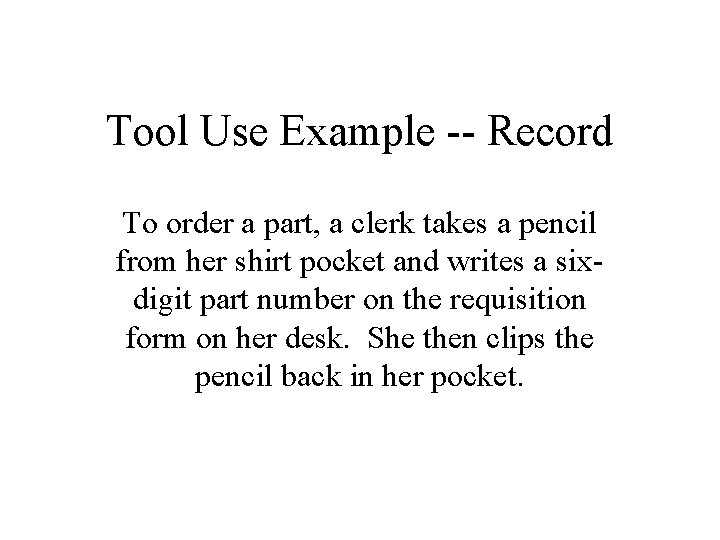
Tool Use Example -- Record To order a part, a clerk takes a pencil from her shirt pocket and writes a sixdigit part number on the requisition form on her desk. She then clips the pencil back in her pocket.
Tool Use Example -- Record Part of a packing operation involves identifying the components in the carton. This involves picking up a felt marker (within reach) and marking a 6 -digit number on the container.
Think Most of the time “think” occurs internal to the manual work, but there are times it must be considered as a separate activity.
Think -- Inspect The type of inspection work we’re looking at here is that where only simple “yes / no” decisions are quickly made on the existence of a particular defect in a part.
Inspect -- Read • The column Digits or Single Words is to be used for reading technical data (part numbers, codes, quantities, etc. ) • The column Text of Words is used when analyzing situations in which the operator reads words arranged into sentences or paragraphs. • Other, specialized, values exist for reading gauges, scales, date/time, & tables.
Tool Use Example -- Think During a testing operation, an electronics technician picks up a meter lead, places it on a terminal, and reads voltage off the meter scale. The lead is then put aside.
Tool Use Example -- Think Prior to starting a turning operation, an operator picks up a work order set and reads a paragraph that describes the method to be followed. It contains an average of 30 words. The operator then places the set aside on the workbench.