
More Visual Basic Code ifthenelse for loops Controls
More Visual Basic Code: if-then-else, for loops Controls: Multiple forms, List Boxes, Radio buttons, frames,
Data Type At the lowest level, all data stored in the computers is written in 1’s and 0’s (binary) How that data gets interpreted, what actions can be performed on it, etc. depends in part on the “data type” associated with it We let the computer know how we mean to interpret a variable by declaring its type, e. g. Dim Count As Integer ‘ (Option Explicit makes VB strongly typed)
Some VB types integer : a whole number, that is a number with no fractional part. single: A number with a decimal point, such as 3. 14159 (called a “float” in C) double: A number with a decimal point, such as 3. 14159265358 (called a “float” in C); is more precise than a single; it also allows for a greater range of numbers
More VB Types String: words or text, that is, groups of letters, numbers and symbols Boolean: a variable that can only be true or false (real type as opposed to C’s) Currency: data type used to represent money (dollars and cents); only two decimal places are shown; takes care of unusual rounding associated with money (pp. 26 -30 in VB & VBA)
The Control type When you drag a control onto a form, you don’t need to declare it Reserving memory locations and so on is done automatically However, if you need to remember a control (e. g. to keep track of what button you pressed), you declare a control
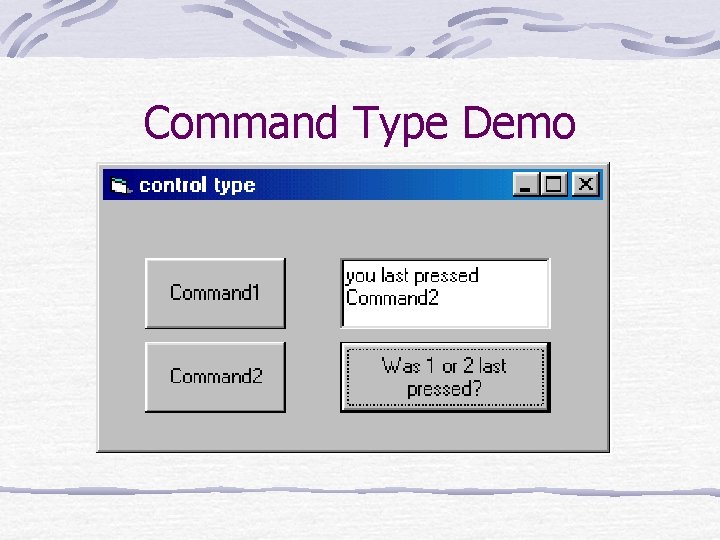
Command Type Demo
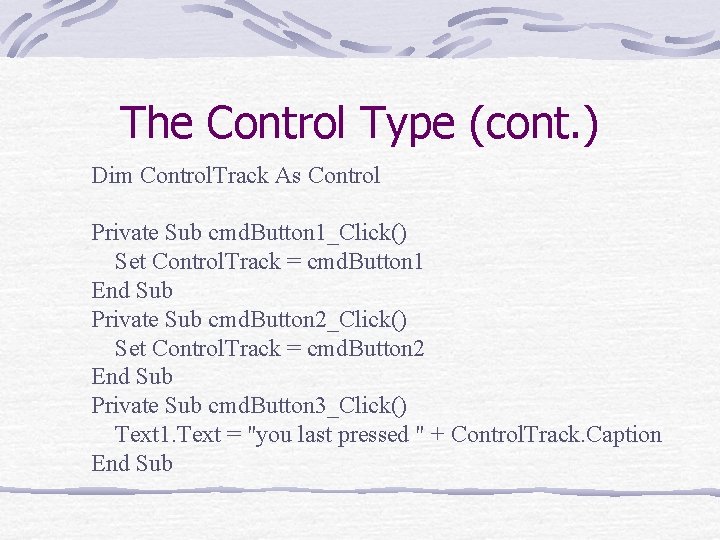
The Control Type (cont. ) Dim Control. Track As Control Private Sub cmd. Button 1_Click() Set Control. Track = cmd. Button 1 End Sub Private Sub cmd. Button 2_Click() Set Control. Track = cmd. Button 2 End Sub Private Sub cmd. Button 3_Click() Text 1. Text = "you last pressed " + Control. Track. Caption End Sub
Binding You will notice a difference between typing “cmd. Button 1. ” and typing “Control. Track. ” In the first case, VB knows that it is a Command. Button control and so provides the properties in a drop-down list (an example of early binding) In the second case, VB does not know the type of control that Control. Track is until the program runs, hence, it cannot provide the properties (an example of late binding)
If-Then Tests a condition and executes statements within the body (block) of the if structure provided the condition was true and skips over those steps otherwise (pp. 366 -370 VB & VBA)
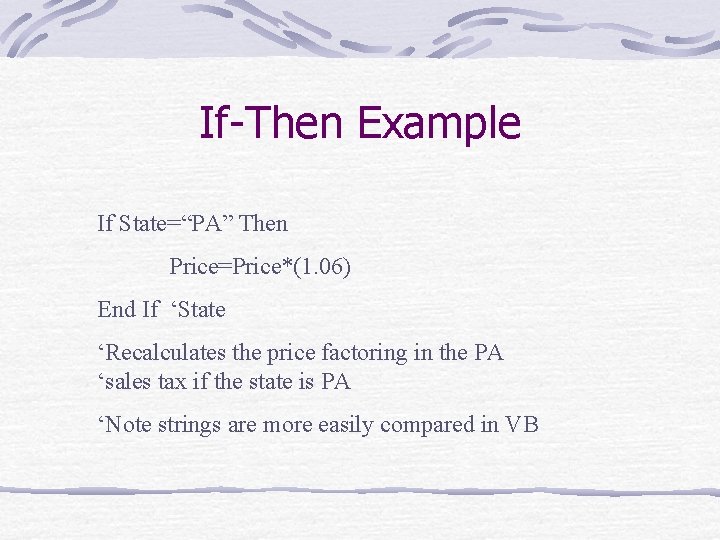
If-Then Example If State=“PA” Then Price=Price*(1. 06) End If ‘State ‘Recalculates the price factoring in the PA ‘sales tax if the state is PA ‘Note strings are more easily compared in VB
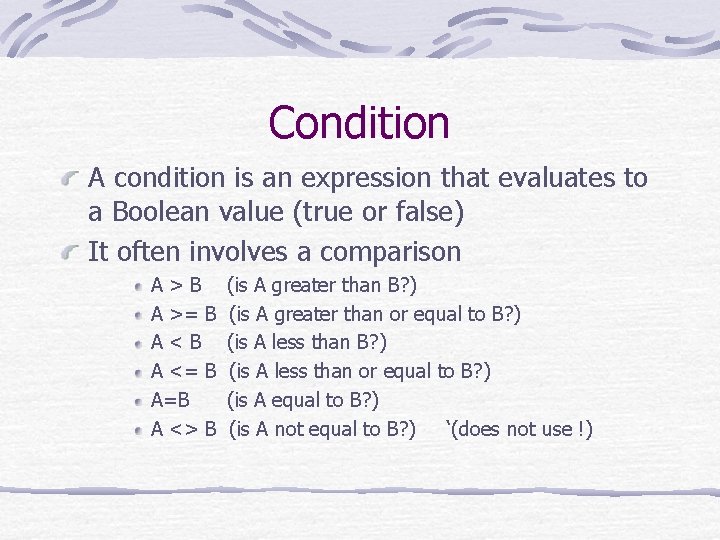
Condition A condition is an expression that evaluates to a Boolean value (true or false) It often involves a comparison A>B A >= B A<B A <= B A=B A <> B (is A greater than B? ) (is A greater than or equal to B? ) (is A less than or equal to B? ) (is A not equal to B? ) ‘(does not use !)
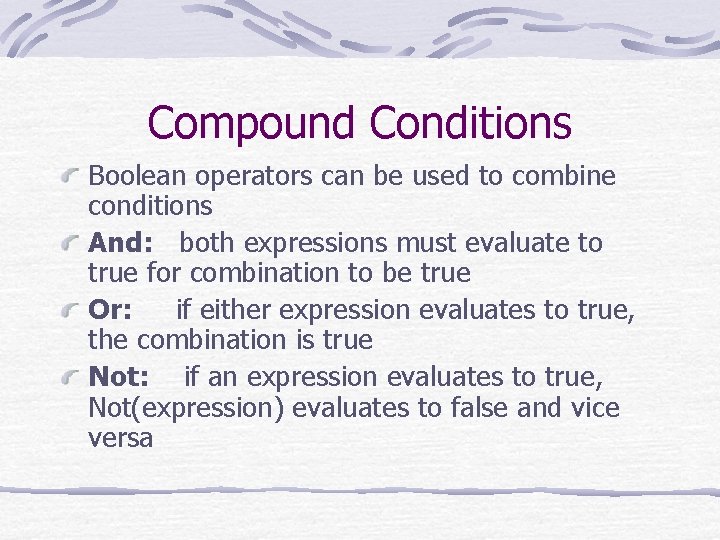
Compound Conditions Boolean operators can be used to combine conditions And: both expressions must evaluate to true for combination to be true Or: if either expression evaluates to true, the combination is true Not: if an expression evaluates to true, Not(expression) evaluates to false and vice versa
If-Then-Else The If-Then-Else structure provides two statement blocks, one to execute if the condition is true, the other to execute if the condition is false
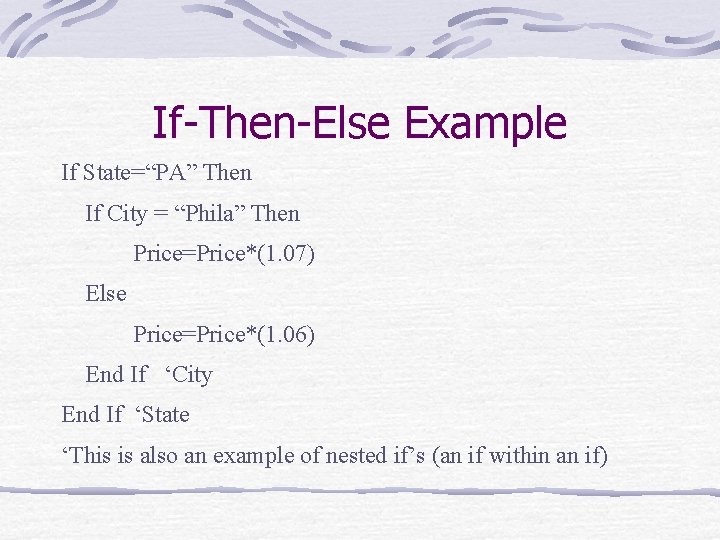
If-Then-Else Example If State=“PA” Then If City = “Phila” Then Price=Price*(1. 07) Else Price=Price*(1. 06) End If ‘City End If ‘State ‘This is also an example of nested if’s (an if within an if)
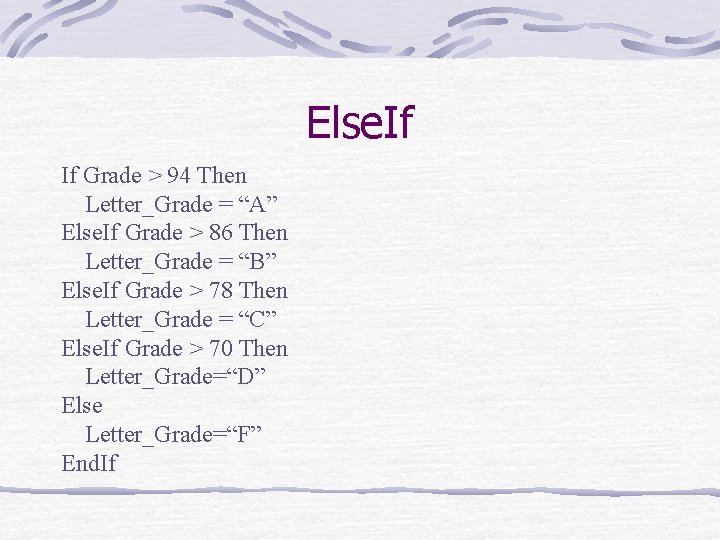
Else. If If Grade > 94 Then Letter_Grade = “A” Else. If Grade > 86 Then Letter_Grade = “B” Else. If Grade > 78 Then Letter_Grade = “C” Else. If Grade > 70 Then Letter_Grade=“D” Else Letter_Grade=“F” End. If
For-Next Loop One of the structures used for repeating steps A condition is tested, specifically whether a counter falls within some limit If the condition is true, the statements in the fornext block are executed, at the “bottom” the counter is incremented, and one returns to the “top” of the loop to test the condition again If the condition is false, the for-next statements are not executed and the next statement executed is the one following Next
For-Next Example (pp. 320 -322 in VB & VBA) For i=1 To Num_Years Principle=Principle*(1+ Interest/100) Next I ‘Calculates Interest (compounded yearly) on Principle ‘over Num_Years
Multiple Forms A project can consist of a few forms Typically one form (the start-up form) appears first Events associated with it bring up the other forms One can have multiple forms showing, or one can hide all but the one the user is interfacing with
Message Box A special case of multiple form is a message box, a little window with a warning popping up Message Box function (pp. 429 -432 in VB & VBA) Dim r As Integer Private Sub Command 1_Click() r = Msg. Box("Body Message", vb. OKOnly, "Caption Message") End Sub
Form Events To control various forms we want to understand their methods and events Initialize: occurs when form is first referenced, occurs once unless form is “terminated” Load: occurs when the specific properties of the form are put into memory, occurs once unless form is “unloaded”
More Form Events Resize: occurs when the form is moved or its size is altered There’s a Resize called by load Activate: occurs when a user switches forms The events occur in the order given above Initialize Load Resize Activate
Form methods Show: displays (makes visible) a form This will include the loading a form if the form was not loaded previously Hide: makes a form invisible (pp. 37 -43 in Visual Basic Controls)
Adding another form Go to Project/Add Form Choose whether you want to make a New form or include an already Existing form An existing form is not copied and brought into the project folder, you must choose to do that (right click on the form in the upper right hand side of the IDE and choose Save frm. Whatever As …
Scope Procedure-level: variable is available only with subroutine or function in which it is declared (local) Module-level: variable is available to all subroutines within a module, e. g. all the subroutines associated with a form Friend: variable is available to other forms within a project, but is not available to anyone outside the project Public: variable is available to other projects
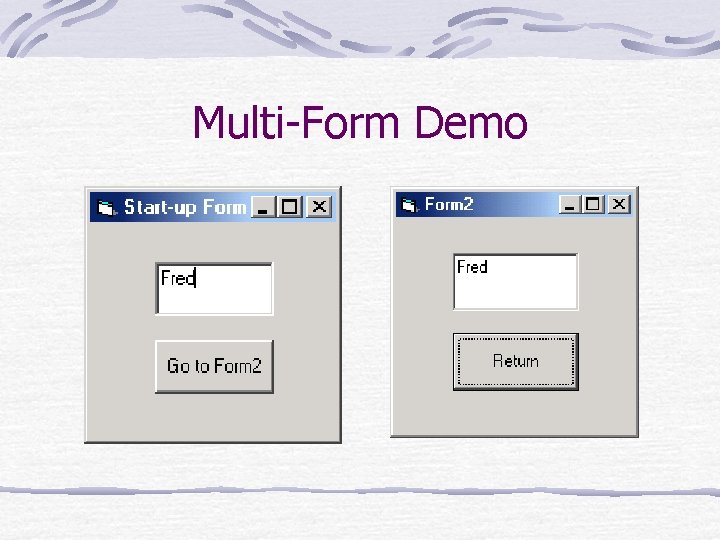
Multi-Form Demo
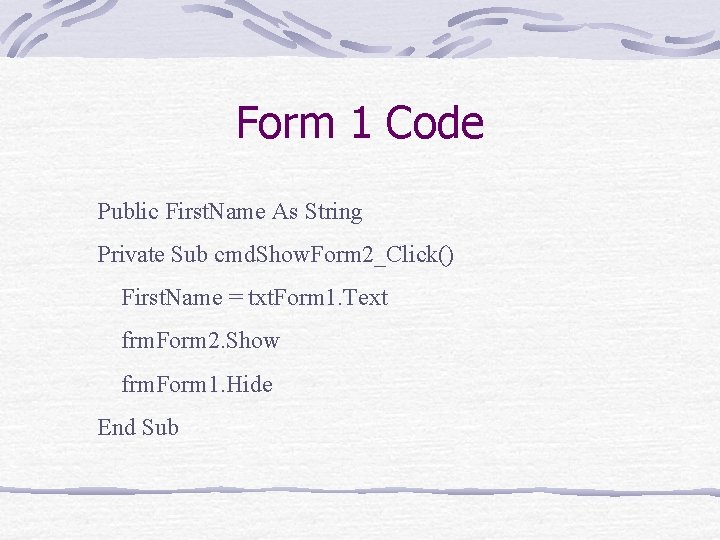
Form 1 Code Public First. Name As String Private Sub cmd. Show. Form 2_Click() First. Name = txt. Form 1. Text frm. Form 2. Show frm. Form 1. Hide End Sub
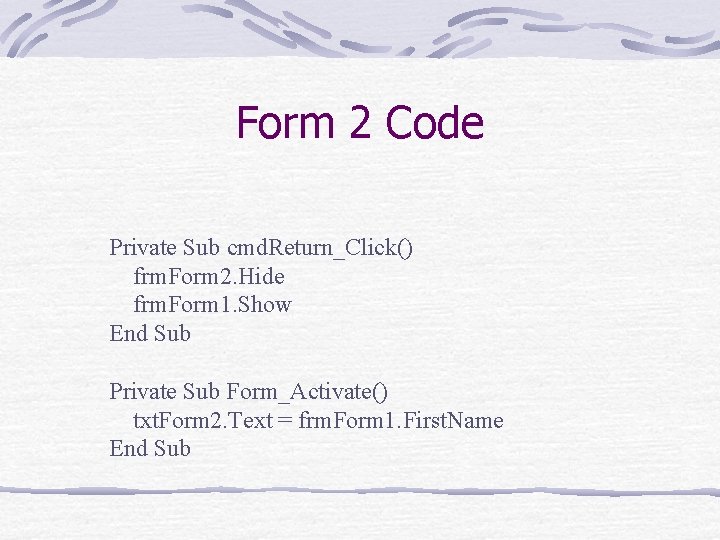
Form 2 Code Private Sub cmd. Return_Click() frm. Form 2. Hide frm. Form 1. Show End Sub Private Sub Form_Activate() txt. Form 2. Text = frm. Form 1. First. Name End Sub
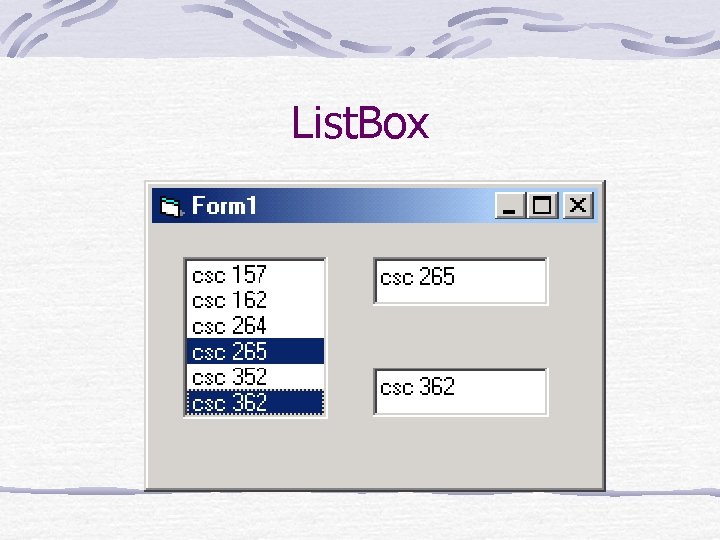
List. Box
Some List. Box Properties and Methods Multi. Select: allows more than one item to be selected 1 -Simple Sel. Count: gives the number of highlighted items Text: the text of the currently highlighted item Add. Item: adds a string to the list (pp. 182 -186 in Visual Basic Controls)
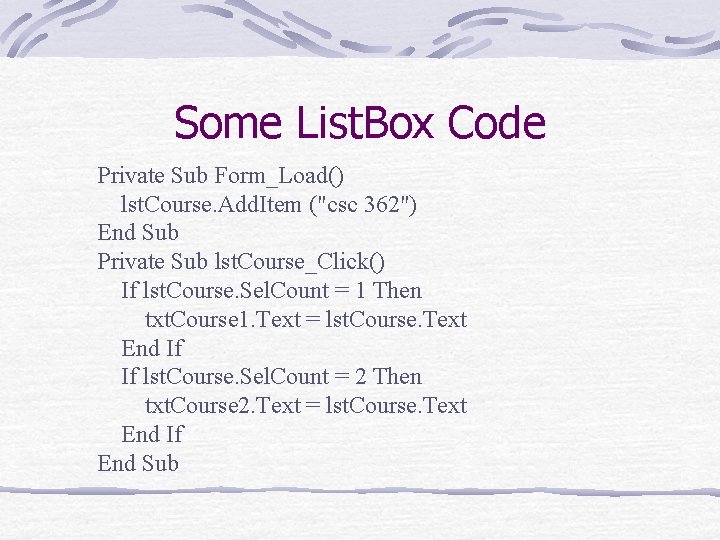
Some List. Box Code Private Sub Form_Load() lst. Course. Add. Item ("csc 362") End Sub Private Sub lst. Course_Click() If lst. Course. Sel. Count = 1 Then txt. Course 1. Text = lst. Course. Text End If If lst. Course. Sel. Count = 2 Then txt. Course 2. Text = lst. Course. Text End If End Sub
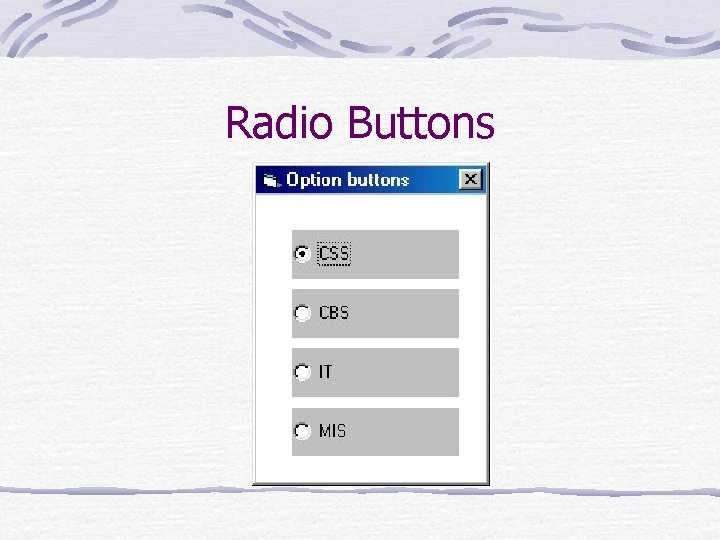
Radio Buttons
Option. Buttons A. k. a. Radio Buttons Used if one and only one choice must be made The one and only one logic is built into the radio button controls The default method on an Option. Button is associated with the click event; it tells one that particular choice was most recently selected Important property: value: Boolean determines if that buttons was the one selected (true) (pp. 292 -296 Visual Basic Controls)
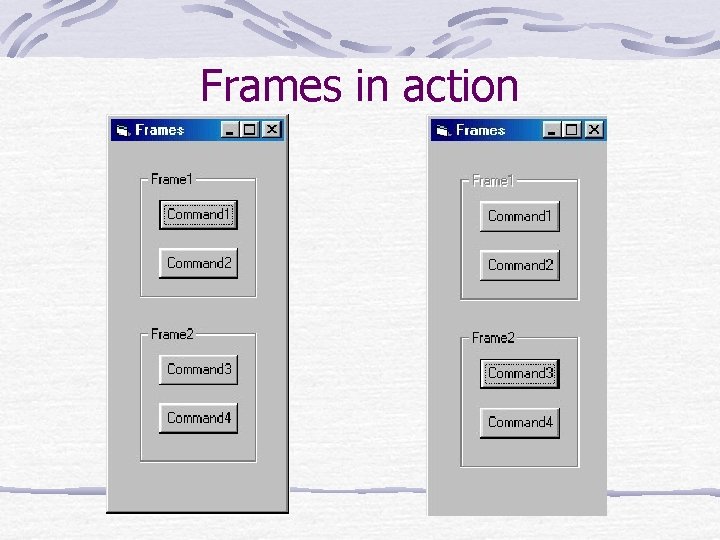
Frames in action
Frame Recall a form provides a surface or container for controls A frame is like a form within a form (a container within a container) It groups controls together, so that can be treated as a separate set Often used if there is more than one set of radio buttons
Some Frame Code (pp. 142 -143 Visual Basic Controls) Private Sub cmd. Command 1_Click() fra. Frame 1. Enabled = False End Sub ‘Disables everything contained in Frame 1
- Slides: 35