
MONROI PCM TRAINING 6172021 1 PERSONAL CHESS MANAGER
- Slides: 7
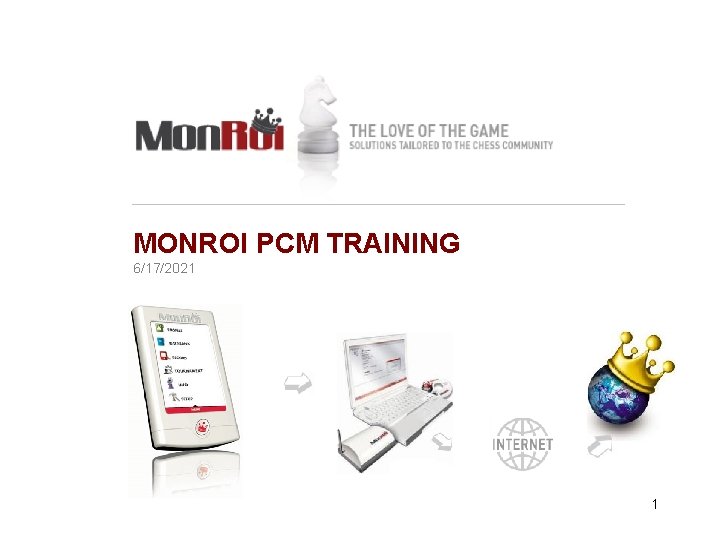
MONROI PCM TRAINING 6/17/2021 1
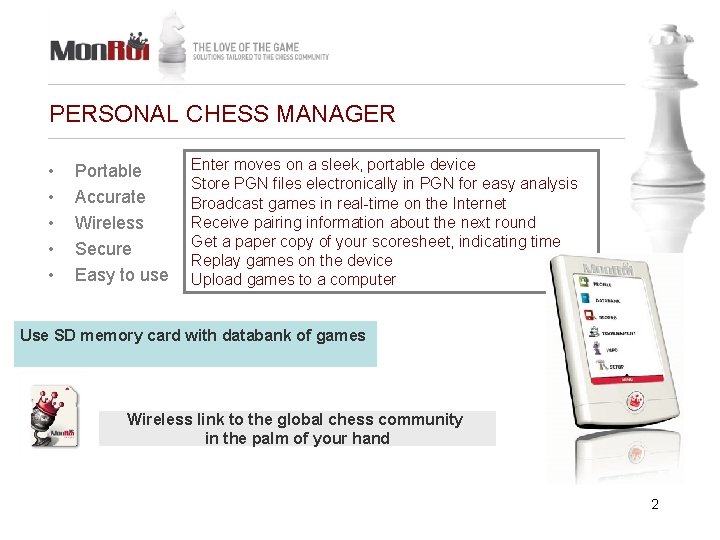
PERSONAL CHESS MANAGER • • • Portable Accurate Wireless Secure Easy to use Enter moves on a sleek, portable device Store PGN files electronically in PGN for easy analysis Broadcast games in real-time on the Internet Receive pairing information about the next round Get a paper copy of your scoresheet, indicating time Replay games on the device Upload games to a computer Use SD memory card with databank of games Wireless link to the global chess community in the palm of your hand 2
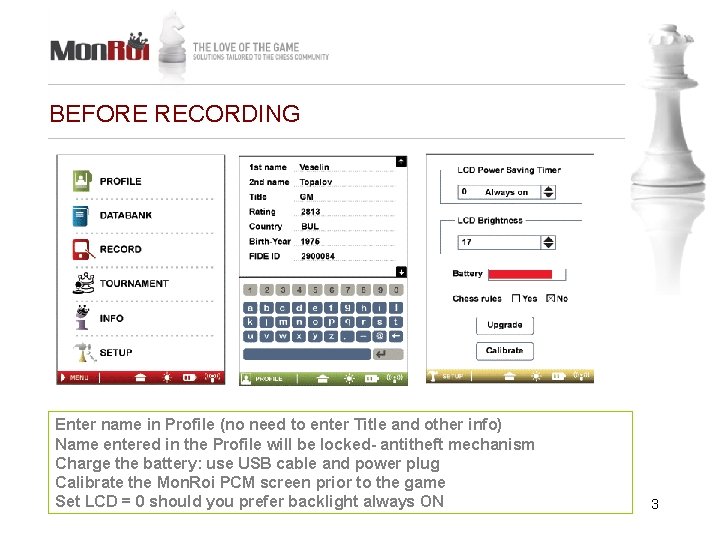
BEFORE RECORDING Enter name in Profile (no need to enter Title and other info) Name entered in the Profile will be locked- antitheft mechanism Charge the battery: use USB cable and power plug Calibrate the Mon. Roi PCM screen prior to the game Set LCD = 0 should you prefer backlight always ON 3
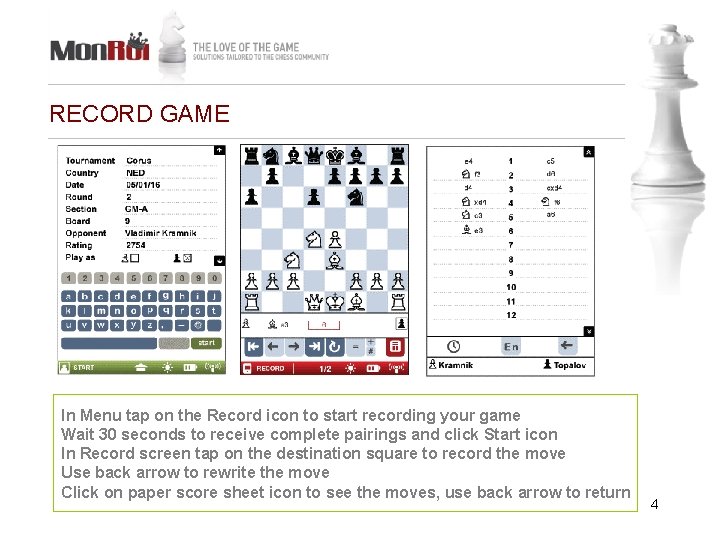
RECORD GAME In Menu tap on the Record icon to start recording your game Wait 30 seconds to receive complete pairings and click Start icon In Record screen tap on the destination square to record the move Use back arrow to rewrite the move Click on paper score sheet icon to see the moves, use back arrow to return 4
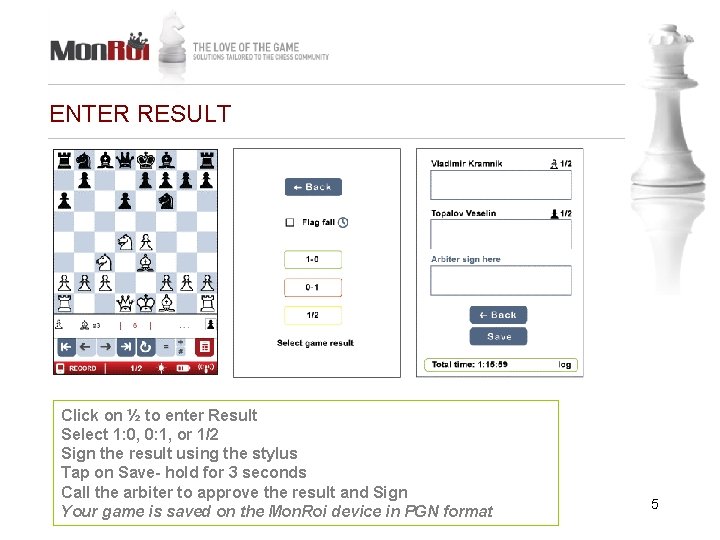
ENTER RESULT Click on ½ to enter Result Select 1: 0, 0: 1, or 1/2 Sign the result using the stylus Tap on Save- hold for 3 seconds Call the arbiter to approve the result and Sign Your game is saved on the Mon. Roi device in PGN format 5
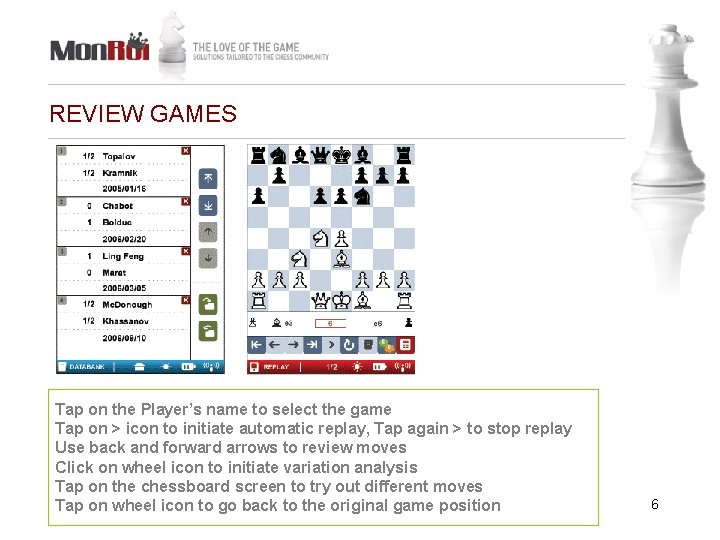
REVIEW GAMES Tap on the Player’s name to select the game Tap on > icon to initiate automatic replay, Tap again > to stop replay Use back and forward arrows to review moves Click on wheel icon to initiate variation analysis Tap on the chessboard screen to try out different moves Tap on wheel icon to go back to the original game position 6
NOTATE FASTER WITH MONROI RECORDING TIPS • Ensure to recorded your own as well as the opponent’s move in sequence • Tap once on the chessboard square (not twice) • Hold the stylus like a pen ~45 degree angle (not 90 degree) • Do not drag the chess pieces- simply tap on the destination square • Do not hold stylus down on the chessboard square- simply tap • Do not press too hard on the screen • If your screen responds slowly- calibrate it by clicking on the battery icon • To review all the recorded moves, select paper scoresheet icon You will be able to notate faster with Mon. Roi than with pen & paper and you will get clean records of your games instantly 7