
Monitoring Openstack The Relationship Between Nagios and Ceilometer
Monitoring Openstack – The Relationship Between Nagios and Ceilometer Konstantin Benz, Researcher @ Zurich University of Applied Sciences benn@zhaw. ch

Introduction & Agenda • About me • Working as researcher @ Zurich University of Applied Sciences • • • Open. Stack / Cloud Computing Engaged in monitoring and High Availability systems Currently working on a Europe-wide cloud federation: • XIFI – e. Xtensible Infrastructure for Future Internet http: //www. fi-xifi. eu • 17 nodes / Open. Stack clouds • Test environment for Future Internet (FI-WARE) applications • Infrastructure for smart cities, public healthcare, traffic management… • European-wide L 2 -connected backbone network • Nagios as main monitoring tool of that project
Introduction & Agenda • What are you talking about in this presentation? • • How to use Nagios to monitor an Open. Stack cloud environment • Integrate Nagios with Open. Stack Anything else? • • • Cloud monitoring requirements Open. Stack cloud management software and Ceilometer Comparison between Nagios and Ceilometer: • Technological paradigms • Commonalities and differences • • How to integrate Nagios with Ceilometer Can't wait!
Cloud Monitoring Requirements Cloud ≈ virtualization + elasticity • Types of clouds: • • • Iaa. S: virtual VMs and network devices, elasticity in number/size of devices Paa. S: virtual, elastically sized platform Saa. S: software provided by employing virtual, elastic resources • Cloud is a collection of virtual resources provided in physical infrastructure • Cloud provides resources elastically
Cloud Monitoring Requirements Why should someone use clouds? • Cloud consumer can outsource IT infrastructure • • No fixed costs for cloud consumer Pay for resource utilization Cloud provider responsible for building and maintaining physical infrastructure Cloud provider can rent out unused IT infrastructure • • Eliminate waste Get money back for overcapacity
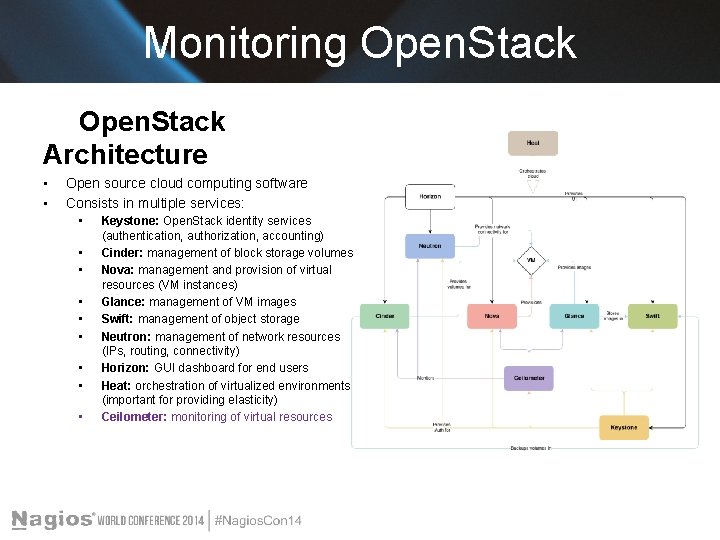
Monitoring Open. Stack Architecture • • Open source cloud computing software Consists in multiple services: • • • Keystone: Open. Stack identity services (authentication, authorization, accounting) Cinder: management of block storage volumes Nova: management and provision of virtual resources (VM instances) Glance: management of VM images Swift: management of object storage Neutron: management of network resources (IPs, routing, connectivity) Horizon: GUI dashboard for end users Heat: orchestration of virtualized environments (important for providing elasticity) Ceilometer: monitoring of virtual resources
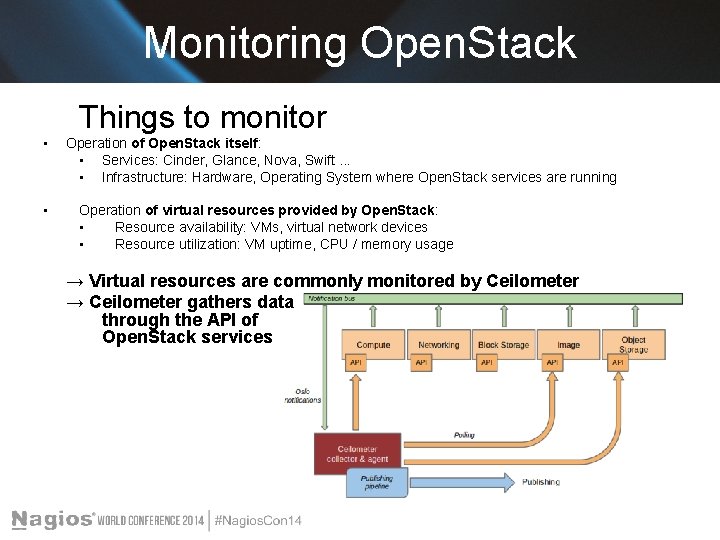
Monitoring Open. Stack Things to monitor • • Operation of Open. Stack itself: • Services: Cinder, Glance, Nova, Swift. . . • Infrastructure: Hardware, Operating System where Open. Stack services are running Operation of virtual resources provided by Open. Stack: • Resource availability: VMs, virtual network devices • Resource utilization: VM uptime, CPU / memory usage → Virtual resources are commonly monitored by Ceilometer → Ceilometer gathers data through the API of Open. Stack services
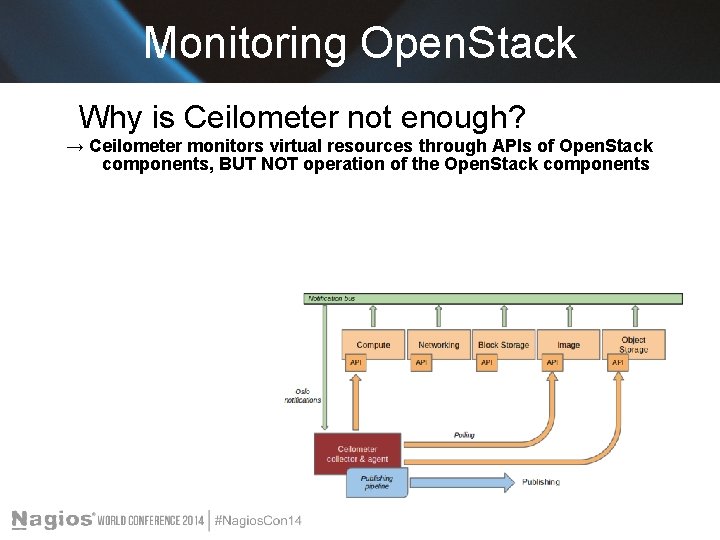
Monitoring Open. Stack Why is Ceilometer not enough? → Ceilometer monitors virtual resources through APIs of Open. Stack components, BUT NOT operation of the Open. Stack components
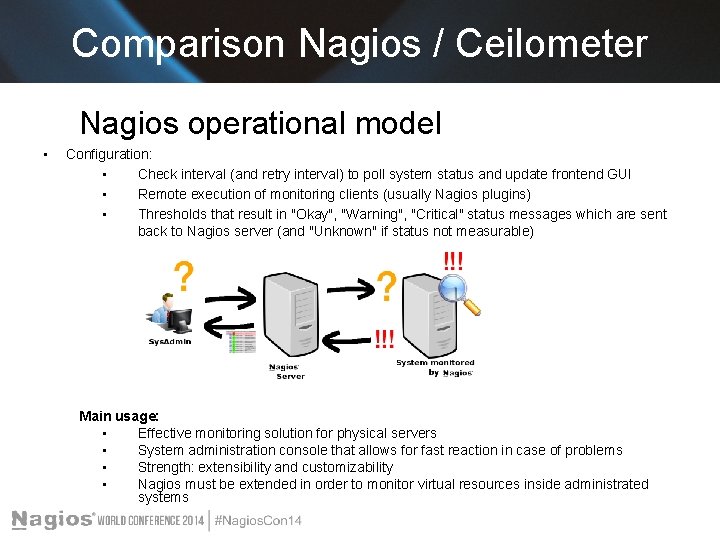
Comparison Nagios / Ceilometer Nagios operational model • Configuration: • Check interval (and retry interval) to poll system status and update frontend GUI • Remote execution of monitoring clients (usually Nagios plugins) • Thresholds that result in "Okay", "Warning", "Critical" status messages which are sent back to Nagios server (and "Unknown" if status not measurable) Main usage: • Effective monitoring solution for physical servers • System administration console that allows for fast reaction in case of problems • Strength: extensibility and customizability • Nagios must be extended in order to monitor virtual resources inside administrated systems
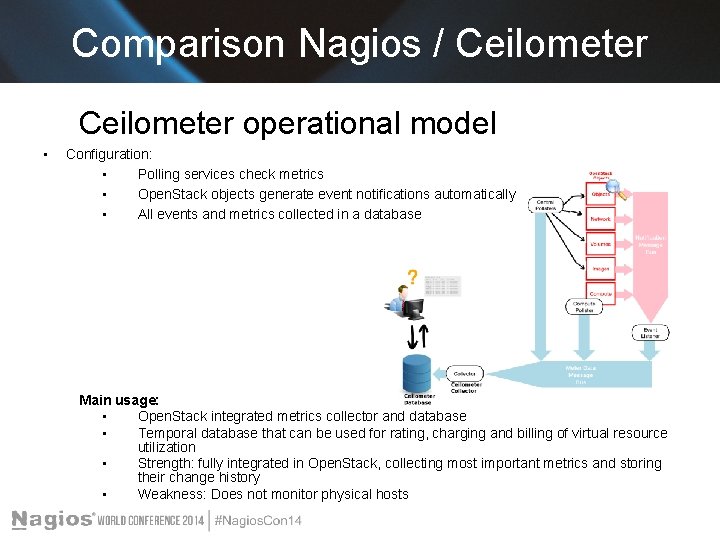
Comparison Nagios / Ceilometer operational model • Configuration: • Polling services check metrics • Open. Stack objects generate event notifications automatically • All events and metrics collected in a database Main usage: • Open. Stack integrated metrics collector and database • Temporal database that can be used for rating, charging and billing of virtual resource utilization • Strength: fully integrated in Open. Stack, collecting most important metrics and storing their change history • Weakness: Does not monitor physical hosts
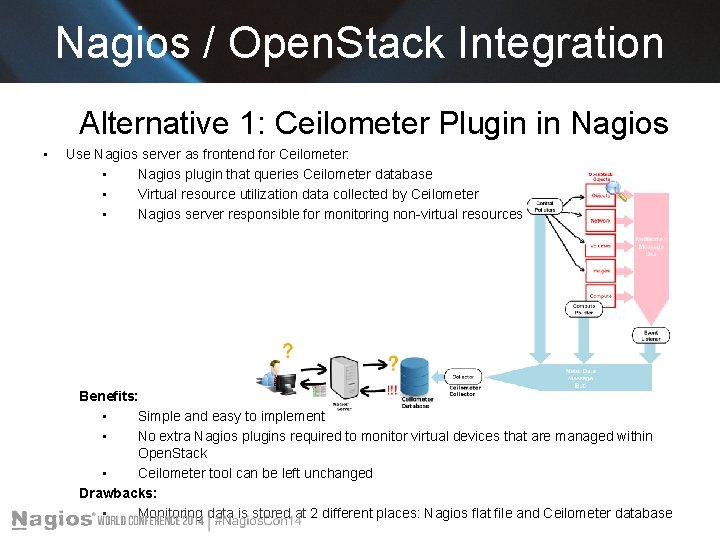
Nagios / Open. Stack Integration Alternative 1: Ceilometer Plugin in Nagios • Use Nagios server as frontend for Ceilometer: • Nagios plugin that queries Ceilometer database • Virtual resource utilization data collected by Ceilometer • Nagios server responsible for monitoring non-virtual resources Benefits: • Simple and easy to implement • No extra Nagios plugins required to monitor virtual devices that are managed within Open. Stack • Ceilometer tool can be left unchanged Drawbacks: • Monitoring data is stored at 2 different places: Nagios flat file and Ceilometer database
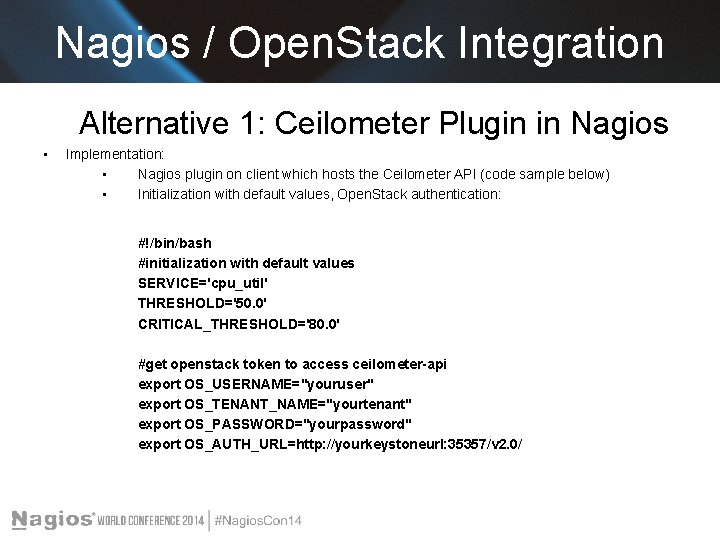
Nagios / Open. Stack Integration Alternative 1: Ceilometer Plugin in Nagios • Implementation: • Nagios plugin on client which hosts the Ceilometer API (code sample below) • Initialization with default values, Open. Stack authentication: #!/bin/bash #initialization with default values SERVICE='cpu_util' THRESHOLD='50. 0' CRITICAL_THRESHOLD='80. 0' #get openstack token to access ceilometer-api export OS_USERNAME="youruser" export OS_TENANT_NAME="yourtenant" export OS_PASSWORD="yourpassword" export OS_AUTH_URL=http: //yourkeystoneurl: 35357/v 2. 0/
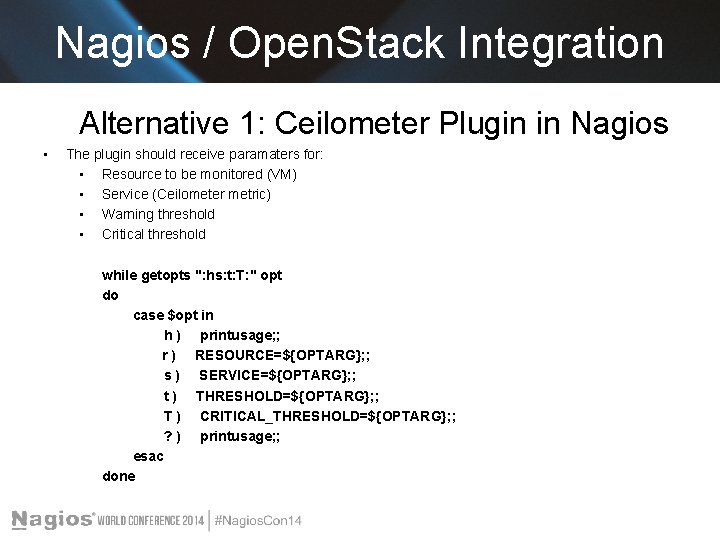
Nagios / Open. Stack Integration Alternative 1: Ceilometer Plugin in Nagios • The plugin should receive paramaters for: • Resource to be monitored (VM) • Service (Ceilometer metric) • Warning threshold • Critical threshold while getopts ": hs: t: T: " opt do case $opt in h ) printusage; ; r ) RESOURCE=${OPTARG}; ; s ) SERVICE=${OPTARG}; ; t ) THRESHOLD=${OPTARG}; ; T ) CRITICAL_THRESHOLD=${OPTARG}; ; ? ) printusage; ; esac done
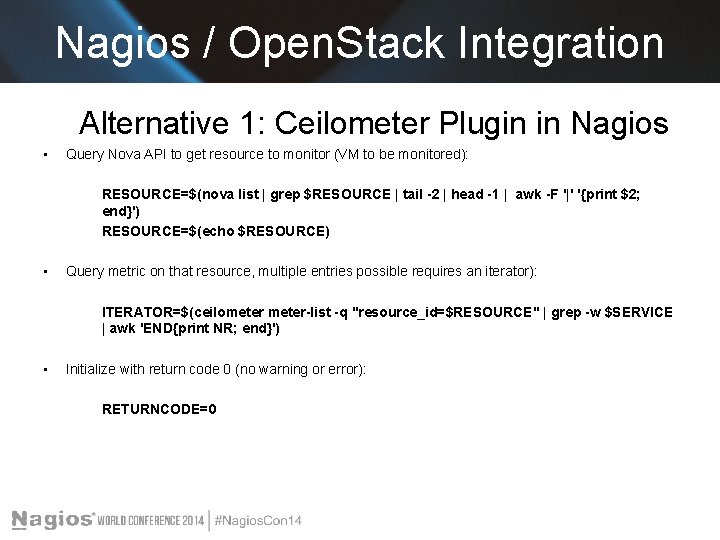
Nagios / Open. Stack Integration Alternative 1: Ceilometer Plugin in Nagios • Query Nova API to get resource to monitor (VM to be monitored): RESOURCE=$(nova list | grep $RESOURCE | tail -2 | head -1 | awk -F '|' '{print $2; end}') RESOURCE=$(echo $RESOURCE) • Query metric on that resource, multiple entries possible requires an iterator): ITERATOR=$(ceilometer-list -q "resource_id=$RESOURCE" | grep -w $SERVICE | awk 'END{print NR; end}') • Initialize with return code 0 (no warning or error): RETURNCODE=0
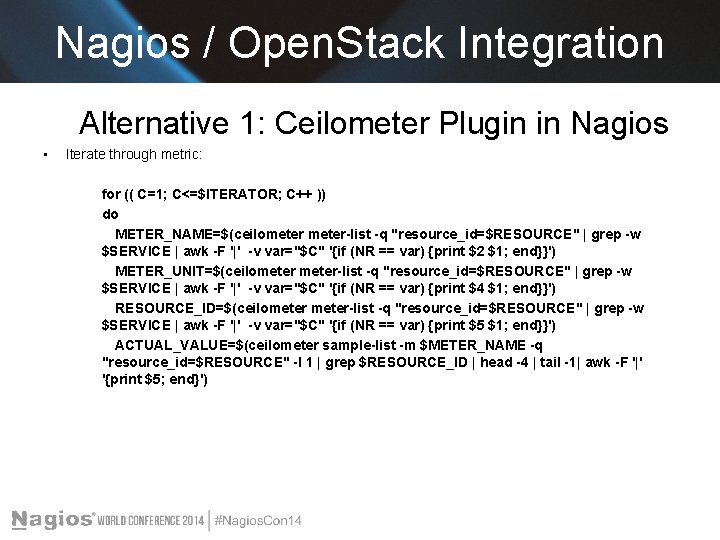
Nagios / Open. Stack Integration Alternative 1: Ceilometer Plugin in Nagios • Iterate through metric: for (( C=1; C<=$ITERATOR; C++ )) do METER_NAME=$(ceilometer-list -q "resource_id=$RESOURCE" | grep -w $SERVICE | awk -F '|' -v var="$C" '{if (NR == var) {print $2 $1; end}}') METER_UNIT=$(ceilometer-list -q "resource_id=$RESOURCE" | grep -w $SERVICE | awk -F '|' -v var="$C" '{if (NR == var) {print $4 $1; end}}') RESOURCE_ID=$(ceilometer-list -q "resource_id=$RESOURCE" | grep -w $SERVICE | awk -F '|' -v var="$C" '{if (NR == var) {print $5 $1; end}}') ACTUAL_VALUE=$(ceilometer sample-list -m $METER_NAME -q "resource_id=$RESOURCE" -l 1 | grep $RESOURCE_ID | head -4 | tail -1| awk -F '|' '{print $5; end}')
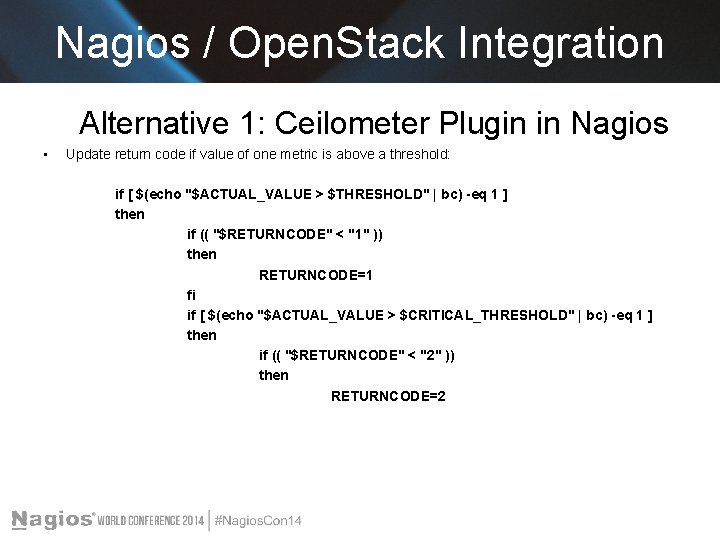
Nagios / Open. Stack Integration Alternative 1: Ceilometer Plugin in Nagios • Update return code if value of one metric is above a threshold: if [ $(echo "$ACTUAL_VALUE > $THRESHOLD" | bc) -eq 1 ] then if (( "$RETURNCODE" < "1" )) then RETURNCODE=1 fi if [ $(echo "$ACTUAL_VALUE > $CRITICAL_THRESHOLD" | bc) -eq 1 ] then if (( "$RETURNCODE" < "2" )) then RETURNCODE=2
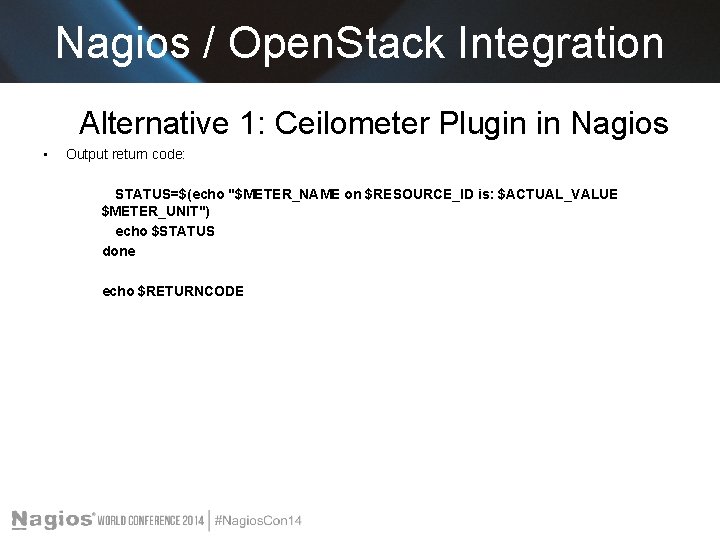
Nagios / Open. Stack Integration Alternative 1: Ceilometer Plugin in Nagios • Output return code: STATUS=$(echo "$METER_NAME on $RESOURCE_ID is: $ACTUAL_VALUE $METER_UNIT") echo $STATUS done echo $RETURNCODE
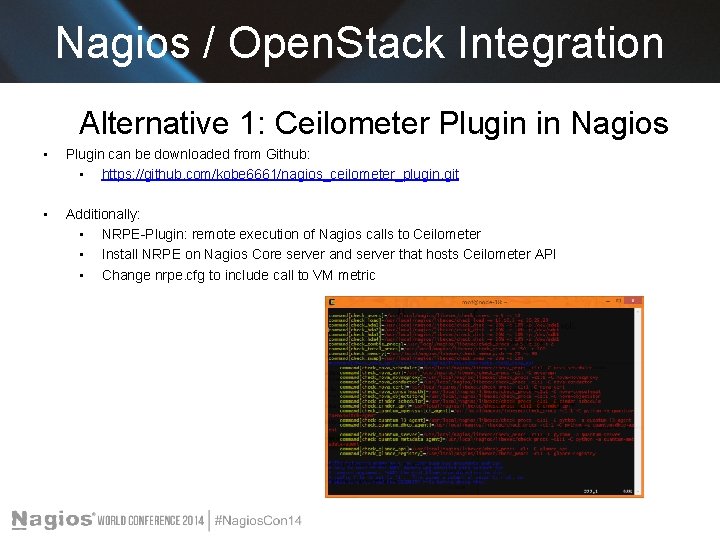
Nagios / Open. Stack Integration Alternative 1: Ceilometer Plugin in Nagios • Plugin can be downloaded from Github: • https: //github. com/kobe 6661/nagios_ceilometer_plugin. git • Additionally: • NRPE-Plugin: remote execution of Nagios calls to Ceilometer • Install NRPE on Nagios Core server and server that hosts Ceilometer API • Change nrpe. cfg to include call to VM metric
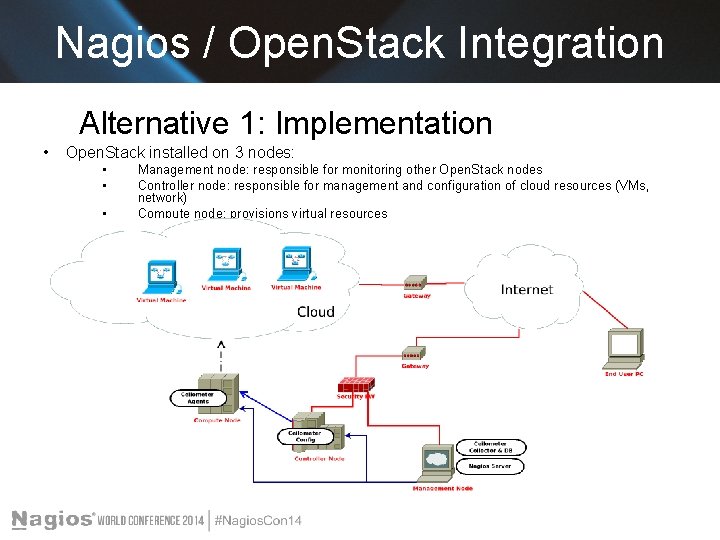
Nagios / Open. Stack Integration Alternative 1: Implementation • Open. Stack installed on 3 nodes: • • • Management node: responsible for monitoring other Open. Stack nodes Controller node: responsible for management and configuration of cloud resources (VMs, network) Compute node: provisions virtual resources
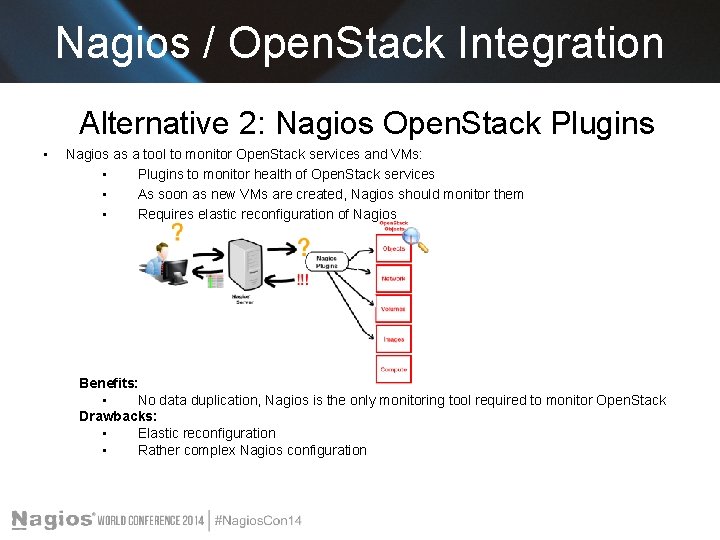
Nagios / Open. Stack Integration Alternative 2: Nagios Open. Stack Plugins • Nagios as a tool to monitor Open. Stack services and VMs: • Plugins to monitor health of Open. Stack services • As soon as new VMs are created, Nagios should monitor them • Requires elastic reconfiguration of Nagios Benefits: • No data duplication, Nagios is the only monitoring tool required to monitor Open. Stack Drawbacks: • Elastic reconfiguration • Rather complex Nagios configuration
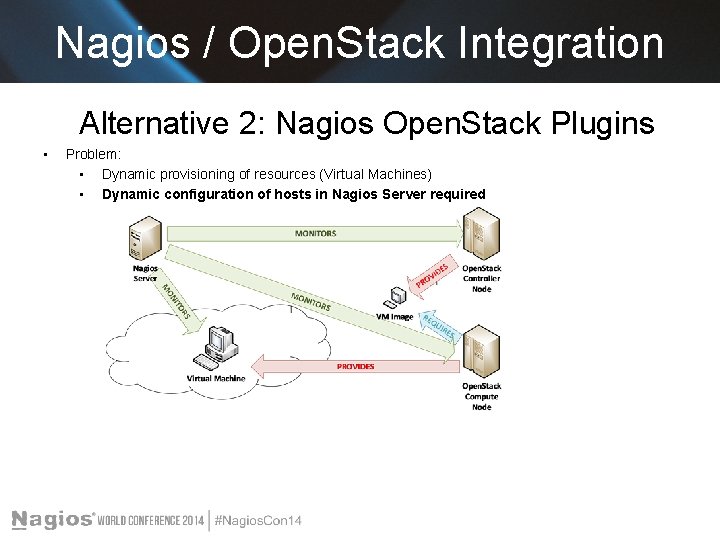
Nagios / Open. Stack Integration Alternative 2: Nagios Open. Stack Plugins • Problem: • Dynamic provisioning of resources (Virtual Machines) • Dynamic configuration of hosts in Nagios Server required
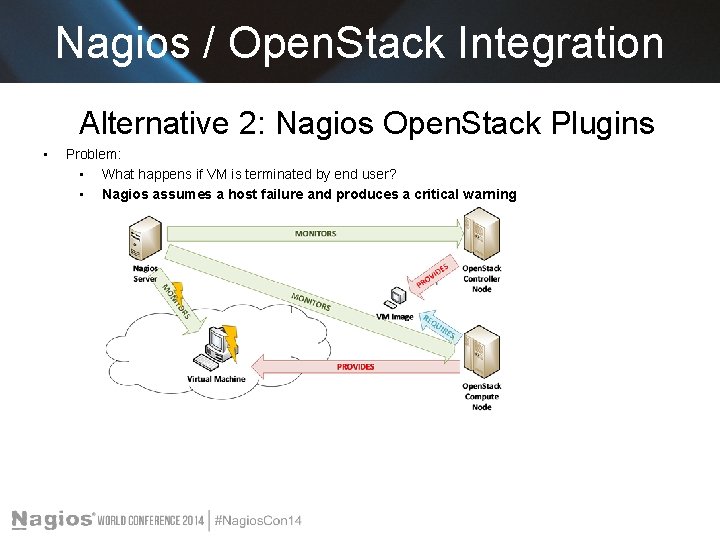
Nagios / Open. Stack Integration Alternative 2: Nagios Open. Stack Plugins • Problem: • What happens if VM is terminated by end user? • Nagios assumes a host failure and produces a critical warning
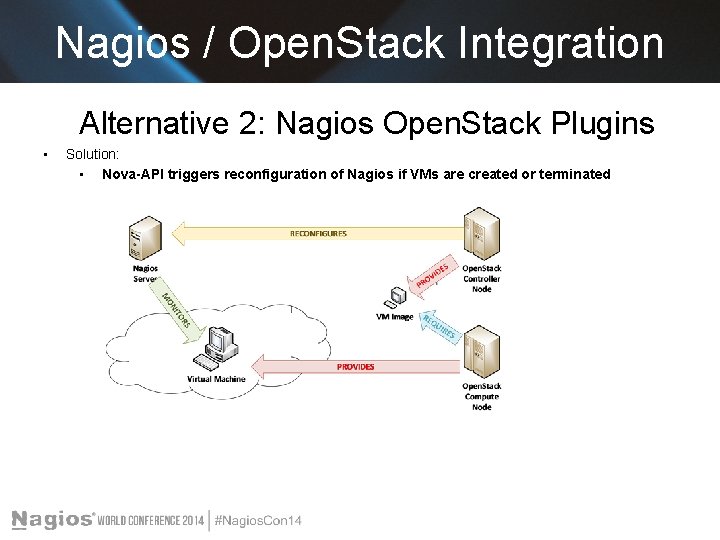
Nagios / Open. Stack Integration Alternative 2: Nagios Open. Stack Plugins • Solution: • Nova-API triggers reconfiguration of Nagios if VMs are created or terminated
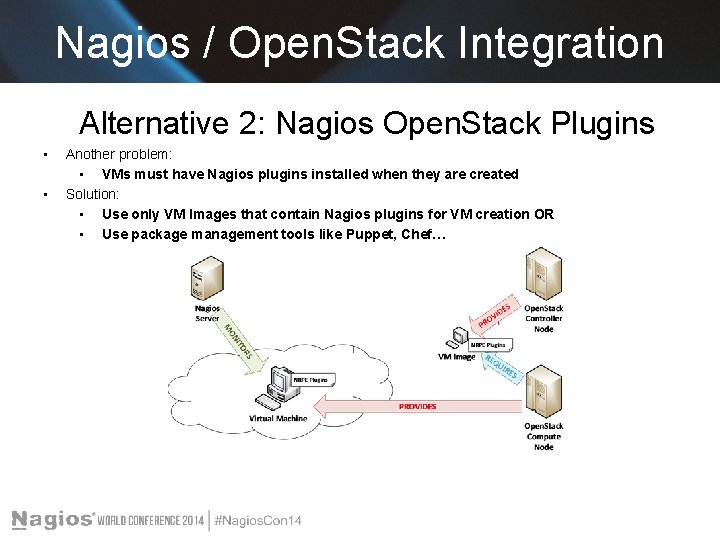
Nagios / Open. Stack Integration Alternative 2: Nagios Open. Stack Plugins • • Another problem: • VMs must have Nagios plugins installed when they are created Solution: • Use only VM Images that contain Nagios plugins for VM creation OR • Use package management tools like Puppet, Chef…
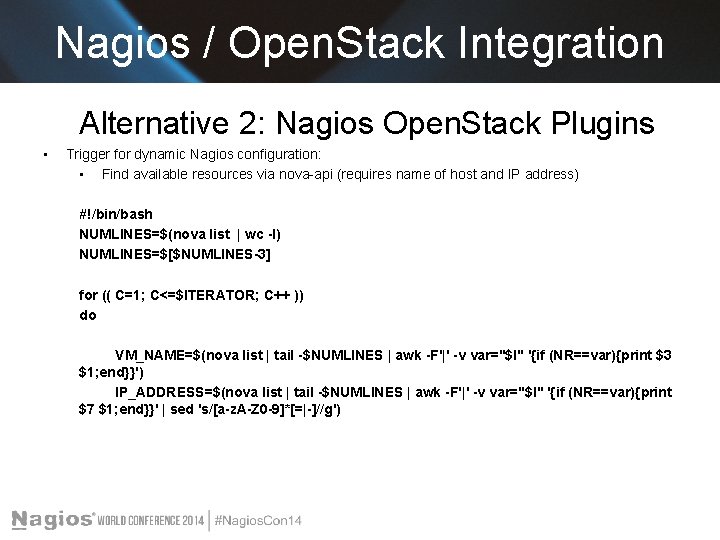
Nagios / Open. Stack Integration Alternative 2: Nagios Open. Stack Plugins • Trigger for dynamic Nagios configuration: • Find available resources via nova-api (requires name of host and IP address) #!/bin/bash NUMLINES=$(nova list | wc -l) NUMLINES=$[$NUMLINES-3] for (( C=1; C<=$ITERATOR; C++ )) do VM_NAME=$(nova list | tail -$NUMLINES | awk -F'|' -v var="$I" '{if (NR==var){print $3 $1; end}}') IP_ADDRESS=$(nova list | tail -$NUMLINES | awk -F'|' -v var="$I" '{if (NR==var){print $7 $1; end}}' | sed 's/[a-z. A-Z 0 -9]*[=|-]//g')
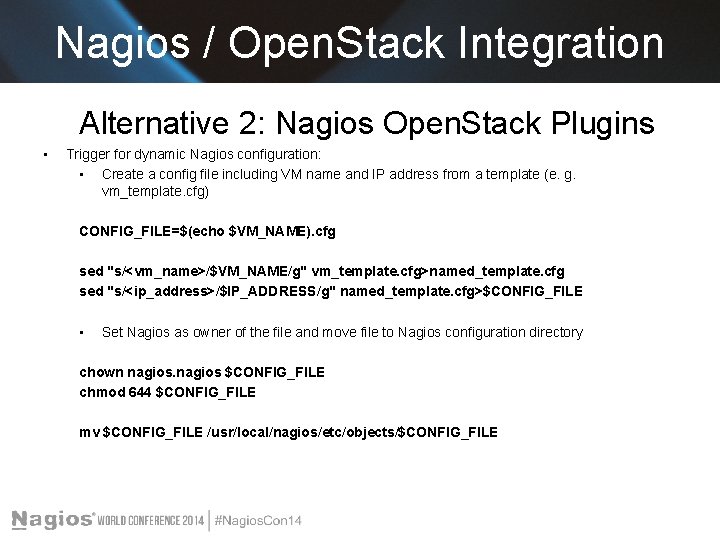
Nagios / Open. Stack Integration Alternative 2: Nagios Open. Stack Plugins • Trigger for dynamic Nagios configuration: • Create a config file including VM name and IP address from a template (e. g. vm_template. cfg) CONFIG_FILE=$(echo $VM_NAME). cfg sed "s/<vm_name>/$VM_NAME/g" vm_template. cfg>named_template. cfg sed "s/<ip_address>/$IP_ADDRESS/g" named_template. cfg>$CONFIG_FILE • Set Nagios as owner of the file and move file to Nagios configuration directory chown nagios $CONFIG_FILE chmod 644 $CONFIG_FILE mv $CONFIG_FILE /usr/local/nagios/etc/objects/$CONFIG_FILE
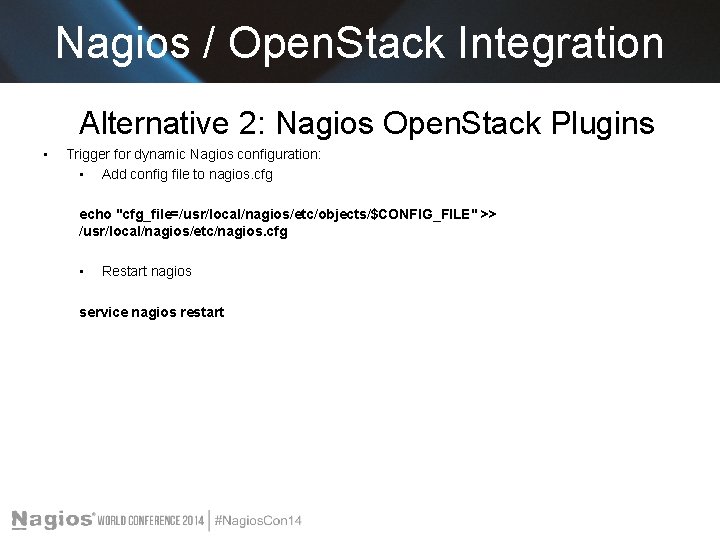
Nagios / Open. Stack Integration Alternative 2: Nagios Open. Stack Plugins • Trigger for dynamic Nagios configuration: • Add config file to nagios. cfg echo "cfg_file=/usr/local/nagios/etc/objects/$CONFIG_FILE" >> /usr/local/nagios/etc/nagios. cfg • Restart nagios service nagios restart
Nagios / Open. Stack Integration Alternative 2: Nagios Open. Stack Plugins • Why restart Nagios? • Nagios must know that a new VM is present or that an old VM has been terminated • Reconfigure and restart Nagios (!)
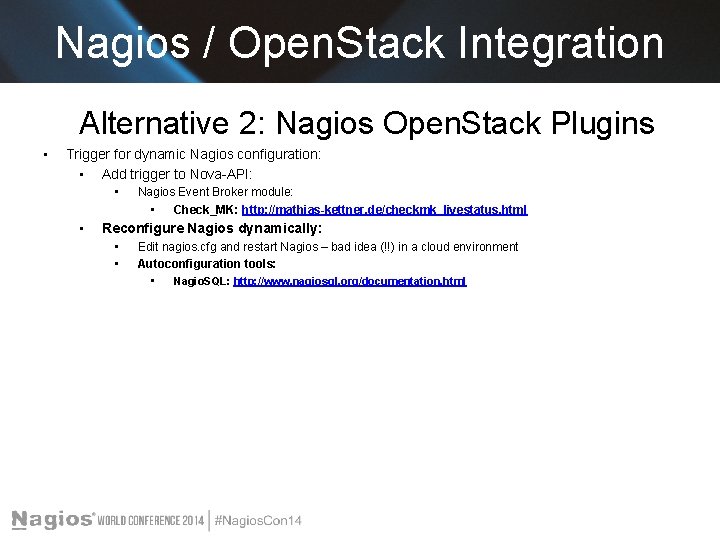
Nagios / Open. Stack Integration Alternative 2: Nagios Open. Stack Plugins • Trigger for dynamic Nagios configuration: • Add trigger to Nova-API: • • Nagios Event Broker module: • Check_MK: http: //mathias-kettner. de/checkmk_livestatus. html Reconfigure Nagios dynamically: • • Edit nagios. cfg and restart Nagios – bad idea (!!) in a cloud environment Autoconfiguration tools: • Nagio. SQL: http: //www. nagiosql. org/documentation. html
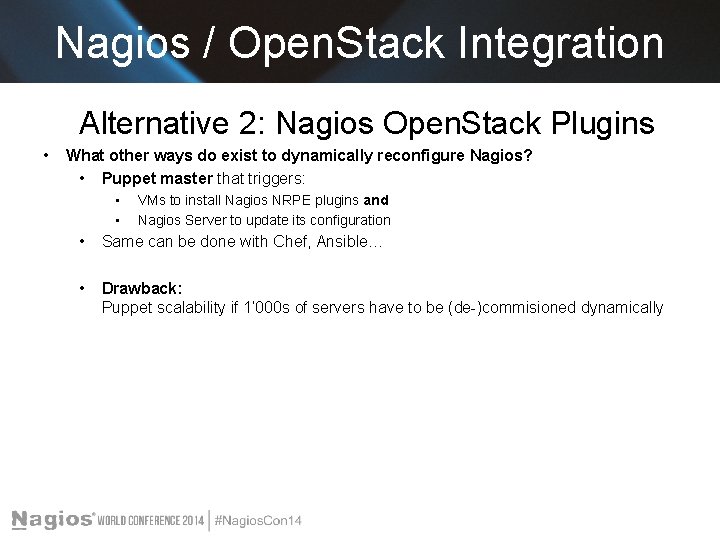
Nagios / Open. Stack Integration Alternative 2: Nagios Open. Stack Plugins • What other ways do exist to dynamically reconfigure Nagios? • Puppet master that triggers: • • VMs to install Nagios NRPE plugins and Nagios Server to update its configuration • Same can be done with Chef, Ansible… • Drawback: Puppet scalability if 1‘ 000 s of servers have to be (de-)commisioned dynamically
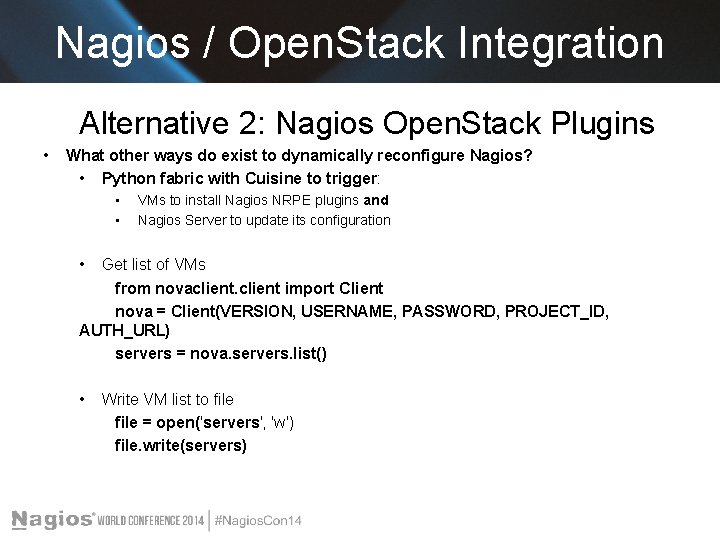
Nagios / Open. Stack Integration Alternative 2: Nagios Open. Stack Plugins • What other ways do exist to dynamically reconfigure Nagios? • Python fabric with Cuisine to trigger: • • VMs to install Nagios NRPE plugins and Nagios Server to update its configuration • Get list of VMs from novaclient import Client nova = Client(VERSION, USERNAME, PASSWORD, PROJECT_ID, AUTH_URL) servers = nova. servers. list() • Write VM list to file = open('servers'‚ 'w') file. write(servers)
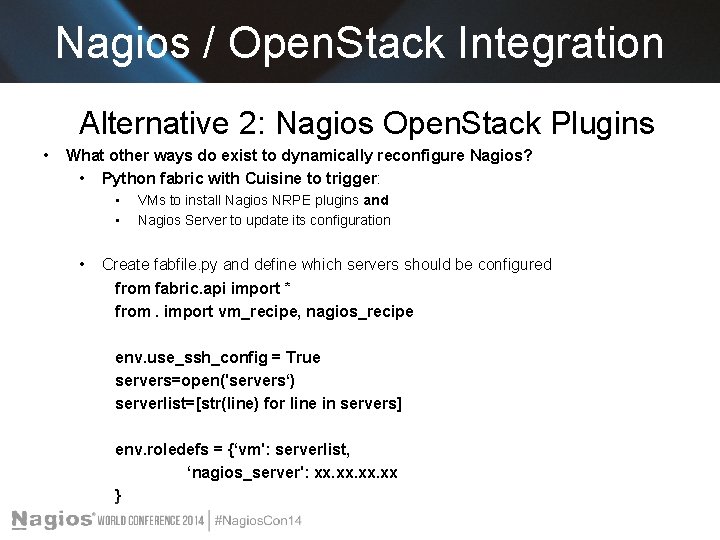
Nagios / Open. Stack Integration Alternative 2: Nagios Open. Stack Plugins • What other ways do exist to dynamically reconfigure Nagios? • Python fabric with Cuisine to trigger: • • • VMs to install Nagios NRPE plugins and Nagios Server to update its configuration Create fabfile. py and define which servers should be configured from fabric. api import * from. import vm_recipe, nagios_recipe env. use_ssh_config = True servers=open('servers‘) serverlist=[str(line) for line in servers] env. roledefs = {‘vm': serverlist, ‘nagios_server': xx. xx. xx }
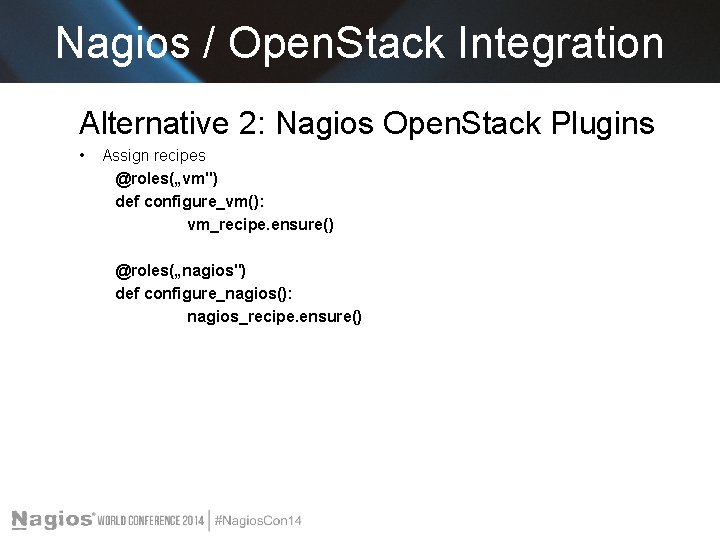
Nagios / Open. Stack Integration Alternative 2: Nagios Open. Stack Plugins • Assign recipes @roles(„vm") def configure_vm(): vm_recipe. ensure() @roles(„nagios") def configure_nagios(): nagios_recipe. ensure()
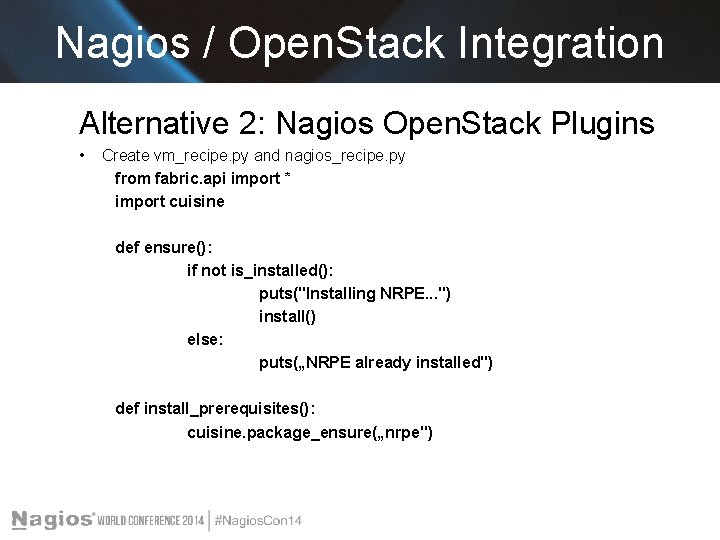
Nagios / Open. Stack Integration Alternative 2: Nagios Open. Stack Plugins • Create vm_recipe. py and nagios_recipe. py from fabric. api import * import cuisine def ensure(): if not is_installed(): puts("Installing NRPE. . . ") install() else: puts(„NRPE already installed") def install_prerequisites(): cuisine. package_ensure(„nrpe")
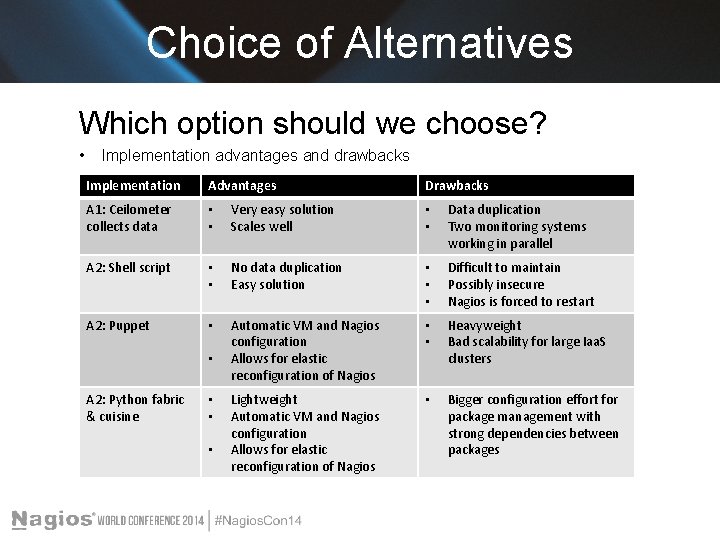
Choice of Alternatives Which option should we choose? • Implementation advantages and drawbacks Implementation Advantages A 1: Ceilometer collects data • • Very easy solution Scales well • • Data duplication Two monitoring systems working in parallel A 2: Shell script • • No data duplication Easy solution • • • Difficult to maintain Possibly insecure Nagios is forced to restart A 2: Puppet • Automatic VM and Nagios configuration Allows for elastic reconfiguration of Nagios • • Heavyweight Bad scalability for large Iaa. S clusters Lightweight Automatic VM and Nagios configuration Allows for elastic reconfiguration of Nagios • Bigger configuration effort for package management with strong dependencies between packages • A 2: Python fabric & cuisine • • • Drawbacks
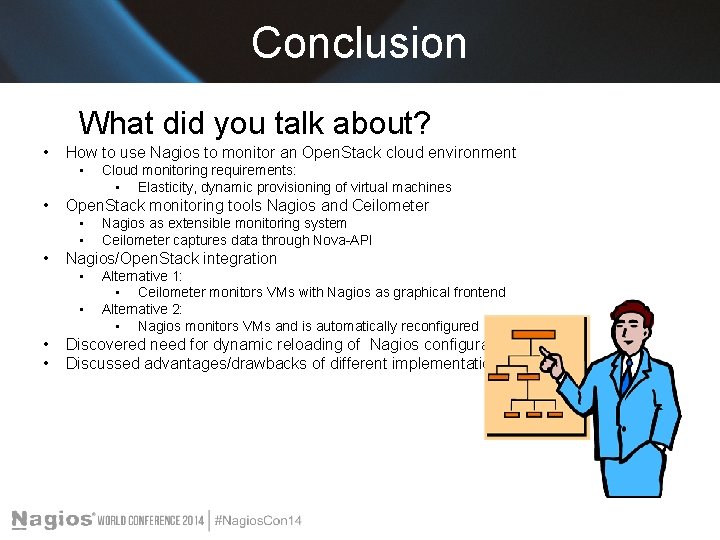
Conclusion What did you talk about? • How to use Nagios to monitor an Open. Stack cloud environment • • Open. Stack monitoring tools Nagios and Ceilometer • • • Nagios as extensible monitoring system Ceilometer captures data through Nova-API Nagios/Open. Stack integration • • Cloud monitoring requirements: • Elasticity, dynamic provisioning of virtual machines Alternative 1: • Ceilometer monitors VMs with Nagios as graphical frontend Alternative 2: • Nagios monitors VMs and is automatically reconfigured Discovered need for dynamic reloading of Nagios configuration Discussed advantages/drawbacks of different implementations

Questions? Any questions? Thanks!

The End Konstantin Benz benn@zhaw. ch
- Slides: 38