
Moldflow CAD Doctor Version 2 0 3 D


- Slides: 46
Moldflow CAD Doctor™ Version 2. 0 3 D CAD Model Fixing, Healing and Simplification Software A short Overview
Table of Contents § § § The Problem & The Moldflow Solution CAD Doctor Workflow and Key features Case Study Licensing, Supported Hardware & Languages CAD Doctor Benefits Summary DESIGN SOLUTIONS
Problem Definition § Problem: § Time spent in creating a “suitable” analysis mesh is too long § Causes: § Increasing complexity of plastic parts § Intricate features § Highly contoured § Fillets & Blends & Chamfers § Geometry translation issues § Minimal MPI & MPA geometry clean-up functionality DESIGN SOLUTIONS
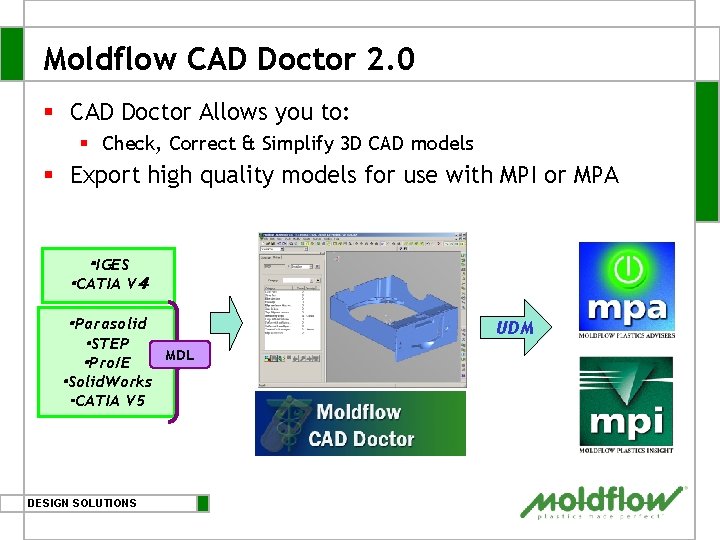
Introducing Moldflow CAD Doctor § CAD Doctor Allows you to: § Check § Correct & § Simplify 3 D CAD models § Export high quality models for use with MPI or MPA DESIGN SOLUTIONS
Target User § MPA users who prefer to work with native CAD or IGES models § MPI/Fusion & MPI/3 D users § Nearly 60% models imported into MPI are IGES or native CAD format § CAD Doctor is best suited for such solid models DESIGN SOLUTIONS
Moldflow CAD Doctor 2. 0 § CAD Doctor Allows you to: § Check, Correct & Simplify 3 D CAD models § Export high quality models for use with MPI or MPA ・IGES ・CATIA V4 ・Parasolid ・STEP ・Pro/E ・Solid. Works ・CATIA V 5 DESIGN SOLUTIONS UDM MDL
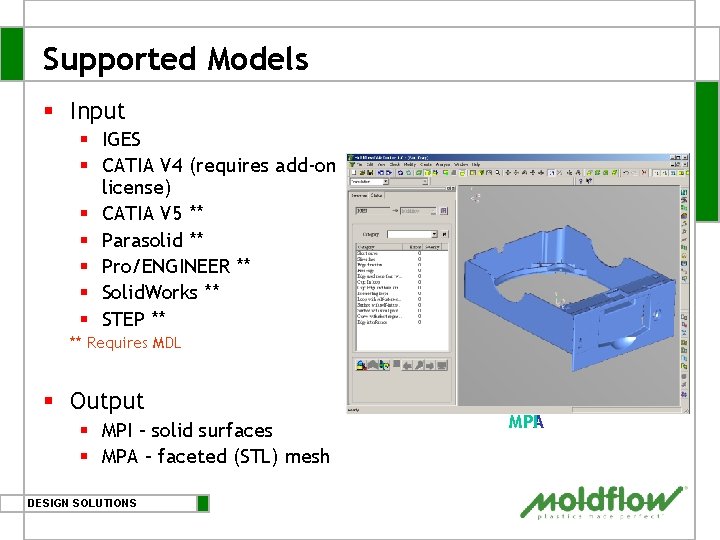
Supported Models § Input § IGES § CATIA V 4 (requires add-on license) § CATIA V 5 ** § Parasolid ** § Pro/ENGINEER ** § Solid. Works ** § STEP ** ** Requires MDL § Output § MPI – solid surfaces § MPA – faceted (STL) mesh DESIGN SOLUTIONS MPA MPI
Table of Contents § § § The Problem & The Moldflow Solution CAD Doctor Workflow and Key features Case Study Licensing, Supported Hardware & Languages CAD Doctor Benefits Summary DESIGN SOLUTIONS
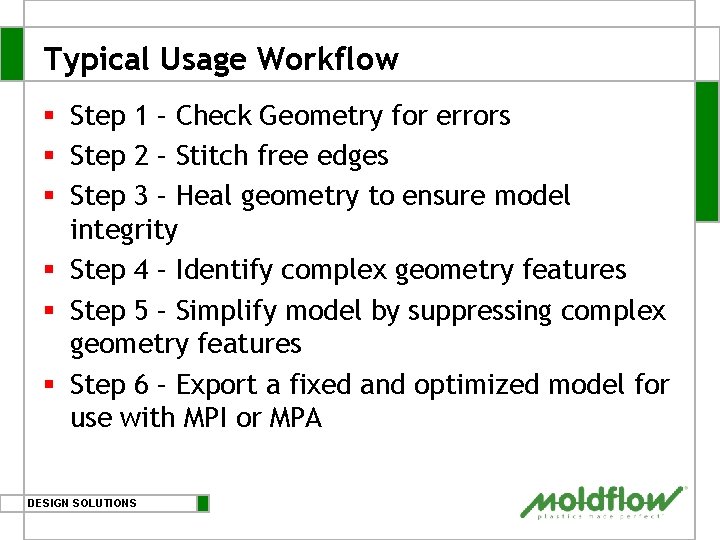
Typical Usage Workflow § Step 1 – Check Geometry for errors § Step 2 – Stitch free edges § Step 3 – Heal geometry to ensure model integrity § Step 4 – Identify complex geometry features § Step 5 – Simplify model by suppressing complex geometry features § Step 6 – Export a fixed and optimized model for use with MPI or MPA DESIGN SOLUTIONS
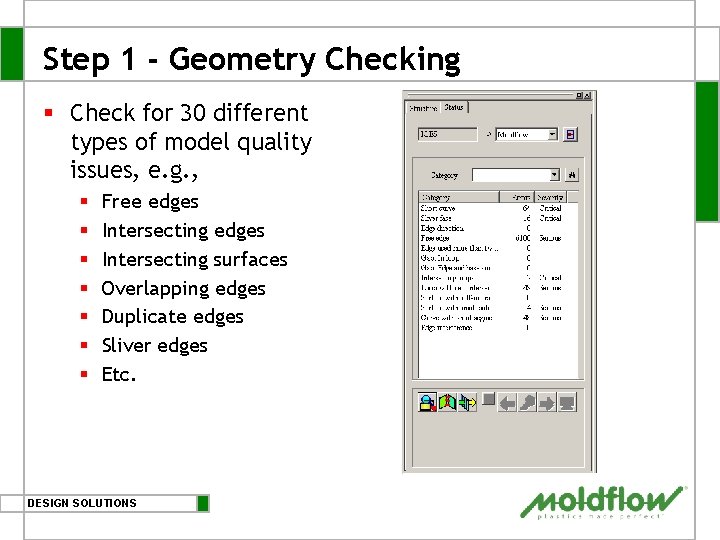
Step 1 - Geometry Checking § Check for 30 different types of model quality issues, e. g. , § § § § Free edges Intersecting surfaces Overlapping edges Duplicate edges Sliver edges Etc. DESIGN SOLUTIONS
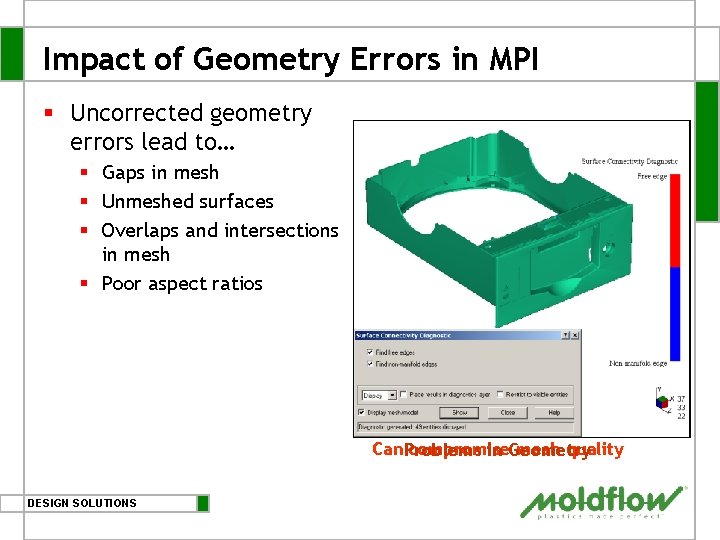
Impact of Geometry Errors in MPI § Uncorrected geometry errors lead to… § Gaps in mesh § Unmeshed surfaces § Overlaps and intersections in mesh § Poor aspect ratios Can. Problems compromise mesh quality in Geometry DESIGN SOLUTIONS
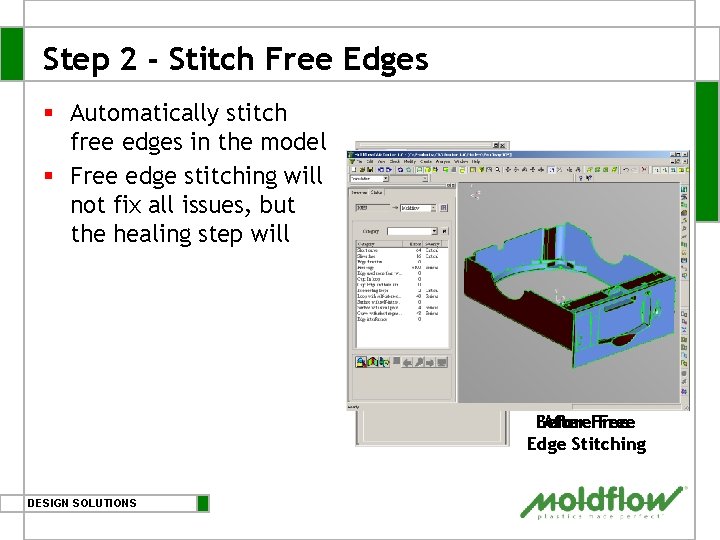
Step 2 - Stitch Free Edges § Automatically stitch free edges in the model § Free edge stitching will not fix all issues, but the healing step will Before After Free Edge Stitching DESIGN SOLUTIONS
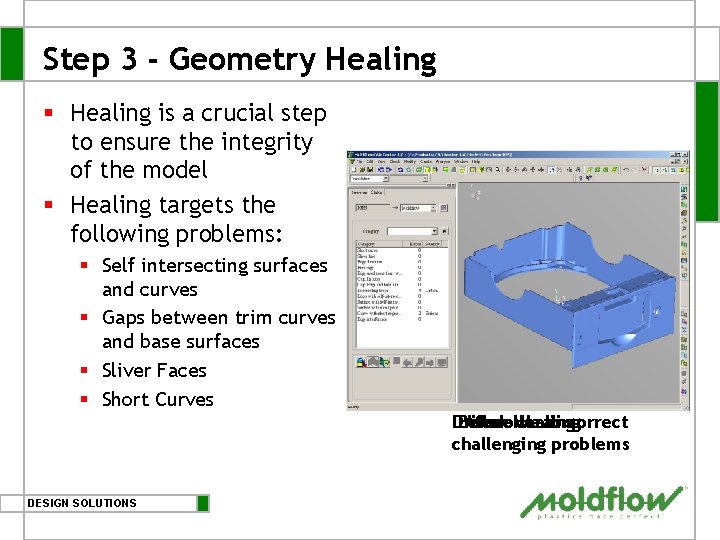
Step 3 - Geometry Healing § Healing is a crucial step to ensure the integrity of the model § Healing targets the following problems: § Self intersecting surfaces and curves § Gaps between trim curves and base surfaces § Sliver Faces § Short Curves Drill-down Before After Healing to correct challenging problems DESIGN SOLUTIONS
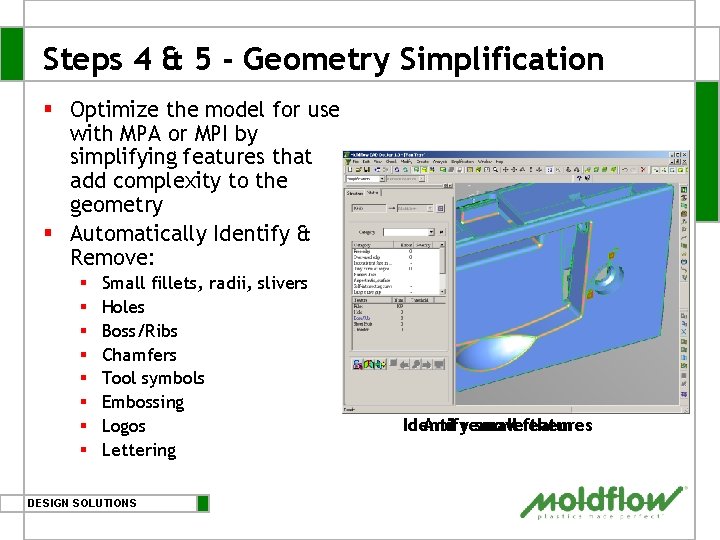
Steps 4 & 5 - Geometry Simplification § Optimize the model for use with MPA or MPI by simplifying features that add complexity to the geometry § Automatically Identify & Remove: § § § § Small fillets, radii, slivers Holes Boss/Ribs Chamfers Tool symbols Embossing Logos Lettering DESIGN SOLUTIONS Identify And remove small features them
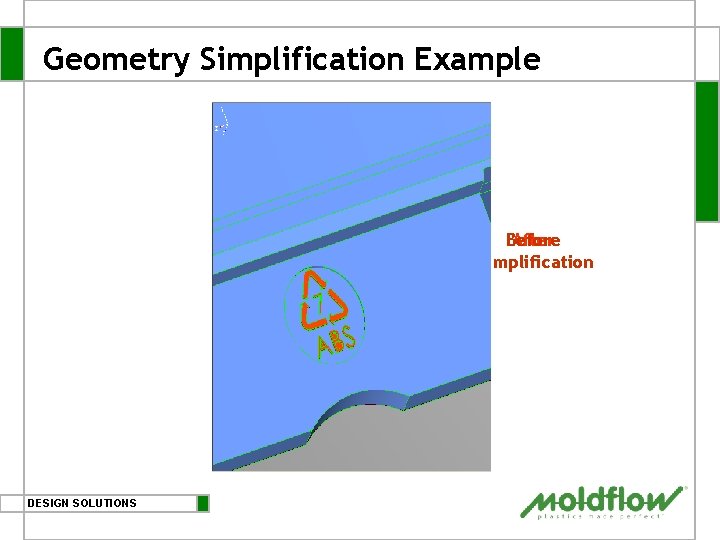
Geometry Simplification Example Before After Simplification DESIGN SOLUTIONS
Miscellaneous Features § Geometry Creation Tools § Create simple geometry § Create points, curves, faces and surfaces § Measurement Tools § Distance between two entities § Enclosed angle between two curves § Highlight shortest curve in the model and display its dimensions § Normal vector of a surface § Curvature of a selected curve on a graph DESIGN SOLUTIONS
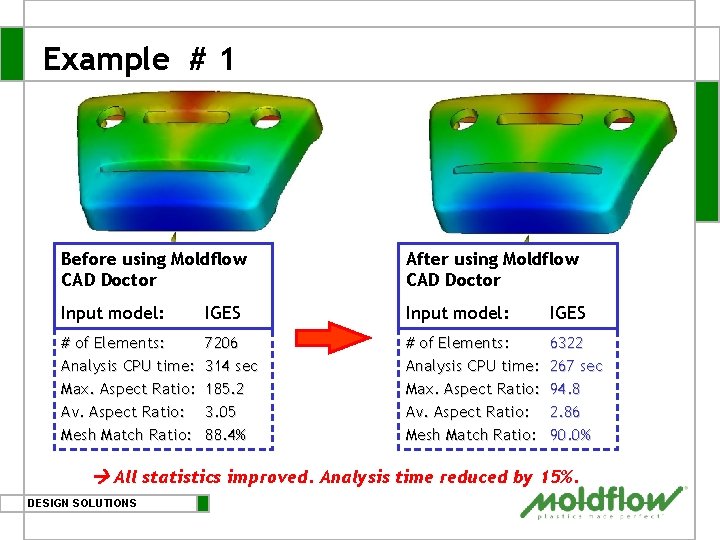
Example # 1 Before using Moldflow CAD Doctor After using Moldflow CAD Doctor Input model: IGES # of Elements: Analysis CPU time: Max. Aspect Ratio: Av. Aspect Ratio: Mesh Match Ratio: 7206 314 sec 185. 2 3. 05 88. 4% # of Elements: Analysis CPU time: Max. Aspect Ratio: Av. Aspect Ratio: Mesh Match Ratio: 6322 267 sec 94. 8 2. 86 90. 0% All statistics improved. Analysis time reduced by 15%. DESIGN SOLUTIONS
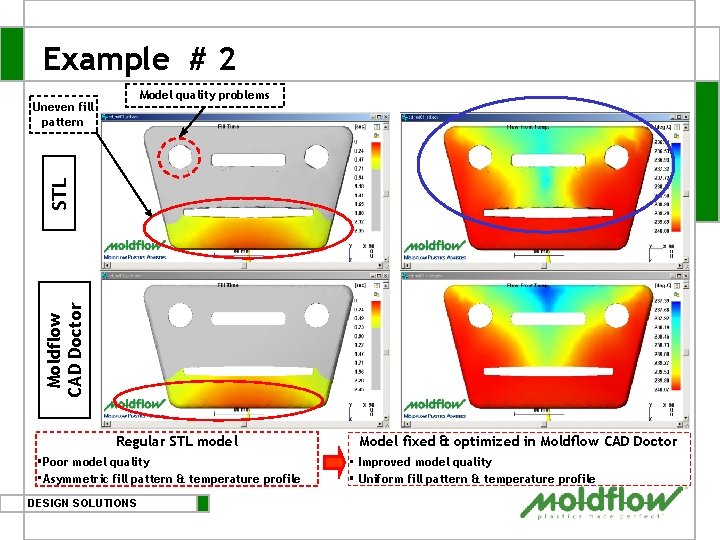
Example # 2 Model quality problems Moldflow CAD Doctor STL Uneven fill pattern Regular STL model ・Poor model quality ・Asymmetric fill pattern & temperature profile DESIGN SOLUTIONS Model fixed & optimized in Moldflow CAD Doctor ・ Improved model quality ・ Uniform fill pattern & temperature profile
Table of Contents § § § The Problem & The Moldflow Solution CAD Doctor Workflow and Key Features Case Study Licensing, Supported Hardware & Languages CAD Doctor Benefits Summary DESIGN SOLUTIONS
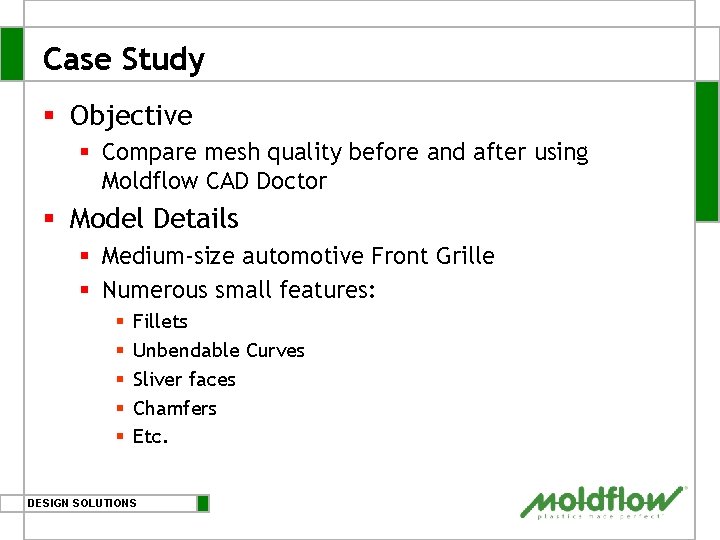
Case Study § Objective § Compare mesh quality before and after using Moldflow CAD Doctor § Model Details § Medium-size automotive Front Grille § Numerous small features: § § § Fillets Unbendable Curves Sliver faces Chamfers Etc. DESIGN SOLUTIONS
Table of Contents § The Problem & The Moldflow Solution § CAD Doctor Workflow and Key Features § Case Study § Without CAD Doctor § WITH CAD Doctor § Licensing, Supported Hardware & Languages § CAD Doctor Benefits Summary DESIGN SOLUTIONS
Working without CAD Doctor DESIGN SOLUTIONS
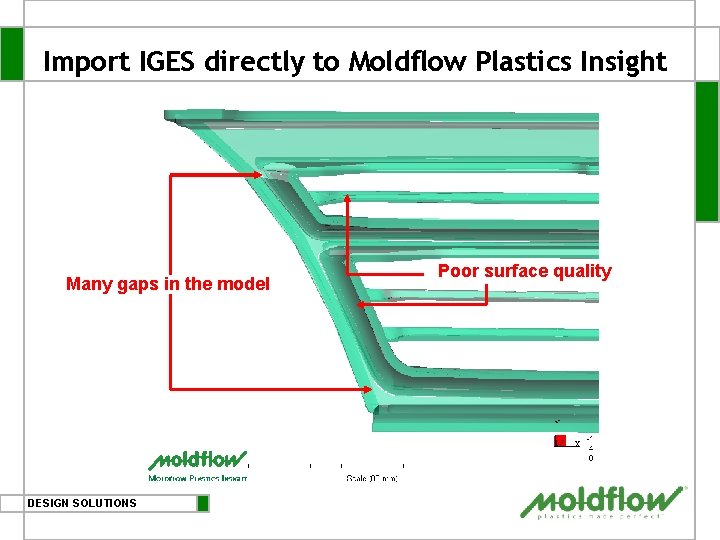
Import IGES directly to Moldflow Plastics Insight Many gaps in the model DESIGN SOLUTIONS Poor surface quality
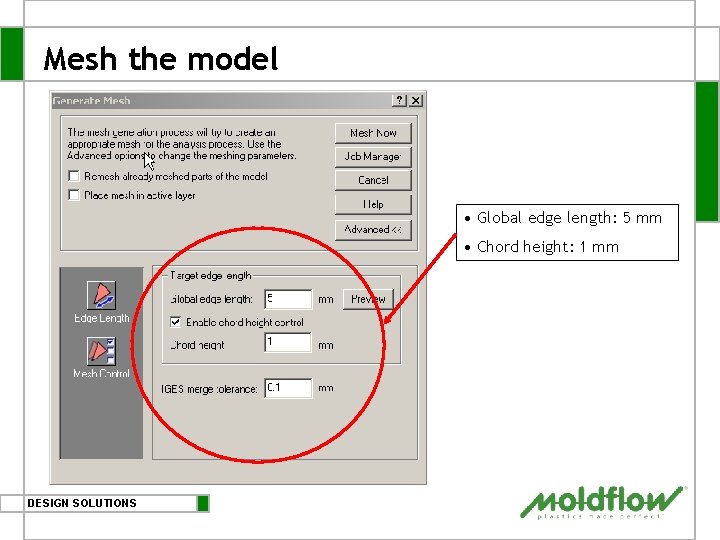
Mesh the model • Global edge length: 5 mm • Chord height: 1 mm DESIGN SOLUTIONS
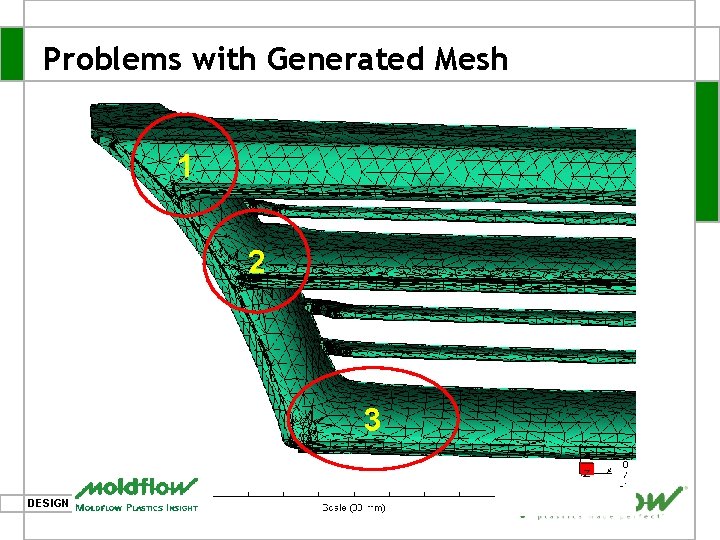
Problems with Generated Mesh 1 2 3 DESIGN SOLUTIONS
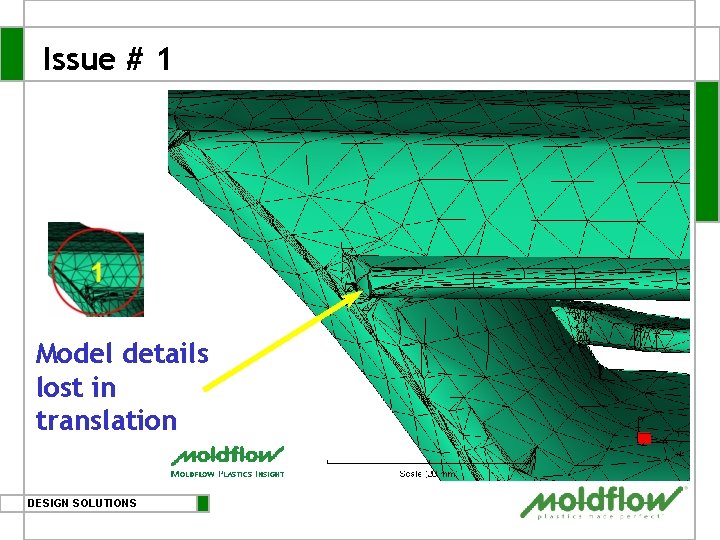
Issue # 1 Model details lost in translation DESIGN SOLUTIONS
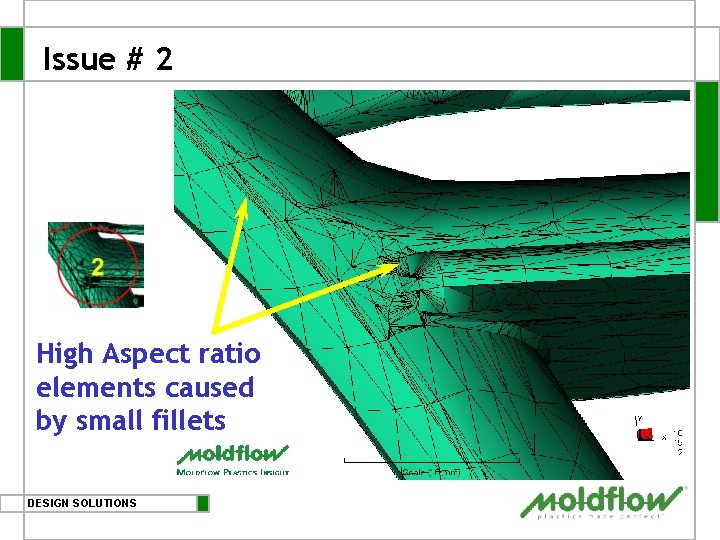
Issue # 2 High Aspect ratio elements caused by small fillets DESIGN SOLUTIONS
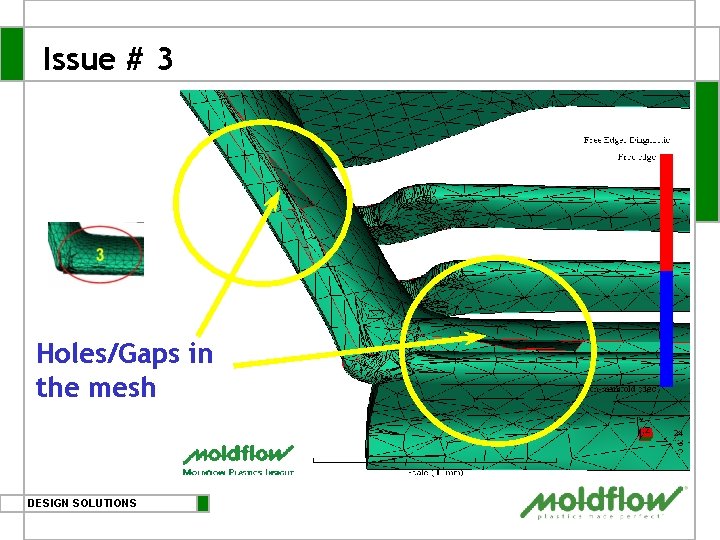
Issue # 3 Holes/Gaps in the mesh DESIGN SOLUTIONS
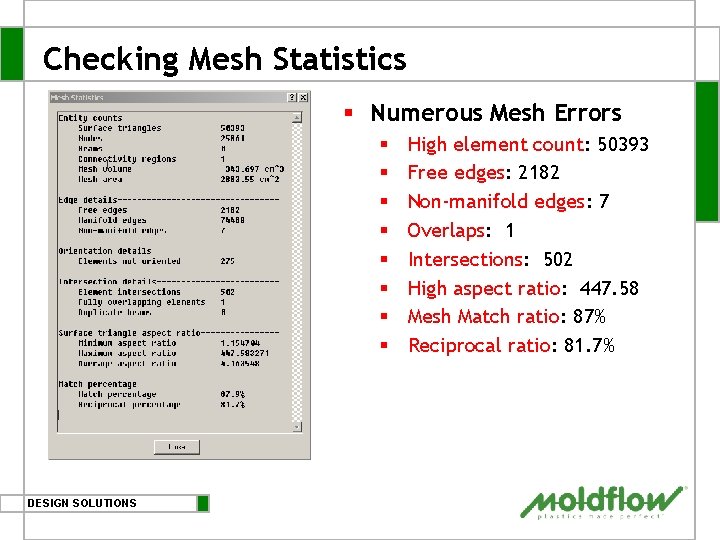
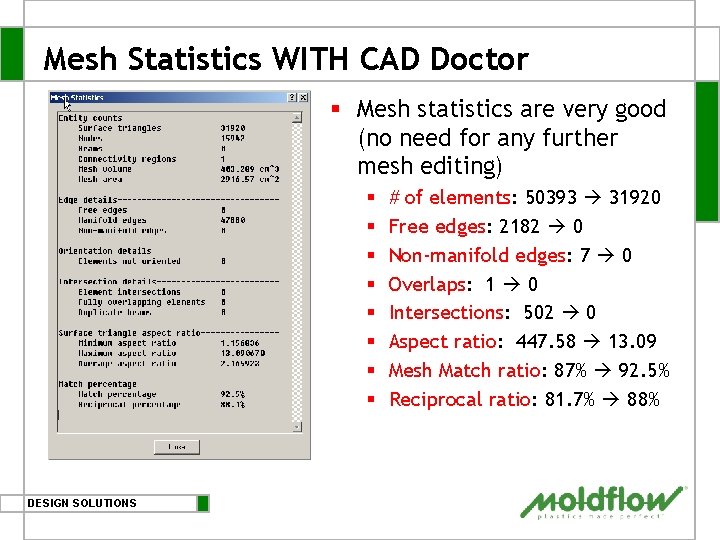
Checking Mesh Statistics § Numerous Mesh Errors § § § § DESIGN SOLUTIONS High element count: 50393 Free edges: 2182 Non-manifold edges: 7 Overlaps: 1 Intersections: 502 High aspect ratio: 447. 58 Mesh Match ratio: 87% Reciprocal ratio: 81. 7%
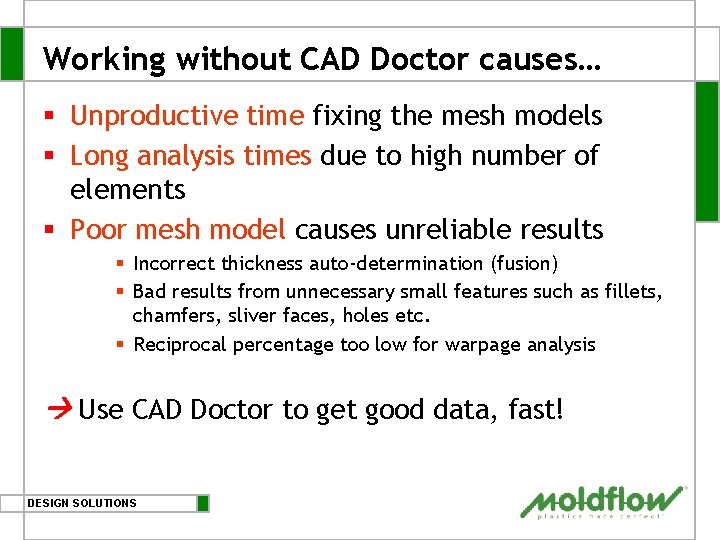
Working without CAD Doctor causes… § Unproductive time fixing the mesh models § Long analysis times due to high number of elements § Poor mesh model causes unreliable results § Incorrect thickness auto-determination (fusion) § Bad results from unnecessary small features such as fillets, chamfers, sliver faces, holes etc. § Reciprocal percentage too low for warpage analysis Use CAD Doctor to get good data, fast! DESIGN SOLUTIONS
Table of Contents § The Problem & The Moldflow Solution § CAD Doctor Workflow and Key Features § Case Study § Without CAD Doctor § WITH CAD Doctor § Licensing, Supported Hardware & Languages § CAD Doctor Benefits Summary DESIGN SOLUTIONS
Working with Moldflow CAD Doctor DESIGN SOLUTIONS
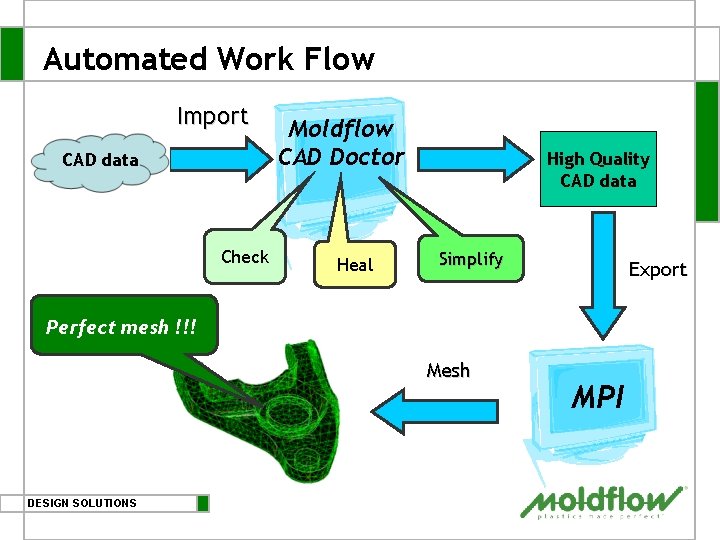
Automated Work Flow Import CAD data Check Moldflow CAD Doctor Heal High Quality CAD data Simplify Export Perfect mesh !!! Mesh DESIGN SOLUTIONS MPI
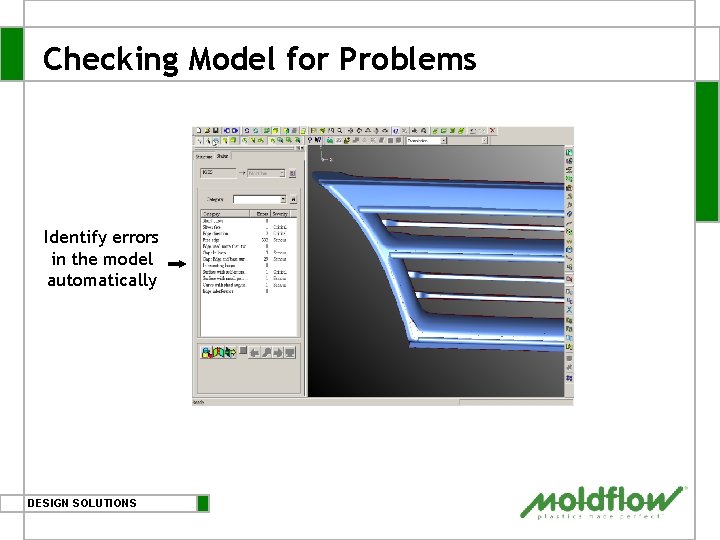
Checking Model for Problems Identify errors in the model automatically DESIGN SOLUTIONS
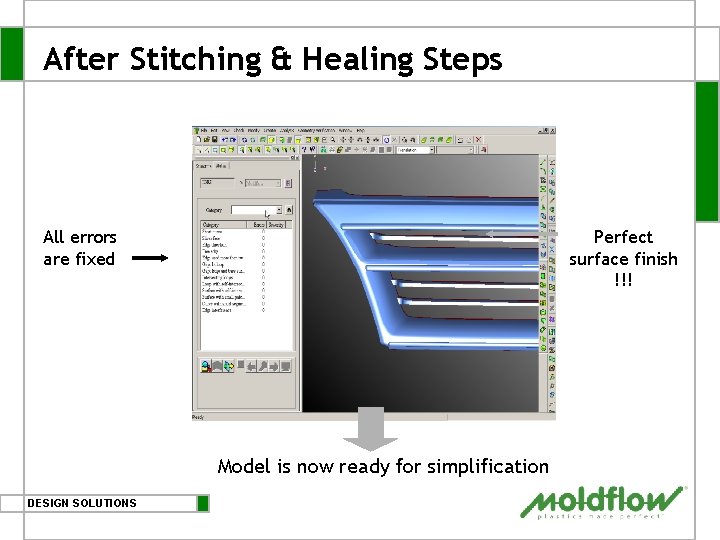
After Stitching & Healing Steps All errors are fixed Perfect surface finish !!! Model is now ready for simplification DESIGN SOLUTIONS
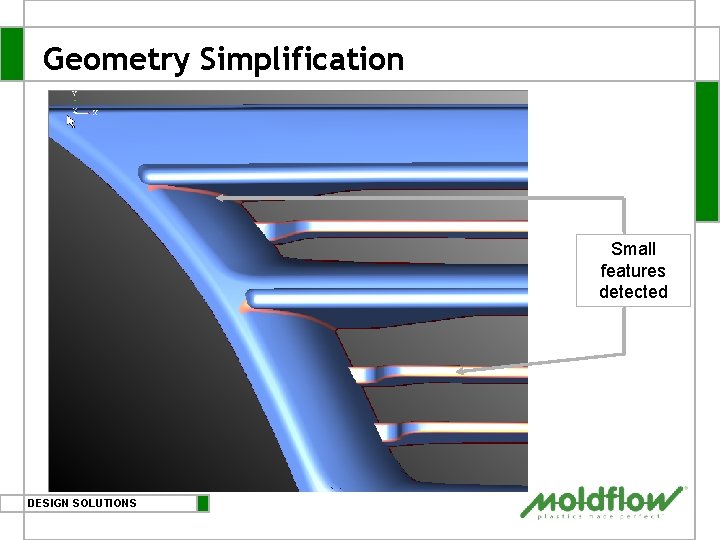
Geometry Simplification Small features detected DESIGN SOLUTIONS
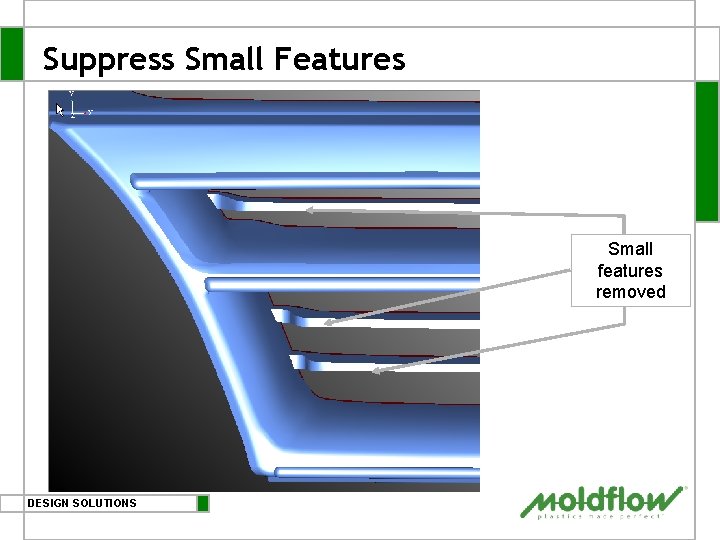
Suppress Small Features Small features removed DESIGN SOLUTIONS
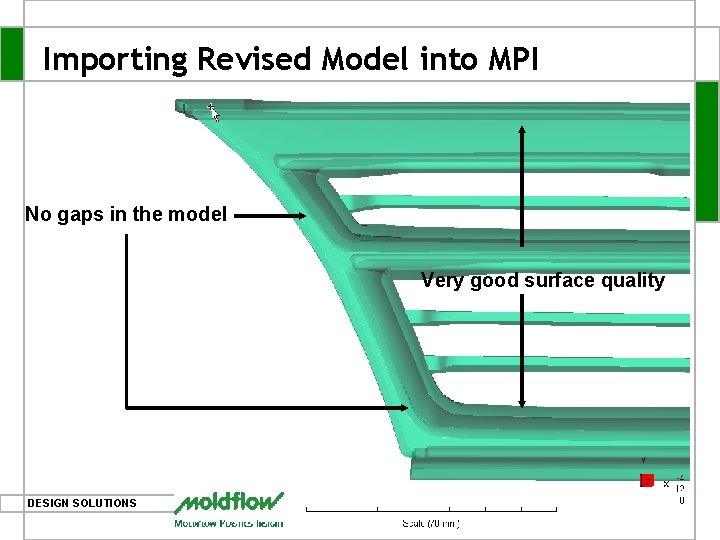
Importing Revised Model into MPI No gaps in the model Very good surface quality DESIGN SOLUTIONS
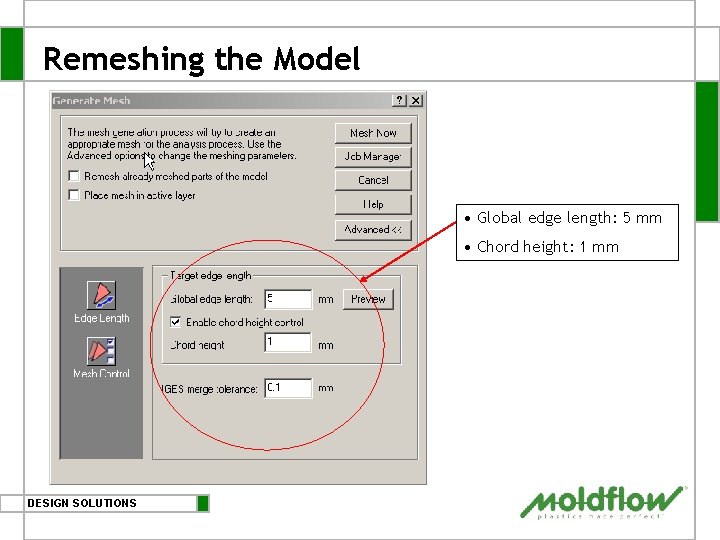
Remeshing the Model • Global edge length: 5 mm • Chord height: 1 mm DESIGN SOLUTIONS
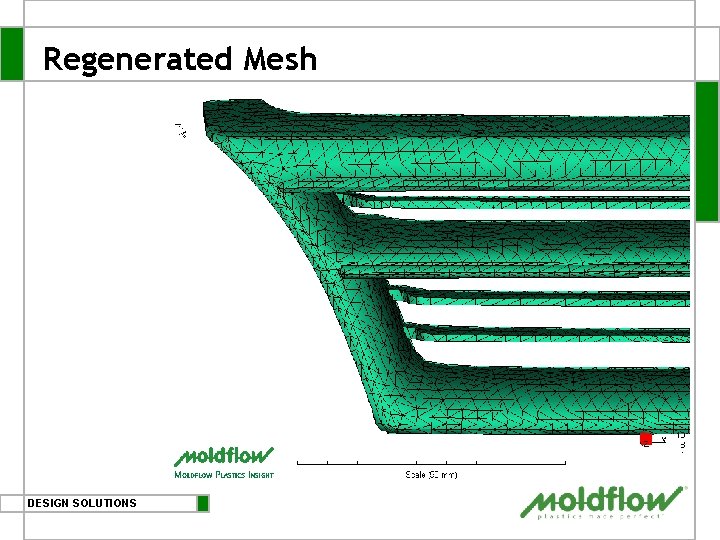
Regenerated Mesh DESIGN SOLUTIONS
Mesh Statistics WITH CAD Doctor § Mesh statistics are very good (no need for any further mesh editing) § § § § DESIGN SOLUTIONS # of elements: 50393 31920 Free edges: 2182 0 Non-manifold edges: 7 0 Overlaps: 1 0 Intersections: 502 0 Aspect ratio: 447. 58 13. 09 Mesh Match ratio: 87% 92. 5% Reciprocal ratio: 81. 7% 88%
Table of Contents § § § The Problem & The Moldflow Solution CAD Doctor Workflow and Key Features Case Study Licensing, Supported Hardware & Languages CAD Doctor Benefits Summary DESIGN SOLUTIONS
Hardware, Licensing & Language Options § Supported Hardware § Windows 2000 and XP § Licensing § Uses Moldflow Product Security § Node-locked and Floating versions available § Supported Languages § English § German § Japanese DESIGN SOLUTIONS
Table of Contents § § § The Problem & The Moldflow Solution CAD Doctor Workflow and Key Features Case Study Licensing, Supported Hardware & Languages CAD Doctor Benefits Summary DESIGN SOLUTIONS
Benefits of Using Moldflow CAD Doctor § Get highly reliable analysis results, fast! § Drastically reduce project time § § Reduce mesh modification time from ~1 day to ~ 10 minutes Reduce model clean up time from ~ 3 days to ~ 2 hrs Correct issues related to small features easily Meshing is not a problem any more creating better market opportunity § … and get started right away because the SW is very easy to use! DESIGN SOLUTIONS
Thank you Beginning of presentation