
Module Testing Setup for Silicon Strip Detectors Hassan




- Slides: 49
Module Testing Setup for Silicon Strip Detectors Hassan Shahzad, NCP On be half of Module Working Group
Outline • Introduction • Module Testing setup • Hardware requirements • Software requirements • Installation and commissioning of test setup • Improvements in test setup • Interface card connection modification • Modifications in Hybrid Assembly Procedures to minimize the noise • Future work • Module 6 assembly and testing • Micro-TCA crate based readout • Summary 12/5/2020 Workshop on Tracking Detectors 2
Introduction • CMS is planning to replace the entire Silicon tracking system in Long Shutdown 3 ( 2024 -2026) • The new tracker will be ready for HL-LHC and will be equipped with more radiation hardness capabilities and modern electronics • Prototype silicon strip detectors are being prepared in module assembly centers • Production is expected to start in early 2021 • NCP is declared as one of the module assembly center • Currently preparing the setup for module assembly and testing • Procurement is in process • First mechanical module is expected very soon 12/5/2020 Workshop on Tracking Detectors 3
Introduction (Cont. ) • Each module assembly is required to establish the dedicated test setup to test the module before shipping to CERN • This setup should be able to test the hybrids as well as modules • Cold testing of each module is required • I have participated in preparing the test setup in building 186, CERN to test the prototype modules • Already tested module 4 and 5 • This talk will give an overview of procedures and requirements for development of testing setup 12/5/2020 Workshop on Tracking Detectors 4
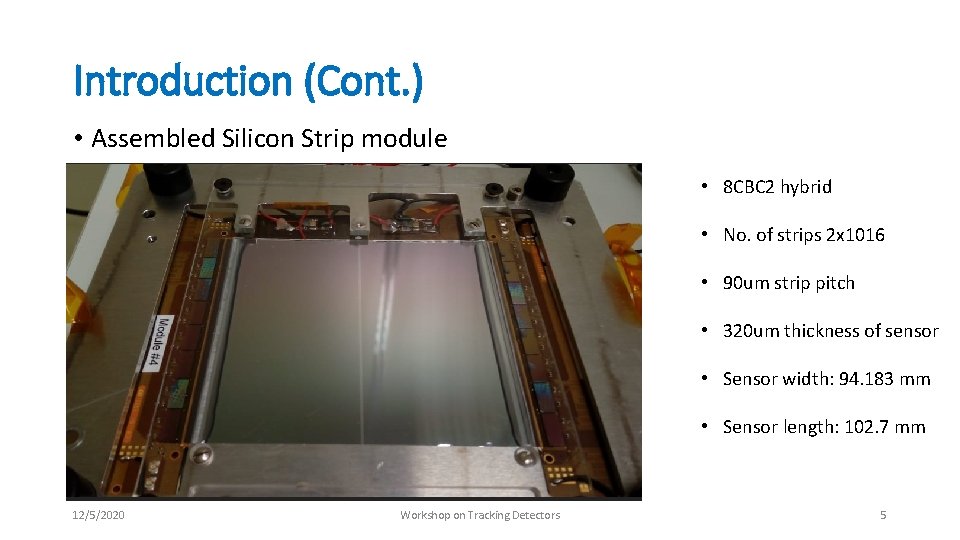
Introduction (Cont. ) • Assembled Silicon Strip module • 8 CBC 2 hybrid • No. of strips 2 x 10¹⁶ • 90 um strip pitch • 320 um thickness of sensor • Sensor width: 94. 183 mm • Sensor length: 102. 7 mm 12/5/2020 Workshop on Tracking Detectors 5
Outline • Introduction • Module Testing setup • Hardware requirements • Software requirements • Installation and commissioning of test setup • Improvements in test setup • Interface card connection modification • Modifications in Hybrid Assembly Procedures to minimize the noise • Future work • Module 6 assembly and testing • Micro-TCA crate based readout • Summary 12/5/2020 Workshop on Tracking Detectors 6
Module Testing Setup • A dedicated test setup is required to test the silicon strip detector • A new setup is proposed based on FC 7 readout board by the system test and Electronics Group • FC 7 board was designed by Imperial College London group using Kintex 7 FPGA • Previous system was based on GLIB (Gigabit Link Interface Board) • CMS tracker DAQ group prepared the DAQ software • Updates are in progress • System Test Group of the CMS tracker formalizes the procedures of building the setup • I have followed the same guidelines of System Test group 12/5/2020 Workshop on Tracking Detectors 7
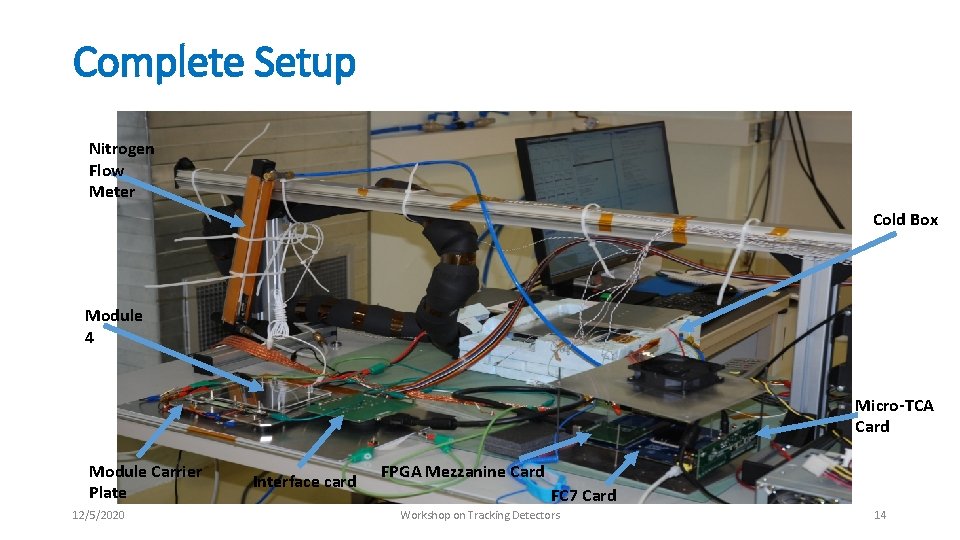
Hardware Requirements • FC 7 readout board • Micro TCA card • FMC (FPGA Magazine Card) • Interface board • LV and HV power supplies • Chiller (required for cold testing) • Thermoelectric plate (required for cold testing) 12/5/2020 Workshop on Tracking Detectors 8
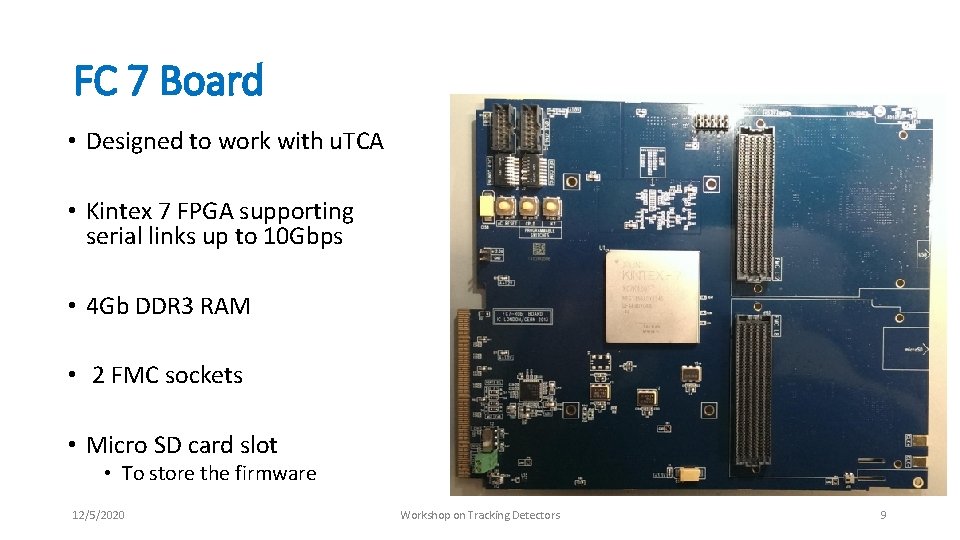
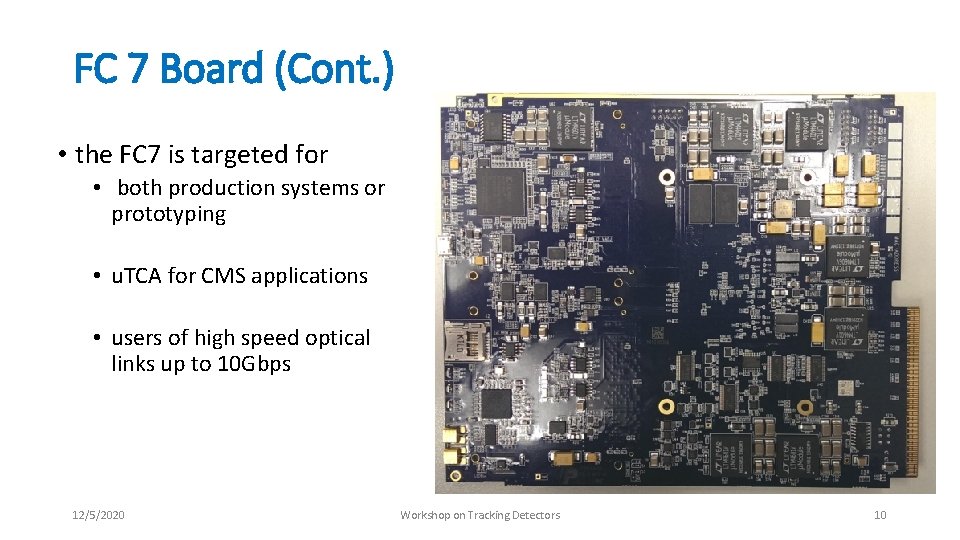
FC 7 Board • Designed to work with u. TCA • Kintex 7 FPGA supporting serial links up to 10 Gbps • 4 Gb DDR 3 RAM • 2 FMC sockets • Micro SD card slot • To store the firmware 12/5/2020 Workshop on Tracking Detectors 9
FC 7 Board (Cont. ) • the FC 7 is targeted for • both production systems or prototyping • u. TCA for CMS applications • users of high speed optical links up to 10 Gbps 12/5/2020 Workshop on Tracking Detectors 10
Micro TCA card • Designed by imperial College group • FC 7 is plugged in to the micro TCA card • FC 7 is connected to Ethernet cable via micro TCA card • Micro TCA card provides power to FC 7 12/5/2020 Workshop on Tracking Detectors 11
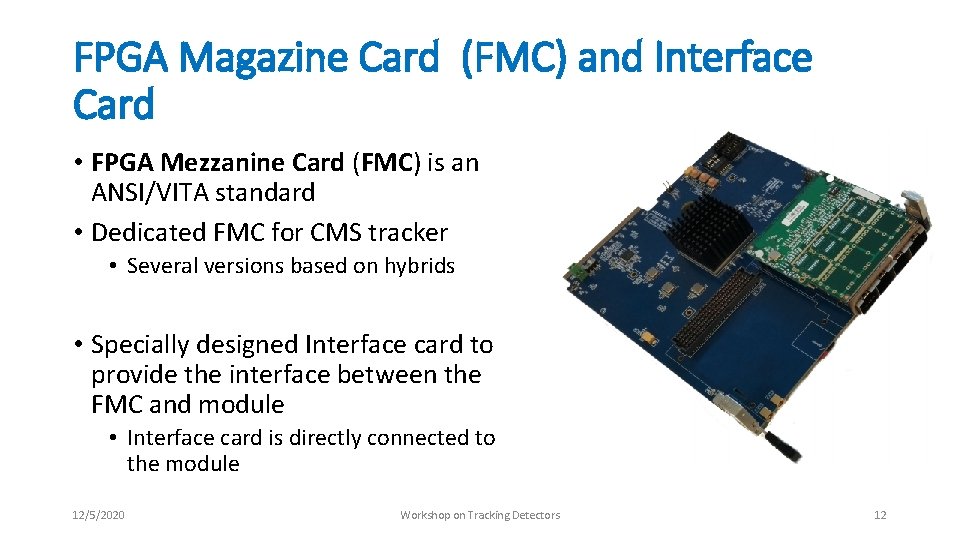
FPGA Magazine Card (FMC) and Interface Card • FPGA Mezzanine Card (FMC) is an ANSI/VITA standard • Dedicated FMC for CMS tracker • Several versions based on hybrids • Specially designed Interface card to provide the interface between the FMC and module • Interface card is directly connected to the module 12/5/2020 Workshop on Tracking Detectors 12
Power Supplies, Chiller and Thermoelectric Plate • Keithley 2410 is used to power up the module (normally 300 V) • LV power supplies are used to power up the hybrids and interface card • Lauda MC 1200 chiller is being used for cold testing • Thermoelectric plate • Model: thermoelectric LHP-800 CPHC, 24 VDC, 14 AMPS • Chiller and thermoelectric plate are used for cold test of module 12/5/2020 Workshop on Tracking Detectors 13
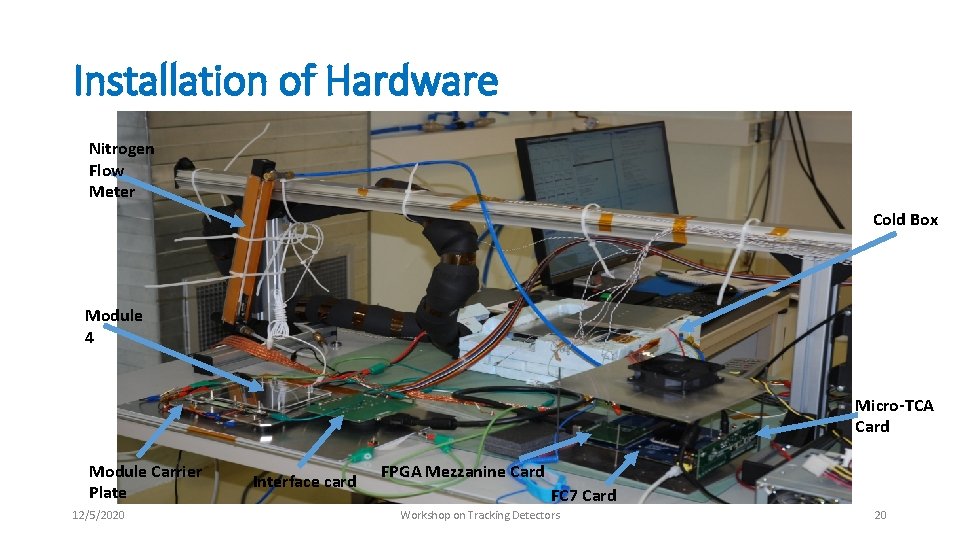
Complete Setup Nitrogen Flow Meter Cold Box Module 4 Micro-TCA Card Module Carrier Plate 12/5/2020 Interface card FPGA Mezzanine Card FC 7 Card Workshop on Tracking Detectors 14
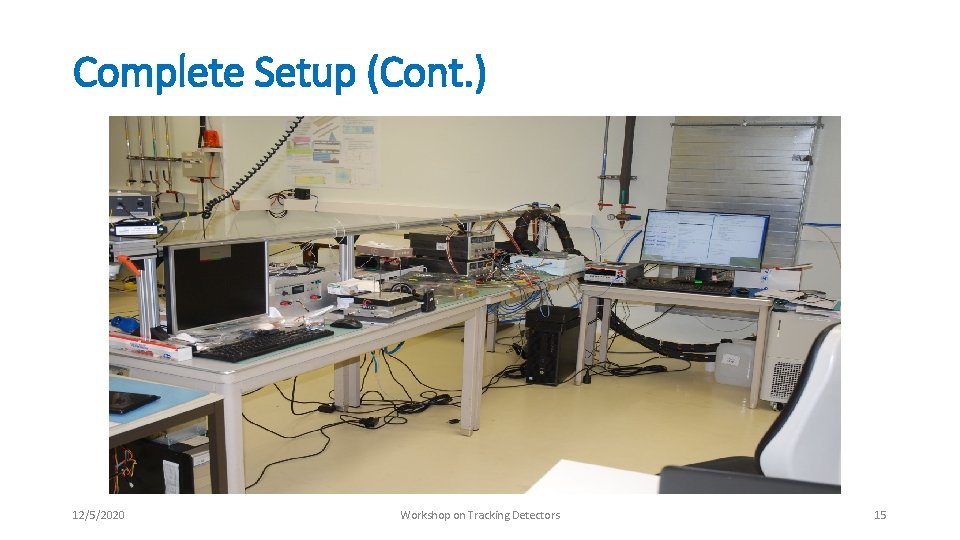
Complete Setup (Cont. ) 12/5/2020 Workshop on Tracking Detectors 15
Software Requirements • PH 2_ACF is a CMS Tracker Phase 2 Acquisition & Control Framework • Developed by CMS Tracker DAQ group • Work is in progress, updates get added to new release • Ph 2_ACF • Its a middleware API layer, • Implemented in C++, which communicates with the firmware • A C++ object-based library describing the system components (CBCs, Hybrids, Boards) and their properties(values, status) 12/5/2020 Workshop on Tracking Detectors 16
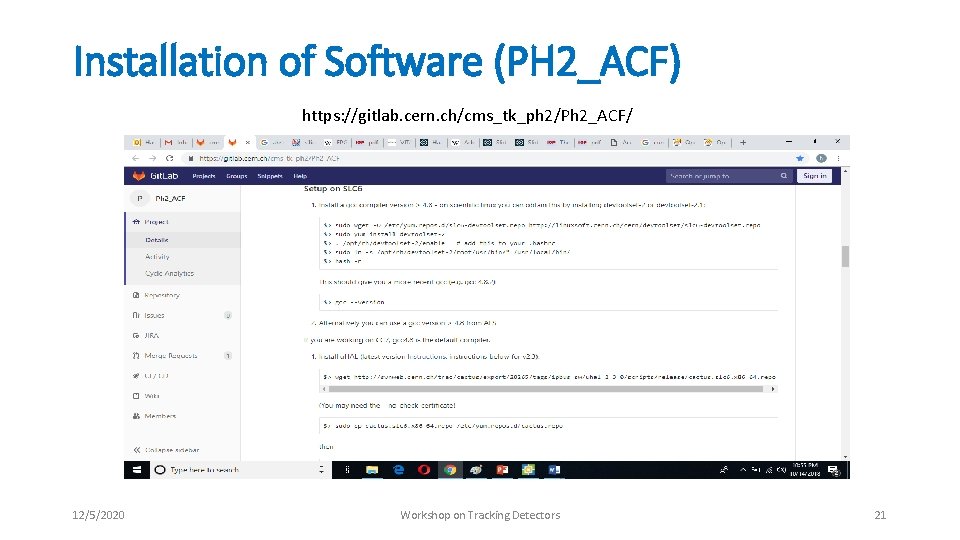
Ph 2_ACF • For installation of Ph 2_ACF, need to follow the procedure mentioned at • https: //gitlab. cern. ch/cms_tk_ph 2/Ph 2_ACF • It is a step by step guide and will install several software including CERN ROOT • Once installed, it will provide strip occupancy plots, noise plots and other useful plots for the module 12/5/2020 Workshop on Tracking Detectors 17
Outline • Introduction • Module Testing setup • Hardware requirements • Software requirements • Installation and commissioning of test setup • Improvements in test setup • Interface card connection modification • Modifications in Hybrid Assembly Procedures to minimize the noise • Future work • Module 6 assembly and testing • Micro-TCA crate based readout • Summary 12/5/2020 Workshop on Tracking Detectors 18
Installation and Commissioning of test Setup • Main steps are as follows: • Installation of hardware • FC 7 , Interface board, FMC, Ethernet card • Requires proper cabling, and grounding • Installation of Ph 2_ACF • Installation of the FC 7 firmware “Golden Image” • Setting up communication between the FC 7 and PC • Using Wireshark software • Installation of firmware for respective CBCs (e. g. 8 CBC 3) • Setting up the Ph 2_ACF to readout from module 12/5/2020 Workshop on Tracking Detectors 19
Installation of Hardware Nitrogen Flow Meter Cold Box Module 4 Micro-TCA Card Module Carrier Plate 12/5/2020 Interface card FPGA Mezzanine Card FC 7 Card Workshop on Tracking Detectors 20
Installation of Software (PH 2_ACF) https: //gitlab. cern. ch/cms_tk_ph 2/Ph 2_ACF/ 12/5/2020 Workshop on Tracking Detectors 21
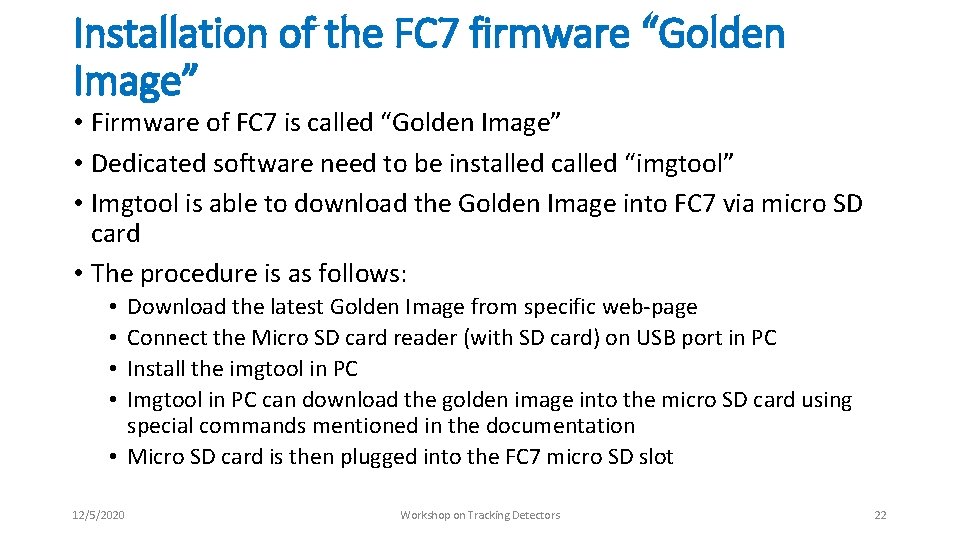
Installation of the FC 7 firmware “Golden Image” • Firmware of FC 7 is called “Golden Image” • Dedicated software need to be installed called “imgtool” • Imgtool is able to download the Golden Image into FC 7 via micro SD card • The procedure is as follows: Download the latest Golden Image from specific web-page Connect the Micro SD card reader (with SD card) on USB port in PC Install the imgtool in PC Imgtool in PC can download the golden image into the micro SD card using special commands mentioned in the documentation • Micro SD card is then plugged into the FC 7 micro SD slot • • 12/5/2020 Workshop on Tracking Detectors 22
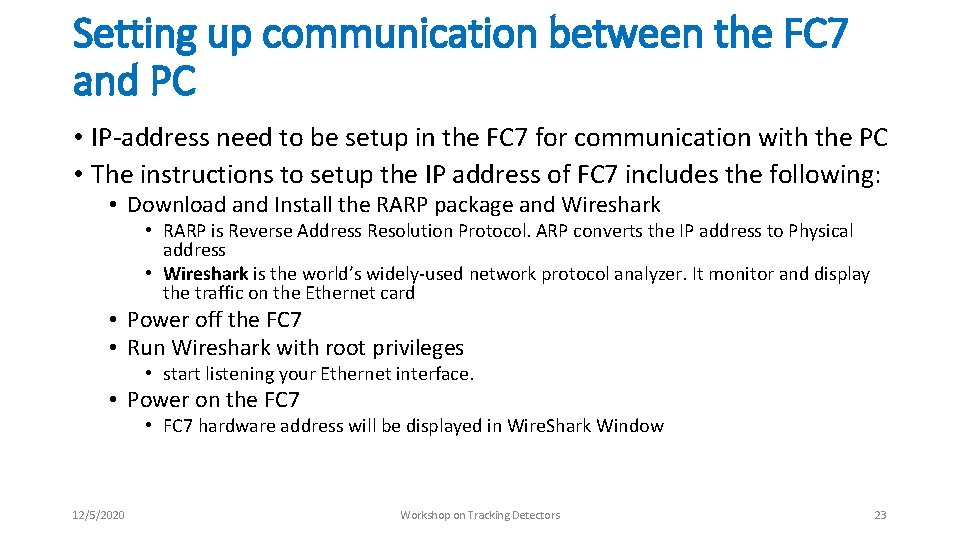
Setting up communication between the FC 7 and PC • IP-address need to be setup in the FC 7 for communication with the PC • The instructions to setup the IP address of FC 7 includes the following: • Download and Install the RARP package and Wireshark • RARP is Reverse Address Resolution Protocol. ARP converts the IP address to Physical address • Wireshark is the world’s widely-used network protocol analyzer. It monitor and display the traffic on the Ethernet card • Power off the FC 7 • Run Wireshark with root privileges • start listening your Ethernet interface. • Power on the FC 7 • FC 7 hardware address will be displayed in Wire. Shark Window 12/5/2020 Workshop on Tracking Detectors 23
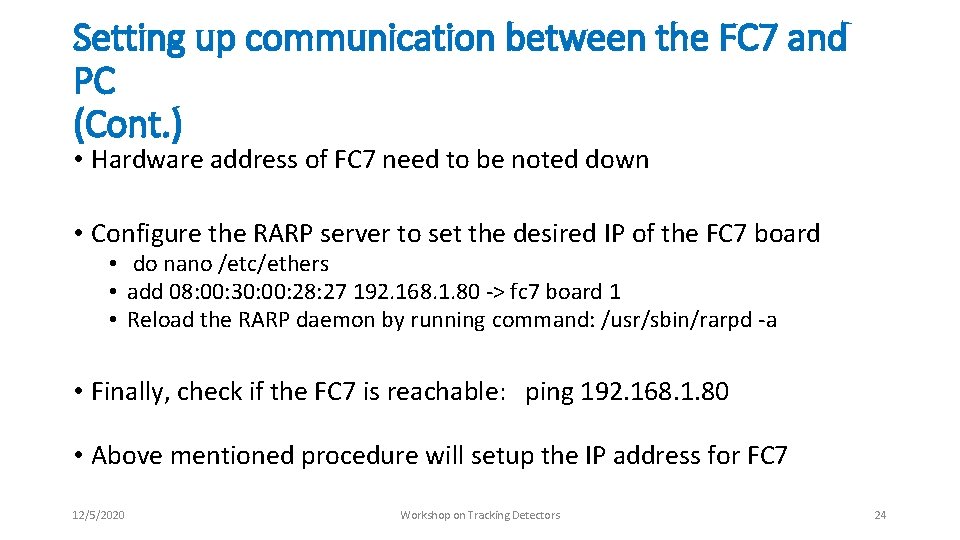
Setting up communication between the FC 7 and PC (Cont. ) • Hardware address of FC 7 need to be noted down • Configure the RARP server to set the desired IP of the FC 7 board • do nano /etc/ethers • add 08: 00: 30: 00: 28: 27 192. 168. 1. 80 -> fc 7 board 1 • Reload the RARP daemon by running command: /usr/sbin/rarpd -a • Finally, check if the FC 7 is reachable: ping 192. 168. 1. 80 • Above mentioned procedure will setup the IP address for FC 7 12/5/2020 Workshop on Tracking Detectors 24
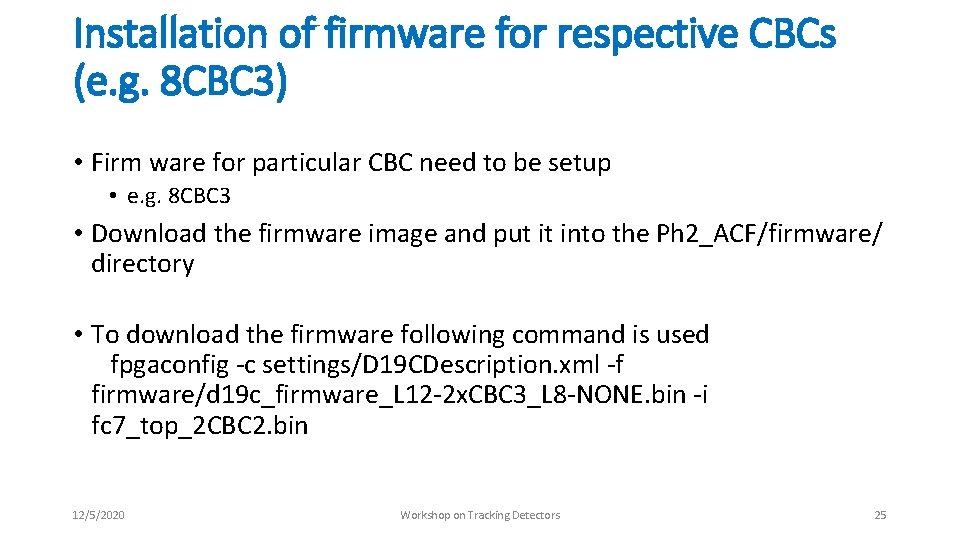
Installation of firmware for respective CBCs (e. g. 8 CBC 3) • Firm ware for particular CBC need to be setup • e. g. 8 CBC 3 • Download the firmware image and put it into the Ph 2_ACF/firmware/ directory • To download the firmware following command is used fpgaconfig -c settings/D 19 CDescription. xml -f firmware/d 19 c_firmware_L 12 -2 x. CBC 3_L 8 -NONE. bin -i fc 7_top_2 CBC 2. bin 12/5/2020 Workshop on Tracking Detectors 25
Outline • Introduction • Module Testing setup • Hardware requirements • Software requirements • Installation and commissioning of test setup • Improvements in test setup • Interface card connection modification • Modifications in Hybrid Assembly Procedures to minimize the noise • Future work • Module 6 assembly and testing • Micro-TCA crate based readout • Summary 12/5/2020 Workshop on Tracking Detectors 26
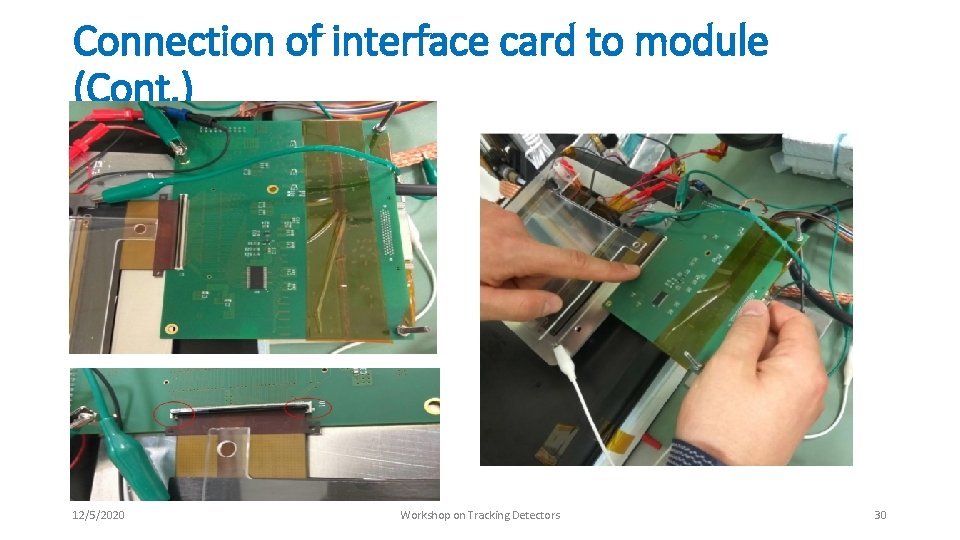
Improvements in Test Setup • Connection of interface card to module • • Proposed new way of connecting the interface card to module Previous way is dangerous and may break the module We broke module number 5 in connecting it to interface card Proper documentation is available to connect the interface card to module • Minimization of noise • • 12/5/2020 We observed noise and tried to cope it in several ways Spend several weeks but little luck Later found problem in hybrids Our findings have changed the assembly procedures of hybrids Workshop on Tracking Detectors 27
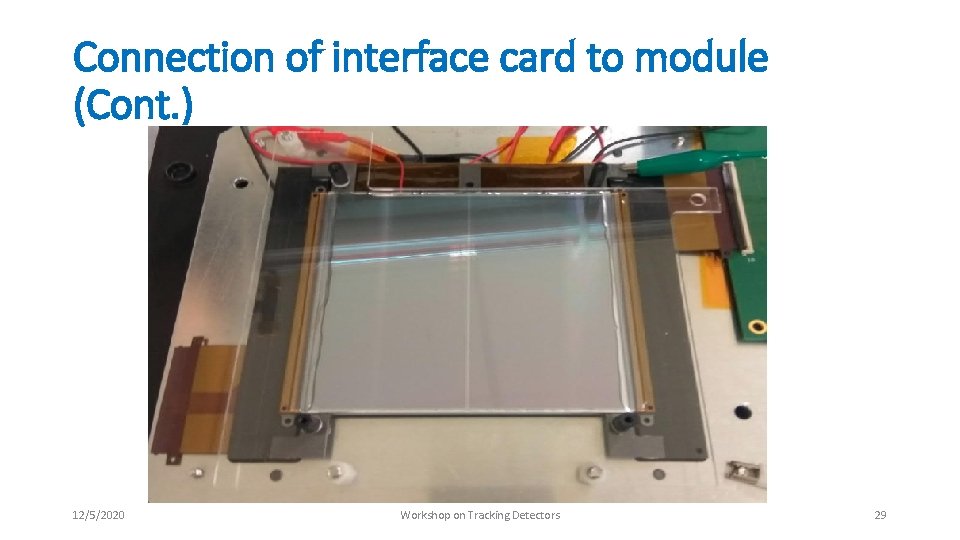
Connection of interface card to module • 8 CBC 2 hybrids are based on the CBC 2 ASIC • a connector extension tail is designed with the hybrid. • This extension can be interconnected to an interface card which translates signals between the DAQ chain and the hybrid • The 8 CBC 2 interface card has a Zero Insertion Force (ZIF) flexible circuit connector located on the bottom side of the card. • When the module is placed on the carrier frame with the hybrids facing up, the interconnection to the interface card is difficult because the connector is not visible. • Damage to module may be possible • We pointed out this problem and discussed for the solution with the CMS tracker Electronics group • The solution is to mount the module up side down on the specific carrier plate • This problem wont appear on the next generation of hybrids i. e. 8 CBC 3 • Guideline document is prepared and shared with the community to avoid this problem 12/5/2020 Workshop on Tracking Detectors 28
Connection of interface card to module (Cont. ) 12/5/2020 Workshop on Tracking Detectors 29
Connection of interface card to module (Cont. ) 12/5/2020 Workshop on Tracking Detectors 30
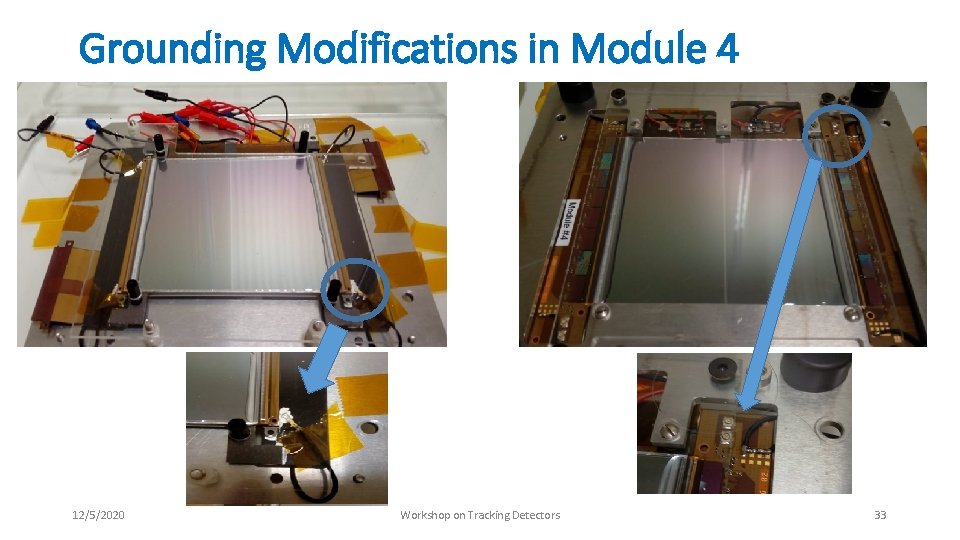
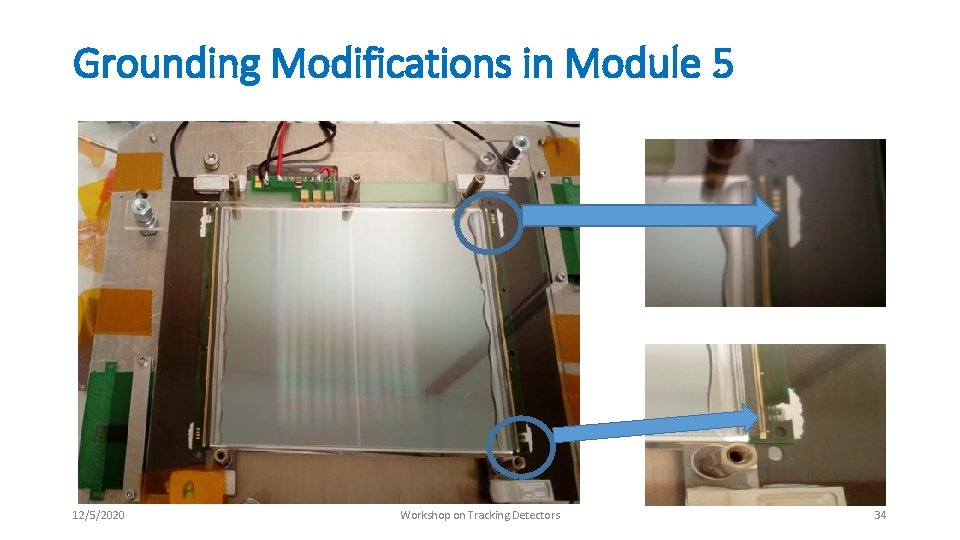
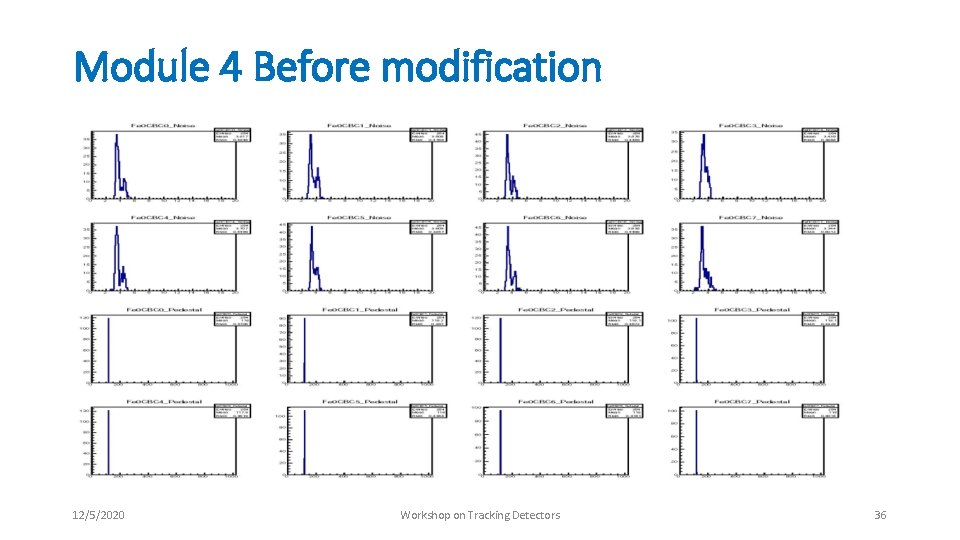
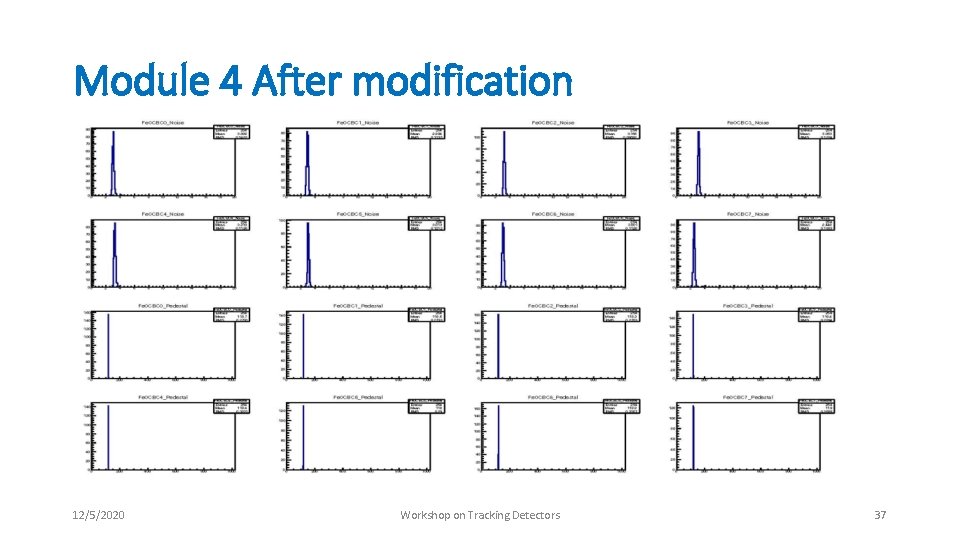
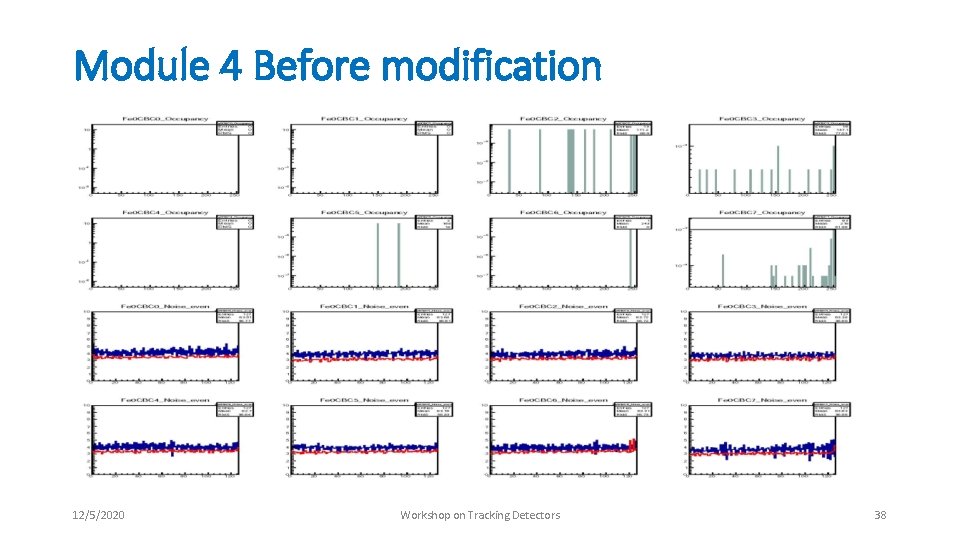
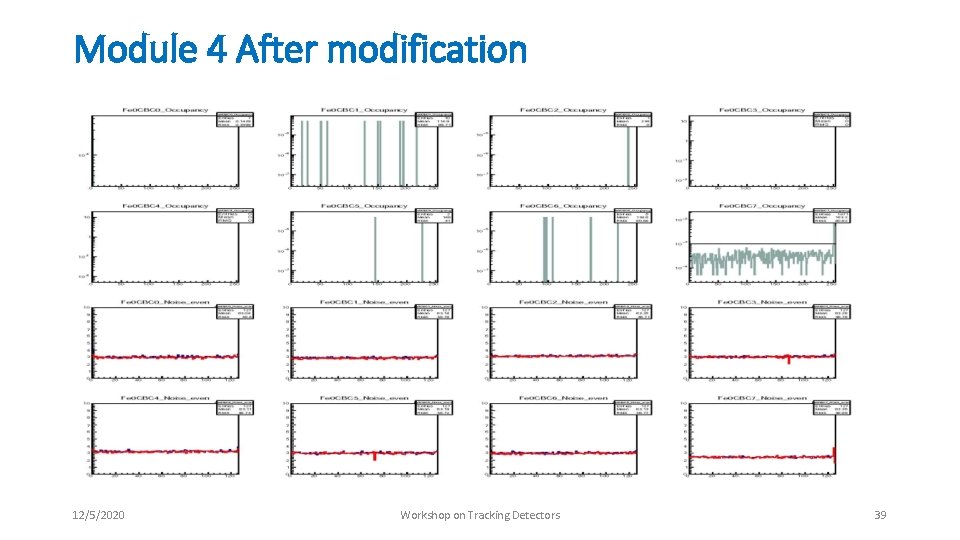
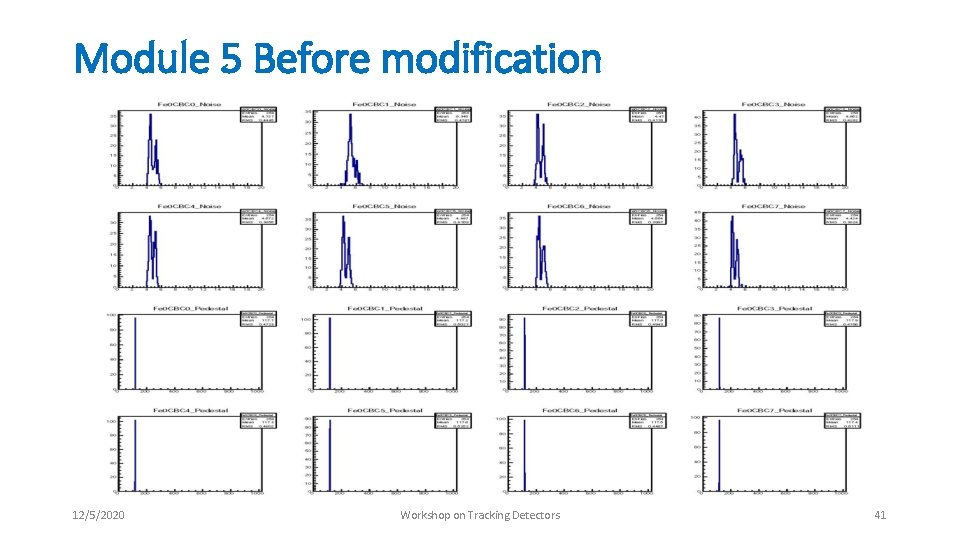
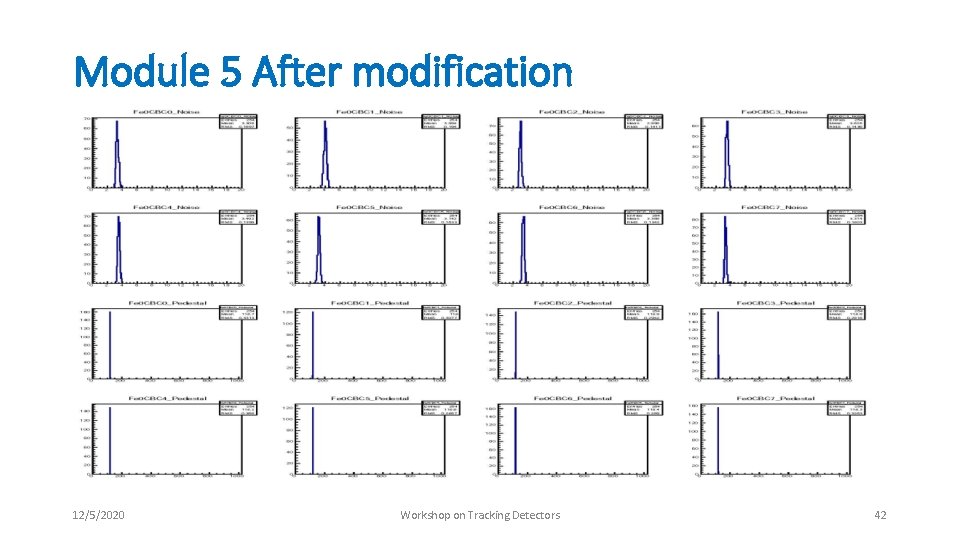
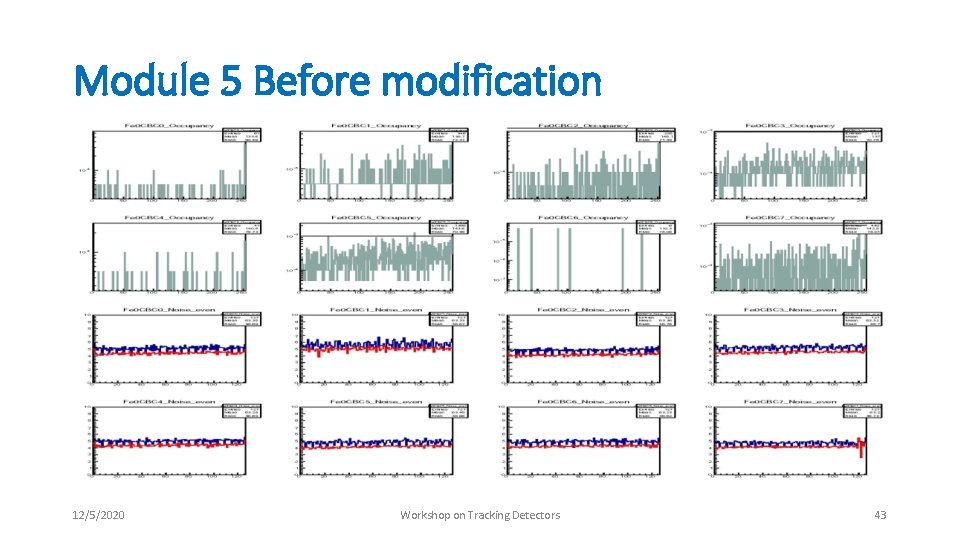
Minimizing the noise • We observed slightly more noise as expected from the module • We discussed this problem with the system test group and module assembly group • Several suggestions were received such as star grounding and some modifications in the software • Nothing helped much • After by observing very carefully, we found out that the main source of generating the noise is hybrid itself. • We grounded the CF material in hybrid with the ground points using silver paint and short cables that solves the problem • We raised this issue with the hybrid group and now this step is included in the future hybrid assembly • Also shared the results with module assembly group and system test group to use these steps in case of similar situation 12/5/2020 Workshop on Tracking Detectors 31
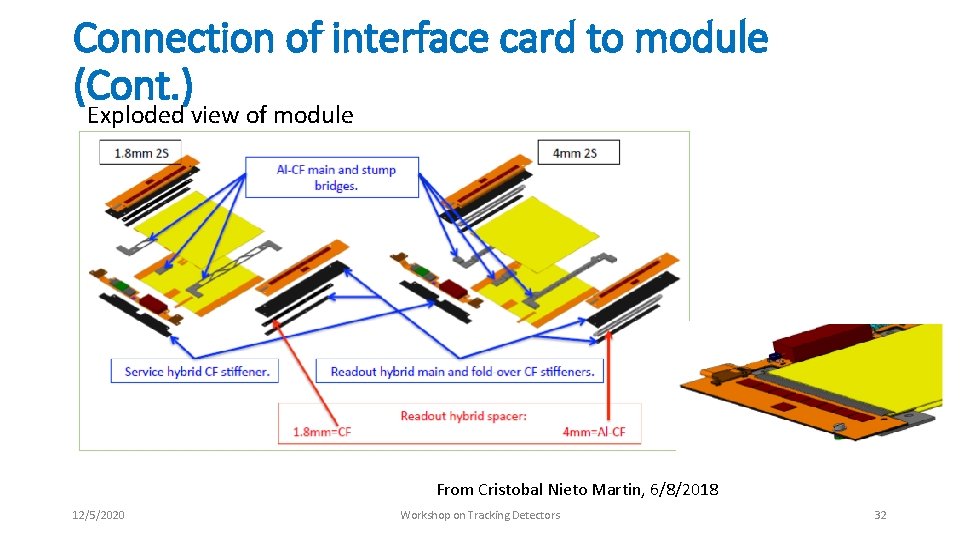
Connection of interface card to module (Cont. ) Exploded view of module From Cristobal Nieto Martin, 6/8/2018 12/5/2020 Workshop on Tracking Detectors 32
Grounding Modifications in Module 4 12/5/2020 Workshop on Tracking Detectors 33
Grounding Modifications in Module 5 12/5/2020 Workshop on Tracking Detectors 34
Impact on Noise in Module 4 with these modifications 12/5/2020 Workshop on Tracking Detectors 35
Module 4 Before modification 12/5/2020 Workshop on Tracking Detectors 36
Module 4 After modification 12/5/2020 Workshop on Tracking Detectors 37
Module 4 Before modification 12/5/2020 Workshop on Tracking Detectors 38
Module 4 After modification 12/5/2020 Workshop on Tracking Detectors 39
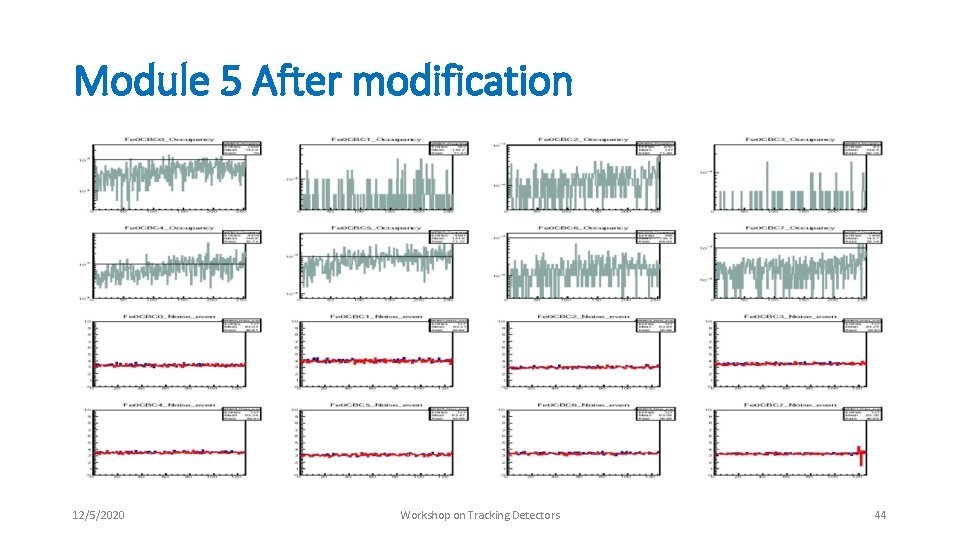
Impact on Noise in Module 5 with these modifications 12/5/2020 Workshop on Tracking Detectors 40
Module 5 Before modification 12/5/2020 Workshop on Tracking Detectors 41
Module 5 After modification 12/5/2020 Workshop on Tracking Detectors 42
Module 5 Before modification 12/5/2020 Workshop on Tracking Detectors 43
Module 5 After modification 12/5/2020 Workshop on Tracking Detectors 44
Outline • Introduction • Module Testing setup • Hardware requirements • Software requirements • Installation and commissioning of test setup • Improvements in test setup • Interface card connection modification • Modifications in Hybrid Assembly Procedures to minimize the noise • Future work • Module 6 assembly and testing • Micro-TCA crate based readout • Summary 12/5/2020 Workshop on Tracking Detectors 45
Future Work • Assembly of module 6 will begin in start of November • Issues faced in module 5 assembly • Improved jigs • Last module of CBC 2 type • Testing of module 6 • Normal testing • Cold test 12/5/2020 Workshop on Tracking Detectors 46
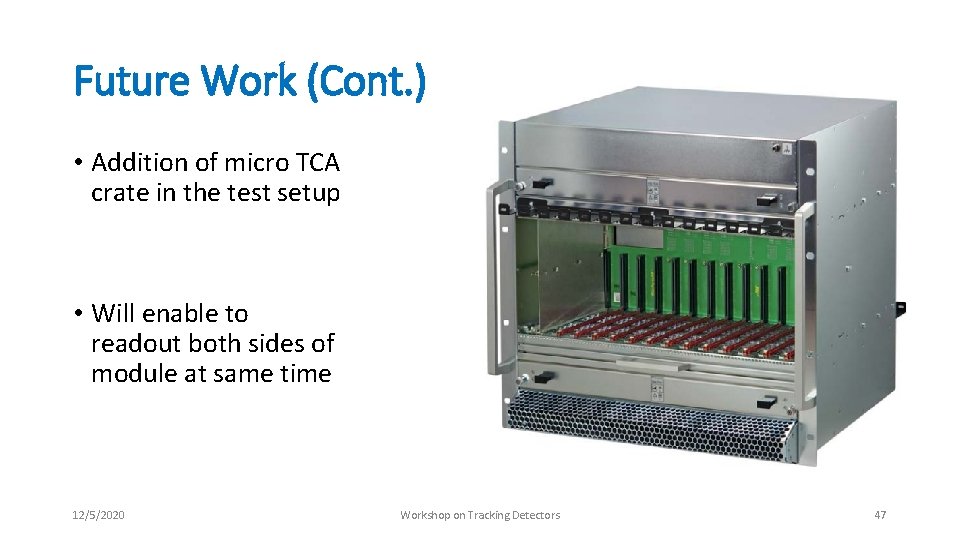
Future Work (Cont. ) • Addition of micro TCA crate in the test setup • Will enable to readout both sides of module at same time 12/5/2020 Workshop on Tracking Detectors 47
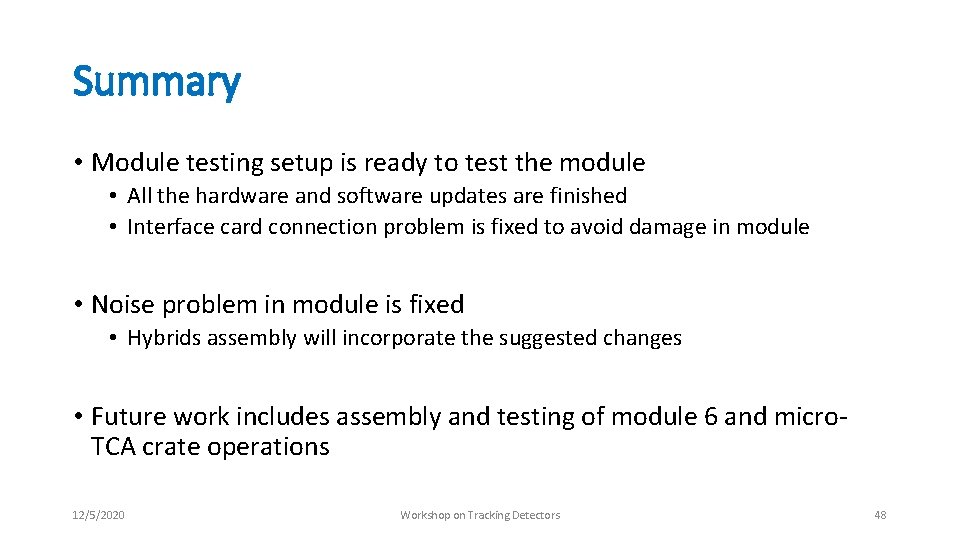
Summary • Module testing setup is ready to test the module • All the hardware and software updates are finished • Interface card connection problem is fixed to avoid damage in module • Noise problem in module is fixed • Hybrids assembly will incorporate the suggested changes • Future work includes assembly and testing of module 6 and micro. TCA crate operations 12/5/2020 Workshop on Tracking Detectors 48
Thank you 12/5/2020 Workshop on Tracking Detectors 49