
Module Enrolment A guide for students Student Education
- Slides: 17
Module Enrolment A guide for students
Student Education Service What is Module Enrolment? Module Enrolment enables you to choose your optional and discovery modules online (on & off campus). You are able to amend your optional modules throughout the entire period the system is open. Returning undergraduate students can use the system during the following dates; Year 3 and above: Tuesday 12 May (10 am) until 24 July / 4 September (School dependent) Year 2 and above: Wednesday 13 May (10 am) until 24 July / 4 September (School dependent) *Module enrolment will be closed to all students on 13 May between midnight-10 am (for system updates). Discovery modules will only be available from Tuesday 7 July (10 am)
Student Education Service Logging in to the system Visit http: //students. leeds. ac. uk/howtoenrol Follow the direct link provided to the Module Enrolment system Log in using your university details
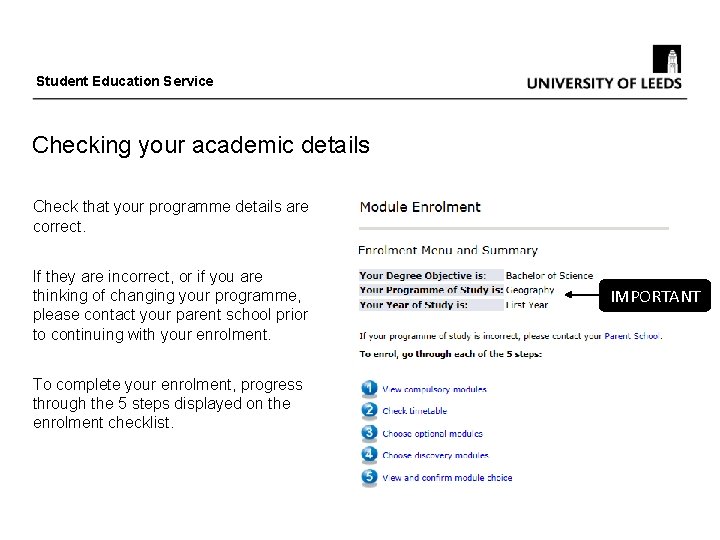
Student Education Service Checking your academic details Check that your programme details are correct. If they are incorrect, or if you are thinking of changing your programme, please contact your parent school prior to continuing with your enrolment. To complete your enrolment, progress through the 5 steps displayed on the enrolment checklist. IMPORTANT
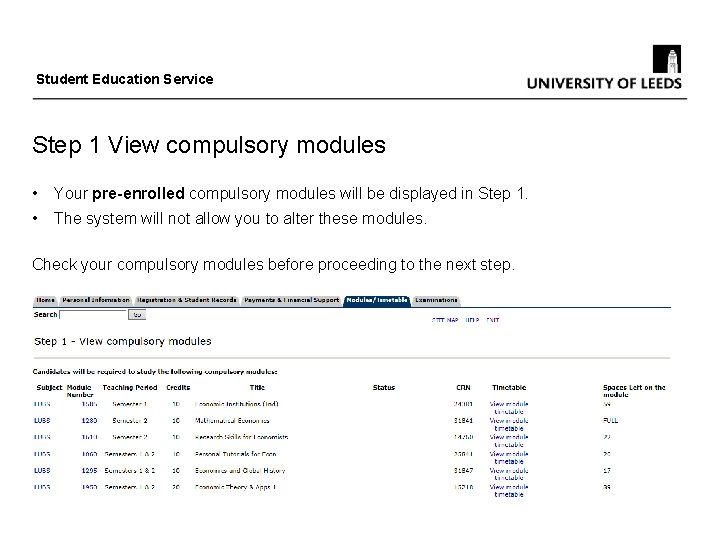
Student Education Service Step 1 View compulsory modules • Your pre-enrolled compulsory modules will be displayed in Step 1. • The system will not allow you to alter these modules. Check your compulsory modules before proceeding to the next step.
Student Education Service Step 2 Check timetable • When choosing optional and discovery modules you need to ensure that they won't clash with your compulsory modules. • Your personal timetable will contain compulsory module information; please check your personal timetable and compare it with the timetable for each module you are interested in. • You can check both your personal timetable for semesters 1 and 2 and the individual module timetables by following the links provided on the enrolment pages. • Your timetable will be updated overnight to include any newly enrolled modules the next day (if enrolled before 10 pm, otherwise your timetable will not reflect the update until the following day).
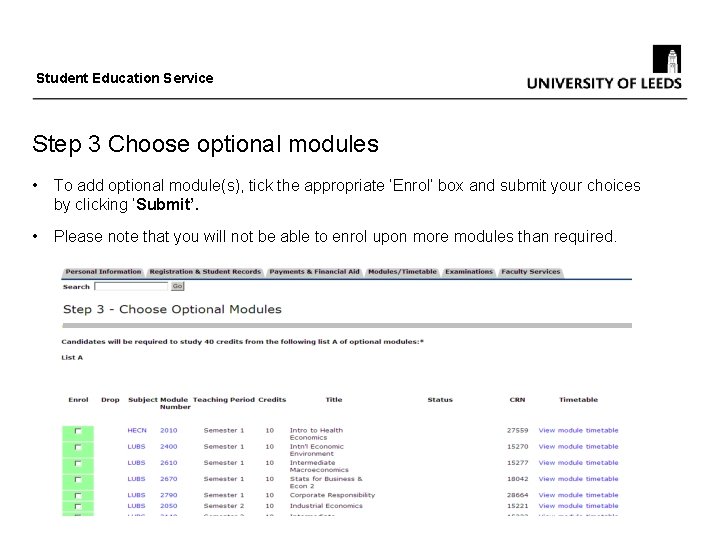
Student Education Service Step 3 Choose optional modules • To add optional module(s), tick the appropriate ‘Enrol’ box and submit your choices by clicking ‘Submit’. • Please note that you will not be able to enrol upon more modules than required.
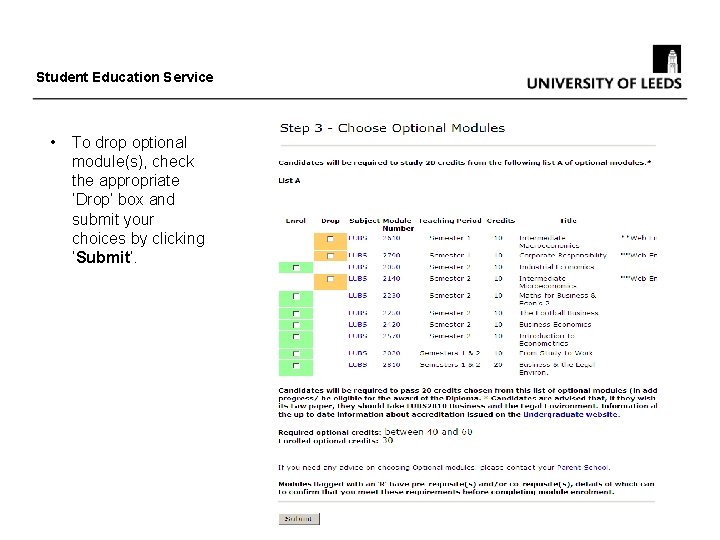
Student Education Service • To drop optional module(s), check the appropriate ‘Drop’ box and submit your choices by clicking ‘Submit’.
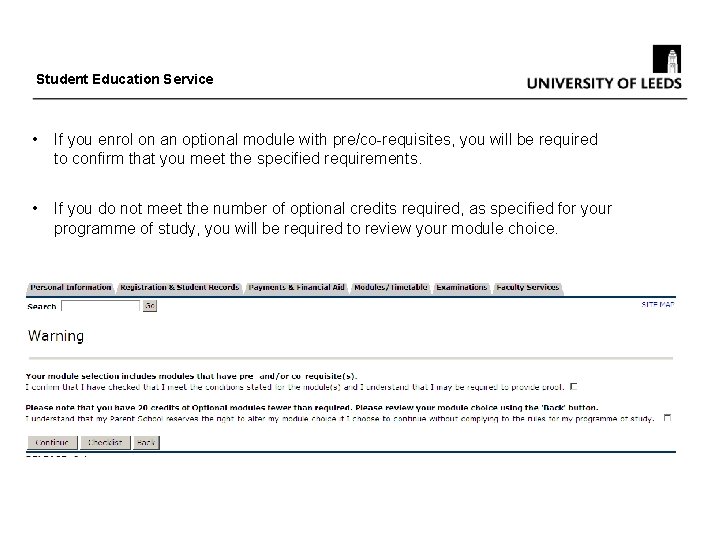
Student Education Service • If you enrol on an optional module with pre/co-requisites, you will be required to confirm that you meet the specified requirements. • If you do not meet the number of optional credits required, as specified for your programme of study, you will be required to review your module choice.
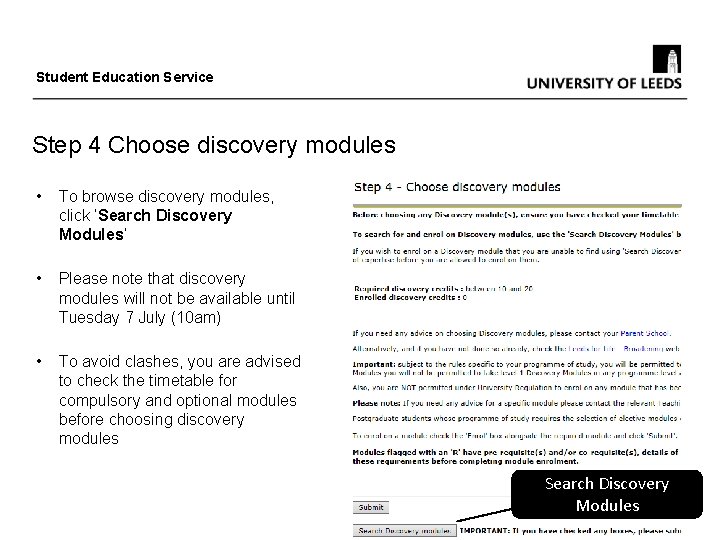
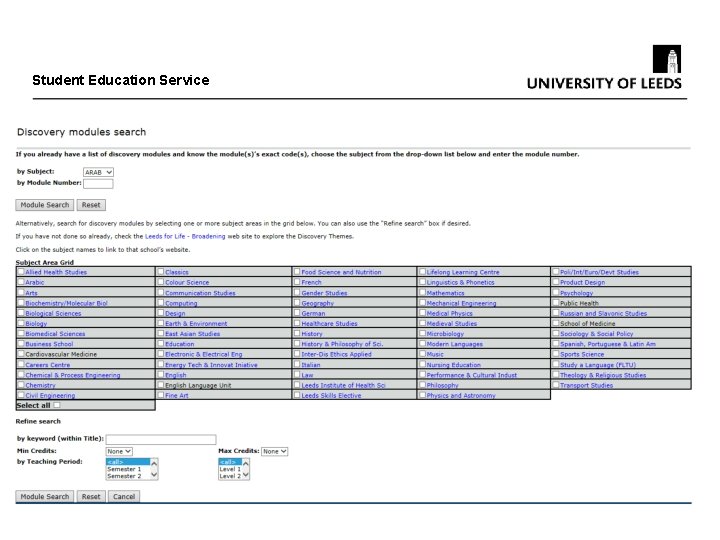
Student Education Service Step 4 Choose discovery modules • To browse discovery modules, click ‘Search Discovery Modules’ • Please note that discovery modules will not be available until Tuesday 7 July (10 am) • To avoid clashes, you are advised to check the timetable for compulsory and optional modules before choosing discovery modules y Search Discovery Modules
Student Education Service
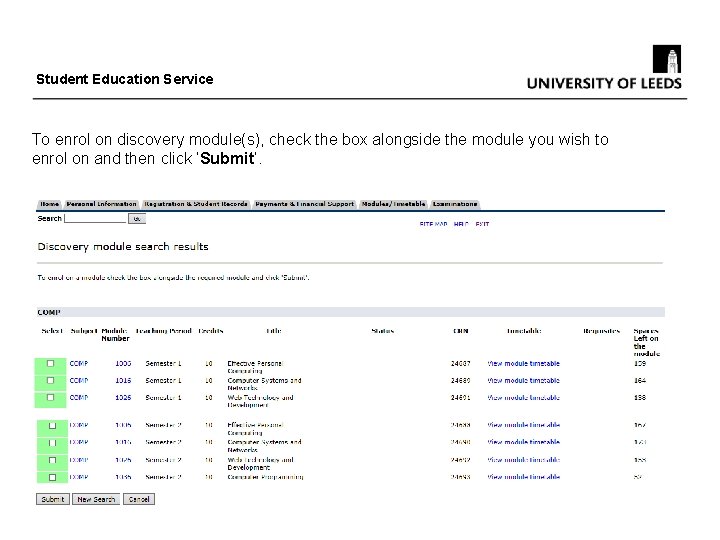
Student Education Service To enrol on discovery module(s), check the box alongside the module you wish to enrol on and then click ‘Submit’.
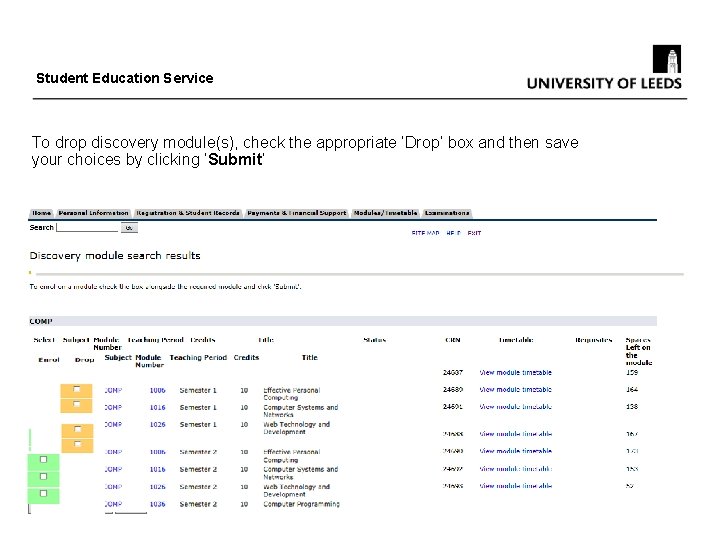
Student Education Service To drop discovery module(s), check the appropriate ‘Drop’ box and then save your choices by clicking ‘Submit’
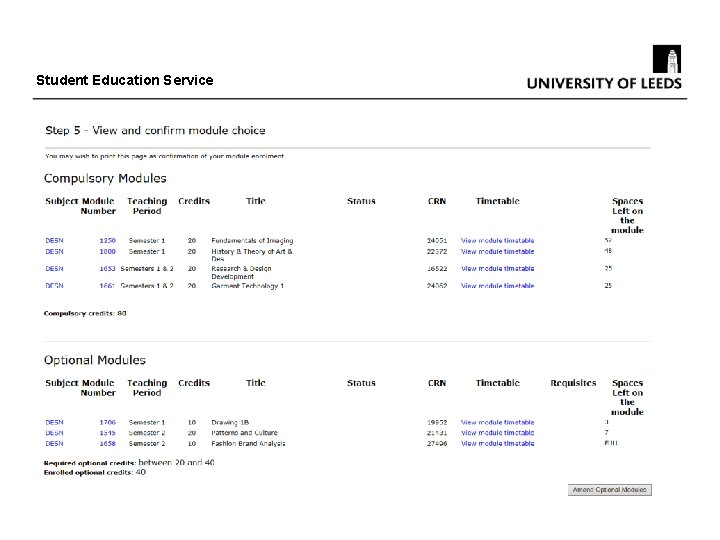
Student Education Service Step 5 View and confirm module choice The final step of the process allows you to view a summary of your module choices. • Check that your credits are fairly evenly balanced across semesters • Read any messages highlighted in red carefully. At this stage, you will be able to return to previous steps to amend your module choice before confirming that the modules you have chosen are the ones you wish to study. Once you have confirmed your module choice, an automatic email will be sent to you as confirmation of module enrolment and will list your chosen modules.
Student Education Service
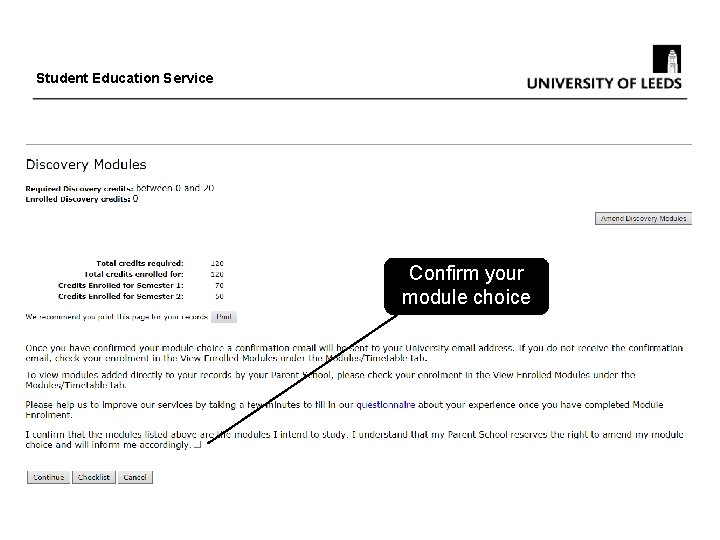
Student Education Service Confirm your module choice
Student Education Service Need Help? If you have a problem logging in to the system, contact the IT Service Desk at ITService. Desk@leeds. ac. uk (0113 3433333) If you have any problems enrolling on modules using the online enrolment webpages, email enrolment@leeds. ac. uk For any other queries such as academic advice on module choice, change of programme etc. , please contact your parent school or relevant teaching school.