
Module 7 Implementing Views Overview Introduction to Views
![Syntax for Creating Views Use CREATE VIEW Transact-SQL statement: CREATE VIEW [ schema_name. ]](https://slidetodoc.com/presentation_image_h2/73cb4e1687f533786350b1ab83850992/image-8.jpg "Syntax for Creating Views Use CREATE VIEW Transact-SQL statement: CREATE VIEW [ schema_name. ]")
- Slides: 20
Module 7: Implementing Views
Overview Introduction to Views Creating and Managing Views Optimizing Performance by Using Views
Lesson 1: Introduction to Views What Is a View? Types of Views Advantages of Views
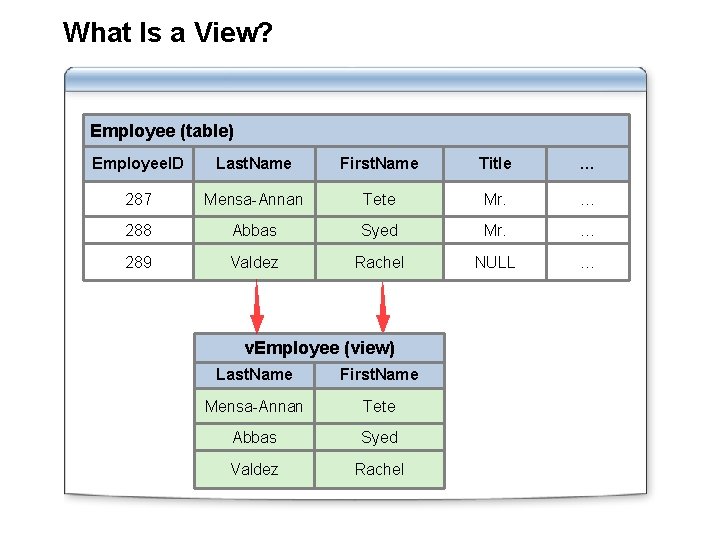
What Is a View? Employee (table) Employee. ID Last. Name First. Name Title … 287 Mensa-Annan Tete Mr. … 288 Abbas Syed Mr. … 289 Valdez Rachel NULL … v. Employee (view) Last. Name First. Name Mensa-Annan Tete Abbas Syed Valdez Rachel
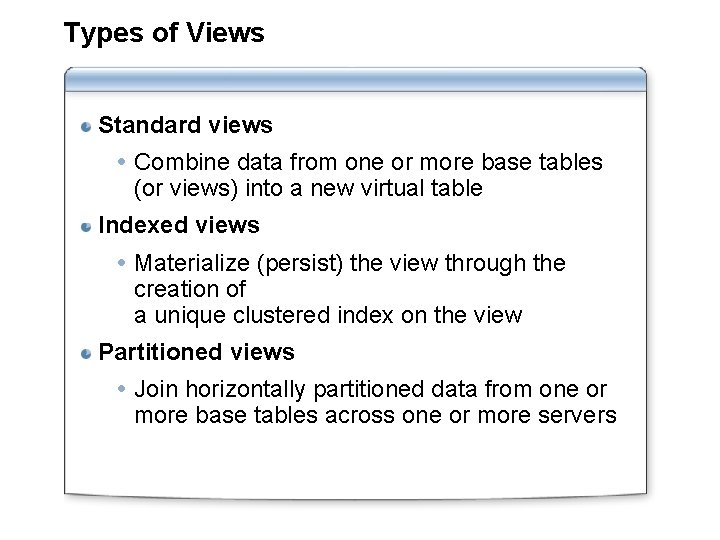
Types of Views Standard views Combine data from one or more base tables (or views) into a new virtual table Indexed views Materialize (persist) the view through the creation of a unique clustered index on the view Partitioned views Join horizontally partitioned data from one or more base tables across one or more servers
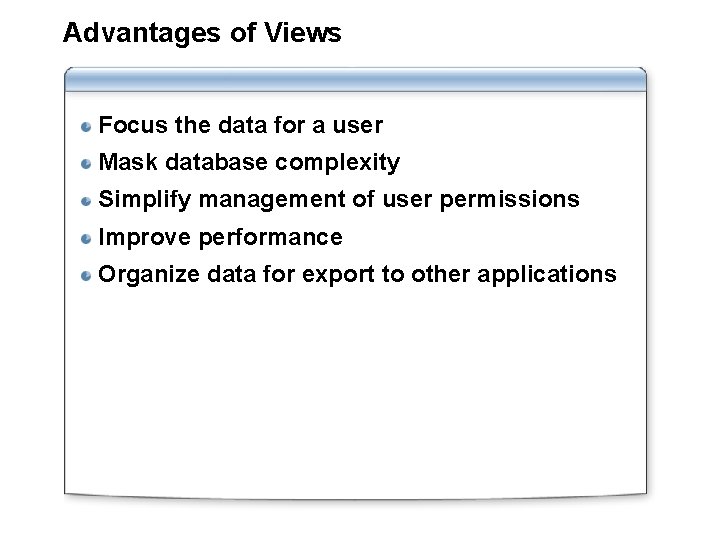
Advantages of Views Focus the data for a user Mask database complexity Simplify management of user permissions Improve performance Organize data for export to other applications
Lesson 2: Creating and Managing Views Syntax for Creating Views Demonstration: Creating a View Syntax for Altering and Dropping Views How Ownership Chains Affect Views Sources of Information About Views View Encryption Considerations for Modifying Data in a View Practice: Creating a View
Syntax for Creating Views Use CREATE VIEW Transact-SQL statement: CREATE VIEW [ schema_name. ] view_name [ (column [ , . . . n ] ) ] [WITH [ENCRYPTION] [SCHEMABINDING] [VIEW_METADATA] ] AS select_statement [ ; ] [ WITH CHECK OPTION ] Restrictions: Cannot nest more than 32 levels deep Cannot contain more than 1, 024 columns Cannot use COMPUTE, COMPUTE BY, or INTO Cannot use ORDER BY without TOP
Demonstration: Creating a View In this demonstration, you will see how to: Create a view Query a view Generate a script for a view
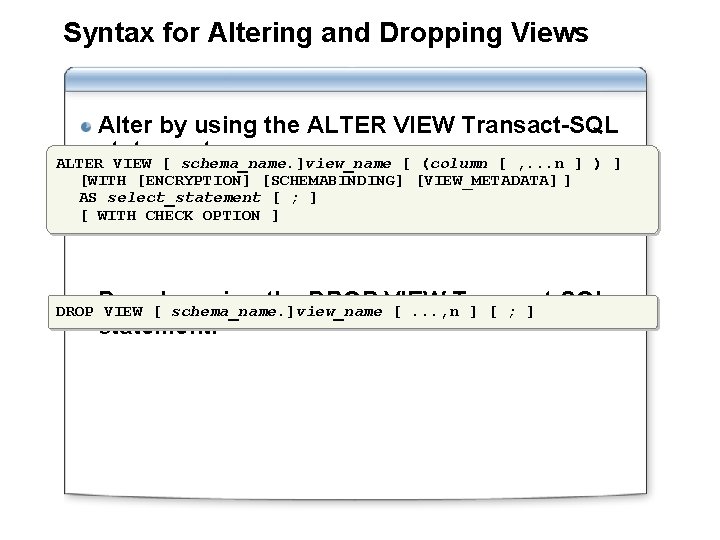
Syntax for Altering and Dropping Views Alter by using the ALTER VIEW Transact-SQL statement: ALTER VIEW [ schema_name. ]view_name [ (column [ , . . . n ] ) ] [WITH [ENCRYPTION] [SCHEMABINDING] [VIEW_METADATA] ] AS select_statement [ ; ] [ WITH CHECK OPTION ] using the DROP VIEW DROP Drop VIEW [by schema_name. ]view_name [. . . , n. Transact-SQL ] [ ; ] statement:
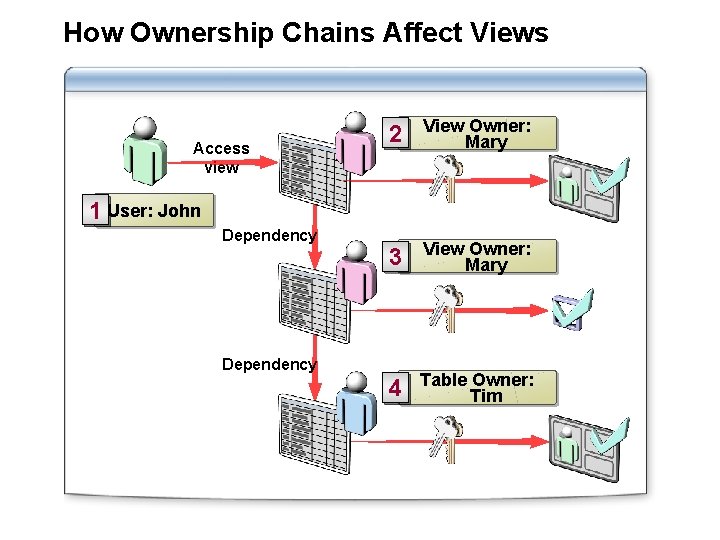
How Ownership Chains Affect Views Access view 2 View Owner: Mary 3 View Owner: Mary 4 Table Owner: Tim 1 User: John Dependency
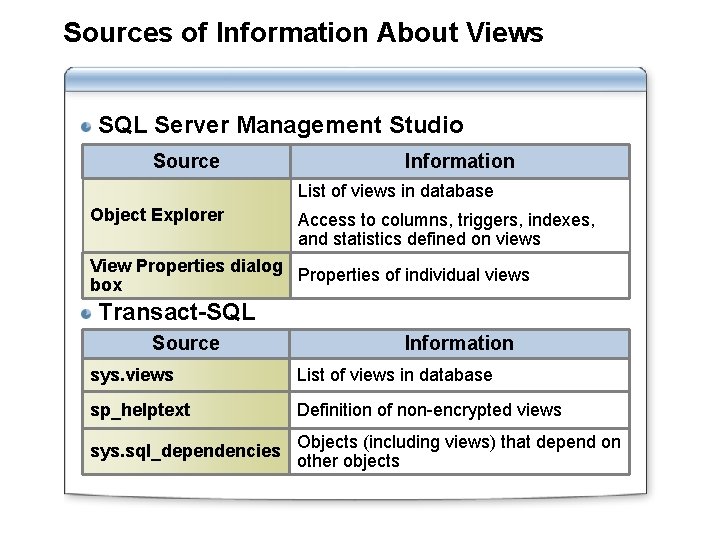
Sources of Information About Views SQL Server Management Studio Source Information List of views in database Object Explorer Access to columns, triggers, indexes, and statistics defined on views View Properties dialog Properties of individual views box Transact-SQL Source Information sys. views List of views in database sp_helptext Definition of non-encrypted views sys. sql_dependencies Objects (including views) that depend on other objects
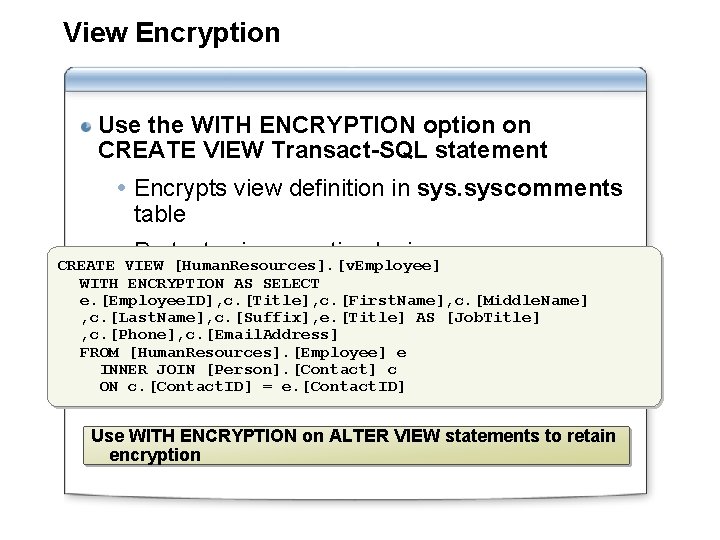
View Encryption Use the WITH ENCRYPTION option on CREATE VIEW Transact-SQL statement Encrypts view definition in syscomments table Protects view creation logic CREATE VIEW [Human. Resources]. [v. Employee] WITH ENCRYPTION AS SELECT e. [Employee. ID], c. [Title], c. [First. Name], c. [Middle. Name] , c. [Last. Name], c. [Suffix], e. [Title] AS [Job. Title] , c. [Phone], c. [Email. Address] FROM [Human. Resources]. [Employee] e INNER JOIN [Person]. [Contact] c ON c. [Contact. ID] = e. [Contact. ID] Use WITH ENCRYPTION on ALTER VIEW statements to retain encryption
Considerations for Modifying Data in a Views do not maintain a separate copy of data (indexed views are an exception) Updates to views modify base tables Restrictions: Cannot affect more than one base table Cannot modify columns derived from aggregate functions or calculations Cannot modify columns affected by GROUP BY, HAVING, or DISTINCT clauses Updates to views are restricted by using the WITH CHECK OPTION
Practice: Creating a View In this practice, you will create a view
Lesson 3: Optimizing Performance by Using Views Performance Considerations for Views What Is an Indexed View? What Is a Partitioned View?
Performance Considerations for Views introduce performance overhead because views are resolved dynamically Nested views introduce risk of performance problems Review definition of unencrypted nested views Use SQL Server Profiler to review performance Indexed views and partitioned views can improve performance
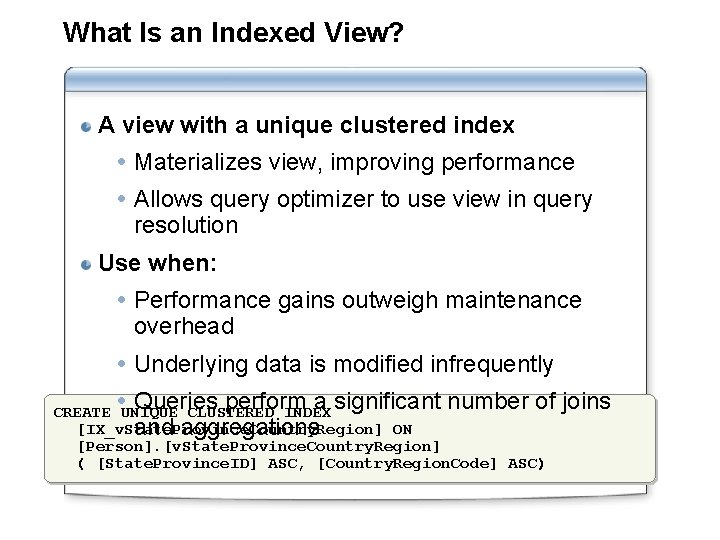
What Is an Indexed View? A view with a unique clustered index Materializes view, improving performance Allows query optimizer to use view in query resolution Use when: Performance gains outweigh maintenance overhead Underlying data is modified infrequently Queries perform a significant number of CREATE UNIQUE CLUSTERED INDEX [IX_v. State. Province. Country. Region] ON and aggregations [Person]. [v. State. Province. Country. Region] ( [State. Province. ID] ASC, [Country. Region. Code] ASC) joins
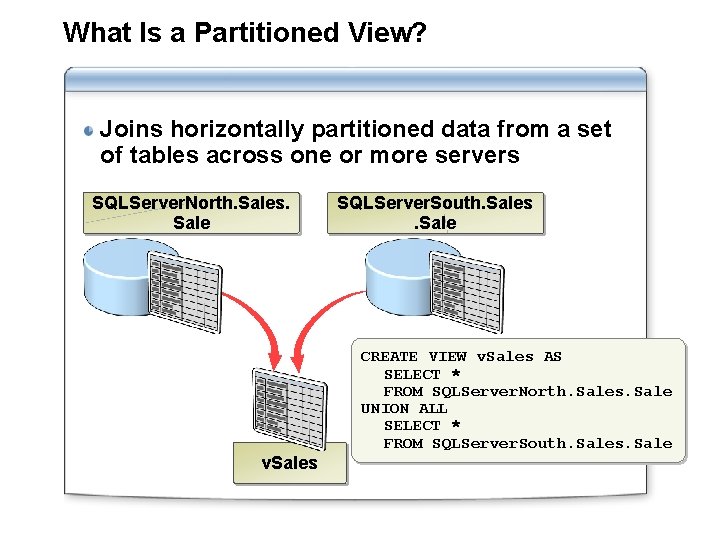
What Is a Partitioned View? Joins horizontally partitioned data from a set of tables across one or more servers SQLServer. North. Sales. Sale v. Sales SQLServer. South. Sales. Sale CREATE VIEW v. Sales AS SELECT * FROM SQLServer. North. Sales. Sale UNION ALL SELECT * FROM SQLServer. South. Sales. Sale
Lab: Implementing Views Exercise 1: Creating Views Exercise 2: Creating Indexed Views Exercise 3: Creating Partitioned Views