
MODULE 6 Soldering SUMMER CHALLENGE Electrical Engineering Smart

- Slides: 12
MODULE 6: Soldering SUMMER CHALLENGE Electrical Engineering: Smart Lighting Michael Rahaim, Ph. D Candidate Multimedia Communications Lab Boston University mrahaim@bu. edu
Module 5: Soldering 07/14/2014 Overview §Boston Soldering Overview University Slideshow Title Goes Here § Soldering VLC PCBs 2
Module 5: Soldering 07/14/2014 VLC Transceiver §Boston Components University Slideshow Title Goes Here § 2 - 1 M Resistor § 2 – LM 741 Op Amp § 2 – Socket § 2 – Header Pins § 1 – FTDI Header Pin § 1 - 10µF Capacitor § 1 – Photodiode § 1 – Red LED § 1 – White LED 3
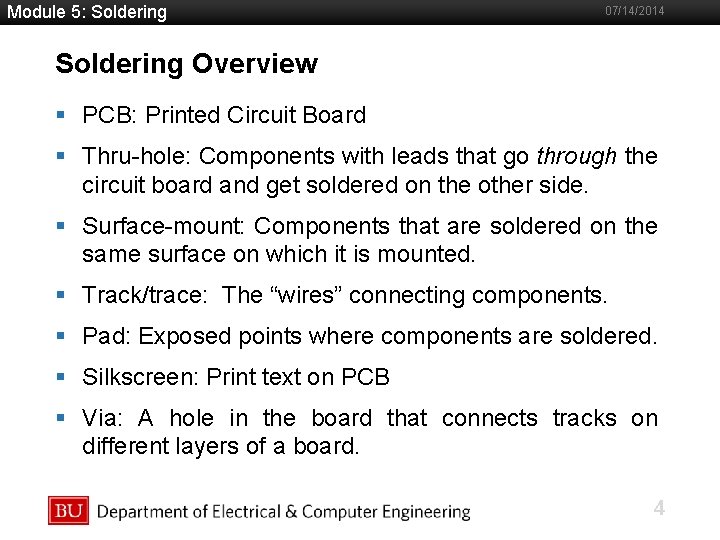
Module 5: Soldering 07/14/2014 Soldering Overview §Boston PCB: Printed Circuit Board University Slideshow Title Goes Here § Thru-hole: Components with leads that go through the circuit board and get soldered on the other side. § Surface-mount: Components that are soldered on the same surface on which it is mounted. § Track/trace: The “wires” connecting components. § Pad: Exposed points where components are soldered. § Silkscreen: Print text on PCB § Via: A hole in the board that connects tracks on different layers of a board. 4
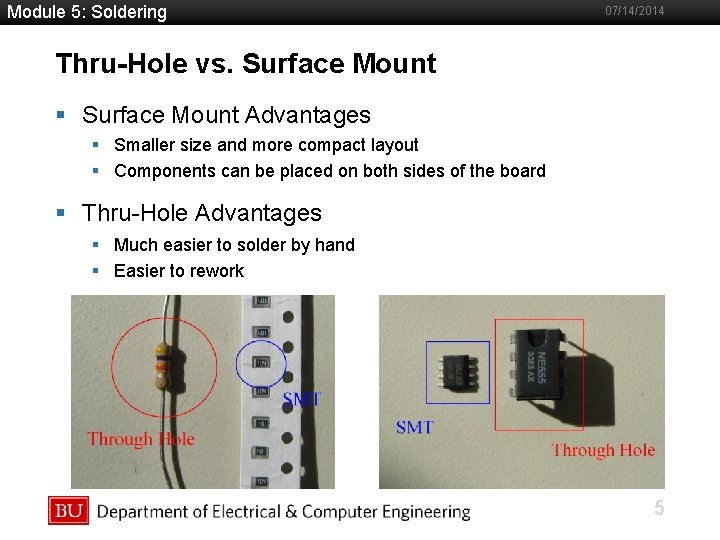
Module 5: Soldering 07/14/2014 Thru-Hole vs. Surface Mount §Boston Surface Mount Advantages University Slideshow Title Goes Here § Smaller size and more compact layout § Components can be placed on both sides of the board § Thru-Hole Advantages § Much easier to solder by hand § Easier to rework 5
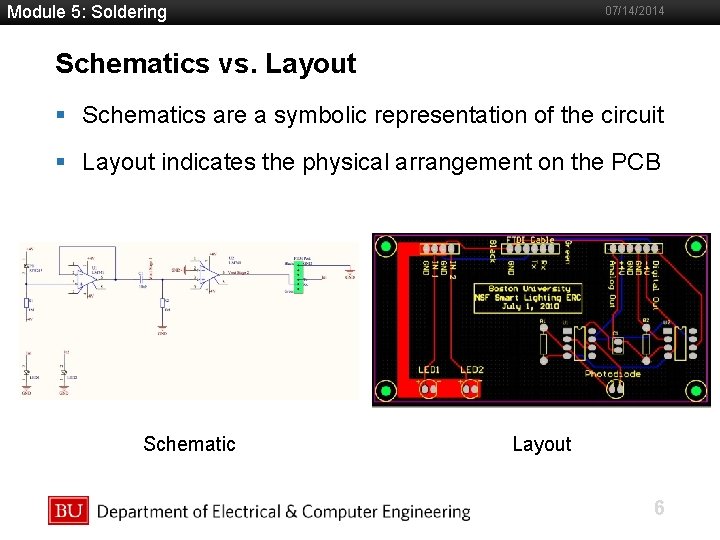
Module 5: Soldering 07/14/2014 Schematics vs. Layout §Boston Schematics are a symbolic representation of the circuit University Slideshow Title Goes Here § Layout indicates the physical arrangement on the PCB Schematic Layout 6
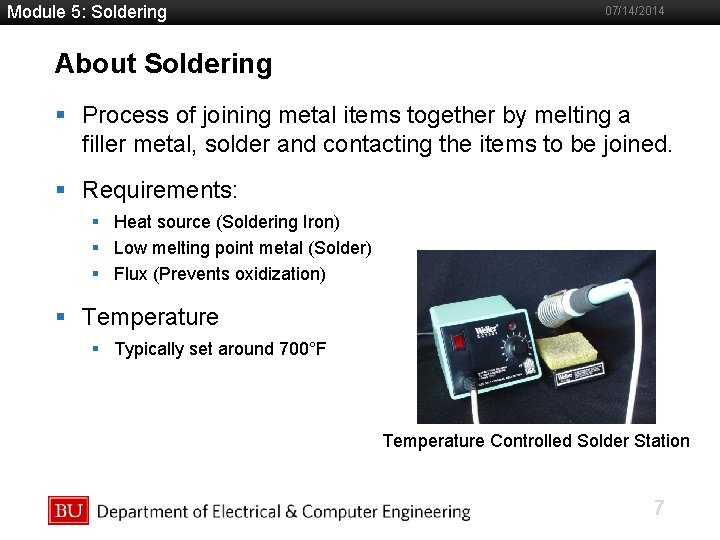
Module 5: Soldering 07/14/2014 About Soldering §Boston Process of joining metal items together by melting a University Slideshow Title Goes Here filler metal, solder and contacting the items to be joined. § Requirements: § Heat source (Soldering Iron) § Low melting point metal (Solder) § Flux (Prevents oxidization) § Temperature § Typically set around 700°F Temperature Controlled Solder Station 7
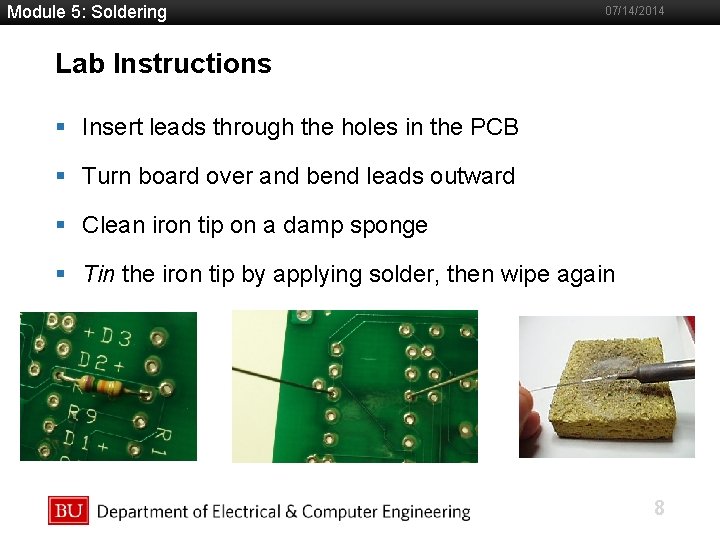
Module 5: Soldering 07/14/2014 Lab Instructions §Boston Insert leads University Slideshowthrough Title Goes Herethe holes in the PCB § Turn board over and bend leads outward § Clean iron tip on a damp sponge § Tin the iron tip by applying solder, then wipe again 8
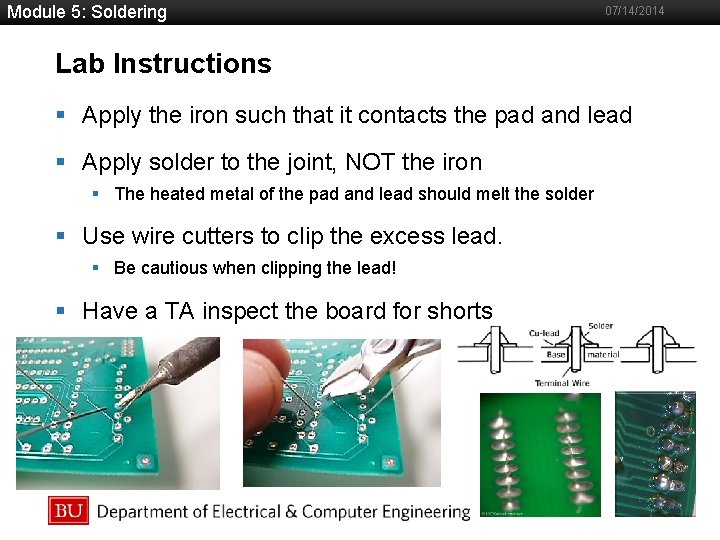
Module 5: Soldering 07/14/2014 Lab Instructions §Boston Apply the iron such that it contacts the pad and lead University Slideshow Title Goes Here § Apply solder to the joint, NOT the iron § The heated metal of the pad and lead should melt the solder § Use wire cutters to clip the excess lead. § Be cautious when clipping the lead! § Have a TA inspect the board for shorts 9
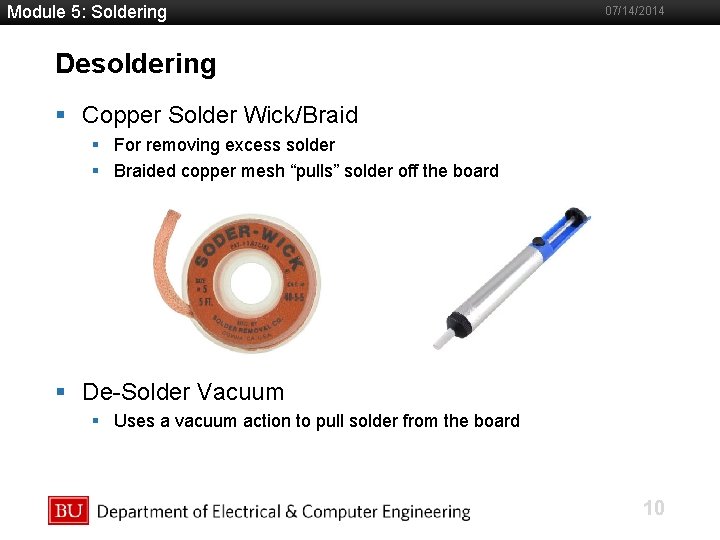
Module 5: Soldering 07/14/2014 Desoldering §Boston Copper Solder Wick/Braid University Slideshow Title Goes Here § For removing excess solder § Braided copper mesh “pulls” solder off the board § De-Solder Vacuum § Uses a vacuum action to pull solder from the board 10
Module 5: Soldering 07/14/2014 Presentation Topics §Boston Team 1: TBD University Slideshow Title Goes Here § Team 2: Capacitors § Team 3: TBD § Team 4: Optical Links (LEDs – Photodiodes) § Team 5: RC Circuits § Team 6: TBD § Team 7: TBD § Team 8: Audio Signals § Team 9: Photodiodes § Team 10: Networking 11
Module 5: Soldering 07/14/2014 Recap §Boston What did you University Slideshow Title Goes Here today? 12