
Module 5 Unit 2 Understanding Input Devices Teacher

- Slides: 13
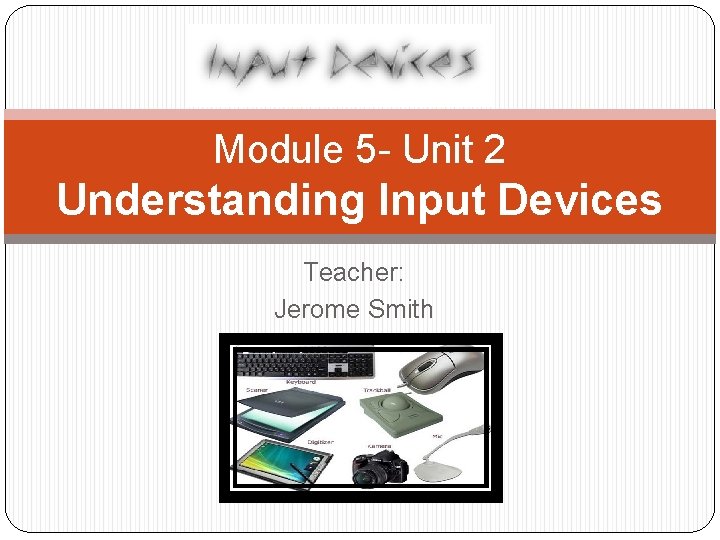
Module 5 - Unit 2 Understanding Input Devices Teacher: Jerome Smith
Objectives At the end of the lesson the student should be able to: Knowledge: 1. Describe two importance of a computer mouse and keyboard to the computer system after class discussion and lecture. 2. Identify at least three parts of a computer mouse and keyboard after class lecture and teacher
Objectives At the end of the lesson the student should be able to: Skills: 1. Connect a computer mouse and keyboard at 100% accuracy after teacher demonstration 2. Test a computer mouse and keyboard at 100% accuracy after teacher demonstration
Video: Input Devices �No video is attached. �See http: //study. com/academy/lesson/what-is-an- input-device-for-a-computer-definition-examplesquiz. html
What is an Input Device �This is a device that is used to put data into a computer system. It allows you to interact with and control the computer.
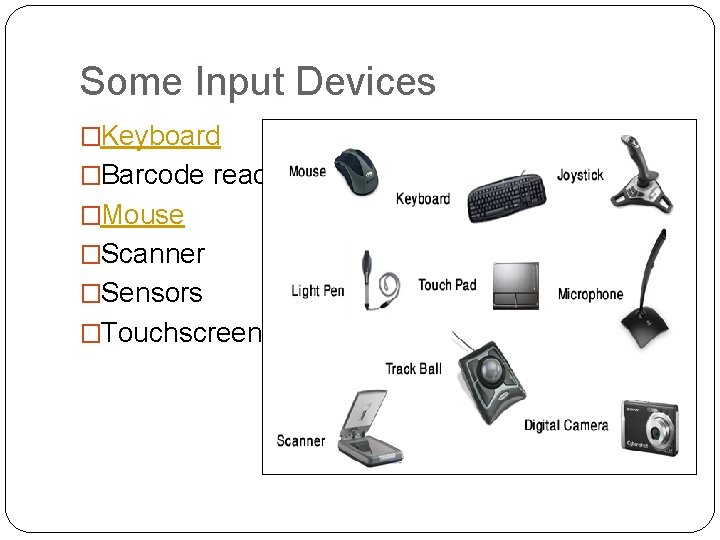
Some Input Devices �Keyboard �Barcode reader �Mouse �Scanner �Sensors �Touchscreen
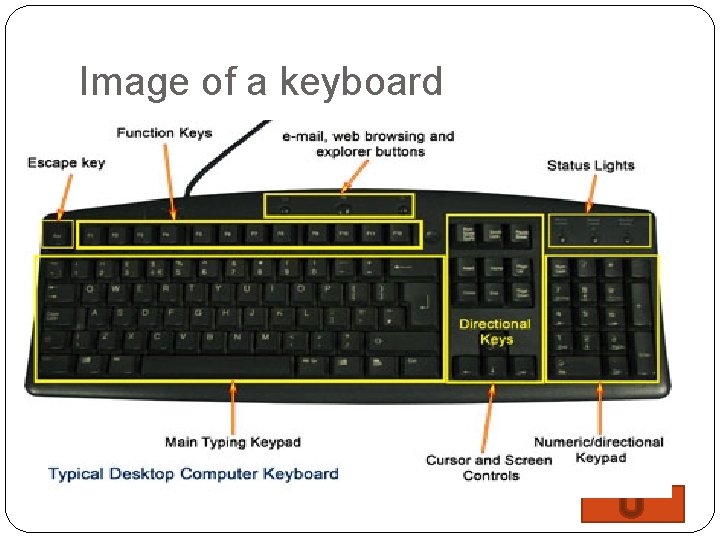
What is a Keyboard � This is an input device used to type data into some sort of computer system whether it be a mobile device, a personal computer,
Image of a keyboard
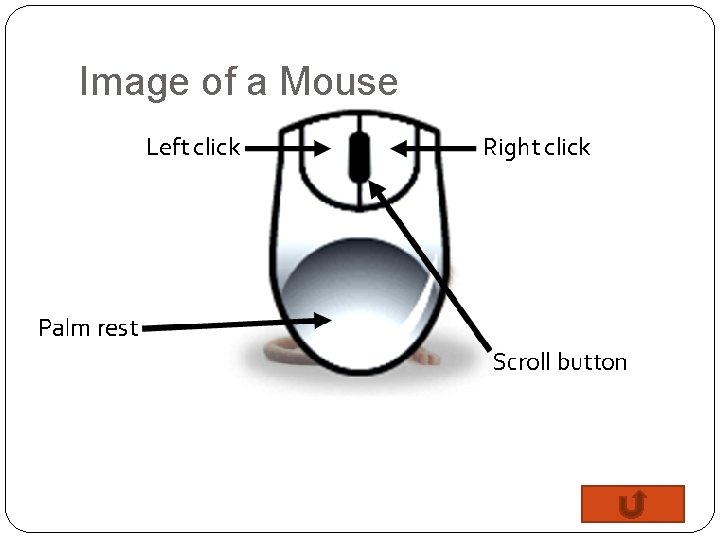
What is a Mouse �This is a small handheld device which is moved across a mat or flat surface to move the cursor on a computer screen.
Image of a Mouse
Activity Time �Lets connect the mouse and keyboard to the computer system. Two students will do this
� Each student is required to draw and label both devices (keyboard and mouse) as part of their project at the upcoming class one week from today’s class. Visit: � Visit: https: //rambolevy 11. wordpress. com/2016/12/09/input https: //rambolevy 11. wordpress. co -devices/ m/2016/12/09/input-devices/