
Module 5 0 IO and Disks IO hardware
- Slides: 31
Module 5. 0: I/O and Disks • • • I/O hardware Polling and Interrupt-driven I/O DMA Bock and character devices Blocking and nonblocking I/O Secondary storage – Disk Hardware – Disk Scheduling – RAID K. Salah 1 Operating Systems
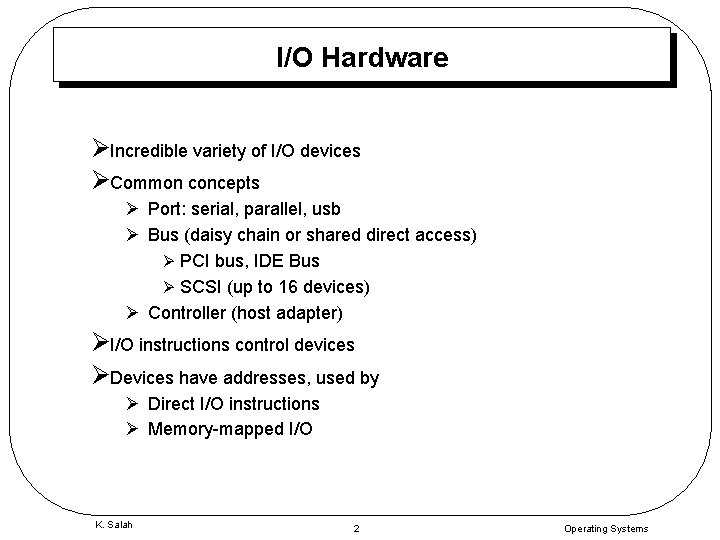
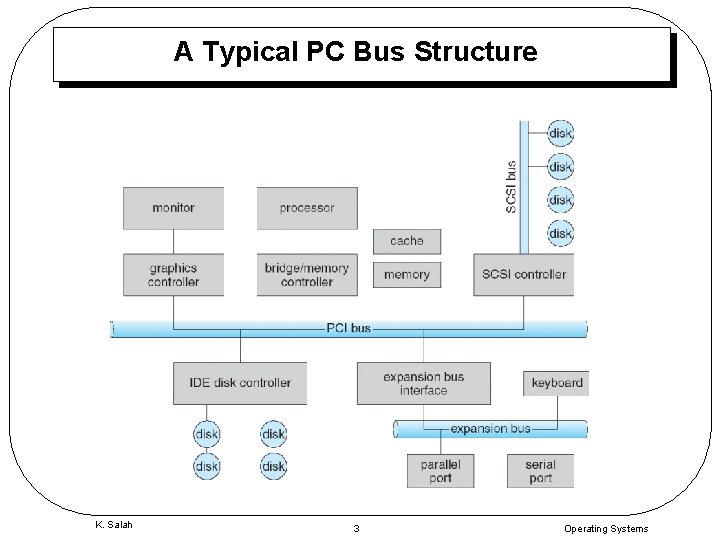
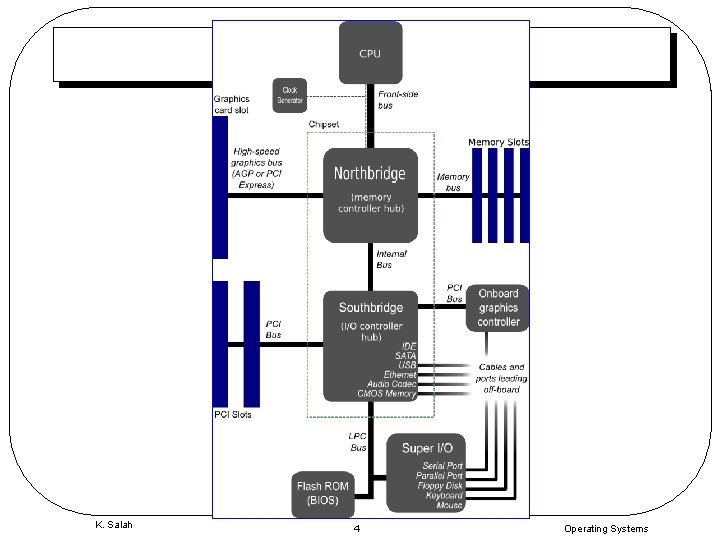
I/O Hardware ØIncredible variety of I/O devices ØCommon concepts Ø Port: serial, parallel, usb Ø Bus (daisy chain or shared direct access) Ø PCI bus, IDE Bus Ø SCSI (up to 16 devices) Ø Controller (host adapter) ØI/O instructions control devices ØDevices have addresses, used by Ø Direct I/O instructions Ø Memory-mapped I/O K. Salah 2 Operating Systems
A Typical PC Bus Structure K. Salah 3 Operating Systems
K. Salah 4 Operating Systems
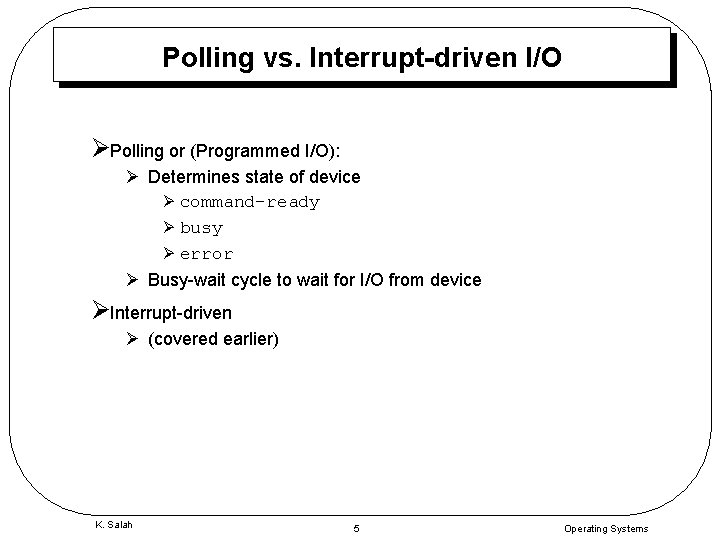
Polling vs. Interrupt-driven I/O ØPolling or (Programmed I/O): Ø Determines state of device Ø command-ready Ø busy Ø error Ø Busy-wait cycle to wait for I/O from device ØInterrupt-driven Ø (covered earlier) K. Salah 5 Operating Systems
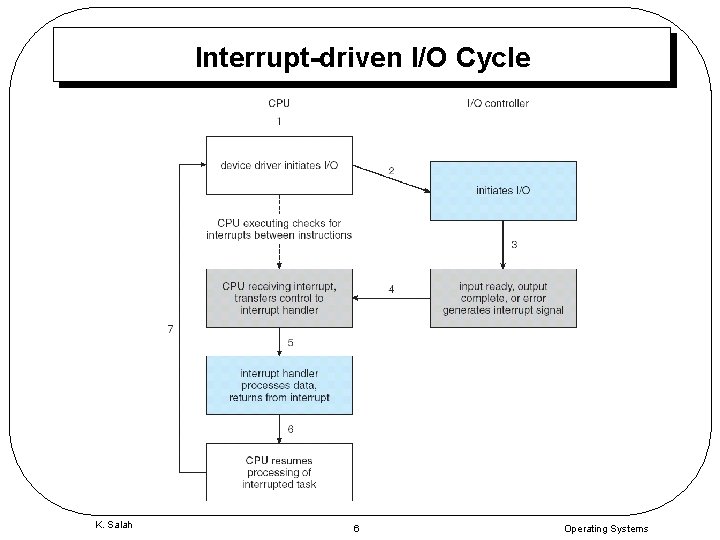
Interrupt-driven I/O Cycle K. Salah 6 Operating Systems
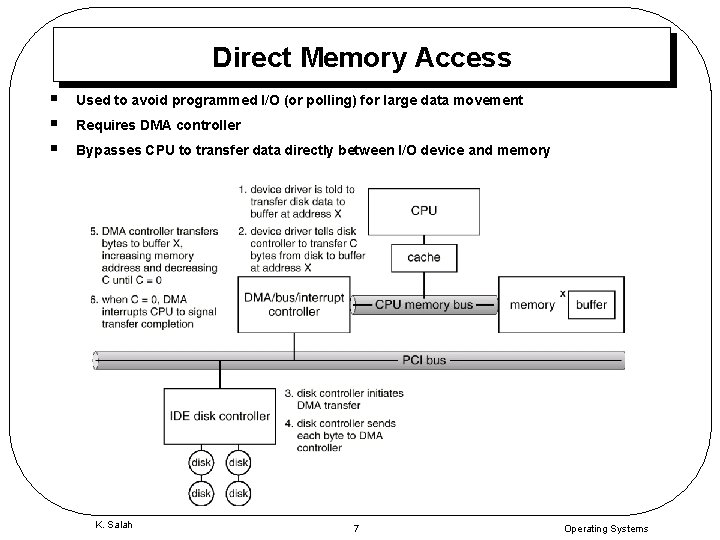
Direct Memory Access § § § Used to avoid programmed I/O (or polling) for large data movement Requires DMA controller Bypasses CPU to transfer data directly between I/O device and memory K. Salah 7 Operating Systems
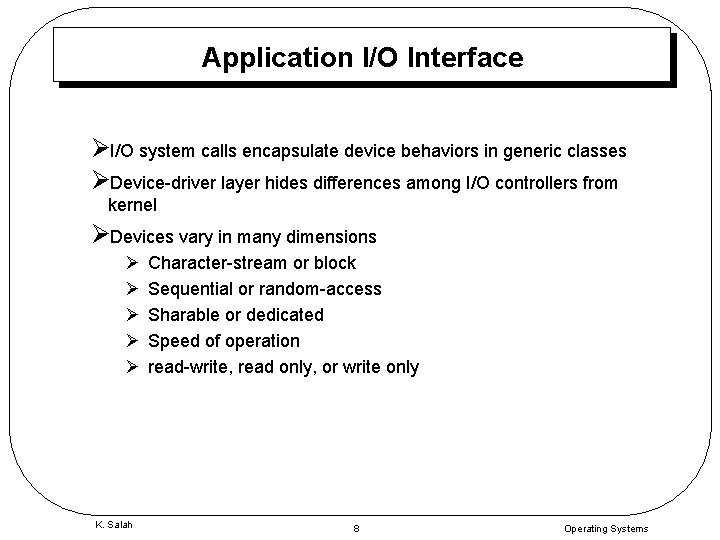
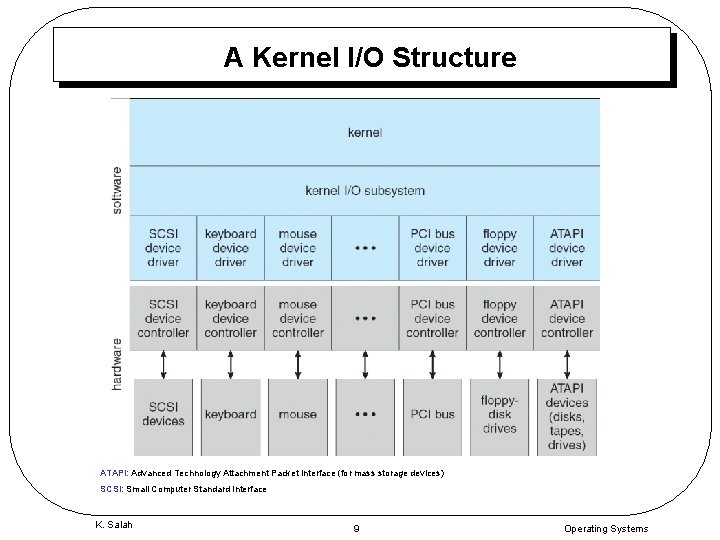
Application I/O Interface ØI/O system calls encapsulate device behaviors in generic classes ØDevice-driver layer hides differences among I/O controllers from kernel ØDevices vary in many dimensions Ø Ø Ø K. Salah Character-stream or block Sequential or random-access Sharable or dedicated Speed of operation read-write, read only, or write only 8 Operating Systems
A Kernel I/O Structure ATAPI: Advanced Technology Attachment Packet Interface (for mass storage devices) SCSI: Small Computer Standard Interface K. Salah 9 Operating Systems
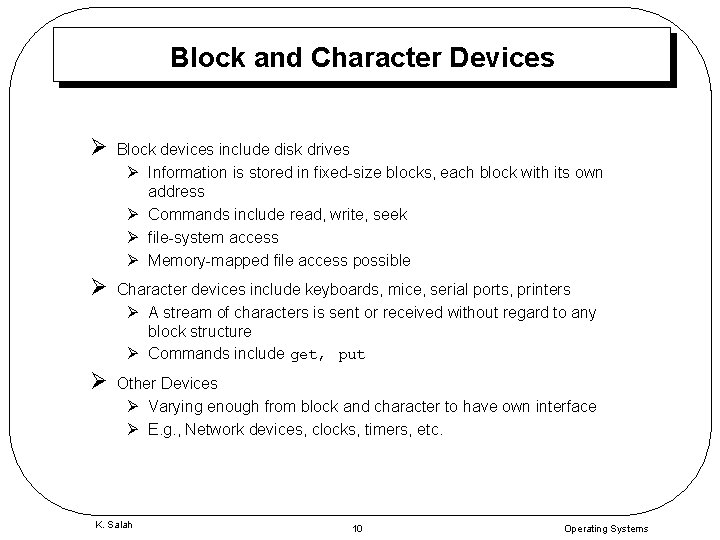
Block and Character Devices Ø Block devices include disk drives Ø Information is stored in fixed-size blocks, each block with its own address Ø Commands include read, write, seek Ø file-system access Ø Memory-mapped file access possible Ø Character devices include keyboards, mice, serial ports, printers Ø A stream of characters is sent or received without regard to any block structure Ø Commands include get, put Ø Other Devices Ø Varying enough from block and character to have own interface Ø E. g. , Network devices, clocks, timers, etc. K. Salah 10 Operating Systems
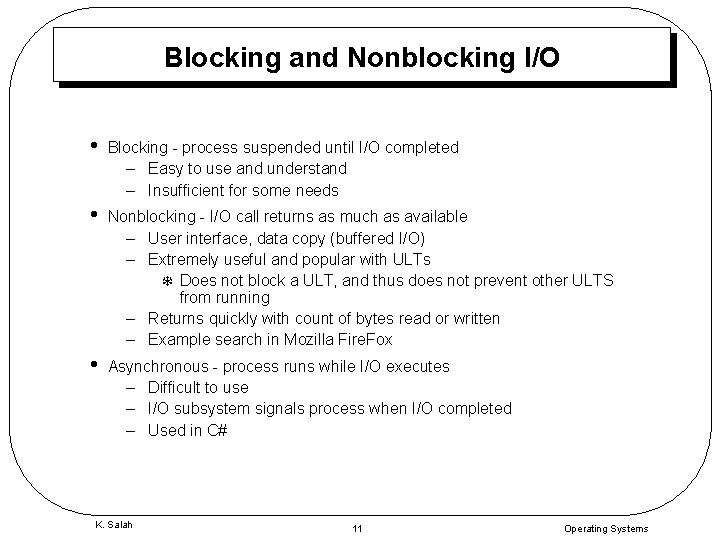
Blocking and Nonblocking I/O • Blocking - process suspended until I/O completed – Easy to use and understand – Insufficient for some needs • Nonblocking - I/O call returns as much as available – User interface, data copy (buffered I/O) – Extremely useful and popular with ULTs T Does not block a ULT, and thus does not prevent other ULTS from running – Returns quickly with count of bytes read or written – Example search in Mozilla Fire. Fox • Asynchronous - process runs while I/O executes – Difficult to use – I/O subsystem signals process when I/O completed – Used in C# K. Salah 11 Operating Systems
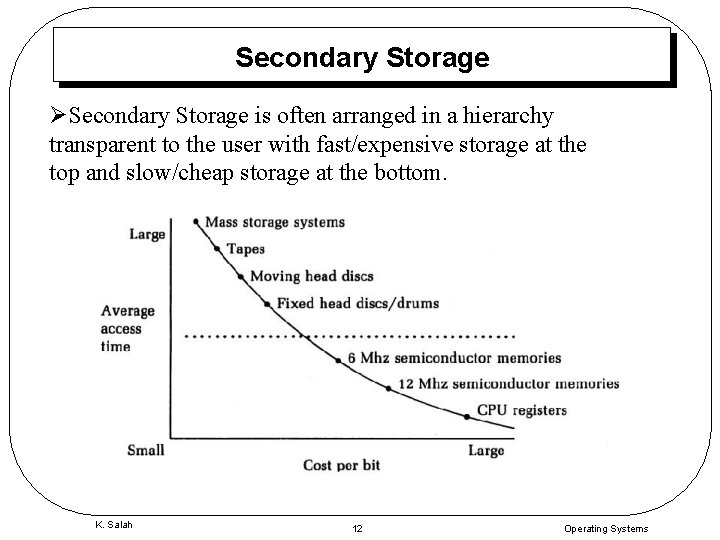
Secondary Storage ØSecondary Storage is often arranged in a hierarchy transparent to the user with fast/expensive storage at the top and slow/cheap storage at the bottom. K. Salah 12 Operating Systems
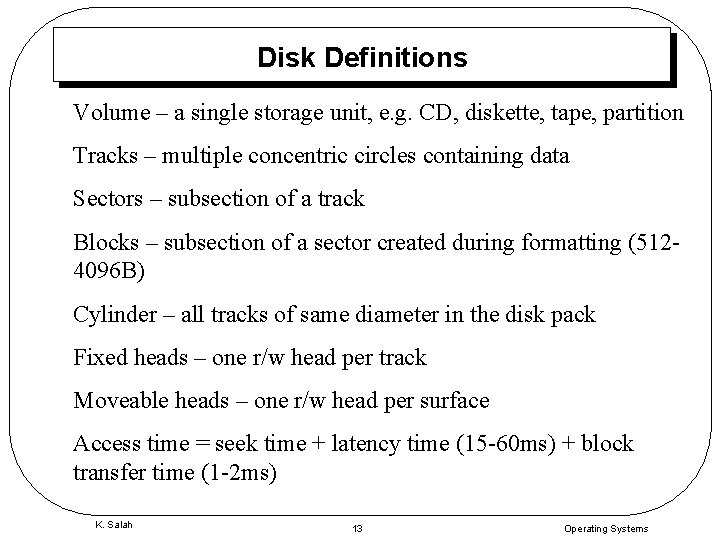
Disk Definitions Volume – a single storage unit, e. g. CD, diskette, tape, partition Tracks – multiple concentric circles containing data Sectors – subsection of a track Blocks – subsection of a sector created during formatting (5124096 B) Cylinder – all tracks of same diameter in the disk pack Fixed heads – one r/w head per track Moveable heads – one r/w head per surface Access time = seek time + latency time (15 -60 ms) + block transfer time (1 -2 ms) K. Salah 13 Operating Systems
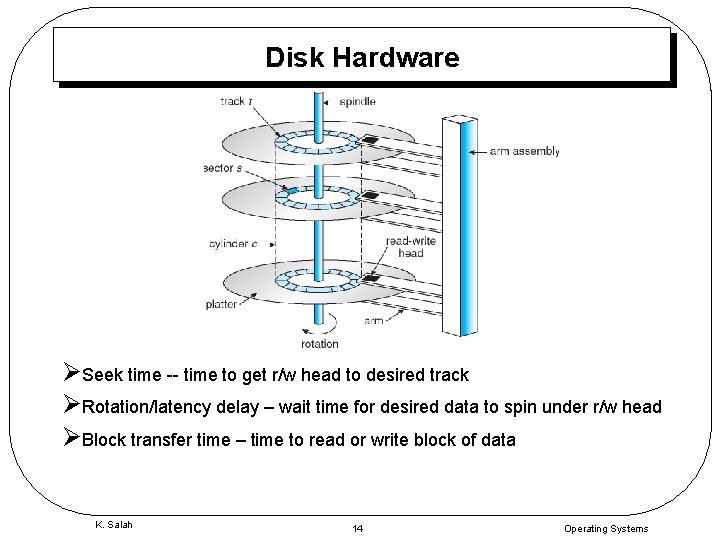
Disk Hardware ØSeek time -- time to get r/w head to desired track ØRotation/latency delay – wait time for desired data to spin under r/w head ØBlock transfer time – time to read or write block of data K. Salah 14 Operating Systems
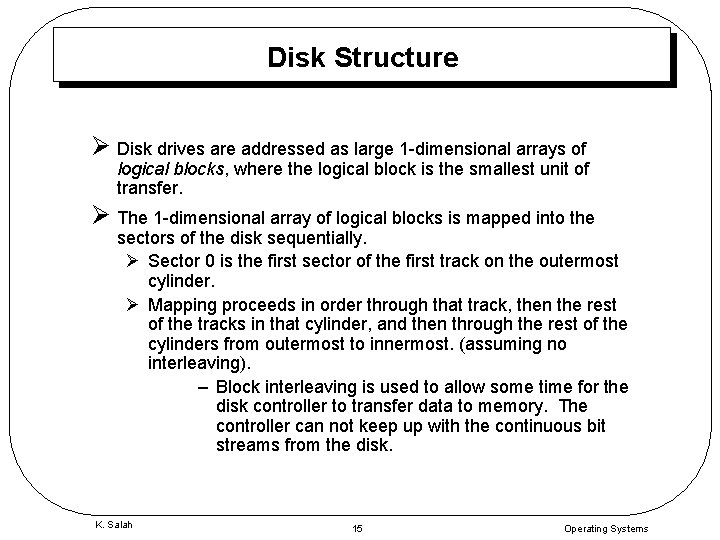
Disk Structure Ø Disk drives are addressed as large 1 -dimensional arrays of logical blocks, where the logical block is the smallest unit of transfer. Ø The 1 -dimensional array of logical blocks is mapped into the sectors of the disk sequentially. Ø Sector 0 is the first sector of the first track on the outermost cylinder. Ø Mapping proceeds in order through that track, then the rest of the tracks in that cylinder, and then through the rest of the cylinders from outermost to innermost. (assuming no interleaving). – Block interleaving is used to allow some time for the disk controller to transfer data to memory. The controller can not keep up with the continuous bit streams from the disk. K. Salah 15 Operating Systems
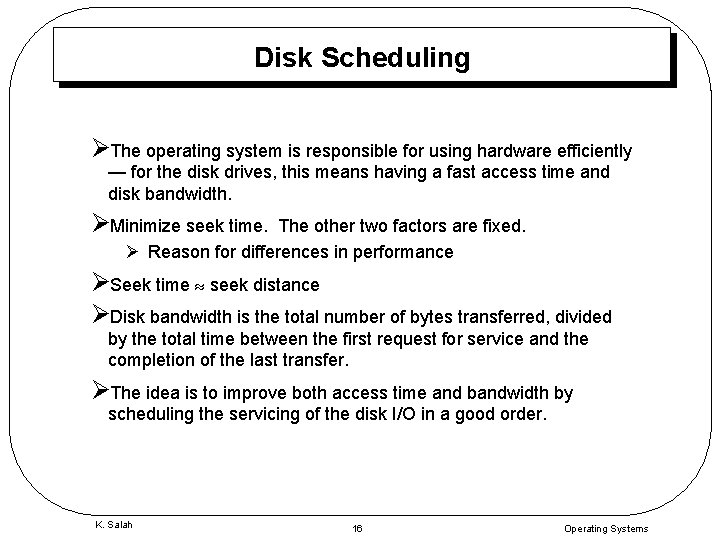
Disk Scheduling ØThe operating system is responsible for using hardware efficiently — for the disk drives, this means having a fast access time and disk bandwidth. ØMinimize seek time. The other two factors are fixed. Ø Reason for differences in performance ØSeek time seek distance ØDisk bandwidth is the total number of bytes transferred, divided by the total time between the first request for service and the completion of the last transfer. ØThe idea is to improve both access time and bandwidth by scheduling the servicing of the disk I/O in a good order. K. Salah 16 Operating Systems
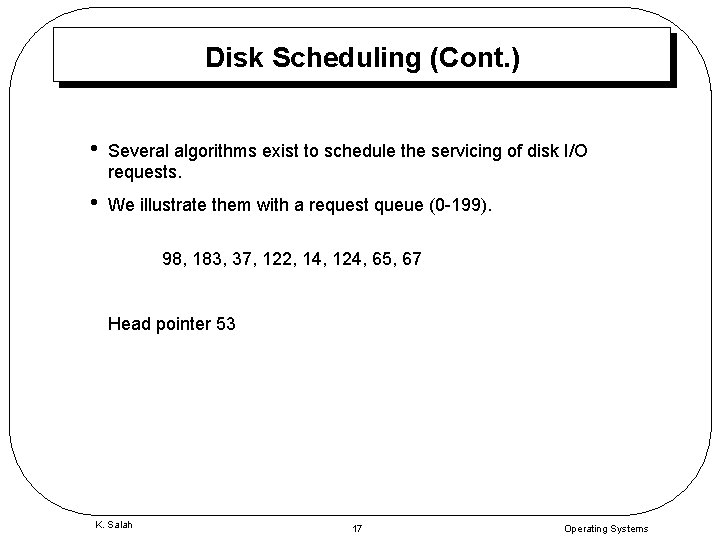
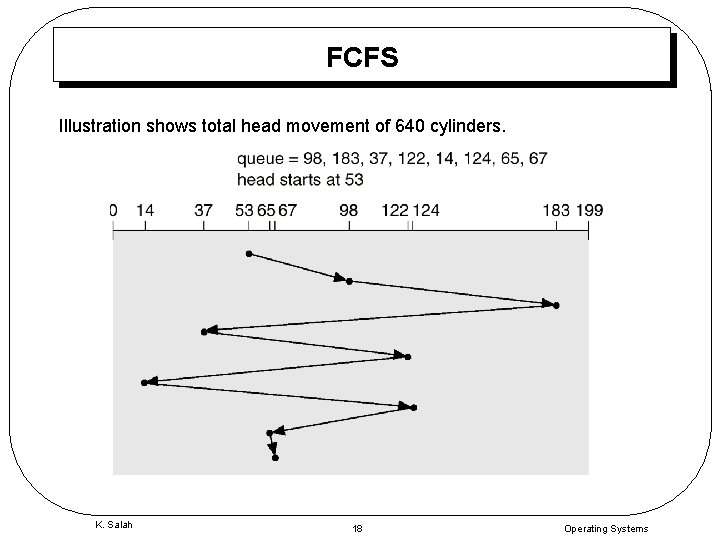
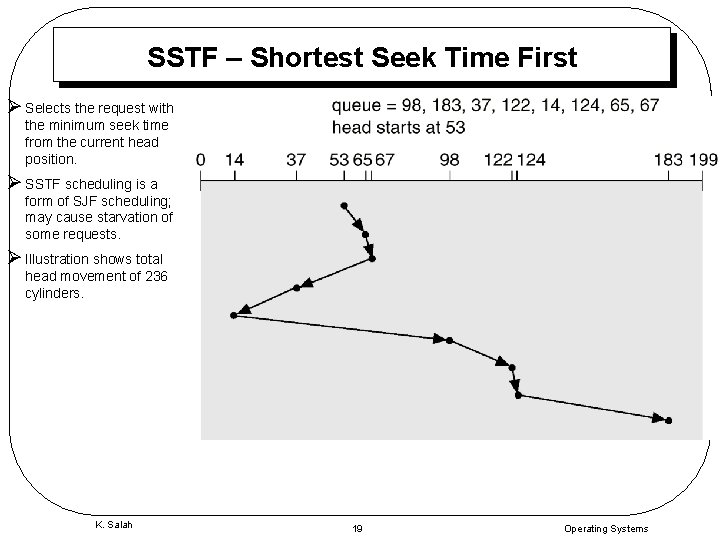
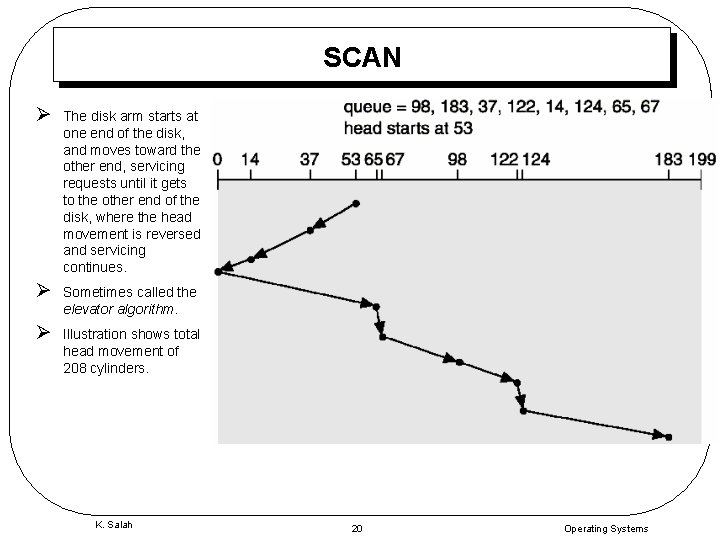
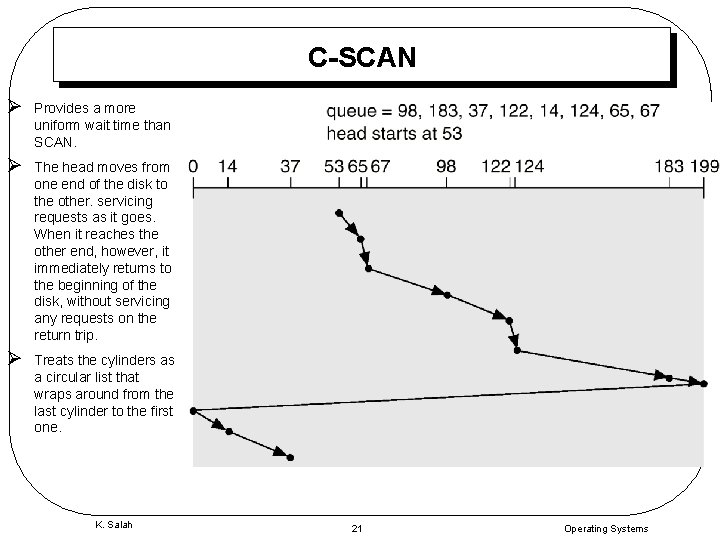
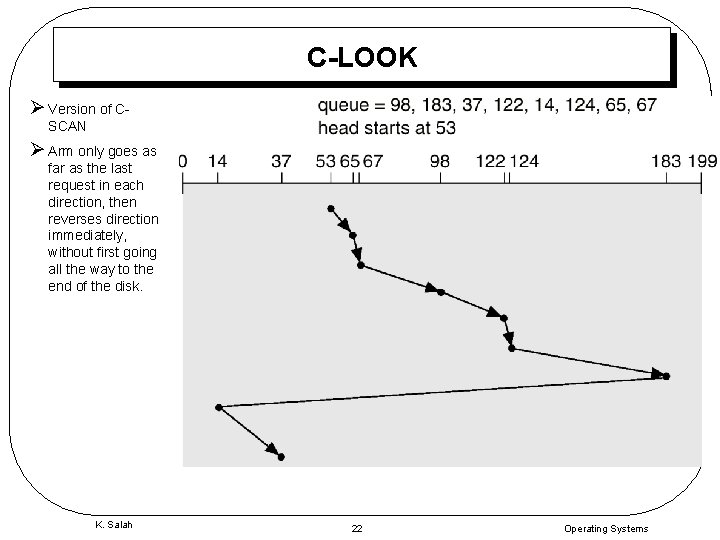
Disk Scheduling (Cont. ) • Several algorithms exist to schedule the servicing of disk I/O requests. • We illustrate them with a request queue (0 -199). 98, 183, 37, 122, 14, 124, 65, 67 Head pointer 53 K. Salah 17 Operating Systems
FCFS Illustration shows total head movement of 640 cylinders. K. Salah 18 Operating Systems
SSTF – Shortest Seek Time First Ø Selects the request with the minimum seek time from the current head position. Ø SSTF scheduling is a form of SJF scheduling; may cause starvation of some requests. Ø Illustration shows total head movement of 236 cylinders. K. Salah 19 Operating Systems
SCAN Ø The disk arm starts at one end of the disk, and moves toward the other end, servicing requests until it gets to the other end of the disk, where the head movement is reversed and servicing continues. Ø Sometimes called the elevator algorithm. Ø Illustration shows total head movement of 208 cylinders. K. Salah 20 Operating Systems
C-SCAN Ø Provides a more uniform wait time than SCAN. Ø The head moves from one end of the disk to the other. servicing requests as it goes. When it reaches the other end, however, it immediately returns to the beginning of the disk, without servicing any requests on the return trip. Ø Treats the cylinders as a circular list that wraps around from the last cylinder to the first one. K. Salah 21 Operating Systems
C-LOOK Ø Version of CSCAN Ø Arm only goes as far as the last request in each direction, then reverses direction immediately, without first going all the way to the end of the disk. K. Salah 22 Operating Systems
Selecting a Disk-Scheduling Algorithm ØSSTF is common and has a natural appeal ØSCAN and C-SCAN perform better for systems that place a heavy load on the disk. ØPerformance depends on the number and types of requests. ØRequests for disk service can be influenced by the file-allocation method. ØThe disk-scheduling algorithm should be written as a separate module of the operating system, allowing it to be replaced with a different algorithm if necessary. ØEither SSTF or LOOK is a reasonable choice for the default algorithm. K. Salah 23 Operating Systems
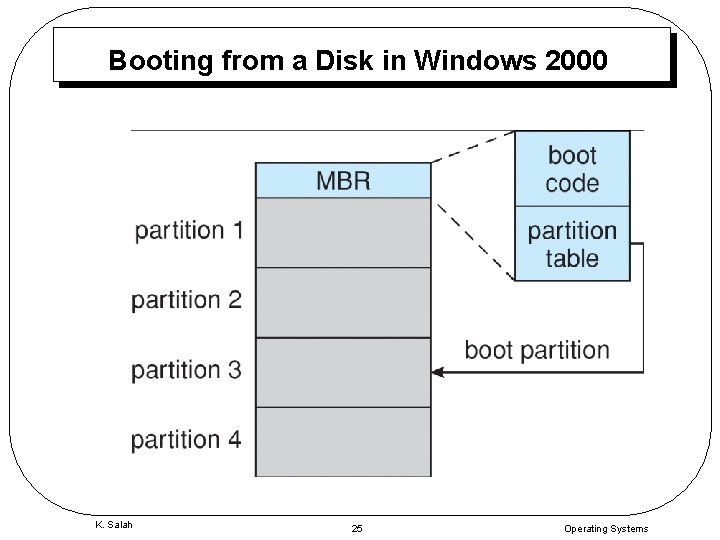
Disk Management • Low-level formatting, or physical formatting — Dividing a disk into sectors that the disk controller can read and write. – Each sector/block (256, 512, 1024) has header, trailer, & data – Header contains sector number – Trailer contains ECC (Error-Correcting Code) • To use a disk to hold files, the operating system still needs to record its own data structures on the disk. – Partition the disk into one or more groups of cylinders. – Logical formatting or “making a file system” T Holds data structure for NTFS or FAT • Boot block initializes system. – The bootstrap is stored in ROM. – Bootstrap loader program. K. Salah 24 Operating Systems
Booting from a Disk in Windows 2000 K. Salah 25 Operating Systems
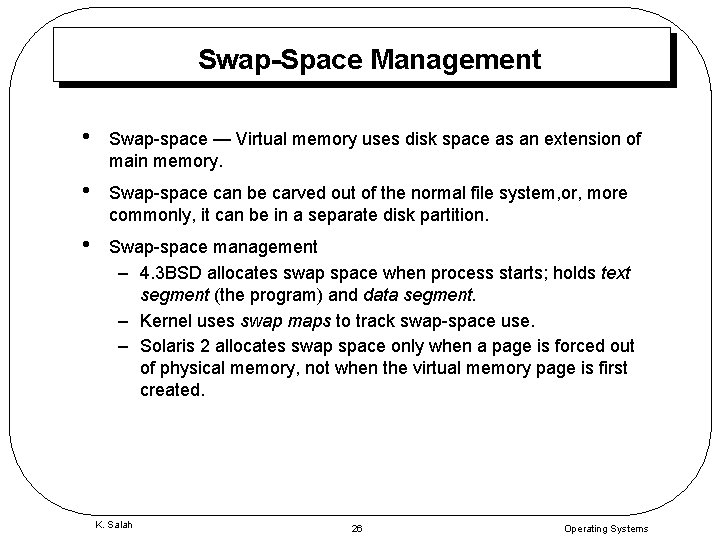
Swap-Space Management • Swap-space — Virtual memory uses disk space as an extension of main memory. • Swap-space can be carved out of the normal file system, or, more commonly, it can be in a separate disk partition. • Swap-space management – 4. 3 BSD allocates swap space when process starts; holds text segment (the program) and data segment. – Kernel uses swap maps to track swap-space use. – Solaris 2 allocates swap space only when a page is forced out of physical memory, not when the virtual memory page is first created. K. Salah 26 Operating Systems
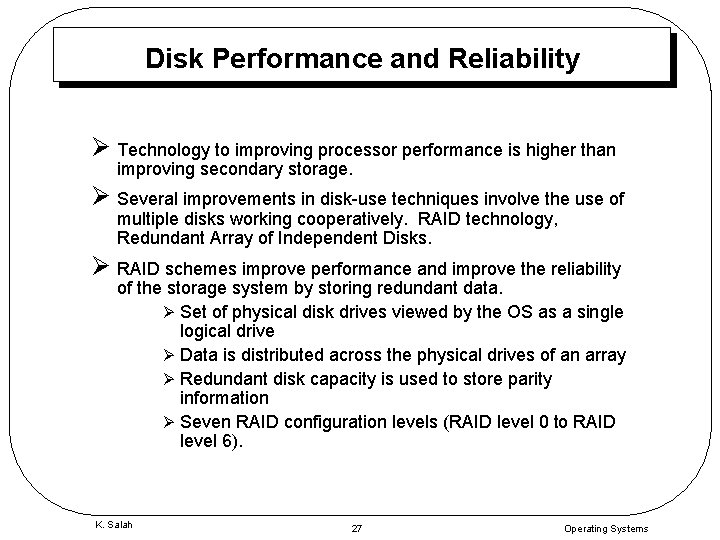
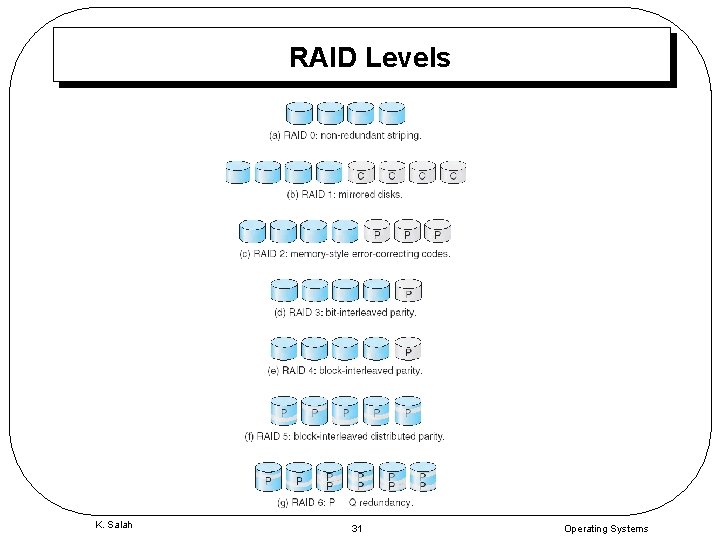
Disk Performance and Reliability Ø Technology to improving processor performance is higher than improving secondary storage. Ø Several improvements in disk-use techniques involve the use of multiple disks working cooperatively. RAID technology, Redundant Array of Independent Disks. Ø RAID schemes improve performance and improve the reliability of the storage system by storing redundant data. Ø Set of physical disk drives viewed by the OS as a single logical drive Ø Data is distributed across the physical drives of an array Ø Redundant disk capacity is used to store parity information Ø Seven RAID configuration levels (RAID level 0 to RAID level 6). K. Salah 27 Operating Systems
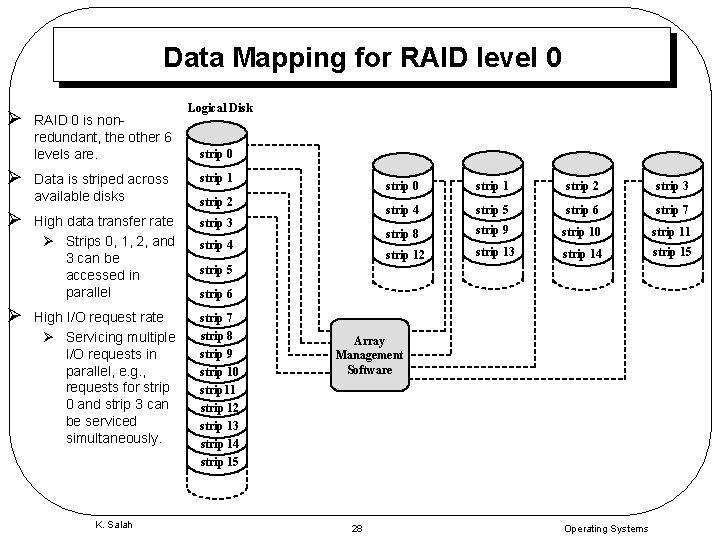
Data Mapping for RAID level 0 Ø Ø RAID 0 is nonredundant, the other 6 levels are. Logical Disk strip 0 Data is striped across available disks strip 1 High data transfer rate Ø Strips 0, 1, 2, and 3 can be accessed in parallel strip 3 High I/O request rate Ø Servicing multiple I/O requests in parallel, e. g. , requests for strip 0 and strip 3 can be serviced simultaneously. strip 7 strip 8 strip 9 strip 10 strip 11 strip 12 strip 13 strip 14 strip 15 K. Salah strip 2 strip 4 strip 0 strip 1 strip 2 strip 3 strip 4 strip 5 strip 6 strip 7 strip 8 strip 9 strip 10 strip 11 strip 12 strip 13 strip 14 strip 15 strip 6 Array Management Software 28 Operating Systems
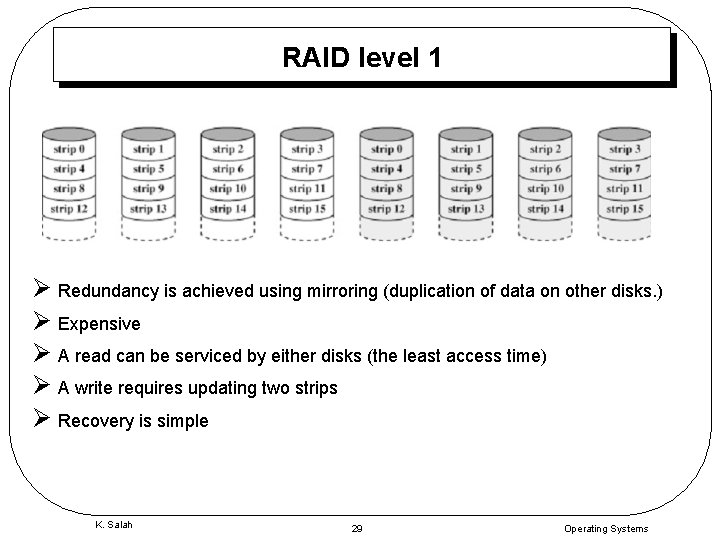
RAID level 1 Ø Redundancy is achieved using mirroring (duplication of data on other disks. ) Ø Expensive Ø A read can be serviced by either disks (the least access time) Ø A write requires updating two strips Ø Recovery is simple K. Salah 29 Operating Systems
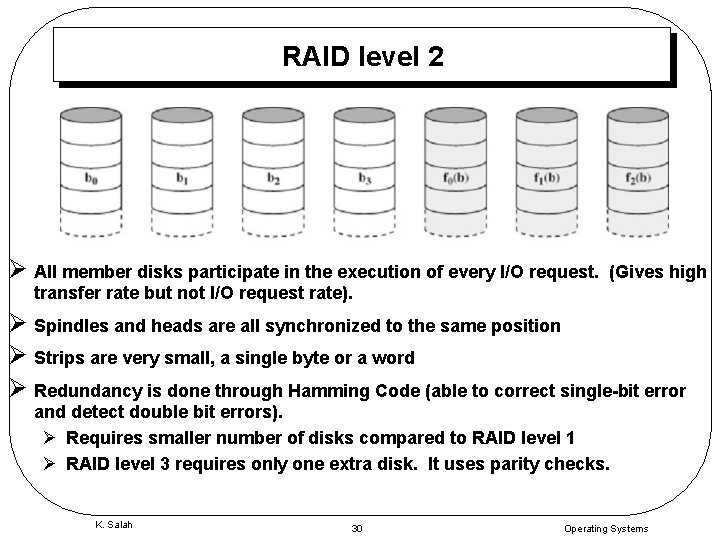
RAID level 2 Ø All member disks participate in the execution of every I/O request. (Gives high transfer rate but not I/O request rate). Ø Spindles and heads are all synchronized to the same position Ø Strips are very small, a single byte or a word Ø Redundancy is done through Hamming Code (able to correct single-bit error and detect double bit errors). Ø Requires smaller number of disks compared to RAID level 1 Ø RAID level 3 requires only one extra disk. It uses parity checks. K. Salah 30 Operating Systems
RAID Levels K. Salah 31 Operating Systems