
Module 4 Planning Optimizing and Troubleshooting DHCP Overview

Module 4: Planning, Optimizing, and Troubleshooting DHCP
Overview Planning a DHCP Strategy Securing a DHCP Solution Optimizing DHCP Troubleshooting DHCP
Lesson: Planning a DHCP Strategy Multimedia: Planning DHCP Server Placement in the Enterprise Best Practices for Determining DHCP Server Placement Choosing a DHCP Infrastructure Defining Scope Reservations Selecting DHCP Options Selecting Option Classes Guidelines for Planning a DHCP Strategy
Multimedia: Planning DHCP Server Placement in the Enterprise The objective of this presentation is to plan the placement of DHCP servers in a Windows Server 2003 enterprise network You will learn how to: Explain the considerations for a single or multiple DHCP server plan Determine when to use a single or multiple DHCP server solution to meet organizational requirements
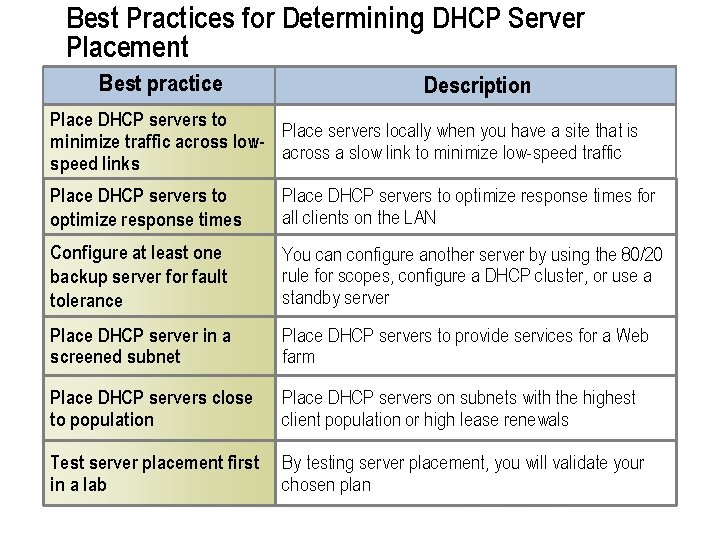
Best Practices for Determining DHCP Server Placement Best practice Description Place DHCP servers to Place servers locally when you have a site that is minimize traffic across lowacross a slow link to minimize low-speed traffic speed links Place DHCP servers to optimize response times for all clients on the LAN Configure at least one backup server for fault tolerance You can configure another server by using the 80/20 rule for scopes, configure a DHCP cluster, or use a standby server Place DHCP server in a screened subnet Place DHCP servers to provide services for a Web farm Place DHCP servers close to population Place DHCP servers on subnets with the highest client population or high lease renewals Test server placement first in a lab By testing server placement, you will validate your chosen plan
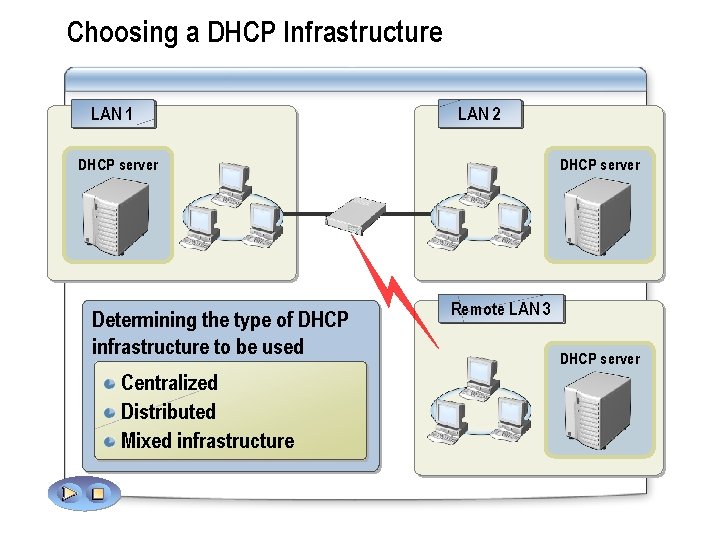
Choosing a DHCP Infrastructure LAN 1 LAN 2 DHCP server Determining the type of DHCP infrastructure to be used Centralized Distributed Mixed infrastructure DHCP server Remote LAN 3 DHCP server
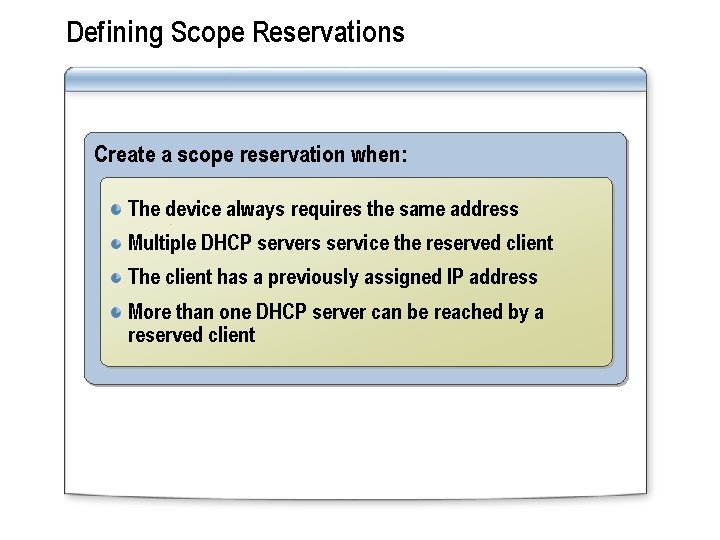
Defining Scope Reservations Create a scope reservation when: The device always requires the same address Multiple DHCP servers service the reserved client The client has a previously assigned IP address More than one DHCP server can be reached by a reserved client
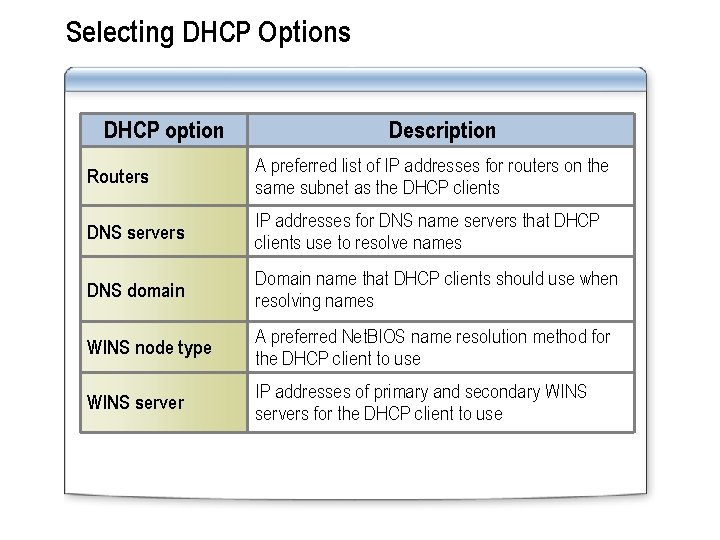
Selecting DHCP Options DHCP option Description Routers A preferred list of IP addresses for routers on the same subnet as the DHCP clients DNS servers IP addresses for DNS name servers that DHCP clients use to resolve names DNS domain Domain name that DHCP clients should use when resolving names WINS node type A preferred Net. BIOS name resolution method for the DHCP client to use WINS server IP addresses of primary and secondary WINS servers for the DHCP client to use

Selecting Option Classes Vendor-defined classes manage DHCP options identified by operating system vendor type User-defined classes manage DHCP options with common configuration requirements Windows 98 Client 1 Client 2 Vendor class configuration A Vendor class configuration B DHCP Server Vendor class configuration C Client 3
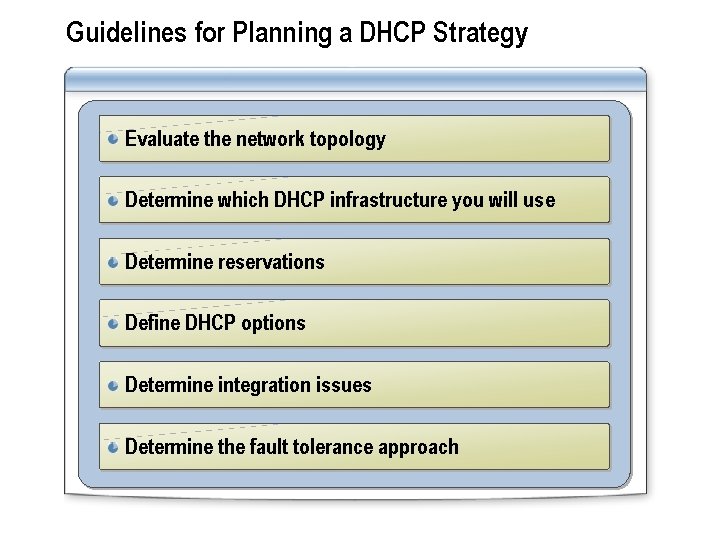
Guidelines for Planning a DHCP Strategy Evaluate the network topology Determine which DHCP infrastructure you will use Determine reservations Define DHCP options Determine integration issues Determine the fault tolerance approach
Practice: Identifying DHCP Planning Issues In this practice, you will determine a network configuration that meets the needs of the scenario
Lesson: Securing a DHCP Solution Securing the DHCP Service Preventing Unauthorized DHCP Servers Securing DHCP in Screened Subnets
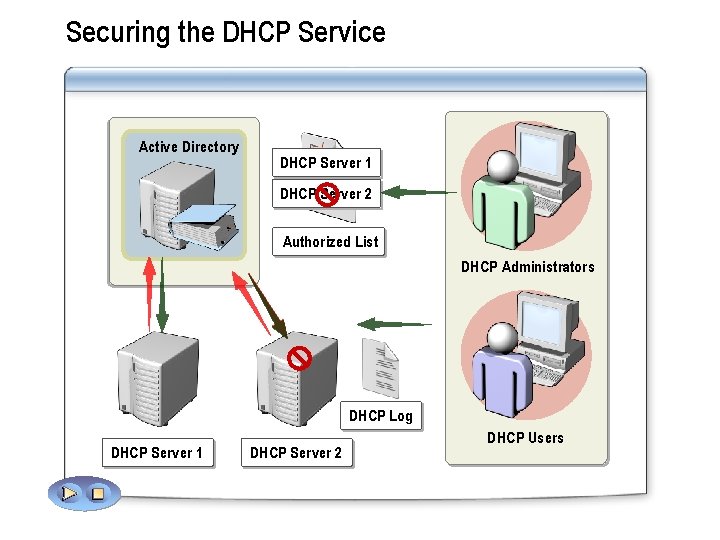
Securing the DHCP Service Active Directory DHCP Server 1 DHCP Server 2 Authorized List DHCP Administrators DHCP Log DHCP Server 1 DHCP Server 2 DHCP Users
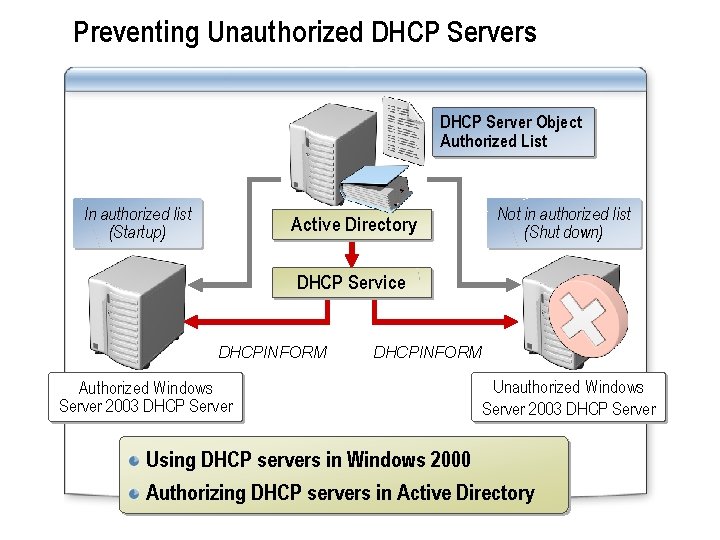
Preventing Unauthorized DHCP Servers DHCP Server Object Authorized List In authorized list (Startup) Active Directory Not in authorized list (Shut down) DHCP Service DHCPINFORM Authorized Windows Server 2003 DHCP Server DHCPINFORM Unauthorized Windows Server 2003 DHCP Server Using DHCP servers in Windows 2000 Authorizing DHCP servers in Active Directory
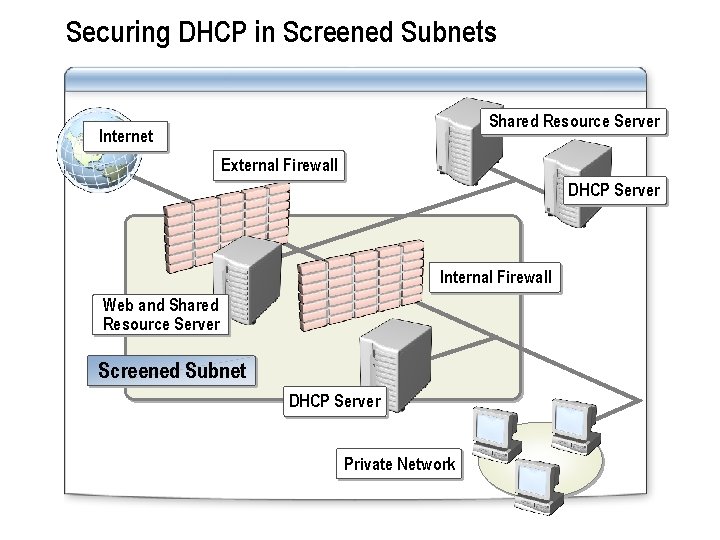
Securing DHCP in Screened Subnets Shared Resource Server Internet External Firewall DHCP Server Internal Firewall Web and Shared Resource Server Screened Subnet DHCP Server Private Network
Practice: Identifying Authorization Issues In this practice, you will identify why clients are unable to access network resources.
Lesson: Optimizing DHCP Improving the DHCP Server Modifying Lease Duration
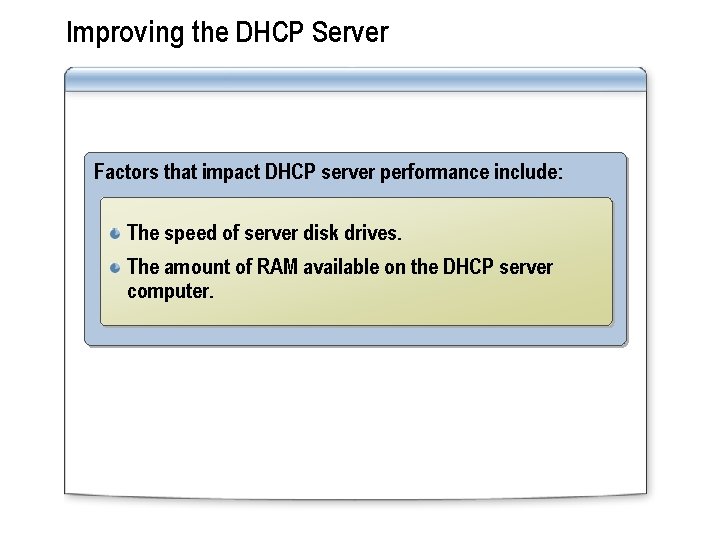
Improving the DHCP Server Factors that impact DHCP server performance include: The speed of server disk drives. The amount of RAM available on the DHCP server computer.
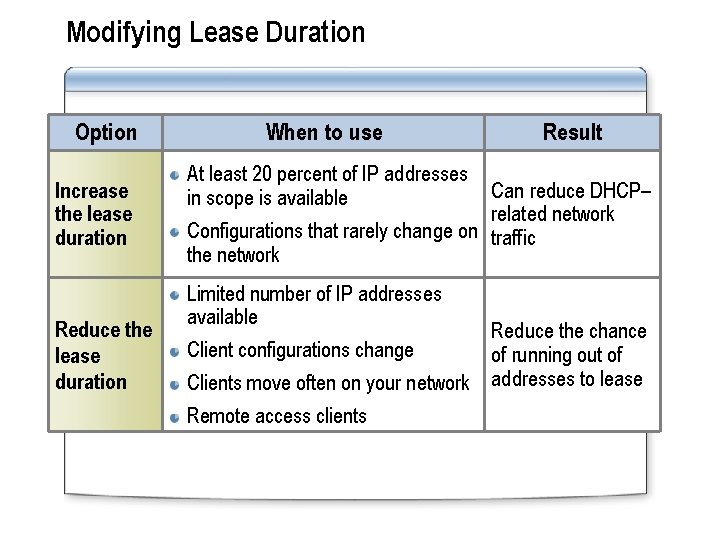
Modifying Lease Duration Option Increase the lease duration Reduce the lease duration When to use Result At least 20 percent of IP addresses in scope is available Can reduce DHCP– related network Configurations that rarely change on traffic the network Limited number of IP addresses available Reduce the chance Client configurations change of running out of Clients move often on your network addresses to lease Remote access clients
Practice: Modifying Lease Duration to Improve DHCP Performance In this practice, you will modify lease duration to improve DHCP performance
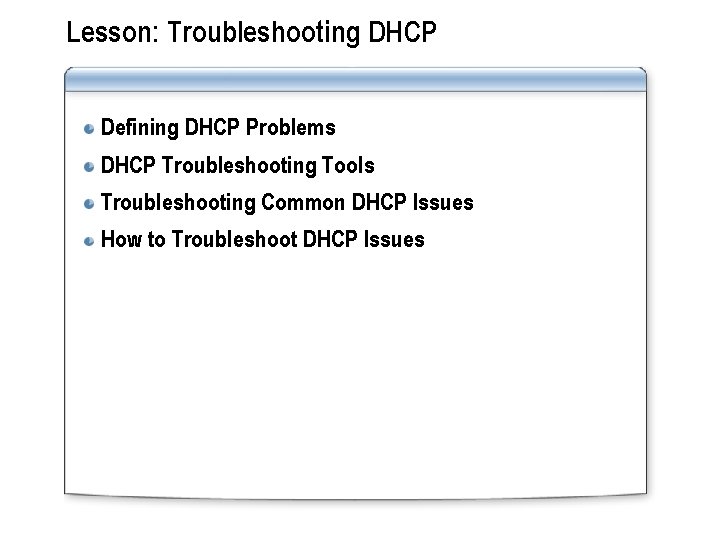
Lesson: Troubleshooting DHCP Defining DHCP Problems DHCP Troubleshooting Tools Troubleshooting Common DHCP Issues How to Troubleshoot DHCP Issues
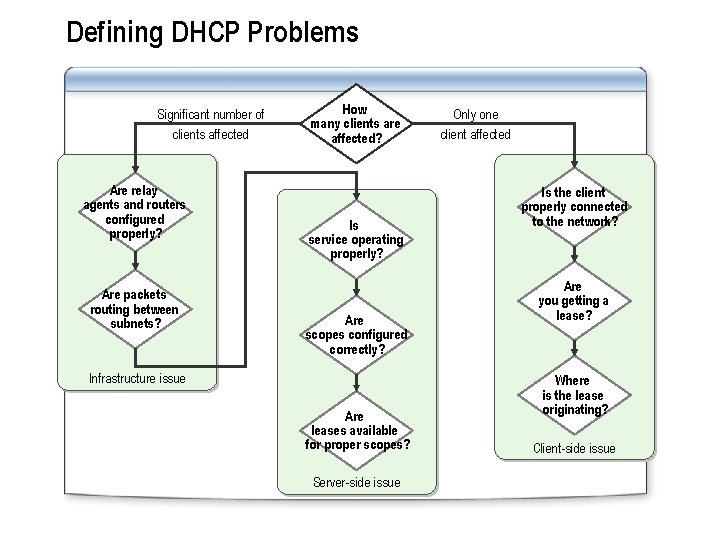
Defining DHCP Problems Significant number of clients affected Are relay agents and routers configured properly? Are packets routing between subnets? How many clients are affected? Is service operating properly? Are scopes configured correctly? Infrastructure issue Are leases available for proper scopes? Server-side issue Only one client affected Is the client properly connected to the network? Are you getting a lease? Where is the lease originating? Client-side issue
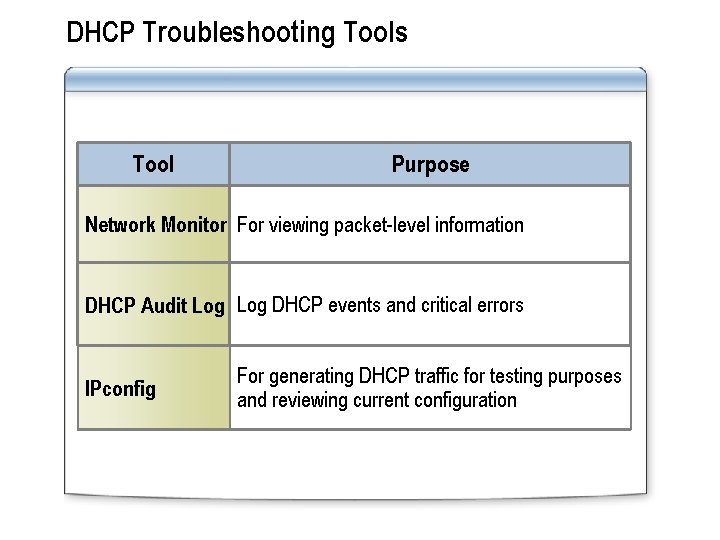
DHCP Troubleshooting Tools Tool Purpose Network Monitor For viewing packet-level information DHCP Audit Log DHCP events and critical errors IPconfig For generating DHCP traffic for testing purposes and reviewing current configuration
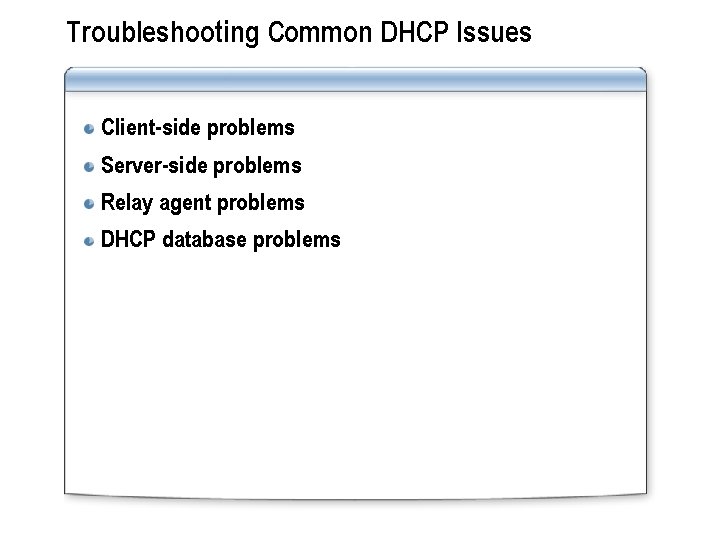
Troubleshooting Common DHCP Issues Client-side problems Server-side problems Relay agent problems DHCP database problems
How to Troubleshoot DHCP Issues In this procedure, you will learn how to troubleshoot DHCP issues
Practice: Troubleshooting DHCP Issues In this practice, you will determine DHCP troubleshooting steps
Lab A: Planning a DHCP Strategy Exercise 1: Planning the DHCP Solution
Lab B: Troubleshooting DHCP Issues Exercise 1: Optimizing DHCP Redundancy for Multiple Subnets Exercise 2: Troubleshooting DHCP Problems
- Slides: 28