
Module 4 Part 1 Loops and Repetition Outline
- Slides: 104
Module 4 – Part 1 Loops and Repetition
Outline 1. Motivation 2. while Loop Statement 3. do-while Loop Statement 4. for Loop Statement 5. Infinite Loops 6. Nested Loops 7. Using break and continue
1. Motivation You want to print a string (e. g. , "Welcome to CSE 1321!") a thousand times. You could copy/paste the following: PRINTLINE("Welcome to CSE 1321!") There has to be a better way! How do we solve this problem? USING LOOPS
1. Loop Statements • Loops are repetition statements that allow us to execute a statement (or block of statements) multiple times • They are controlled by Boolean expressions • We will study three types of loop statements: • the while loop • the do-while loop • the for loop • We must choose the right type for the situation at hand
Loop Statements • The while and do-while loops run un-determined (unknown) number of iterations • The for loop, on the other hand, runs a pre-determined (known) number of iterations (some call it a counting loop)
Criteria for all loops 1. Have some initial condition • Starting a counter • Beginning in a certain state 2. Must have a test to continue 3. Must make progress towards finishing
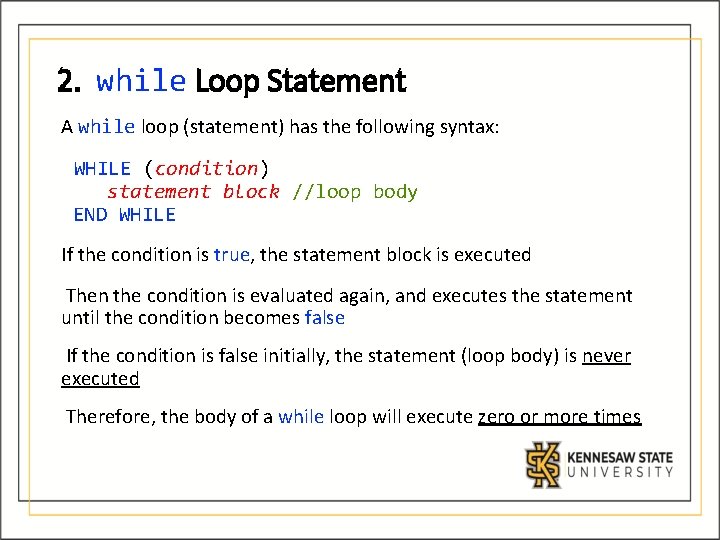
2. while Loop Statement A while loop (statement) has the following syntax: WHILE (condition) statement block //loop body END WHILE If the condition is true, the statement block is executed Then the condition is evaluated again, and executes the statement until the condition becomes false If the condition is false initially, the statement (loop body) is never executed Therefore, the body of a while loop will execute zero or more times
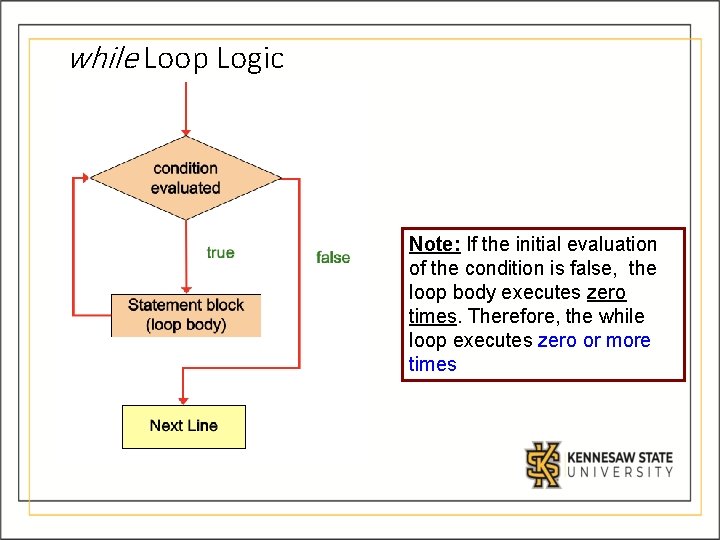
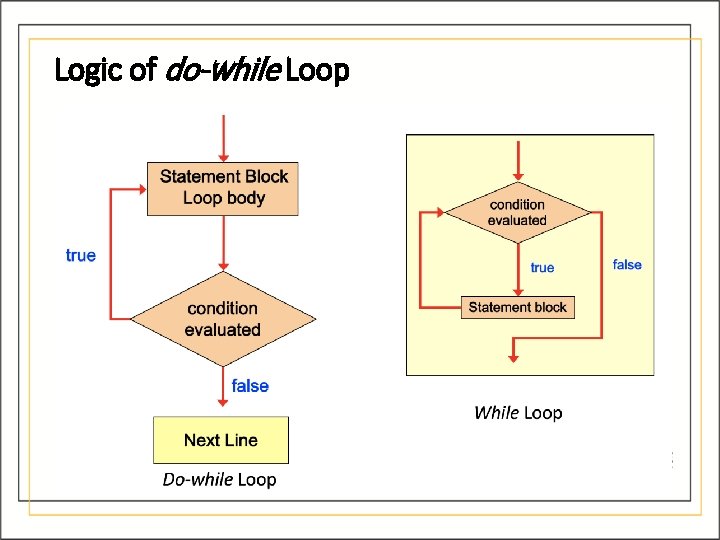
while Loop Logic Note: If the initial evaluation of the condition is false, the loop body executes zero times. Therefore, the while loop executes zero or more times
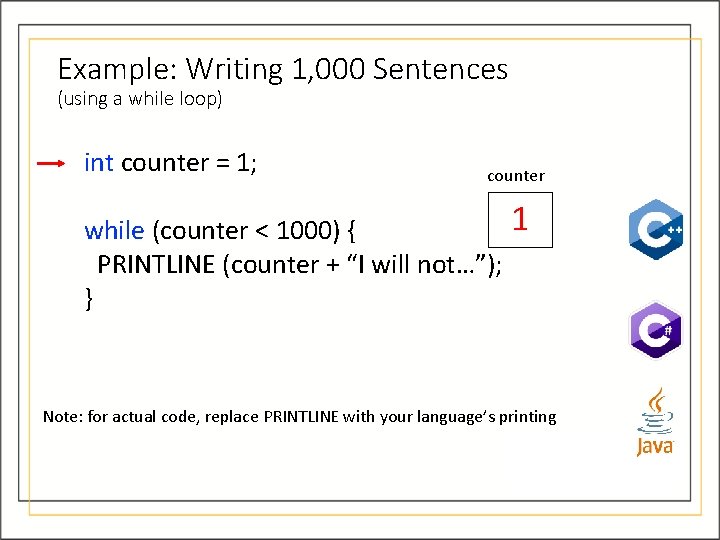
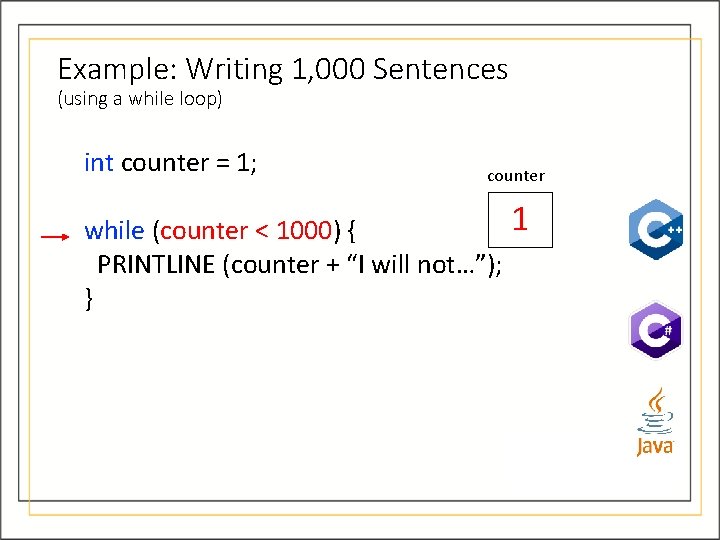
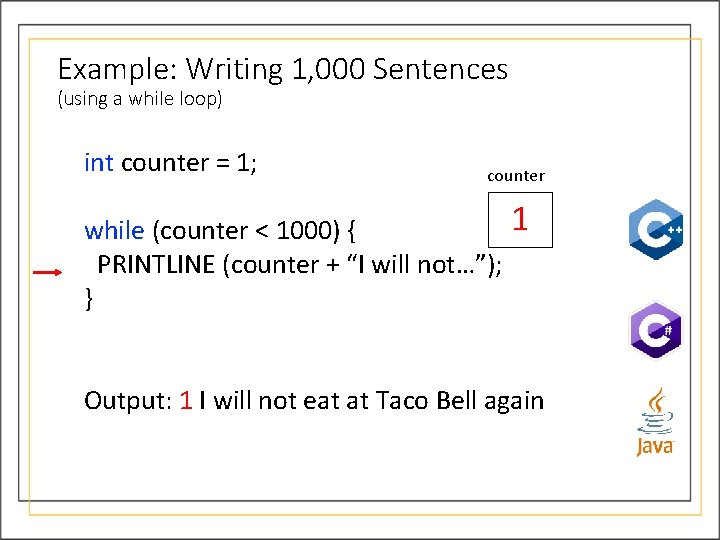
Example: Writing 1, 000 Sentences (using a while loop) int counter = 1; counter 1 while (counter < 1000) { PRINTLINE (counter + “I will not…”); } Note: for actual code, replace PRINTLINE with your language’s printing
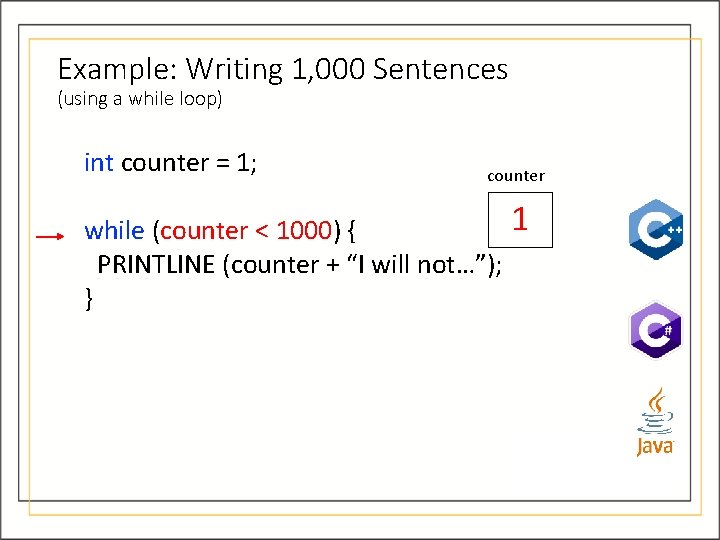
Example: Writing 1, 000 Sentences (using a while loop) int counter = 1; counter 1 while (counter < 1000) { PRINTLINE (counter + “I will not…”); }
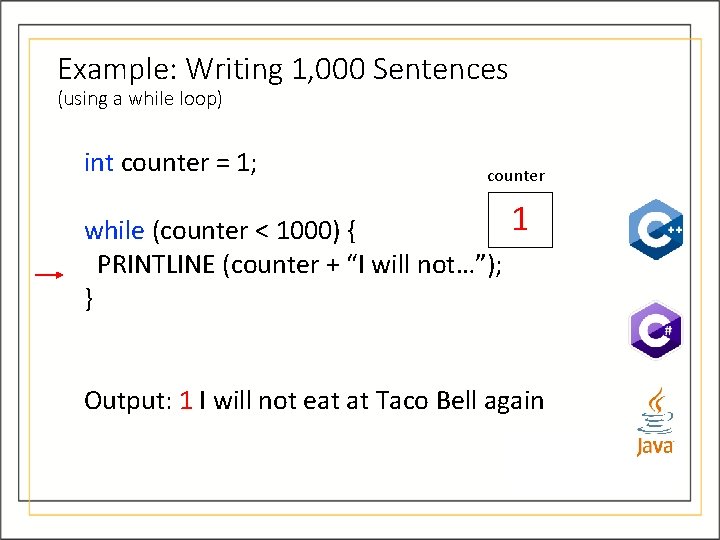
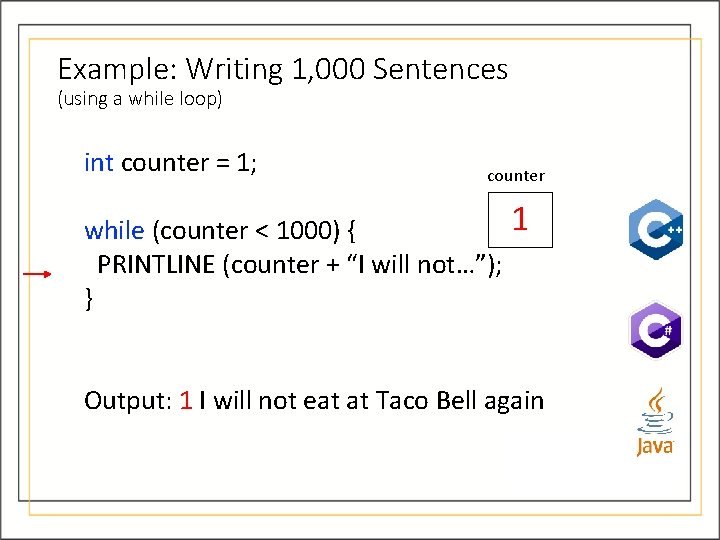
Example: Writing 1, 000 Sentences (using a while loop) int counter = 1; counter 1 while (counter < 1000) { PRINTLINE (counter + “I will not…”); } Output: 1 I will not eat at Taco Bell again
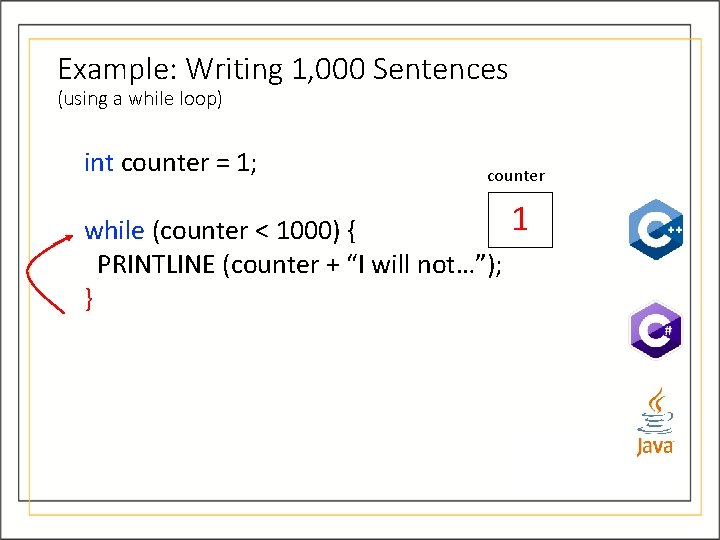
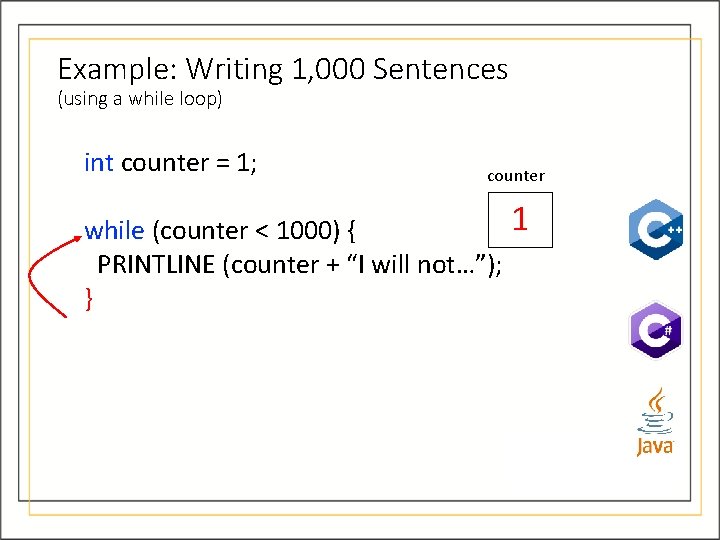
Example: Writing 1, 000 Sentences (using a while loop) int counter = 1; counter 1 while (counter < 1000) { PRINTLINE (counter + “I will not…”); }
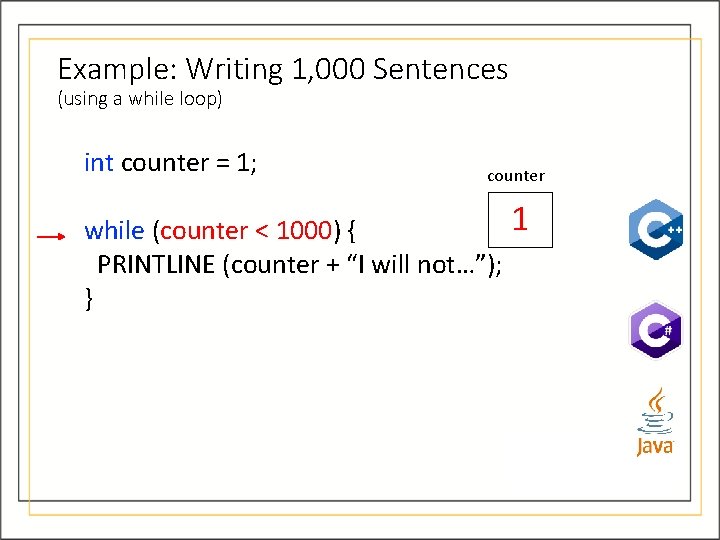
Example: Writing 1, 000 Sentences (using a while loop) int counter = 1; counter 1 while (counter < 1000) { PRINTLINE (counter + “I will not…”); }
Example: Writing 1, 000 Sentences (using a while loop) int counter = 1; counter 1 while (counter < 1000) { PRINTLINE (counter + “I will not…”); } Output: 1 I will not eat at Taco Bell again
Example: Writing 1, 000 Sentences (using a while loop) int counter = 1; counter 1 while (counter < 1000) { PRINTLINE (counter + “I will not…”); }
Example: Writing 1, 000 Sentences (using a while loop) int counter = 1; counter 1 while (counter < 1000) { PRINTLINE (counter + “I will not…”); }
Example: Writing 1, 000 Sentences (using a while loop) int counter = 1; counter 1 while (counter < 1000) { PRINTLINE (counter + “I will not…”); } Output: 1 I will not eat at Taco Bell again
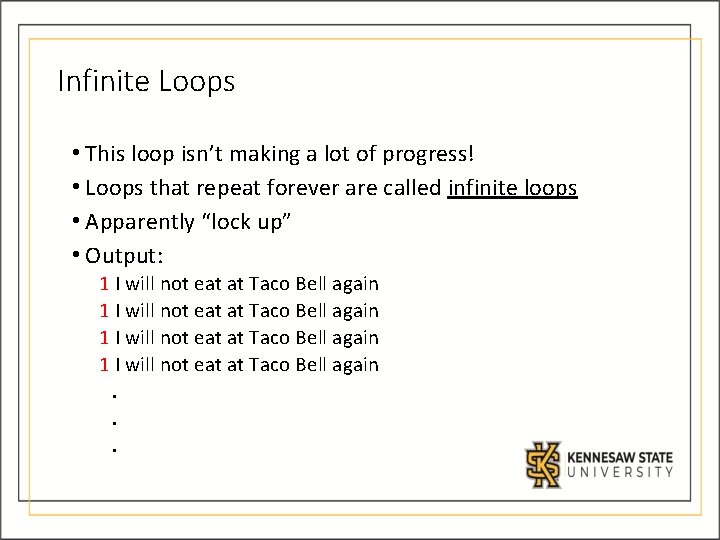
Infinite Loops • This loop isn’t making a lot of progress! • Loops that repeat forever are called infinite loops • Apparently “lock up” • Output: 1 I will not eat at Taco Bell again. . .
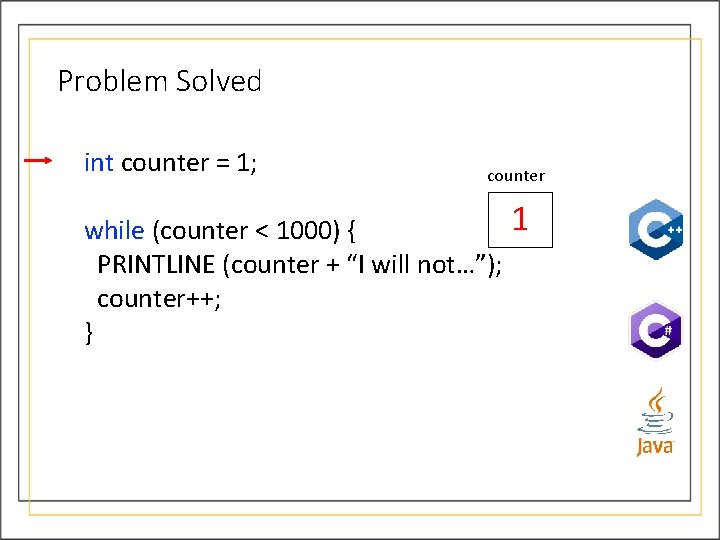
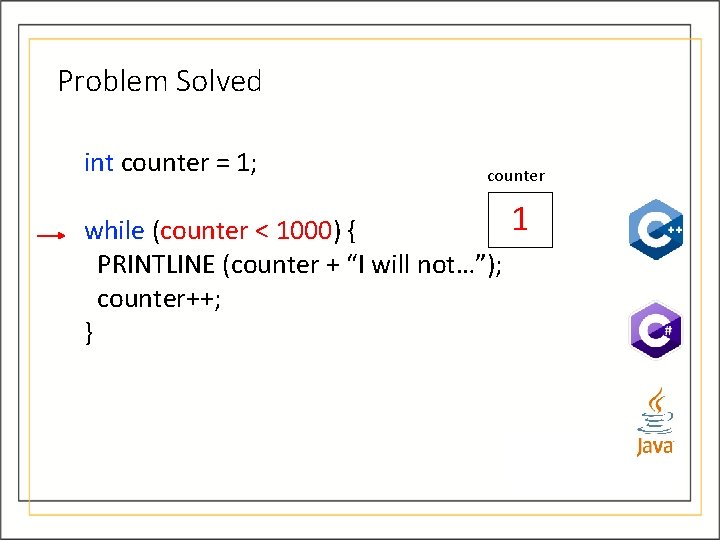
Problem Solved int counter = 1; counter 1 while (counter < 1000) { PRINTLINE (counter + “I will not…”); counter++; }
Problem Solved int counter = 1; counter 1 while (counter < 1000) { PRINTLINE (counter + “I will not…”); counter++; }
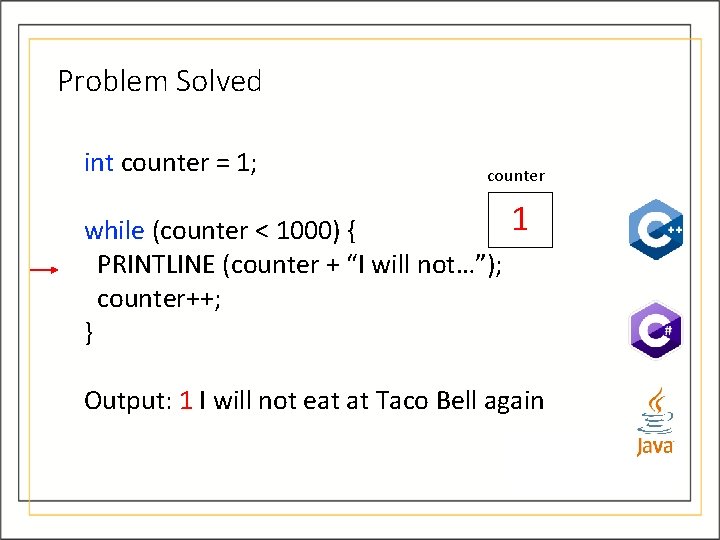
Problem Solved int counter = 1; counter 1 while (counter < 1000) { PRINTLINE (counter + “I will not…”); counter++; } Output: 1 I will not eat at Taco Bell again
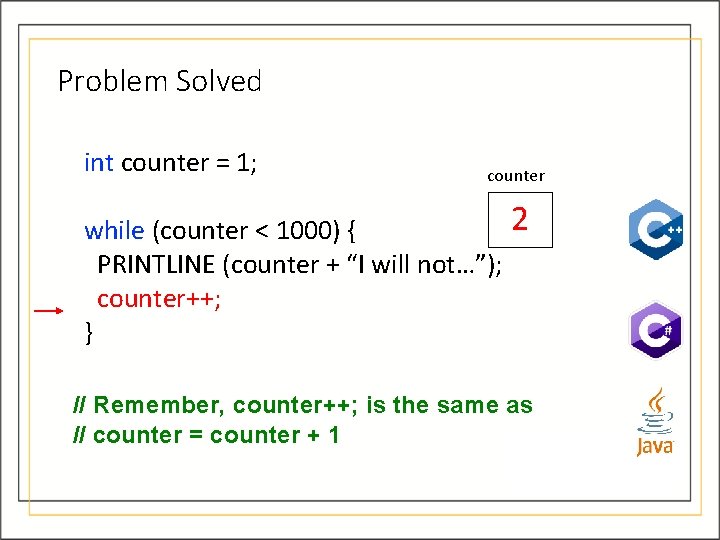
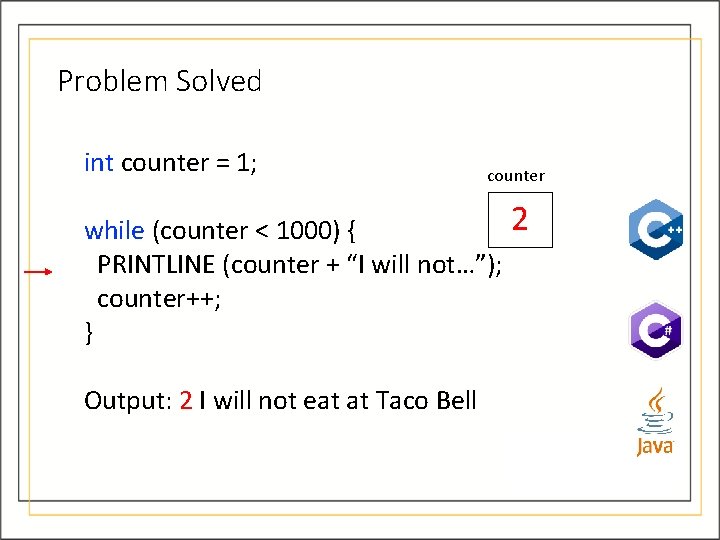
Problem Solved int counter = 1; counter 2 while (counter < 1000) { PRINTLINE (counter + “I will not…”); counter++; } // Remember, counter++; is the same as // counter = counter + 1
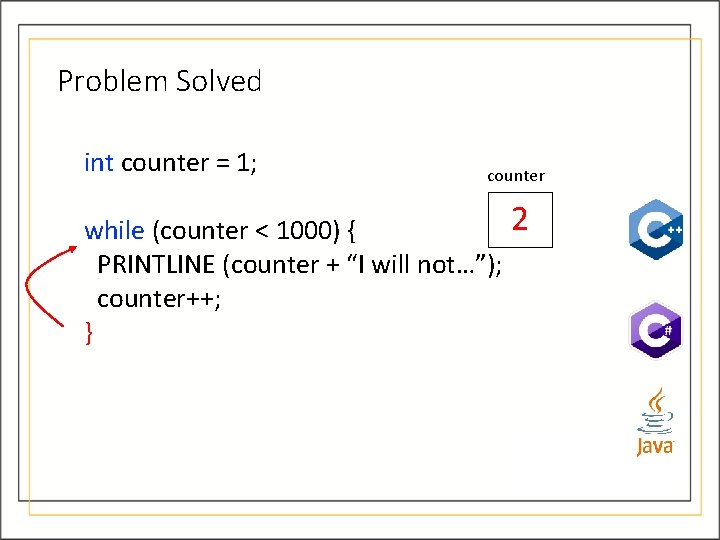
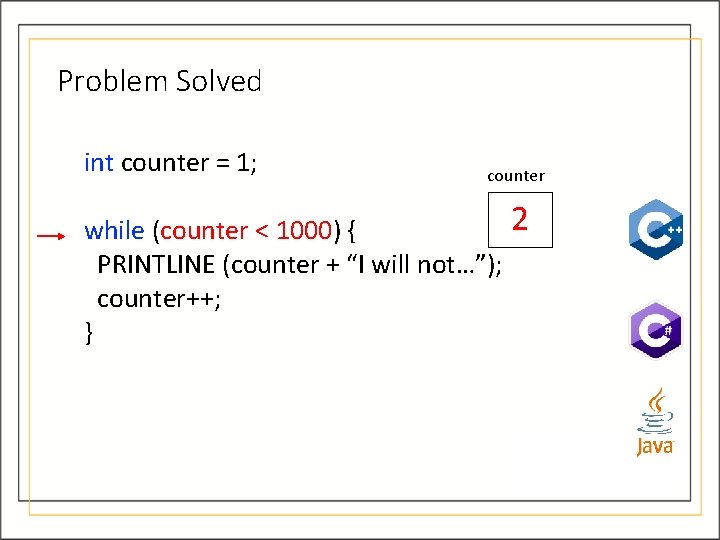
Problem Solved int counter = 1; counter 2 while (counter < 1000) { PRINTLINE (counter + “I will not…”); counter++; }
Problem Solved int counter = 1; counter 2 while (counter < 1000) { PRINTLINE (counter + “I will not…”); counter++; }
Problem Solved int counter = 1; counter 2 while (counter < 1000) { PRINTLINE (counter + “I will not…”); counter++; } Output: 2 I will not eat at Taco Bell
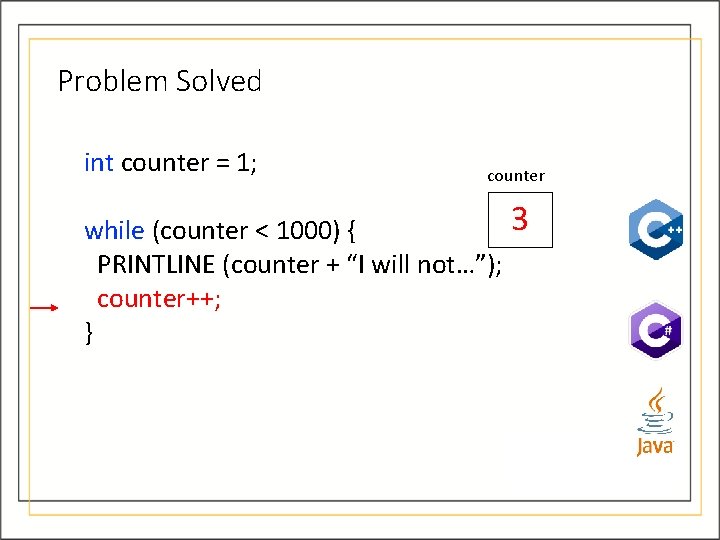
Problem Solved int counter = 1; counter 3 while (counter < 1000) { PRINTLINE (counter + “I will not…”); counter++; }
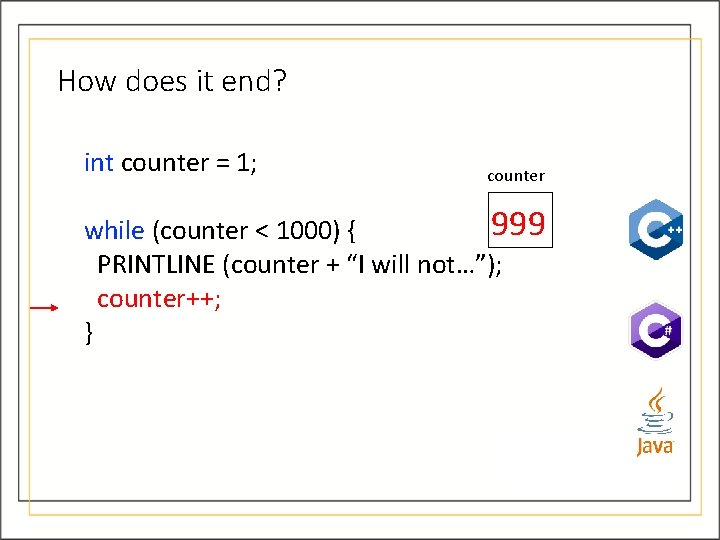
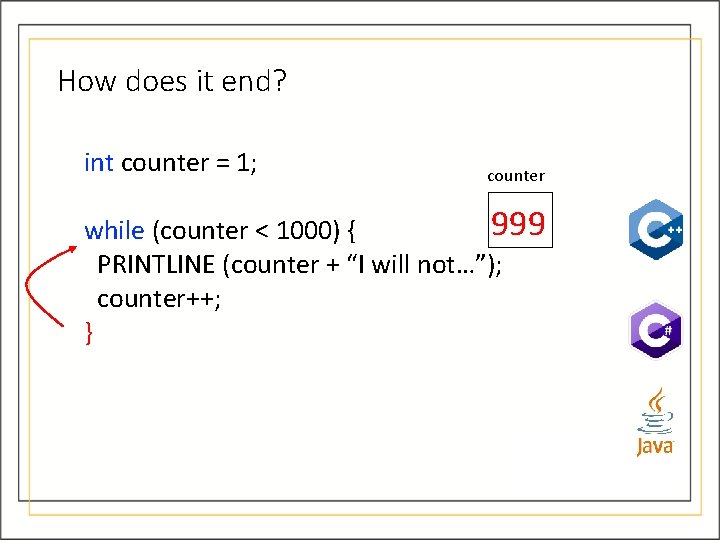
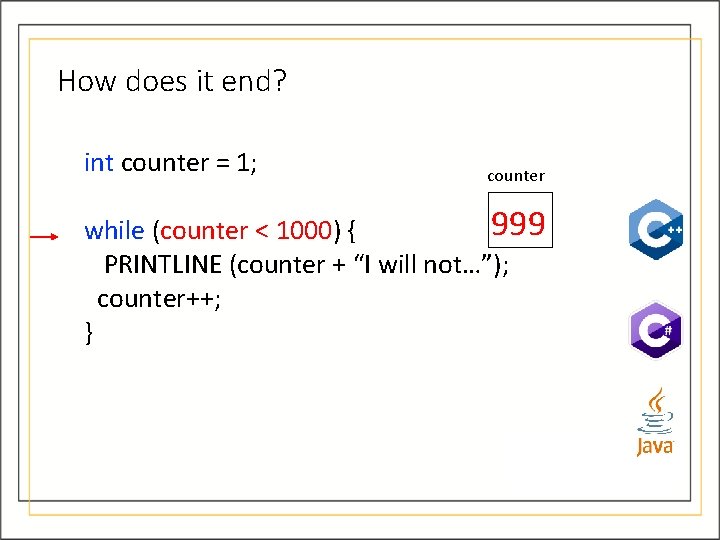
How does it end? int counter = 1; counter 999 while (counter < 1000) { PRINTLINE (counter + “I will not…”); counter++; }
How does it end? int counter = 1; counter 999 while (counter < 1000) { PRINTLINE (counter + “I will not…”); counter++; }
How does it end? int counter = 1; counter 999 while (counter < 1000) { PRINTLINE (counter + “I will not…”); counter++; }
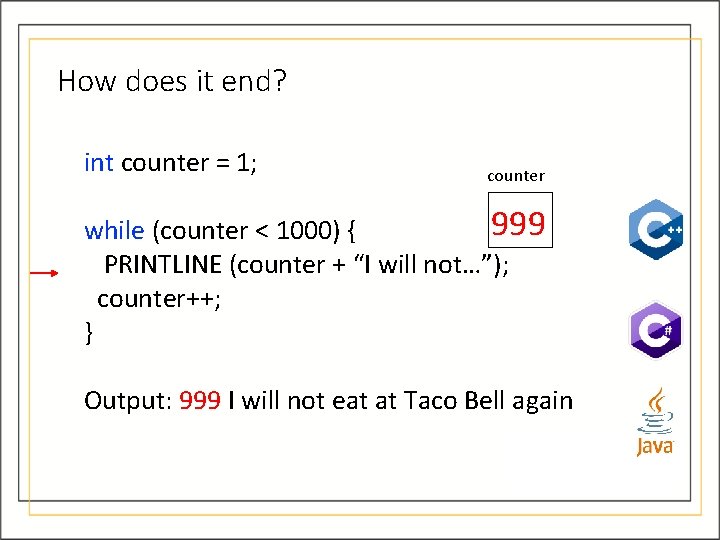
How does it end? int counter = 1; counter 999 while (counter < 1000) { PRINTLINE (counter + “I will not…”); counter++; } Output: 999 I will not eat at Taco Bell again
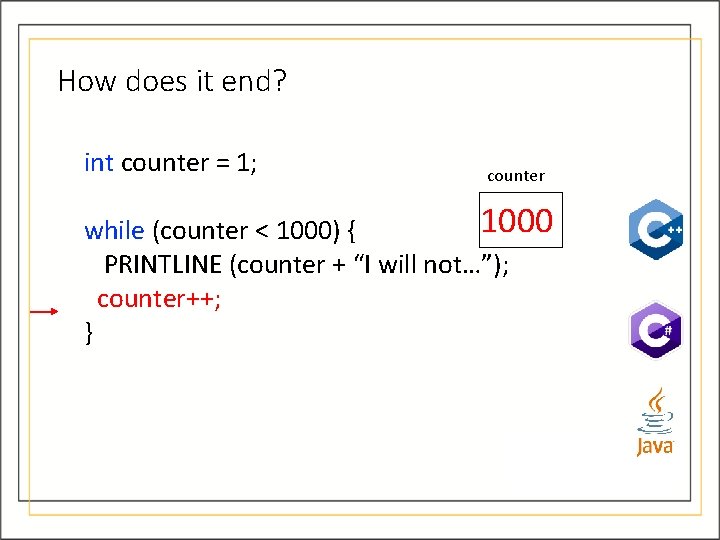
How does it end? int counter = 1; counter 1000 while (counter < 1000) { PRINTLINE (counter + “I will not…”); counter++; }
How does it end? int counter = 1; counter 1000 while (counter < 1000) { PRINTLINE (counter + “I will not…”); counter++; }
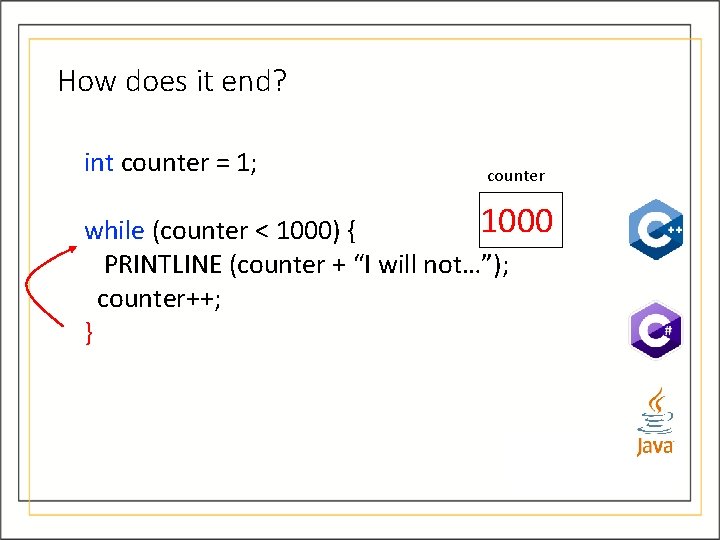
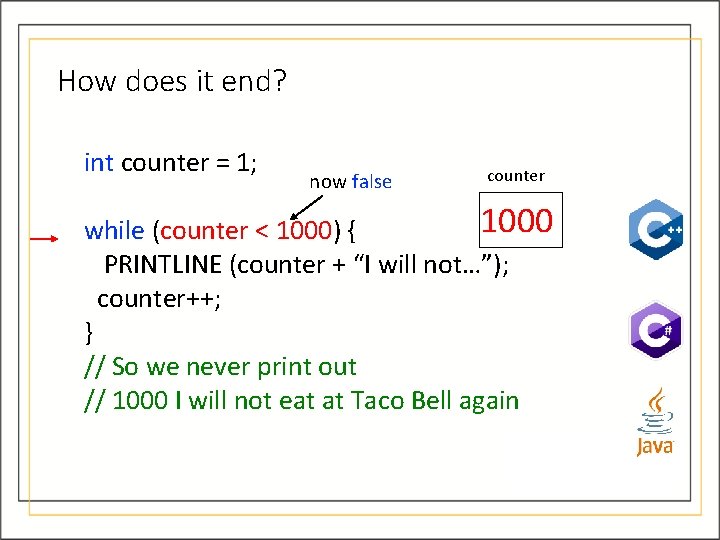
How does it end? int counter = 1; now false counter 1000 while (counter < 1000) { PRINTLINE (counter + “I will not…”); counter++; } // So we never print out // 1000 I will not eat at Taco Bell again
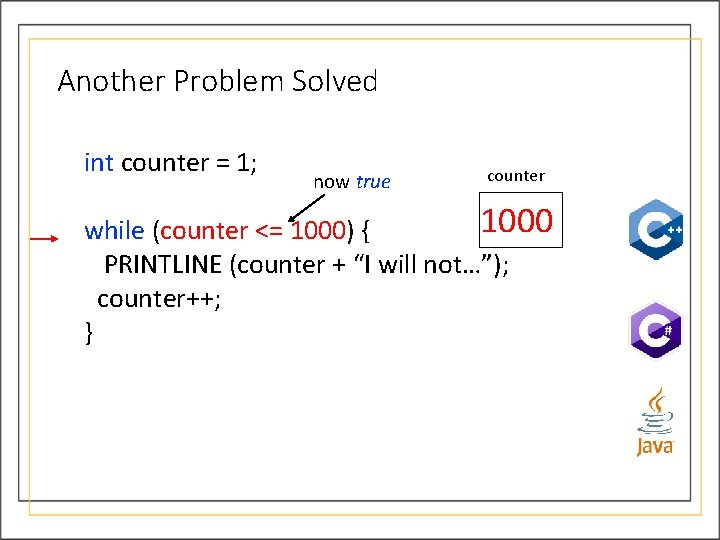
Another Problem Solved int counter = 1; now true counter 1000 while (counter <= 1000) { PRINTLINE (counter + “I will not…”); counter++; }
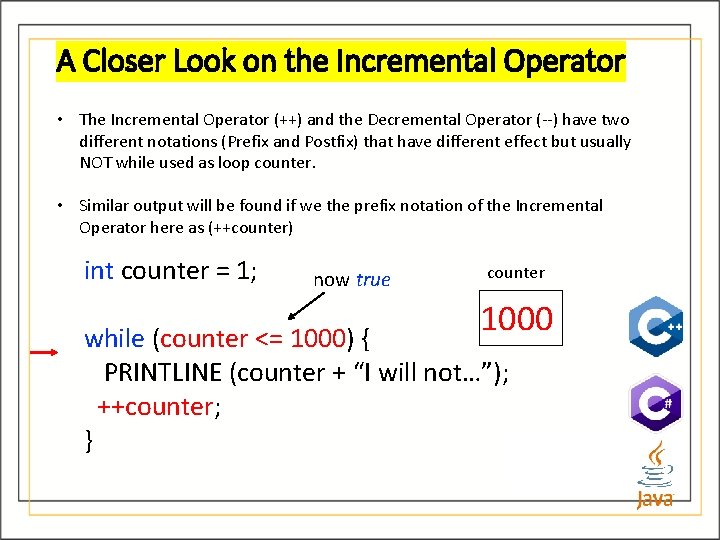
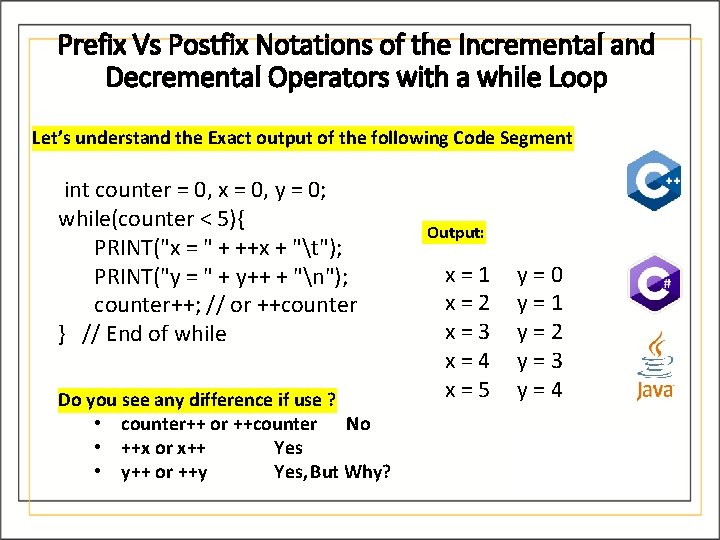
A Closer Look on the Incremental Operator • The Incremental Operator (++) and the Decremental Operator (--) have two different notations (Prefix and Postfix) that have different effect but usually NOT while used as loop counter. • Similar output will be found if we the prefix notation of the Incremental Operator here as (++counter) int counter = 1; now true counter 1000 while (counter <= 1000) { PRINTLINE (counter + “I will not…”); ++counter; }
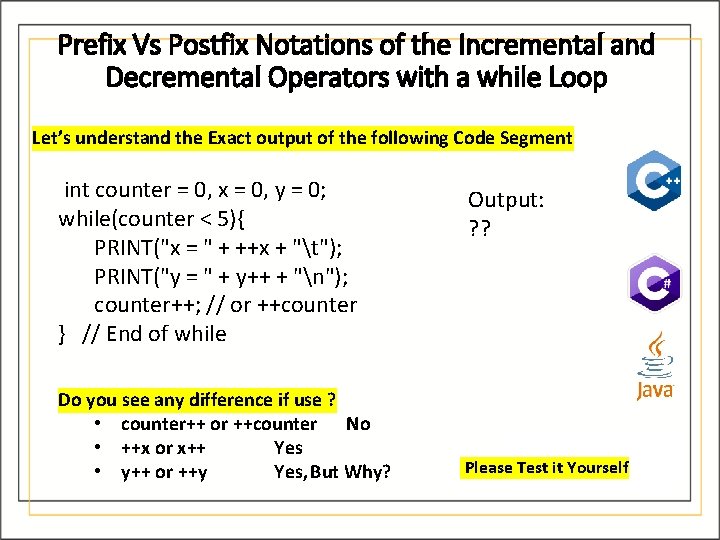
Prefix Vs Postfix Notations of the Incremental and Decremental Operators with a while Loop Let’s understand the Exact output of the following Code Segment int counter = 0, x = 0, y = 0; while(counter < 5){ PRINT("x = " + ++x + "t"); PRINT("y = " + y++ + "n"); counter++; // or ++counter } // End of while Do you see any difference if use ? • counter++ or ++counter No • ++x or x++ Yes • y++ or ++y Yes, But Why? Output: ? ? Please Test it Yourself
Prefix Vs Postfix Notations of the Incremental and Decremental Operators with a while Loop Let’s understand the Exact output of the following Code Segment int counter = 0, x = 0, y = 0; while(counter < 5){ PRINT("x = " + ++x + "t"); PRINT("y = " + y++ + "n"); counter++; // or ++counter } // End of while Do you see any difference if use ? • counter++ or ++counter No • ++x or x++ Yes • y++ or ++y Yes, But Why? Output: x=1 x=2 x=3 x=4 x=5 y=0 y=1 y=2 y=3 y=4
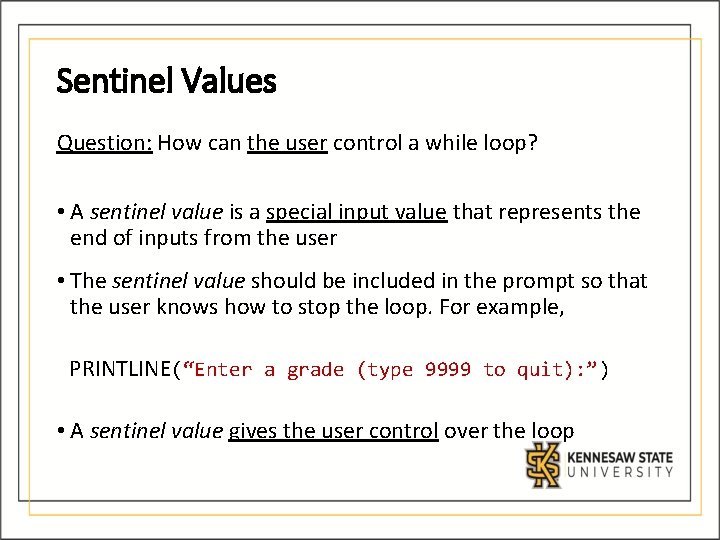
Sentinel Values Question: How can the user control a while loop? • A sentinel value is a special input value that represents the end of inputs from the user • The sentinel value should be included in the prompt so that the user knows how to stop the loop. For example, PRINTLINE(“Enter a grade (type 9999 to quit): ”) • A sentinel value gives the user control over the loop
Input Validation • A while loop can be used for input validation, making a program more robust • Ensure correct input values before processing • Can issue error messages for invalid data
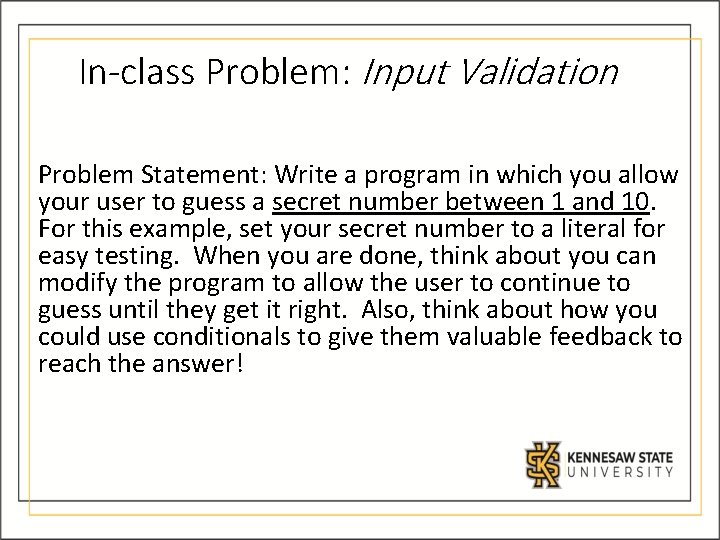
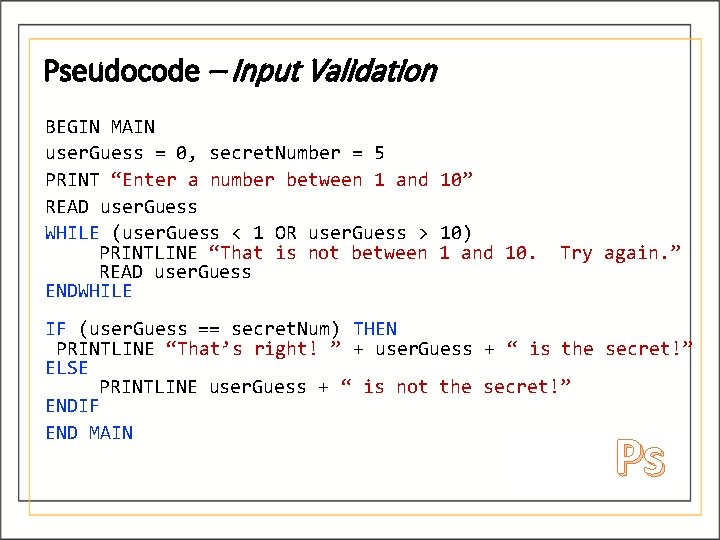
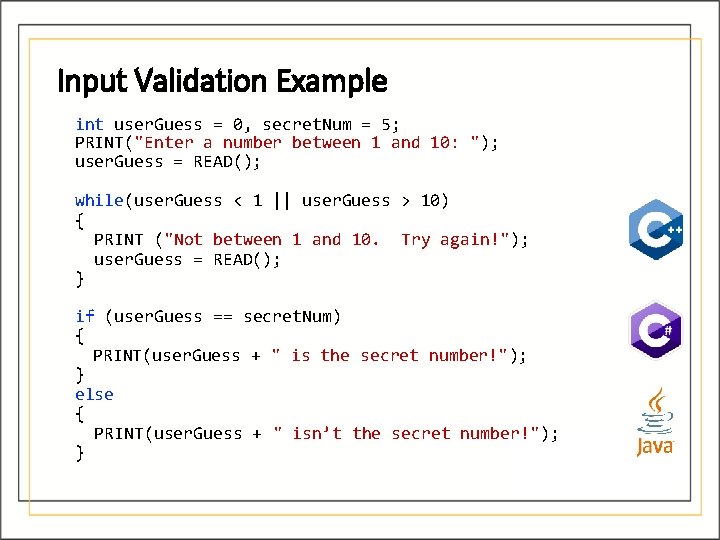
In-class Problem: Input Validation Problem Statement: Write a program in which you allow your user to guess a secret number between 1 and 10. For this example, set your secret number to a literal for easy testing. When you are done, think about you can modify the program to allow the user to continue to guess until they get it right. Also, think about how you could use conditionals to give them valuable feedback to reach the answer!
Pseudocode – Input Validation BEGIN MAIN user. Guess = 0, secret. Number = 5 PRINT “Enter a number between 1 and 10” READ user. Guess WHILE (user. Guess < 1 OR user. Guess > 10) PRINTLINE “That is not between 1 and 10. READ user. Guess ENDWHILE Try again. ” IF (user. Guess == secret. Num) THEN PRINTLINE “That’s right! ” + user. Guess + “ is the secret!” ELSE PRINTLINE user. Guess + “ is not the secret!” ENDIF END MAIN Ps
Input Validation Example int user. Guess = 0, secret. Num = 5; PRINT("Enter a number between 1 and 10: "); user. Guess = READ(); while(user. Guess < 1 || user. Guess > 10) { PRINT ("Not between 1 and 10. Try again!"); user. Guess = READ(); } if (user. Guess == secret. Num) { PRINT(user. Guess + " is the secret number!"); } else { PRINT(user. Guess + " isn’t the secret number!"); }
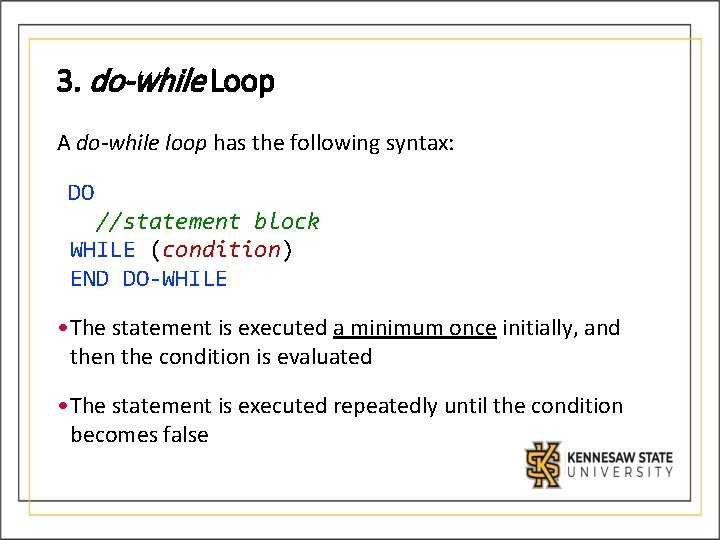
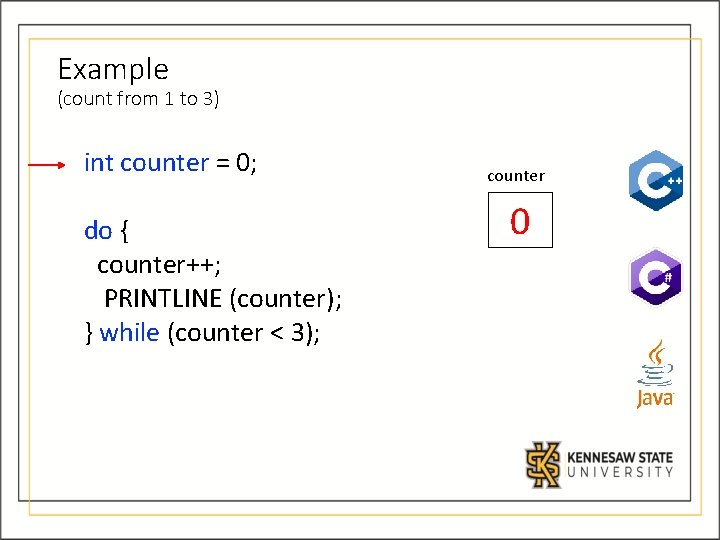
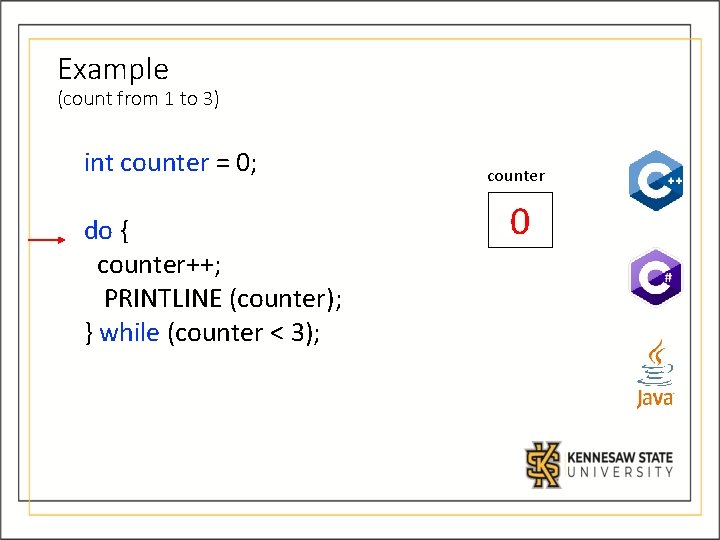
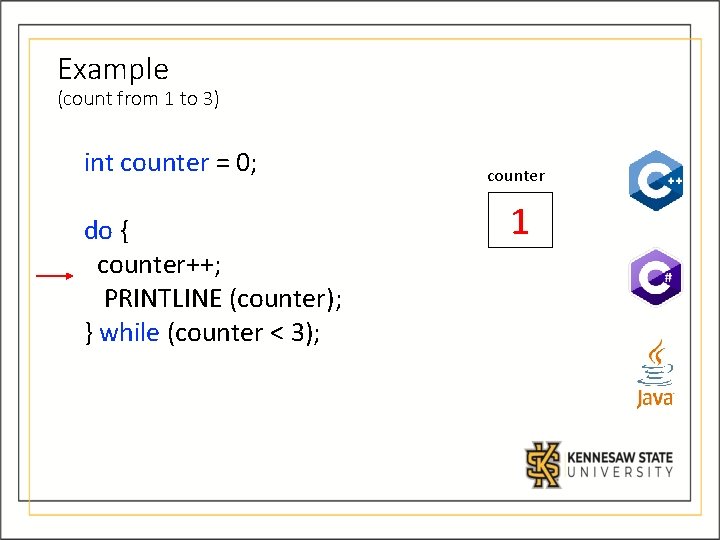
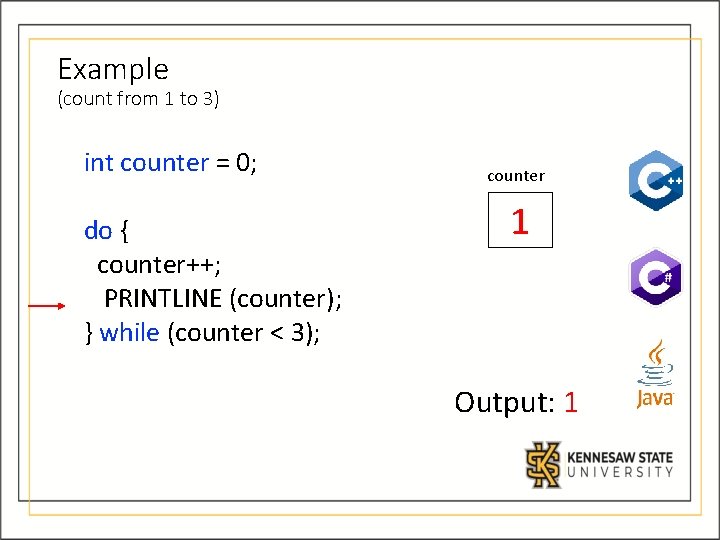
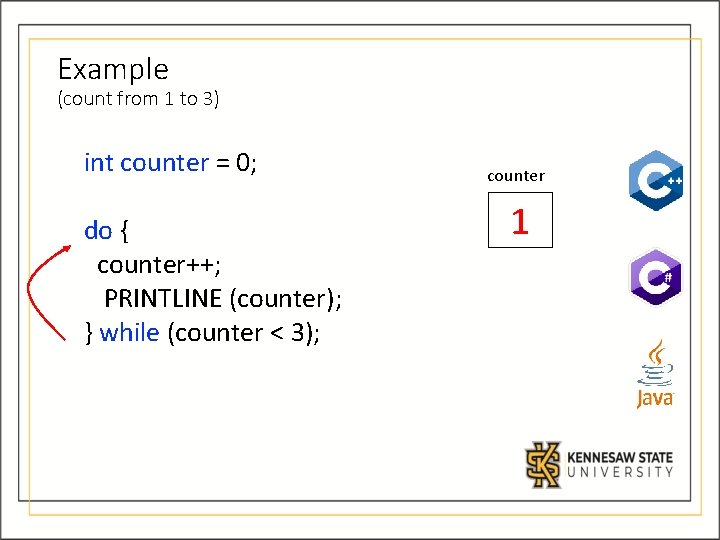
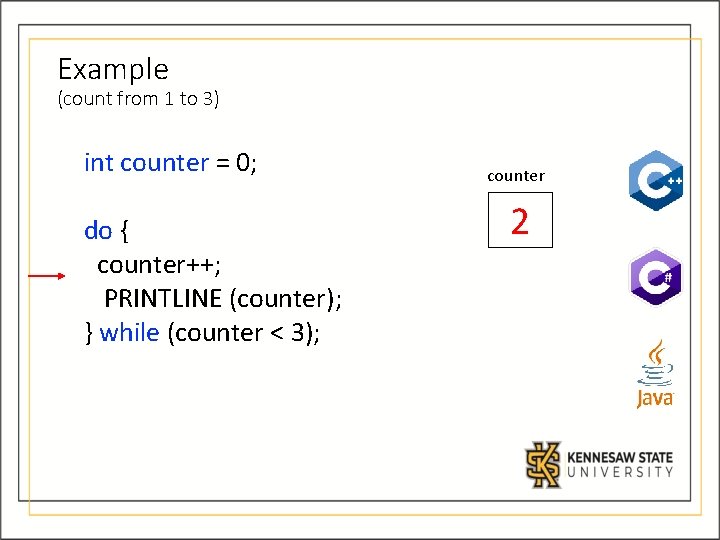
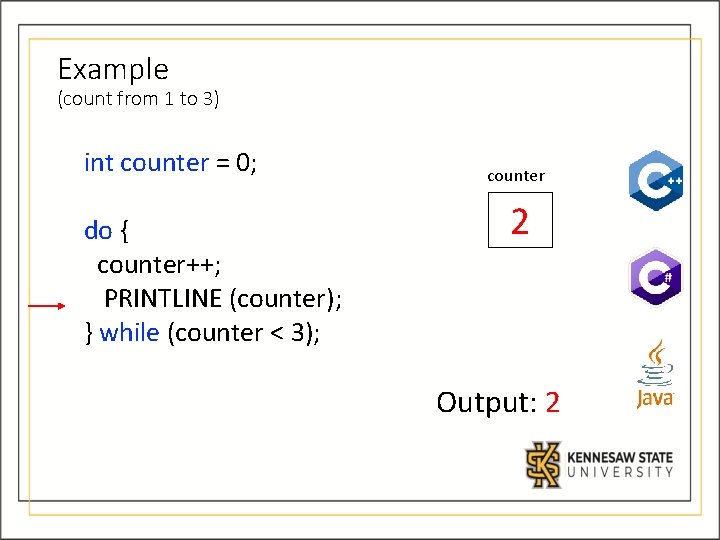
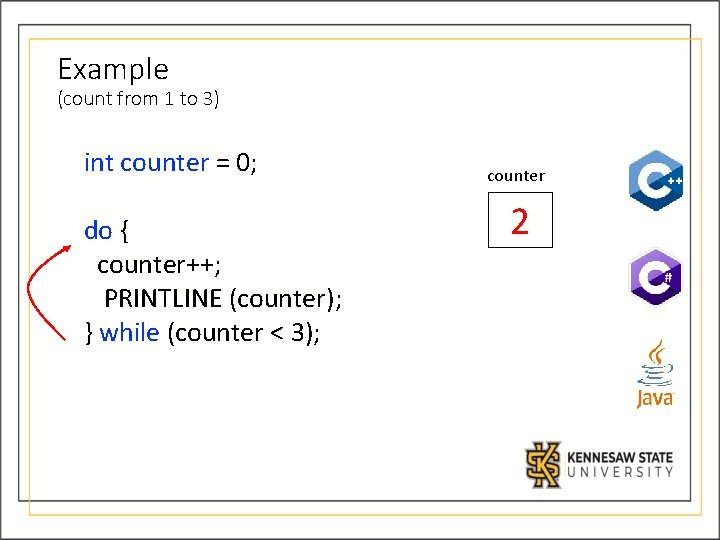
3. do-while Loop A do-while loop has the following syntax: DO //statement block WHILE (condition) END DO-WHILE • The statement is executed a minimum once initially, and then the condition is evaluated • The statement is executed repeatedly until the condition becomes false
Logic of do-while Loop
Example (count from 1 to 3) int counter = 0; do { counter++; PRINTLINE (counter); } while (counter < 3); counter 0
Example (count from 1 to 3) int counter = 0; do { counter++; PRINTLINE (counter); } while (counter < 3); counter 0
Example (count from 1 to 3) int counter = 0; do { counter++; PRINTLINE (counter); } while (counter < 3); counter 1
Example (count from 1 to 3) int counter = 0; do { counter++; PRINTLINE (counter); } while (counter < 3); counter 1 Output: 1
Example (count from 1 to 3) int counter = 0; do { counter++; PRINTLINE (counter); } while (counter < 3); counter 1
Example (count from 1 to 3) int counter = 0; do { counter++; PRINTLINE (counter); } while (counter < 3); counter 2
Example (count from 1 to 3) int counter = 0; do { counter++; PRINTLINE (counter); } while (counter < 3); counter 2 Output: 2
Example (count from 1 to 3) int counter = 0; do { counter++; PRINTLINE (counter); } while (counter < 3); counter 2
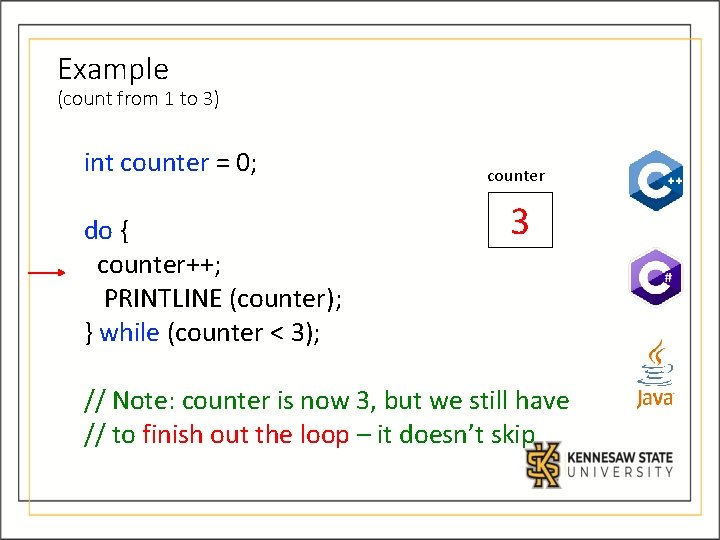
Example (count from 1 to 3) int counter = 0; do { counter++; PRINTLINE (counter); } while (counter < 3); counter 3 // Note: counter is now 3, but we still have // to finish out the loop – it doesn’t skip
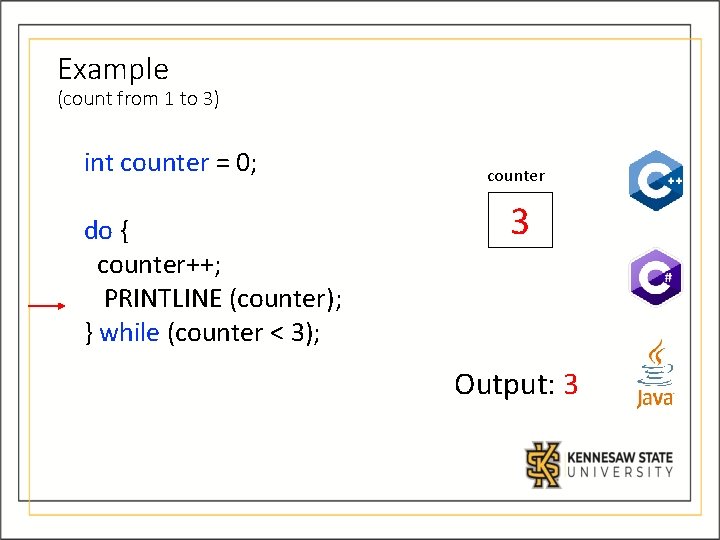
Example (count from 1 to 3) int counter = 0; do { counter++; PRINTLINE (counter); } while (counter < 3); counter 3 Output: 3
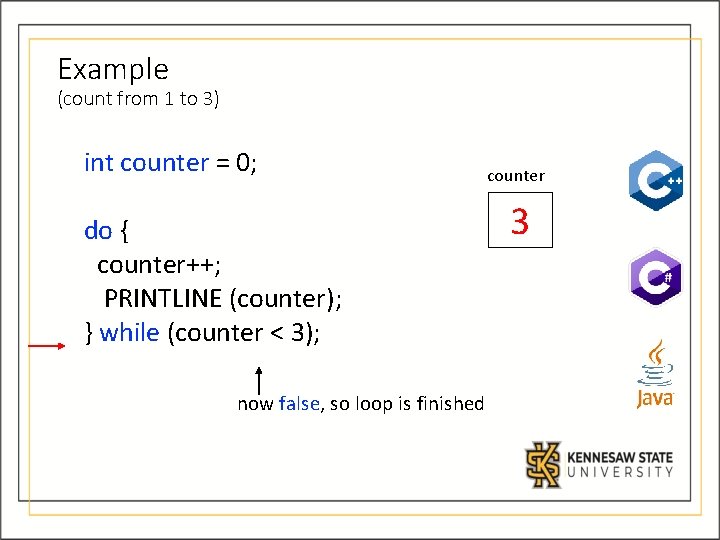
Example (count from 1 to 3) int counter = 0; do { counter++; PRINTLINE (counter); } while (counter < 3); now false, so loop is finished counter 3
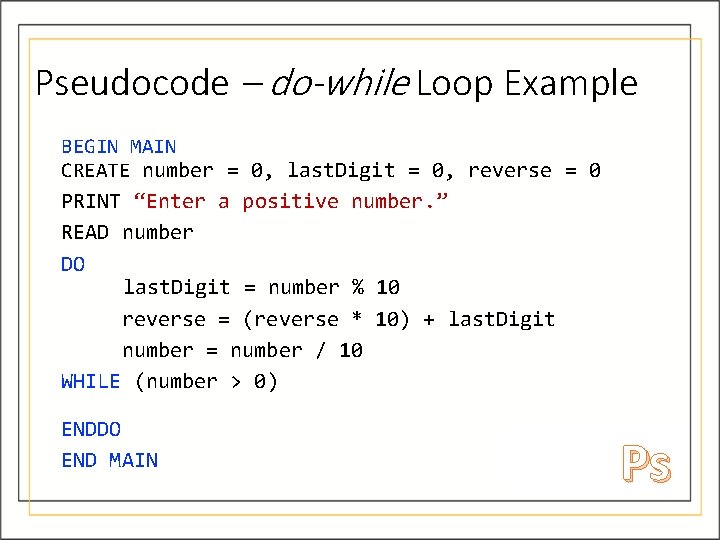
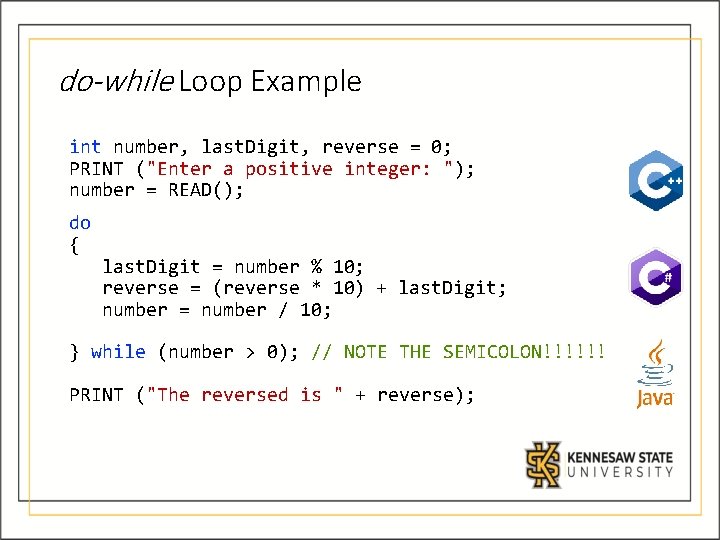
Pseudocode – do-while Loop Example Problem Statement: Write a program in which you enable your user to enter a number. Using a dowhile loop, output the reverse display of that number.
Pseudocode – do-while Loop Example BEGIN MAIN CREATE number = 0, last. Digit = 0, reverse = 0 PRINT “Enter a positive number. ” READ number DO last. Digit = number % 10 reverse = (reverse * 10) + last. Digit number = number / 10 WHILE (number > 0) ENDDO END MAIN Ps
do-while Loop Example int number, last. Digit, reverse = 0; PRINT ("Enter a positive integer: "); number = READ(); do { last. Digit = number % 10; reverse = (reverse * 10) + last. Digit; number = number / 10; } while (number > 0); // NOTE THE SEMICOLON!!!!!! PRINT ("The reversed is " + reverse);
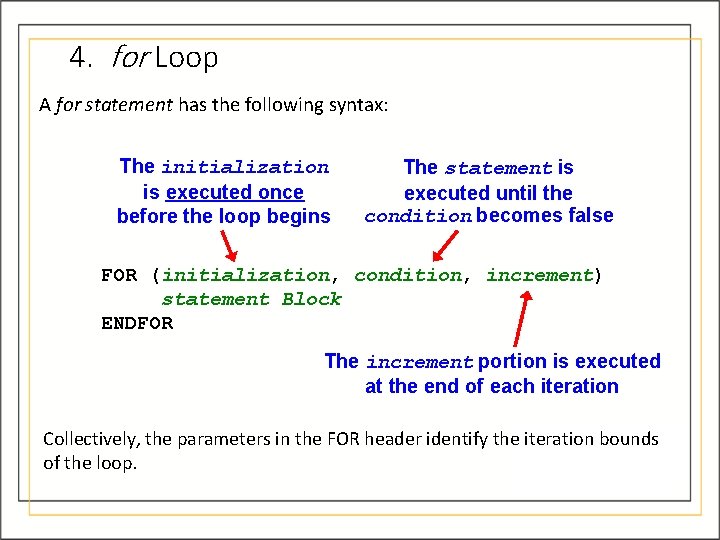
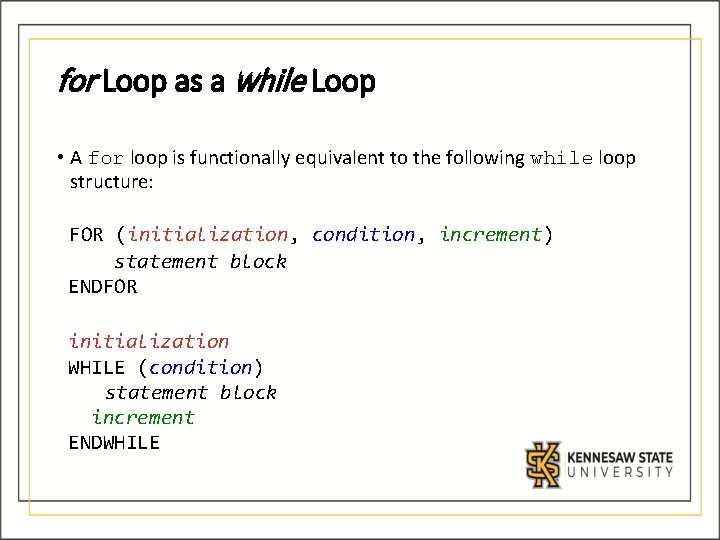
4. for Loop A for statement has the following syntax: The initialization is executed once before the loop begins The statement is executed until the condition becomes false FOR (initialization, condition, increment) statement Block ENDFOR The increment portion is executed at the end of each iteration Collectively, the parameters in the FOR header identify the iteration bounds of the loop.
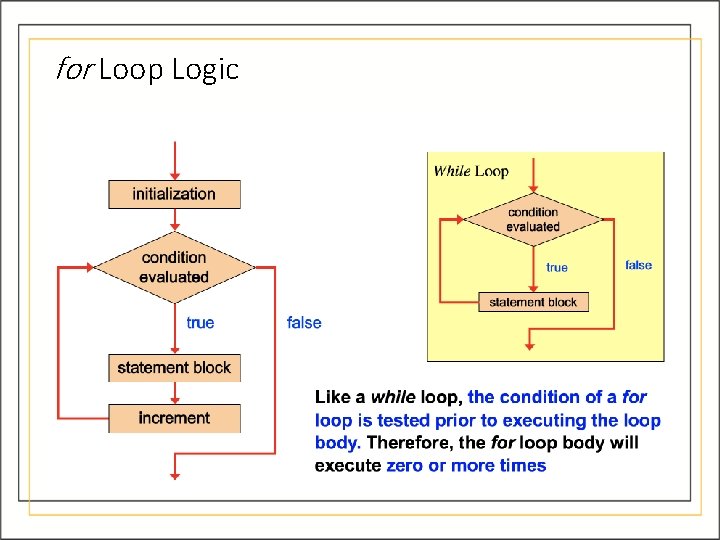
for Loop Logic
for Loop as a while Loop • A for loop is functionally equivalent to the following while loop structure: FOR (initialization, condition, increment) statement block ENDFOR initialization WHILE (condition) statement block increment ENDWHILE
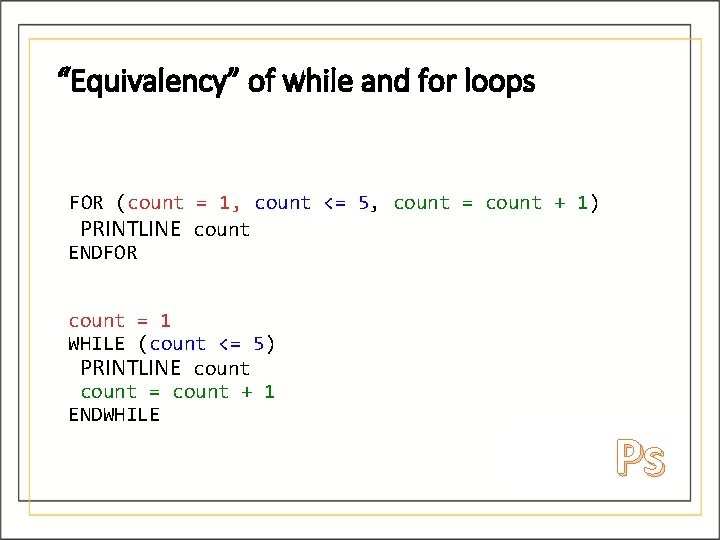
“Equivalency” of while and for loops FOR (count = 1, count <= 5, count = count + 1) PRINTLINE count ENDFOR count = 1 WHILE (count <= 5) PRINTLINE count = count + 1 ENDWHILE Ps
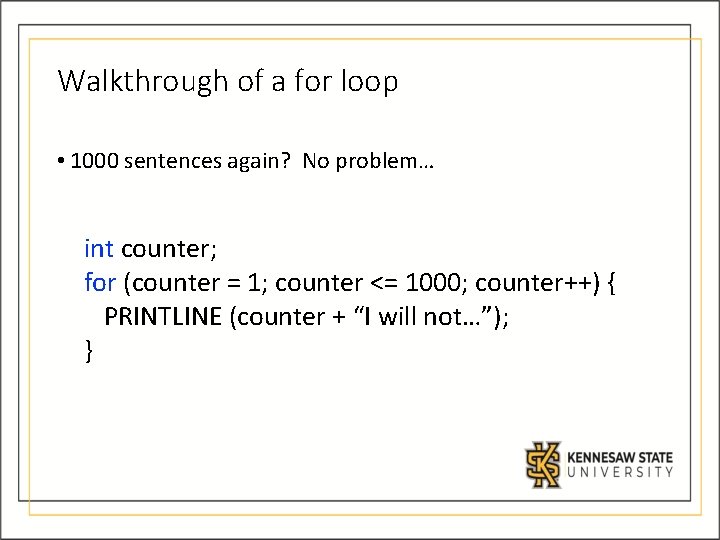
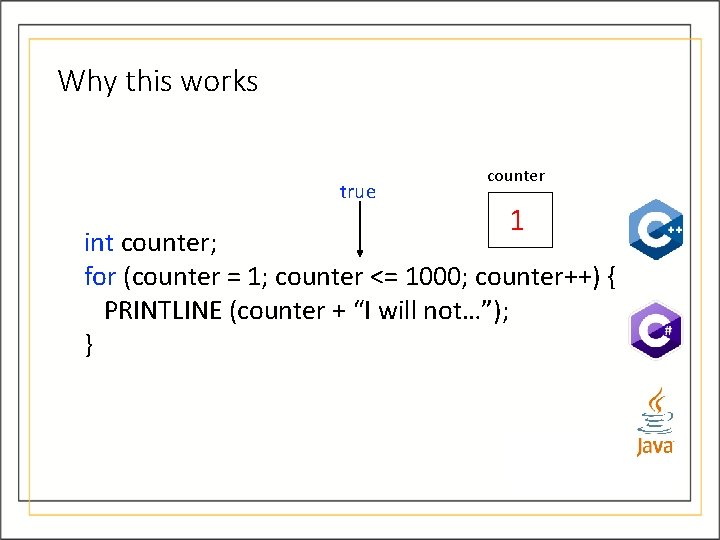
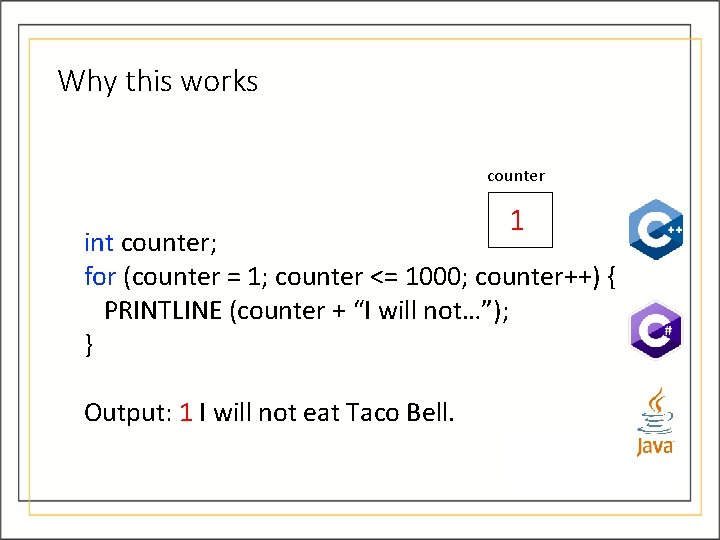
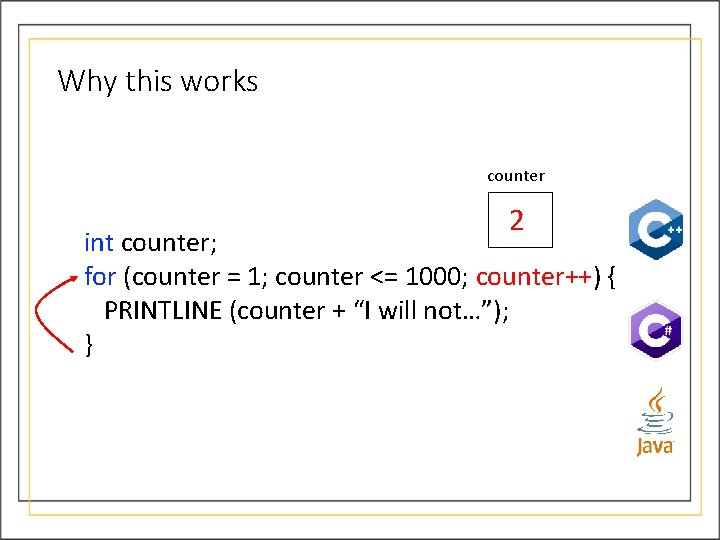
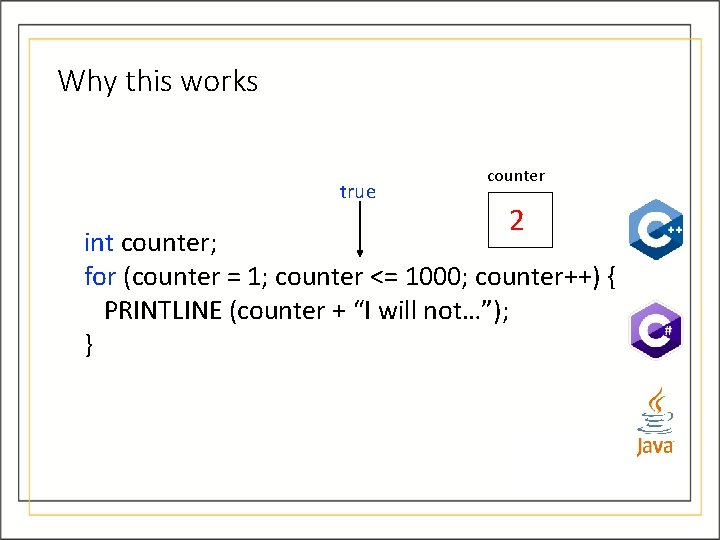
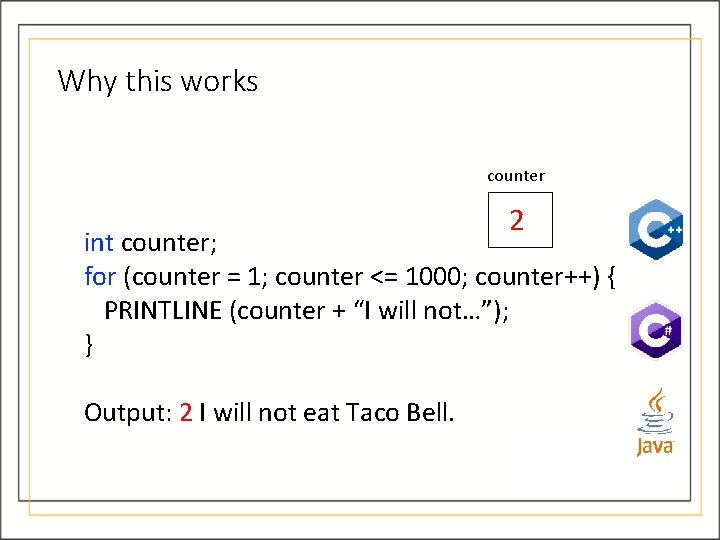
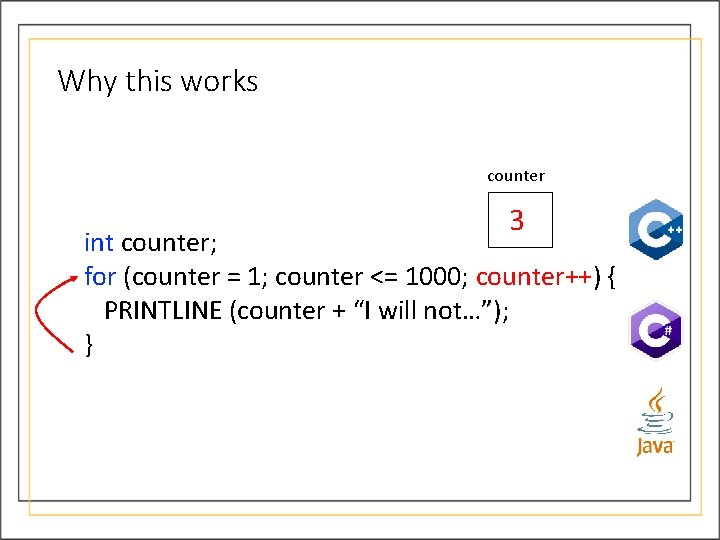
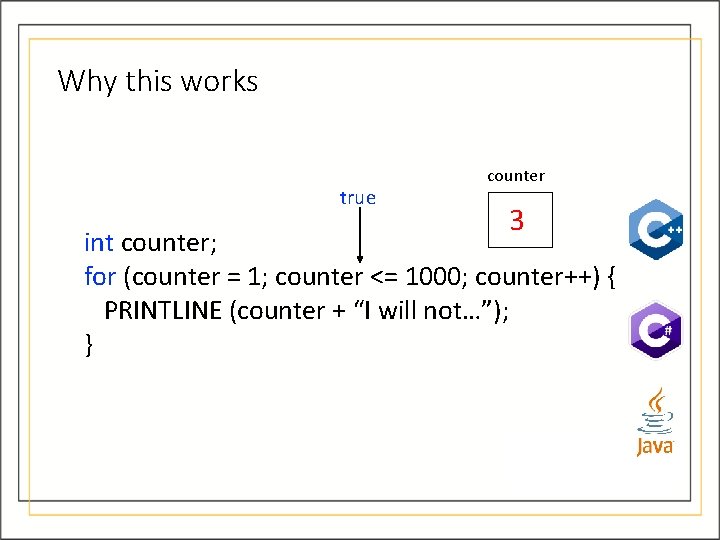
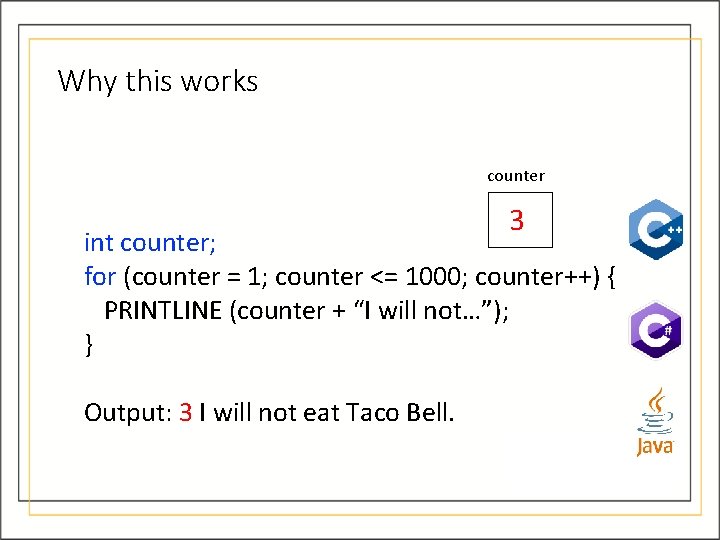
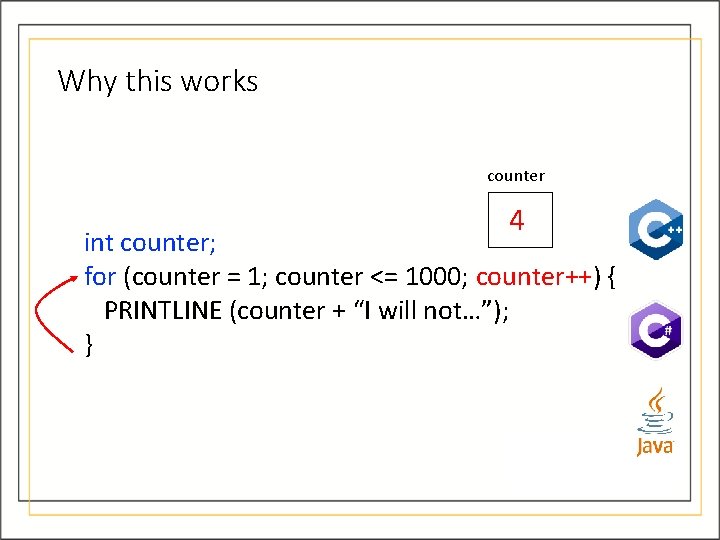
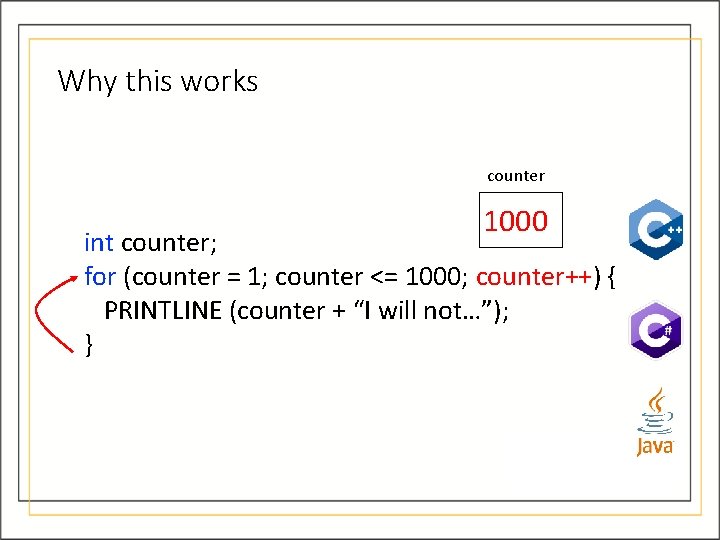
Walkthrough of a for loop • 1000 sentences again? No problem… int counter; for (counter = 1; counter <= 1000; counter++) { PRINTLINE (counter + “I will not…”); }
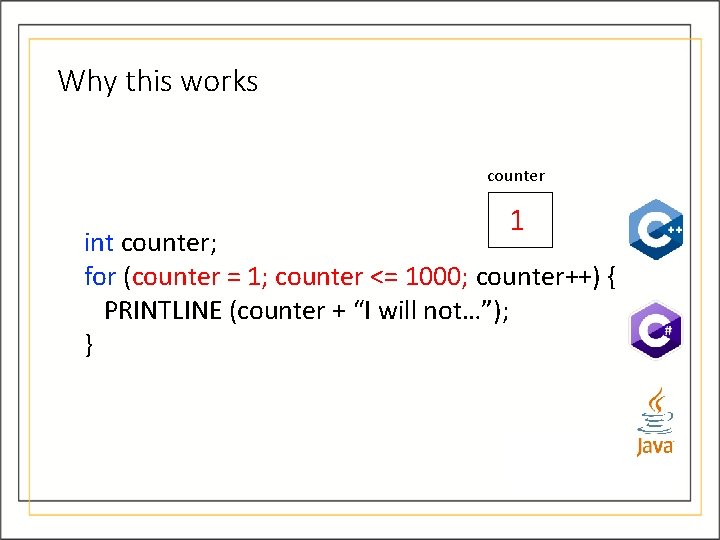
Why this works counter 1 int counter; for (counter = 1; counter <= 1000; counter++) { PRINTLINE (counter + “I will not…”); }
Why this works true counter 1 int counter; for (counter = 1; counter <= 1000; counter++) { PRINTLINE (counter + “I will not…”); }
Why this works counter 1 int counter; for (counter = 1; counter <= 1000; counter++) { PRINTLINE (counter + “I will not…”); } Output: 1 I will not eat Taco Bell.
Why this works counter 2 int counter; for (counter = 1; counter <= 1000; counter++) { PRINTLINE (counter + “I will not…”); }
Why this works true counter 2 int counter; for (counter = 1; counter <= 1000; counter++) { PRINTLINE (counter + “I will not…”); }
Why this works counter 2 int counter; for (counter = 1; counter <= 1000; counter++) { PRINTLINE (counter + “I will not…”); } Output: 2 I will not eat Taco Bell.
Why this works counter 3 int counter; for (counter = 1; counter <= 1000; counter++) { PRINTLINE (counter + “I will not…”); }
Why this works true counter 3 int counter; for (counter = 1; counter <= 1000; counter++) { PRINTLINE (counter + “I will not…”); }
Why this works counter 3 int counter; for (counter = 1; counter <= 1000; counter++) { PRINTLINE (counter + “I will not…”); } Output: 3 I will not eat Taco Bell.
Why this works counter 4 int counter; for (counter = 1; counter <= 1000; counter++) { PRINTLINE (counter + “I will not…”); }
When will it end? • We see that this will go on for a while • It’s a little more interesting later around 1000
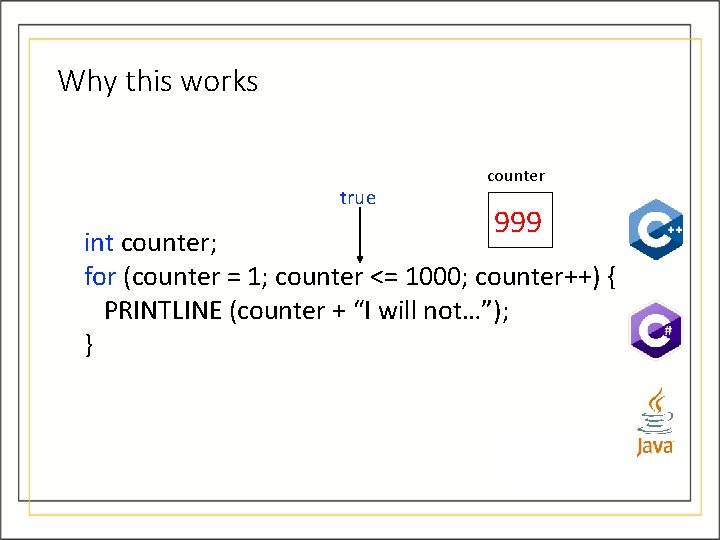
Why this works true counter 999 int counter; for (counter = 1; counter <= 1000; counter++) { PRINTLINE (counter + “I will not…”); }
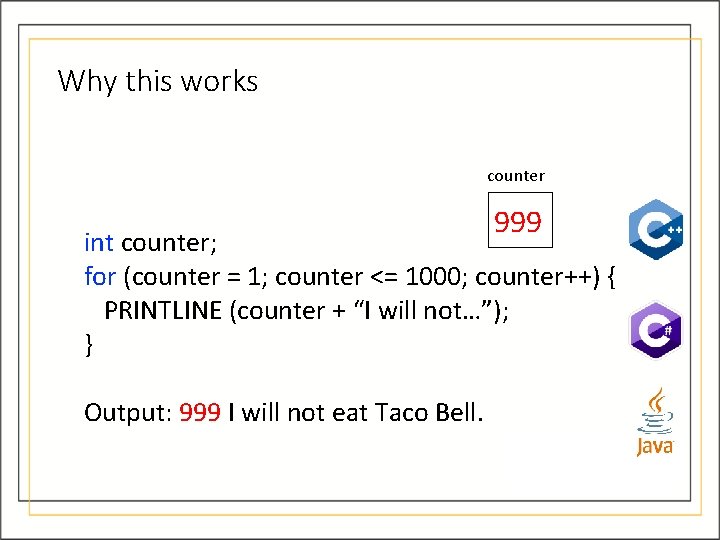
Why this works counter 999 int counter; for (counter = 1; counter <= 1000; counter++) { PRINTLINE (counter + “I will not…”); } Output: 999 I will not eat Taco Bell.
Why this works counter 1000 int counter; for (counter = 1; counter <= 1000; counter++) { PRINTLINE (counter + “I will not…”); }
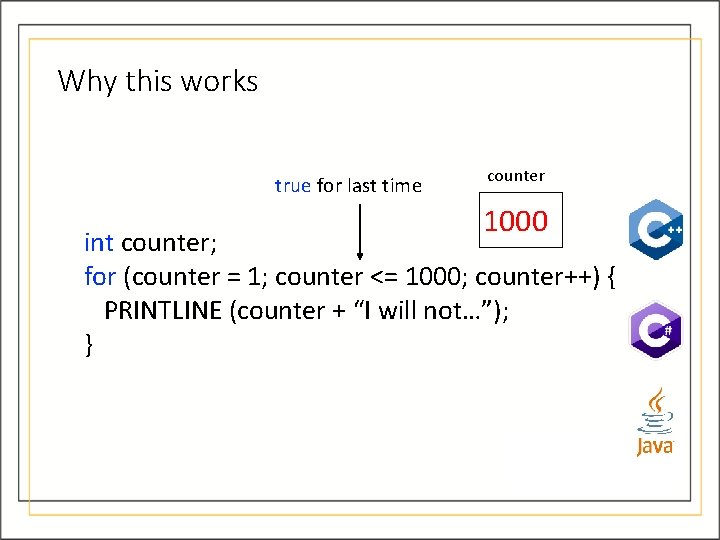
Why this works true for last time counter 1000 int counter; for (counter = 1; counter <= 1000; counter++) { PRINTLINE (counter + “I will not…”); }
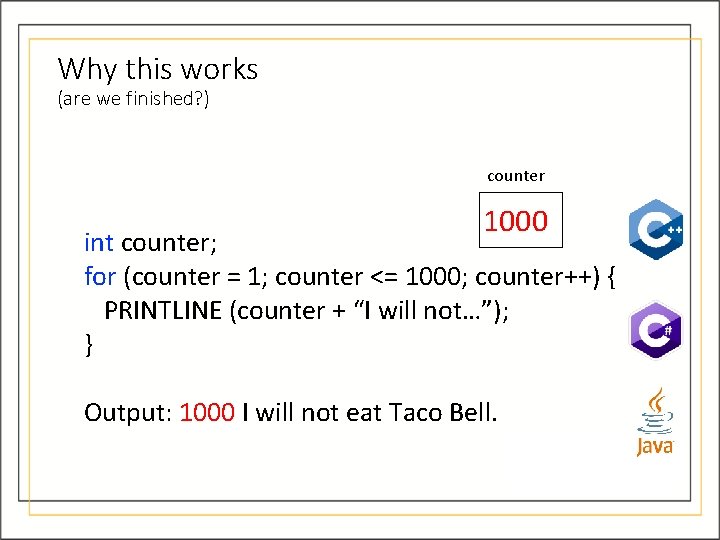
Why this works (are we finished? ) counter 1000 int counter; for (counter = 1; counter <= 1000; counter++) { PRINTLINE (counter + “I will not…”); } Output: 1000 I will not eat Taco Bell.
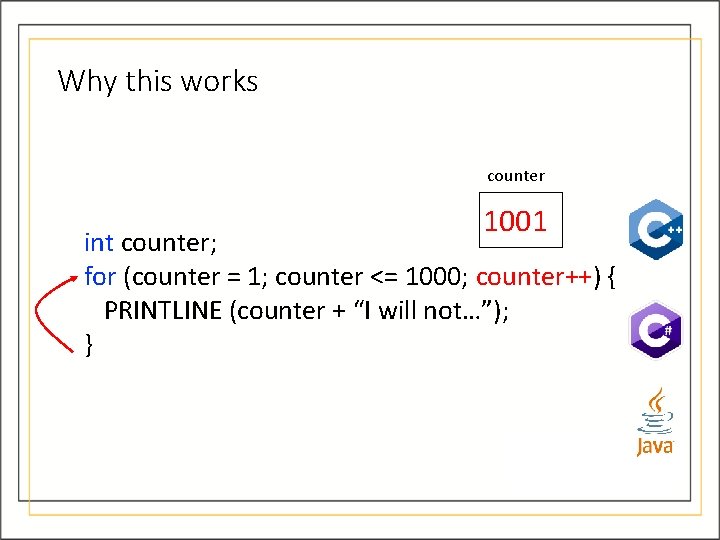
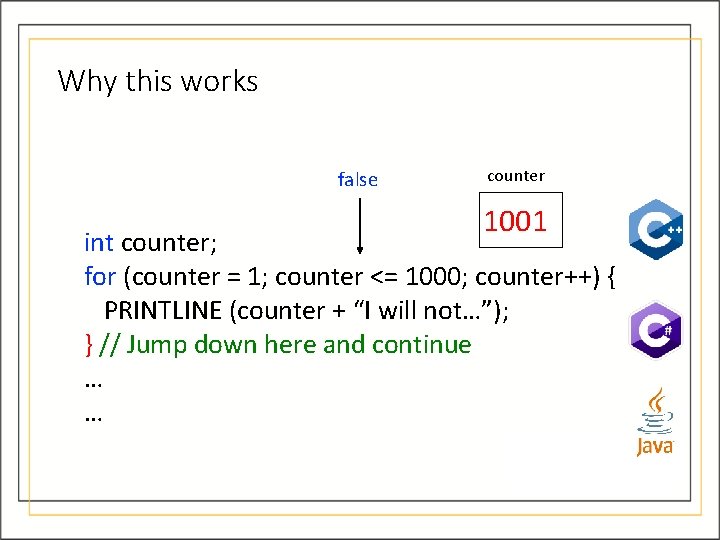
Why this works counter 1001 int counter; for (counter = 1; counter <= 1000; counter++) { PRINTLINE (counter + “I will not…”); }
Why this works false counter 1001 int counter; for (counter = 1; counter <= 1000; counter++) { PRINTLINE (counter + “I will not…”); } // Jump down here and continue … …
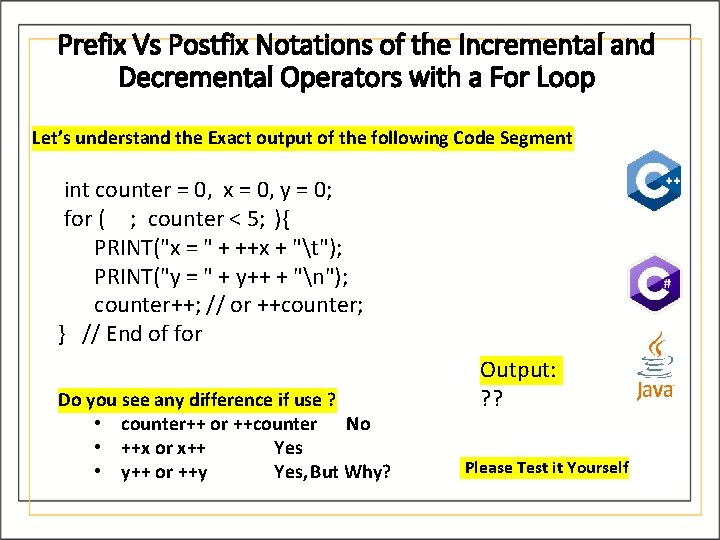
Prefix Vs Postfix Notations of the Incremental and Decremental Operators with a For Loop Let’s understand the Exact output of the following Code Segment int counter = 0, x = 0, y = 0; for ( ; counter < 5; ){ PRINT("x = " + ++x + "t"); PRINT("y = " + y++ + "n"); counter++; // or ++counter; } // End of for Do you see any difference if use ? • counter++ or ++counter No • ++x or x++ Yes • y++ or ++y Yes, But Why? Output: ? ? Please Test it Yourself
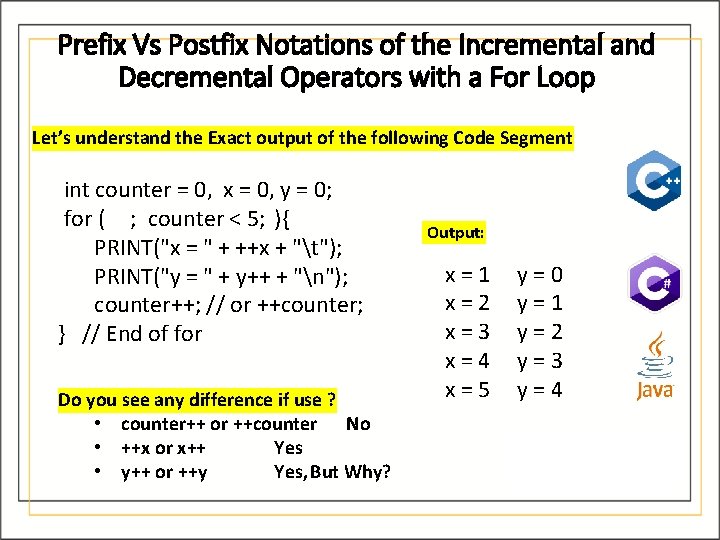
Prefix Vs Postfix Notations of the Incremental and Decremental Operators with a For Loop Let’s understand the Exact output of the following Code Segment int counter = 0, x = 0, y = 0; for ( ; counter < 5; ){ PRINT("x = " + ++x + "t"); PRINT("y = " + y++ + "n"); counter++; // or ++counter; } // End of for Do you see any difference if use ? • counter++ or ++counter No • ++x or x++ Yes • y++ or ++y Yes, But Why? Output: x=1 x=2 x=3 x=4 x=5 y=0 y=1 y=2 y=3 y=4
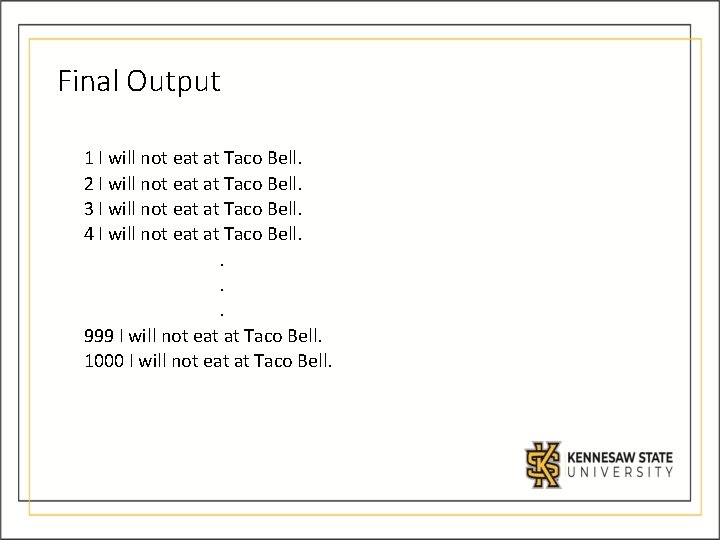
Final Output 1 I will not eat at Taco Bell. 2 I will not eat at Taco Bell. 3 I will not eat at Taco Bell. 4 I will not eat at Taco Bell. . 999 I will not eat at Taco Bell. 1000 I will not eat at Taco Bell.
In-class Problem: Problem Statement: Write a program in which you enable your user to enter a number for which they want to see the multiplication table.
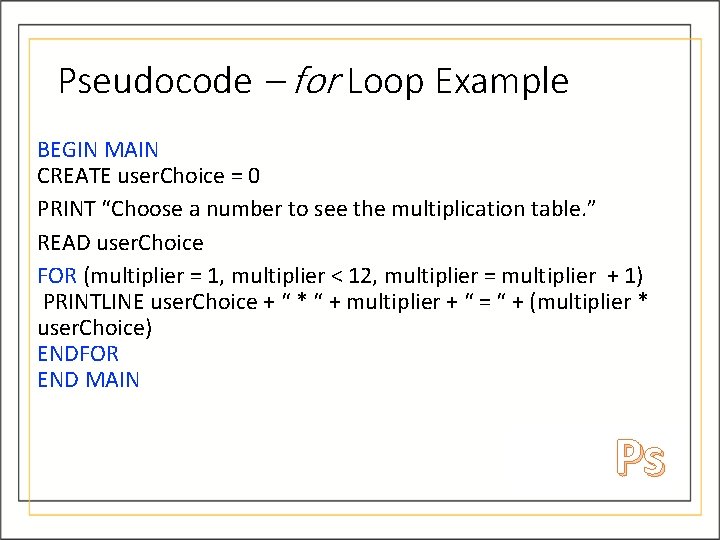
Pseudocode – for Loop Example BEGIN MAIN CREATE user. Choice = 0 PRINT “Choose a number to see the multiplication table. ” READ user. Choice FOR (multiplier = 1, multiplier < 12, multiplier = multiplier + 1) PRINTLINE user. Choice + “ * “ + multiplier + “ = “ + (multiplier * user. Choice) ENDFOR END MAIN Ps
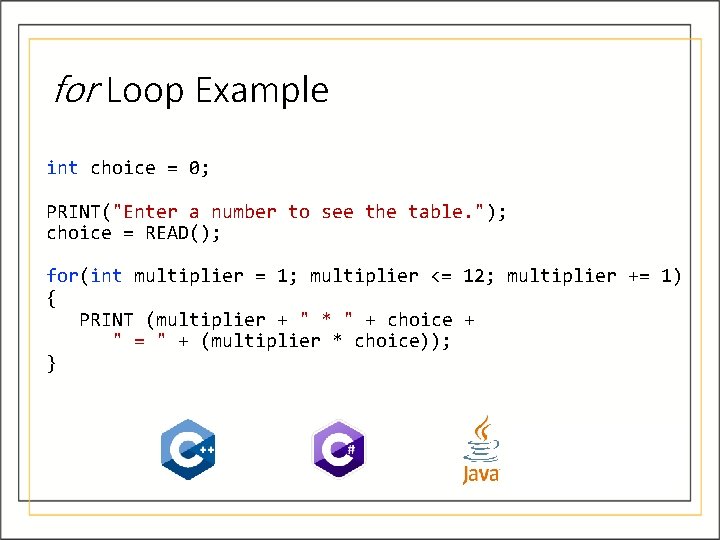
for Loop Example int choice = 0; PRINT("Enter a number to see the table. "); choice = READ(); for(int multiplier = 1; multiplier <= 12; multiplier += 1) { PRINT (multiplier + " * " + choice + " = " + (multiplier * choice)); }
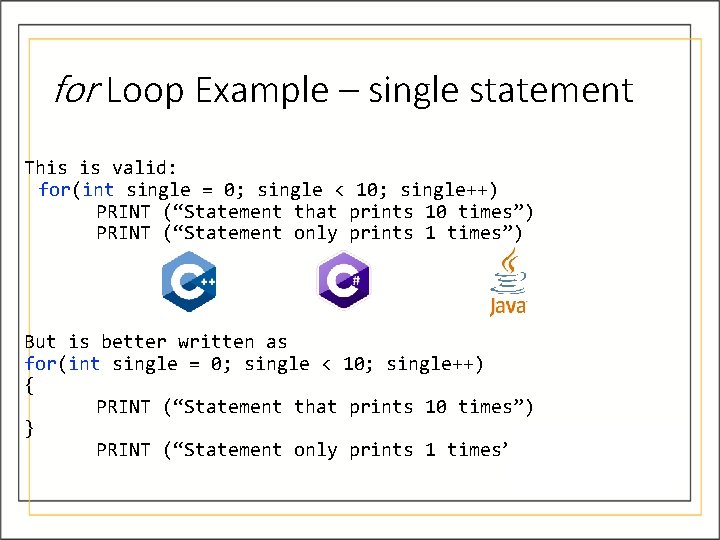
for Loop Example – single statement This is valid: for(int single = 0; single < 10; single++) PRINT (“Statement that prints 10 times”) PRINT (“Statement only prints 1 times”) But is better written as for(int single = 0; single < 10; single++) { PRINT (“Statement that prints 10 times”) } PRINT (“Statement only prints 1 times”)
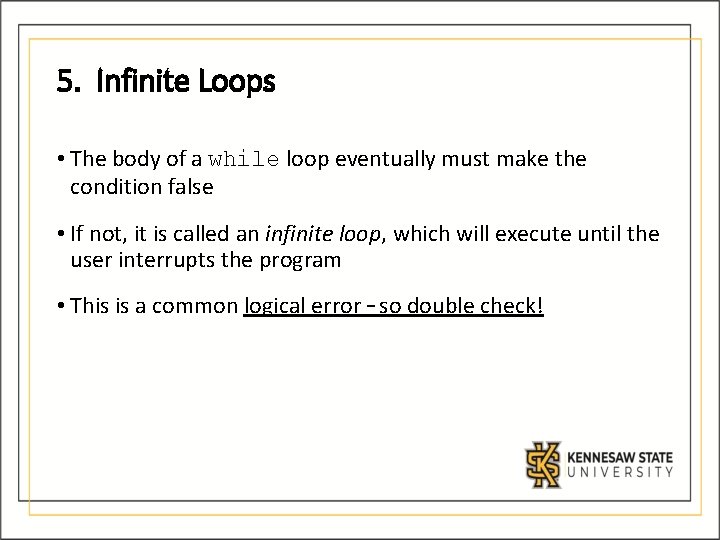
5. Infinite Loops • The body of a while loop eventually must make the condition false • If not, it is called an infinite loop, which will execute until the user interrupts the program • This is a common logical error – so double check!
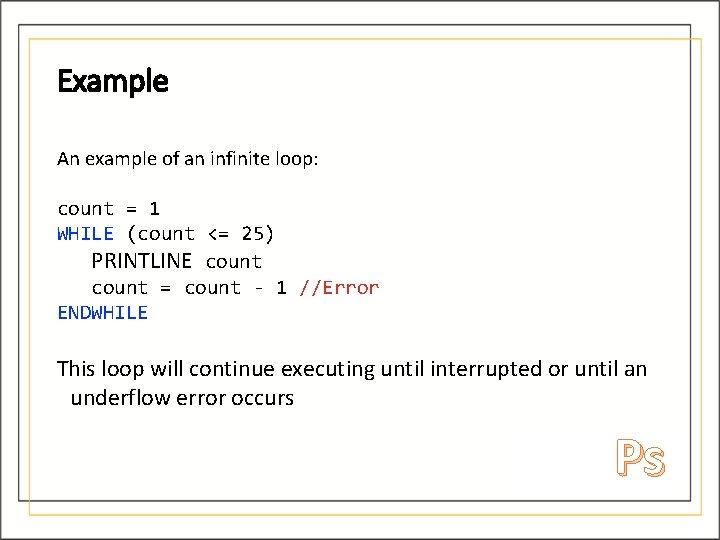
Example An example of an infinite loop: count = 1 WHILE (count <= 25) PRINTLINE count = count - 1 //Error ENDWHILE This loop will continue executing until interrupted or until an underflow error occurs Ps
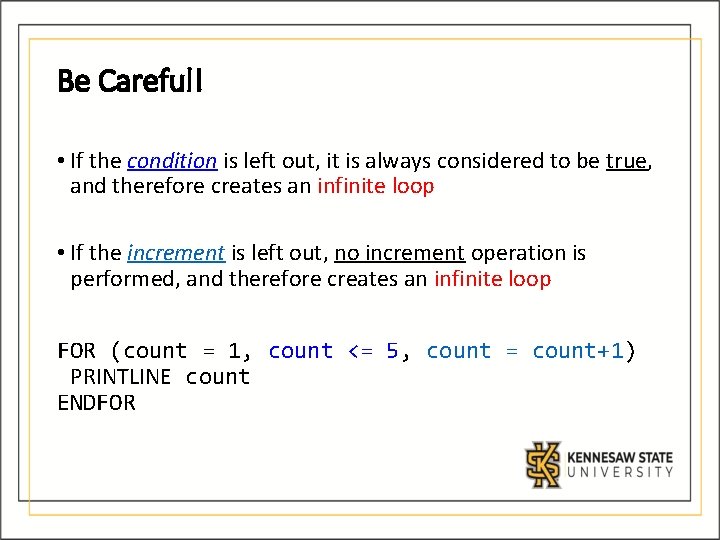
Be Careful! • If the condition is left out, it is always considered to be true, and therefore creates an infinite loop • If the increment is left out, no increment operation is performed, and therefore creates an infinite loop FOR (count = 1, count <= 5, count = count+1) PRINTLINE count ENDFOR
6. Nested Loops • Similar to nested if statements, loops contain other loop statements • For each iteration of the outer loop, the inner loop iterates completely
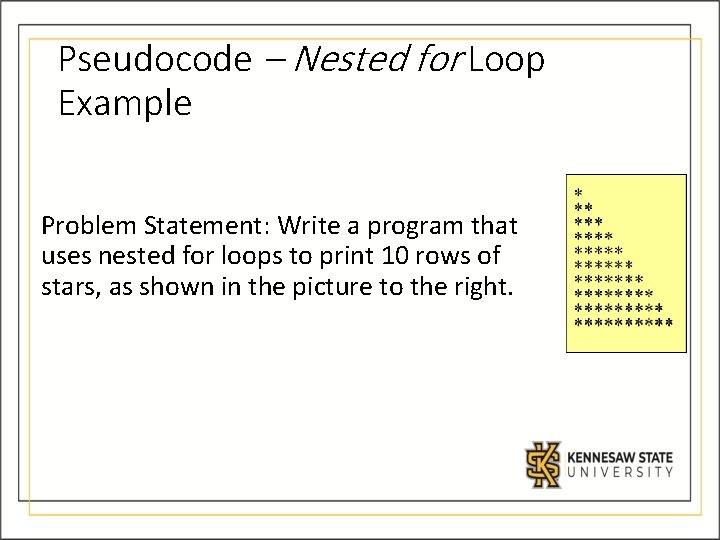
Pseudocode – Nested for Loop Example Problem Statement: Write a program that uses nested for loops to print 10 rows of stars, as shown in the picture to the right.
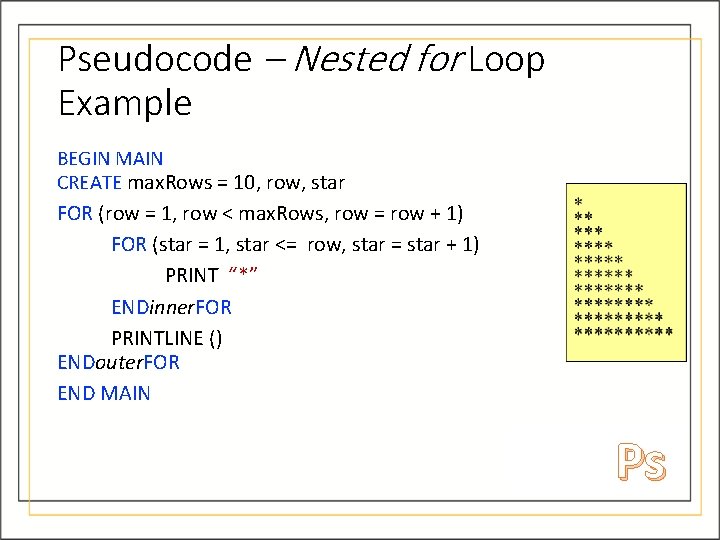
Pseudocode – Nested for Loop Example BEGIN MAIN CREATE max. Rows = 10, row, star FOR (row = 1, row < max. Rows, row = row + 1) FOR (star = 1, star <= row, star = star + 1) PRINT “*” ENDinner. FOR PRINTLINE () ENDouter. FOR END MAIN Ps
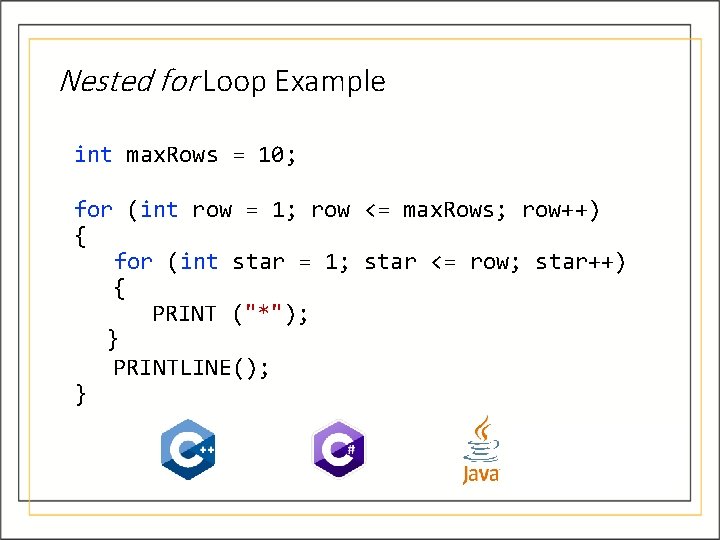
Nested for Loop Example int max. Rows = 10; for (int row = 1; row <= max. Rows; row++) { for (int star = 1; star <= row; star++) { PRINT ("*"); } PRINTLINE(); }
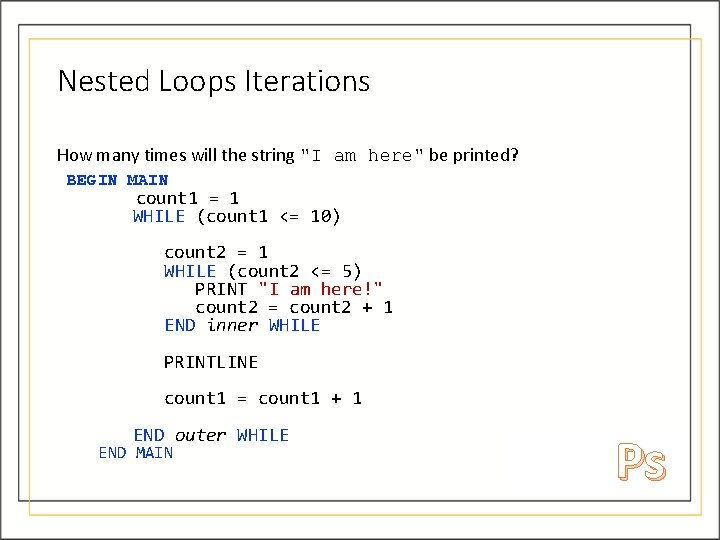
Nested Loops Iterations How many times will the string "I am here" be printed? BEGIN MAIN count 1 = 1 WHILE (count 1 <= 10) count 2 = 1 WHILE (count 2 <= 5) PRINT "I am here!" count 2 = count 2 + 1 END inner WHILE PRINTLINE count 1 = count 1 + 1 END outer WHILE END MAIN Ps
7. Using break and continue • We can additionally control the flow of how loops work with keywords break and continue • break stops the loop • continue “skips” the current iteration
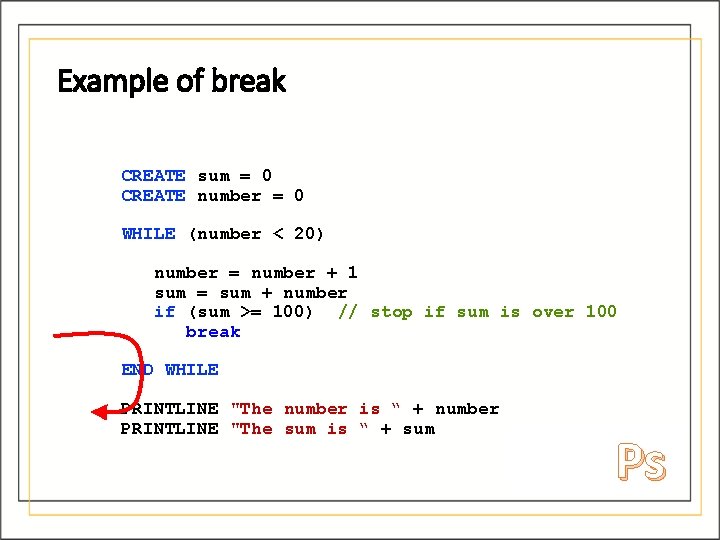
Example of break CREATE sum = 0 CREATE number = 0 WHILE (number < 20) number = number + 1 sum = sum + number if (sum >= 100) // stop if sum is over 100 break END WHILE PRINTLINE "The number is “ + number PRINTLINE "The sum is “ + sum Ps
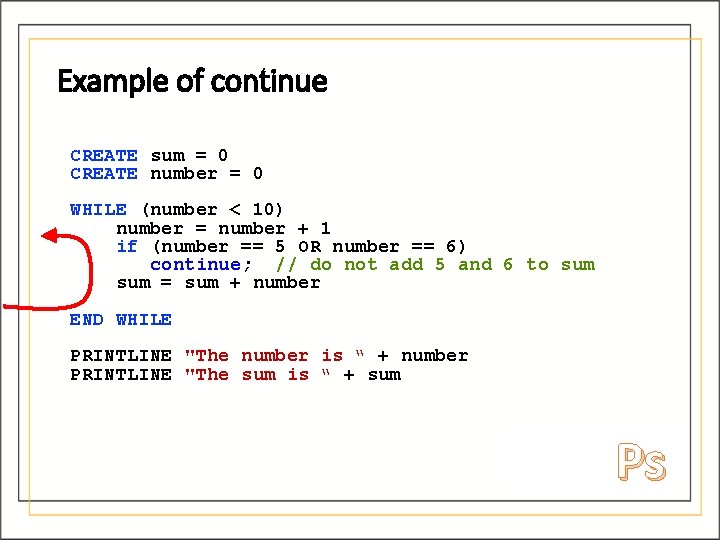
Example of continue CREATE sum = 0 CREATE number = 0 WHILE (number < 10) number = number + 1 if (number == 5 OR number == 6) continue; // do not add 5 and 6 to sum = sum + number END WHILE PRINTLINE "The number is “ + number PRINTLINE "The sum is “ + sum Ps
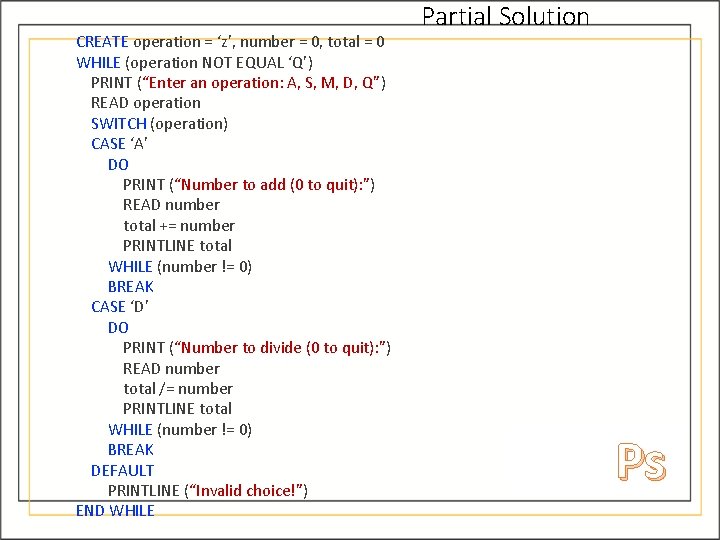
In-class Problem Write Pseudocode for a calculator program that enables the user to select an operation (Add, Subtract, Multiply, Divide, or Quit) and then enter a series of numbers where that operation is applied. The program should continue asking for numbers until the user enters a 0, at which point it asks for another operation.
CREATE operation = ‘z’, number = 0, total = 0 WHILE (operation NOT EQUAL ‘Q’) PRINT (“Enter an operation: A, S, M, D, Q”) READ operation SWITCH (operation) CASE ‘A’ DO PRINT (“Number to add (0 to quit): ”) READ number total += number PRINTLINE total WHILE (number != 0) BREAK CASE ‘D’ DO PRINT (“Number to divide (0 to quit): ”) READ number total /= number PRINTLINE total WHILE (number != 0) BREAK DEFAULT PRINTLINE (“Invalid choice!”) END WHILE Partial Solution Ps
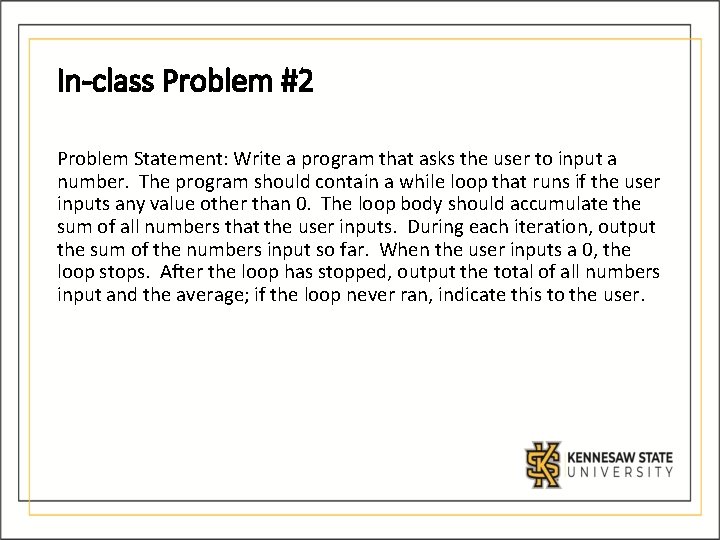
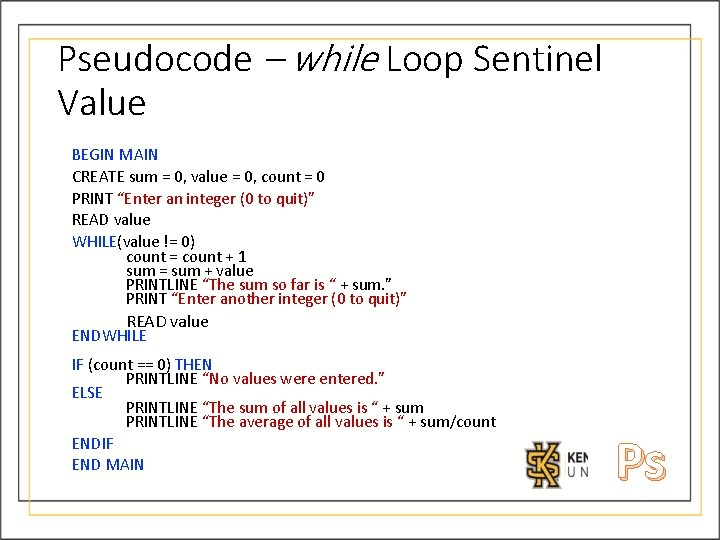
In-class Problem #2 Problem Statement: Write a program that asks the user to input a number. The program should contain a while loop that runs if the user inputs any value other than 0. The loop body should accumulate the sum of all numbers that the user inputs. During each iteration, output the sum of the numbers input so far. When the user inputs a 0, the loop stops. After the loop has stopped, output the total of all numbers input and the average; if the loop never ran, indicate this to the user.
Pseudocode – while Loop Sentinel Value BEGIN MAIN CREATE sum = 0, value = 0, count = 0 PRINT “Enter an integer (0 to quit)” READ value WHILE(value != 0) count = count + 1 sum = sum + value PRINTLINE “The sum so far is “ + sum. ” PRINT “Enter another integer (0 to quit)” READ value ENDWHILE IF (count == 0) THEN PRINTLINE “No values were entered. ” ELSE PRINTLINE “The sum of all values is “ + sum PRINTLINE “The average of all values is “ + sum/count ENDIF END MAIN Ps
End of Module 4 Slides