
Module 2 Information Technology Infrastructure Chapter 6 Telecommunications

- Slides: 27
Module 2: Information Technology Infrastructure Chapter 6: Telecommunications, Internet and Wireless Technology
Learning Objectives • Identify the telecommunication media and hardware required for transmission • Identify the network types and key networking technologies (including protocols) • Discuss the principle technologies and standards for wireless networking • Describe several telecommunication applications that orgs benefit from today • Discuss how Internet works and its support for communications and e-business
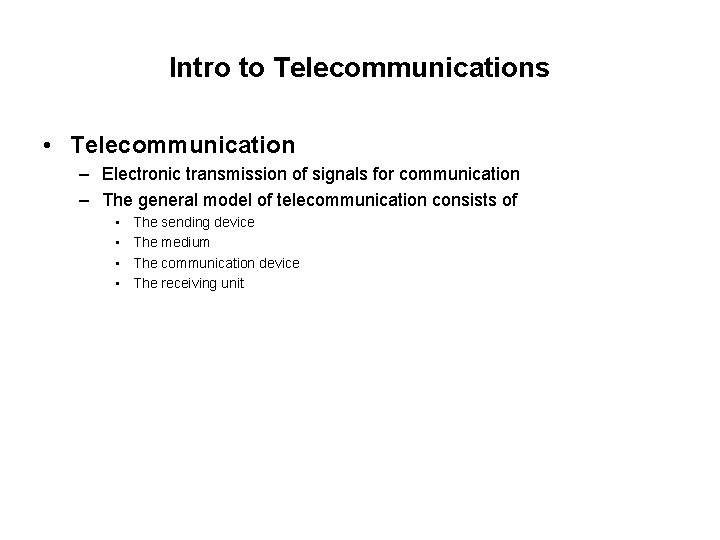
Intro to Telecommunications • Telecommunication – Electronic transmission of signals for communication – The general model of telecommunication consists of • • The sending device The medium The communication device The receiving unit
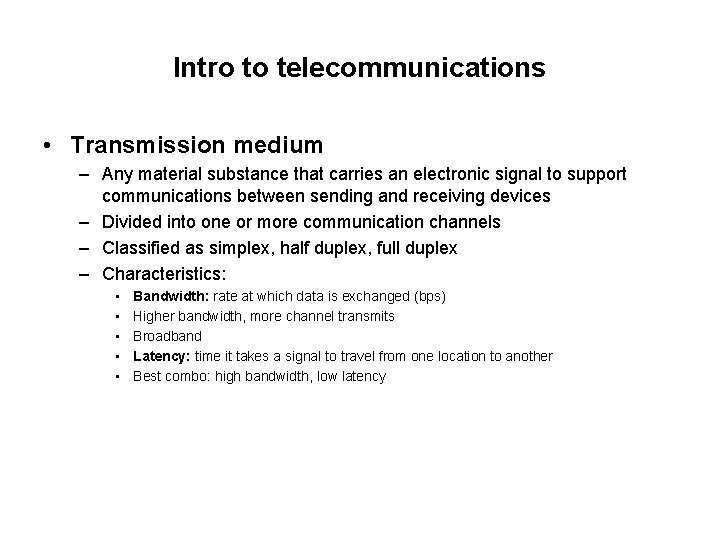
Intro to telecommunications • Transmission medium – Any material substance that carries an electronic signal to support communications between sending and receiving devices – Divided into one or more communication channels – Classified as simplex, half duplex, full duplex – Characteristics: • • • Bandwidth: rate at which data is exchanged (bps) Higher bandwidth, more channel transmits Broadband Latency: time it takes a signal to travel from one location to another Best combo: high bandwidth, low latency
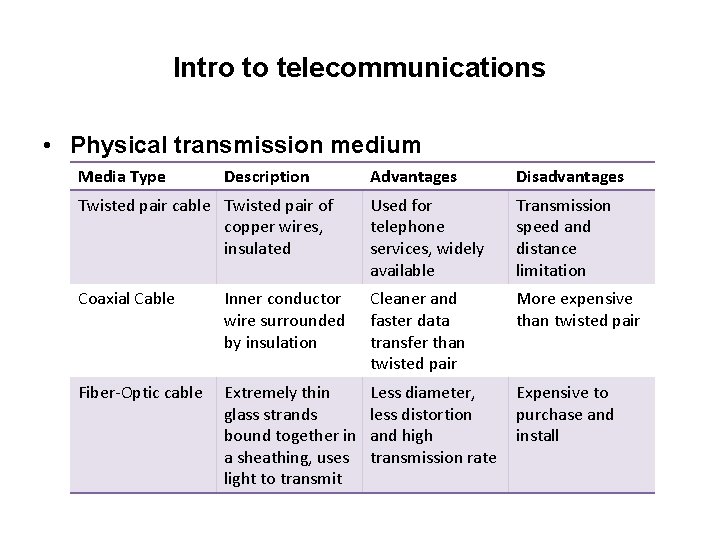
Intro to telecommunications • Physical transmission medium Media Type Description Advantages Disadvantages Twisted pair cable Twisted pair of copper wires, insulated Used for telephone services, widely available Transmission speed and distance limitation Coaxial Cable Inner conductor wire surrounded by insulation Cleaner and faster data transfer than twisted pair More expensive than twisted pair Fiber-Optic cable Extremely thin glass strands bound together in a sheathing, uses light to transmit Less diameter, less distortion and high transmission rate Expensive to purchase and install
Intro to telecommunications • Wireless transmission medium – Microwave – Radio – Infrared
Intro to telecommunications • Telecommunication Hardware – Modem • Special device that converts digital signals to analog signals (modulation) and vice versa (demodulation) • PC modem, cable modem, DSL modem – Hub • Device that connect network components, sending a packet of data to all other connected devices – Switch • Smarter than hub, forward data to specific destination – Network Interface Card • Network interface device, connection medium for linking network components
Intro to telecommunications • Telecommunication Hardware – Router – WAP
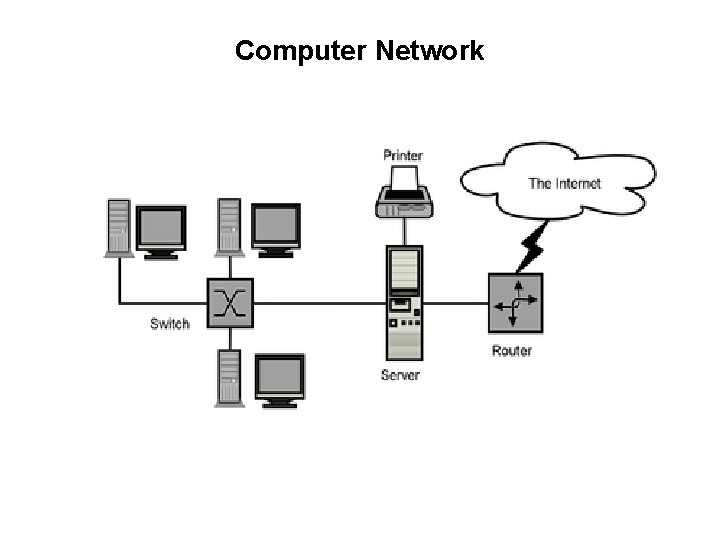
Computer Network • A network consists of two or more connected computers • A simple network contains: – – – Client computer Dedicated server Network interfaces Connection medium Network operating system Hub/switch
Computer Network
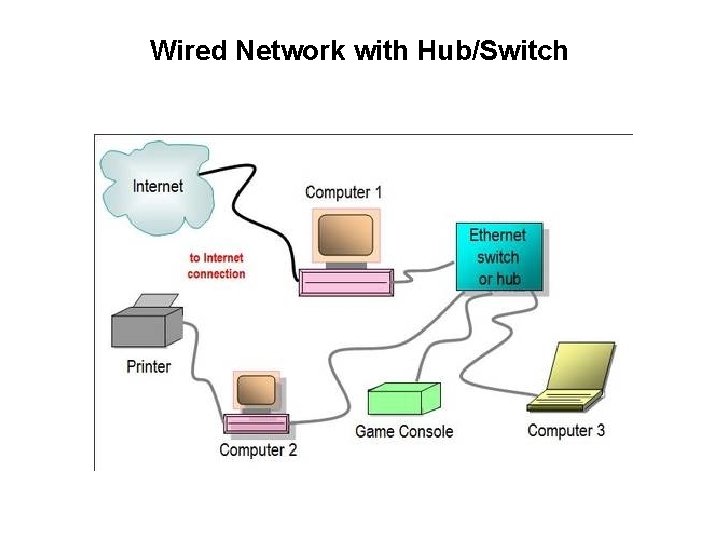
Wired Network with Hub/Switch
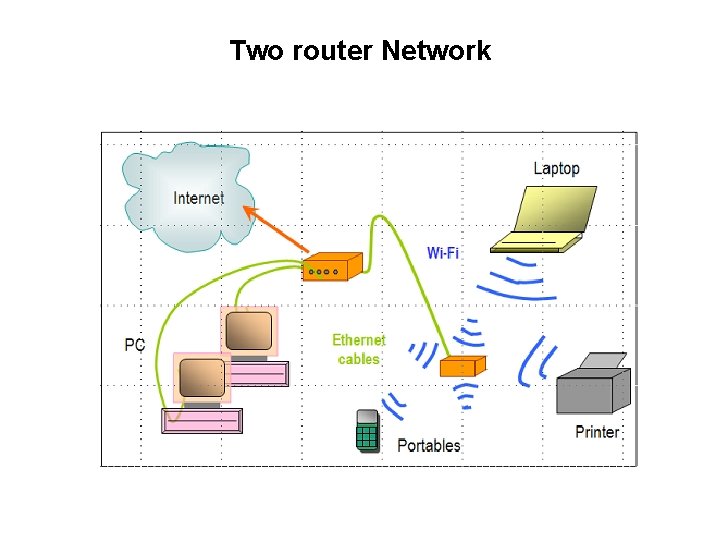
Two router Network
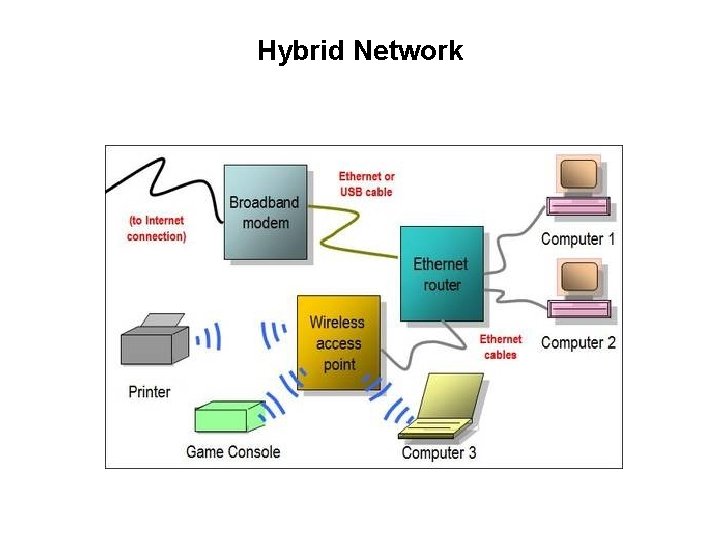
Hybrid Network
Computer Network • Types of Networks – Local Area Networks (LAN): connects computer systems and devices within a small area, typically they are wired into office buildings • Computers must be equipped with the correct interface • Client/Server architecture: One computer is dedicated network file server, providing access to resources • Ethernet: LAN standard for physical medium (10 Mbps) • Fast Ethernet (100 Mps), Gigabit Ethernet (1 Gbps) • Peer-to-peer architecture: used in very small networks, different computers can exchange data by direct access and also peripheral devices. Useful for small businesses – Metropolitan Area Networks (MAN): connects computers systems within a campus or a city • Range of 30 -90 miles
Computer Network • Types of Networks – Wide Area Networks (WAN): International Networks: connects large geographical regions • Internet – world’s largest WAN – Mesh Networking: way to route communications among network nodes by allowing for continuous connections and reconfiguration around blocked paths • Robust, if one node fails, others can still communicate • Can be used to provide Internet access, secure connections to corporate netowrks and Vo. IP calls
Key Digital Networking Technologies • Client/Server computing – Distributed computing model, some processing power on client computers – Linked to network to server computers, sets rules for communication, provides every client with an address • Packet Switching – Slicing digital messages into packets, sending them over communication paths, reassembling at destination – Transmitted through routers
Key Digital Networking Technologies • TCP/IP Connectivity – Protocol: set of rules and procedures concerning transmission of information between 2 points in a network – Now only worldwide standard Transmission Control Protocol/Internet Protocol (TCP/IP) is used with any kind of hardware for networking – TCP: handles movement of data between computers, sequencing packets and acknowledging sending – IP: delivery of packets and reassembling during transmission
Wireless Communication • Advantages: • Helps businesses stay in touch with customers, suppliers, partners • Provides flexible arrangements for organizing work • Help create new products, services, sales channels • Provide easier access to remote corporate areas
Wireless Communication Standards • Bluetooth – – Wireless N/W standard, creates PAN Range: 10 m, 722 Kbps (2. 4 Ghz) Useful for battery powered devices (printers, Keyboard) Fed. Ex: signals transmitted from handheld devices through bluetooth • Wi-Fi (802. 11) – – Standard for wireless LAN and wireless Internet access Range: 30 -5 -m, 11 Mbps-54 Mbps (2. 4 Ghz) Use: creating ‘hotspots’ 802. 11 n is the fastest ( 100 Mbps) based on the MIMO( multiple input/multiple output)
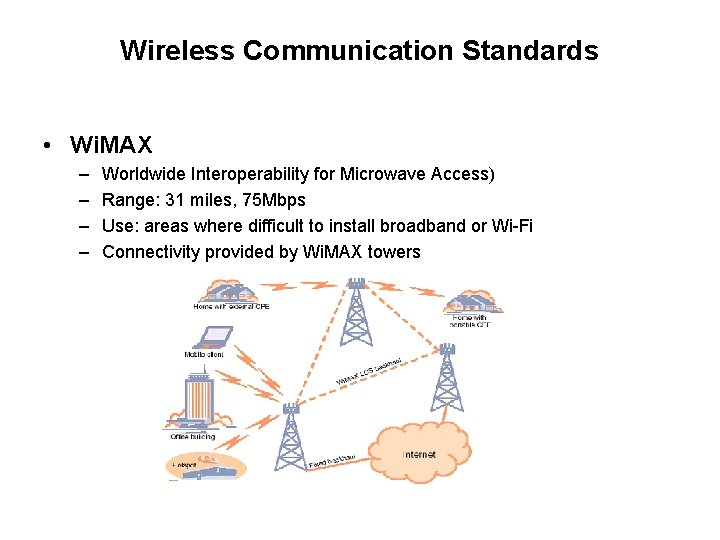
Wireless Communication Standards • Wi. MAX – – Worldwide Interoperability for Microwave Access) Range: 31 miles, 75 Mbps Use: areas where difficult to install broadband or Wi-Fi Connectivity provided by Wi. MAX towers
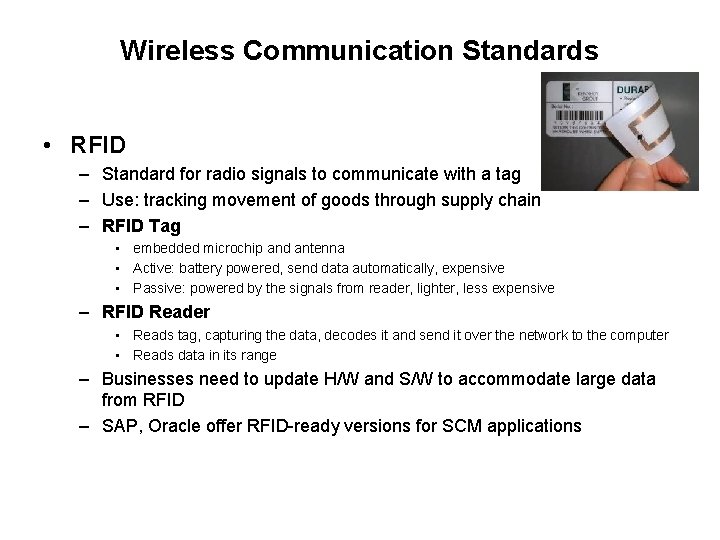
Wireless Communication Standards • RFID – Standard for radio signals to communicate with a tag – Use: tracking movement of goods through supply chain – RFID Tag • embedded microchip and antenna • Active: battery powered, send data automatically, expensive • Passive: powered by the signals from reader, lighter, less expensive – RFID Reader • Reads tag, capturing the data, decodes it and send it over the network to the computer • Reads data in its range – Businesses need to update H/W and S/W to accommodate large data from RFID – SAP, Oracle offer RFID-ready versions for SCM applications
Cellular Network • ITU developed standard for cellular networks – To standardize and allow global roaming • Mobile Communication standard – Global System for Mobile Communication (GSM) and CDMA – GPRS (General Packet Radio Service), EDGE, EVDO (Evolution Data Optimized) – Earlier for voice and small data – 3 G 144 Kbps to 2. 4 Mbps • Video, Vo. IP, graphics, rich media – Next: 4 G 100 Mbps
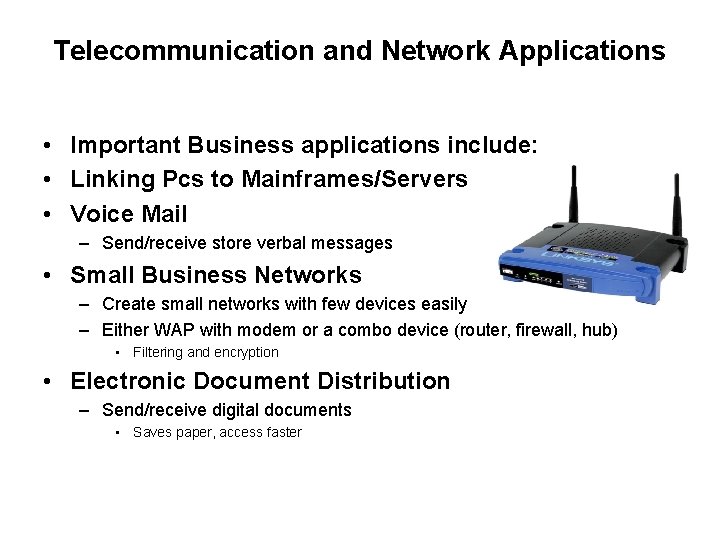
Telecommunication and Network Applications • Important Business applications include: • Linking Pcs to Mainframes/Servers • Voice Mail – Send/receive store verbal messages • Small Business Networks – Create small networks with few devices easily – Either WAP with modem or a combo device (router, firewall, hub) • Filtering and encryption • Electronic Document Distribution – Send/receive digital documents • Saves paper, access faster
Telecommunication and Network Applications • • Call Centres Telecommuting/Virtual Workers Videoconferencing Electronic Data Interchange (EDI) Electronic Funds Transfer (EFT) Distance Learning Team Collaboration
Case Study: Delivering People More Efficiently Through Telecommunications • Crew Transportation Industry – Shuttling crew members to train locations where they are needed • Problem: – Slow to adopt telecomm technologies – Van drivers could not communicate with dispatcher while in route – Railway company not happy • Rail. Crew. Xpress – Serving railways through technology platform – Wireless telecommunication system that connects drivers with dispatchers and company IS – Tracks drivers, dynamic routing change, maintains history of routes and driver times – Data is analysed to optimize the efficiency of dispatches & routing
Case Study: Delivering People More Efficiently Through Telecommunications • Challenges – Economical networking technologies – Automatically switch between satellite and GPRS data transmission – Intelligently decide how much info to send and when • Next milestone – RFID scanners to be installed in vans for tracking location
Case Study: Delivering People More Efficiently Through Telecommunications • Advantages – Faster and efficient communication between drivers and dispatchers – Happier railway companies, because they get accurate ETAs – Flexibility to accept new trip orders and reroute quickly • Real Time Monitoring – – Providing time-relevant info for quick decision-making View minute by minute info Respond quickly to changing conditions Analyse data for operational efficiency