
Module 2 2 Approval Workflows Rollout of Health
- Slides: 32
Module 2. 2 Approval Workflows Rollout of Health Facility Registry/Master Facility List for States and Local Government Areas in Nigeria June 2019
Outline • • • Introduction Facility record verification Facility record validation Facility record publication Approvals status
Introduction Standard operating procedures Nigeria’s Federal Ministry of Health convened a workshop on MFL/HFR standard operating procedures (SOPs) for the Master Facility List (MFL)/Health Facility Registry (HFR) in October 2018. • Invited representatives of the Department of Planning, Research and Statistics and the department or agency responsible for facility registration for 17 states • Invited representatives of federal regulatory bodies and the National Primary Health Care Development Agency • Inventoried a range of procedures followed by different states for registering facilities and changing their status • Next, developed and shared draft SOPs based on the consultative process with workshop participants and the MFL Technical Working Group (TWG) • Finalized SOPs validated by the MFL TWG in November 2018
Introduction SOPs allow all offices responsible for facility management to have a standard process to engage with the MFL by defining facility management workflows for these tasks: 1. Creating new records for health facilities 2. Updating records for health facilities already registered 3. Deactivating records for health facilities that have closed The SOPS that have been configured in the HFR are sufficiently flexible that they may be adapted to specific workflows, which may vary from state to state.
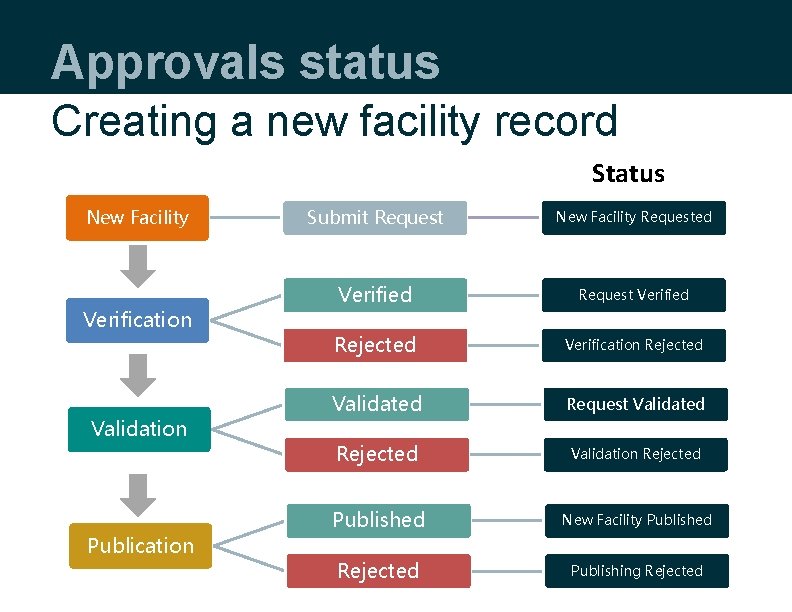
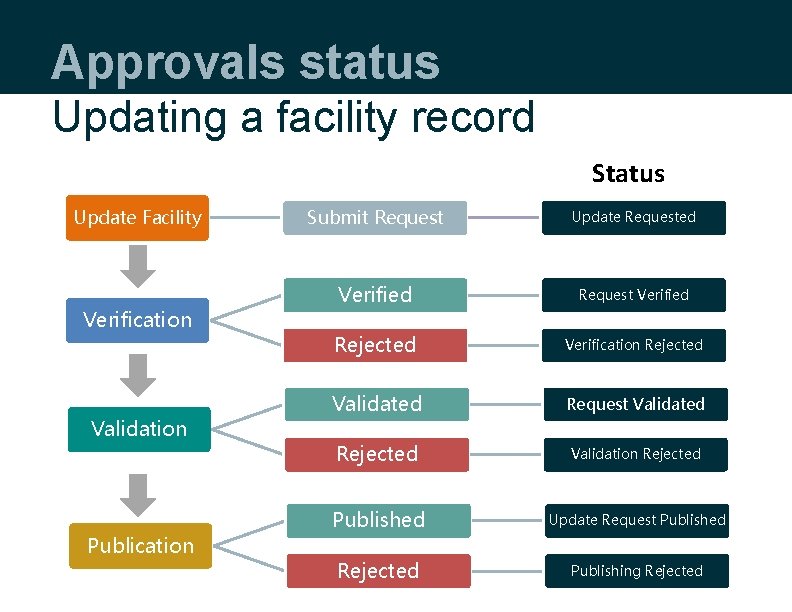
Introduction Approval levels Any change of facility information (creating a new facility record or updating an existing facility record) will require three approvals before the changes are visible to the public. Approval levels: • • • Facility record verification Facility record validation Facility record publication
Facility record verification
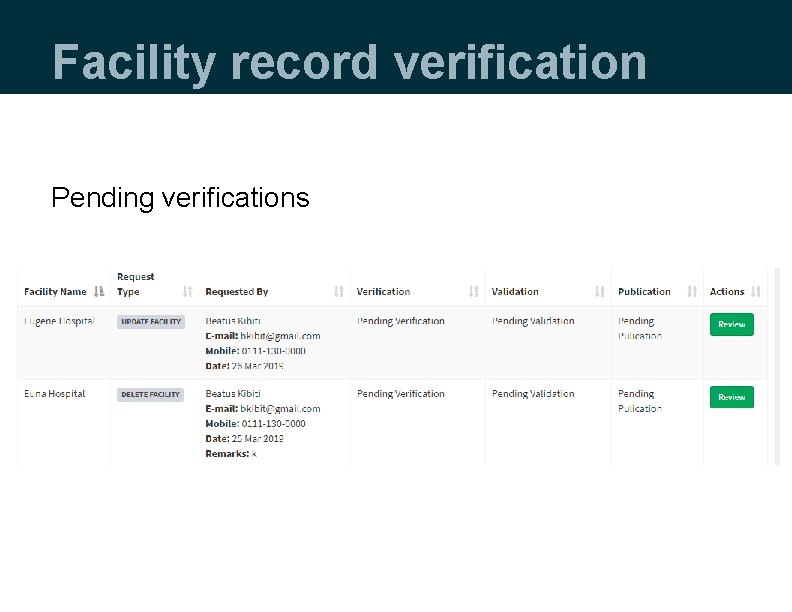
Facility record verification • Once the request to create, update, or delete a facility record is submitted, if you have been assigned a verification role, you will receive a notification email. • Log in to the HFR. • Go to My Pending Approvals -> Verification. • A list of pending requests will be displayed.
Facility record verification Pending verifications
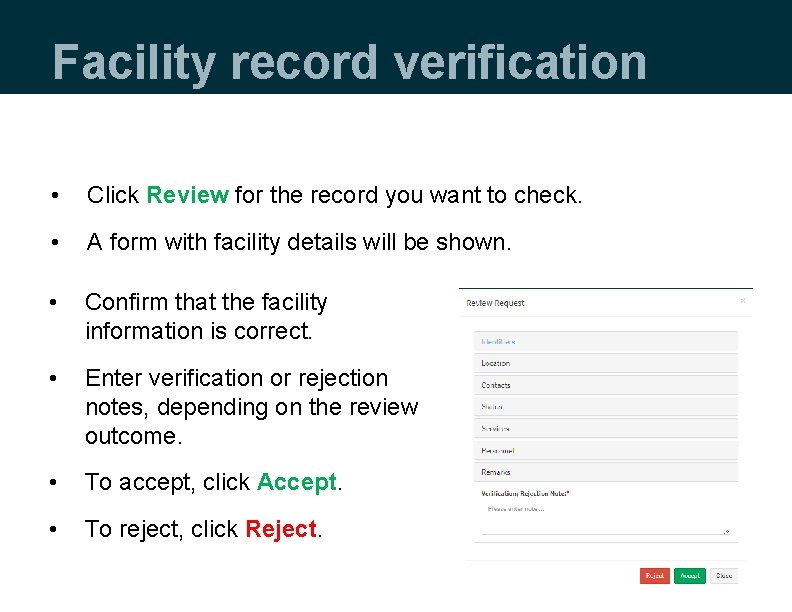
Facility record verification • Click Review for the record you want to check. • A form with facility details will be shown. • Confirm that the facility information is correct. • Enter verification or rejection notes, depending on the review outcome. • To accept, click Accept. • To reject, click Reject.
Facility record verification • An accepted request will go to next level of validation. • A rejected request will go back to the requester. • Undo verification: o You can recall a verification action before it is validated. o Recall will change the facility status to what it was before verification.
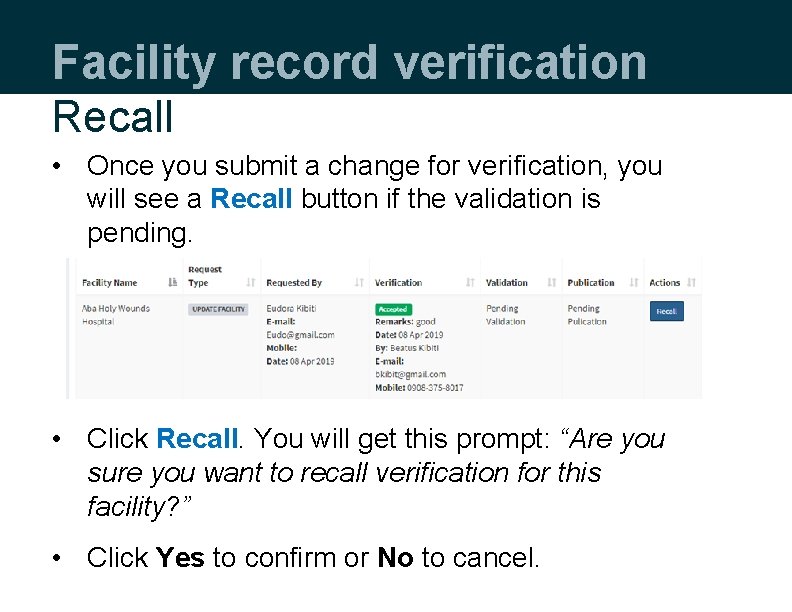
Facility record verification Recall • Once you submit a change for verification, you will see a Recall button if the validation is pending. • Click Recall. You will get this prompt: “Are you sure you want to recall verification for this facility? ” • Click Yes to confirm or No to cancel.
Demonstration
Facility record validation
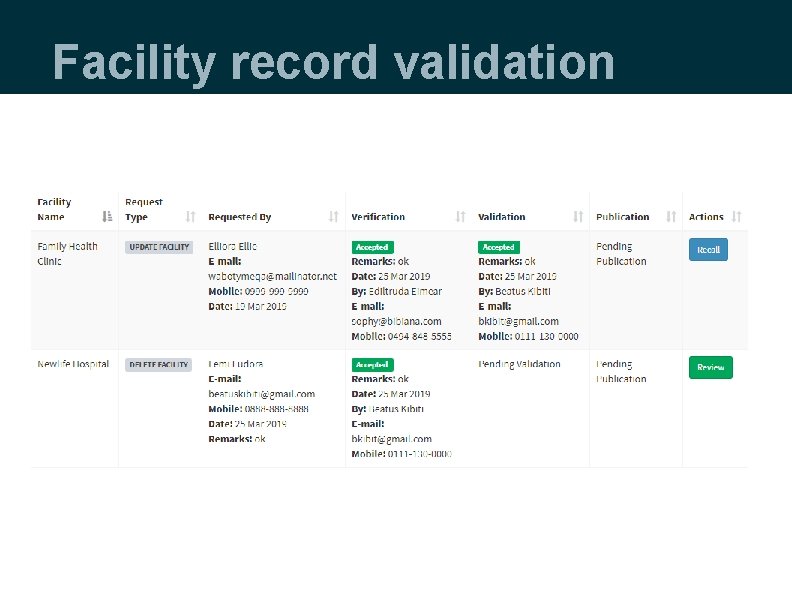
Facility validation • Validation is the second level of approval. • Once the request has been verified, if you have a validation role you will receive a notification email. • Go to My Pending Approvals -> Validation. • A list of requests for validation will be displayed with the details about the requester and verifier.
Facility record validation
Facility record validation • To validate the request, click Review. • A form with facility details will be shown. • Enter a validation or rejection note, depending on the review outcome. • To validate, click Accept. • To reject, click Reject.
Facility record validation • A validated request will go to the next level of publication. • A rejected request will go back to the verifier. • Undo validation: o You can recall a validation action before a record is published. o Recall will change the facility status to what it was before validation.
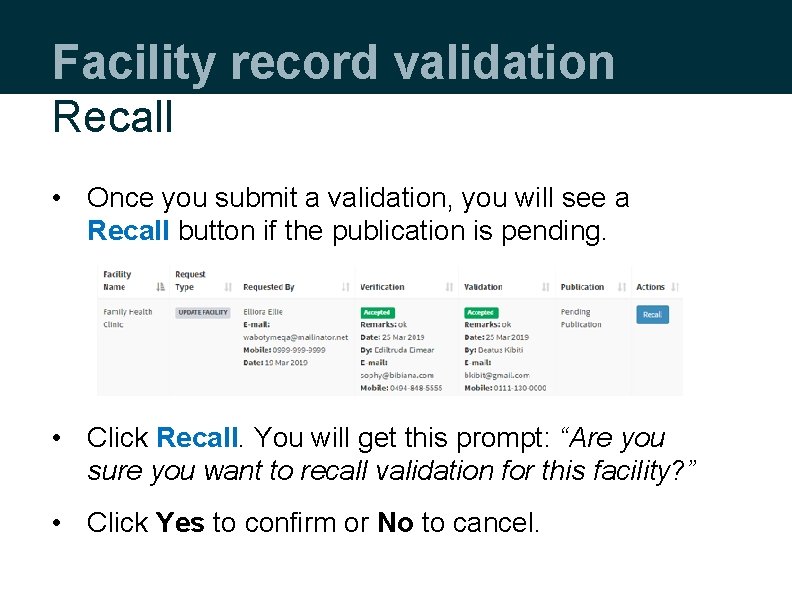
Facility record validation Recall • Once you submit a validation, you will see a Recall button if the publication is pending. • Click Recall. You will get this prompt: “Are you sure you want to recall validation for this facility? ” • Click Yes to confirm or No to cancel.
Demonstration
Facility record publication
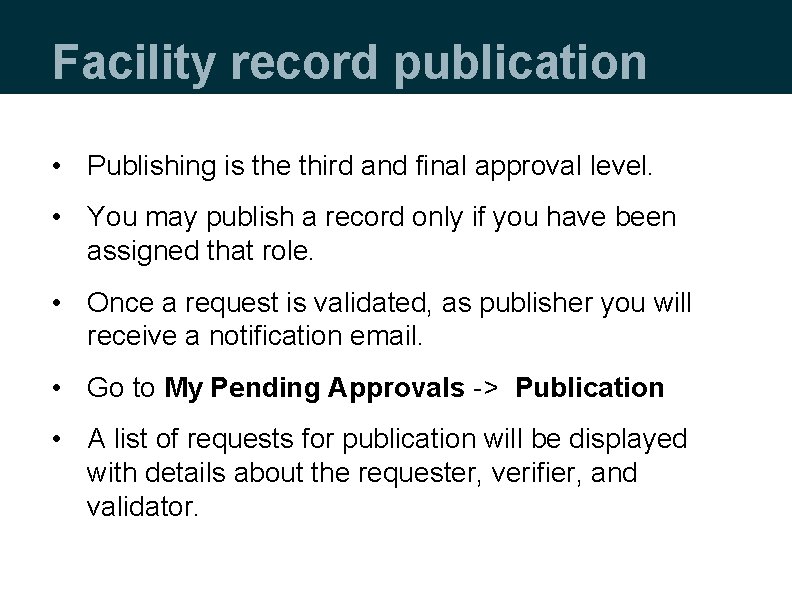
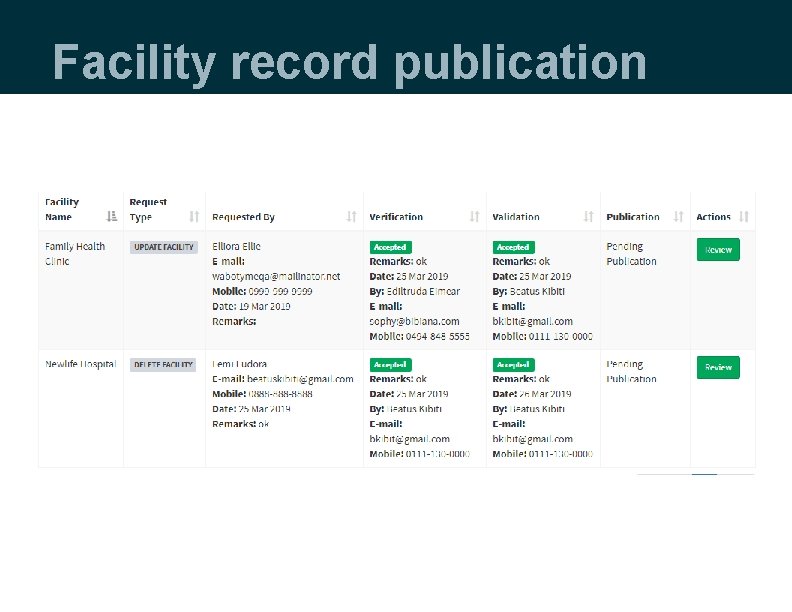
Facility record publication • Publishing is the third and final approval level. • You may publish a record only if you have been assigned that role. • Once a request is validated, as publisher you will receive a notification email. • Go to My Pending Approvals -> Publication • A list of requests for publication will be displayed with details about the requester, verifier, and validator.
Facility record publication
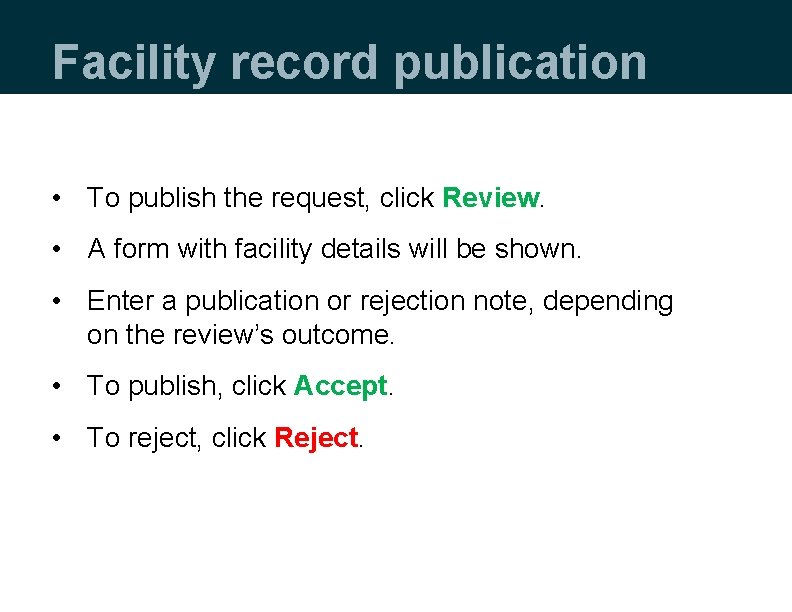
Facility record publication • To publish the request, click Review. • A form with facility details will be shown. • Enter a publication or rejection note, depending on the review’s outcome. • To publish, click Accept. • To reject, click Reject.
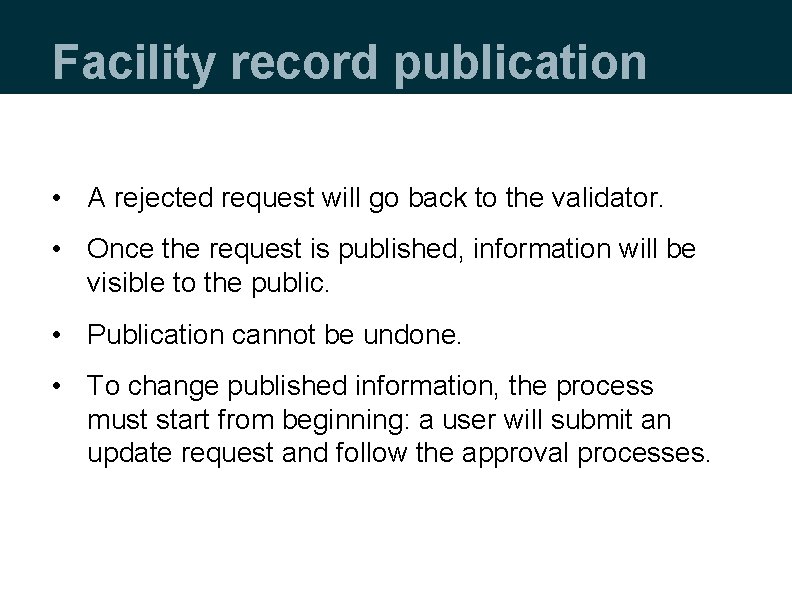
Facility record publication • A rejected request will go back to the validator. • Once the request is published, information will be visible to the public. • Publication cannot be undone. • To change published information, the process must start from beginning: a user will submit an update request and follow the approval processes.
Demonstration
Approvals status
Approvals status Creating a new facility record Status New Facility Verification Validation Publication Submit Request New Facility Requested Verified Request Verified Rejected Verification Rejected Validated Request Validated Rejected Validation Rejected Published New Facility Published Rejected Publishing Rejected
Approvals status Updating a facility record Status Update Facility Verification Validation Publication Submit Request Update Requested Verified Request Verified Rejected Verification Rejected Validated Request Validated Rejected Validation Rejected Published Update Request Published Rejected Publishing Rejected
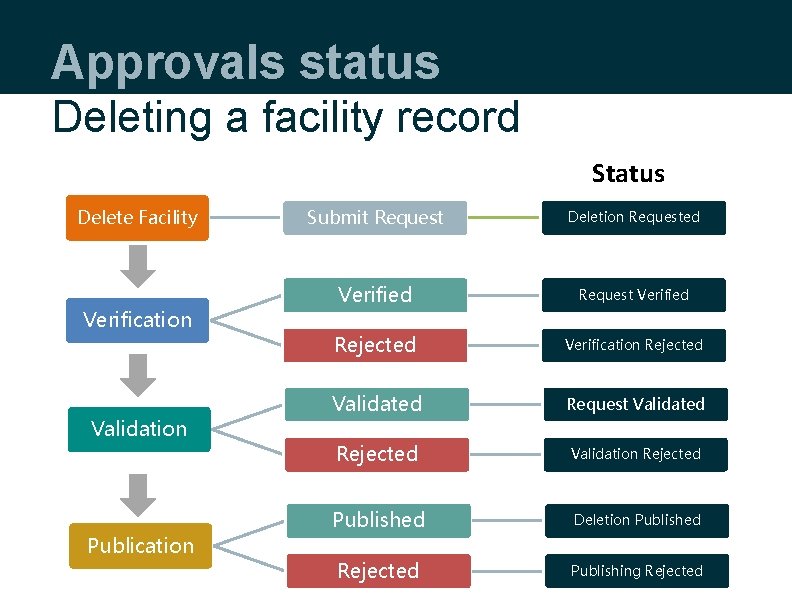
Approvals status Deleting a facility record Status Delete Facility Verification Validation Publication Submit Request Deletion Requested Verified Request Verified Rejected Verification Rejected Validated Request Validated Rejected Validation Rejected Published Deletion Published Rejected Publishing Rejected
Activity
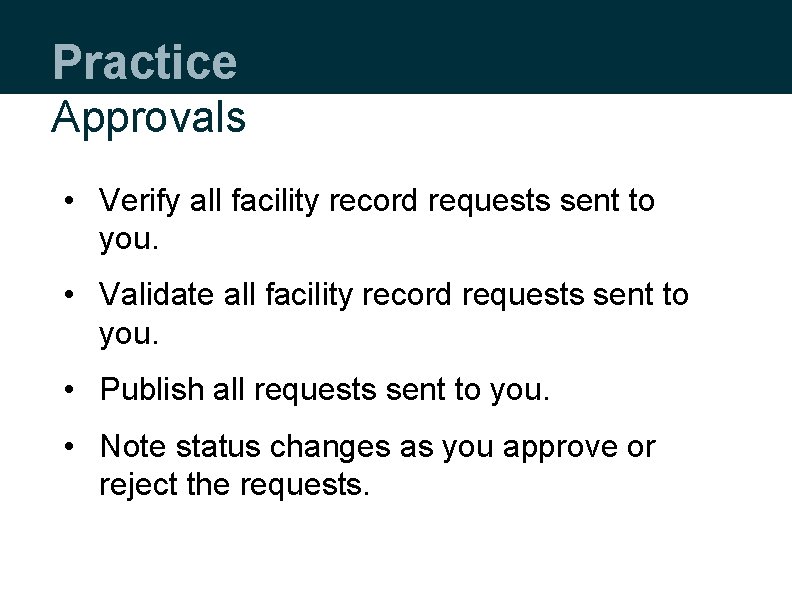
Practice Approvals • Verify all facility record requests sent to you. • Validate all facility record requests sent to you. • Publish all requests sent to you. • Note status changes as you approve or reject the requests.
This presentation was produced with the support of the United States Agency for International Development (USAID) under the terms of MEASURE Evaluation cooperative agreement AID-OAA-L-14 -00004. MEASURE Evaluation is implemented by the Carolina Population Center, University of North Carolina at Chapel Hill in partnership with ICF International; John Snow, Inc. ; Management Sciences for Health; Palladium; and Tulane University. Views expressed are not necessarily those of USAID or the United States government. www. measureevaluation. org