
Module 1 Basic Structure of Computers Presented By
Module 1. Basic Structure of Computers Presented By: Siddanagowda G R Dept. of Computer Science & Engineering. MITE
Outline l l l l l Basic Operational Concepts Bus Structures Basic Performance Equation Performance Measurement Machine Instructions and Programs Memory Operations Addressing Modes Encoding of Machine Instructions MITE 2
Learning Objectives l l Understand the basics of computer organization: structure and operation of computers and their peripherals Understand the concepts of programs as sequences or machine instructions. To analyse various addressing modes and machine instructions To study basic IO operations and Stack operations MITE 3
Computer organization vs Computer Architecture l l Computer architecture refers to those attributes of a system visible to a programmer Computer organization refers to the operational units and their interconnections that realize the architectural specifications. MITE 4

Functional Units
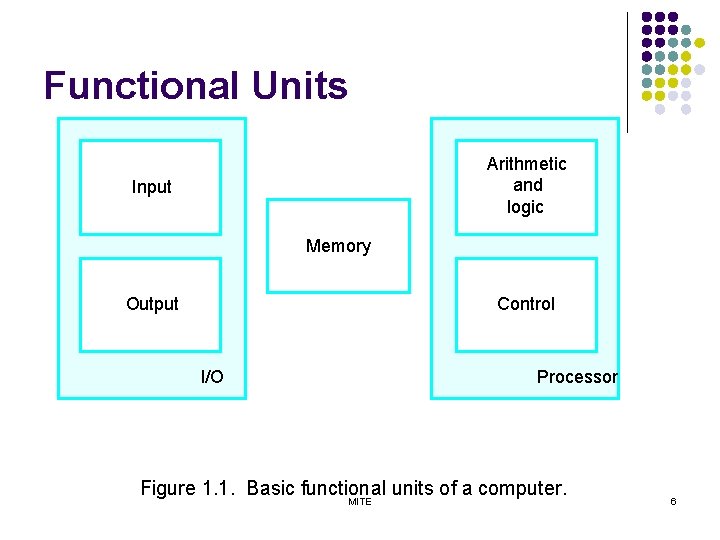
Functional Units Arithmetic and logic Input Memory Output Control I/O Processor Figure 1. 1. Basic functional units of a computer. MITE 6
Information Handled by a Computer l Instructions/machine instructions Ø Ø Govern the transfer of information within a computer as well as between the computer and its I/O devices Specify the arithmetic and logic operations to be performed Program l Data Ø Ø Used as operands by the instructions Source program l Encoded in binary code – 0 and 1 Ø MITE 7
Memory Unit l Store programs and data Two classes of storage Ø Primary storage v v Fast Programs must be stored in memory while they are being executed Large number of semiconductor storage cells Processed in words Address RAM and memory access time Memory hierarchy – cache, main memory Ø Secondary storage – larger and cheaper l v v v MITE 8
Arithmetic and Logic Unit (ALU) l l Most computer operations are executed in ALU of the processor. Load the operands into memory – bring them to the processor – perform operation in ALU – store the result back to memory or retain in the processor. Registers Fast control of ALU MITE 9
Control Unit l l Ø Ø All computer operations are controlled by the control unit. The timing signals that govern the I/O transfers are also generated by the control unit. Control unit is usually distributed throughout the machine instead of standing alone. Operations of a computer: Accept information in the form of programs and data through an input unit and store it in the memory Fetch the information stored in the memory, under program control, into an ALU, where the information is processed Output the processed information through an output unit Control all activities inside the machine through a control unit MITE 10
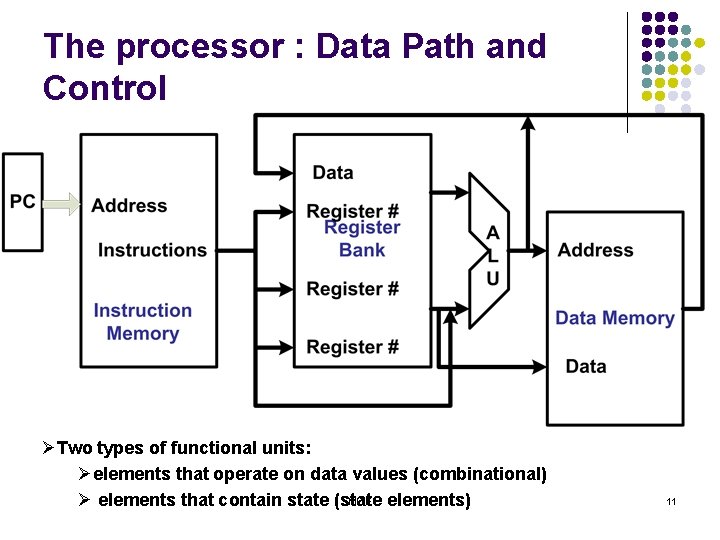
The processor : Data Path and Control ØTwo types of functional units: Øelements that operate on data values (combinational) MITE Ø elements that contain state (state elements) 11
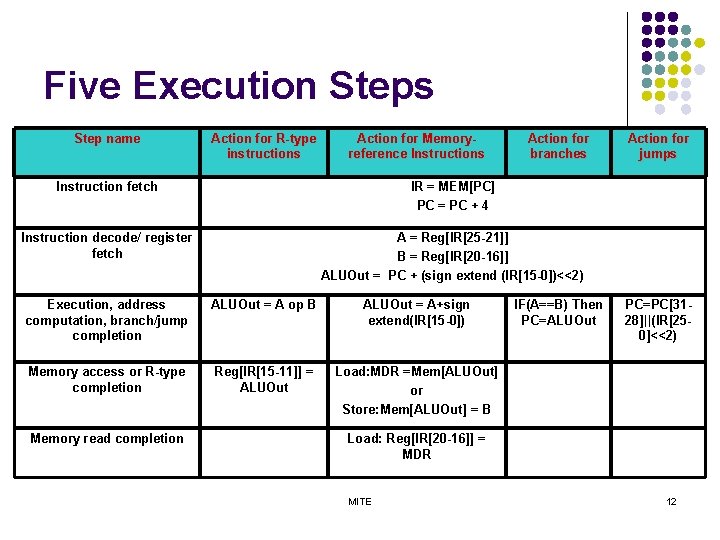
Five Execution Steps Step name Action for R-type instructions Action for Memoryreference Instructions Action for branches Instruction fetch IR = MEM[PC] PC = PC + 4 Instruction decode/ register fetch A = Reg[IR[25 -21]] B = Reg[IR[20 -16]] ALUOut = PC + (sign extend (IR[15 -0])<<2) Execution, address computation, branch/jump completion ALUOut = A op B ALUOut = A+sign extend(IR[15 -0]) Memory access or R-type completion Reg[IR[15 -11]] = ALUOut Load: MDR =Mem[ALUOut] or Store: Mem[ALUOut] = B Memory read completion IF(A==B) Then PC=ALUOut Action for jumps PC=PC[3128]||(IR[250]<<2) Load: Reg[IR[20 -16]] = MDR MITE 12
Basic Operational Concepts
Review l l Activity in a computer is governed by instructions. To perform a task, an appropriate program consisting of a list of instructions is stored in the memory. Individual instructions are brought from the memory into the processor, which executes the specified operations. Data to be used as operands are also stored in the memory. MITE 14
A Typical Instruction l l l Add LOCA, R 0 Add the operand at memory location LOCA to the operand in a register R 0 in the processor. Place the sum into register R 0. The original contents of LOCA are preserved. The original contents of R 0 is overwritten. Instruction is fetched from the memory into the processor – the operand at LOCA is fetched and added to the contents of R 0 – the resulting sum is stored in register R 0. MITE 15
Separate Memory Access and ALU Operation l l l Load LOCA, R 1 Add R 1, R 0 Whose contents will be overwritten? MITE 16
Connection Between the Processor and the Memory MITE 17
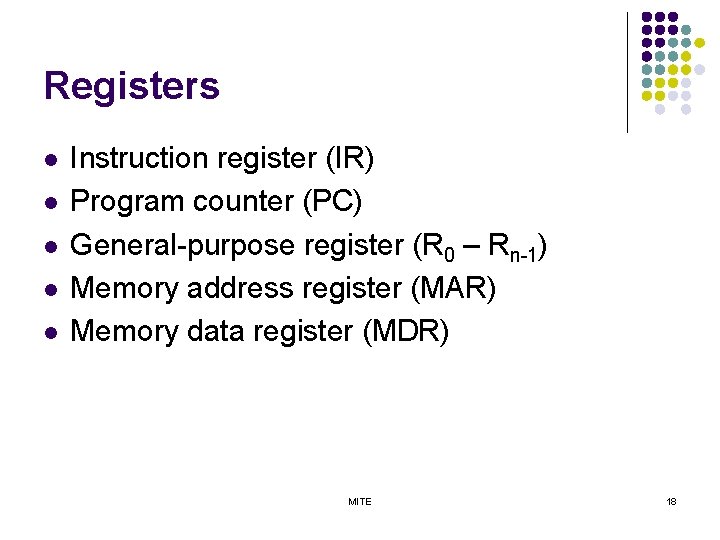
Registers l l l Instruction register (IR) Program counter (PC) General-purpose register (R 0 – Rn-1) Memory address register (MAR) Memory data register (MDR) MITE 18
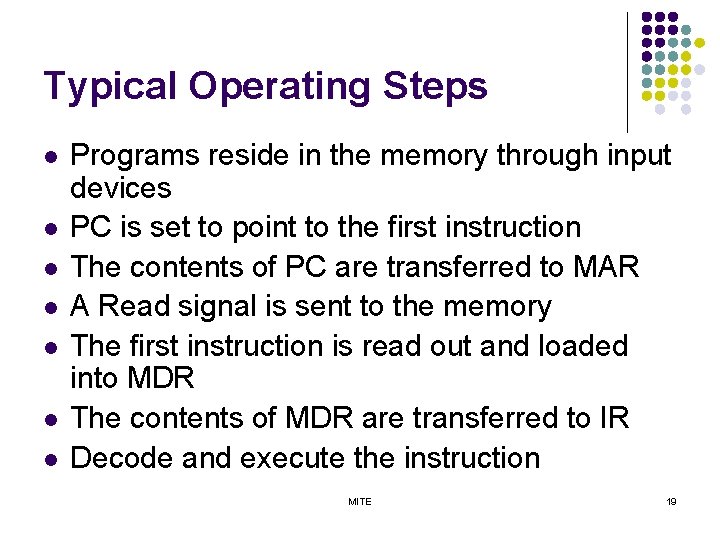
Typical Operating Steps l l l l Programs reside in the memory through input devices PC is set to point to the first instruction The contents of PC are transferred to MAR A Read signal is sent to the memory The first instruction is read out and loaded into MDR The contents of MDR are transferred to IR Decode and execute the instruction MITE 19
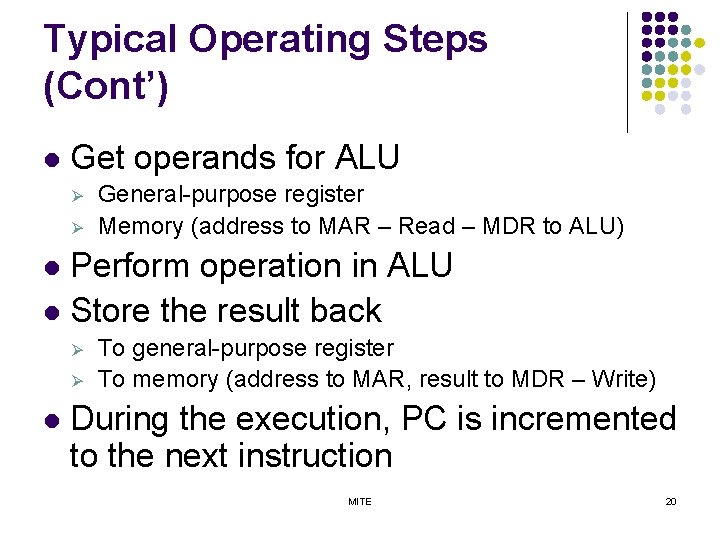
Typical Operating Steps (Cont’) l Get operands for ALU Ø Ø General-purpose register Memory (address to MAR – Read – MDR to ALU) Perform operation in ALU l Store the result back l Ø Ø l To general-purpose register To memory (address to MAR, result to MDR – Write) During the execution, PC is incremented to the next instruction MITE 20
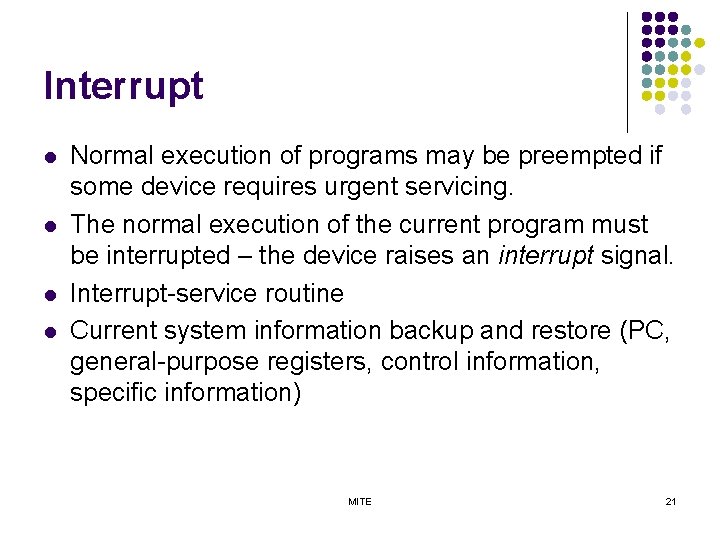
Interrupt l l Normal execution of programs may be preempted if some device requires urgent servicing. The normal execution of the current program must be interrupted – the device raises an interrupt signal. Interrupt-service routine Current system information backup and restore (PC, general-purpose registers, control information, specific information) MITE 21
Bus Structures l l l There are many ways to connect different parts inside a computer together. A group of lines that serves as a connecting path for several devices is called a bus. Address/data/control MITE 22
Bus Structure l Single-bus MITE 23
Speed Issue l l Different devices have different transfer/operate speed. If the speed of bus is bounded by the slowest device connected to it, the efficiency will be very low. How to solve this? A common approach – use buffers. MITE 24

Performance
Performance l l Ø Ø Ø The most important measure of a computer is how quickly it can execute programs. Three factors affect performance: Hardware design Instruction set Compiler MITE 26
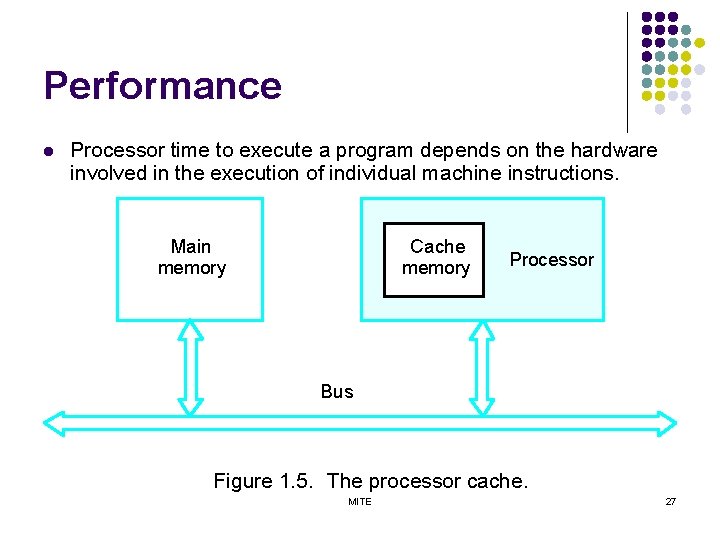
Performance l Processor time to execute a program depends on the hardware involved in the execution of individual machine instructions. Main memory Cache memory Processor Bus Figure 1. 5. The processor cache. MITE 27
Performance l l The processor and a relatively small cache memory can be fabricated on a single integrated circuit chip. Speed Cost Memory management MITE 28
Processor Clock l l l Clock, clock cycle, and clock rate The execution of each instruction is divided into several steps, each of which completes in one clock cycle. Hertz – cycles per second MITE 29
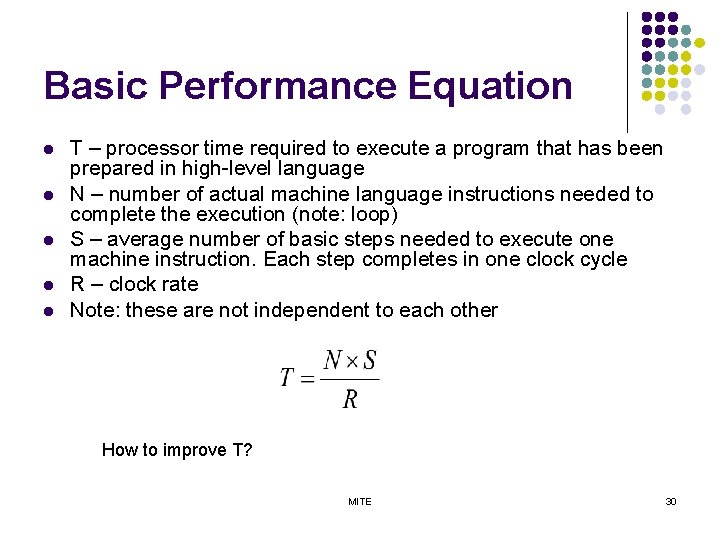
Basic Performance Equation l l l T – processor time required to execute a program that has been prepared in high-level language N – number of actual machine language instructions needed to complete the execution (note: loop) S – average number of basic steps needed to execute one machine instruction. Each step completes in one clock cycle R – clock rate Note: these are not independent to each other How to improve T? MITE 30
Pipeline l l l Instructions are not necessarily executed one after another. The value of S doesn’t have to be the number of clock cycles to execute one instruction. Pipelining – overlapping the execution of successive instructions. MITE 31
Clock Rate l Increase clock rate Ø Improve the integrated-circuit (IC) technology to make the circuits faster Reduce the amount of processing done in one basic step (however, this may increase the number of basic steps needed) Ø l Increases in R that are entirely caused by improvements in IC technology affect all aspects of the processor’s operation equally except the time to access the main memory. MITE 32
Compiler l l A compiler translates a high-level language program into a sequence of machine instructions. To reduce N, we need a suitable machine instruction set and a compiler that makes good use of it. Goal – reduce N×S A compiler may not be designed for a specific processor; however, a high-quality compiler is usually designed for, and with, a specific processor. MITE 33
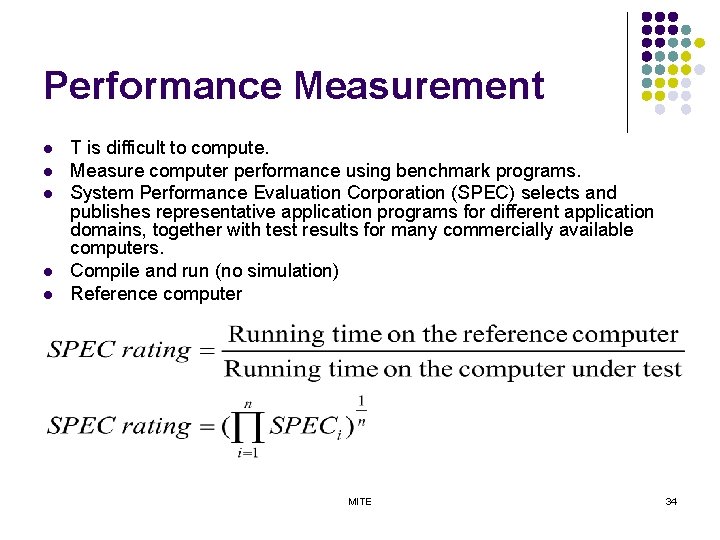
Performance Measurement l l l T is difficult to compute. Measure computer performance using benchmark programs. System Performance Evaluation Corporation (SPEC) selects and publishes representative application programs for different application domains, together with test results for many commercially available computers. Compile and run (no simulation) Reference computer MITE 34
Machine Instructions and Programs MITE 35
Objectives l l Machine instructions and program execution, including branching and subroutine call and return operations. Addressing methods for accessing register and memory operands. Assembly language for representing machine instructions, data, and programs. Program-controlled Input/Output operations. MITE 36
Memory Locations, Addresses, and Operations MITE 37
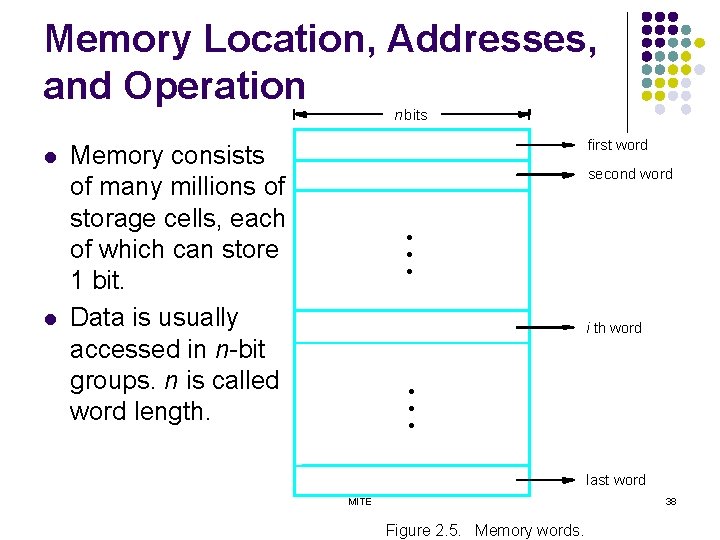
Memory Location, Addresses, and Operation n bits l l first word Memory consists of many millions of storage cells, each of which can store 1 bit. Data is usually accessed in n-bit groups. n is called word length. second word • • • i th word • • • last word MITE 38 Figure 2. 5. Memory words.
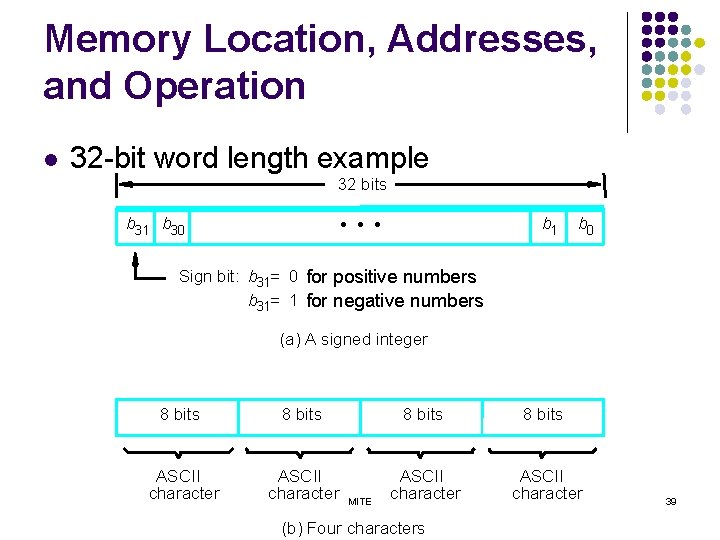
Memory Location, Addresses, and Operation 32 -bit word length example 32 bits b 31 b 30 b 1 • • • l b 0 Sign bit: b 31= 0 for positive numbers b 31= 1 for negative numbers (a) A signed integer 8 bits ASCII character MITE (b) Four characters 39
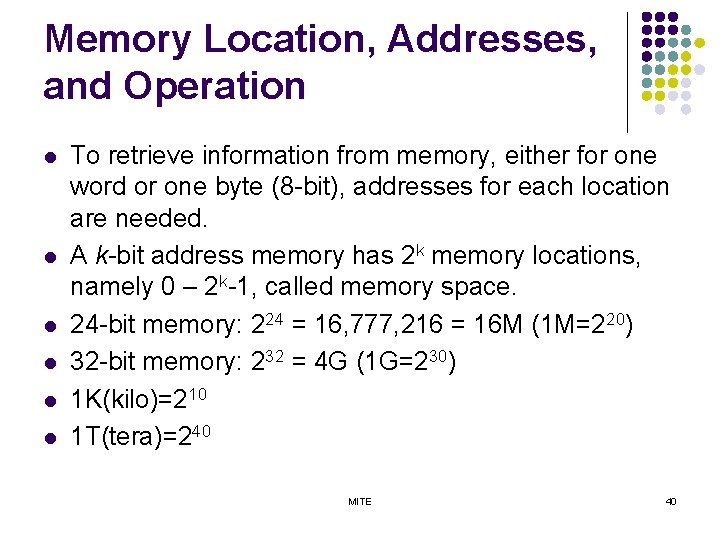
Memory Location, Addresses, and Operation l l l To retrieve information from memory, either for one word or one byte (8 -bit), addresses for each location are needed. A k-bit address memory has 2 k memory locations, namely 0 – 2 k-1, called memory space. 24 -bit memory: 224 = 16, 777, 216 = 16 M (1 M=220) 32 -bit memory: 232 = 4 G (1 G=230) 1 K(kilo)=210 1 T(tera)=240 MITE 40
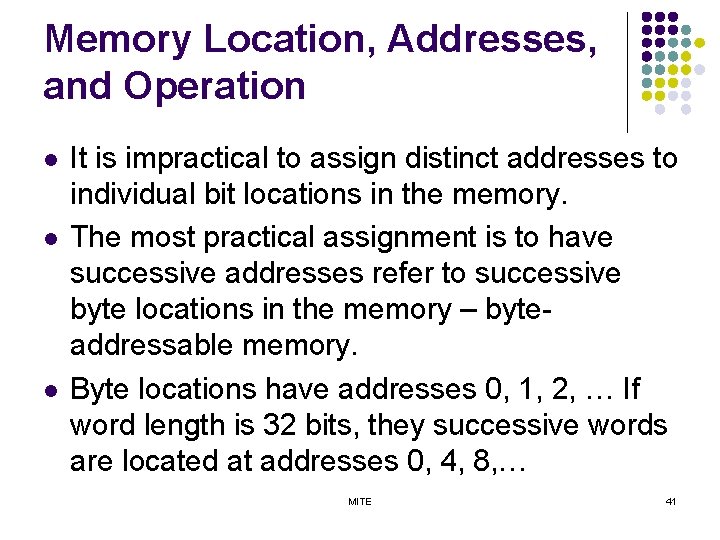
Memory Location, Addresses, and Operation l l l It is impractical to assign distinct addresses to individual bit locations in the memory. The most practical assignment is to have successive addresses refer to successive byte locations in the memory – byteaddressable memory. Byte locations have addresses 0, 1, 2, … If word length is 32 bits, they successive words are located at addresses 0, 4, 8, … MITE 41
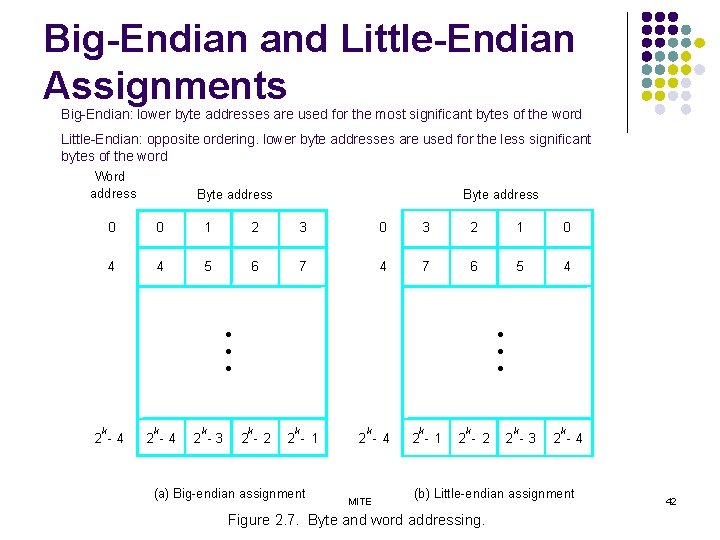
Big-Endian and Little-Endian Assignments Big-Endian: lower byte addresses are used for the most significant bytes of the word Little-Endian: opposite ordering. lower byte addresses are used for the less significant bytes of the word Word address Byte address 0 0 1 2 3 0 3 2 1 0 4 4 5 6 7 4 7 6 5 4 • • • k 2 -4 k 2 -3 • • • k 2 - 2 k 2 - 1 (a) Big-endian assignment k 2 - 4 MITE k 2 - 1 k 2 - 2 k 2 -3 k 2 -4 (b) Little-endian assignment Figure 2. 7. Byte and word addressing. 42
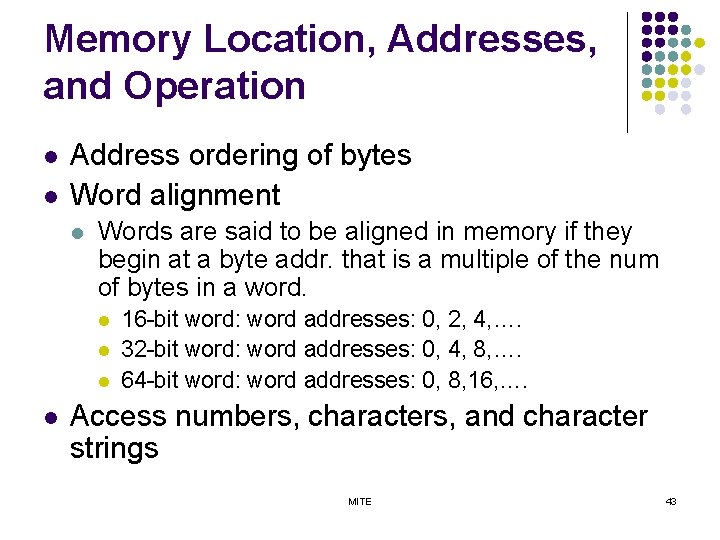
Memory Location, Addresses, and Operation l l Address ordering of bytes Word alignment l Words are said to be aligned in memory if they begin at a byte addr. that is a multiple of the num of bytes in a word. l l 16 -bit word: word addresses: 0, 2, 4, …. 32 -bit word: word addresses: 0, 4, 8, …. 64 -bit word: word addresses: 0, 8, 16, …. Access numbers, characters, and character strings MITE 43
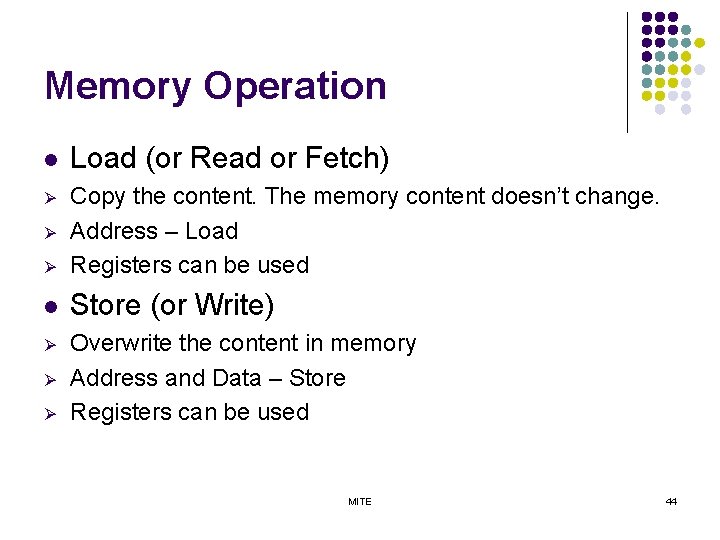
Memory Operation l Load (or Read or Fetch) Ø Ø Copy the content. The memory content doesn’t change. Address – Load Registers can be used l Store (or Write) Ø Overwrite the content in memory Address and Data – Store Registers can be used Ø Ø Ø MITE 44
Instruction and Instruction Sequencing MITE 45
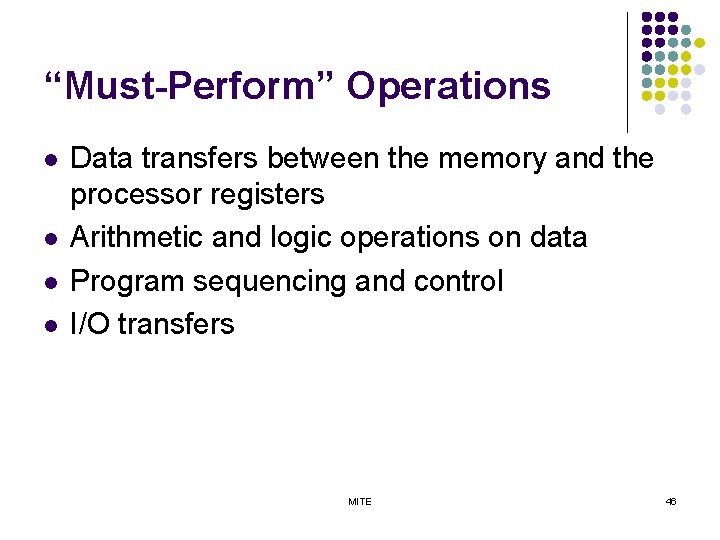
“Must-Perform” Operations l l Data transfers between the memory and the processor registers Arithmetic and logic operations on data Program sequencing and control I/O transfers MITE 46
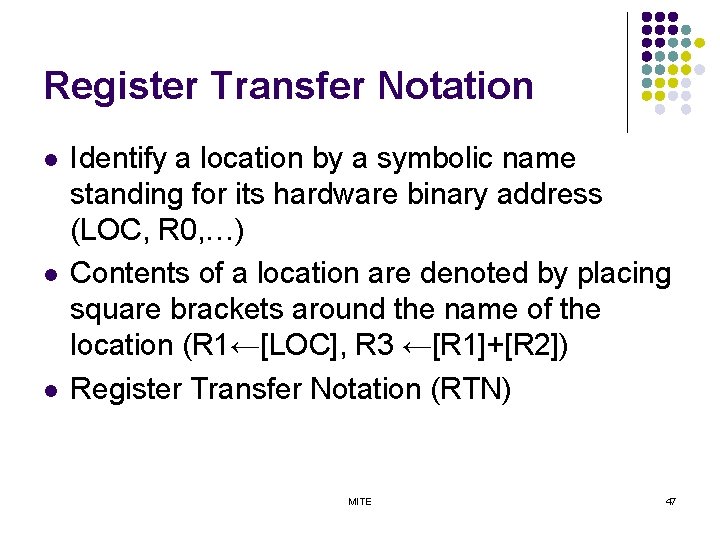
Register Transfer Notation l l l Identify a location by a symbolic name standing for its hardware binary address (LOC, R 0, …) Contents of a location are denoted by placing square brackets around the name of the location (R 1←[LOC], R 3 ←[R 1]+[R 2]) Register Transfer Notation (RTN) MITE 47
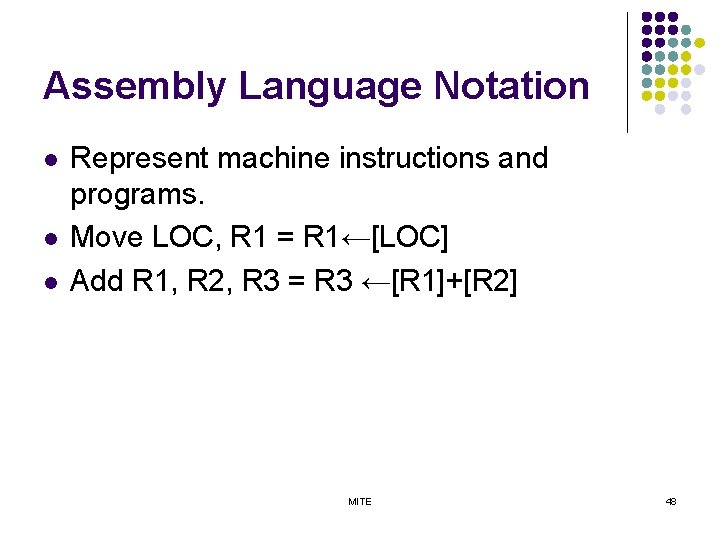
Assembly Language Notation l l l Represent machine instructions and programs. Move LOC, R 1 = R 1←[LOC] Add R 1, R 2, R 3 = R 3 ←[R 1]+[R 2] MITE 48
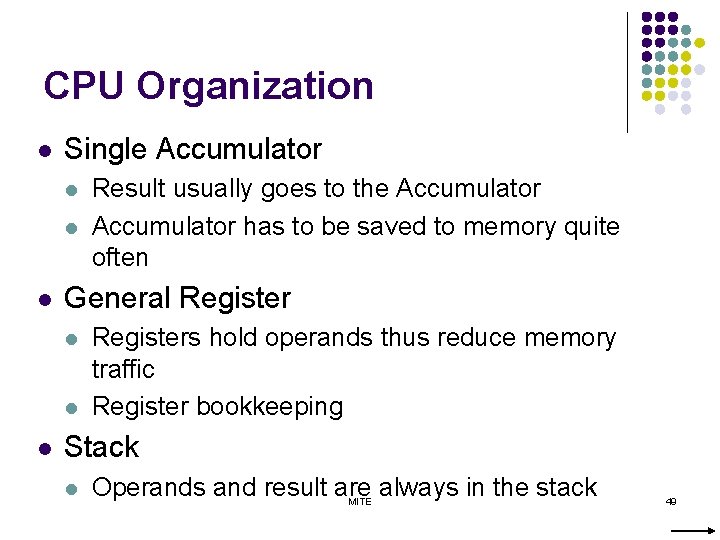
CPU Organization l Single Accumulator l l l General Register l l l Result usually goes to the Accumulator has to be saved to memory quite often Registers hold operands thus reduce memory traffic Register bookkeeping Stack l Operands and result are always in the stack MITE 49
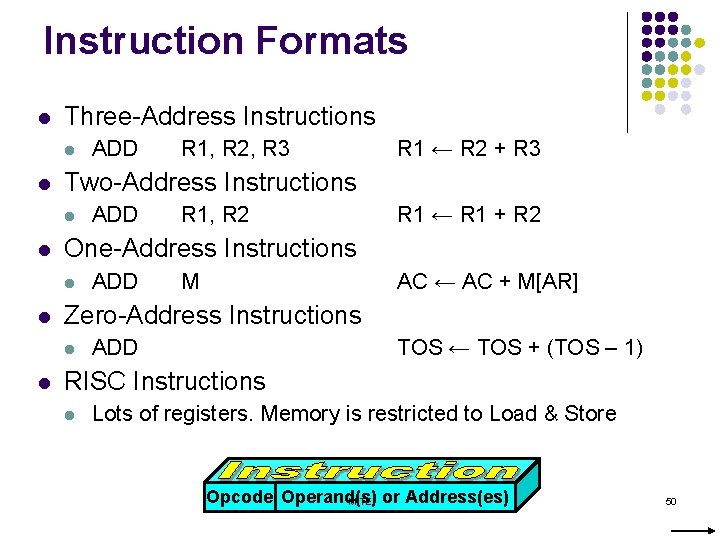
Instruction Formats l Three-Address Instructions l l ADD R 1, R 2 R 1 ← R 1 + R 2 ADD M AC ← AC + M[AR] Zero-Address Instructions l l R 1 ← R 2 + R 3 One-Address Instructions l l R 1, R 2, R 3 Two-Address Instructions l l ADD TOS ← TOS + (TOS – 1) RISC Instructions l Lots of registers. Memory is restricted to Load & Store Opcode Operand(s) MITE or Address(es) 50
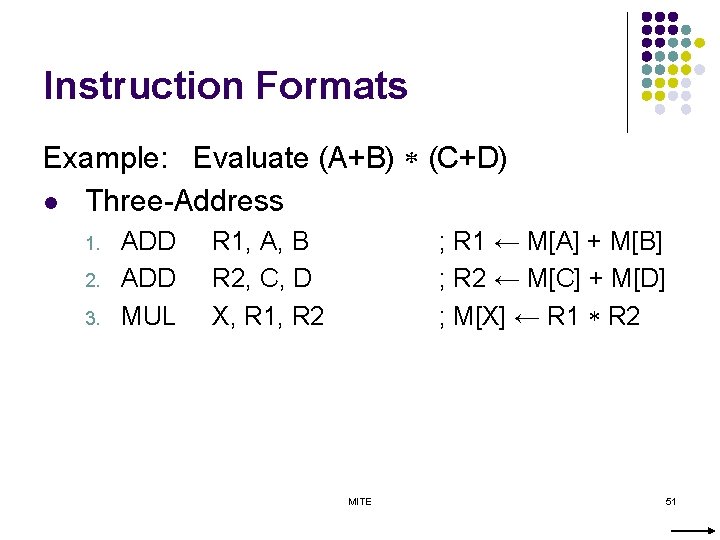
Instruction Formats Example: Evaluate (A+B) (C+D) l Three-Address 1. 2. 3. ADD MUL R 1, A, B R 2, C, D X, R 1, R 2 ; R 1 ← M[A] + M[B] ; R 2 ← M[C] + M[D] ; M[X] ← R 1 R 2 MITE 51
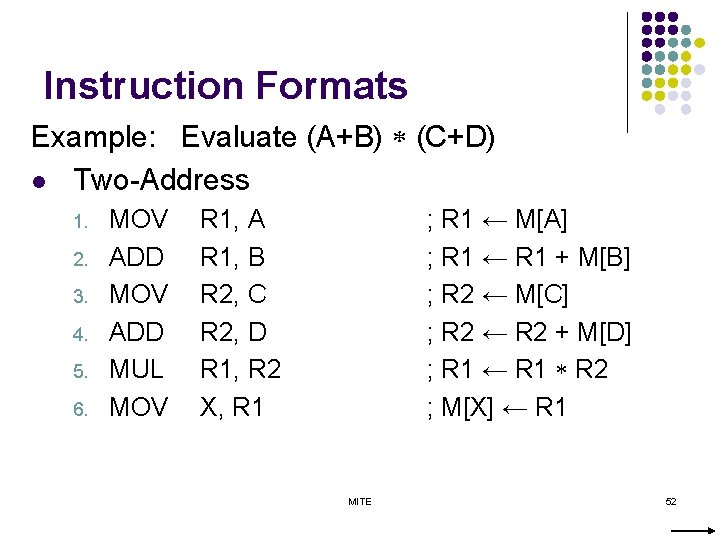
Instruction Formats Example: Evaluate (A+B) (C+D) l Two-Address 1. 2. 3. 4. 5. 6. MOV ADD MUL MOV R 1, A R 1, B R 2, C R 2, D R 1, R 2 X, R 1 ; R 1 ← M[A] ; R 1 ← R 1 + M[B] ; R 2 ← M[C] ; R 2 ← R 2 + M[D] ; R 1 ← R 1 R 2 ; M[X] ← R 1 MITE 52
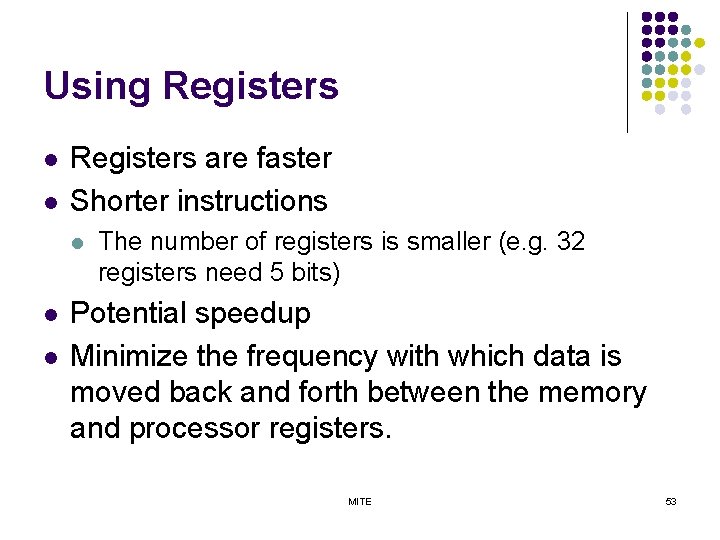
Using Registers l l Registers are faster Shorter instructions l l l The number of registers is smaller (e. g. 32 registers need 5 bits) Potential speedup Minimize the frequency with which data is moved back and forth between the memory and processor registers. MITE 53
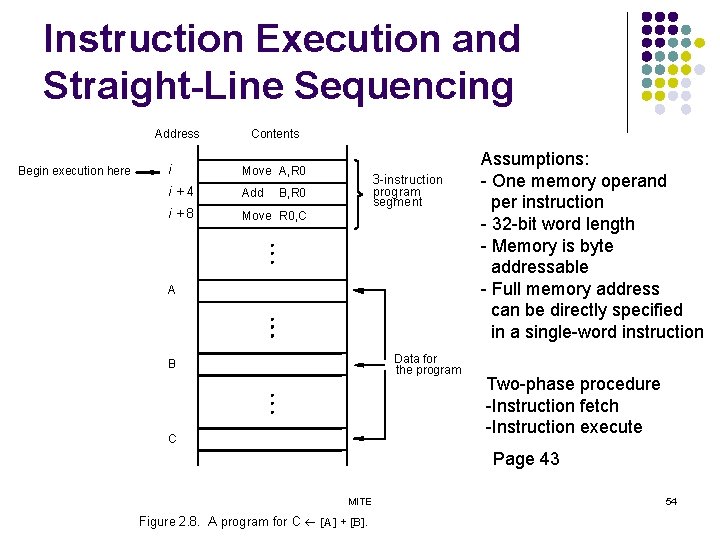
Instruction Execution and Straight-Line Sequencing Address Begin execution here Contents i Move A, R 0 i+4 Add i+8 Move R 0, C 3 -instruction program segment B, R 0 A Data for the program B C Assumptions: - One memory operand per instruction - 32 -bit word length - Memory is byte addressable - Full memory address can be directly specified in a single-word instruction Two-phase procedure -Instruction fetch -Instruction execute Page 43 MITE Figure 2. 8. A program for C ¬ [A] + [B]. 54
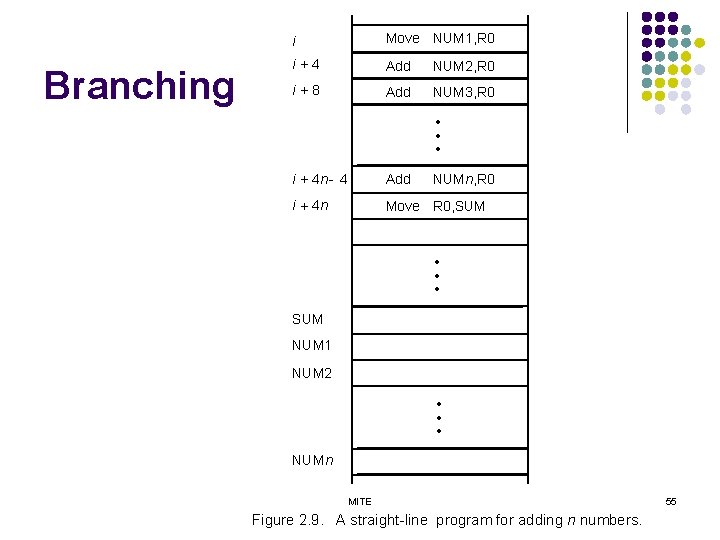
Branching i Move NUM 1, R 0 i+4 Add NUM 2, R 0 i+8 Add NUM 3, R 0 • • • i + 4 n - 4 Add NUMn, R 0 i + 4 n Move R 0, SUM • • • SUM NUM 1 NUM 2 • • • NUMn MITE Figure 2. 9. A straight-line program for adding n numbers. 55
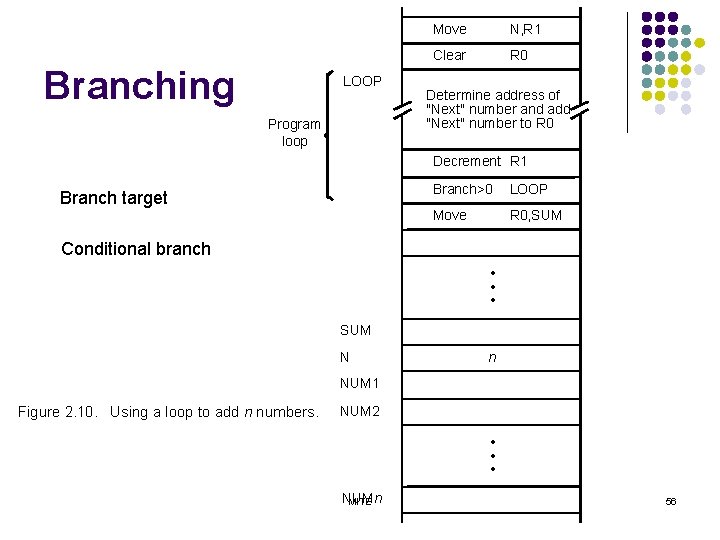
Branching LOOP Program loop Move N, R 1 Clear R 0 Determine address of "Next" number and add "Next" number to R 0 Decrement R 1 Branch target Branch>0 LOOP Move R 0, SUM Conditional branch • • • SUM N n NUM 1 Figure 2. 10. Using a loop to add n numbers. NUM 2 • • • NUMn MITE 56
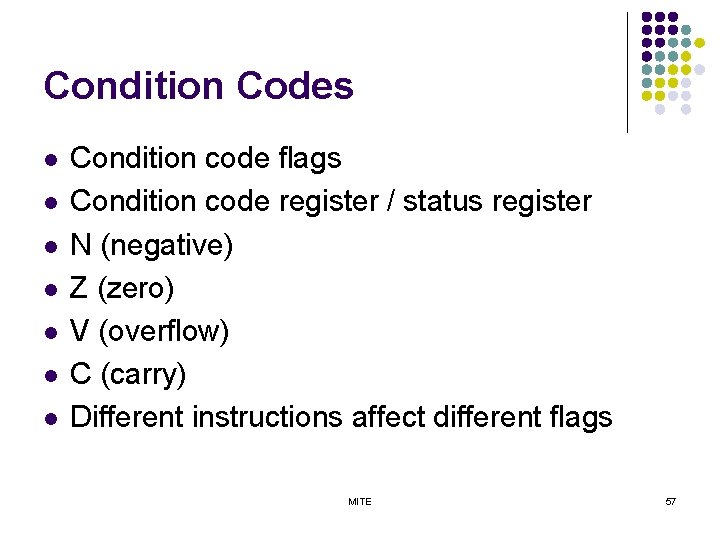
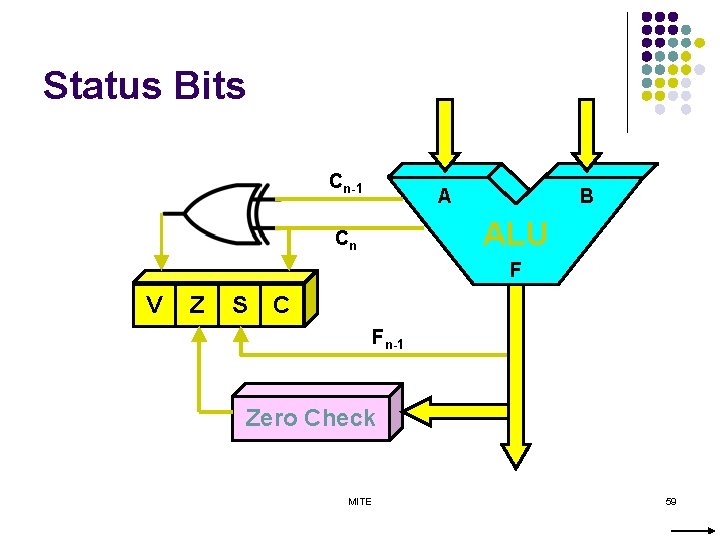
Condition Codes l l l l Condition code flags Condition code register / status register N (negative) Z (zero) V (overflow) C (carry) Different instructions affect different flags MITE 57
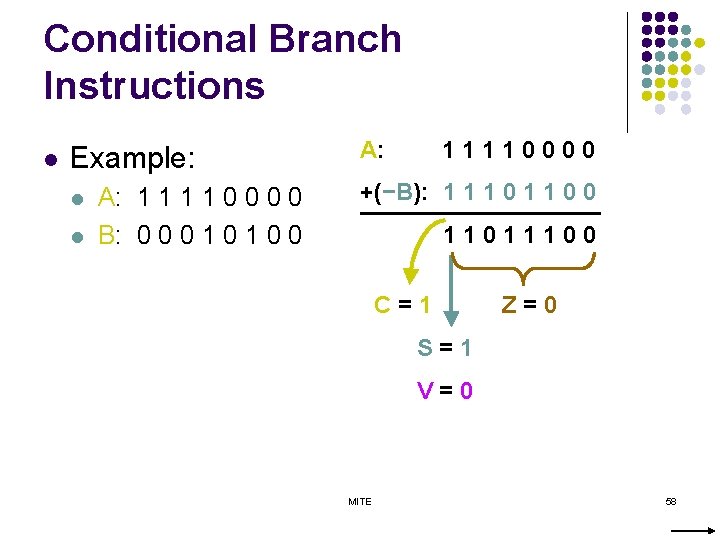
Conditional Branch Instructions l Example: l l A: 1 1 0 0 B: 0 0 0 1 0 0 A: 11110000 +(−B): 1 1 1 0 0 11011100 C=1 Z=0 S=1 V=0 MITE 58
Status Bits Cn-1 A B ALU Cn F V Z S C Fn-1 Zero Check MITE 59

Addressing Modes MITE 60
Generating Memory Addresses l l l How to specify the address of branch target? Can we give the memory operand address directly in a single Add instruction in the loop? Use a register to hold the address of NUM 1; then increment by 4 on each pass through the loop. MITE 61
Addressing Modes l 1. 2. 3. Implementation of variables and constants Register Addressing Mode : the operand is the contents of a processor register. Absolute or Direct Addressing Mode : the operand is in a memory location; the address of this location is given explicitly in the instruction. Immediate Addressing Mode : the operand is given explicitly in the instruction. MITE 62
Addressing Modes l 1. 2. Pointers Register Indirect Addressing Mode : one of the register in the instruction holds the address of the operand EA=[Ri] Indirect Addressing Mode : the effective address of the operand is the memory location whose address appears in the instruction EA=[LOC] MITE 63
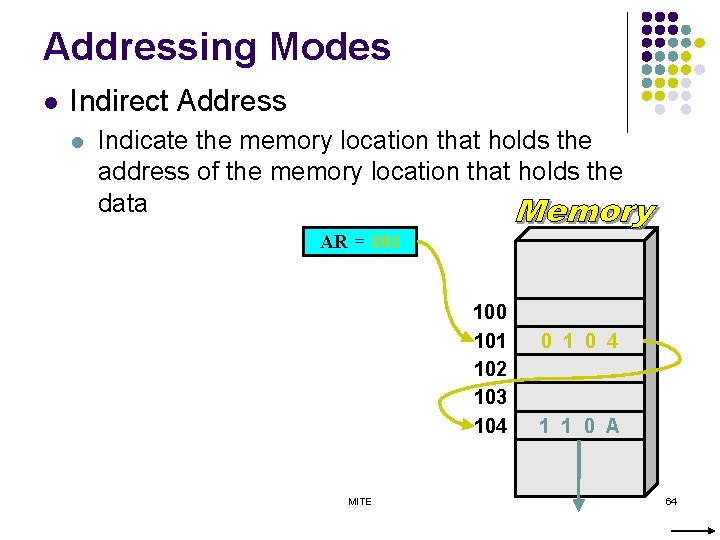
Addressing Modes l Indirect Address l Indicate the memory location that holds the address of the memory location that holds the data AR = 101 100 101 102 103 104 MITE 0 1 0 4 1 1 0 A 64
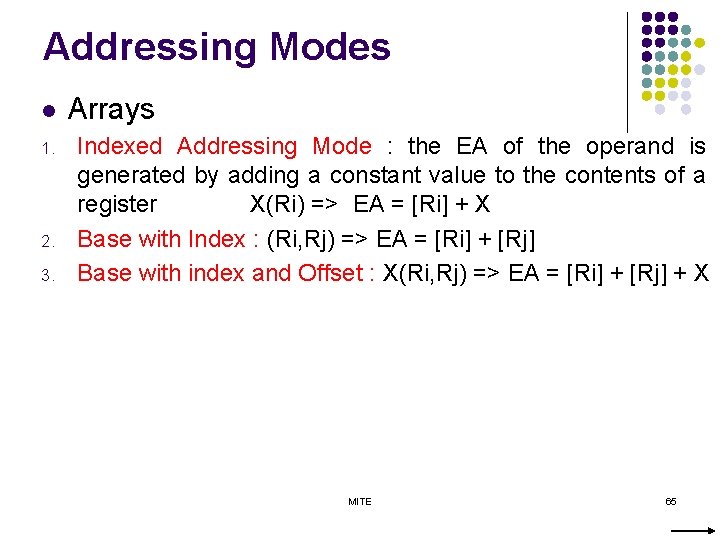
Addressing Modes l 1. 2. 3. Arrays Indexed Addressing Mode : the EA of the operand is generated by adding a constant value to the contents of a register X(Ri) => EA = [Ri] + X Base with Index : (Ri, Rj) => EA = [Ri] + [Rj] Base with index and Offset : X(Ri, Rj) => EA = [Ri] + [Rj] + X MITE 65
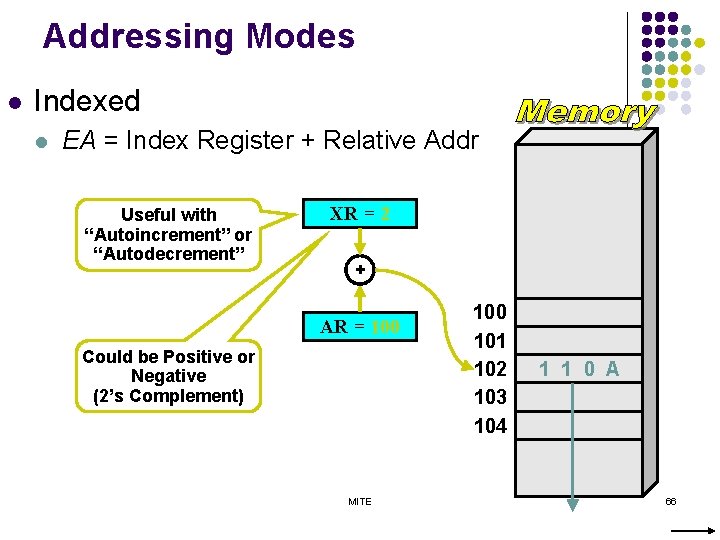
Addressing Modes l Indexed l EA = Index Register + Relative Addr Useful with “Autoincrement” or “Autodecrement” XR = 2 + AR = 100 Could be Positive or Negative (2’s Complement) MITE 100 101 102 103 104 1 1 0 A 66
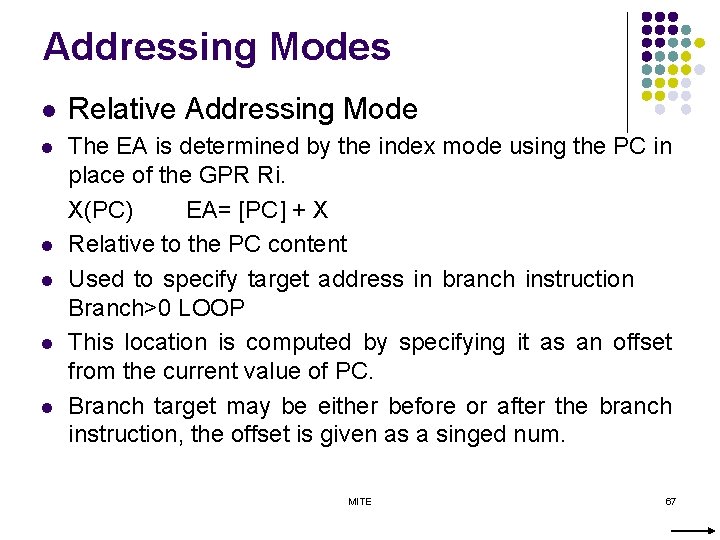
Addressing Modes l Relative Addressing Mode l The EA is determined by the index mode using the PC in place of the GPR Ri. X(PC) EA= [PC] + X Relative to the PC content Used to specify target address in branch instruction Branch>0 LOOP This location is computed by specifying it as an offset from the current value of PC. Branch target may be either before or after the branch instruction, the offset is given as a singed num. l l MITE 67
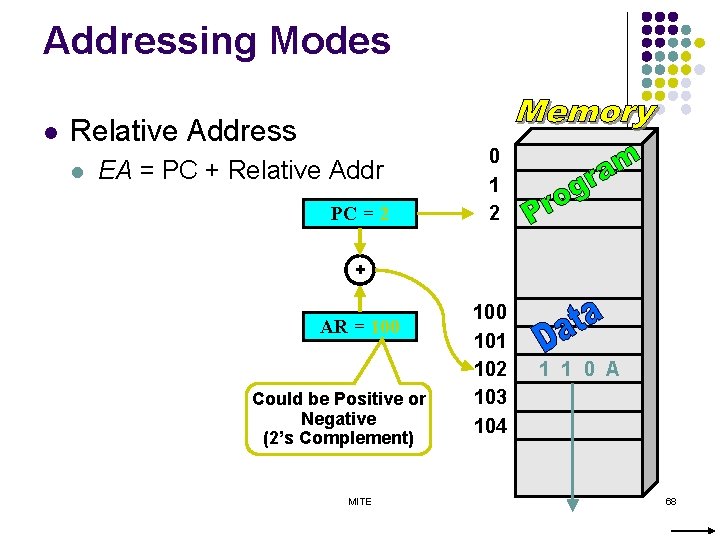
Addressing Modes l Relative Address l EA = PC + Relative Addr PC = 2 0 1 2 + AR = 100 Could be Positive or Negative (2’s Complement) MITE 100 101 102 103 104 1 1 0 A 68
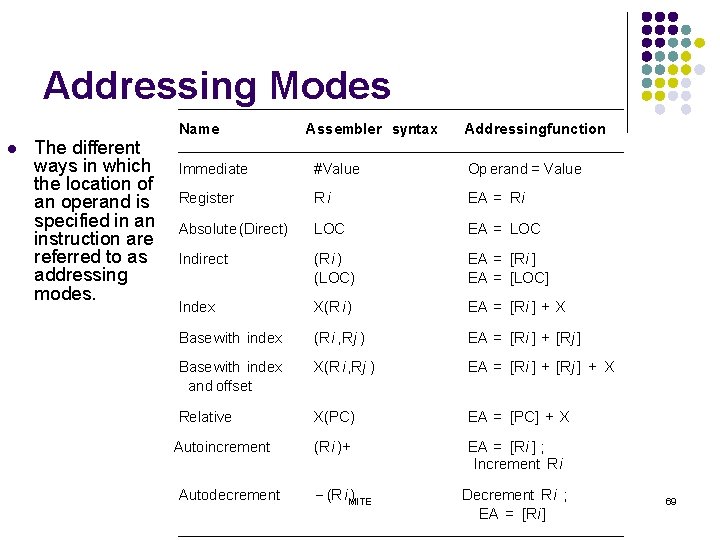
Addressing Modes l The different ways in which the location of an operand is specified in an instruction are referred to as addressing modes. Name Assembler syntax Addressingfunction Immediate #Value Op erand = Value Register Ri EA = Ri Absolute (Direct) LOC EA = LOC Indirect (Ri ) (LOC) EA = [Ri ] EA = [LOC] Index X(R i) EA = [Ri ] + X Basewith index (Ri , Rj ) EA = [Ri ] + [Rj ] Basewith index and offset X(R i, Rj ) EA = [Ri ] + [Rj ] + X Relative X(PC) EA = [PC] + X (Ri )+ EA = [Ri ] ; Increment Ri Autoincrement Autodecrement (Ri MITE ) Decrement R i ; EA = [Ri] 69
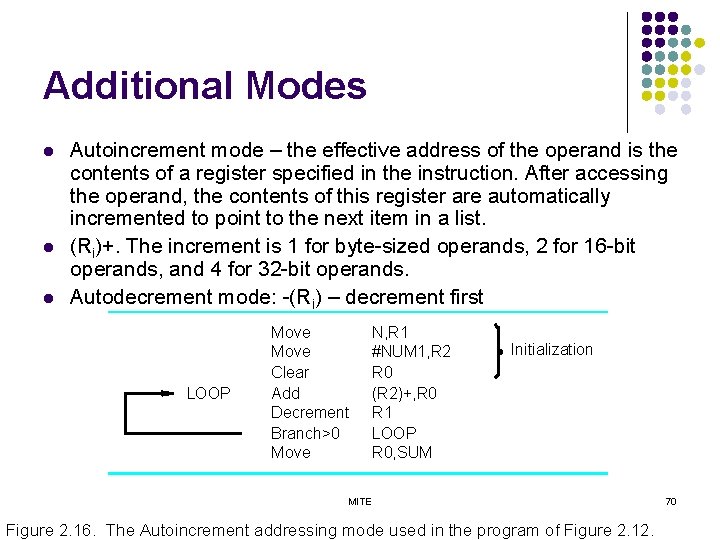
Additional Modes l l l Autoincrement mode – the effective address of the operand is the contents of a register specified in the instruction. After accessing the operand, the contents of this register are automatically incremented to point to the next item in a list. (Ri)+. The increment is 1 for byte-sized operands, 2 for 16 -bit operands, and 4 for 32 -bit operands. Autodecrement mode: -(Ri) – decrement first LOOP Move Clear Add Decrement Branch>0 Move N, R 1 #NUM 1, R 2 R 0 (R 2)+, R 0 R 1 LOOP R 0, SUM Initialization MITE Figure 2. 16. The Autoincrement addressing mode used in the program of Figure 2. 12. 70
Assembly Language MITE 71
Assembly Language l l l Human understandable notation for machine level language Mnemonics – symbolic names Set of rules – syntax MITE 72
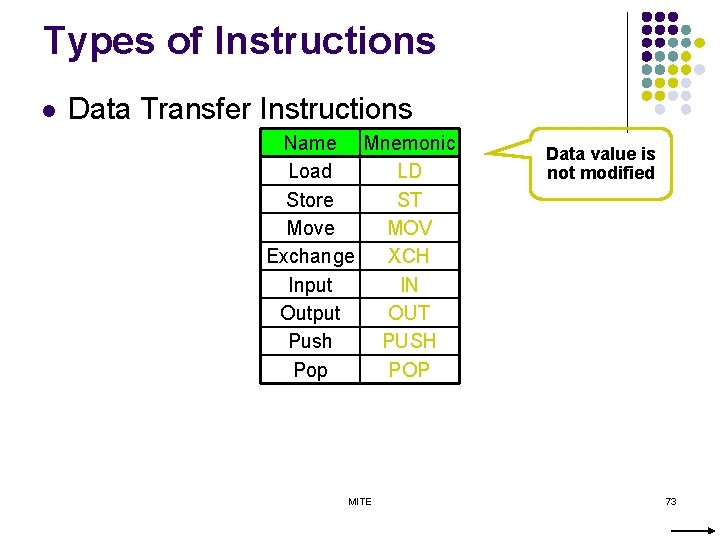
Types of Instructions l Data Transfer Instructions Name Mnemonic Load LD Store ST Move MOV Exchange XCH Input IN Output OUT Push PUSH Pop POP MITE Data value is not modified 73
![Data Transfer Instructions Mode Assembly Register Transfer Direct address LD ADR AC ← M[ADR]](http://slidetodoc.com/presentation_image_h2/fb738b4e4dfae98a54032671d75fa0dd/image-74.jpg "Data Transfer Instructions Mode Assembly Register Transfer Direct address LD ADR AC ← M[ADR]")
Data Transfer Instructions Mode Assembly Register Transfer Direct address LD ADR AC ← M[ADR] Indirect address LD @ADR AC ← M[M[ADR]] Relative address LD $ADR AC ← M[PC+ADR] Immediate operand LD #NBR AC ← NBR Index addressing LD ADR(X) AC ← M[ADR+XR] Register LD R 1 AC ← R 1 Register indirect LD (R 1) AC ← M[R 1] Autoincrement LD (R 1)+ AC ← M[R 1], R 1 ← R 1+1 MITE 74
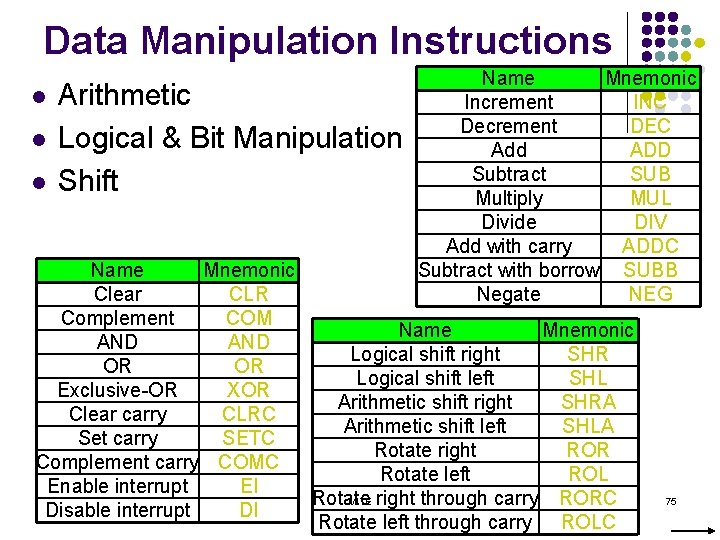
Data Manipulation Instructions l l l Arithmetic Logical & Bit Manipulation Shift Name Mnemonic Increment INC Decrement DEC Add ADD Subtract SUB Multiply MUL Divide DIV Add with carry ADDC Subtract with borrow SUBB Negate NEG Name Mnemonic Clear CLR Complement COM Name Mnemonic AND Logical shift right SHR OR OR Logical shift left SHL Exclusive-OR XOR Arithmetic shift right SHRA Clear carry CLRC Arithmetic shift left SHLA Set carry SETC Rotate right ROR Complement carry COMC Rotate left ROL Enable interrupt EI MITE right through carry Rotate RORC Disable interrupt DI Rotate left through carry ROLC 75
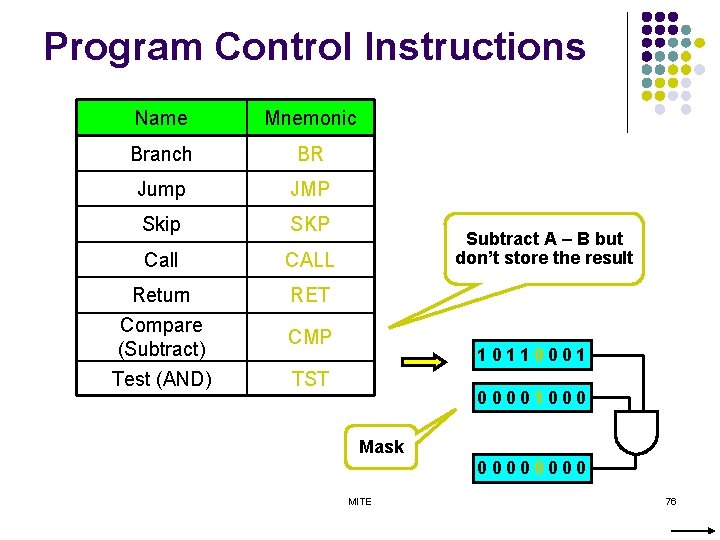
Program Control Instructions Name Mnemonic Branch BR Jump JMP Skip SKP Call CALL Return Compare (Subtract) Test (AND) RET Subtract A – B but don’t store the result CMP 10110001 TST 00001000 Mask 0000 MITE 76
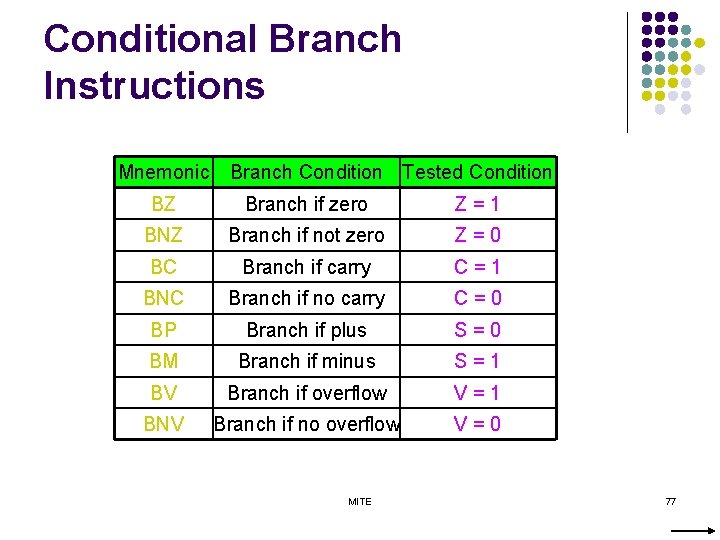
Conditional Branch Instructions Mnemonic Branch Condition Tested Condition BZ Branch if zero Z=1 BNZ Branch if not zero Z=0 BC Branch if carry C=1 BNC Branch if no carry C=0 BP Branch if plus S=0 BM Branch if minus S=1 BV Branch if overflow V=1 BNV Branch if no overflow V=0 MITE 77
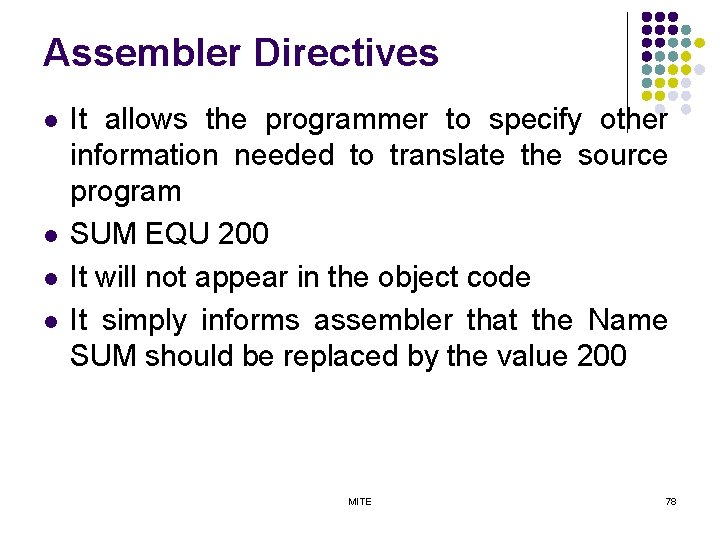
Assembler Directives l l It allows the programmer to specify other information needed to translate the source program SUM EQU 200 It will not appear in the object code It simply informs assembler that the Name SUM should be replaced by the value 200 MITE 78
Basic Input/Output Operations MITE 79
I/O l l l The data on which the instructions operate are not necessarily already stored in memory. Data need to be transferred between processor and outside world (disk, keyboard, etc. ) I/O operations are essential, the way they are performed can have a significant effect on the performance of the computer. MITE 80
I/O l 1. 2. 3. Three methods Program controlled IO Interrupt IO Direct Memory Access DMA MITE 81
Program-Controlled I/O Example – keyboard Interfacing l Read in character input from a keyboard and produce character output on a display screen. Ø Rate of data transfer (keyboard, display, processor) Difference in speed between processor and I/O device creates the need for mechanisms to synchronize the transfer of data. A solution: on output, the processor sends the first character and then waits for a signal from the display that the character has been received. It then sends the second character. Input is sent from the keyboard in a similar way. Ø Ø MITE 82
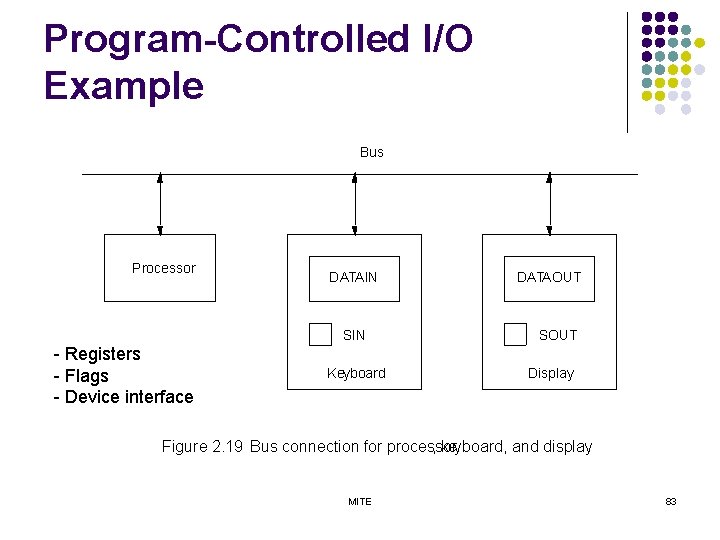
Program-Controlled I/O Example Bus Processor DATAIN SIN - Registers - Flags - Device interface Keyboard DATAOUT SOUT Display Figure 2. 19 Bus connection for processor , keyboard, and display. MITE 83
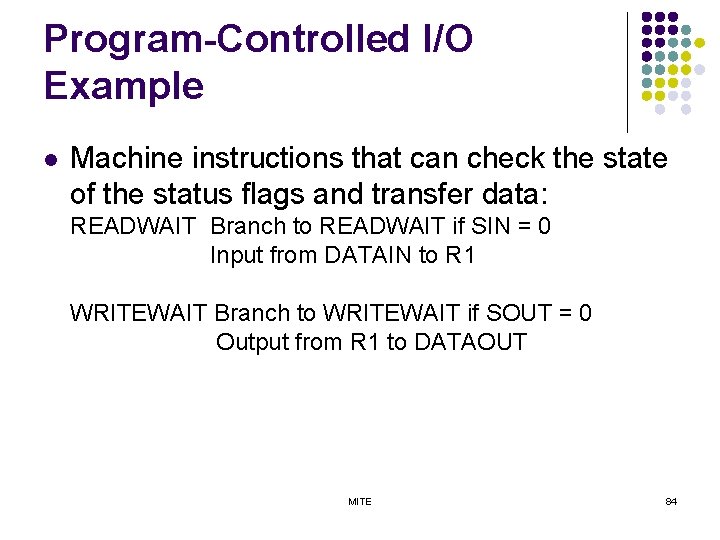
Program-Controlled I/O Example l Machine instructions that can check the state of the status flags and transfer data: READWAIT Branch to READWAIT if SIN = 0 Input from DATAIN to R 1 WRITEWAIT Branch to WRITEWAIT if SOUT = 0 Output from R 1 to DATAOUT MITE 84
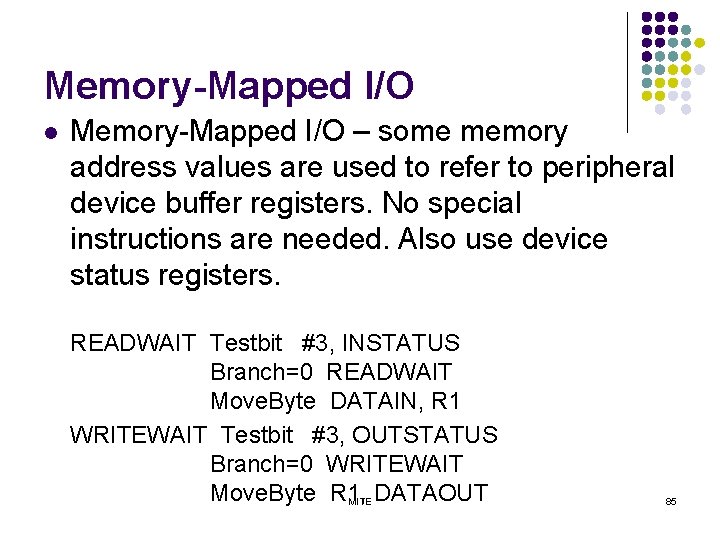
Memory-Mapped I/O l Memory-Mapped I/O – some memory address values are used to refer to peripheral device buffer registers. No special instructions are needed. Also use device status registers. READWAIT Testbit #3, INSTATUS Branch=0 READWAIT Move. Byte DATAIN, R 1 WRITEWAIT Testbit #3, OUTSTATUS Branch=0 WRITEWAIT Move. Byte R 1, MITE DATAOUT 85
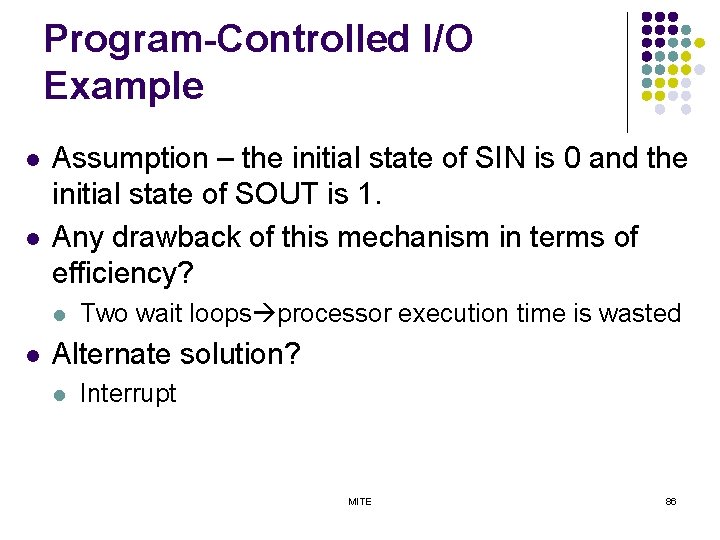
Program-Controlled I/O Example l l Assumption – the initial state of SIN is 0 and the initial state of SOUT is 1. Any drawback of this mechanism in terms of efficiency? l l Two wait loops processor execution time is wasted Alternate solution? l Interrupt MITE 86

Stacks MITE 87
Stacks l Data Structure – list of data elements Access Restriction - Elements can be added or removed at one end of the list only l. LIFO Stack l MITE 88
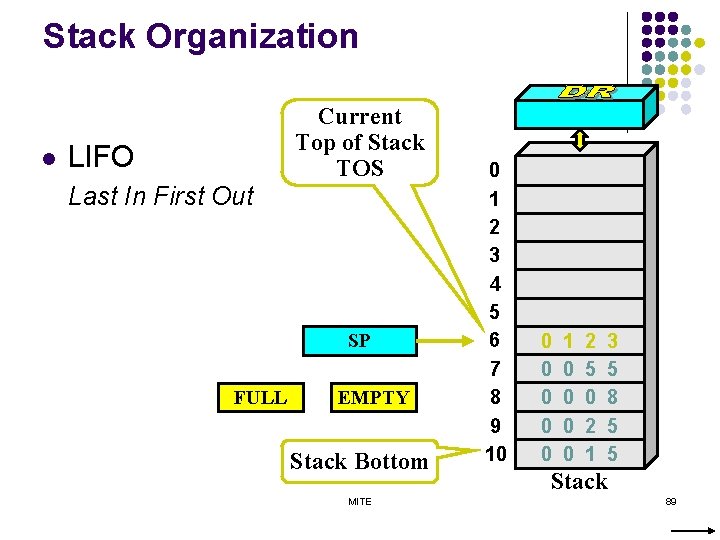
Stack Organization l LIFO Last In First Out Current Top of Stack TOS SP FULL EMPTY Stack Bottom MITE 0 1 2 3 4 5 6 7 8 9 10 0 0 1 0 0 2 5 0 2 1 3 5 8 5 5 Stack 89
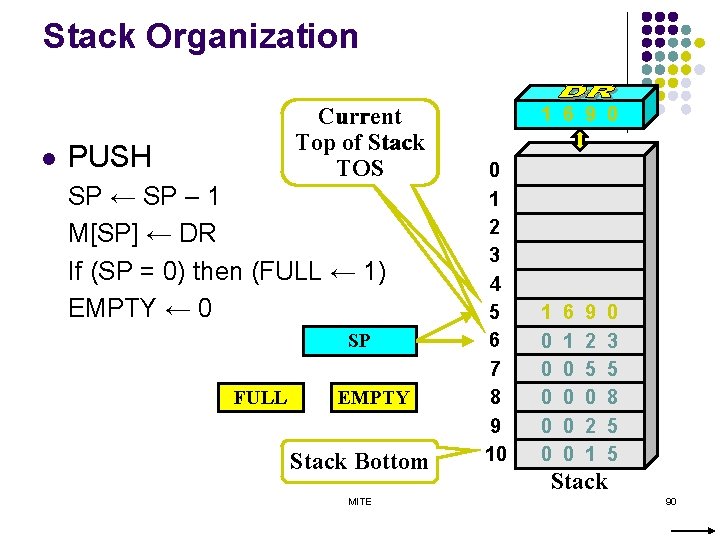
Stack Organization l Current Top of Stack TOS PUSH SP ← SP – 1 M[SP] ← DR If (SP = 0) then (FULL ← 1) EMPTY ← 0 SP FULL EMPTY Stack Bottom MITE 1 6 9 0 0 1 2 3 4 5 6 7 8 9 10 1 0 0 0 6 1 0 0 9 2 5 0 2 1 0 3 5 8 5 5 Stack 90
![Stack Organization l Current Top of Stack TOS POP DR ← M[SP] SP ←](http://slidetodoc.com/presentation_image_h2/fb738b4e4dfae98a54032671d75fa0dd/image-91.jpg "Stack Organization l Current Top of Stack TOS POP DR ← M[SP] SP ←")
Stack Organization l Current Top of Stack TOS POP DR ← M[SP] SP ← SP + 1 If (SP = 11) then (EMPTY ← 1) FULL ← 0 SP FULL EMPTY Stack Bottom MITE 0 1 2 3 4 5 6 7 8 9 10 1 0 0 0 6 1 0 0 9 2 5 0 2 1 0 3 5 8 5 5 Stack 91
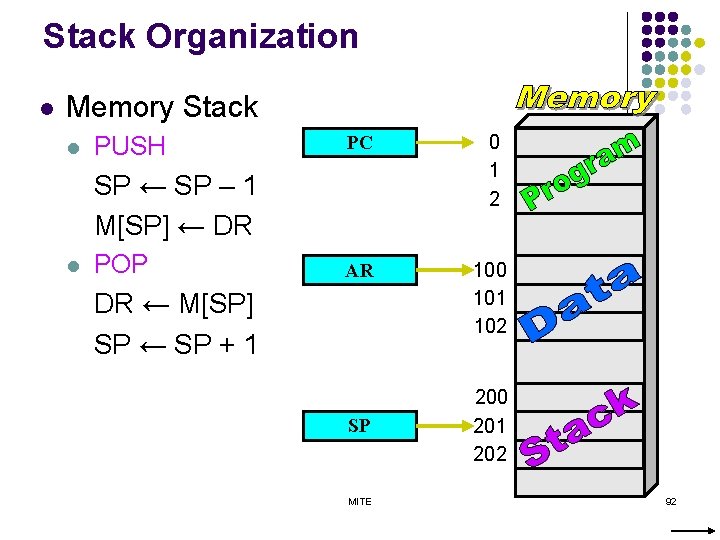
Stack Organization l Memory Stack l PUSH PC 0 1 2 AR 100 101 102 SP ← SP – 1 M[SP] ← DR l POP DR ← M[SP] SP ← SP + 1 SP MITE 200 201 202 92
Additional Instructions MITE 93
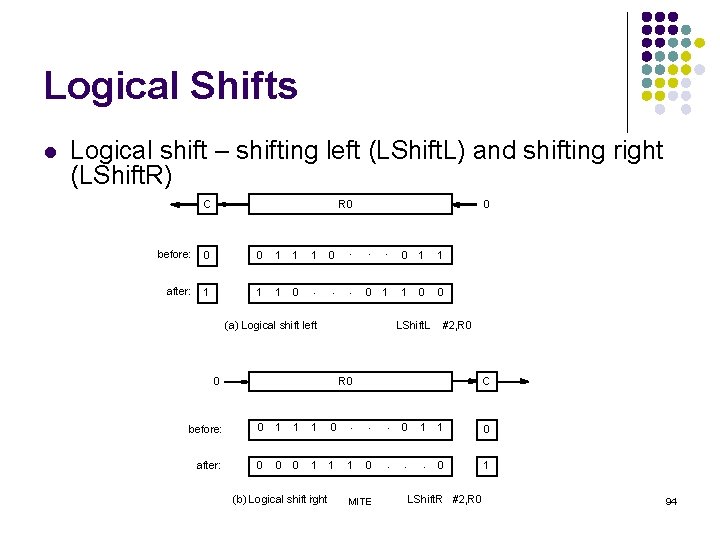
Logical Shifts l Logical shift – shifting left (LShift. L) and shifting right (LShift. R) C R 0 . . . before: 0 0 1 1 1 after: 1 1 1 0 . . . 0 0 0 1 (a) Logical shift left 0 1 1 1 0 0 LShift. L 0 #2, R 0 C before: 0 1 1 1 0 . . . after: 0 0 0 1 1 1 (b) Logical shift irght 0 MITE 0 1 1 0 . . . 0 1 LShift. R #2, R 0 94
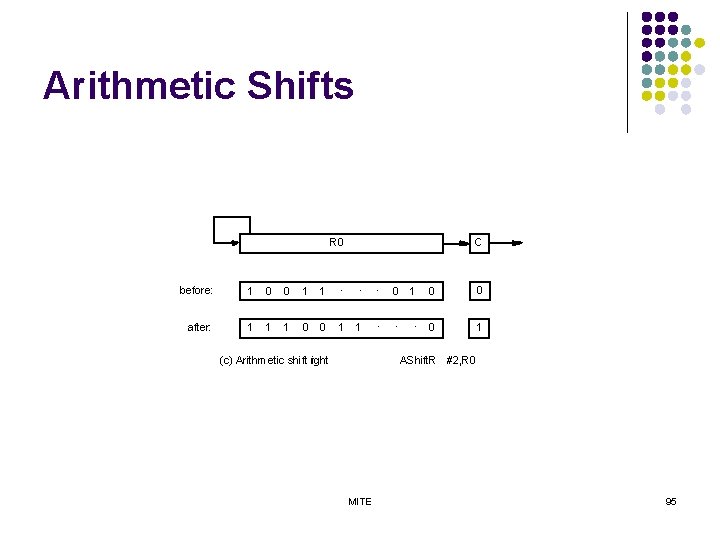
Arithmetic Shifts R 0 C before: 1 0 0 1 1 . . . after: 1 1 1 0 0 1 1 (c) Arithmetic shift right 1 0 0 . . . 0 1 0 AShift. R #2, R 0 MITE 95
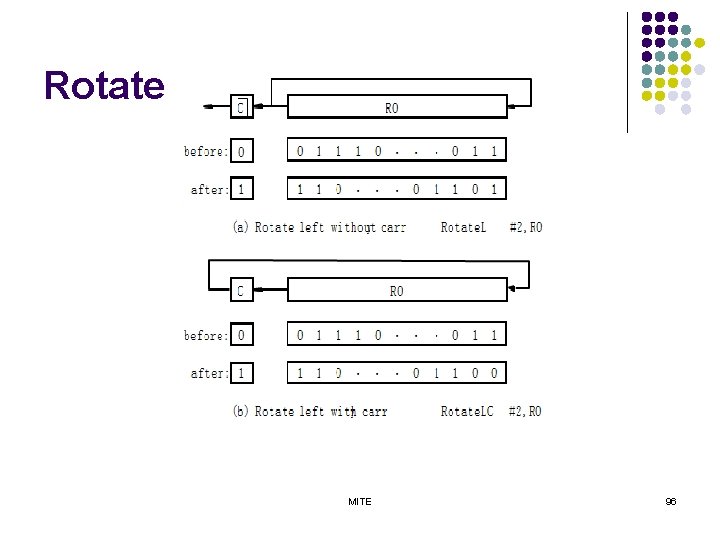
Rotate MITE 96
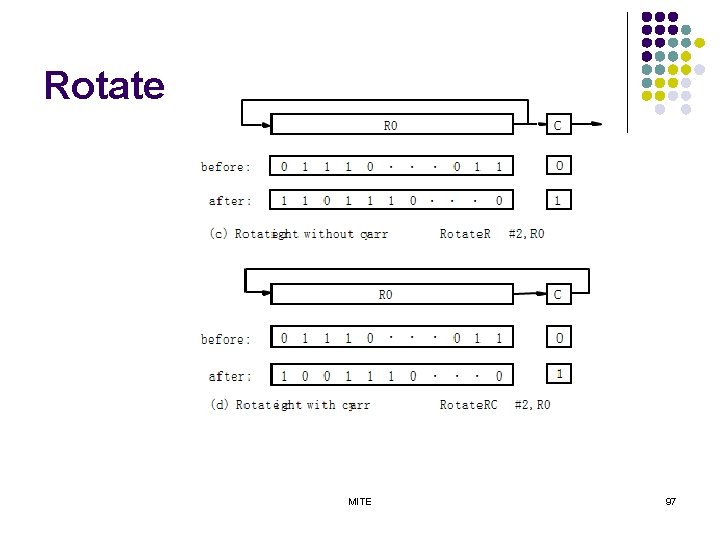
Rotate MITE 97
Encoding of Machine Instructions MITE 98
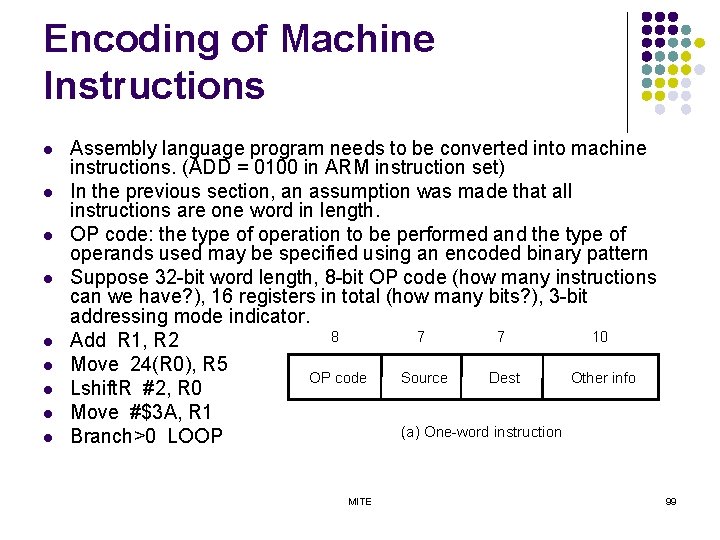
Encoding of Machine Instructions l l l l l Assembly language program needs to be converted into machine instructions. (ADD = 0100 in ARM instruction set) In the previous section, an assumption was made that all instructions are one word in length. OP code: the type of operation to be performed and the type of operands used may be specified using an encoded binary pattern Suppose 32 -bit word length, 8 -bit OP code (how many instructions can we have? ), 16 registers in total (how many bits? ), 3 -bit addressing mode indicator. 8 7 7 10 Add R 1, R 2 Move 24(R 0), R 5 OP code Source Dest Other info Lshift. R #2, R 0 Move #$3 A, R 1 (a) One-word instruction Branch>0 LOOP MITE 99
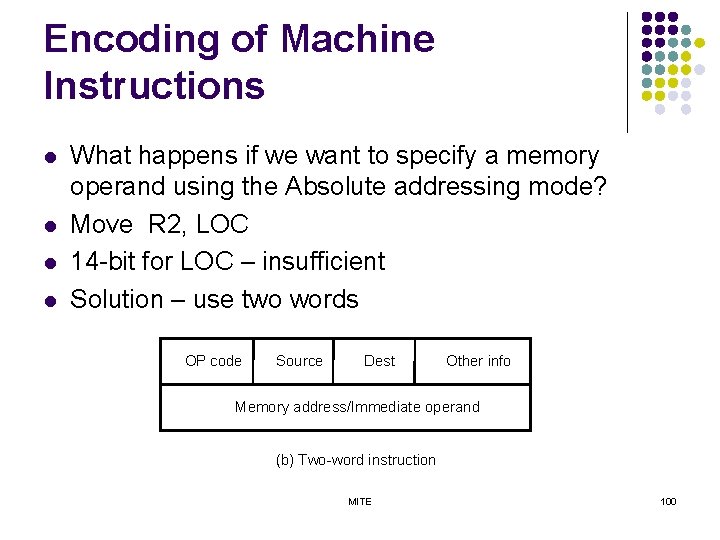
Encoding of Machine Instructions l l What happens if we want to specify a memory operand using the Absolute addressing mode? Move R 2, LOC 14 -bit for LOC – insufficient Solution – use two words OP code Source Dest Other info Memory address/Immediate operand (b) Two-word instruction MITE 100
Encoding of Machine Instructions l l Then what if an instruction in which two operands can be specified using the Absolute addressing mode? Move LOC 1, LOC 2 Solution – use two additional words This approach results in instructions of variable length. Complex instructions can be implemented, closely resembling operations in high-level programming languages – Complex Instruction Set Computer (CISC) MITE 101
Encoding of Machine Instructions l l l If we insist that all instructions must fit into a single 32 -bit word, it is not possible to provide a 32 -bit address or a 32 -bit immediate operand within the instruction. It is still possible to define a highly functional instruction set, which makes extensive use of the processor registers. Add R 1, R 2 ----- yes Add LOC, R 2 ----- no Add (R 3), R 2 ----- yes MITE 102
Subroutines l l q q l It is a subtask CALL instruction Store the contents of the PC in the link register Branch to the target address specified by the instruction RETURN instruction Branch to the address contained in the link register The way in which a computer makes it possible to call and return from subroutine – subroutine linkage MITE 103
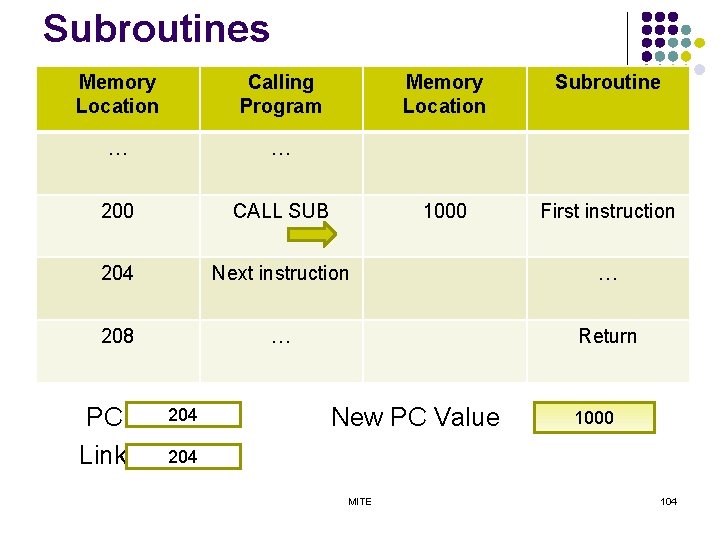
Subroutines Memory Location Calling Program … … 200 CALL SUB 204 Next instruction … 208 … Return PC Link 204 Memory Location Subroutine 1000 First instruction New PC Value 1000 204 MITE 104
Stack Frame l l l Location constitute a private work space for the subroutine Created at the time the subroutine is entered and freed up when the subroutine returns Frame Pointer – to access the local variables of subroutine MITE 105
Model Questions 1. What is performance measurement? explain the overall SPEC rating for the computer in a program suite 2. Mention four types of operations to be performed by instructions in a computer. Explain with basic types of instruction formats to carry out C = [A]+[B]. 3. Define an addressing mode. Explain the following addressing modes with example: immediate, indirect, index, relative and auto increment 4. What is a stack frame? Explain a commonly used layout for information in a subroutine stack frame 5. Explain shift and rotate operations with example 6. Draw the connection between processor and memory and mention the functions of each component in the connection. 7. Write the difference between RISC and CISC processors. 8. A program contain 1000 instructions. Out of that 25% instructions require 4 clock cycles, 40% instructions require 5 cock cycles and remaining requires 3 clock cycles for execution. Find the total time required to execute the program. MITErunning in a 1 GHz machine. 106
Model Questions 9. Explain different rotate instructions. 10. Write ALP program to copy N numbers from array A to array B using indirect addresses. 11. Explain with necessary block diagram the basic functional unit of a computer. 12. Big Endian and ittle Endian assignments, explain with necessary figure. Represent the number 64243848 H in 32 bits big endian and little endian memory. 13. List the name, assembler syntax and addressing functions for the different addressing modes. 14. Draw the arrangement of a single bus structure and brief about memory mapped IO. 15. Explain I) Interrupt enabling, II) Interrupt disabling, III) Edge triggering with respect to interrupts. 16. Explain how to encode the instructions into 32 bit words. MITE 107
Model Questions 17. 18. 19. 20. 21. With a neat diagram explain the different processor registers. What are the factors that affect the performance? Explain any four. With a neat block diagram, describe the IO operations. Discuss briefly encoding of machine instructions. Derive the basic performance equation. Discuss the measures to improve the performance. 22. What is subroutine linkage? Explain with an example subroutine linkage using linkage register. 23. Registers R 1 and R 2 of a computer contain the decimal values 1200 and 4600. what is EA of the memory opened in each of the following instructions? I) Load 20(R 1), R 5 II) Move #3000, R 5 III) Store R 5, 30(R 1, R 2) IV) Add -(R 2) R 5 V) Subtract (R 1)+ , R 5 MITE 108
- Slides: 108