
Module 1 An Introduction to ASP NET Since




- Slides: 40
Module 1 : An Introduction to ASP. NET Since 1986 1
Contents v. NET Framework and VS. NET v. Introduction to ASP. NET v. Advantage Features of ASP. NET v. Internet Information Services (IIS) v. Virtual Directory v. Introduction to Webform v. Visual Studio Web Site Types v. ASP. NET Directives Since 1986 2
What is the. NET Framework? Developer Tools Databases XML Web Services . NET Framewor k Since 1986 Clients ASP. NET Web Application s User Experience s 3
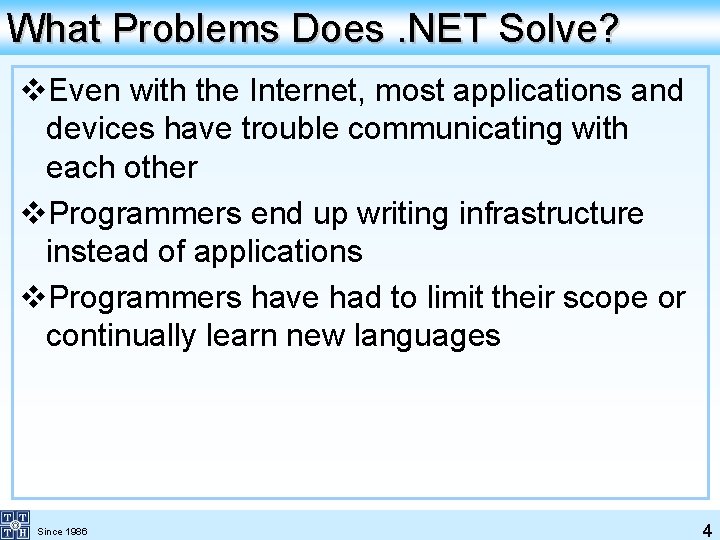
What Problems Does. NET Solve? v. Even with the Internet, most applications and devices have trouble communicating with each other v. Programmers end up writing infrastructure instead of applications v. Programmers have had to limit their scope or continually learn new languages Since 1986 4
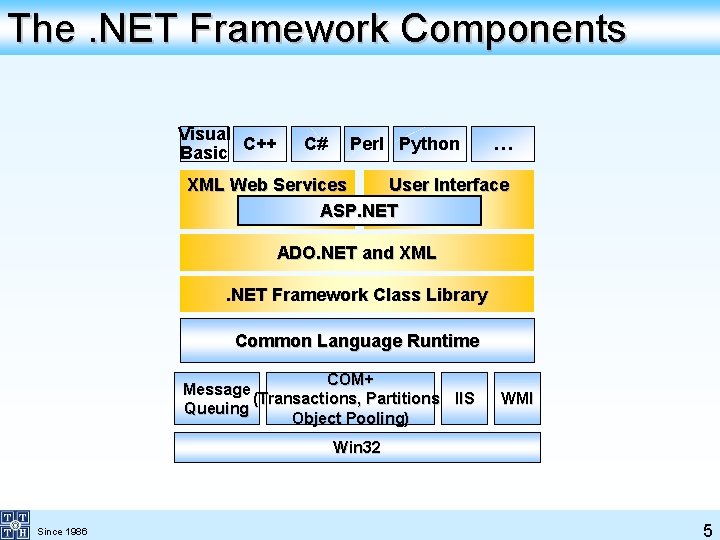
The. NET Framework Components Visual C++ Basic C# Perl Python … XML Web Services User Interface ASP. NET ADO. NET and XML. NET Framework Class Library Common Language Runtime COM+ Message (Transactions, Partitions, IIS Queuing Object Pooling) WMI Win 32 Since 1986 5
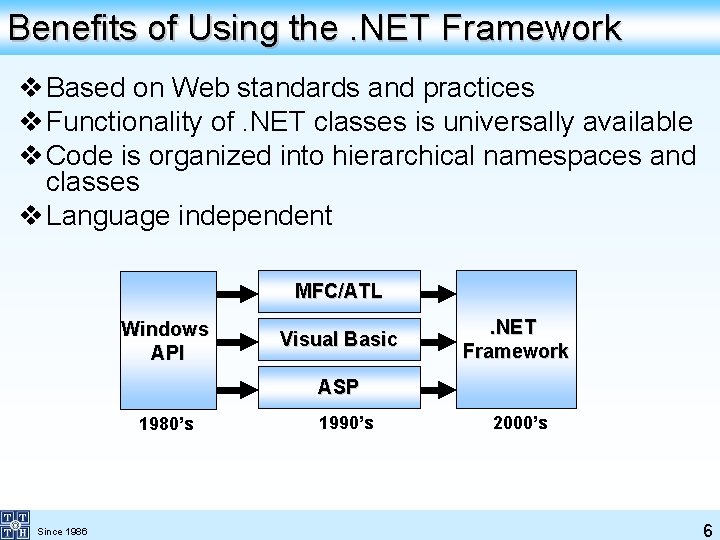
Benefits of Using the. NET Framework v Based on Web standards and practices v Functionality of. NET classes is universally available v Code is organized into hierarchical namespaces and classes v Language independent MFC/ATL Windows API Visual Basic . NET Framework ASP 1980’s Since 1986 1990’s 2000’s 6
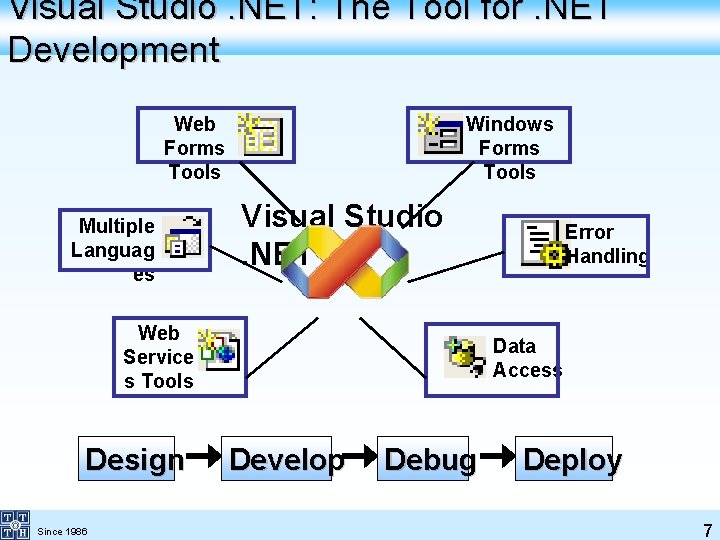
Visual Studio. NET: The Tool for. NET Development Web Forms Tools Multiple Languag es Windows Forms Tools Visual Studio. NET Web Service s Tools Design Since 1986 Error Handling Data Access Develop Debug Deploy 7
Introduction to ASP. NET v. Microsoft introduced Active Server Pages in December 1996. Microsoft made it available for its Internet Information Server (IIS) v. ASP Page is saved with an extension of. asp v. ASP code can be written in VBScript or Jscript v. An Active Server Page is like a standard HTML file, and can contain HTML tags that will not be interpreted by the server, they are sent to the browser along with the plain HTML generated from the ASP code embedded in it Since 1986 8
Introduction to ASP. NET v. ASP. NET is a part of the new framework for Internet functionality in. NET v. ASP. NET has been designed to provide the features, which were not covered in ASP, as it has been built on common language runtime that can be used on a server to build powerful web Applications Since 1986 9
Advantage Features of ASP. NET v. Better Performance : An ASP. NET file is compiled only the first time it is accessed. If the page has been sent back then, only modified area is read at server v. Simplicity : ASP. NET framework allows you to create a web application that cleanly separates application logic from presentation code v. Language support : Object Oriented Language : C# , VB. NET Since 1986 10
Advantage Features of ASP. NET v. Security : ASP. NET supports Windows , HTML forms and Passport based authentication v. Caching : Caching is a technique that is used widely to increase the performance by keeping frequently accessed or expensive data in memory (3 types of caching : Output , Data, Fragment Caching) Since 1986 11
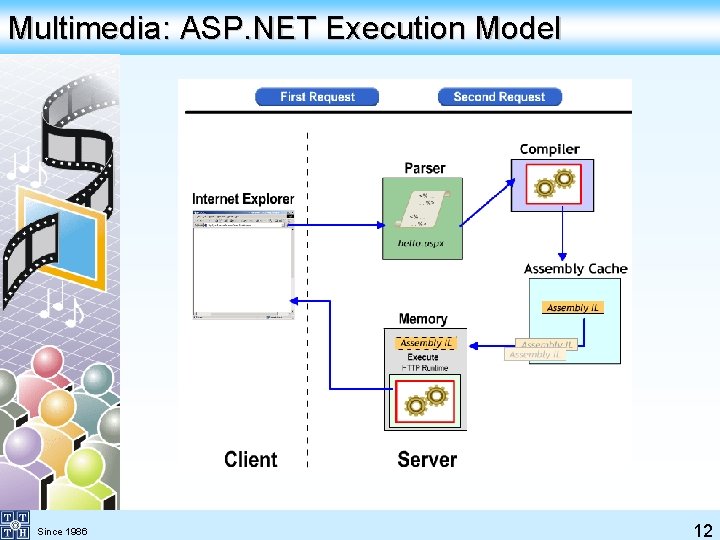
Multimedia: ASP. NET Execution Model Since 1986 12
Internet Information Services (IIS) v. Software intergrated with Windows OS to manage all Web Applications v. Start at : Control Panel Administrative Tools Internet Information Services Since 1986 13
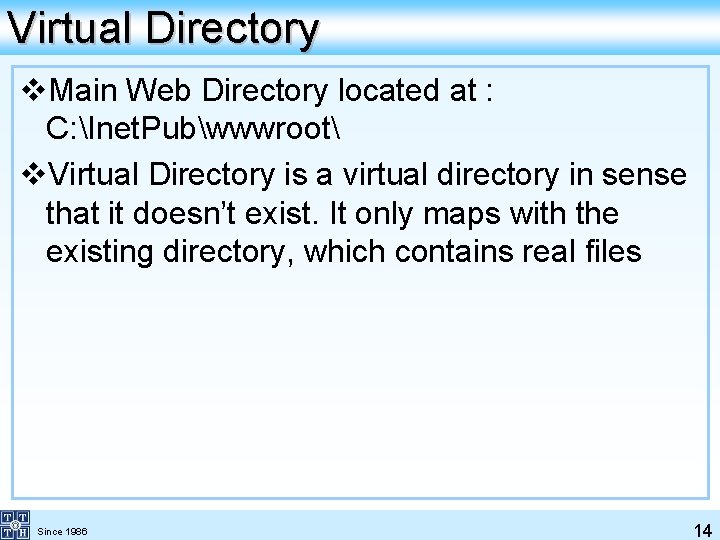
Virtual Directory v. Main Web Directory located at : C: Inet. Pubwwwroot v. Virtual Directory is a virtual directory in sense that it doesn’t exist. It only maps with the existing directory, which contains real files Since 1986 14
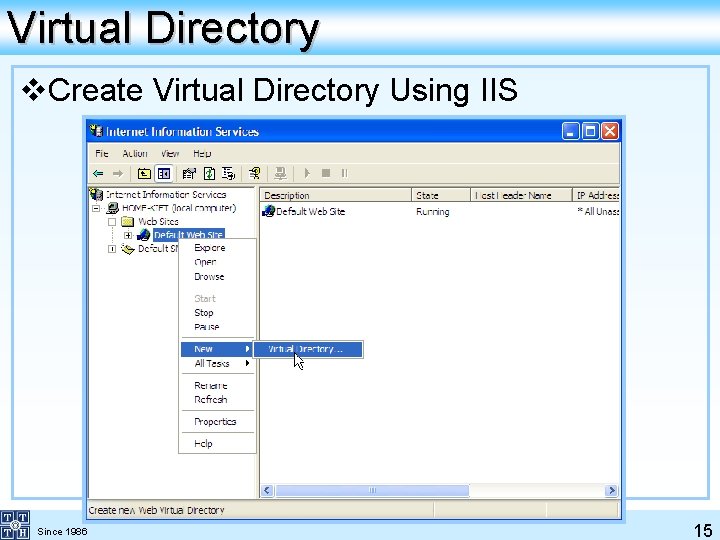
Virtual Directory v. Create Virtual Directory Using IIS Since 1986 15
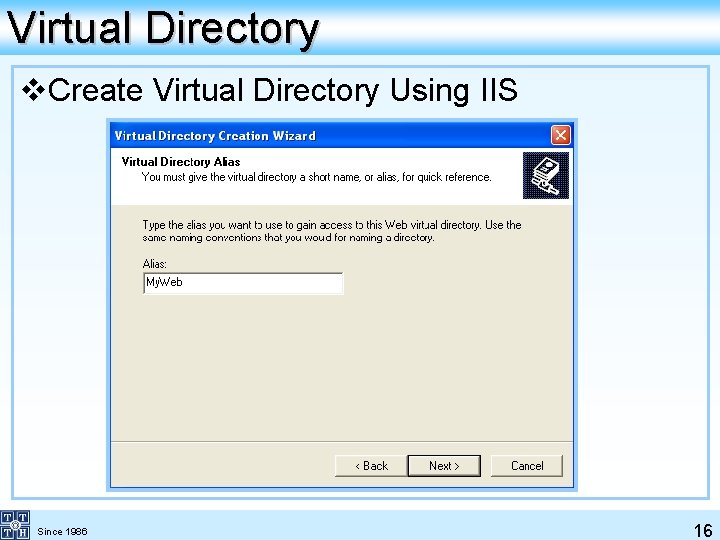
Virtual Directory v. Create Virtual Directory Using IIS Since 1986 16
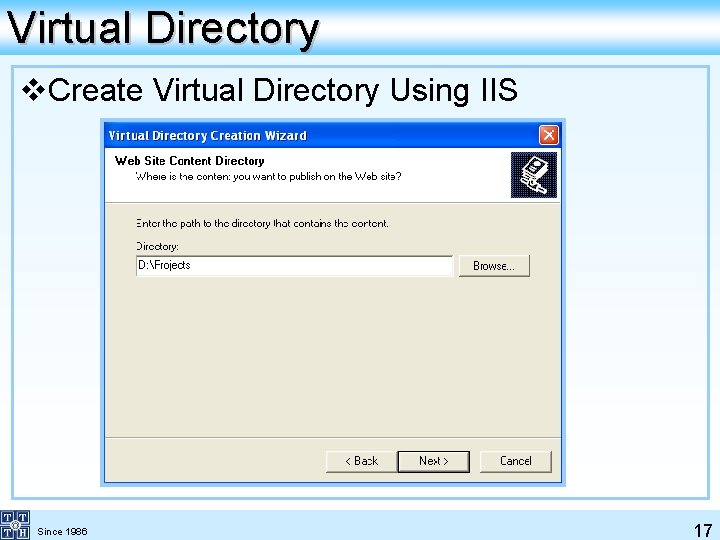
Virtual Directory v. Create Virtual Directory Using IIS Since 1986 17
Webform v. ASP. NET web forms are nothing but text files, saved with an extension of. aspx v. As you have already seen, the web forms can be created in the following three ways: ØNotepad ØFront. Page ØVisual Studio. NET Since 1986 18
Webform v. Features: ØBrowser-independent applications : Web Forms provide a framework for creating all application logic on the server, eliminating the need to explicitly code for different browsers and their capabilities ØEvent-based programming model : Web Forms bring to Web applications the model of writing event-handling methods for events that occur in either the client or server Since 1986 19
Webform v. Features: ØState management : The Web Forms framework automatically handles the task of maintaining the state of your form and its controls ØScalable server performance : The Web Forms framework allows you to scale your application from one computer with a single processor to a multi-computer Web farm cleanly and without complicated changes to the application's logic Since 1986 20
Visual Studio Web Site Types v. You can use Visual Studio 2005 to create any of the following Web site types: ØFile-system Web sites ØLocal Internet Information Services (IIS) Web sites ØRemote IIS Web sites ØFTP sites Since 1986 21
Default Event Handling in Web Applications v. Many ASP. NET objects support multiple events ØObjects with multiple events usually support a default event v. Visual Studio 2005 and ASP. NET provide multiple ways for working with events ØVisual Studio 2005 provides quick access to default events Since 1986 22
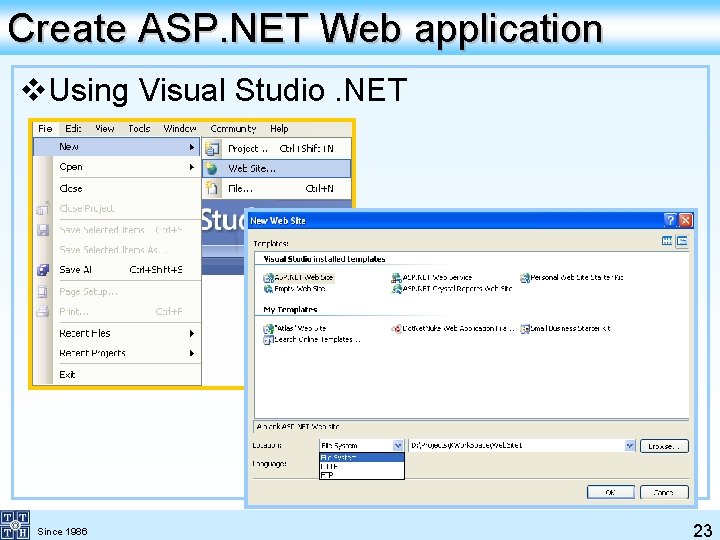
Create ASP. NET Web application v. Using Visual Studio. NET Since 1986 23
Why Visual Studio. NET? v One IDE for multiple languages and multiple project types v Multiple languages within a project v Multiple project types within a solution v Integrated browser v Debugging support v Customizable interface Since 1986 24
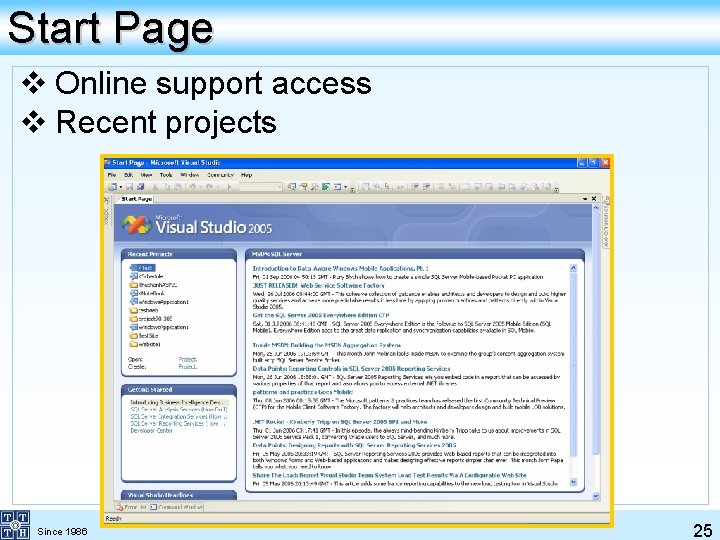
Start Page v Online support access v Recent projects Since 1986 25
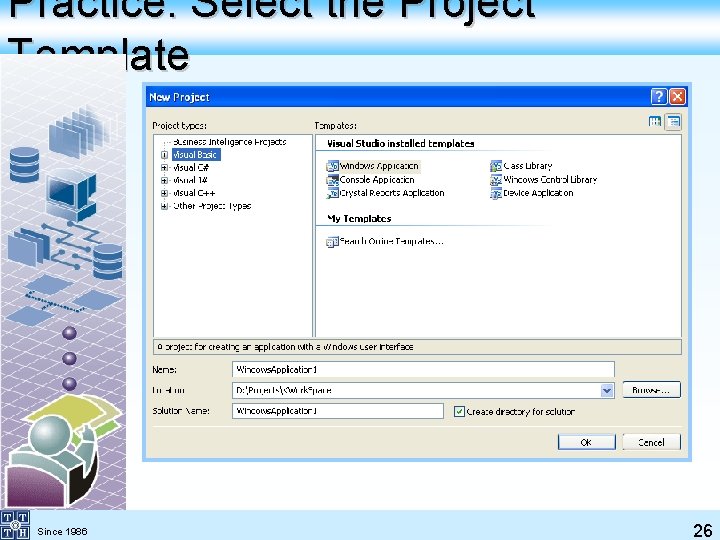
Practice: Select the Project Template Since 1986 26
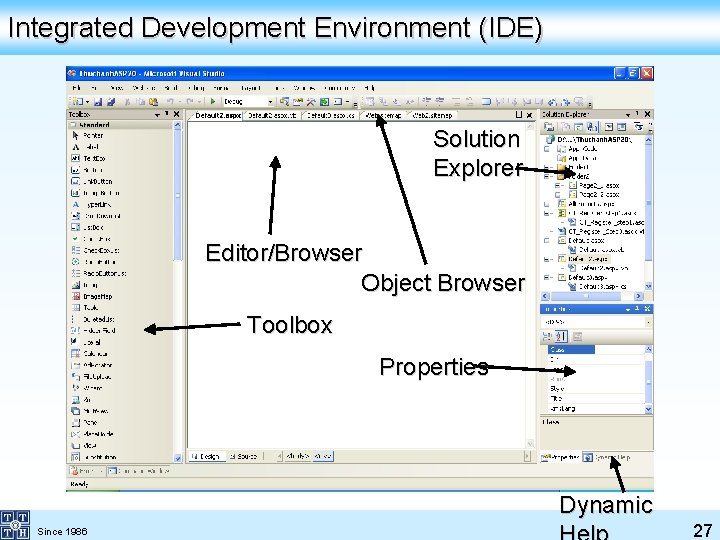
Integrated Development Environment (IDE) Solution Explorer Editor/Browser Object Browser Toolbox Properties Dynamic Since 1986 27
Visual Studio. NET v. The advantage of using Visual Studio is that it provides tools that make web Application development much faster, easier, universally readable and much more robust. These tools include: ØVisual designers ØCode-aware editors ØIntegrated compilation and debugging ØProject management Since 1986 28
File Types v*. aspx : webform file v*. aspx. vb (. aspx. cs) : code behind file v. Web. config : web application configuration file v. Global. asax : application event file Since 1986 29
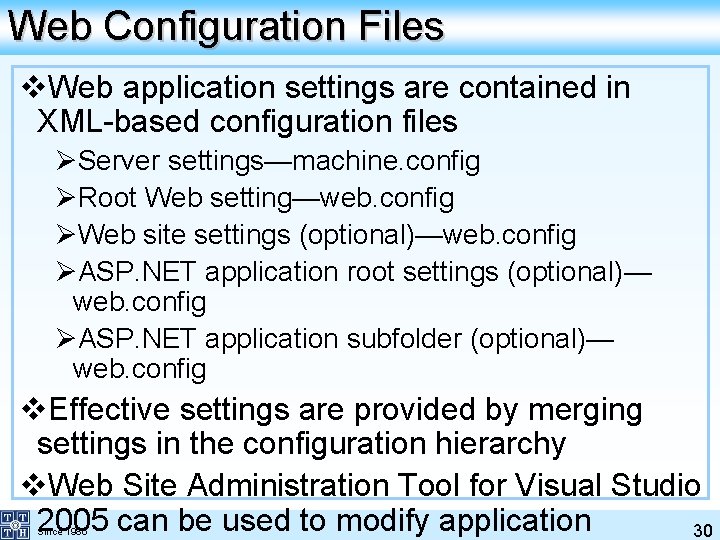
Web Configuration Files v. Web application settings are contained in XML-based configuration files ØServer settings—machine. config ØRoot Web setting—web. config ØWeb site settings (optional)—web. config ØASP. NET application root settings (optional)— web. config ØASP. NET application subfolder (optional)— web. config v. Effective settings are provided by merging settings in the configuration hierarchy v. Web Site Administration Tool for Visual Studio 2005 can be used to modify application 30 Since 1986
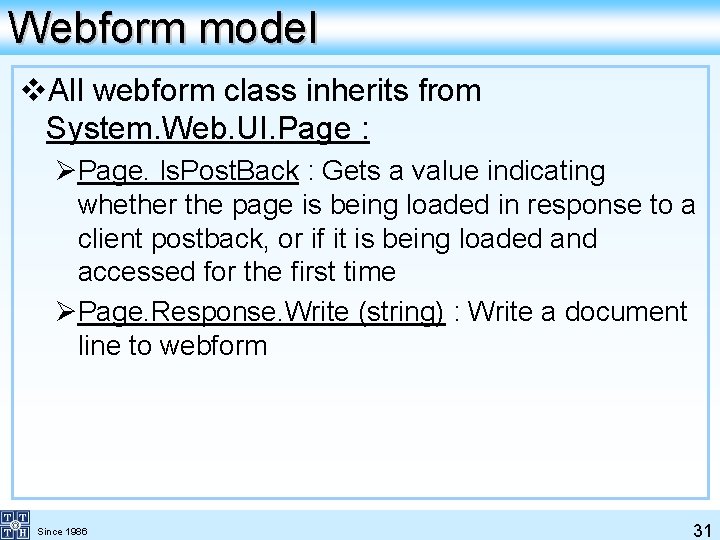
Webform model v. All webform class inherits from System. Web. UI. Page : ØPage. Is. Post. Back : Gets a value indicating whether the page is being loaded in response to a client postback, or if it is being loaded and accessed for the first time ØPage. Response. Write (string) : Write a document line to webform Since 1986 31
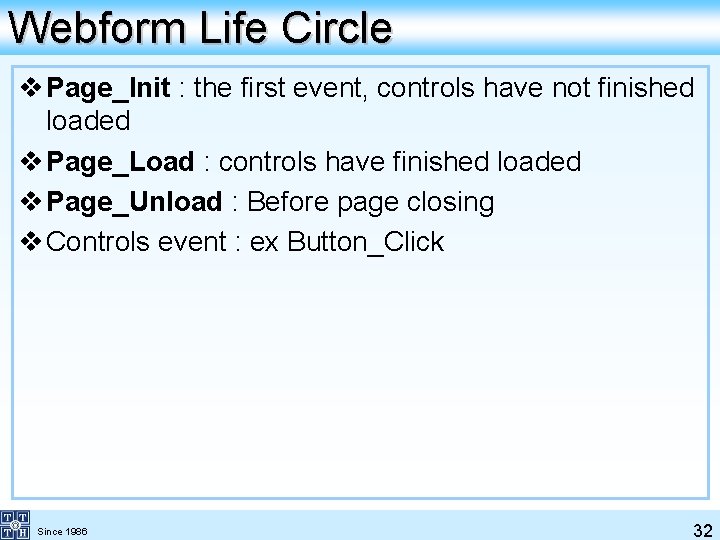
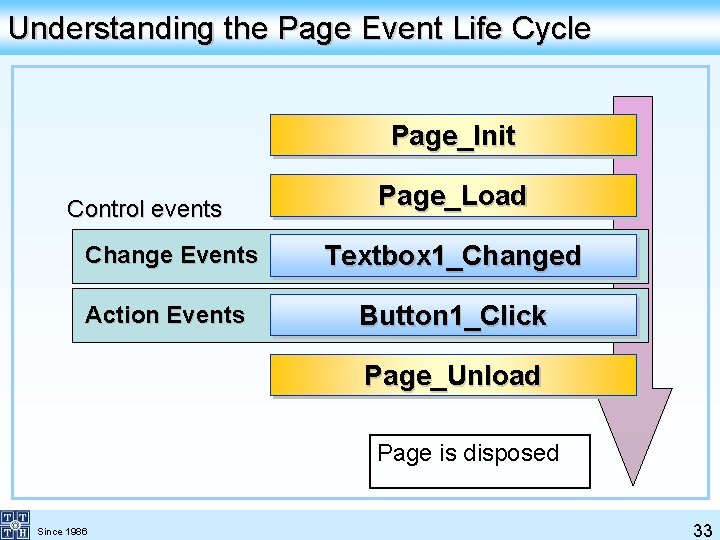
Webform Life Circle v Page_Init : the first event, controls have not finished loaded v Page_Load : controls have finished loaded v Page_Unload : Before page closing v Controls event : ex Button_Click Since 1986 32
Understanding the Page Event Life Cycle Page_Init Control events Page_Load Change Events Textbox 1_Changed Action Events Button 1_Click Page_Unload Page is disposed Since 1986 33
Visual Studio Web Site Types v. File-system Web sites v. Local IIS Web sites v. Remote IIS Web sites v. FTP sites Since 1986 34
Default Event Handling in Web Applications v. Many ASP. NET objects support multiple events ØObjects with multiple events usually support a default event v. Visual Studio 2005 and ASP. NET provide multiple ways for working with events ØVisual Studio 2005 provides quick access to default events Since 1986 35
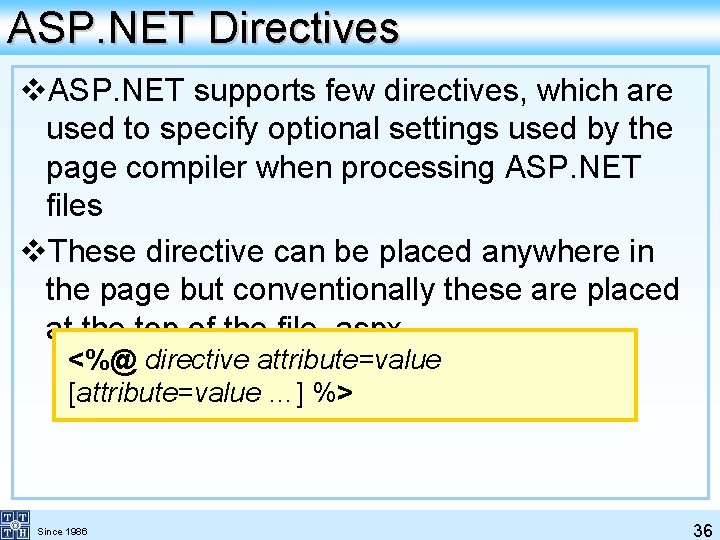
ASP. NET Directives v. ASP. NET supports few directives, which are used to specify optional settings used by the page compiler when processing ASP. NET files v. These directive can be placed anywhere in the page but conventionally these are placed at the top of the file. aspx <%@ directive attribute=value [attribute=value …] %> Since 1986 36
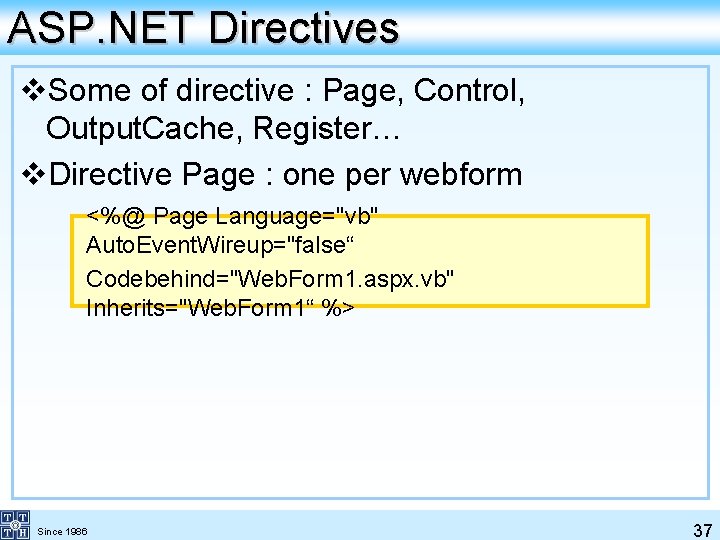
ASP. NET Directives v. Some of directive : Page, Control, Output. Cache, Register… v. Directive Page : one per webform <%@ Page Language="vb" Auto. Event. Wireup="false“ Codebehind="Web. Form 1. aspx. vb" Inherits="Web. Form 1“ %> Since 1986 37
38
39
40