
Modular structure of WAVEWATCH III and general features
- Slides: 22
Modular structure of WAVEWATCH III and general features Arun Chawla The WAVEWATCH III Team + friends Marine Modeling and Analysis Branch NOAA / NWS / NCEP / EMC NCEP. list. WAVEWATCH@NOAA. gov NCEP. list. waves@NOAA. gov Version 1. 2, Feb. 2013 WW Winter School 2013 Modular structure 1/22
Outline Covered in this lecture: Modifying code. l Internal data structure. l Best practices. l Version 1. 2, Feb. 2013 WW Winter School 2013 Modular structure 2/22
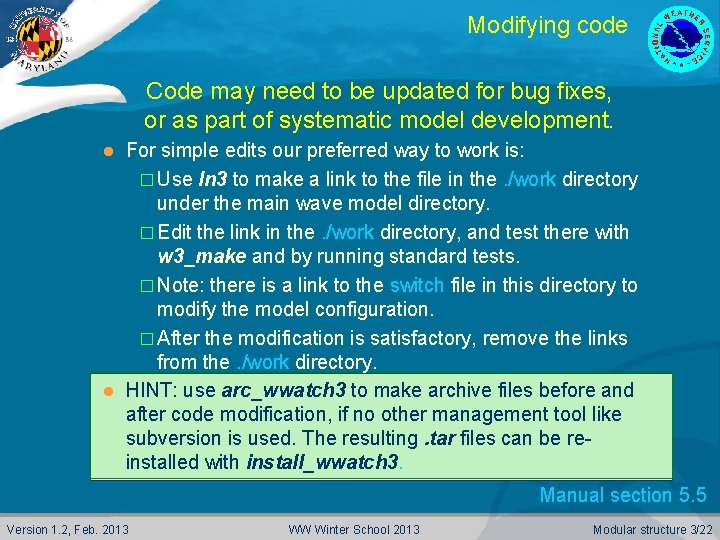
Modifying code Code may need to be updated for bug fixes, or as part of systematic model development. For simple edits our preferred way to work is: � Use ln 3 to make a link to the file in the. /work directory under the main wave model directory. � Edit the link in the. /work directory, and test there with w 3_make and by running standard tests. � Note: there is a link to the switch file in this directory to modify the model configuration. � After the modification is satisfactory, remove the links from the. /work directory. l HINT: use arc_wwatch 3 to make archive files before and after code modification, if no other management tool like subversion is used. The resulting. tar files can be reinstalled with install_wwatch 3. l Manual section 5. 5 Version 1. 2, Feb. 2013 WW Winter School 2013 Modular structure 3/22
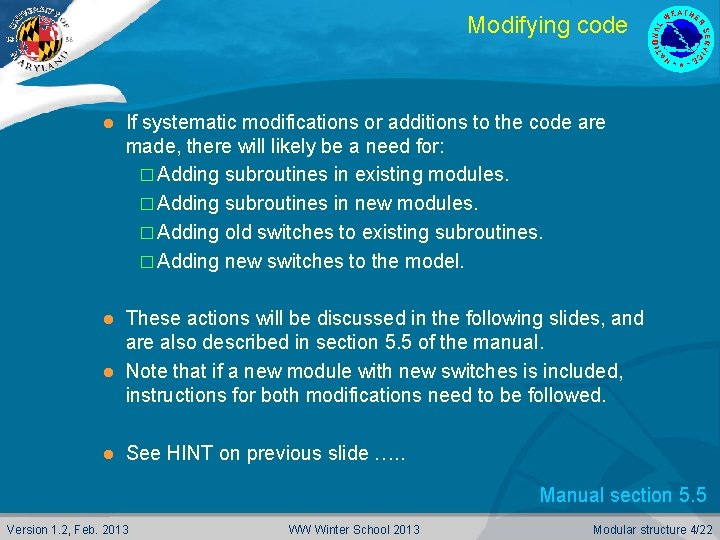
Modifying code l If systematic modifications or additions to the code are made, there will likely be a need for: � Adding subroutines in existing modules. � Adding subroutines in new modules. � Adding old switches to existing subroutines. � Adding new switches to the model. These actions will be discussed in the following slides, and are also described in section 5. 5 of the manual. l Note that if a new module with new switches is included, instructions for both modifications need to be followed. l l See HINT on previous slide …. . Manual section 5. 5 Version 1. 2, Feb. 2013 WW Winter School 2013 Modular structure 4/22
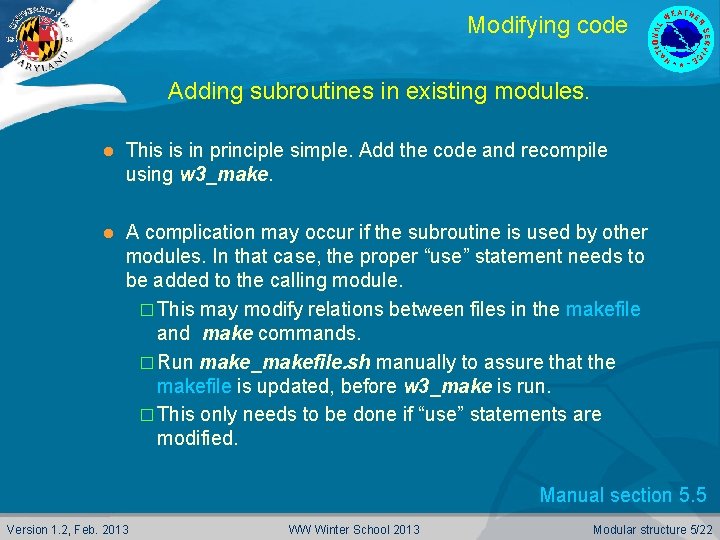
Modifying code Adding subroutines in existing modules. l This is in principle simple. Add the code and recompile using w 3_make. l A complication may occur if the subroutine is used by other modules. In that case, the proper “use” statement needs to be added to the calling module. � This may modify relations between files in the makefile and make commands. � Run make_makefile. sh manually to assure that the makefile is updated, before w 3_make is run. � This only needs to be done if “use” statements are modified. Manual section 5. 5 Version 1. 2, Feb. 2013 WW Winter School 2013 Modular structure 5/22
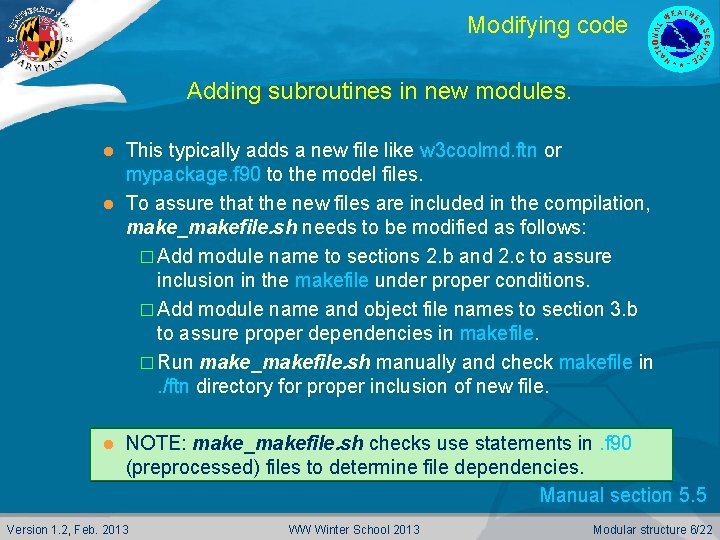
Modifying code Adding subroutines in new modules. This typically adds a new file like w 3 coolmd. ftn or mypackage. f 90 to the model files. l To assure that the new files are included in the compilation, make_makefile. sh needs to be modified as follows: � Add module name to sections 2. b and 2. c to assure inclusion in the makefile under proper conditions. � Add module name and object file names to section 3. b to assure proper dependencies in makefile. � Run make_makefile. sh manually and check makefile in. /ftn directory for proper inclusion of new file. l l NOTE: make_makefile. sh checks use statements in. f 90 (preprocessed) files to determine file dependencies. Manual section 5. 5 Version 1. 2, Feb. 2013 WW Winter School 2013 Modular structure 6/22
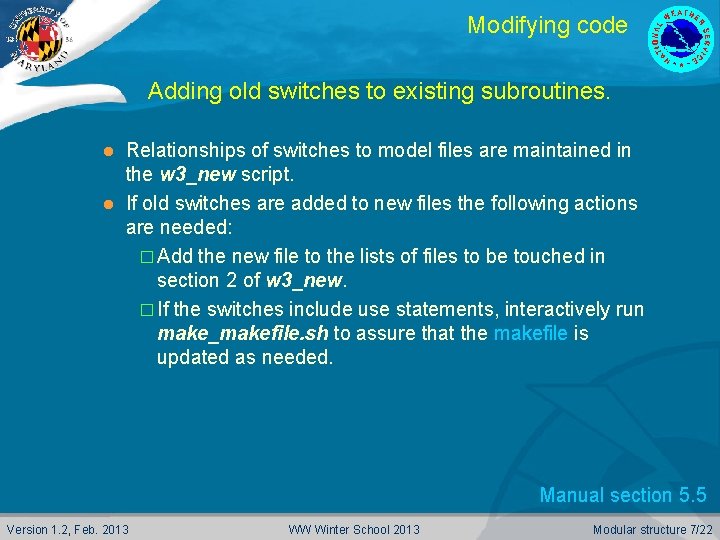
Modifying code Adding old switches to existing subroutines. Relationships of switches to model files are maintained in the w 3_new script. l If old switches are added to new files the following actions are needed: � Add the new file to the lists of files to be touched in section 2 of w 3_new. � If the switches include use statements, interactively run make_makefile. sh to assure that the makefile is updated as needed. l Manual section 5. 5 Version 1. 2, Feb. 2013 WW Winter School 2013 Modular structure 7/22
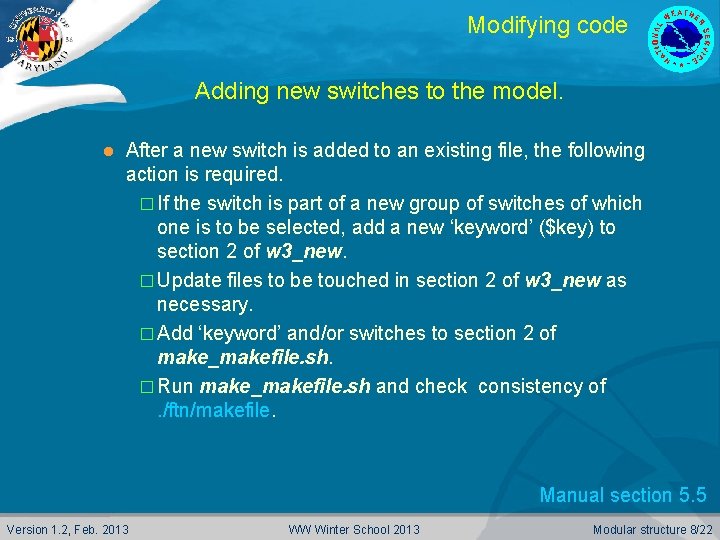
Modifying code Adding new switches to the model. l After a new switch is added to an existing file, the following action is required. � If the switch is part of a new group of switches of which one is to be selected, add a new ‘keyword’ ($key) to section 2 of w 3_new. � Update files to be touched in section 2 of w 3_new as necessary. � Add ‘keyword’ and/or switches to section 2 of make_makefile. sh. � Run make_makefile. sh and check consistency of. /ftn/makefile. Manual section 5. 5 Version 1. 2, Feb. 2013 WW Winter School 2013 Modular structure 8/22
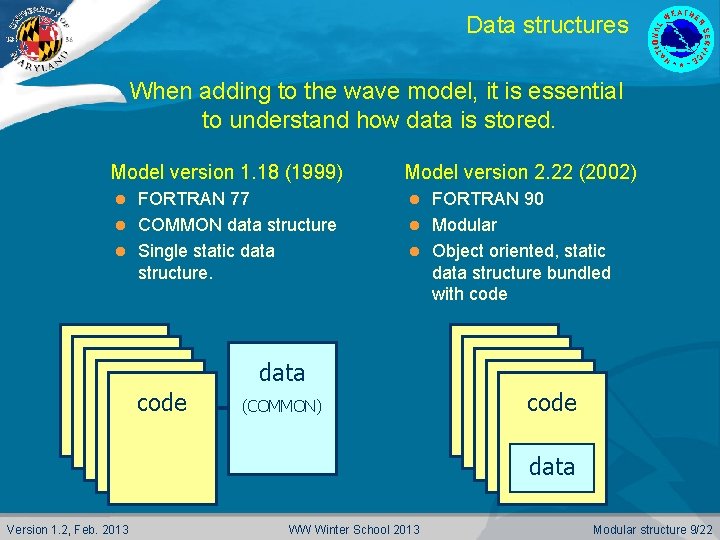
Data structures When adding to the wave model, it is essential to understand how data is stored. Model version 1. 18 (1999) FORTRAN 77 l COMMON data structure l Single static data structure. l code code Version 1. 2, Feb. 2013 Model version 2. 22 (2002) FORTRAN 90 l Modular l Object oriented, static data structure bundled with code l data (COMMON) WW Winter School 2013 code code data data Modular structure 9/22
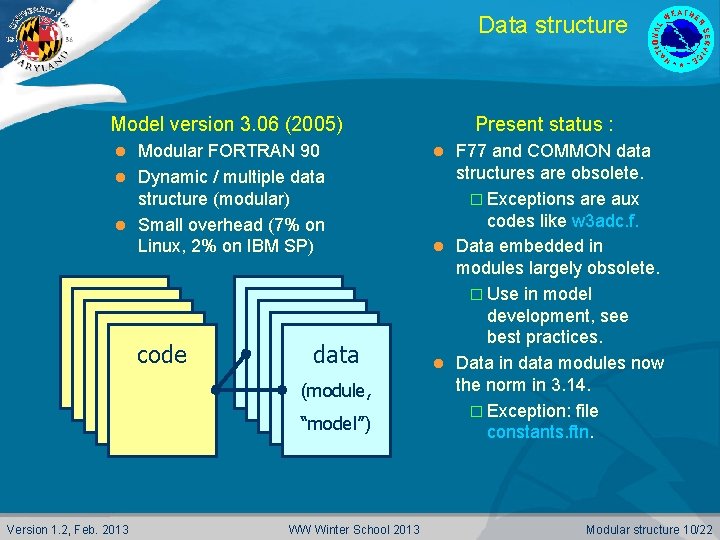
Data structure Model version 3. 06 (2005) Modular FORTRAN 90 l Dynamic / multiple data structure (modular) l Small overhead (7% on Linux, 2% on IBM SP) l code code Version 1. 2, Feb. 2013 data (module, data (module, “model”) “model”) WW Winter School 2013 Present status : F 77 and COMMON data structures are obsolete. � Exceptions are aux codes like w 3 adc. f. l Data embedded in modules largely obsolete. � Use in model development, see best practices. l Data in data modules now the norm in 3. 14. � Exception: file constants. ftn. l Modular structure 10/22
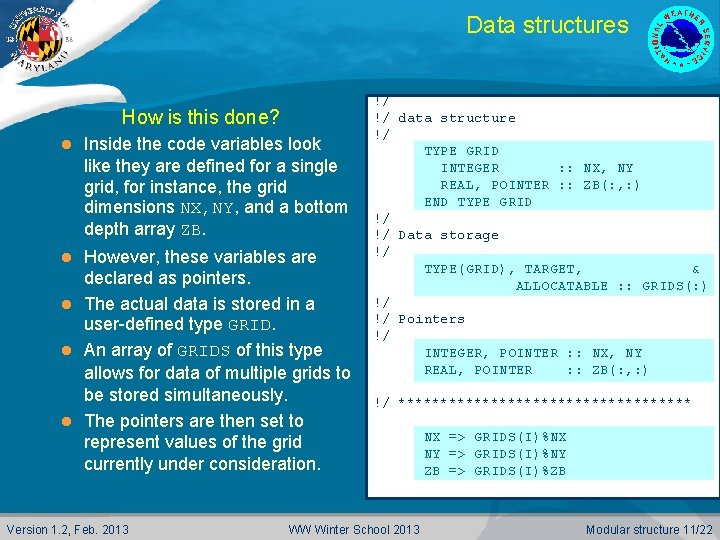
Data structures How is this done? l Inside the code variables look like they are defined for a single grid, for instance, the grid dimensions NX, NY, and a bottom depth array ZB. However, these variables are declared as pointers. l The actual data is stored in a user-defined type GRID. l An array of GRIDS of this type allows for data of multiple grids to be stored simultaneously. l The pointers are then set to represent values of the grid currently under consideration. l Version 1. 2, Feb. 2013 !/ !/ data structure !/ TYPE GRID INTEGER : : NX, NY REAL, POINTER : : ZB(: , : ) END TYPE GRID !/ !/ Data storage !/ TYPE(GRID), TARGET, & ALLOCATABLE : : GRIDS(: ) !/ !/ Pointers !/ INTEGER, POINTER : : NX, NY REAL, POINTER : : ZB(: , : ) !/ ****************** WW Winter School 2013 NX => GRIDS(I)%NX NY => GRIDS(I)%NY ZB => GRIDS(I)%ZB Modular structure 11/22
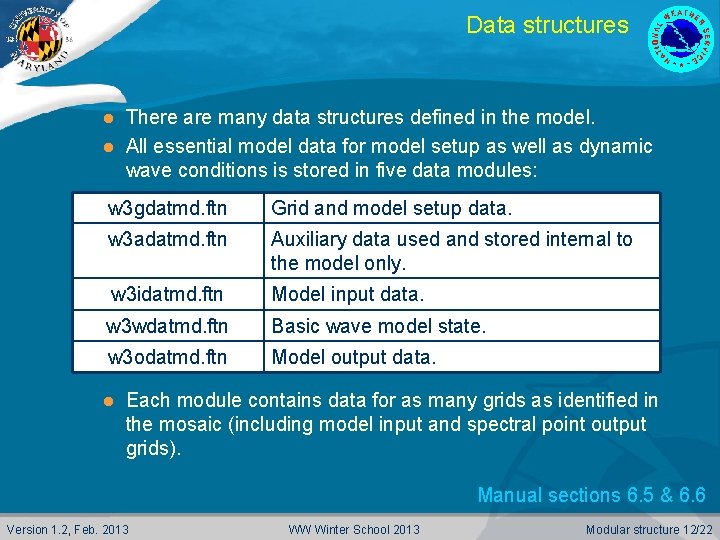
Data structures There are many data structures defined in the model. l All essential model data for model setup as well as dynamic wave conditions is stored in five data modules: l w 3 gdatmd. ftn Grid and model setup data. w 3 adatmd. ftn Auxiliary data used and stored internal to the model only. w 3 idatmd. ftn Model input data. w 3 wdatmd. ftn Basic wave model state. w 3 odatmd. ftn Model output data. l Each module contains data for as many grids as identified in the mosaic (including model input and spectral point output grids). Manual sections 6. 5 & 6. 6 Version 1. 2, Feb. 2013 WW Winter School 2013 Modular structure 12/22
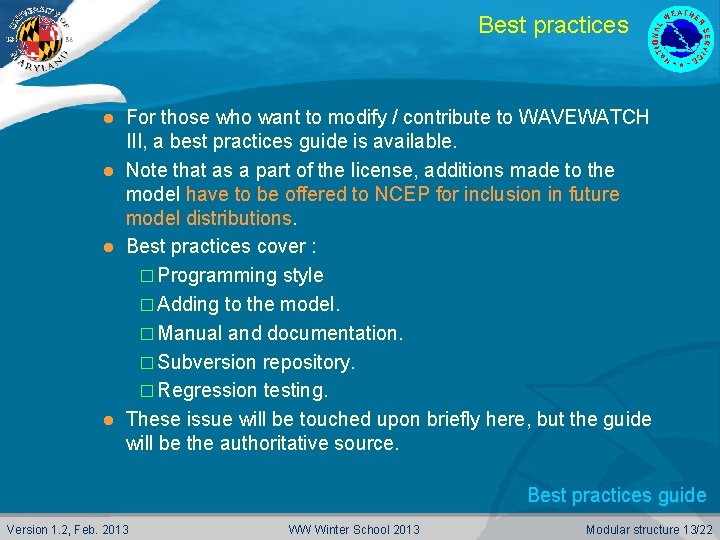
Best practices For those who want to modify / contribute to WAVEWATCH III, a best practices guide is available. l Note that as a part of the license, additions made to the model have to be offered to NCEP for inclusion in future model distributions. l Best practices cover : � Programming style � Adding to the model. � Manual and documentation. � Subversion repository. � Regression testing. l These issue will be touched upon briefly here, but the guide will be the authoritative source. l Best practices guide Version 1. 2, Feb. 2013 WW Winter School 2013 Modular structure 13/22
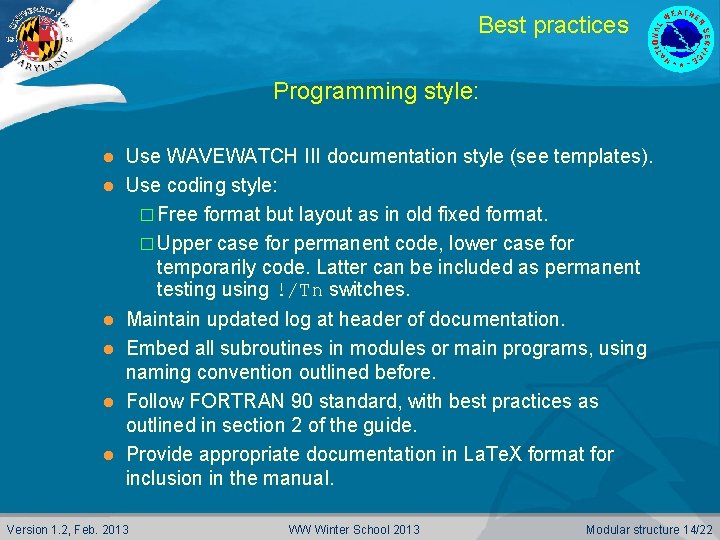
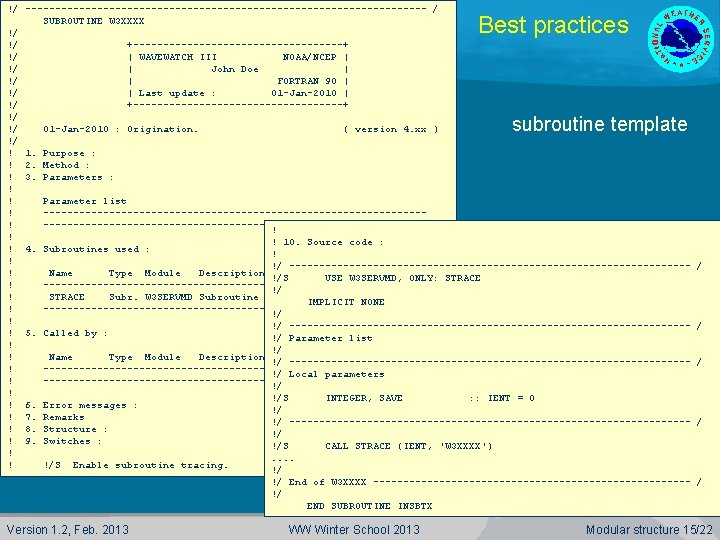
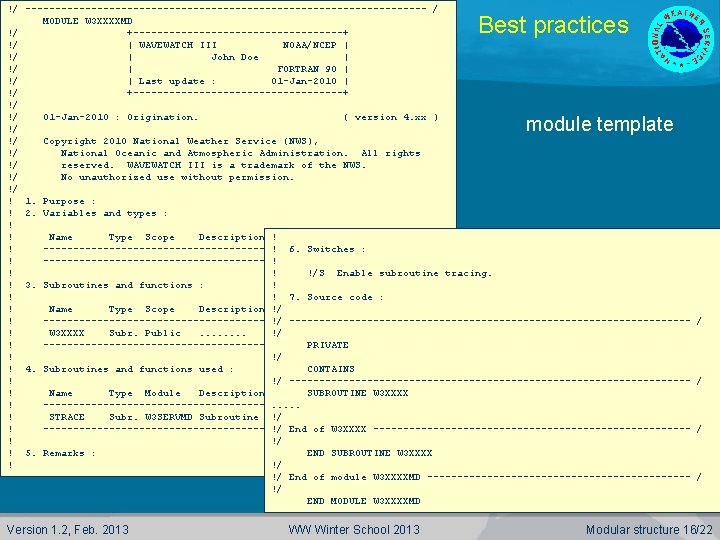
Best practices Programming style: Use WAVEWATCH III documentation style (see templates). l Use coding style: � Free format but layout as in old fixed format. � Upper case for permanent code, lower case for temporarily code. Latter can be included as permanent testing using !/Tn switches. l Maintain updated log at header of documentation. l Embed all subroutines in modules or main programs, using naming convention outlined before. l Follow FORTRAN 90 standard, with best practices as outlined in section 2 of the guide. l Provide appropriate documentation in La. Te. X format for inclusion in the manual. l Version 1. 2, Feb. 2013 WW Winter School 2013 Modular structure 14/22
!/ ---------------------------------- / SUBROUTINE W 3 XXXX !/ !/ +------------------+ !/ | WAVEWATCH III NOAA/NCEP | !/ | John Doe | !/ | FORTRAN 90 | !/ | Last update : 01 -Jan-2010 | !/ +------------------+ !/ !/ 01 -Jan-2010 : Origination. ( version 4. xx ) !/ ! 1. Purpose : ! 2. Method : ! 3. Parameters : ! ! Parameter list ! ---------------------------------------------------------------! ! ! 10. Source code : ! 4. Subroutines used : ! ! !/ ---------------------------------! Name Type Module Description !/S USE W 3 SERVMD, ONLY: STRACE ! --------------------------------!/ ! STRACE Subr. W 3 SERVMD Subroutine tracing. IMPLICIT NONE ! --------------------------------!/ ! !/ ---------------------------------! 5. Called by : !/ Parameter list ! !/ ! Name Type Module Description !/ ---------------------------------!/ Local parameters ! --------------------------------!/ ! !/S INTEGER, SAVE : : IENT = 0 ! 6. Error messages : !/ ! 7. Remarks !/ ---------------------------------! 8. Structure : !/ ! 9. Switches : !/S CALL STRACE (IENT, 'W 3 XXXX') !. . ! !/S Enable subroutine tracing. !/ Best practices subroutine template / / !/ End of W 3 XXXX --------------------------- / !/ END SUBROUTINE INSBTX Version 1. 2, Feb. 2013 WW Winter School 2013 Modular structure 15/22
!/ ---------------------------------- / MODULE W 3 XXXXMD !/ +------------------+ !/ | WAVEWATCH III NOAA/NCEP | !/ | John Doe | !/ | FORTRAN 90 | !/ | Last update : 01 -Jan-2010 | !/ +------------------+ !/ !/ 01 -Jan-2010 : Origination. ( version 4. xx ) !/ !/ Copyright 2010 National Weather Service (NWS), !/ National Oceanic and Atmospheric Administration. All rights !/ reserved. WAVEWATCH III is a trademark of the NWS. !/ No unauthorized use without permission. !/ ! 1. Purpose : ! 2. Variables and types : ! ! Name Type Scope Description ! ! 6. Switches : ! ---------------------------------------------------------------! !/S Enable subroutine tracing. ! ! ! 3. Subroutines and functions : ! ! 7. Source code : ! Name Type Scope Description !/ ! --------------------------------!/ ---------------------------------! W 3 XXXX Subr. Public. . . . !/ ! --------------------------------PRIVATE ! !/ ! 4. Subroutines and functions used : CONTAINS ! !/ ---------------------------------! Name Type Module Description SUBROUTINE W 3 XXXX ! --------------------------------. . . ! STRACE Subr. W 3 SERVMD Subroutine tracing. !/ ! --------------------------------!/ End of W 3 XXXX --------------------------! !/ ! 5. Remarks : END SUBROUTINE W 3 XXXX ! !/ !/ End of module W 3 XXXXMD ----------------------!/ END MODULE W 3 XXXXMD Best practices module template Version 1. 2, Feb. 2013 WW Winter School 2013 / / Modular structure 16/22
Best practices Programming style cont’ed: If existing packages are added to the wave model, then such packages do not need to be re-coded to conform to our standards. l Such packages will require interface routines, which are expected to confirm to the standards. l Copyright of NWS may extend to interface routines, but obviously not to linked in packages. l Version 1. 2, Feb. 2013 WW Winter School 2013 Modular structure 17/22
Best practices Adding to the model (no NCEP subversion access) l Propagation schemes and source terms: � Use available “user-defined” dummy modules. � Follow coding guidelines. � Provide file with necessary modifications to w 3 srcemd. ftn, w 3 wavemd. ftn, and all other model files that need to be updated. � Provide (previous) test cases with expected results. � Make each module self-contained. �Define all variables in the module header. We will integrate them in the full data structure. �Separate initialization and computation as outlined in the dummy modules. Version 1. 2, Feb. 2013 WW Winter School 2013 Modular structure 18/22
Best practices Adding to the model (no NCEP subversion access) l For more intricate modifications to the code, consult with NCEP code managers on how to do this and on how to provide this to NCEP. l New pre- or postprocessors should be provided in their entirety, included in the compile and link system. l HINT: when developing new source terms, include and test them in the postprocessors ww 3_outp and gx_outp first, before including/testing them in actual wave model integration. Version 1. 2, Feb. 2013 WW Winter School 2013 Modular structure 19/22
Best practices Adding to the model (with NCEP subversion access) l Same rules apply as for those without svn access with following exceptions: � NCEP code managers will assign switches to new sources and propagation scheme to be used instead of the ‘X’ switches. � Developers will integrate the data structure: �Only after rigorous testing of self-contained system. � Changes to be provided relative to most recent TRUNK. � NCEP code managers will add new code to the TRUNK of the repository. �E-mail notification to co-developers. Version 1. 2, Feb. 2013 WW Winter School 2013 Modular structure 20/22
Best practices Manual and documentation. l Provide full La. Te. X documentation for inclusion in the manual: � NCEP svn users have access to manual, and are expected to add to it directly. �NCEP will provide editing. � Others provide separate files. �NCEP will integrate. � Use Bib. TEX. � Use dynamic references to equations, figures and tables only. Version 1. 2, Feb. 2013 WW Winter School 2013 Modular structure 21/22
The end End of supplemental material Version 1. 2, Feb. 2013 WW Winter School 2013 Modular structure 22/22