
Modify Commands The modify tools from left to
- Slides: 26
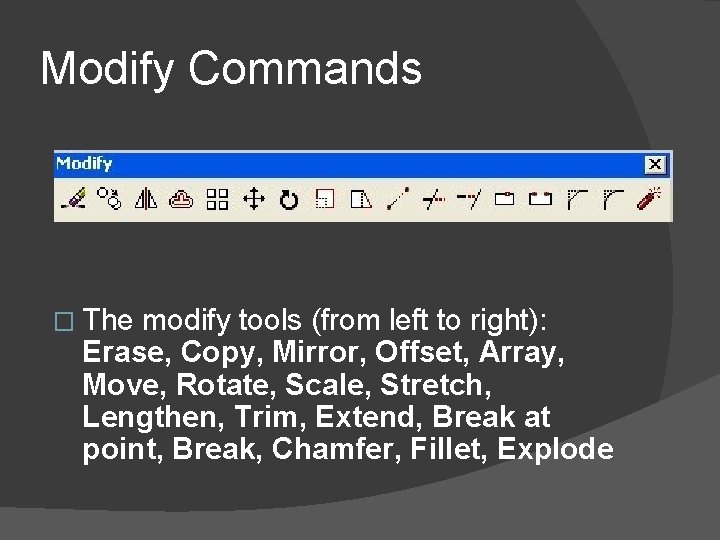
Modify Commands � The modify tools (from left to right): Erase, Copy, Mirror, Offset, Array, Move, Rotate, Scale, Stretch, Lengthen, Trim, Extend, Break at point, Break, Chamfer, Fillet, Explode
Erase � Select this button then a drawing element to erase it permanently from the drawing.
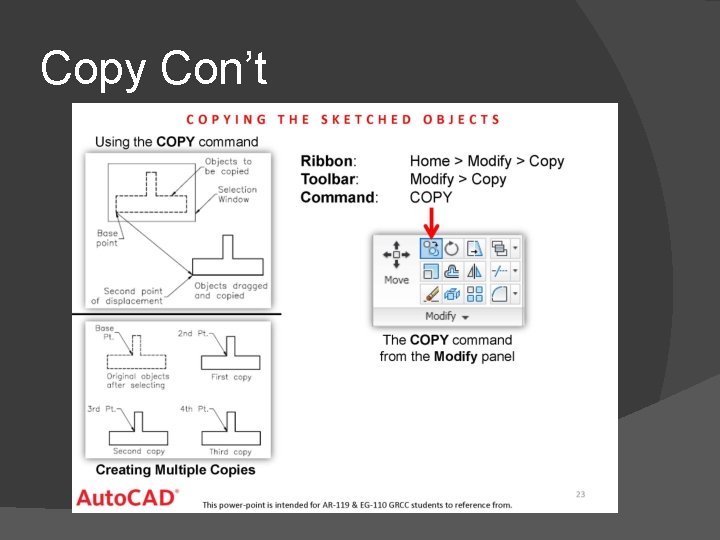
Copy � Copy - The copy command will copy any selected drawing elements and reposition where specified by the user, without affecting the original elements.
Copy Con’t
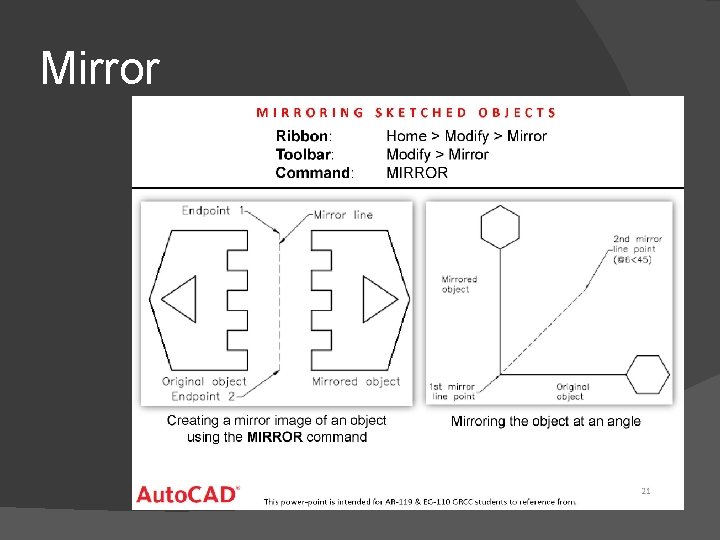
Mirror - The mirror command will create a mirror image of any selected drawing elements along any line of symmetry specified by the user.
Mirror
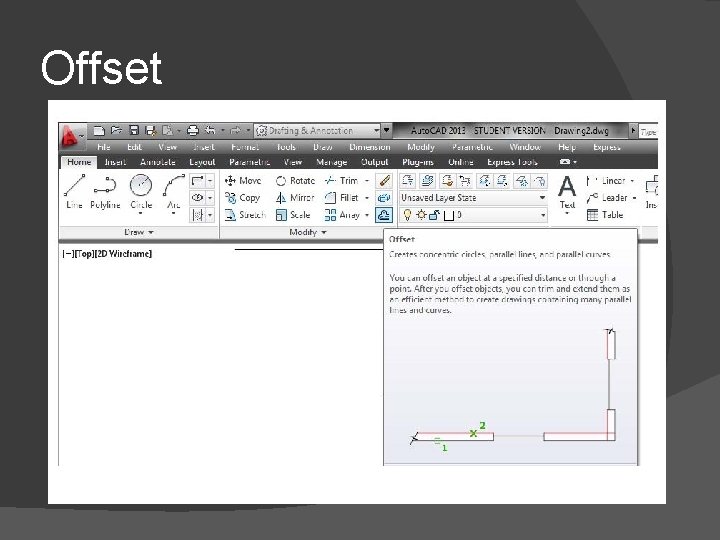
Offset � Offset will make a copy of a line or series of selected lines by a specified distance in the direction specified.
Offset
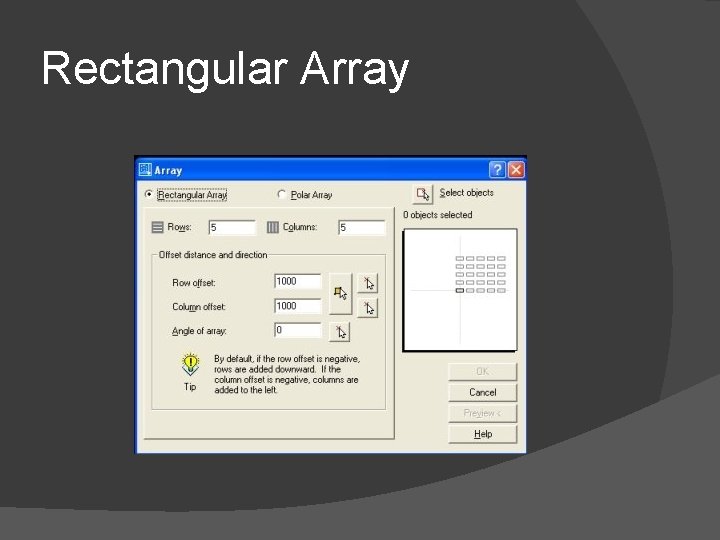
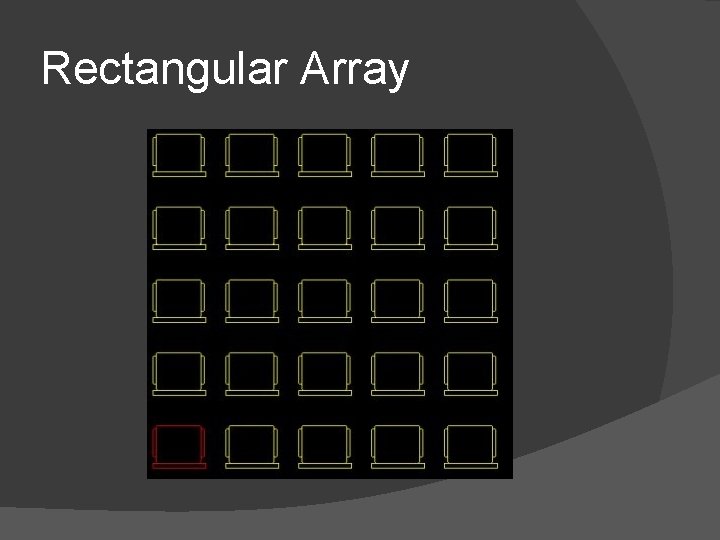
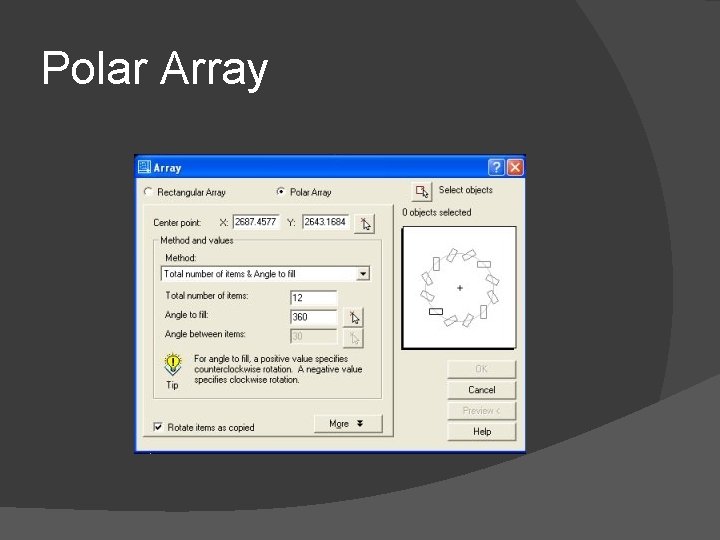
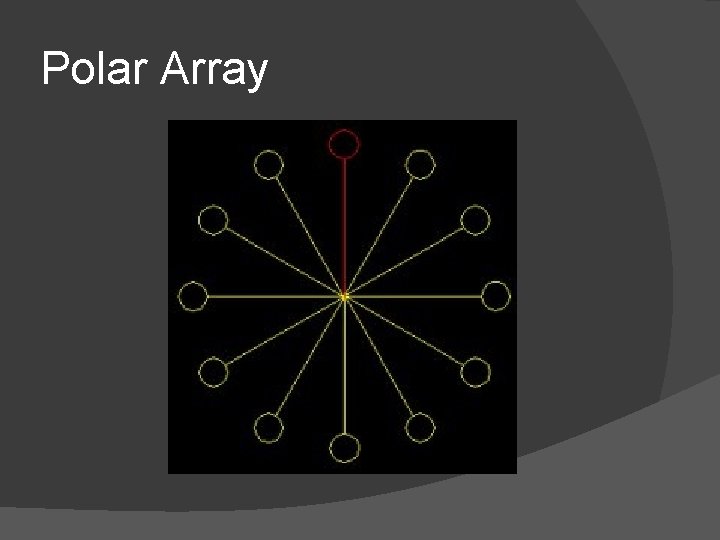
Array � The array command quickly creates copies of a selected object(s) to a specified spacing. .
Rectangular Array
Rectangular Array
Polar Array
Polar Array
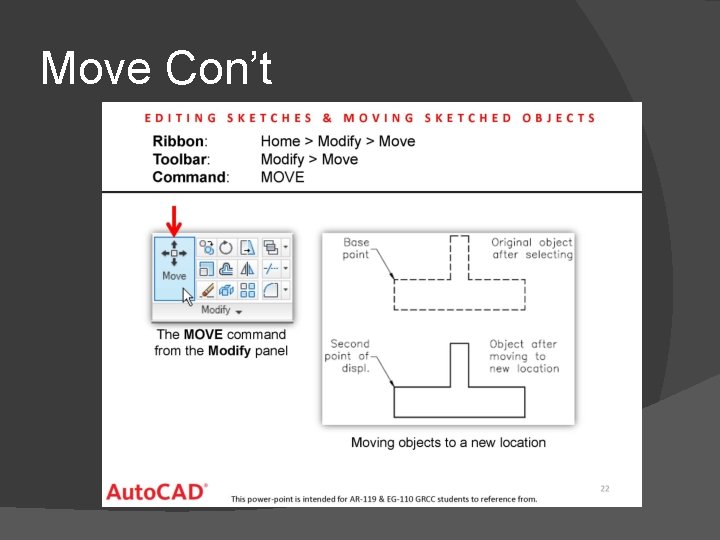
Move � The move command works exactly the same as the copy command described above, except instead of creating a copy of the selected objects, the second objects are moved.
Move Con’t
Rotate � The rotate command rotates any selected objects about a defined point by the angle specified. By default Autocad will rotate objects anticlockwise when an angle is entered.
Scale � The scale command scales the size of a selected object(s) by a defined scale factor from a selected base point. The selected objects can be scaled up to increase size or down to reduce the size.
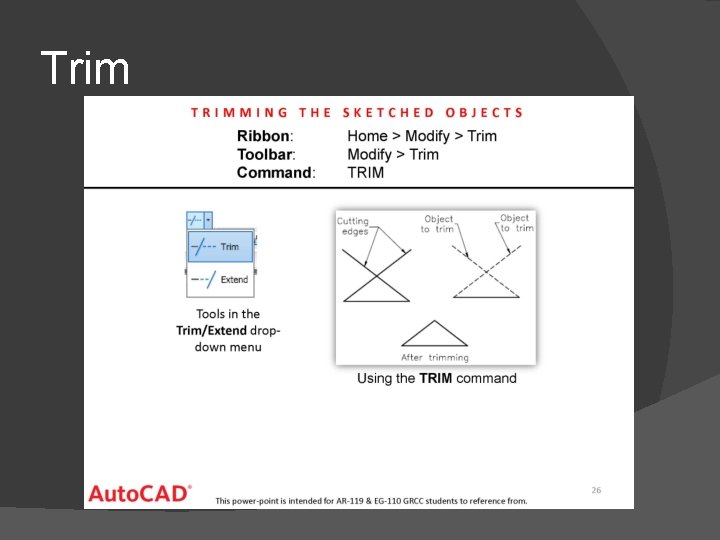
Trim � The trim command is an extremely useful tool which will erase all parts of an object beyond or within its intersection with another object.
Trim
Extend � The extend command is similar to the trim command in how it functions, except it extends a selected line to a point of intersection of another selected object.
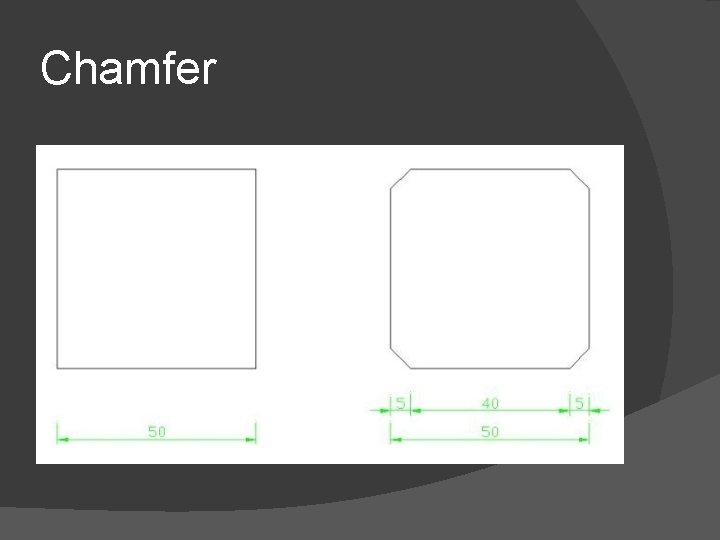
Chamfer � The chamfer command will chamfer the intersection of two lines to a specified distance.
Chamfer
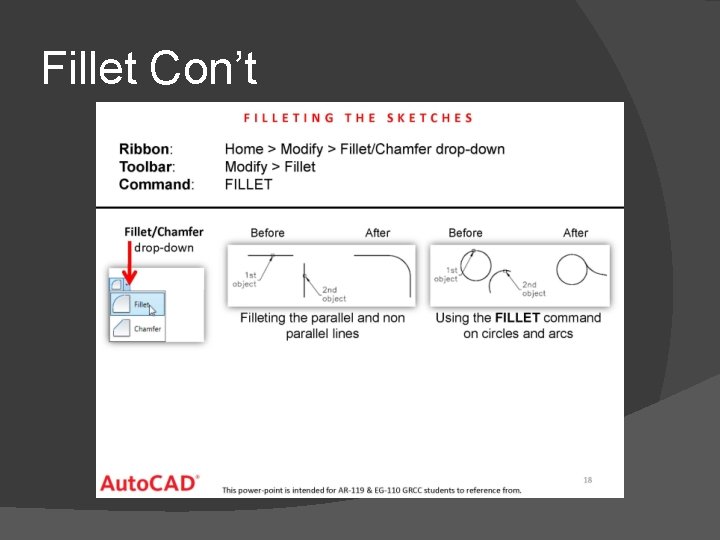
Fillet � The fillet command is very similar to the chamfer command above, except instead of creating a straight line chamfer, Autocad creates a radius between the two points.
Fillet Con’t
Explode � The explode command is very straight forward. It simply breaks down an object down to its basic line entities.
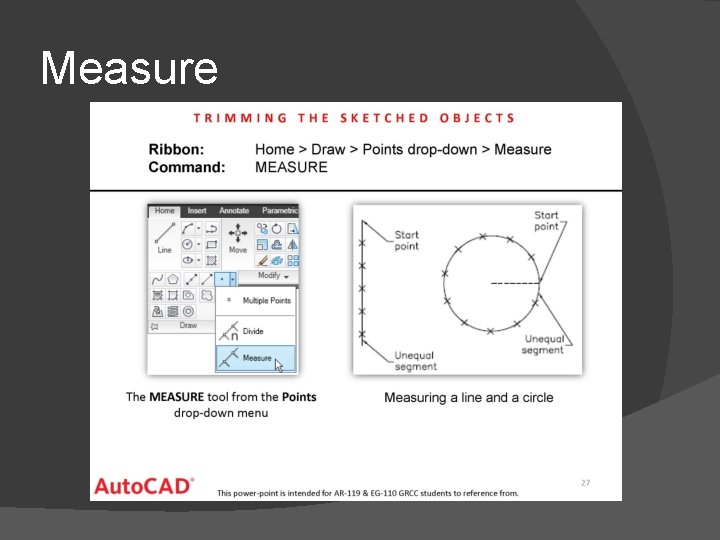
Measure