
Modelica Training Workshop 3 Wangda Zuo Michael Wetter
- Slides: 15
Modelica Training Workshop 3 Wangda Zuo, Michael Wetter Simulation Research Group Energy and Environmental Technologies Division Lawrence Berkeley National Laboratory, USA 5/14/2012
Outline 1. Language: Connectors, Components, Connection 2. Usage of Buildings Library - Download Buildings library - Things to start with 2
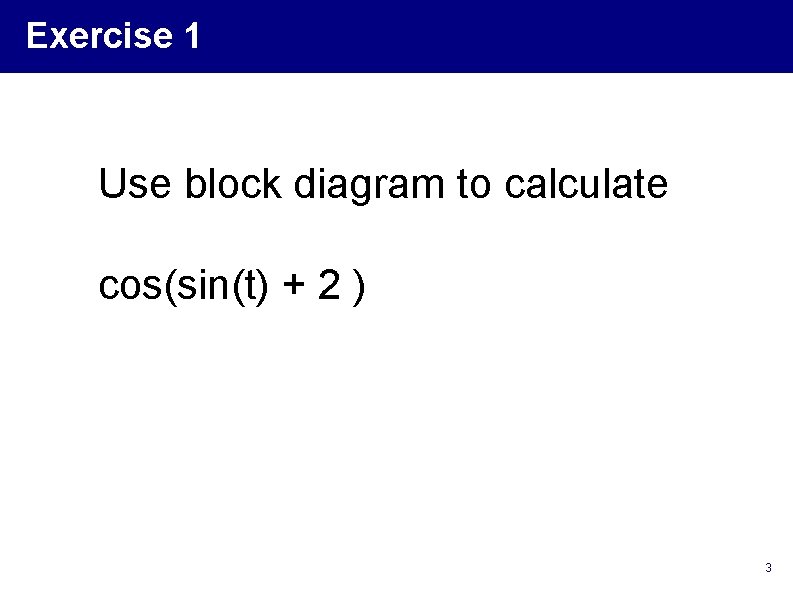
Exercise 1 Use block diagram to calculate cos(sin(t) + 2 ) 3
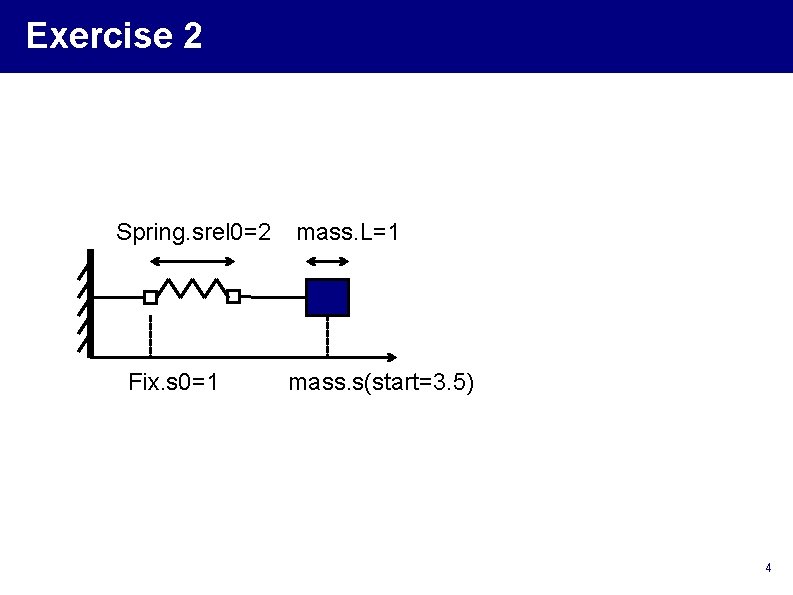
Exercise 2 Spring. srel 0=2 Fix. s 0=1 mass. L=1 mass. s(start=3. 5) 4
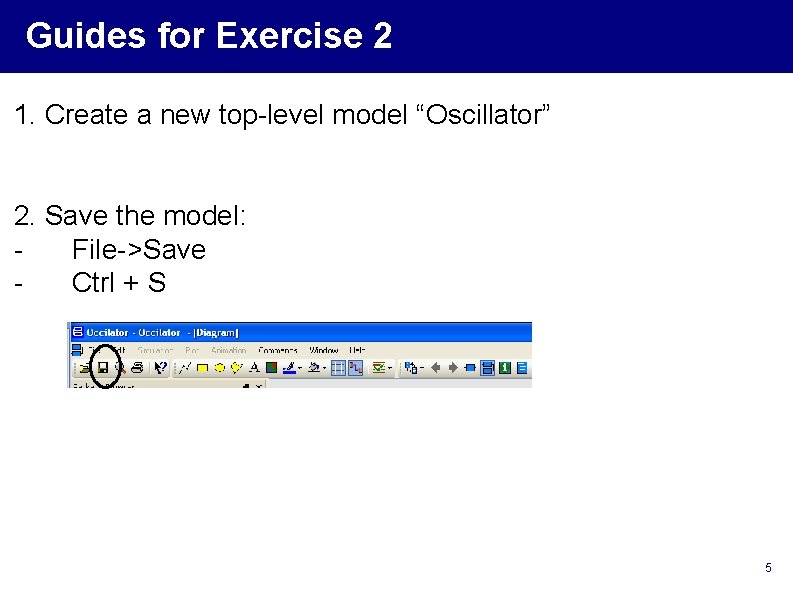
Guides for Exercise 2 1. Create a new top-level model “Oscillator” 2. Save the model: File->Save Ctrl + S 5
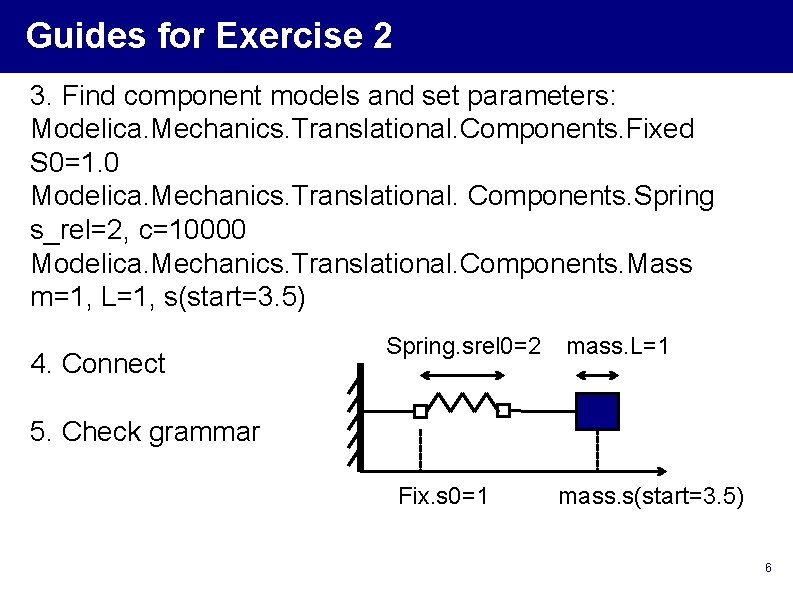
Guides for Exercise 2 3. Find component models and set parameters: Modelica. Mechanics. Translational. Components. Fixed S 0=1. 0 Modelica. Mechanics. Translational. Components. Spring s_rel=2, c=10000 Modelica. Mechanics. Translational. Components. Mass m=1, L=1, s(start=3. 5) 4. Connect Spring. srel 0=2 mass. L=1 5. Check grammar Fix. s 0=1 mass. s(start=3. 5) 6
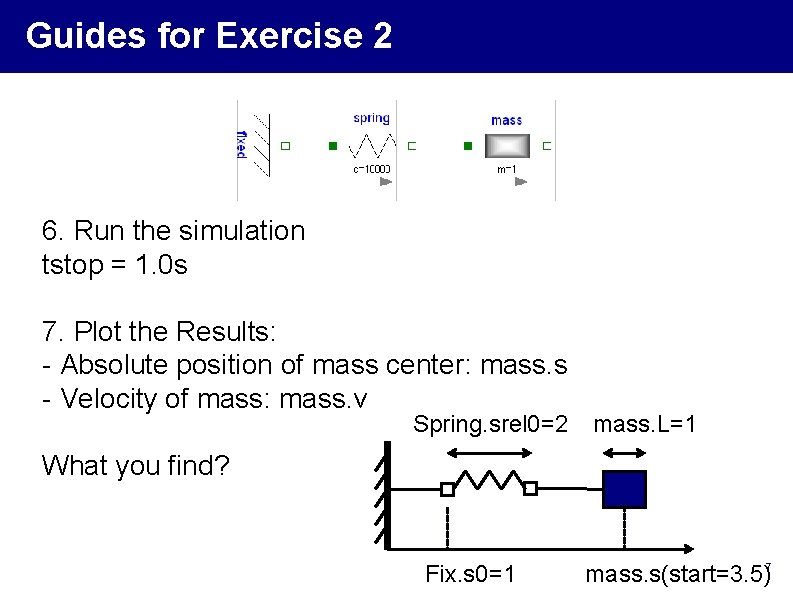
Guides for Exercise 2 6. Run the simulation tstop = 1. 0 s 7. Plot the Results: - Absolute position of mass center: mass. s - Velocity of mass: mass. v Spring. srel 0=2 mass. L=1 What you find? Fix. s 0=1 mass. s(start=3. 5)7
Guides for Exercise 2 8. Change parameters and re-run the simulation -Mass. s. start=4. 5 -Mass. m = 10 -tstop = 100 9. Change the connection direction, see what happens. Note: You need to read the definition of parameters carefully! 10. Compare the result of two simulations 8
Part 2: Usage of Buildings Library 9
Open Buildings Library 1. Download the newest version 1. 1 Build 1 (2012 -02 -29) http: //simulationresearch. lbl. gov/modelica/Download 2. Unzip 3. Open the library - Windows: Double click package. mo - Linux: dymola package. mo 10
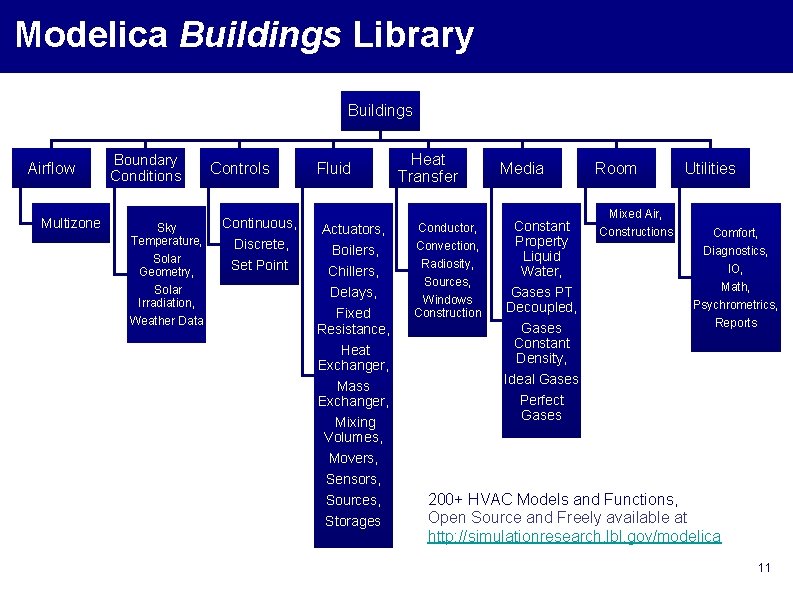
Modelica Buildings Library Buildings Airflow Multizone Boundary Conditions Sky Temperature, Solar Geometry, Solar Irradiation, Weather Data Controls Fluid Heat Transfer Continuous, Discrete, Actuators, Conductor, Set Point Boilers, Chillers, Delays, Fixed Resistance, Heat Exchanger, Mass Exchanger, Mixing Volumes, Convection, Radiosity, Sources, Windows Construction Movers, Sensors, Sources, Storages Media Constant Property Liquid Water, Gases PT Decoupled, Gases Constant Density, Ideal Gases Perfect Gases Room Mixed Air, Constructions Utilities Comfort, Diagnostics, IO, Math, Psychrometrics, Reports 200+ HVAC Models and Functions, Open Source and Freely available at http: //simulationresearch. lbl. gov/modelica 11
File Structures To view the files: 1. Browse it in Dymola 2. Browse the file system in OS and open the. mo file in text editor 12
Things to start with - Know where the component models are Exercise: Find the - Stratified tank - Weather reader - Carnot chiller 13
Things to start with - Make good use of the documentation Exercise: What is the difference of different chiller models 14
Things to start with - Learn from examples How to use the component How to build a large system. Chiller plant 15