
ModelBased Testing Harvey Alexian Anthony Arnold What is
Model-Based Testing Harvey Alexian Anthony Arnold
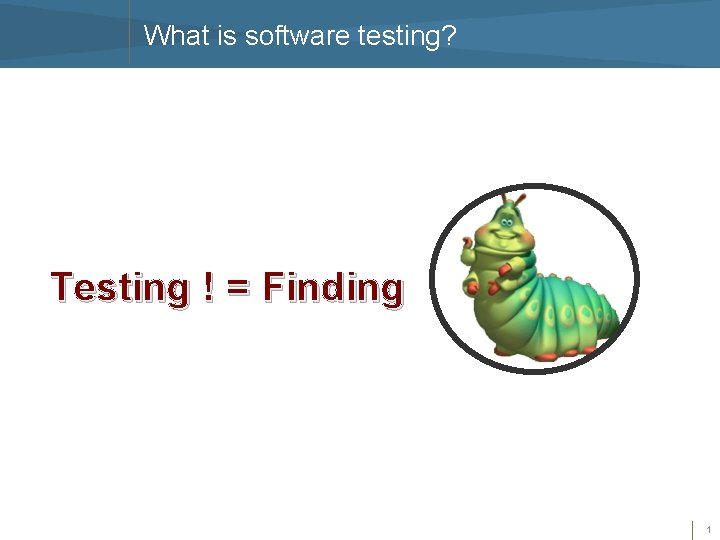
What is software testing? Testing ! = Finding 1
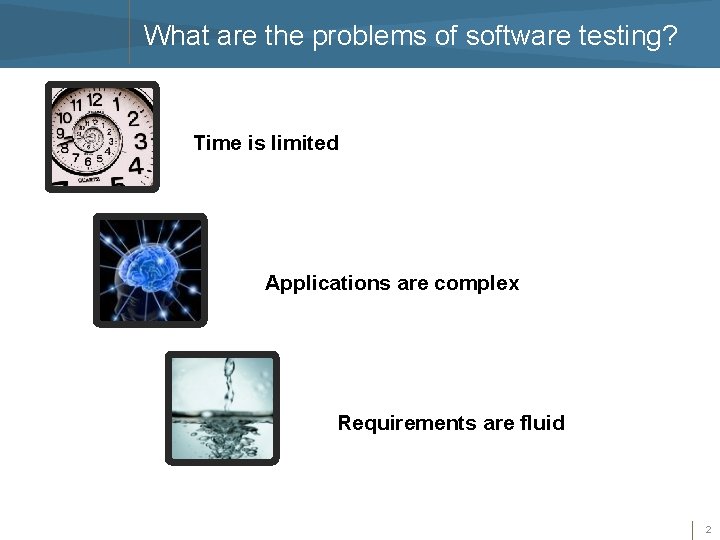
What are the problems of software testing? Time is limited Applications are complex Requirements are fluid 2
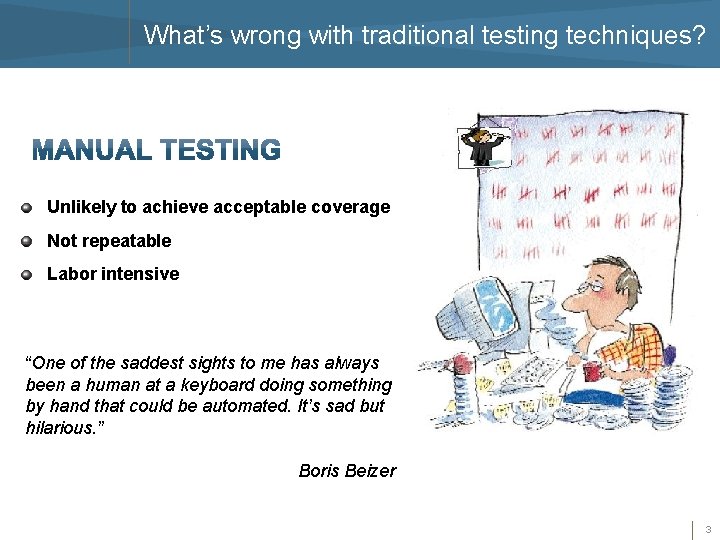
What’s wrong with traditional testing techniques? Unlikely to achieve acceptable coverage Not repeatable Labor intensive “One of the saddest sights to me has always been a human at a keyboard doing something by hand that could be automated. It’s sad but hilarious. ” Boris Beizer 3
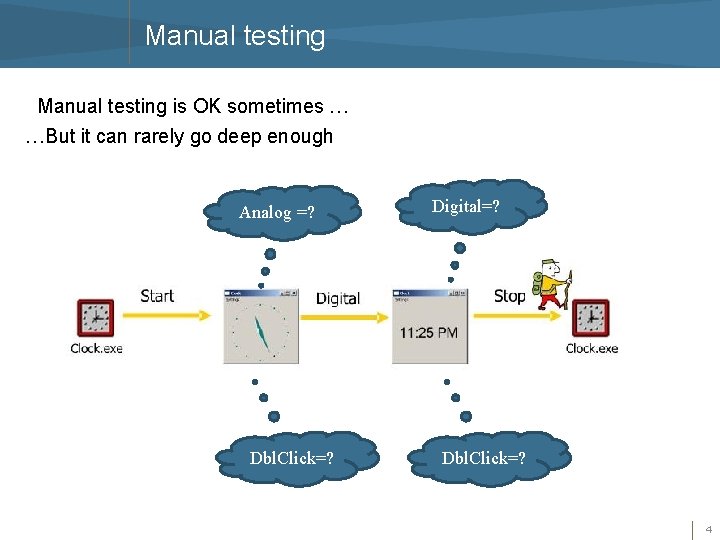
Manual testing is OK sometimes … …But it can rarely go deep enough Analog =? Dbl. Click=? Digital=? Dbl. Click=? 4
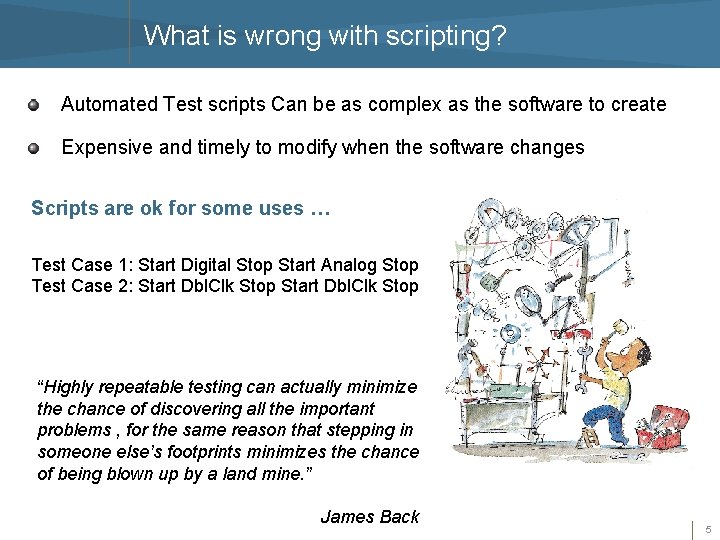
What is wrong with scripting? Automated Test scripts Can be as complex as the software to create Expensive and timely to modify when the software changes Scripts are ok for some uses … Test Case 1: Start Digital Stop Start Analog Stop Test Case 2: Start Dbl. Clk Stop “Highly repeatable testing can actually minimize the chance of discovering all the important problems , for the same reason that stepping in someone else’s footprints minimizes the chance of being blown up by a land mine. ” James Back 5
What is wrong with scripting? But they pile up quickly … …And what are you left with? Test Case 1: Start Sigital Stop Start Analog Stop Test Case 2: Start Dbl. Clk Stop Test Case 3: Start Dbl. Clk Stop Start Dbl. Clk Analog Stop Test Case 4: Start Dbl. Clk Stop Start Dblclk Stop Start Analog Stop Test Case 5: …. Test Case 6: …. 6

What is a model-based testing? Model-based testing is a testing technique where the runtime behavior of a software under test (SUT) is checked against predictions made by a formal specification, or model. In other words … A description of a system’s behavior An abstraction of a subset of the system Not necessarily represented graphically A model describes how a system should behave in response to an action. Supply the action and see if the system responds as you expect. Creating and maintaining a model of an application should make it easier to generate and update tests for that application. 7

Generic Model Based Testing Flow 1. Build an abstract model of the system 2. Validating the model 3. Definition of test selection criteria (more details later) 4. Generating abstract tests from the model 5. Making the abstract test cases executable 6. Executing the test cases 7. Assigning of a pass/fail verdict to executed test case 8. Analyzing the execution result. A convenient format is a Finite State Machine (FSM) 8
Using models to test What type of model do I use? How do I create the model? How do I choose tests? How do I verify results? 9
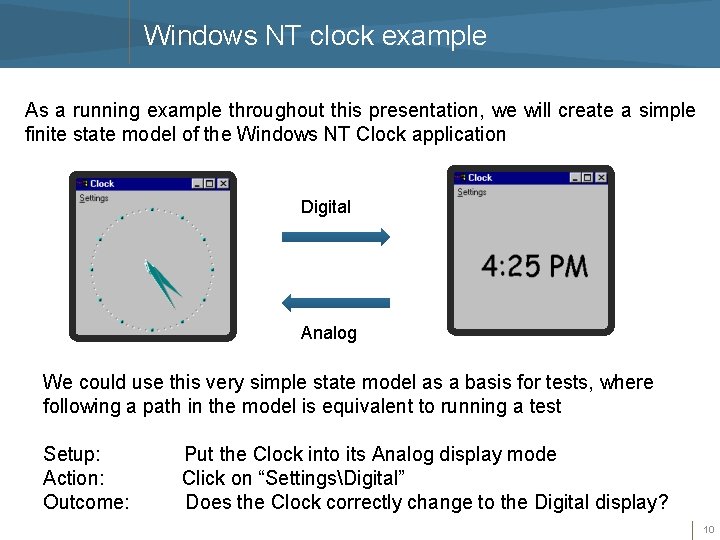
Windows NT clock example As a running example throughout this presentation, we will create a simple finite state model of the Windows NT Clock application Digital Analog We could use this very simple state model as a basis for tests, where following a path in the model is equivalent to running a test Setup: Action: Outcome: Put the Clock into its Analog display mode Click on “SettingsDigital” Does the Clock correctly change to the Digital display? 10
Requirements for NT clock For the purposes of this presentation, we will only be concerned with the following actions in the Clock: Start the Clock application If the application is NOT running, the user can execute the Start command. If the application is running, the user cannot execute the Start command. After the Start command executes, the application is running. Stop the Clock application If the application is NOT running, the user cannot execute the Stop command. If the application is running, the user can execute the Stop command. After the Stop command executes, the application is not running. Select Analog setting If the application is NOT running, the user cannot execute the Analog command. If the application is running, the user can execute the Analog command. After the Analog command executes, the application is in Analog display mode. 11
Requirements for NT clock Select Digital setting If the application is NOT running, the user cannot execute the Digital command. If the application is running, the user can execute the Digital command. After the Digital command executes, the application is in Digital display mode Our model in this example will have two operational modes, system mode and setting mode, which can have the following values: System mode: NOT_RUNNING means Clock is not running RUNNING means Clock is running Setting mode: ANALOG means Analog display is set DIGITAL means Digital display is set 12
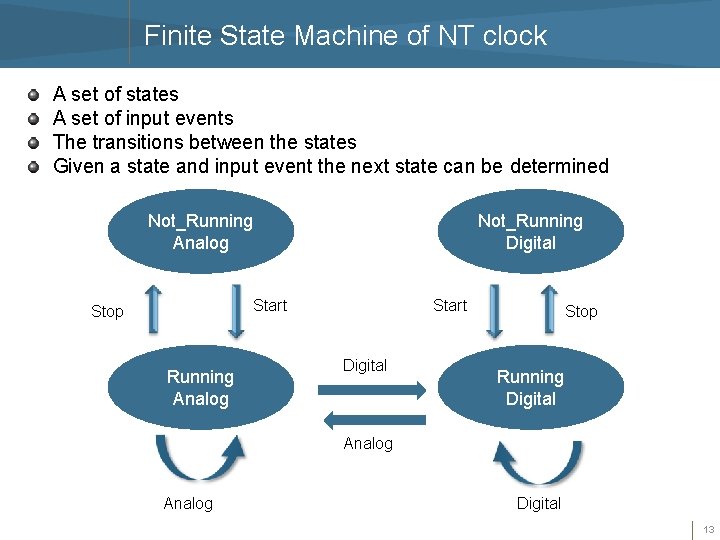
Finite State Machine of NT clock A set of states A set of input events The transitions between the states Given a state and input event the next state can be determined Not_Running Analog Not_Running Digital Start Stop Running Analog Start Digital Stop Running Digital Analog Digital 13
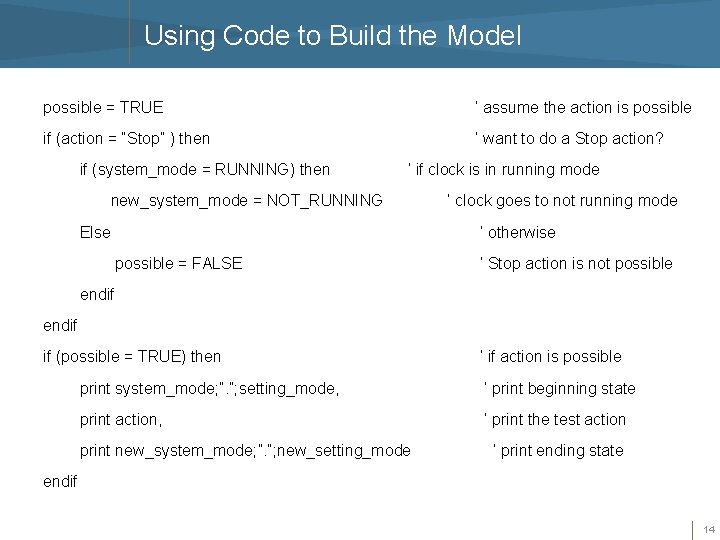
Using Code to Build the Model possible = TRUE ‘ assume the action is possible if (action = “Stop” ) then ‘ want to do a Stop action? if (system_mode = RUNNING) then ‘ if clock is in running mode new_system_mode = NOT_RUNNING Else ‘ clock goes to not running mode ‘ otherwise possible = FALSE ‘ Stop action is not possible endif if (possible = TRUE) then ‘ if action is possible print system_mode; ”. ”; setting_mode, ‘ print beginning state print action, ‘ print the test action print new_system_mode; ”. ”; new_setting_mode ‘ print ending state endif 14
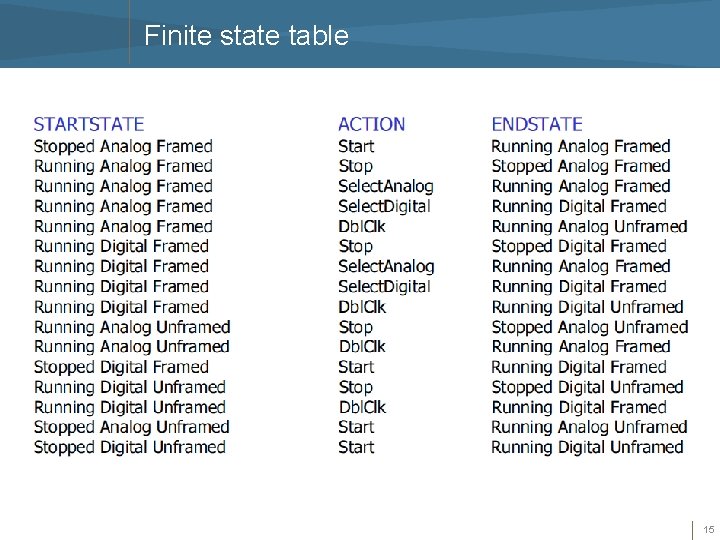
Finite state table 15
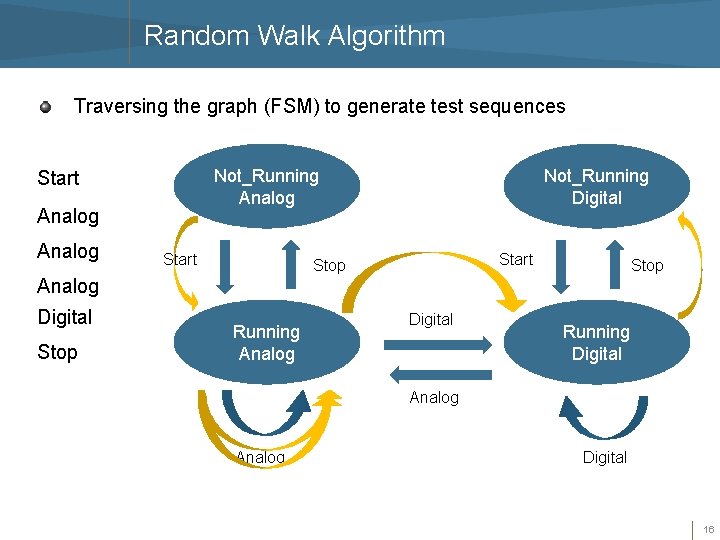
Random Walk Algorithm Traversing the graph (FSM) to generate test sequences Not_Running Analog Start Not_Running Digital Start Stop Analog Digital Stop Running Analog Digital Running Digital Analog Digital 16
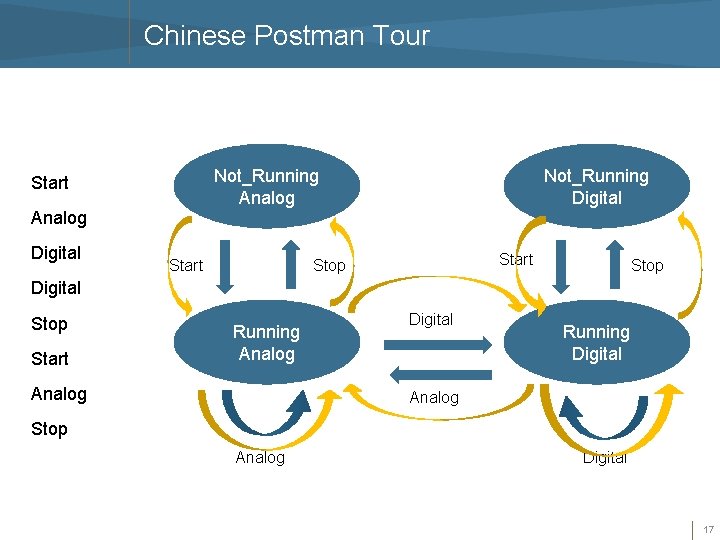
Chinese Postman Tour Not_Running Analog Start Not_Running Digital Analog Digital Start Stop Digital Stop Start Running Analog Digital Running Digital Analog Stop Analog Digital 17
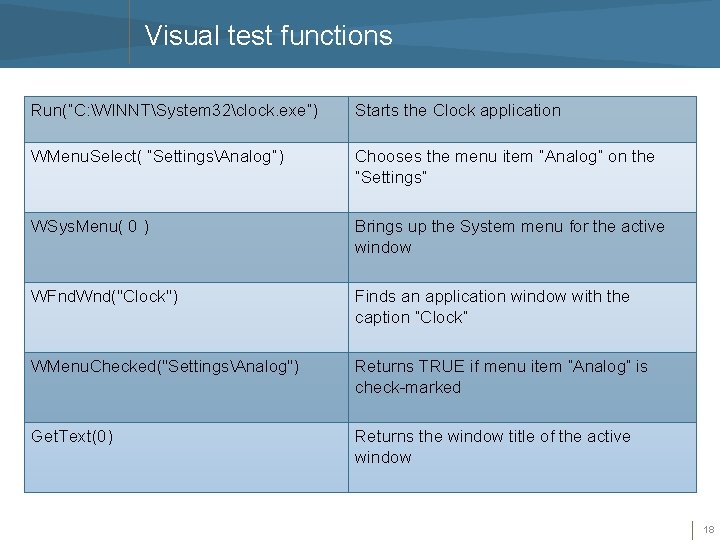
Visual test functions Run(“C: WINNTSystem 32clock. exe”) Starts the Clock application WMenu. Select( “SettingsAnalog”) Chooses the menu item “Analog” on the “Settings” WSys. Menu( 0 ) Brings up the System menu for the active window WFnd. Wnd("Clock") Finds an application window with the caption “Clock” WMenu. Checked("SettingsAnalog") Returns TRUE if menu item “Analog” is check-marked Get. Text(0) Returns the window title of the active window 18
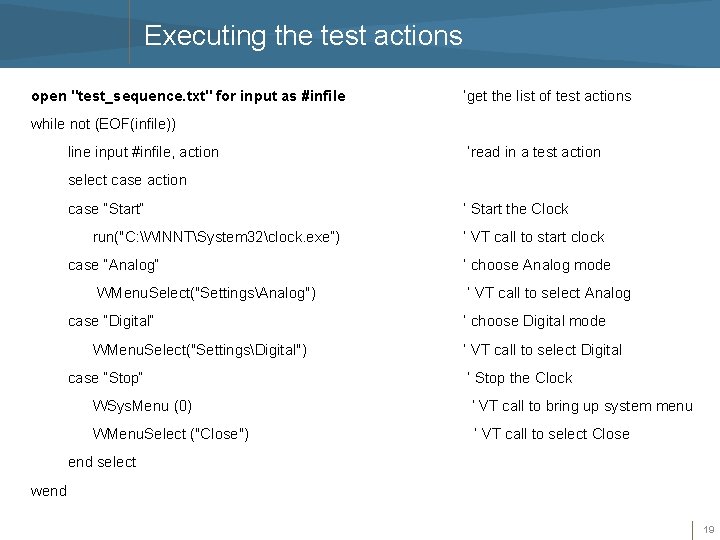
Executing the test actions open "test_sequence. txt" for input as #infile ‘get the list of test actions while not (EOF(infile)) line input #infile, action ‘read in a test action select case action case “Start“ run("C: WINNTSystem 32clock. exe”) case “Analog“ WMenu. Select("SettingsAnalog") case “Digital“ WMenu. Select("SettingsDigital") case “Stop“ ‘ Start the Clock ‘ VT call to start clock ‘ choose Analog mode ‘ VT call to select Analog ‘ choose Digital mode ‘ VT call to select Digital ‘ Stop the Clock WSys. Menu (0) ‘ VT call to bring up system menu WMenu. Select ("Close") ‘ VT call to select Close end select wend 19
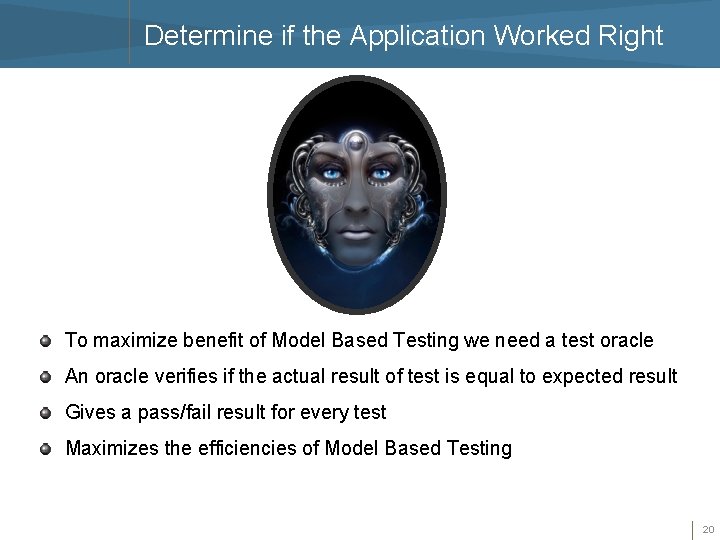
Determine if the Application Worked Right To maximize benefit of Model Based Testing we need a test oracle An oracle verifies if the actual result of test is equal to expected result Gives a pass/fail result for every test Maximizes the efficiencies of Model Based Testing 20
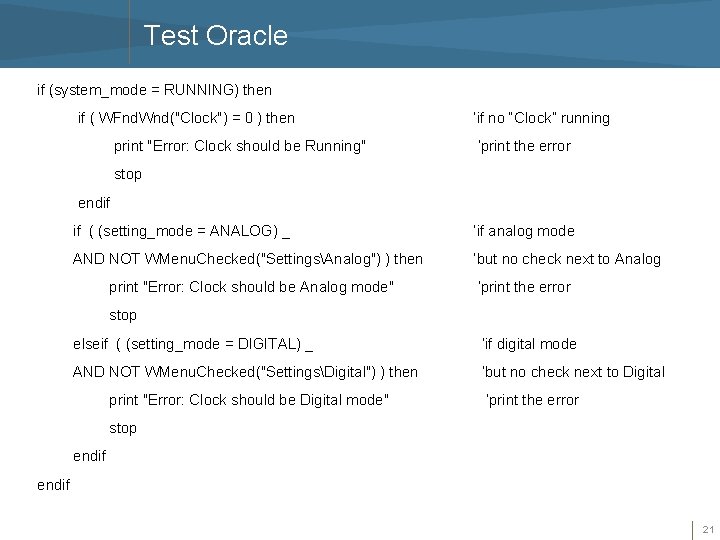
Test Oracle if (system_mode = RUNNING) then if ( WFnd. Wnd("Clock") = 0 ) then print "Error: Clock should be Running" ‘if no “Clock” running ‘print the error stop endif if ( (setting_mode = ANALOG) _ ‘if analog mode AND NOT WMenu. Checked("SettingsAnalog") ) then ‘but no check next to Analog print "Error: Clock should be Analog mode" ‘print the error stop elseif ( (setting_mode = DIGITAL) _ ‘if digital mode AND NOT WMenu. Checked("SettingsDigital") ) then ‘but no check next to Digital print "Error: Clock should be Digital mode" ‘print the error stop endif 21
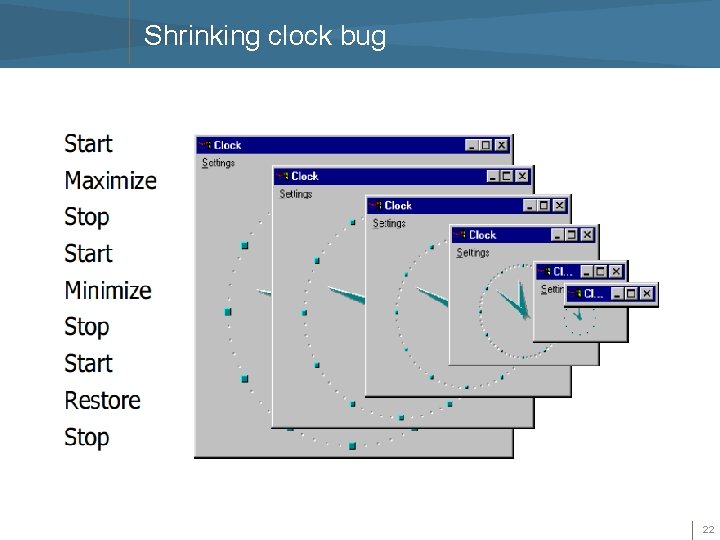
Shrinking clock bug 22
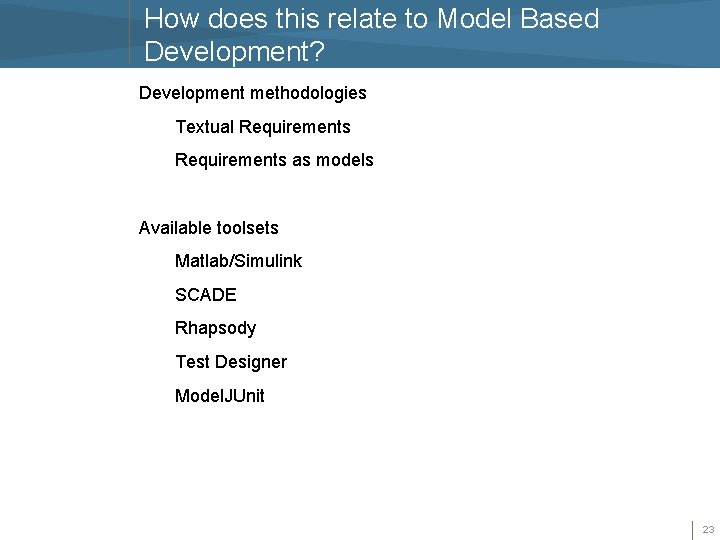
How does this relate to Model Based Development? Development methodologies Textual Requirements as models Available toolsets Matlab/Simulink SCADE Rhapsody Test Designer Model. JUnit 23
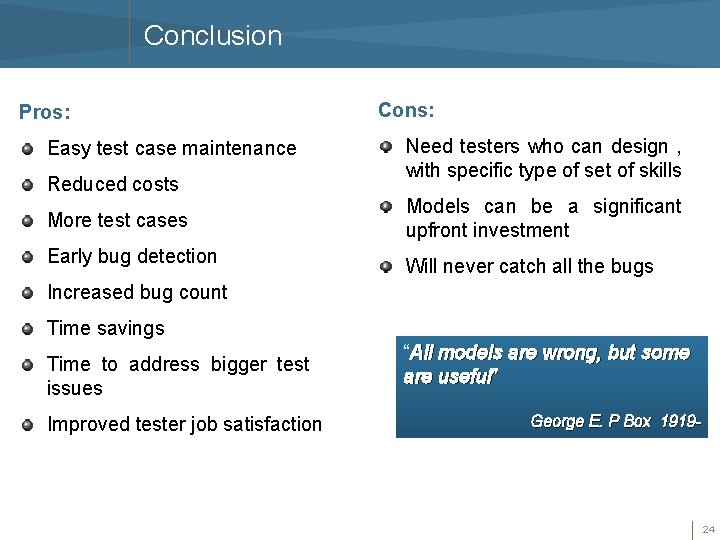
Conclusion Pros: Easy test case maintenance Reduced costs Cons: Need testers who can design , with specific type of set of skills More test cases Models can be a significant upfront investment Early bug detection Will never catch all the bugs Increased bug count Time savings Time to address bigger test issues Improved tester job satisfaction “All models are wrong, but some are useful” George E. P Box 1919 - 24
References Boberg, Jonas. “Early Fault Detection with Model Based Testing”, ACM Erlang ’ 08, 2008 Robinson, Harry. “Intelligent Test Automation: A model based method for generating tests from a description of an application’s behavior”, Software Testing and Quality Engineering magazine, pp 24 -32, 2000 Utting, Mark. “Model Based Testing: Black or White? ”, Google Tech Talks, http: //video. google. com/videoplay? docid=5521890509476590796#, 2007
- Slides: 26