
Model Evaluation Tools MET What is MET Model

- Slides: 20
Model Evaluation Tools MET
What is MET • Model Evaluation Tools (MET)-a powerful and highly configurable verification package developed by DTC offering: • Standard verification scores comparing gridded model data to point-based observations • Standard verification scores comparing gridded model data to gridded observations • Spatial verification methods comparing gridded model data to gridded observations using neighborhood, object-based, and intensity-scale decomposition approaches • Ensemble and probabilistic verification methods comparing gridded model data to point-based or gridded observations • Aggregating the output of these verification methods through time and space
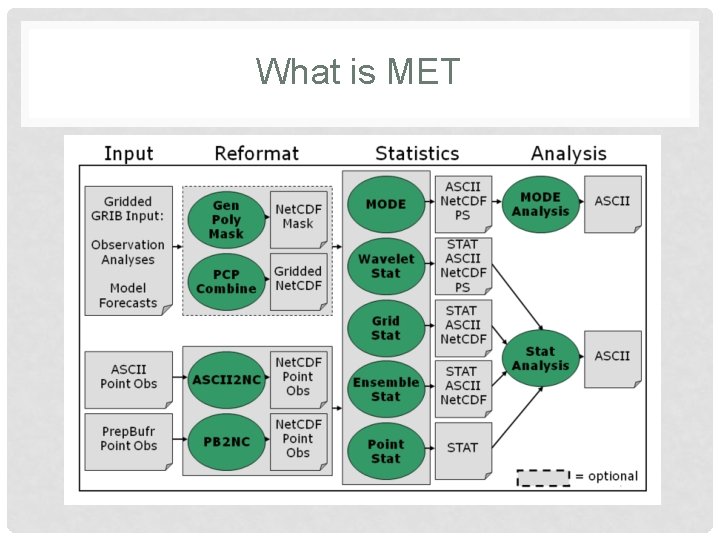
What is MET
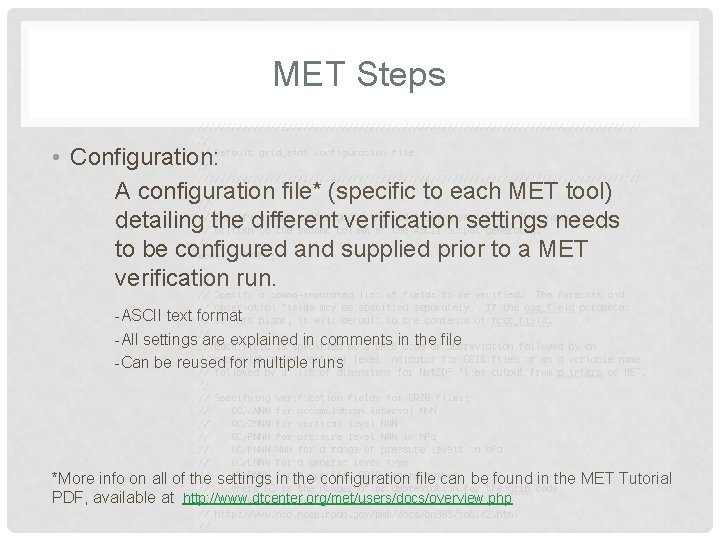
MET Steps • Configuration: A configuration file* (specific to each MET tool) detailing the different verification settings needs to be configured and supplied prior to a MET verification run. -ASCII text format -All settings are explained in comments in the file -Can be reused for multiple runs *More info on all of the settings in the configuration file can be found in the MET Tutorial PDF, available at http: //www. dtcenter. org/met/users/docs/overview. php
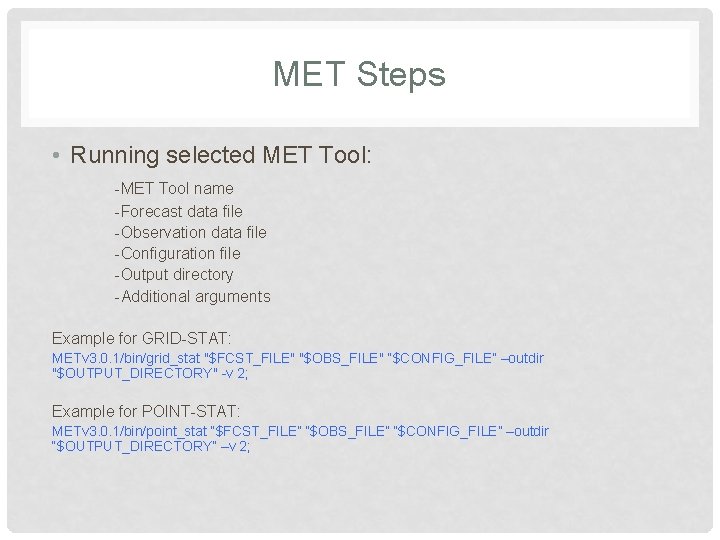
MET Steps • Running selected MET Tool: -MET Tool name -Forecast data file -Observation data file -Configuration file -Output directory -Additional arguments Example for GRID-STAT: METv 3. 0. 1/bin/grid_stat "$FCST_FILE" "$OBS_FILE" “$CONFIG_FILE” –outdir "$OUTPUT_DIRECTORY" -v 2; Example for POINT-STAT: METv 3. 0. 1/bin/point_stat “$FCST_FILE” “$OBS_FILE” “$CONFIG_FILE” –outdir “$OUTPUT_DIRECTORY” –v 2;
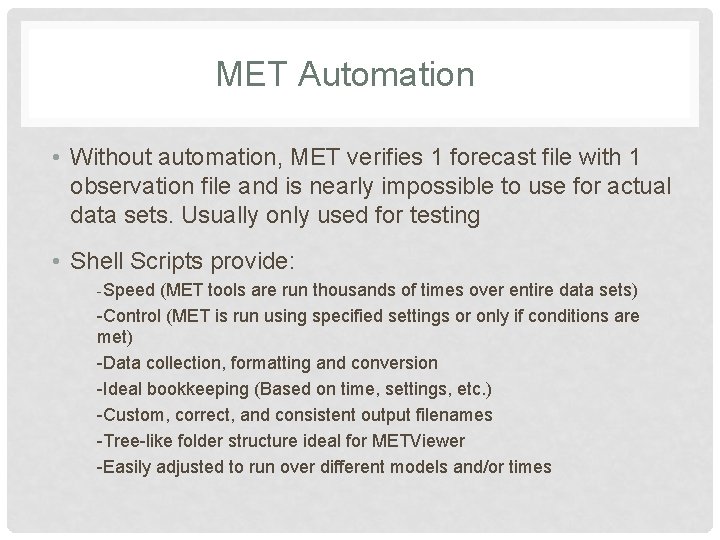
MET Automation • Without automation, MET verifies 1 forecast file with 1 observation file and is nearly impossible to use for actual data sets. Usually only used for testing • Shell Scripts provide: -Speed (MET tools are run thousands of times over entire data sets) -Control (MET is run using specified settings or only if conditions are met) -Data collection, formatting and conversion -Ideal bookkeeping (Based on time, settings, etc. ) -Custom, correct, and consistent output filenames -Tree-like folder structure ideal for METViewer -Easily adjusted to run over different models and/or times
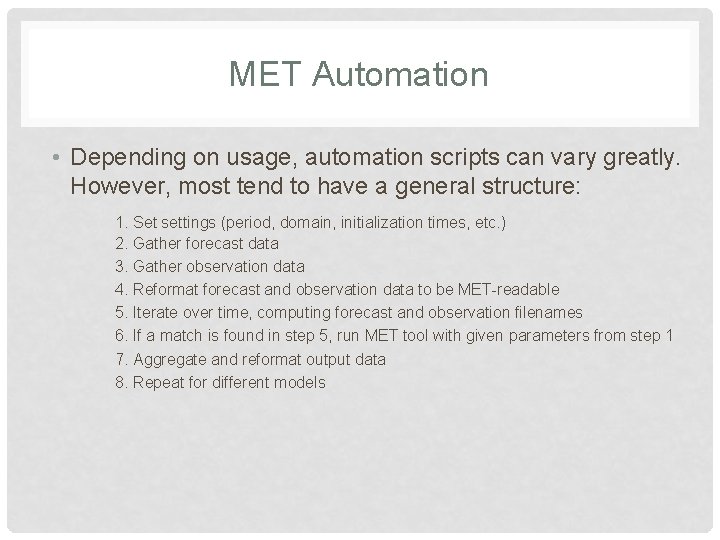
MET Automation • Depending on usage, automation scripts can vary greatly. However, most tend to have a general structure: 1. Set settings (period, domain, initialization times, etc. ) 2. Gather forecast data 3. Gather observation data 4. Reformat forecast and observation data to be MET-readable 5. Iterate over time, computing forecast and observation filenames 6. If a match is found in step 5, run MET tool with given parameters from step 1 7. Aggregate and reformat output data 8. Repeat for different models
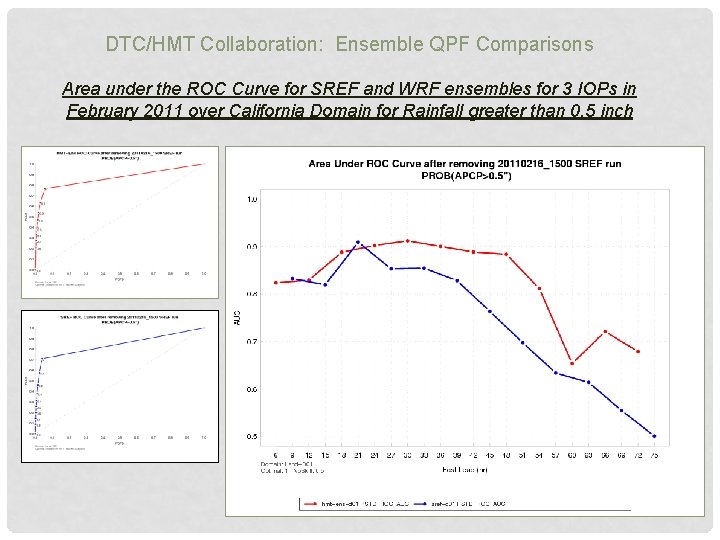
DTC/HMT Collaboration: Ensemble QPF Comparisons Area under the ROC Curve for SREF and WRF ensembles for 3 IOPs in February 2011 over California Domain for Rainfall greater than 0. 5 inch
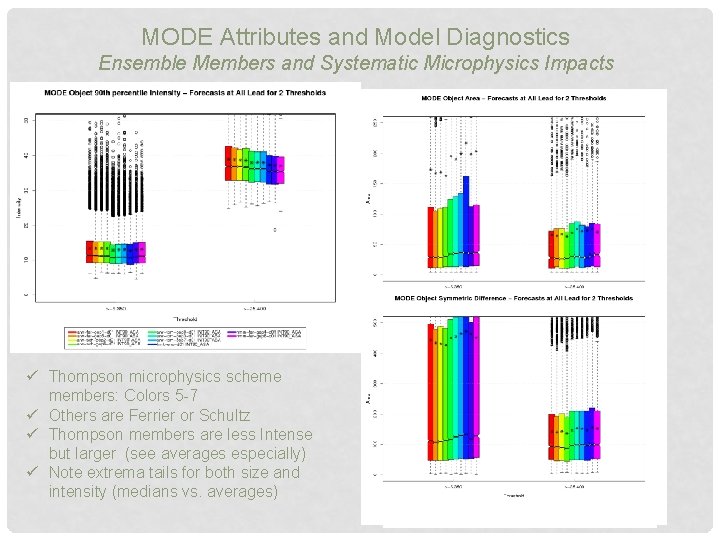
MODE Attributes and Model Diagnostics Ensemble Members and Systematic Microphysics Impacts ü Thompson microphysics scheme members: Colors 5 -7 ü Others are Ferrier or Schultz ü Thompson members are less Intense but larger (see averages especially) ü Note extrema tails for both size and intensity (medians vs. averages)
Graphics • MET does not have a built in way to display the computed statistics • MET outputs all statistics in ASCII text files which can be be plotted by many different software packages if desired, or METViewer can be used • MET Viewer is a separate software package which visualizes MET output and is highly configurable
More Information • MET & MET Viewer on FAB Website: http: //laps. noaa. gov/met/ • DTC Online MET Tutorial: http: //www. dtcenter. org/met/users/support/online_tutorial /METv 3. 0/index. php
MET Viewer
What is MET Viewer • The MET Viewer tool • reads MET verification statistics output from a database • creates plots using the R statistical package • includes a web application that can be accessed from a web browser to create a single plot • the specification for each plot is built using a series of controls and then serialized into XML • for each plot, METViewer generates a SQL query, an R script to create the plot, a flat file containing the data that will be plotted and the plot itself • Available to anyone online: http: //www. dtcenter. org/metviewer/metviewer. jsp? db=hmt_2010 • Note: the link is a public test version and hence is limited to a single database.
METViewer • Fully customizable and very powerful but has a learning curve • Can produce fully customizable: -Series plots with confidence intervals -Box plots -X-Y scatter plots -Histograms
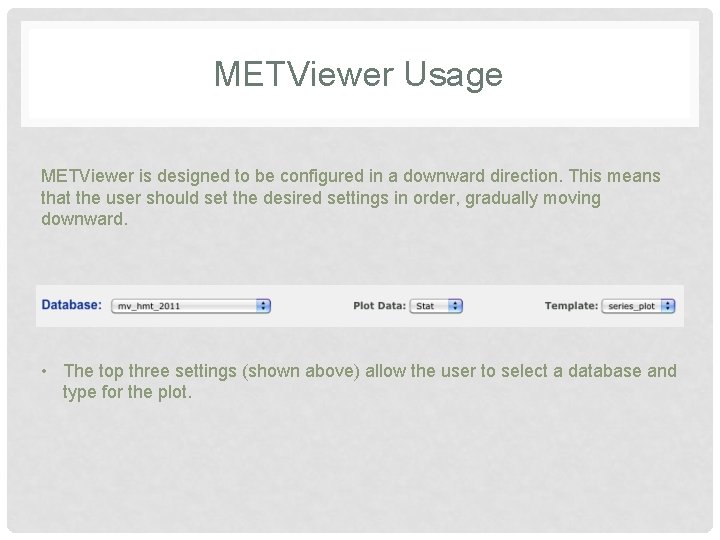
METViewer Usage METViewer is designed to be configured in a downward direction. This means that the user should set the desired settings in order, gradually moving downward. • The top three settings (shown above) allow the user to select a database and type for the plot.
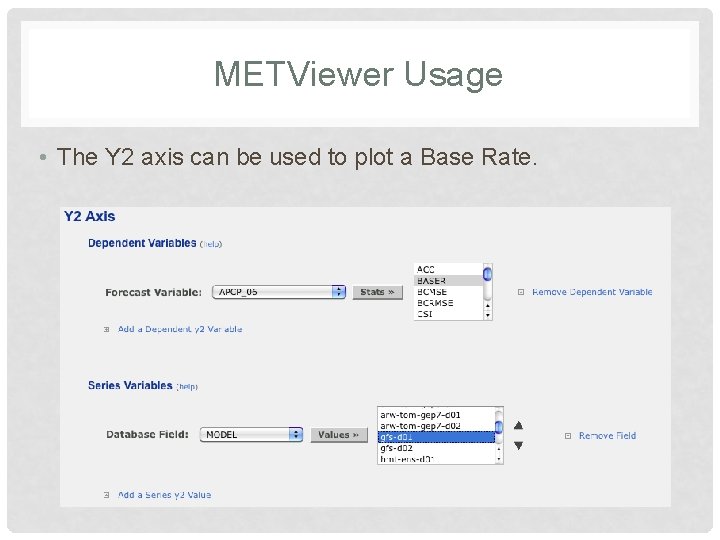
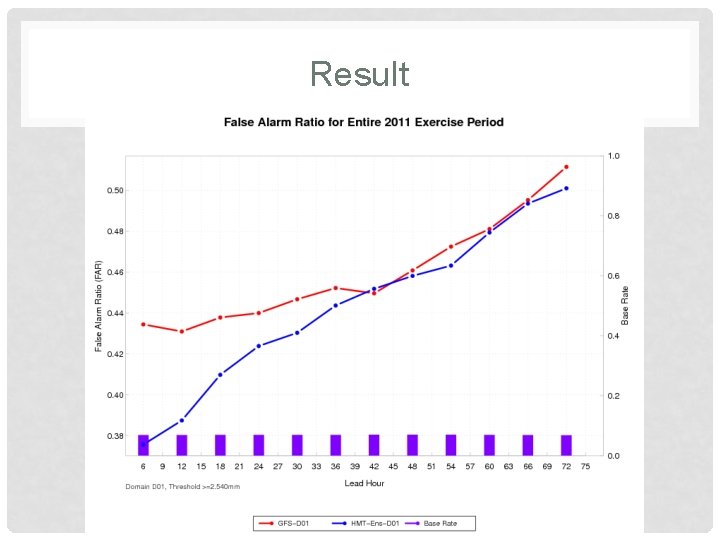
METViewer Usage • The Y 2 axis can be used to plot a Base Rate.
Result
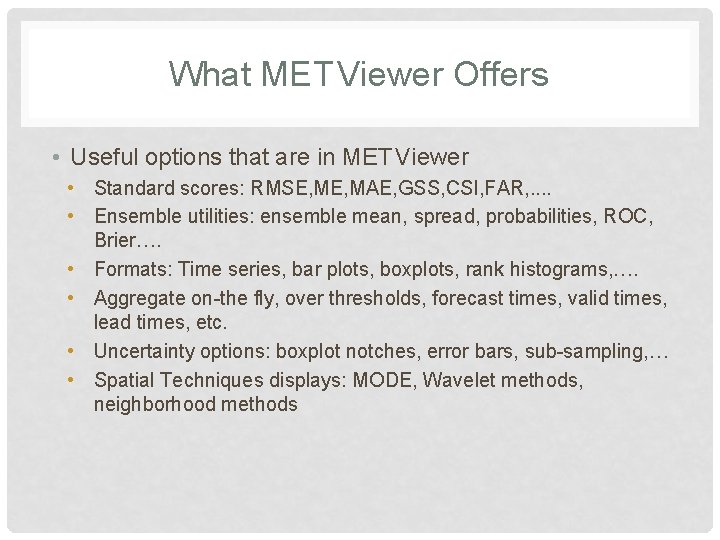
What MET Viewer Offers • Useful options that are in MET Viewer • Standard scores: RMSE, MAE, GSS, CSI, FAR, . . • Ensemble utilities: ensemble mean, spread, probabilities, ROC, Brier…. • Formats: Time series, bar plots, boxplots, rank histograms, …. • Aggregate on-the fly, over thresholds, forecast times, valid times, lead times, etc. • Uncertainty options: boxplot notches, error bars, sub-sampling, … • Spatial Techniques displays: MODE, Wavelet methods, neighborhood methods
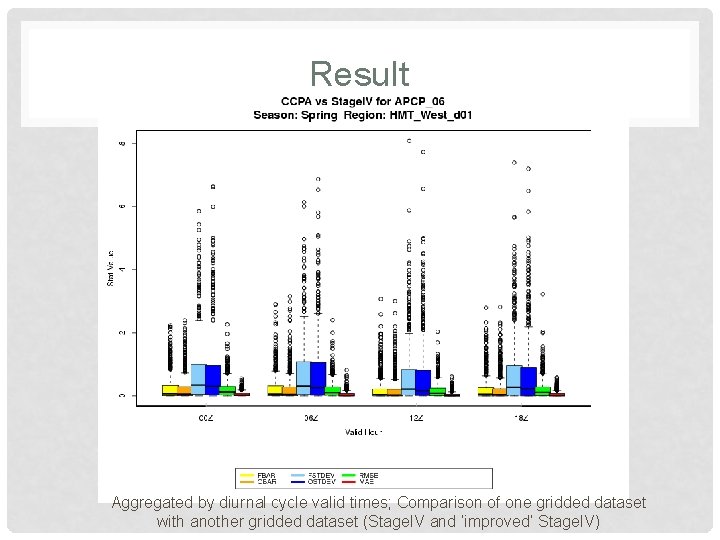
Result Aggregated by diurnal cycle valid times; Comparison of one gridded dataset with another gridded dataset (Stage. IV and ‘improved’ Stage. IV)
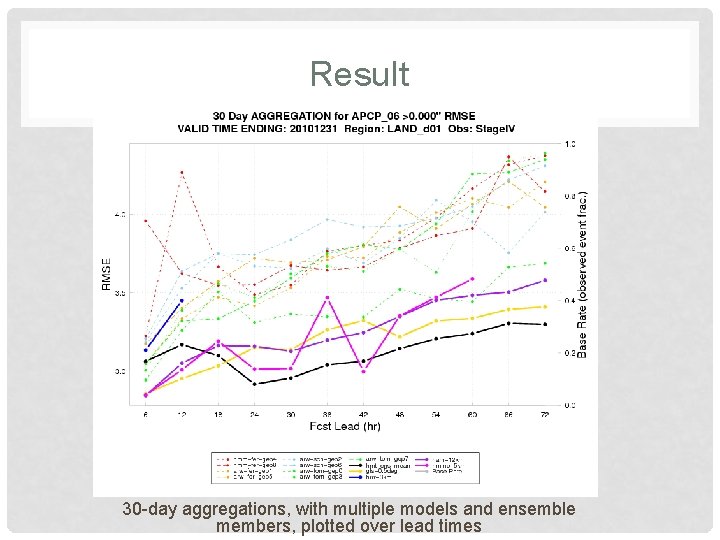
Result 30 -day aggregations, with multiple models and ensemble members, plotted over lead times