
Model Driven Development with a Definitive Software Library
Model Driven Development with a Definitive Software Library Carlos Ferreira RAM Product Manager, IBM Carlos. Ferreira@us. ibm. com Dr Gili Mendel RAM Architect, IBM Carlos. Ferreira@us. ibm. com Select View/Master/Slide Master to add Session Number MAC 04 MC 04 Here © 2009 IBM Corporation
IBM Rational Software Conference 2009 Agenda § Business challenges addressed by a Modeling and a definitive software library § Introduction to Rational Asset Manager § RAM - Rational Software Architect integration § Modeling RAM Governance Model and using RSA RAM Configurator § Deployment Architecture Platform - Deployment modeling § Software Factories - Using Software Modeling to develop reference architectures § RAM – Web. Sphere Business Modeler Integration § Model driven development using a DSL Demonstration MC 04 2
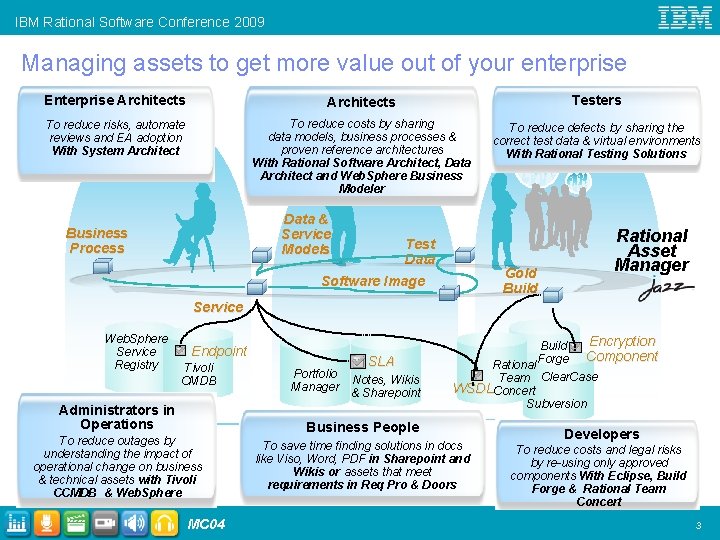
IBM Rational Software Conference 2009 Managing assets to get more value out of your enterprise Enterprise Architects Testers To reduce risks, automate reviews and EA adoption With System Architect To reduce costs by sharing data models, business processes & proven reference architectures With Rational Software Architect, Data Architect and Web. Sphere Business Modeler To reduce defects by sharing the correct test data & virtual environments With Rational Testing Solutions Data & Service Models Business Process Test Data Rational Asset Manager Gold Build Software Image Service Web. Sphere Service Registry Endpoint Tivoli CMDB Administrators in Operations To reduce outages by understanding the impact of operational change on business & technical assets with Tivoli CCMDB & Web. Sphere MC 04 Portfolio Manager SLA Notes, Wikis & Sharepoint Build Forge Encryption Component Rational Team Clear. Case WSDLConcert Subversion Business People To save time finding solutions in docs like Viso, Word, PDF in Sharepoint and Wikis or assets that meet requirements in Req Pro & Doors Developers To reduce costs and legal risks by re-using only approved components With Eclipse, Build Forge & Rational Team Concert 3
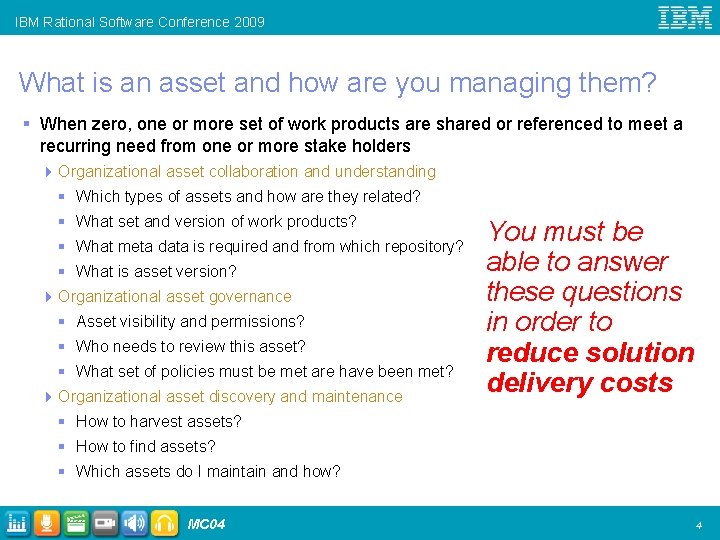
IBM Rational Software Conference 2009 What is an asset and how are you managing them? § When zero, one or more set of work products are shared or referenced to meet a recurring need from one or more stake holders 4 Organizational asset collaboration and understanding § Which types of assets and how are they related? § What set and version of work products? § What meta data is required and from which repository? § What is asset version? 4 Organizational asset governance § Asset visibility and permissions? § Who needs to review this asset? § What set of policies must be met are have been met? 4 Organizational asset discovery and maintenance You must be able to answer these questions in order to reduce solution delivery costs § How to harvest assets? § How to find assets? § Which assets do I maintain and how? MC 04 4
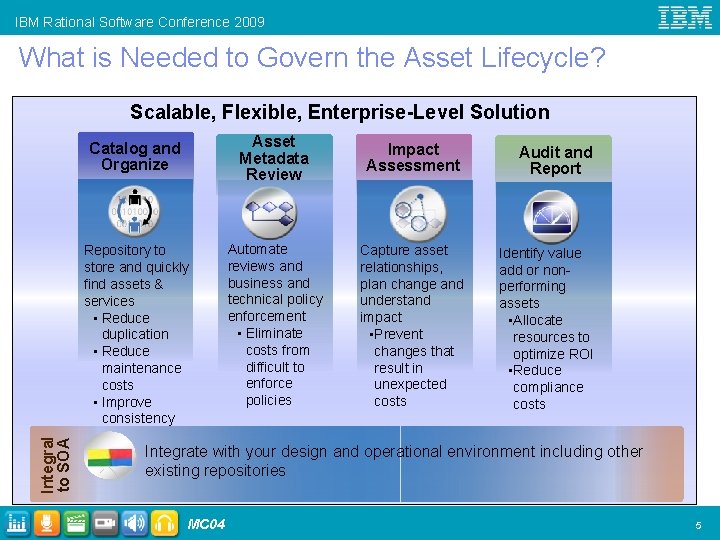
IBM Rational Software Conference 2009 What is Needed to Govern the Asset Lifecycle? Integral to SOA Scalable, Flexible, Enterprise-Level Solution Catalog and Organize Asset Metadata Review Impact Assessment Audit and Report Repository to store and quickly find assets & services • Reduce duplication • Reduce maintenance costs • Improve consistency Automate reviews and business and technical policy enforcement • Eliminate costs from difficult to enforce policies Capture asset relationships, plan change and understand impact • Prevent changes that result in unexpected costs Identify value add or nonperforming assets • Allocate resources to optimize ROI • Reduce compliance costs Integrate with your design and operational environment including other existing repositories MC 04 5
IBM Rational Software Conference 2009 Rational Asset Manager § Provides a definitive software library for cataloging, maintaining, and governing business and software assets across the enterprise § For clients who want to: 4 Understand what assets they have, how they are related and are driving business value 4 Reduce the overall cost of governing, planning, implementing and maintaining solutions 4 Deliver solutions faster and decrease time to market 4 Reduce delivery risk by being more consistent and using proven assets, resulting in increased quality and reliability of solutions MC 04 6
IBM Rational Software Conference 2009 Agenda § Business challenges addressed by a Modeling and a definitive software library § Introduction to Rational Asset Manager § RAM - Rational Software Architect integration § Modeling RAM Governance Model and using RSA RAM Configurator § Deployment Architecture Platform - Deployment modeling § Software Factories - Using Software Modeling to develop reference architectures § RAM – Web. Sphere Business Modeler Integration § Model driven development using a DSL Demonstration MC 04 7
IBM Rational Software Conference 2009 Modeling RAM Governance Model and using RSA RAM Configurator § Eclipse Plugin to RSA that allows you to: 4 Model RAM asset governance model 4 Publish model into a RAM server or import it from a RAM server § Benefits 4 Visualize and socialize asset governance model 4 Faster to edit § How to get it and find out more 4 Developerworks http: //www. ibm. com/developerworks/rational/library/08/0923_larsen/index. html? S_TACT= 105 AGX 15&S_CMP=LP 4 Quick Demo MC 04 8
IBM Rational Software Conference 2009 RSA Deployment Architecture Platform § Allows you to: 4 Model deployment architectures, publish and deploy § Benefits 4 Easier to understand, visualize and socialize approved and compliant deployments 4 Faster to edit and create deployments § How to get it 4 Comes with Rational Software Architect § Find out more 4 Daniel Berg - EAM 02 Design Successful IT Deployments Using the New Deployment Architecture Platform in IBM(R) Rational(R) Software Architect EAM § Solutions Center MC 04 9
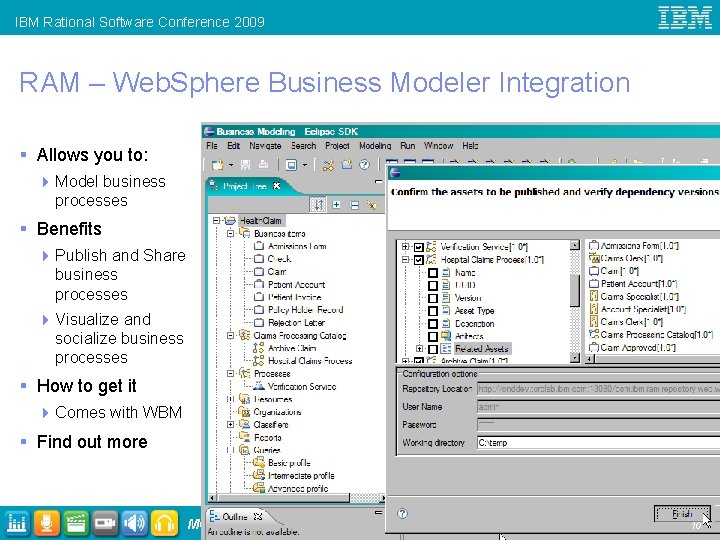
IBM Rational Software Conference 2009 RAM – Web. Sphere Business Modeler Integration § Allows you to: 4 Model business processes § Benefits 4 Publish and Share business processes 4 Visualize and socialize business processes § How to get it 4 Comes with WBM § Find out more MC 04 10
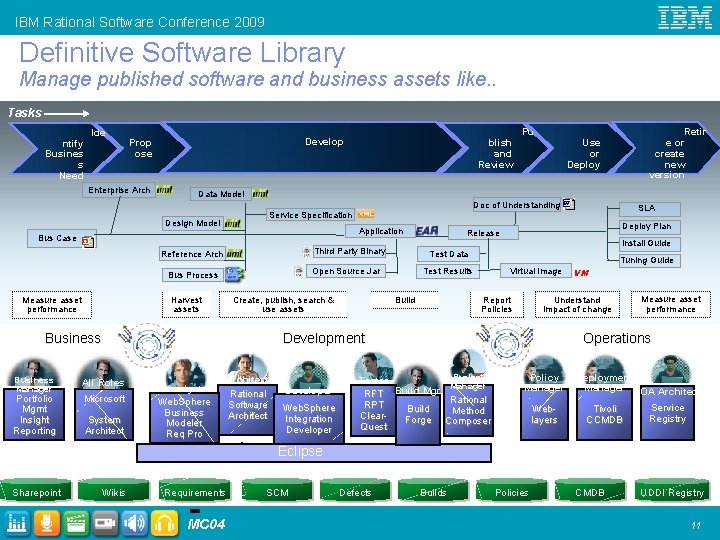
IBM Rational Software Conference 2009 Definitive Software Library Manage published software and business assets like. . Tasks ntify Busines s Need Ide Develop Prop ose Enterprise Arch blish and Review Pu Retir e or create new version Use or Deploy Data Model Doc of Understanding Design Model Application Bus Case Harvest assets Create, publish, search & use assets Business Manager Portfolio Mgmt Insight Reporting Test Data Open Source Jar Bus Process Deploy Plan Release Install Guide Third Party Binary Reference Arch Measure asset performance Tuning Guide Virtual Image Test Results Report Policies Build Microsoft System Architect Analyst Web. Sphere Business Modeler Req Pro Architect Rational Software Architect Developer Web. Sphere Integration Developer VM Understand Impact of change Development All Roles SLA Service Specification Measure asset performance Operations Project Tester Manager RFT Build Mgr Rational RPT Build Method Clear. Forge Composer Quest Policy Manager Weblayers Deployment Manager SOA Architect Tivoli CCMDB Service Registry Eclipse Sharepoint Wikis Requirements MC 04 SCM Defects Builds Policies CMDB UDDI Registry 11
IBM Rational Software Conference 2009 MC 04 12
IBM Rational Software Conference 2009 MC 04 13
IBM Rational Software Conference 2009 Where can you learn more? § Rational Asset Manager Insider Blog 4 http: //rationalassetmanager. wordpress. com/ 4 Includes best practices, Web cast tutorials and demos § Product Page 4 http: //www-01. ibm. com/software/awdtools/ram/ § Discussion Forum 4 http: //www. ibm. com/developerworks/forum. jspa? forum. ID=1122 § Developerworks 4 http: //www. ibm. com/developerworks/rational/products/ram/ § Rational Asset Manager Exchange 4 http: //www. ibm. com/developerworks/rational/exchange/ram_exchange/ind ex. html? S_TACT=105 AGX 15&S_CMP=LP MC 04 14
IBM Rational Software Conference 2009 © Copyright IBM Corporation 2009. All rights reserved. The information contained in these materials is provided for informational purposes only, and is provided AS IS without warranty of any kind, express or implied. IBM shall not be responsible for any damages arising out of the use of, or otherwise related to, these materials. Nothing contained in these materials is intended to, nor shall have the effect of, creating any warranties or representations from IBM or its suppliers or licensors, or altering the terms and conditions of the applicable license agreement governing the use of IBM software. References in these materials to IBM products, programs, or services do not imply that they will be available in all countries in which IBM operates. Product release dates and/or capabilities referenced in these materials may change at any time at IBM’s sole discretion based on market opportunities or other factors, and are not intended to be a commitment to future product or feature availability in any way. IBM, the IBM logo, Rational, the Rational logo, Telelogic, the Telelogic logo, and other IBM products and services are trademarks of the International Business Machines Corporation, in the United States, other countries or both. Other company, product, or service names may be trademarks or service marks of others. MC 04 15
IBM Rational Software Conference 2009 Back Up Slides MC 04 16
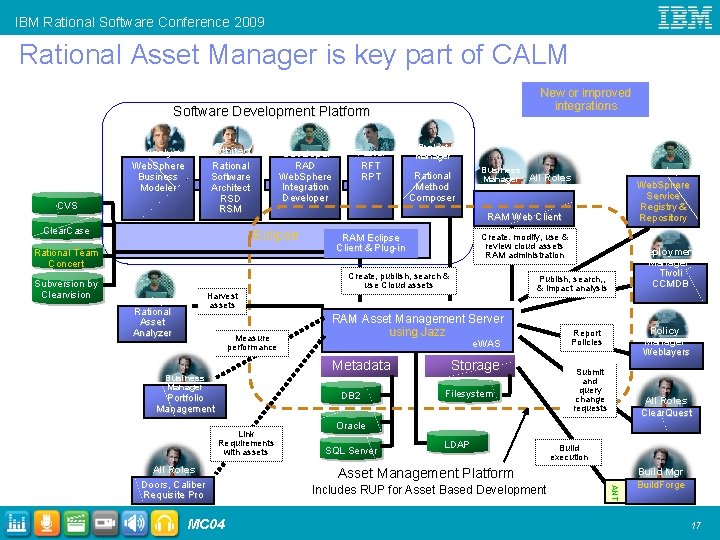
IBM Rational Software Conference 2009 Rational Asset Manager is key part of CALM New or improved integrations Software Development Platform Architect Rational Software Architect RSD RSM Analyst Web. Sphere Business Modeler CVS Clear. Case Developer RAD Web. Sphere Integration Developer Eclipse Harvest assets Developer Rational Asset Analyzer Measure performance Business Manager All Roles Developer Web. Sphere Service Registry & Repository Link Requirements with assets Create. modify, use & review cloud assets RAM administration Create, publish, search & use Cloud assets RAM Services Deployment Manager Tivoli CCMDB Publish, search, , & impact analysis RAM Asset Management Server using Jazz e. WAS DB 2 Portfolio Management Storage Filesystem Policy Manager Weblayers Report Policies Submit and query change requests All Roles Clear. Quest Oracle SQL Server LDAP Build execution Asset Management Platform Includes RUP for Asset Based Development ANT MC 04 Rational Method Composer RAM Eclipse Client & Plug-in Metadata Business Manager All Roles Doors, Caliber Requisite Project Manager RAM Web Client Rational Team Concert Subversion by Clearvision Tester RFT RPT Build Mgr Build. Forge 17
IBM Rational Software Conference 2009 Setting UP RAM RSA Integration § Install RSA § Install RAM on the Server § Install RAM Eclipse Plug-in into RSA using the RAM update site § Download and install the RSA Asset Library Schemas into RAM § In RSA configure a connection to the RAM server from the RAM Repository View § Publish the model MC 04 18
IBM Rational Software Conference 2009 Step 1 Install the Rational Asset Manager plug-in § Before you can publish the UML models, you must install the Rational Asset Manager Eclipse client plugin in your workbench. In this lesson, you install the client plug-in by using the Eclipse update manager. § To complete this lesson, you must have access to the Rational Asset Manager server. Contact your Rational Asset Manager server administrator to obtain the Web client URL that you can use to access the Rational Asset Manager server and update site, for example, http: //localhost: 13080/com. ibm. ram. repository. web/extensions. faces. § After you have this information, enter the URL for the Web client in a browser and then click Help > Extensions. In the Eclipse Client Plug-in section, find the URL that is displayed besides the Update site area, for example: http: //localhost: 13080/com. ibm. ram. repository. web/RCPUpdate. Site/ § To install the client plug-in: § In the Rational modeling product, click Help > Software Updates; then click Available software. § On the Available software page, click Add Site, specify the URL for the update site, and click OK. § From the list of available update sites, select the site that you just added and click Install. § On the Install page, click Next. § On the Review Licenses page, read the license agreement. If you agree to the terms and conditions of the agreement, click I accept and click Finish. § After the installation is complete, in the Software Updates window, click Apply Changes. § To verify that the installation succeeded, open the Asset Management perspective. Click Window > Open Perspective > Other, select Asset Management, and click OK. MC 04 19
IBM Rational Software Conference 2009 Step 2: Connect to the Rational Asset Manager server § After you install the client plug-in, you can connect to the Rational Asset Manager server. § To connect to the Rational Asset Manager server: § In the browser, click Help > Extensions, and copy the repository URL that is displayed beside Repository location. § In the Rational modeling product in the Asset Repositories view, click Create connections to asset repositories. § On the New Asset Management Repository Connection page, provide the connection details: 4 In the URL field, paste the repository URL. 4 In the User name and Password fields, enter a valid user name and password. 4 Click Finish. § In the New Repository Connection window, click OK. § You can now submit the UML model as a Rational Asset Manager asset to the Rational Asset Manager server. MC 04 20
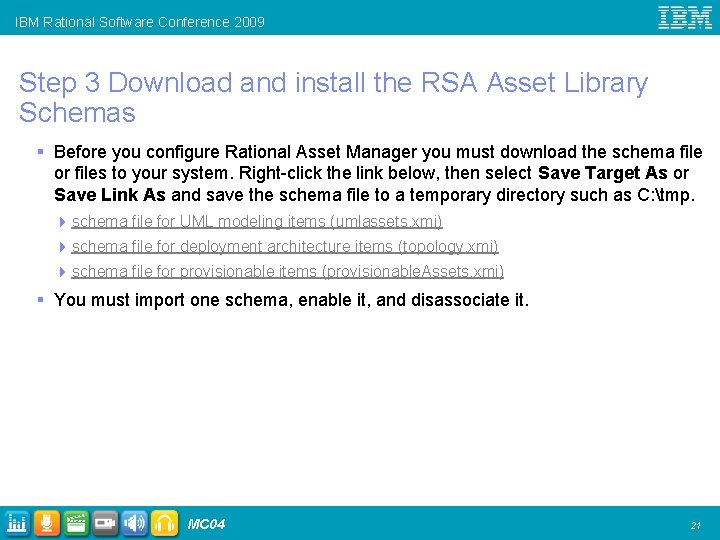
IBM Rational Software Conference 2009 Step 3 Download and install the RSA Asset Library Schemas § Before you configure Rational Asset Manager you must download the schema file or files to your system. Right-click the link below, then select Save Target As or Save Link As and save the schema file to a temporary directory such as C: tmp. 4 schema file for UML modeling items (umlassets. xmi) 4 schema file for deployment architecture items (topology. xmi) 4 schema file for provisionable items (provisionable. Assets. xmi) § You must import one schema, enable it, and disassociate it. MC 04 21
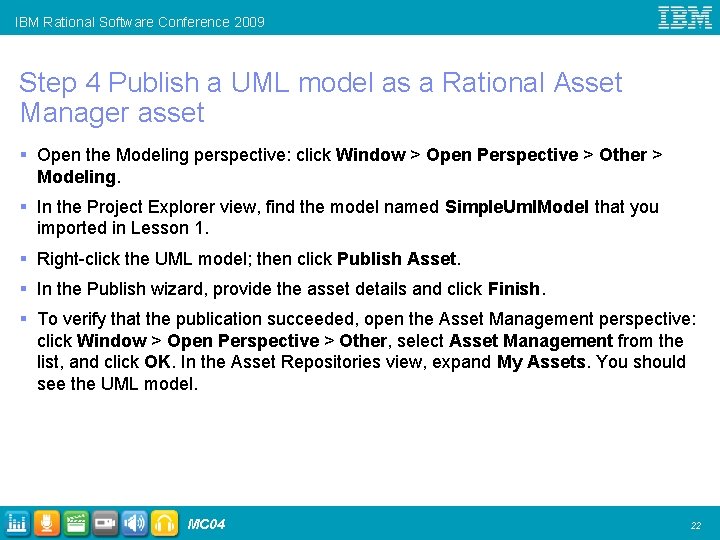
IBM Rational Software Conference 2009 Step 4 Publish a UML model as a Rational Asset Manager asset § Open the Modeling perspective: click Window > Open Perspective > Other > Modeling. § In the Project Explorer view, find the model named Simple. Uml. Model that you imported in Lesson 1. § Right-click the UML model; then click Publish Asset. § In the Publish wizard, provide the asset details and click Finish. § To verify that the publication succeeded, open the Asset Management perspective: click Window > Open Perspective > Other, select Asset Management from the list, and click OK. In the Asset Repositories view, expand My Assets. You should see the UML model. MC 04 22
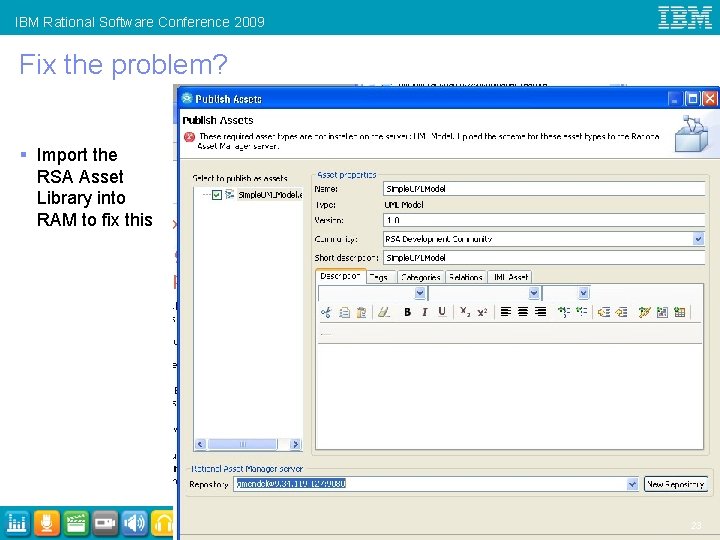
IBM Rational Software Conference 2009 Fix the problem? § Import the RSA Asset Library into RAM to fix this MC 04 23
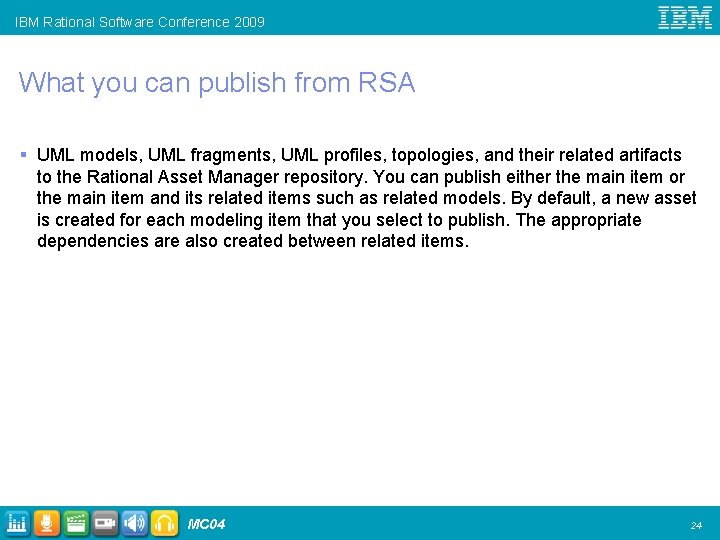
IBM Rational Software Conference 2009 What you can publish from RSA § UML models, UML fragments, UML profiles, topologies, and their related artifacts to the Rational Asset Manager repository. You can publish either the main item or the main item and its related items such as related models. By default, a new asset is created for each modeling item that you select to publish. The appropriate dependencies are also created between related items. MC 04 24
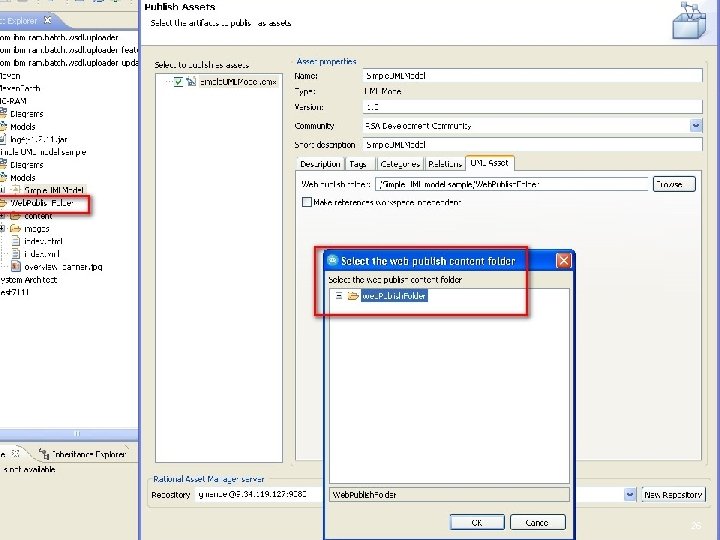
IBM Rational Software Conference 2009 Publishing a Model § Click Modeling > Publish > Web. § In the General window, click Full. To get an HTML version of the Model § The GOTCHA 4 To include the HTML version of the UML model in the asset contents, in the Web publish folder field, specify the folder where you published the HTML version of the model. Note: The folder where the HTML is published must be in the same project as the item being published. To be able to select the folder, you must refresh the Project Explorer view to show the folder after you publish the item. MC 04 25
IBM Rational Software Conference 2009 MC 04 26
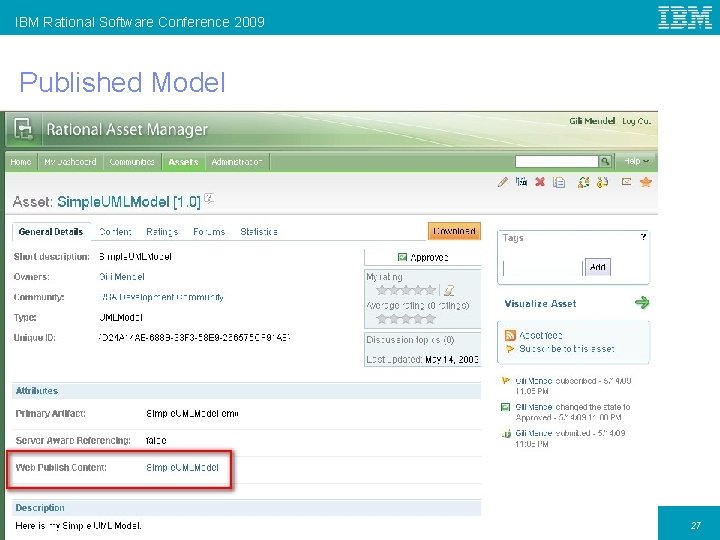
IBM Rational Software Conference 2009 Published Model MC 04 27
IBM Rational Software Conference 2009 Search and Import Model § The Gotcha § To be able to import a model asset into any project, select the Make references workspace independent check box. Note: This option is useful if the model references other model assets or if other models reference elements in this model. In this situation, this option enables you to import the assets into a different project and maintain the references. However, if you select this option, the publish operation modifies the model. The operation creates pathmaps to projects, instead of references, and the model becomes dependent on the Rational Asset Manager integration, which allows the pathmaps to resolve to the correct project location. MC 04 28
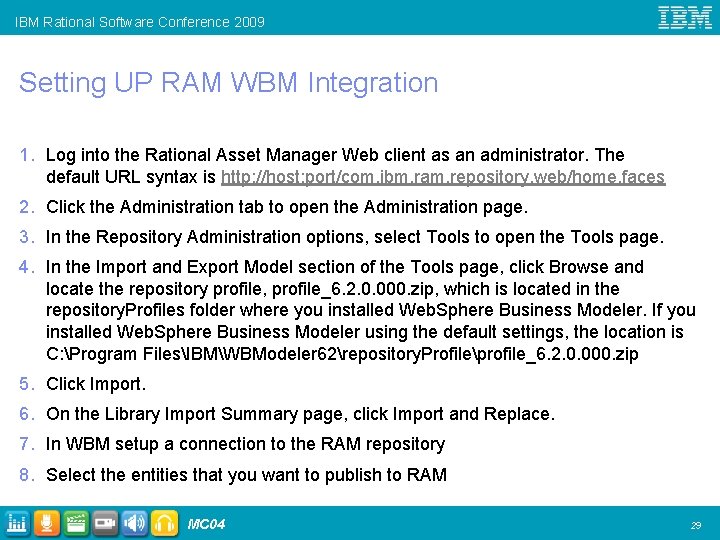
IBM Rational Software Conference 2009 Setting UP RAM WBM Integration 1. Log into the Rational Asset Manager Web client as an administrator. The default URL syntax is http: //host: port/com. ibm. ram. repository. web/home. faces 2. Click the Administration tab to open the Administration page. 3. In the Repository Administration options, select Tools to open the Tools page. 4. In the Import and Export Model section of the Tools page, click Browse and locate the repository profile, profile_6. 2. 0. 000. zip, which is located in the repository. Profiles folder where you installed Web. Sphere Business Modeler. If you installed Web. Sphere Business Modeler using the default settings, the location is C: Program FilesIBMWBModeler 62repository. Profileprofile_6. 2. 0. 000. zip 5. Click Import. 6. On the Library Import Summary page, click Import and Replace. 7. In WBM setup a connection to the RAM repository 8. Select the entities that you want to publish to RAM MC 04 29
- Slides: 29