
Modbus to DNP 3 Protocol Converter Group 24

Modbus to DNP 3 Protocol Converter Group 24: Joshua Daly, Cp. E Daniel Doherty, Cp. E Mac Lightbourn , EE Joseph Wilkinson, EE
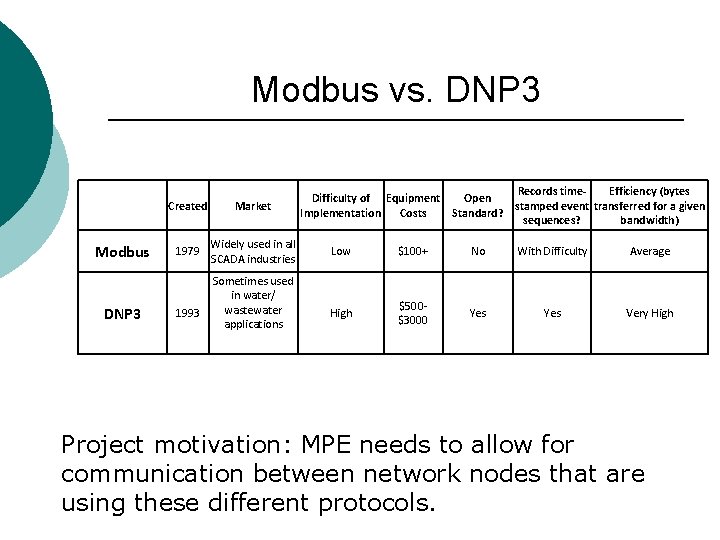
Modbus vs. DNP 3 Modbus DNP 3 Created Market 1979 Widely used in all SCADA industries 1993 Sometimes used in water/ wastewater applications Difficulty of Equipment Implementation Costs Records time. Efficiency (bytes Open stamped event transferred for a given Standard? sequences? bandwidth) Low $100+ No With Difficulty Average High $500$3000 Yes Very High Project motivation: MPE needs to allow for communication between network nodes that are using these different protocols.
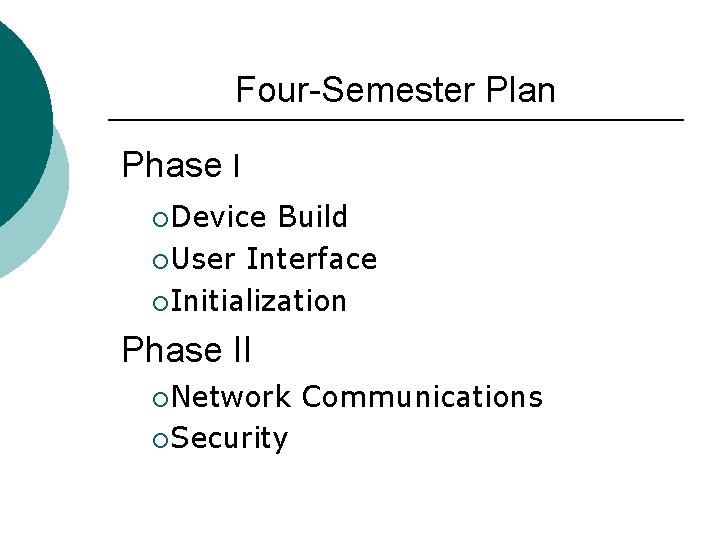
Four-Semester Plan Phase I ¡Device Build ¡User Interface ¡Initialization Phase II ¡Network ¡Security Communications
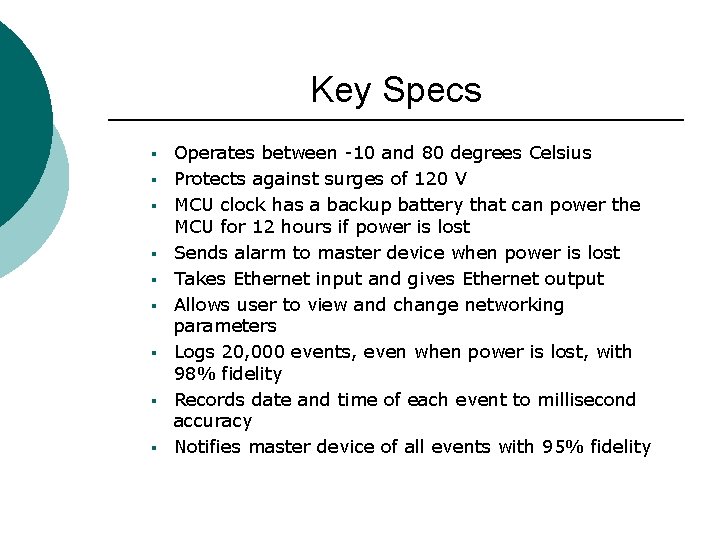
Key Specs § § § § § Operates between -10 and 80 degrees Celsius Protects against surges of 120 V MCU clock has a backup battery that can power the MCU for 12 hours if power is lost Sends alarm to master device when power is lost Takes Ethernet input and gives Ethernet output Allows user to view and change networking parameters Logs 20, 000 events, even when power is lost, with 98% fidelity Records date and time of each event to millisecond accuracy Notifies master device of all events with 95% fidelity
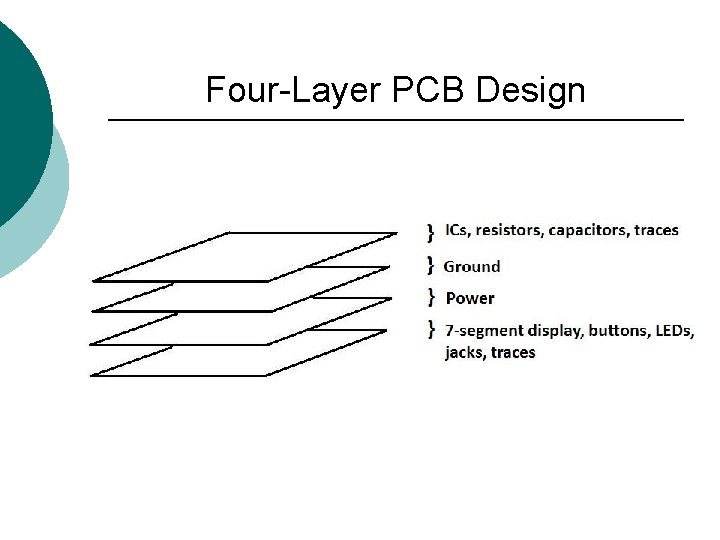
Four-Layer PCB Design
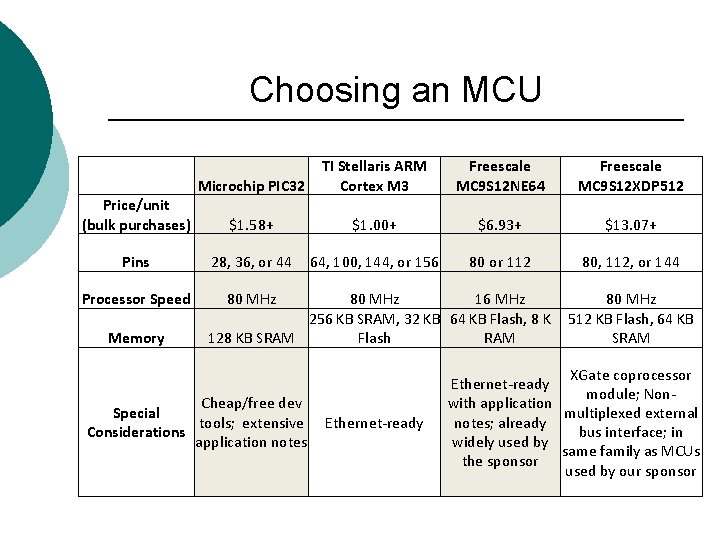
Choosing an MCU Microchip PIC 32 TI Stellaris ARM Cortex M 3 Freescale MC 9 S 12 NE 64 Freescale MC 9 S 12 XDP 512 Price/unit (bulk purchases) $1. 58+ $1. 00+ $6. 93+ $13. 07+ Pins 28, 36, or 44 64, 100, 144, or 156 80 or 112 80, 112, or 144 Processor Speed 80 MHz Memory 80 MHz 16 MHz 256 KB SRAM, 32 KB 64 KB Flash, 8 K 128 KB SRAM Flash RAM Cheap/free dev Special tools; extensive Considerations application notes Ethernet-ready 80 MHz 512 KB Flash, 64 KB SRAM XGate coprocessor Ethernet-ready module; Nonwith application multiplexed external notes; already bus interface; in widely used by same family as MCUs the sponsor used by our sponsor
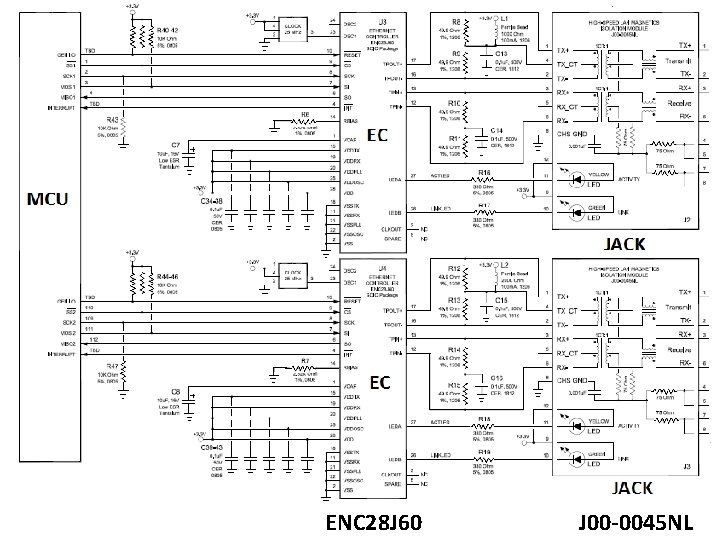
ENC 28 J 60 J 00 -0045 NL
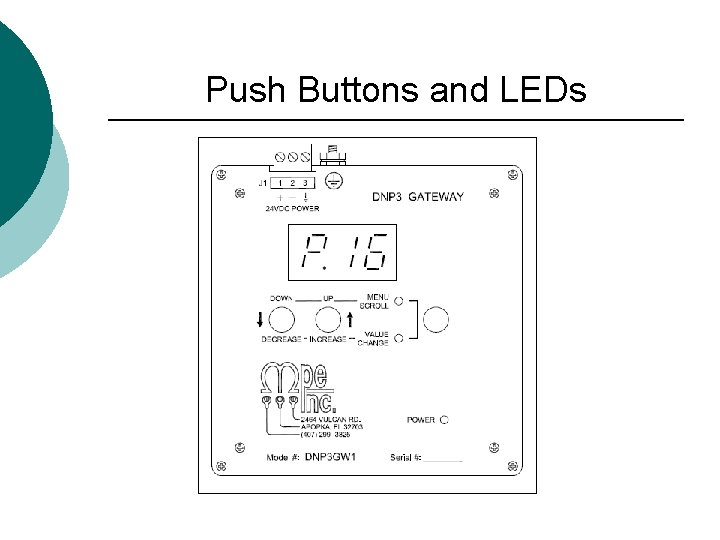
Push Buttons and LEDs
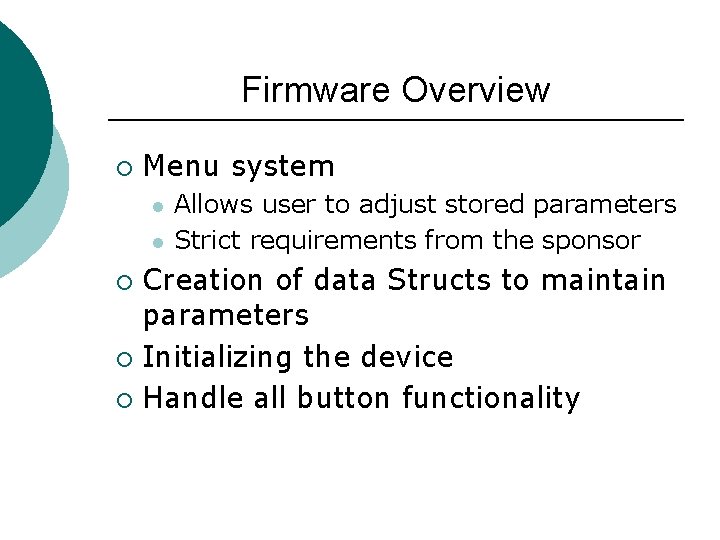
Firmware Overview ¡ Menu system l l Allows user to adjust stored parameters Strict requirements from the sponsor Creation of data Structs to maintain parameters ¡ Initializing the device ¡ Handle all button functionality ¡
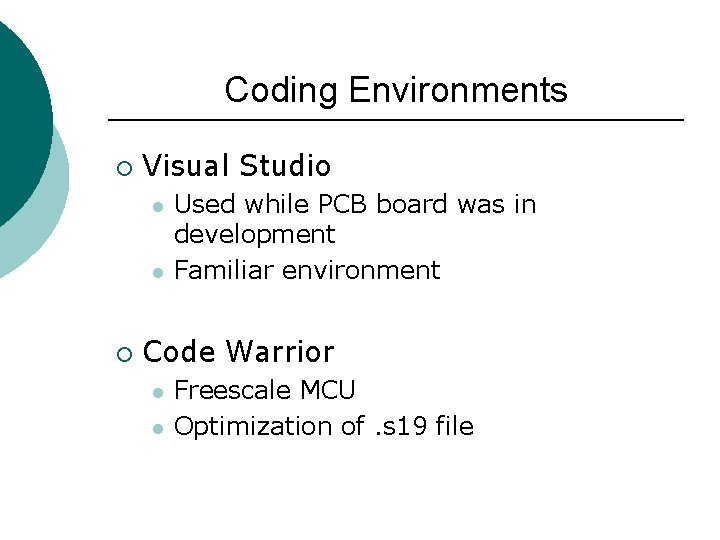
Coding Environments ¡ Visual Studio l l ¡ Used while PCB board was in development Familiar environment Code Warrior l l Freescale MCU Optimization of. s 19 file
Data Storage ¡ Stored in the EEPROM ¡ Storage requirements l l Factory defined User defined
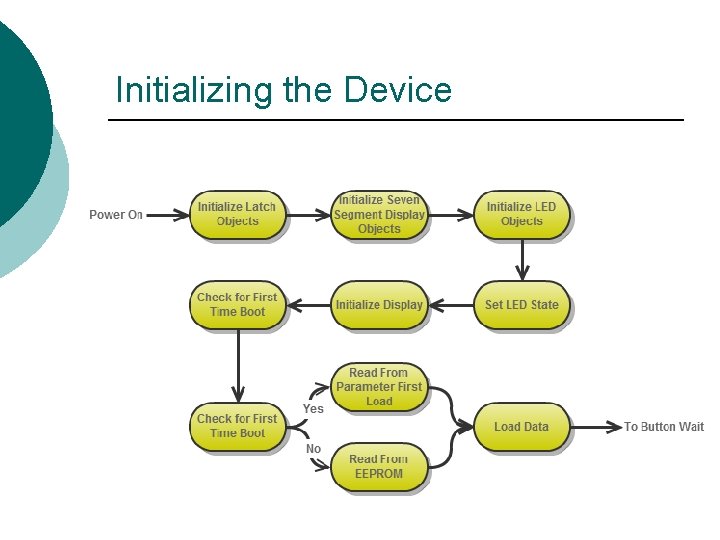
Initializing the Device
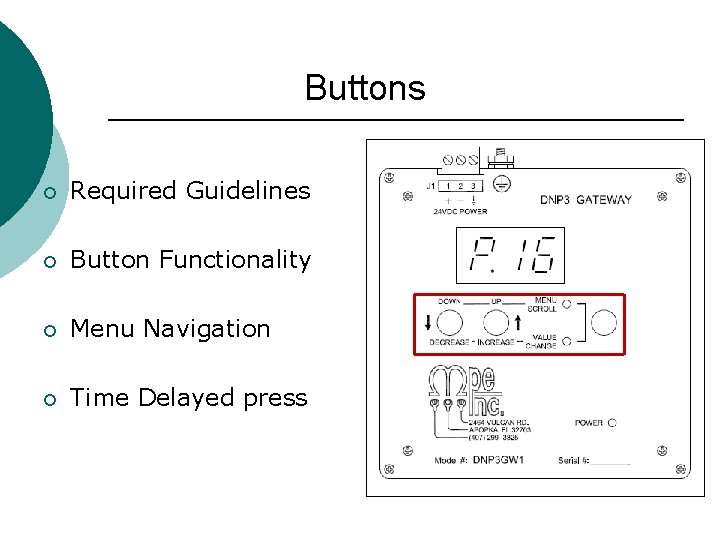
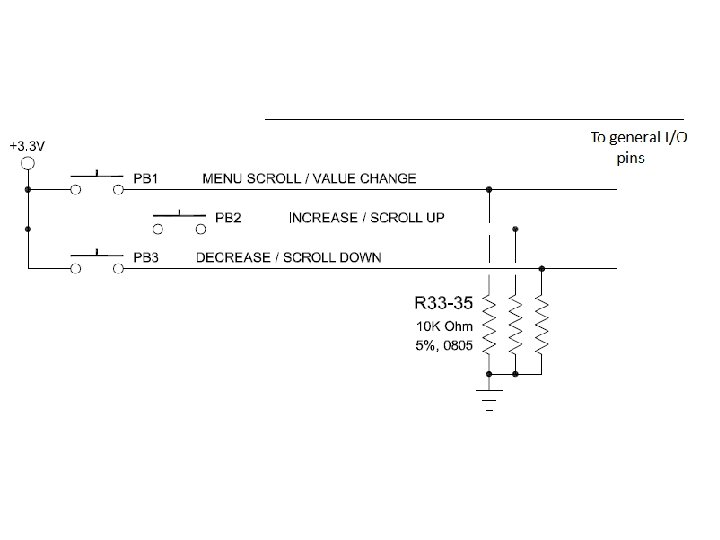
Buttons ¡ Required Guidelines ¡ Button Functionality ¡ Menu Navigation ¡ Time Delayed press

Button Logic Flow Chart
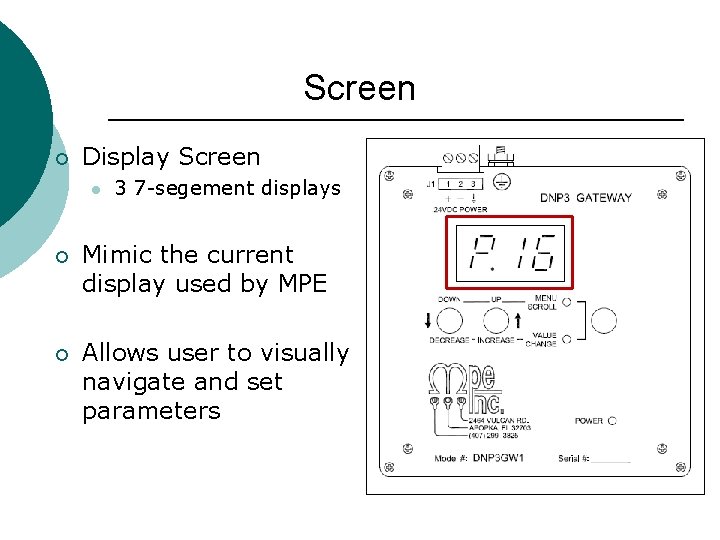
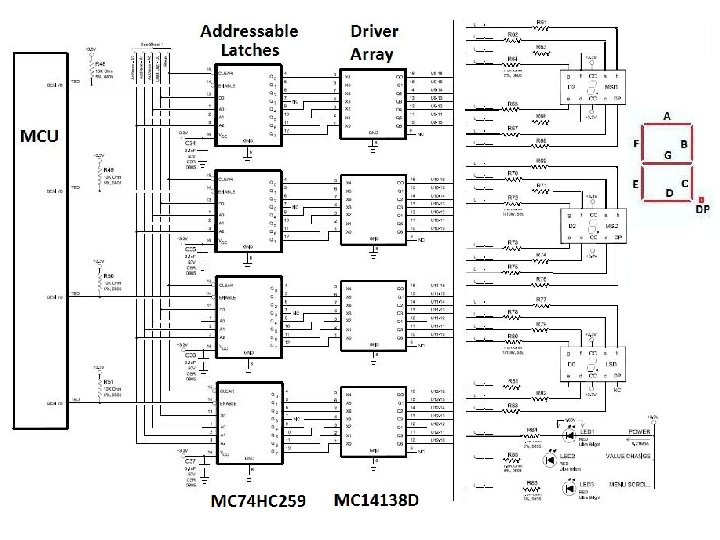
Screen ¡ Display Screen l 3 7 -segement displays ¡ Mimic the current display used by MPE ¡ Allows user to visually navigate and set parameters
Power Subsystem
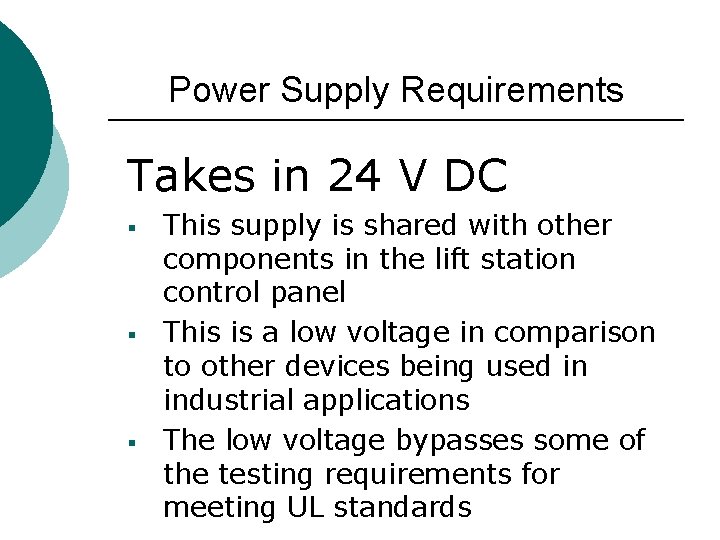
Power Supply Requirements Takes in 24 V DC § § § This supply is shared with other components in the lift station control panel This is a low voltage in comparison to other devices being used in industrial applications The low voltage bypasses some of the testing requirements for meeting UL standards
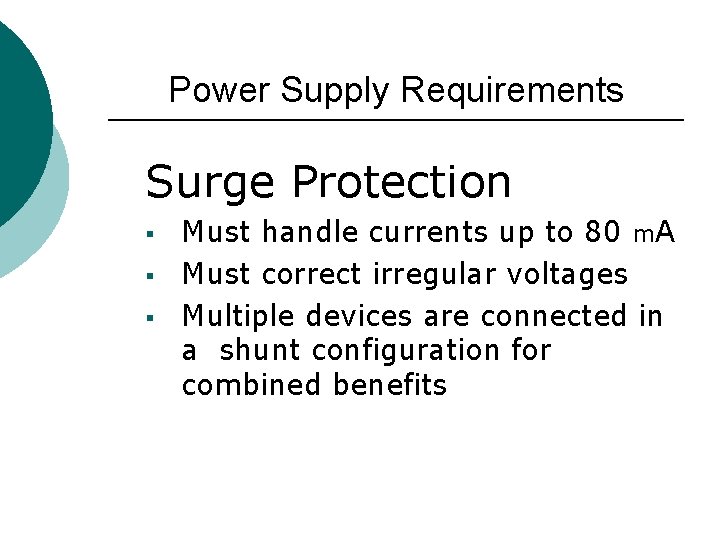
Power Supply Requirements Surge Protection § § § Must handle currents up to 80 m. A Must correct irregular voltages Multiple devices are connected in a shunt configuration for combined benefits
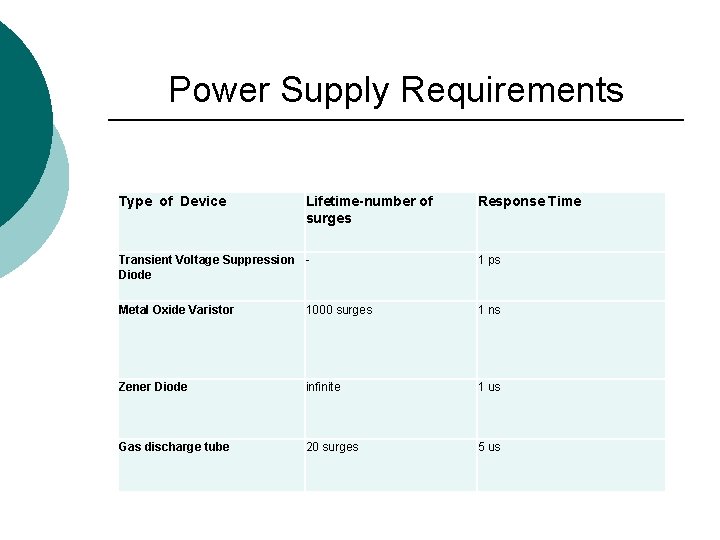
Power Supply Requirements Type of Device Lifetime-number of surges Response Time Transient Voltage Suppression Diode 1 ps Metal Oxide Varistor 1000 surges 1 ns Zener Diode infinite 1 us Gas discharge tube 20 surges 5 us

Input Surge Protection
Power Supply Requirements Must be fed through a DIN rail mount § § All devices in the lift station control panel attach to one rail Mount also serves as chassis ground for added surge protection
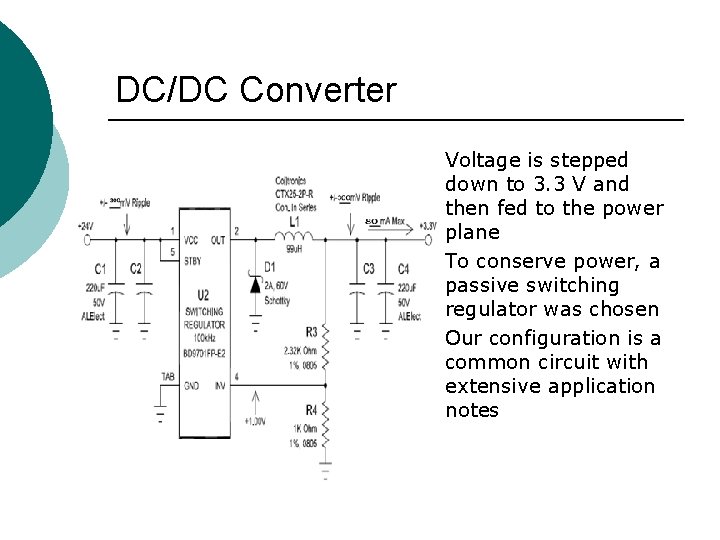
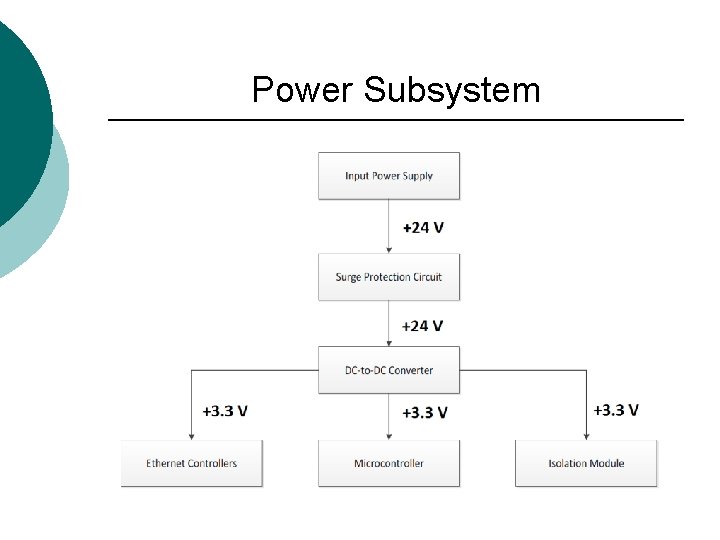
DC/DC Converter § § § Voltage is stepped down to 3. 3 V and then fed to the power plane To conserve power, a passive switching regulator was chosen Our configuration is a common circuit with extensive application notes

Testing Why do we test?
Testing ¡ Power Up l l The three 7 -segment LEDs must synchronously display each number for 100 (+/- 25) milliseconds from 0 -9 in ascending order within 2 seconds after power up. The menu scroll LED must illuminate for 1 (+/0. 1) second within 2 seconds after power up. The value change LED must illuminate for 1 (+/- 0. 1) second within 2 seconds after power up. The power LED must illuminate within 1 second after power up.
Testing ¡ Button Scroll l When operating in menu scroll mode, the three 7 -segment LEDs must display the parameter number with the following format where XX is a parameter number between 00 and 99: P. XX. The displayed parameter list must circle to the beginning of the list when cycled up at d. 06 The displayed parameter list must circle to the end of the list when cycled down at E. 01
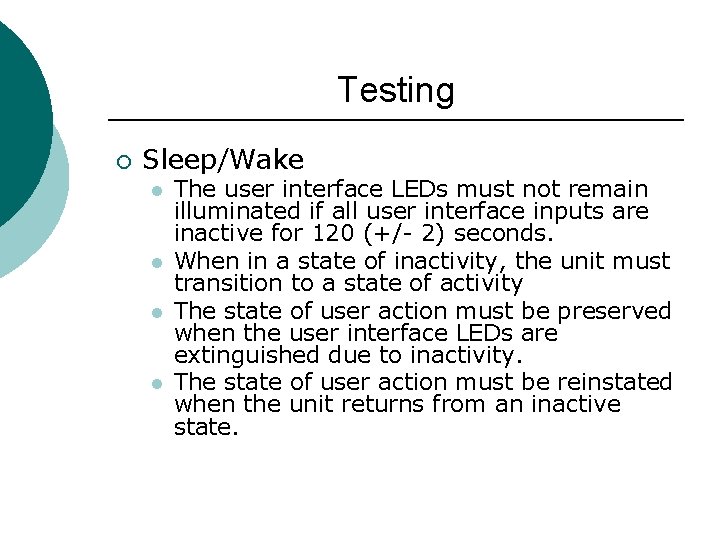
Testing ¡ Sleep/Wake l l The user interface LEDs must not remain illuminated if all user interface inputs are inactive for 120 (+/- 2) seconds. When in a state of inactivity, the unit must transition to a state of activity The state of user action must be preserved when the user interface LEDs are extinguished due to inactivity. The state of user action must be reinstated when the unit returns from an inactive state.
Challenges ¡ How does it all work ¡ Hardware challenges ¡ Firmware challenges
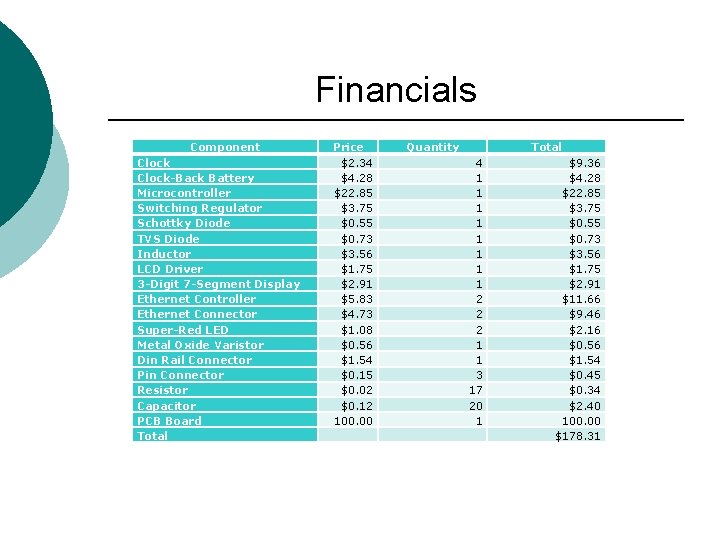
Financials Component Clock-Back Battery Microcontroller Switching Regulator Schottky Diode TVS Diode Inductor LCD Driver 3 -Digit 7 -Segment Display Ethernet Controller Ethernet Connector Super-Red LED Metal Oxide Varistor Din Rail Connector Pin Connector Resistor Capacitor PCB Board Total Price $2. 34 $4. 28 $22. 85 $3. 75 $0. 55 $0. 73 $3. 56 $1. 75 $2. 91 $5. 83 $4. 73 $1. 08 $0. 56 $1. 54 $0. 15 $0. 02 $0. 12 100. 00 Quantity Total 4 1 1 1 1 2 2 2 1 1 3 17 20 1 $9. 36 $4. 28 $22. 85 $3. 75 $0. 55 $0. 73 $3. 56 $1. 75 $2. 91 $11. 66 $9. 46 $2. 16 $0. 56 $1. 54 $0. 45 $0. 34 $2. 40 100. 00 $178. 31

Questions
- Slides: 32