
Modbus RTU CP 1 L with V 1000

Modbus RTU CP 1 L with V 1000 and Celciux
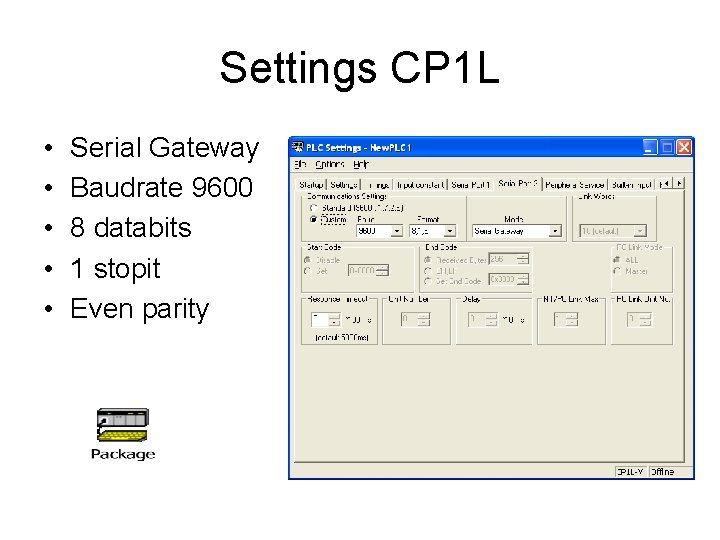
Settings CP 1 L • • • Serial Gateway Baudrate 9600 8 databits 1 stopit Even parity
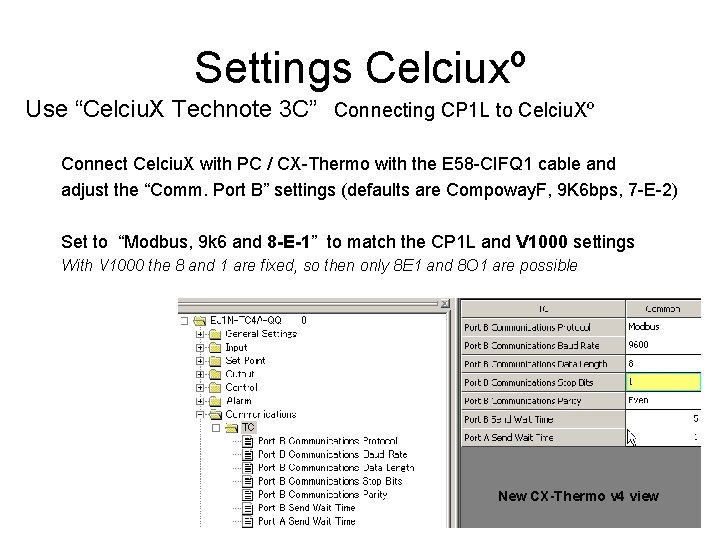
Settings Celciuxº Use “Celciu. X Technote 3 C” Connecting CP 1 L to Celciu. Xº Connect Celciu. X with PC / CX-Thermo with the E 58 -CIFQ 1 cable and adjust the “Comm. Port B” settings (defaults are Compoway. F, 9 K 6 bps, 7 -E-2) Set to “Modbus, 9 k 6 and 8 -E-1” to match the CP 1 L and V 1000 settings With V 1000 the 8 and 1 are fixed, so then only 8 E 1 and 8 O 1 are possible New CX-Thermo v 4 view
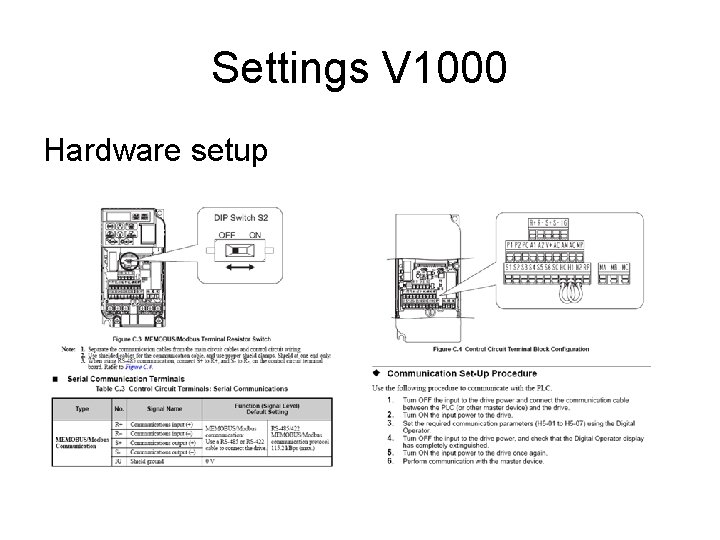
Settings V 1000 Hardware setup
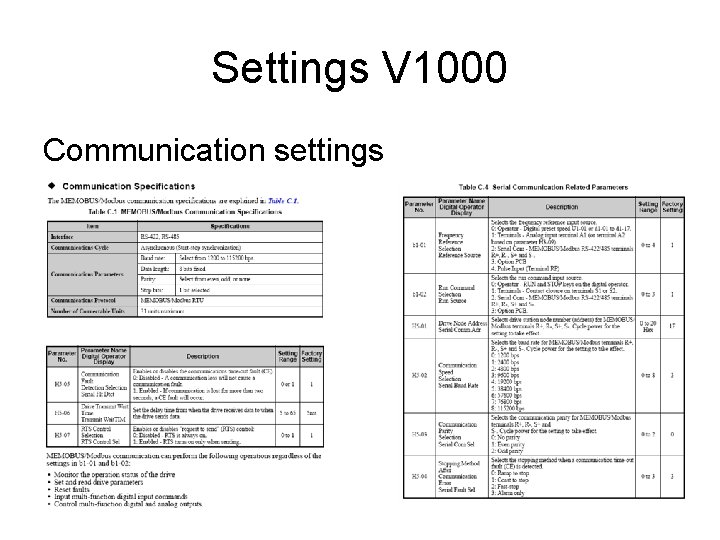
Settings V 1000 Communication settings
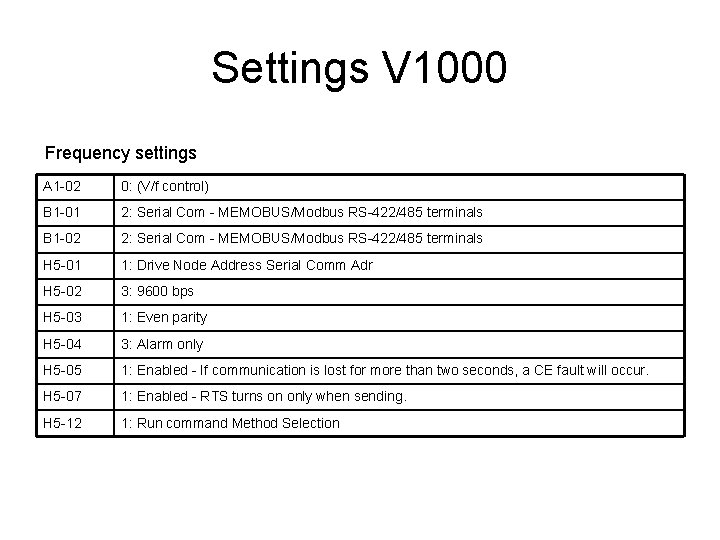
Settings V 1000 Frequency settings A 1 -02 0: (V/f control) B 1 -01 2: Serial Com - MEMOBUS/Modbus RS-422/485 terminals B 1 -02 2: Serial Com - MEMOBUS/Modbus RS-422/485 terminals H 5 -01 1: Drive Node Address Serial Comm Adr H 5 -02 3: 9600 bps H 5 -03 1: Even parity H 5 -04 3: Alarm only H 5 -05 1: Enabled - If communication is lost for more than two seconds, a CE fault will occur. H 5 -07 1: Enabled - RTS turns on only when sending. H 5 -12 1: Run command Method Selection
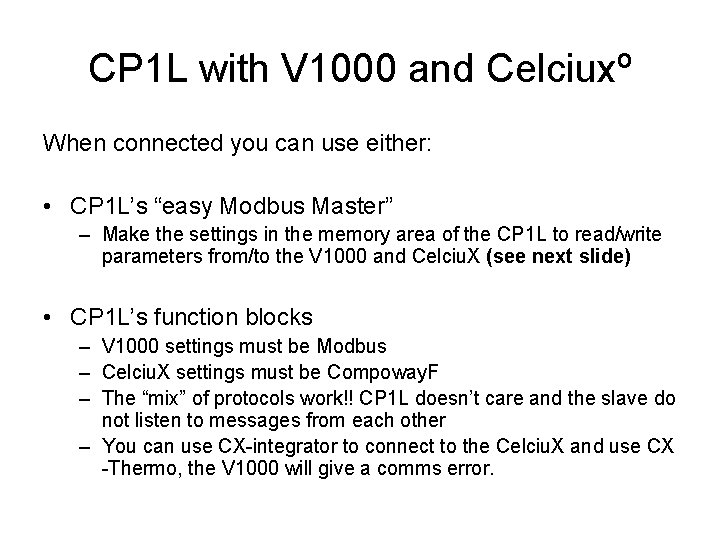
CP 1 L with V 1000 and Celciuxº When connected you can use either: • CP 1 L’s “easy Modbus Master” – Make the settings in the memory area of the CP 1 L to read/write parameters from/to the V 1000 and Celciu. X (see next slide) • CP 1 L’s function blocks – V 1000 settings must be Modbus – Celciu. X settings must be Compoway. F – The “mix” of protocols work!! CP 1 L doesn’t care and the slave do not listen to messages from each other – You can use CX-integrator to connect to the Celciu. X and use CX -Thermo, the V 1000 will give a comms error.
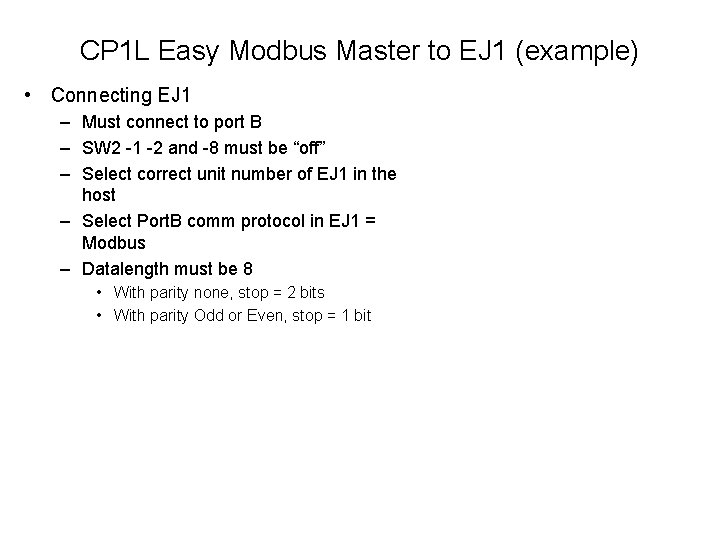
CP 1 L Easy Modbus Master to EJ 1 (example) • Connecting EJ 1 – Must connect to port B – SW 2 -1 -2 and -8 must be “off” – Select correct unit number of EJ 1 in the host – Select Port. B comm protocol in EJ 1 = Modbus – Datalength must be 8 • With parity none, stop = 2 bits • With parity Odd or Even, stop = 1 bit
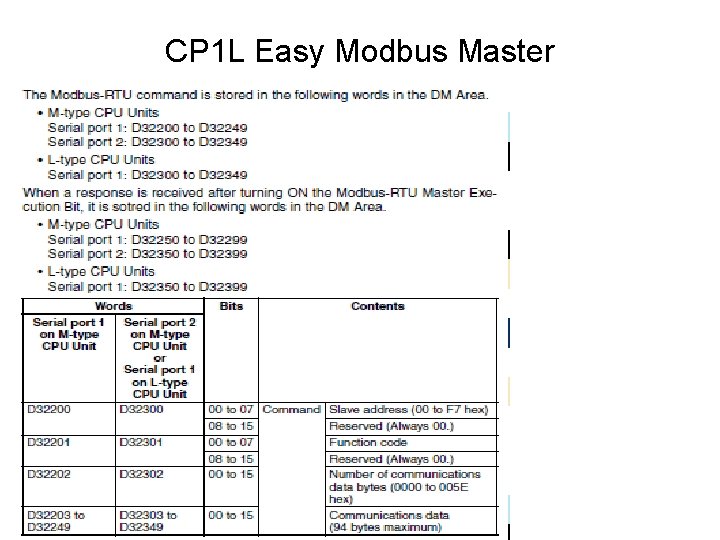
CP 1 L Easy Modbus Master
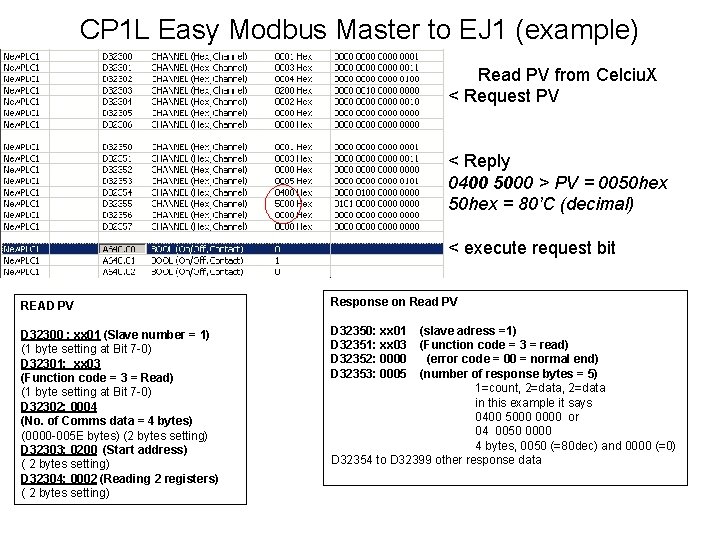
CP 1 L Easy Modbus Master to EJ 1 (example) Read PV from Celciu. X < Request PV < Reply 0400 5000 > PV = 0050 hex = 80’C (decimal) < execute request bit READ PV Response on Read PV D 32300 : xx 01 (Slave number = 1) (1 byte setting at Bit 7 -0) D 32301: xx 03 (Function code = 3 = Read) (1 byte setting at Bit 7 -0) D 32302: 0004 (No. of Comms data = 4 bytes) (0000 -005 E bytes) (2 bytes setting) D 32303: 0200 (Start address) ( 2 bytes setting) D 32304: 0002 (Reading 2 registers) ( 2 bytes setting) D 32350: xx 01 D 32351: xx 03 D 32352: 0000 D 32353: 0005 (slave adress =1) (Function code = 3 = read) (error code = 00 = normal end) (number of response bytes = 5) 1=count, 2=data in this example it says 0400 5000 0000 or 04 0050 0000 4 bytes, 0050 (=80 dec) and 0000 (=0) D 32354 to D 32399 other response data
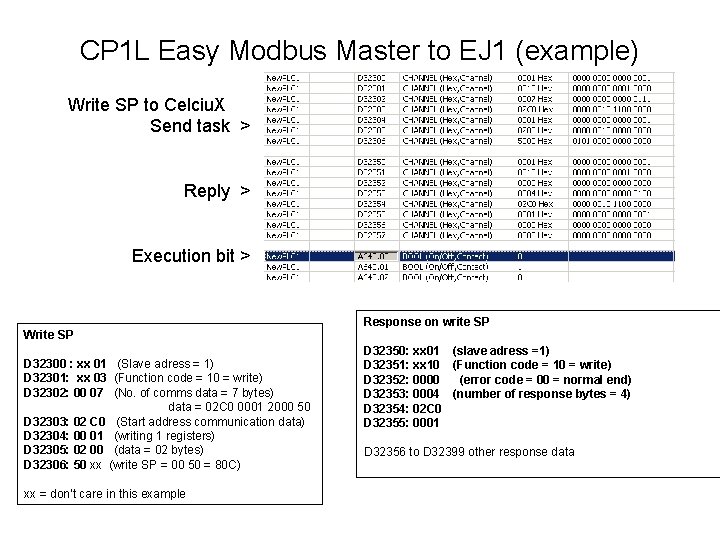
CP 1 L Easy Modbus Master to EJ 1 (example) Write SP to Celciu. X Send task > Reply > Execution bit > Write SP D 32300 : xx 01 (Slave adress = 1) D 32301: xx 03 (Function code = 10 = write) D 32302: 00 07 (No. of comms data = 7 bytes) data = 02 C 0 0001 2000 50 D 32303: 02 C 0 (Start address communication data) D 32304: 00 01 (writing 1 registers) D 32305: 02 00 (data = 02 bytes) D 32306: 50 xx (write SP = 00 50 = 80 C) xx = don’t care in this example Response on write SP D 32350: xx 01 (slave adress =1) D 32351: xx 10 (Function code = 10 = write) D 32352: 0000 (error code = 00 = normal end) D 32353: 0004 (number of response bytes = 4) D 32354: 02 C 0 D 32355: 0001 D 32356 to D 32399 other response data
- Slides: 11