
MOBILE COMPUTING Web Applications INTRODUCTION Architecture and Security
MOBILE COMPUTING Web Applications (INTRODUCTION, Architecture and Security) 1 Lecture-8 Instructor : Mazhar Hussain
INTRODUCTION TO WEB • Web features • • Clent/Server HTTP Hyper. Text Markup Language URL addresses • Web server - a computer program that is responsible for accepting HTTP requests from clients and serving them HTTP responses • Web application - a dynamic extension of a web or application server 2
WEB APPLICATIONS & COMPONENTS • Two types of web applications: • Presentation-oriented (HTML, XML pages) • Service-oriented (Web services) • Web components provide the dynamic extension capabilities for a web server: • Java servlets • JSP pages • Web service endpoints 3
![WEB APPLICATION INTERACTION • [client] sends an HTTP request to the web server •](http://slidetodoc.com/presentation_image_h/10c37d1fa217861de55e5668882c899e/image-4.jpg "WEB APPLICATION INTERACTION • [client] sends an HTTP request to the web server •")
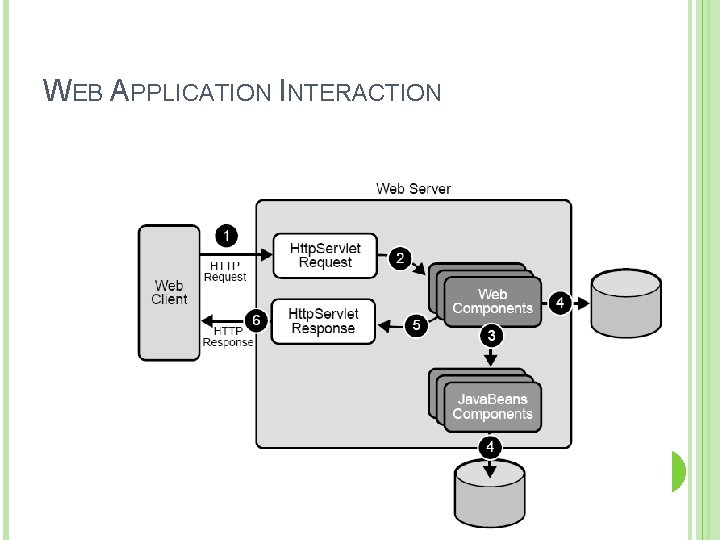
WEB APPLICATION INTERACTION • [client] sends an HTTP request to the web server • [web server] HTTP request HTTPServlet. Request • This object is delivered to a web component, which can interact with Java. Beans or a DB to generate dynamic content • [web component] generates an HTTPServlet. Response or pass the request to another web component • [web server] HTTPServlet. Response HTTP response • [web server] returns HTTP response to the client 4
WEB APPLICATION INTERACTION 5
WEB COMPONENTS • Servlets - Java classes that dynamically process requests and construct responses • JSP pages - text-based documents that execute as servlets but allow a more natural approach to creating static content • Appropriate usage • Servlets - service-oriented applications, control functions • JSP - generating text-based markup (HTML, SVG, WML, XML) 6
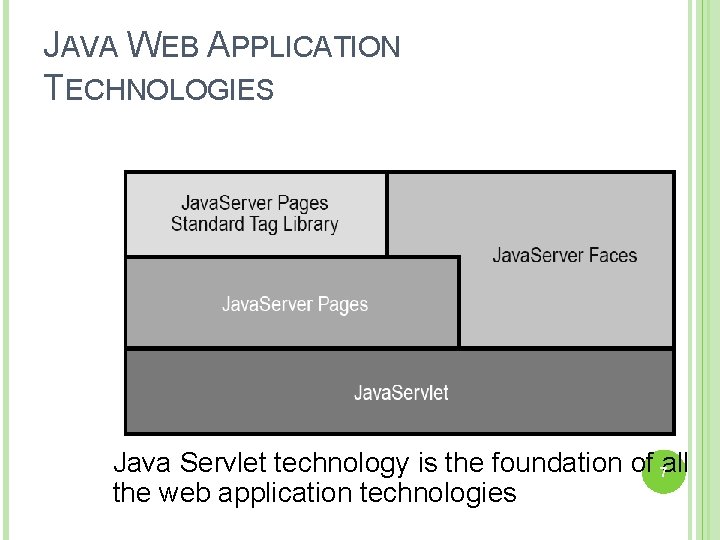
JAVA WEB APPLICATION TECHNOLOGIES Java Servlet technology is the foundation of 7 all the web application technologies
WEB CONTAINERS • Web components are supported by the services of a runtime platform called a web container • In J 2 EE, a web container "implements the web component contract of the J 2 EE architecture“ • Web container services: • • • request dispatching security concurrency life-cycle management naming, transactions, email APIs 8
WEB CONTAINER EXAMPLES • Non-commercial • Apache Tomcat • Jetty • Commertial • • Sun Java System Application Server BEA Web. Logic Server Oracle Application Server Web. Sphere • Open source • JBoss 9
DEPLOYMENT • Web components have to be installed or deployed to the web container • Aspects of web application behaviour can be configured during application deployment • The configuration information is maintained in a XML file called a web application deployment descriptor 10
WEB APPLICATION DEVELOPMENT • A web application consists of: • Web components • Static resource files (such as images) • Helper classes and libraries • The process for creating and running a web application is different from that of traditional standalone Java classes 11
DEVELOPMENT CYCLE 1. Develop the web component code 2. Develop the web application deployment descriptor 3. Compile the web application components and helper classes referenced by the components 4. Optionally package the application into a deployable unit 5. Deploy the application into a web container 6. Access a URL that references the web 12 application
WEB MODULES • According to Java EE architecture and Java Servlet Specification: • Web components and static web content files such as images are called web resources • A web module is the smallest deployable and usable unit of web resources • Web module corresponds to a web application • A web module has a specific structure 13
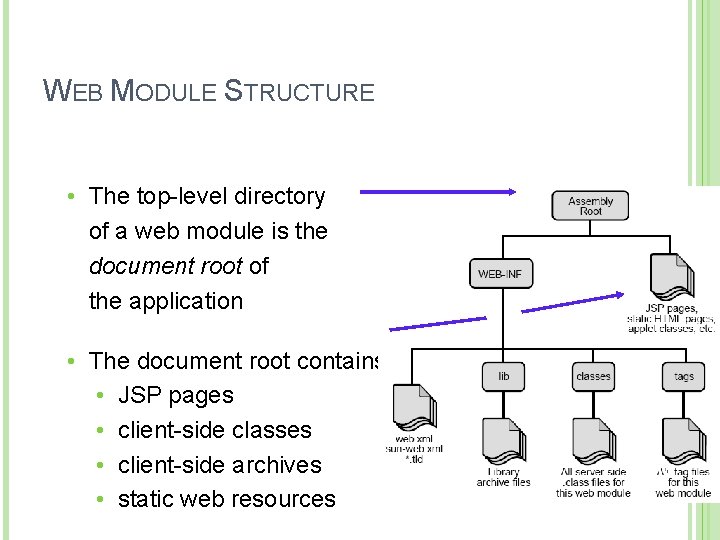
WEB MODULE STRUCTURE • The top-level directory of a web module is the document root of the application • The document root contains: • JSP pages • client-side classes • client-side archives • static web resources 14
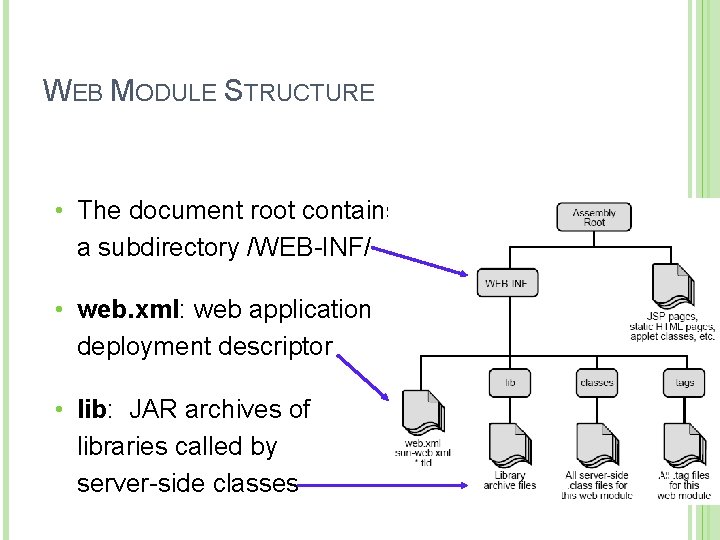
WEB MODULE STRUCTURE • The document root contains a subdirectory /WEB-INF/ • web. xml: web application deployment descriptor • lib: JAR archives of libraries called by server-side classes 15
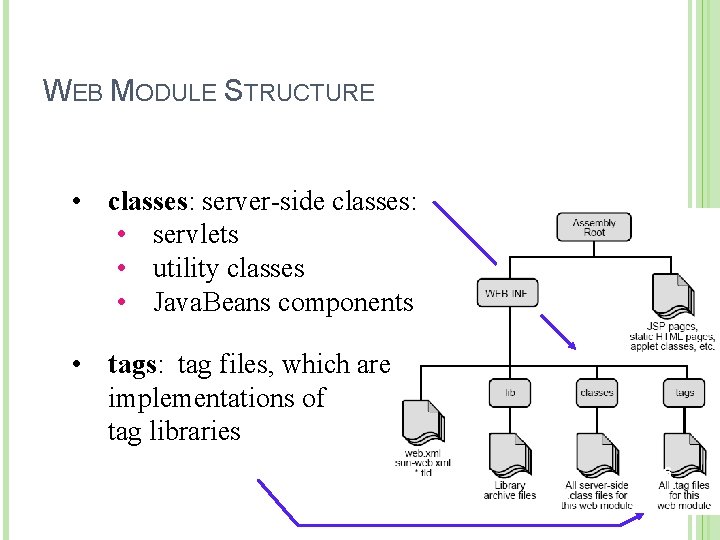
WEB MODULE STRUCTURE • classes: server-side classes: • servlets • utility classes • Java. Beans components • tags: tag files, which are implementations of tag libraries 16
WEB APPLICATION ARCHITECTURE 17
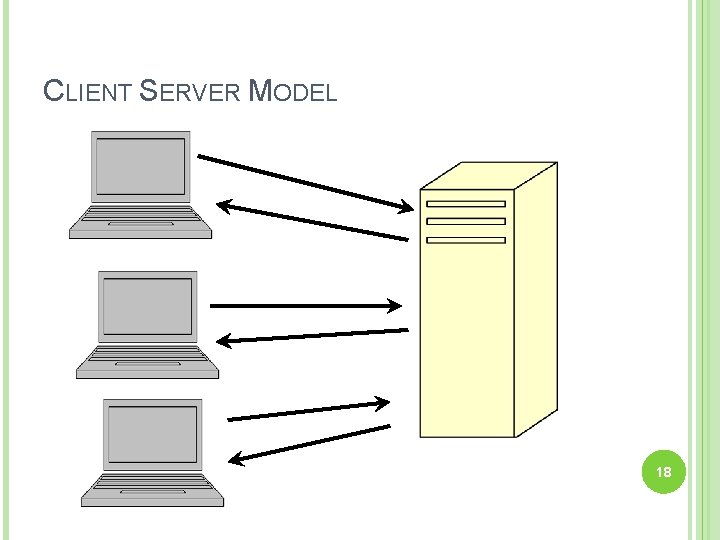
CLIENT SERVER MODEL 18
SERVER APPLICATIONS (SOFTWARE) Management and maintenance of Data including User login data Application data Data processing Centralized Access via Login 19
CLIENT APPLICATIONS (SOFTWARE) Provides user interface Stores some settings Can do some data processing Little to no application data storage Same view of data no matter where you login 20
CLIENT-SERVER ADVANTAGES Centralized Data Storage No data redundancy (no duplication of data) Reduces data dependencies If data is stored on each user’s system and each system is different than data depends on how the user system is designed Data can not be shared easily if such dependencies exist 21
CLASSIC EXAMPLE: EARLY BANKING SYSTEMS Network: Local Area Network (LAN) covering local office branch. Server: Mainframe-like server “in the back” running custom banking system Client: Windows PC with client interface for each bank teller. Data is the same no matter what teller you go to. Data is NOT the same if you go to another branch unless servers exchanged some data at night. 22
CLASSIC EXAMPLE: EARLY BANKING SYSTEMS The Obvious Future: Change the LAN to a wide area network covering all the branches. Get rid of the individual servers at each branch Have clients connect to central server where ALL the banking data is stored. 23
CLASSIC EXAMPLE: EARLY BANKING SYSTEMS The Obvious Problems: Large banks could have thousands of tellers connecting to the central server. Combining data from all branches requires severs with lots of storage capacity. Branch data could be stored in different formats. Lack of Standardization. 24
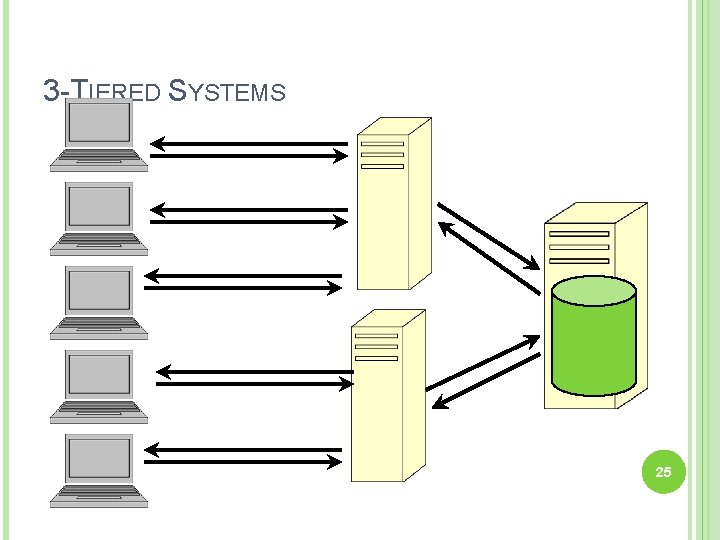
3 -TIERED SYSTEMS 25
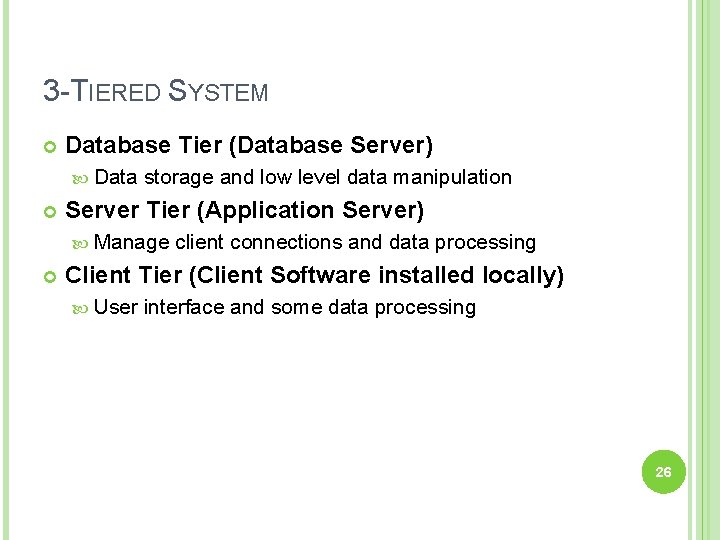
3 -TIERED SYSTEM Database Tier (Database Server) Data storage and low level data manipulation Server Tier (Application Server) Manage client connections and data processing Client Tier (Client Software installed locally) User interface and some data processing 26
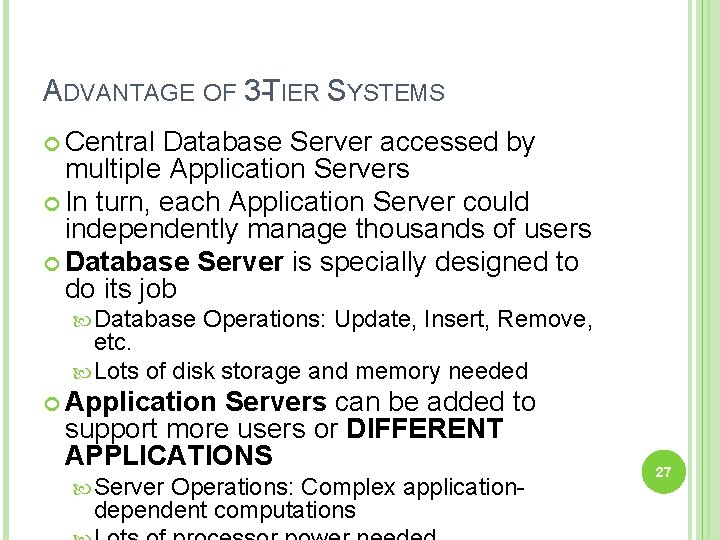
ADVANTAGE OF 3 -TIER SYSTEMS Central Database Server accessed by multiple Application Servers In turn, each Application Server could independently manage thousands of users Database Server is specially designed to do its job Database Operations: Update, Insert, Remove, etc. Lots of disk storage and memory needed Application Servers can be added to support more users or DIFFERENT APPLICATIONS Server Operations: Complex applicationdependent computations 27
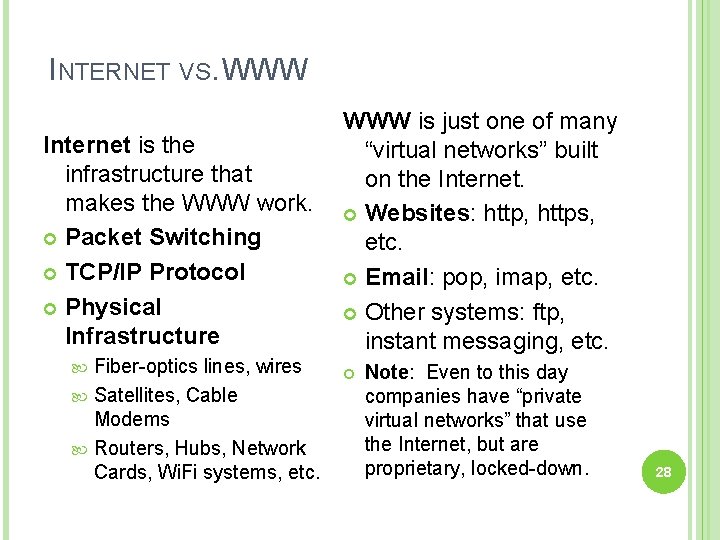
INTERNET VS. WWW Internet is the infrastructure that makes the WWW work. Packet Switching TCP/IP Protocol Physical Infrastructure Fiber-optics lines, wires Satellites, Cable Modems Routers, Hubs, Network Cards, Wi. Fi systems, etc. WWW is just one of many “virtual networks” built on the Internet. Websites: http, https, etc. Email: pop, imap, etc. Other systems: ftp, instant messaging, etc. Note: Even to this day companies have “private virtual networks” that use the Internet, but are proprietary, locked-down. 28
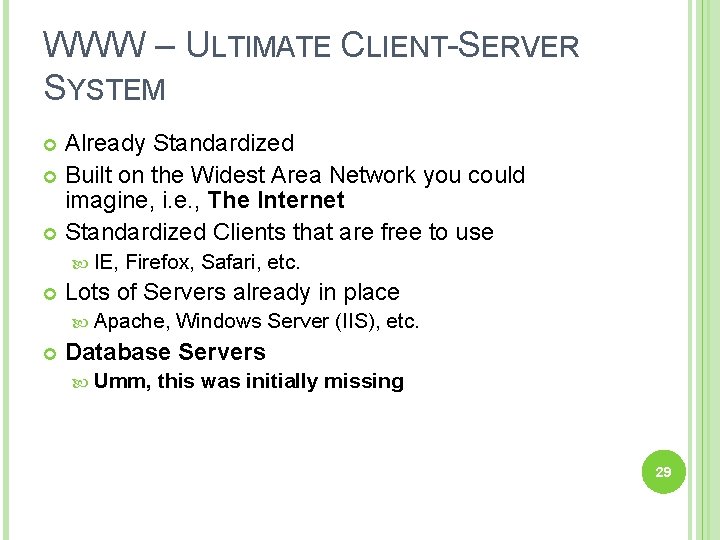
WWW – ULTIMATE CLIENT-SERVER SYSTEM Already Standardized Built on the Widest Area Network you could imagine, i. e. , The Internet Standardized Clients that are free to use IE, Firefox, Safari, etc. Lots of Servers already in place Apache, Windows Server (IIS), etc. Database Servers Umm, this was initially missing 29
FIRST WEB APPLICATIONS 1993 – Rob Mc. Cool proposed a framework called CGI (Common Gateway Interface) Data passed from a web browser to the server GET - passed via URL variables POST - passed via HTML forms Web server daemon (httpd) could then make remote system calls Example Web server could run a C++ program and write the output to public HTML folder Web server would send response back with location of the output. 30
FIRST WEB APPLICATIONS Using CGI, web server could run C++ programs Perl Programs Fortran Programs C++ has library functions that allow you to connect to a number of different databases: Oracle Sybase DB 2 31
FIRST WEB APPLICATIONS Problem: To develop web applications you need to know Exactly how your server is configured HTML forms GET and POST conventions C++ database libraries SQL language 32
FIRST MAJOR IMPROVEMENT 1995 – JJ Allaire developed “a hack” that allowed a web servers to communicate with other systems, namely a database system. Key: Instead of using “a middle-man” C++, Perl, Java, etc. Developer could directly add code to their web pages Using a special Markup Language, this code could be embedded in any web page. Worked seamlessly with HTML forms Server process code directly 33
WEB APPLICATION SECURITY 34
OVERVIEW Background Web app vulnerabilities Securing web apps 35
BACKGROUND 36
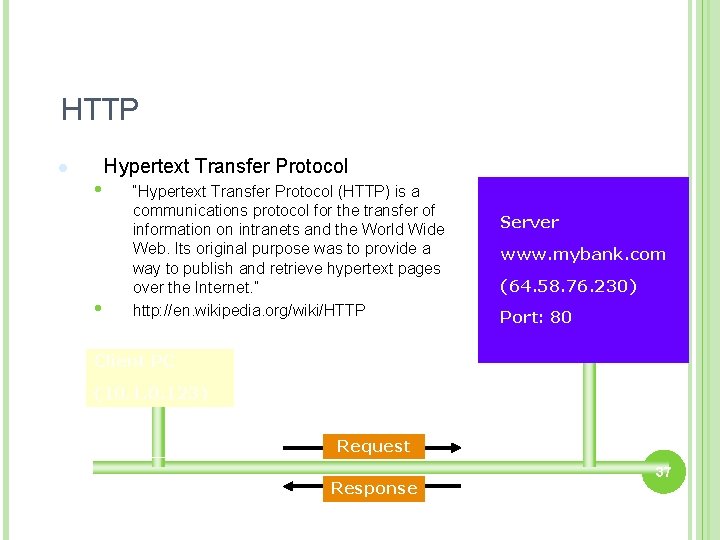
HTTP l • • Hypertext Transfer Protocol “Hypertext Transfer Protocol (HTTP) is a communications protocol for the transfer of information on intranets and the World Wide Web. Its original purpose was to provide a way to publish and retrieve hypertext pages over the Internet. ” http: //en. wikipedia. org/wiki/HTTP Server www. mybank. com (64. 58. 76. 230) Port: 80 Client PC (10. 123) Request Response 37
HTTP REQUEST - GET l l l Form data encoded in the URL Most common HTTP method used on the web Should be used to retrieve information, not for actions that have side-effects 38
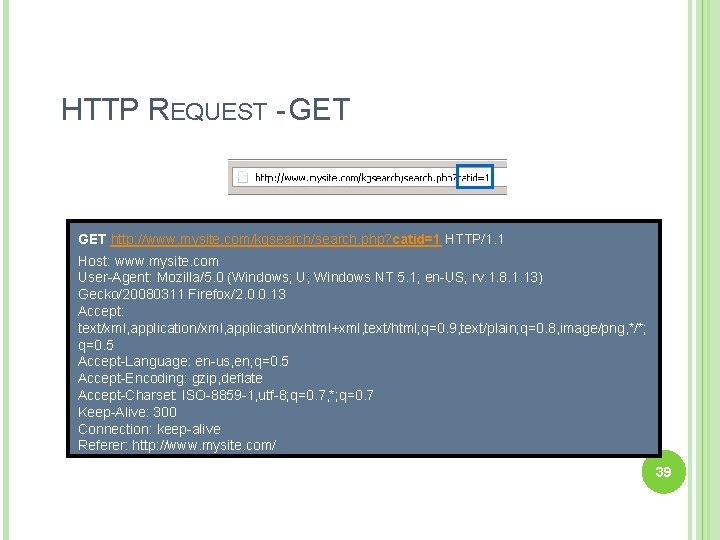
HTTP REQUEST - GET http: //www. mysite. com/kgsearch/search. php? catid=1 HTTP/1. 1 Host: www. mysite. com User-Agent: Mozilla/5. 0 (Windows; U; Windows NT 5. 1; en-US; rv: 1. 8. 1. 13) Gecko/20080311 Firefox/2. 0. 0. 13 Accept: text/xml, application/xhtml+xml, text/html; q=0. 9, text/plain; q=0. 8, image/png, */*; q=0. 5 Accept-Language: en-us, en; q=0. 5 Accept-Encoding: gzip, deflate Accept-Charset: ISO-8859 -1, utf-8; q=0. 7, *; q=0. 7 Keep-Alive: 300 Connection: keep-alive Referer: http: //www. mysite. com/ 39
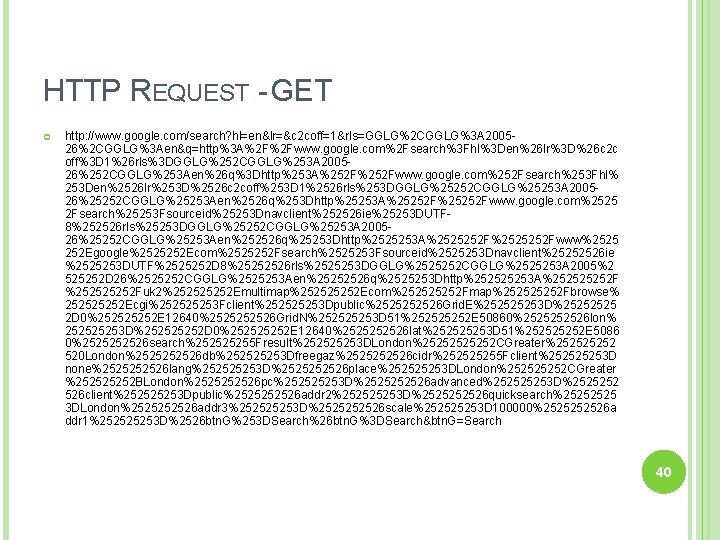
HTTP REQUEST - GET http: //www. google. com/search? hl=en&lr=&c 2 coff=1&rls=GGLG%2 CGGLG%3 A 200526%2 CGGLG%3 Aen&q=http%3 A%2 F%2 Fwww. google. com%2 Fsearch%3 Fhl%3 Den%26 lr%3 D%26 c 2 c off%3 D 1%26 rls%3 DGGLG%252 CGGLG%253 A 200526%252 CGGLG%253 Aen%26 q%3 Dhttp%253 A%252 Fwww. google. com%252 Fsearch%253 Fhl% 253 Den%2526 lr%253 D%2526 c 2 coff%253 D 1%2526 rls%253 DGGLG%25252 CGGLG%25253 A 200526%25252 CGGLG%25253 Aen%2526 q%253 Dhttp%25253 A%25252 Fwww. google. com%2525 2 Fsearch%25253 Fsourceid%25253 Dnavclient%252526 ie%25253 DUTF 8%252526 rls%25253 DGGLG%25252 CGGLG%25253 A 200526%25252 CGGLG%25253 Aen%252526 q%25253 Dhttp%2525253 A%2525252 Fwww%2525 252 Egoogle%2525252 Ecom%2525252 Fsearch%2525253 Fsourceid%2525253 Dnavclient%25252526 ie %2525253 DUTF%2525252 D 8%25252526 rls%2525253 DGGLG%2525252 CGGLG%2525253 A 2005%2 525252 D 26%2525252 CGGLG%2525253 Aen%25252526 q%2525253 Dhttp%25253 A%25252 Fuk 2%25252 Emultimap%25252 Ecom%25252 Fmap%25252 Fbrowse% 25252 Ecgi%25253 Fclient%25253 Dpublic%252526 Grid. E%25253 D%2525 2 D 0%25252 E 12640%252526 Grid. N%25253 D 51%25252 E 50860%252526 lon% 25253 D%25252 D 0%25252 E 12640%252526 lat%25253 D 51%25252 E 5086 0%252526 search%25255 Fresult%25253 DLondon%2525252 CGreater%25252 520 London%252526 db%25253 Dfreegaz%252526 cidr%25255 Fclient%25253 D none%252526 lang%25253 D%252526 place%25253 DLondon%25252 CGreater %25252 BLondon%252526 pc%25253 D%252526 advanced%25253 D%2525252 526 client%25253 Dpublic%252526 addr 2%25253 D%252526 quicksearch%2525 3 DLondon%252526 addr 3%25253 D%252526 scale%25253 D 100000%252526 a ddr 1%25253 D%2526 btn. G%253 DSearch%26 btn. G%3 DSearch&btn. G=Search 40
HTTP REQUESTS - POST l l Data is included in the body of the request. Should be used for any action that has side-effects • Storing/updating data, ordering a product, etc… 41
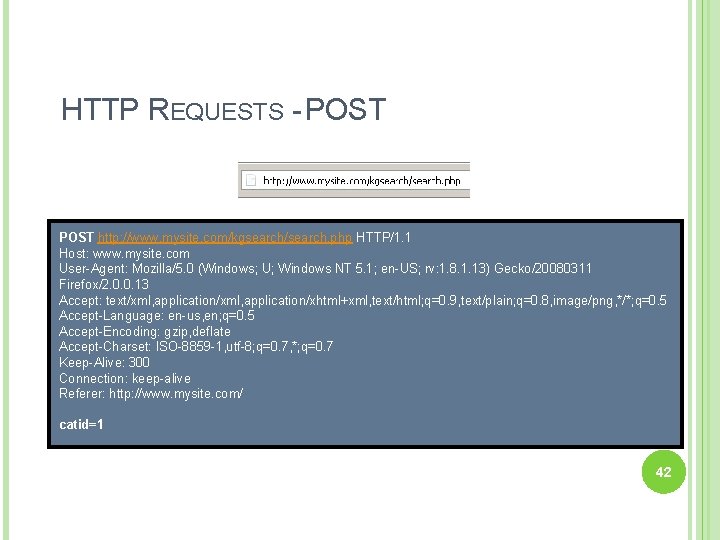
HTTP REQUESTS - POST http: //www. mysite. com/kgsearch/search. php HTTP/1. 1 Host: www. mysite. com User-Agent: Mozilla/5. 0 (Windows; U; Windows NT 5. 1; en-US; rv: 1. 8. 1. 13) Gecko/20080311 Firefox/2. 0. 0. 13 Accept: text/xml, application/xhtml+xml, text/html; q=0. 9, text/plain; q=0. 8, image/png, */*; q=0. 5 Accept-Language: en-us, en; q=0. 5 Accept-Encoding: gzip, deflate Accept-Charset: ISO-8859 -1, utf-8; q=0. 7, *; q=0. 7 Keep-Alive: 300 Connection: keep-alive Referer: http: //www. mysite. com/ catid=1 42
FAMOUS QUOTE OF THE DAY “Every program has at least two purposes: the one for which it was written, and another for which it wasn't. ” -Alan J. Perlis 43
GET V. POST SECURITY l l l There information contained in parameters can tell a user a lot about how your application works GET parameters are easily visible in the address bar POST parameters are hidden from the average user • • • Users can still view source code Users can still view the packets Users can still intercept & modify web requests 44
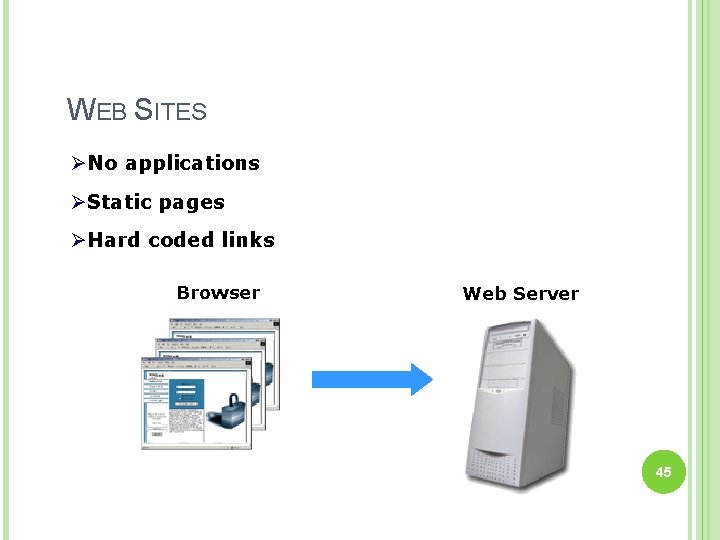
WEB SITES ØNo applications ØStatic pages ØHard coded links Browser Web Server 45
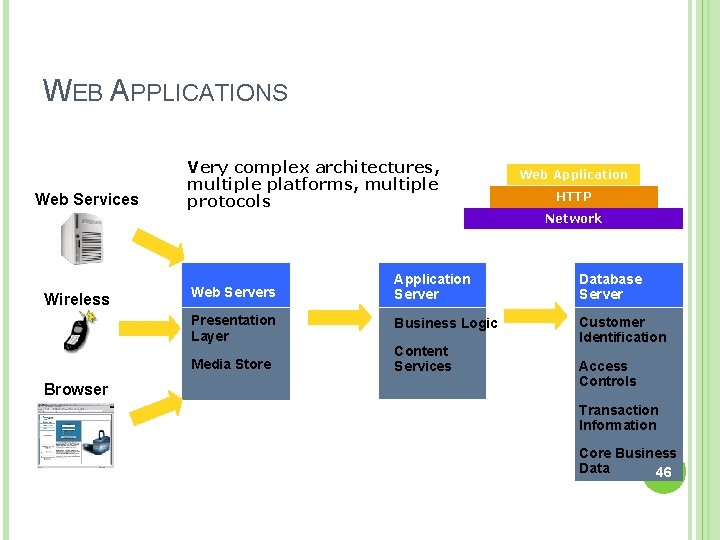
WEB APPLICATIONS Web Services Wireless Very complex architectures, multiple platforms, multiple protocols HTTP Network Web Servers Application Server Database Server Presentation Layer Business Logic Customer Identification Media Store Browser Web Application Content Services Access Controls Transaction Information Core Business Data 46
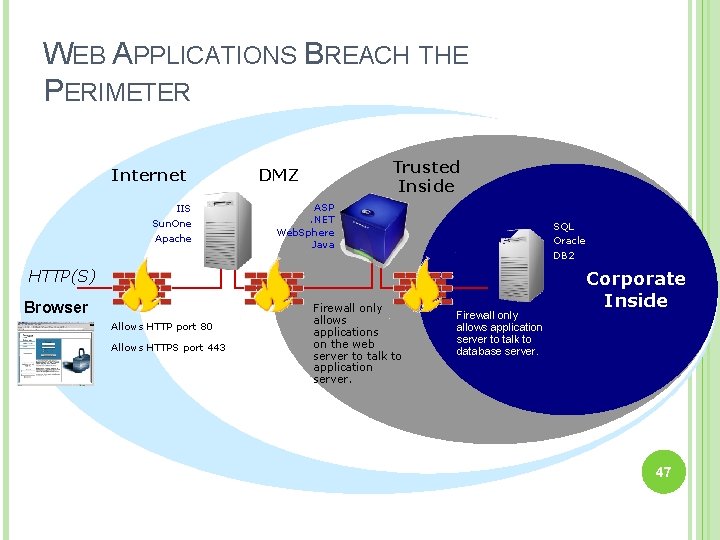
WEB APPLICATIONS BREACH THE PERIMETER Internet IIS Sun. One Apache Trusted Inside DMZ ASP. NET Web. Sphere Java SQL Oracle DB 2 HTTP(S) Browser Allows HTTP port 80 Allows HTTPS port 443 Firewall only allows applications on the web server to talk to application server. Firewall only allows application server to talk to database server. Corporate Inside 47
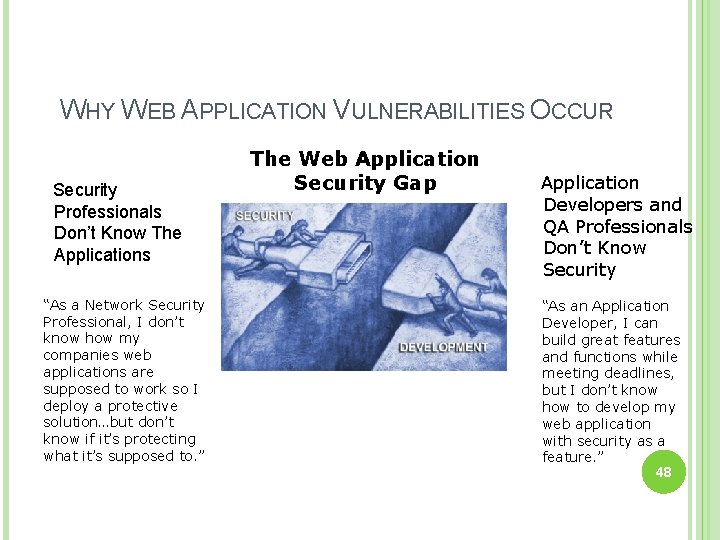
WHY WEB APPLICATION VULNERABILITIES OCCUR Security Professionals Don’t Know The Applications “As a Network Security Professional, I don’t know how my companies web applications are supposed to work so I deploy a protective solution…but don’t know if it’s protecting what it’s supposed to. ” The Web Application Security Gap Application Developers and QA Professionals Don’t Know Security “As an Application Developer, I can build great features and functions while meeting deadlines, but I don’t know how to develop my web application with security as a feature. ” 48
WEB APPLICATION VULNERABILITIES “If builders built buildings the way programmers wrote programs, then the first woodpecker that came along would destroy civilization. ” -Weinberg's Second Law 49
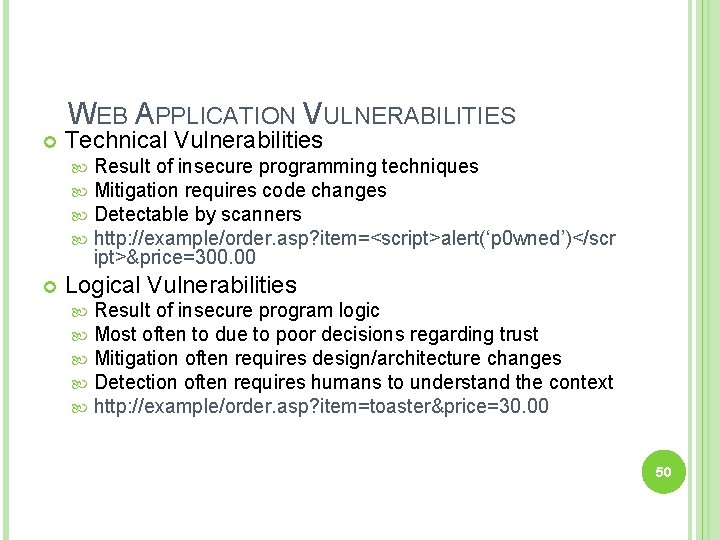
WEB APPLICATION VULNERABILITIES Technical Vulnerabilities Result of insecure programming techniques Mitigation requires code changes Detectable by scanners http: //example/order. asp? item=<script>alert(‘p 0 wned’)</scr ipt>&price=300. 00 Logical Vulnerabilities Result of insecure program logic Most often to due to poor decisions regarding trust Mitigation often requires design/architecture changes Detection often requires humans to understand the context http: //example/order. asp? item=toaster&price=30. 00 50
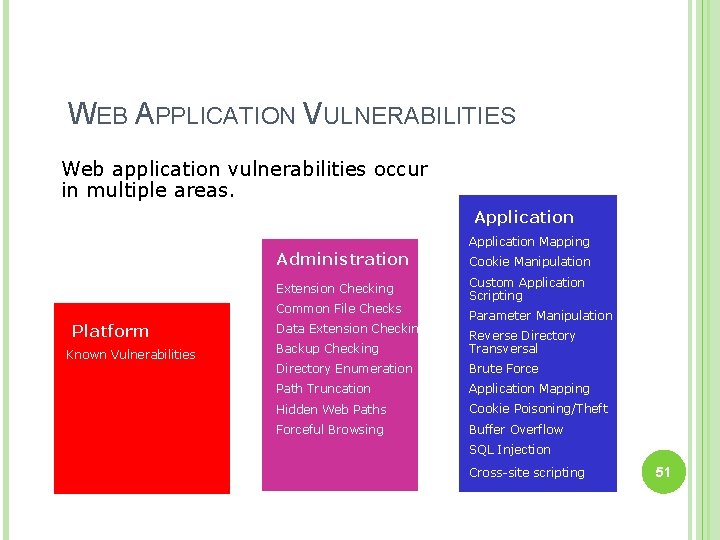
WEB APPLICATION VULNERABILITIES Web application vulnerabilities occur in multiple areas. Application Administration Extension Checking Common File Checks Platform Known Vulnerabilities Data Extension Checking Application Mapping Cookie Manipulation Custom Application Scripting Parameter Manipulation Backup Checking Reverse Directory Transversal Directory Enumeration Brute Force Path Truncation Application Mapping Hidden Web Paths Cookie Poisoning/Theft Forceful Browsing Buffer Overflow SQL Injection Cross-site scripting 51
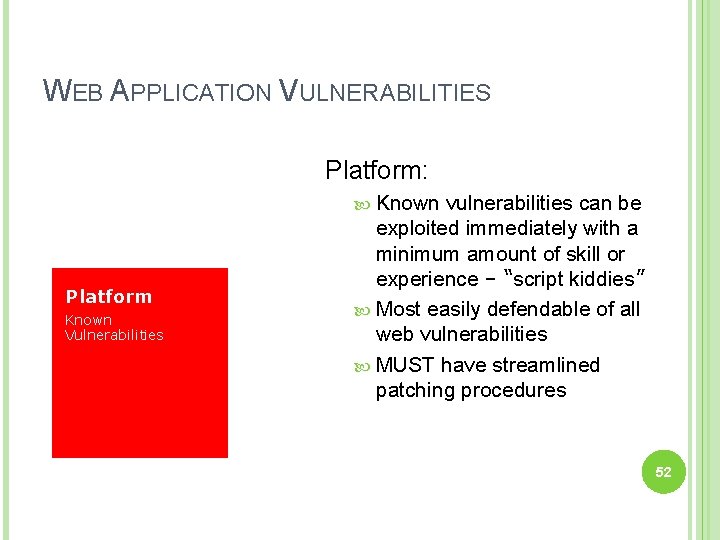
WEB APPLICATION VULNERABILITIES Platform: Known Platform Known Vulnerabilities vulnerabilities can be exploited immediately with a minimum amount of skill or experience – “script kiddies” Most easily defendable of all web vulnerabilities MUST have streamlined patching procedures 52
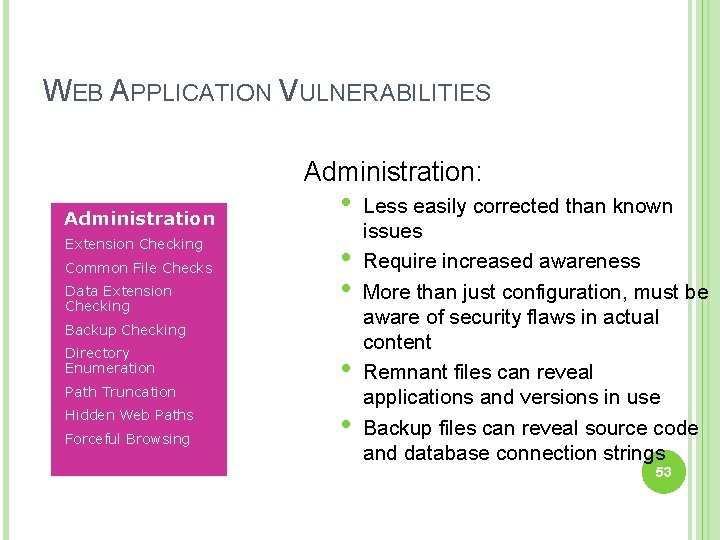
WEB APPLICATION VULNERABILITIES Administration: Administration Extension Checking Common File Checks Data Extension Checking • • • Backup Checking Directory Enumeration Path Truncation Hidden Web Paths Forceful Browsing • • Less easily corrected than known issues Require increased awareness More than just configuration, must be aware of security flaws in actual content Remnant files can reveal applications and versions in use Backup files can reveal source code and database connection strings 53
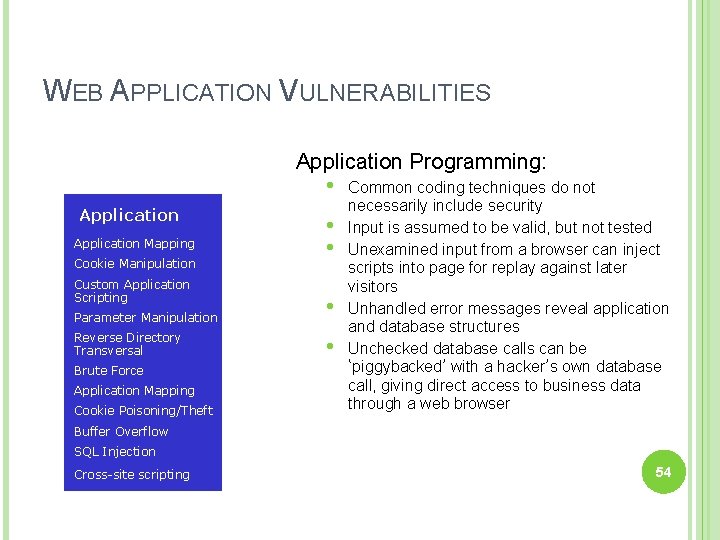
WEB APPLICATION VULNERABILITIES Application Programming: • Application Mapping Cookie Manipulation Custom Application Scripting Parameter Manipulation Reverse Directory Transversal Brute Force Application Mapping Cookie Poisoning/Theft Common coding techniques do not necessarily include security • Input is assumed to be valid, but not tested Administration • Unexamined input from a browser can inject scripts into page for replay against later visitors • Unhandled error messages reveal application and database structures • Unchecked database calls can be ‘piggybacked’ with a hacker’s own database call, giving direct access to business data through a web browser Buffer Overflow SQL Injection Cross-site scripting 54
HOW TO SECURE WEB APPLICATIONS Incorporate security into the lifecycle Apply information security principles to all software development efforts Educate Issue awareness, Training, etc… 55
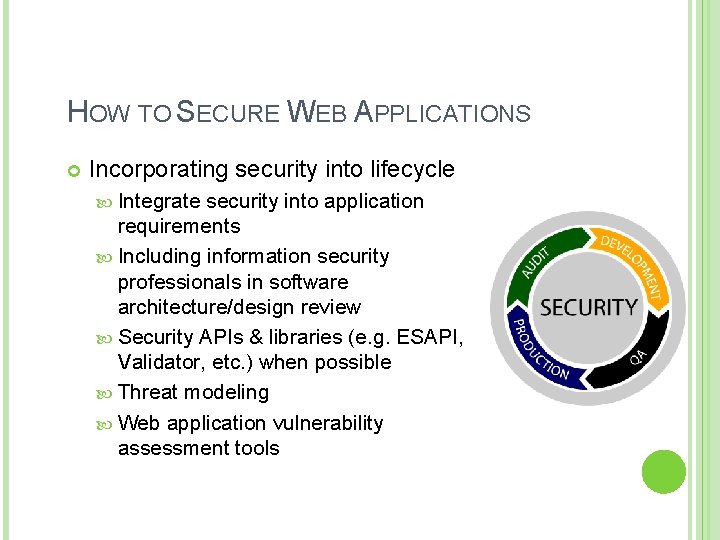
HOW TO SECURE WEB APPLICATIONS Incorporating security into lifecycle Integrate security into application requirements Including information security professionals in software architecture/design review Security APIs & libraries (e. g. ESAPI, Validator, etc. ) when possible Threat modeling Web application vulnerability assessment tools 56
HOW TO SECURE WEB APPLICATIONS Educate Developers – Software security best practices Testers – Methods for identifying vulnerabilities Security Professionals – Software development, Software coding best practices Executives, System Owners, etc. – Understanding the risk and why they should be concerned 57
QUESTIONS/COMMENTS? 58
- Slides: 58