
Mobile Client Agenda Solution Architecture ACTi VMS Value
Mobile Client
Agenda • • Solution Architecture ACTi VMS Value Position Mobile Client System Architecture Mobile Client Key Objectives Mobile Client Key Feature and Functions Mobile Client Value Summary Mobile Client Function / Feature Roadmap FAQ
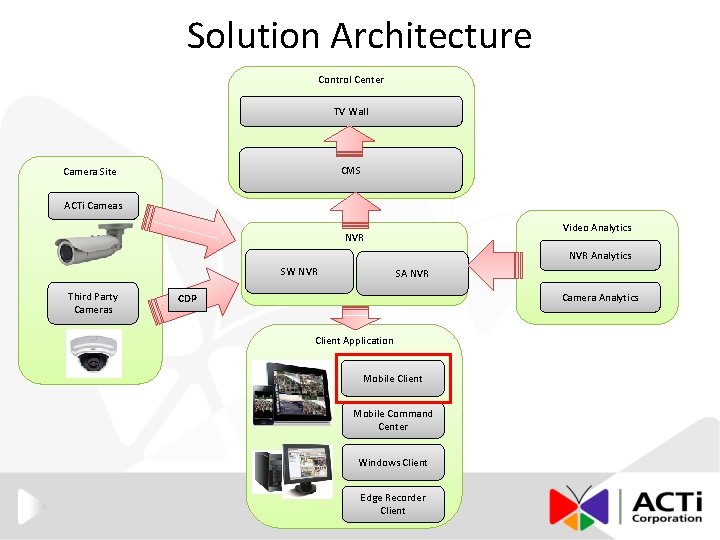
Solution Architecture Control Center TV Wall CMS Camera Site ACTi Cameas Video Analytics NVR Analytics SW NVR Third Party Cameras SA NVR Camera Analytics CDP Client Application Mobile Client Mobile Command Center Windows Client Edge Recorder Client
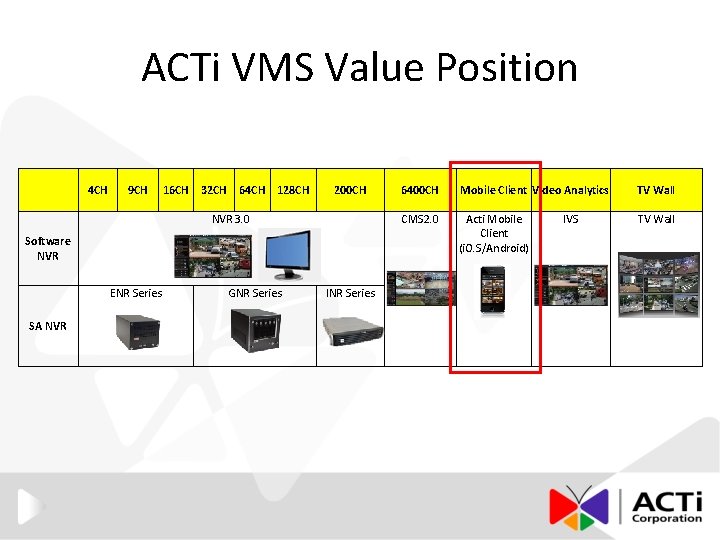
ACTi VMS Value Position 4 CH 9 CH 16 CH 32 CH 64 CH 128 CH 200 CH NVR 3. 0 Software NVR ENR Series SA NVR GNR Series INR Series 6400 CH Mobile Client Video Analytics TV Wall CMS 2. 0 Acti Mobile Client (i. O. S/Android) TV Wall IVS

Mobile Client System Architecture Network 3 G / Wi. Fi Software / Standalone NVR Server Mobile Client (i. O. S/Android) CMS Server Software NVR Server Standalone NVR Server

Mobile Client Key Objectives • One App to Access All- CMS/NVR/Cameras. • Major CMS/NVR functions on One Mobile. • Push Notifications for Alarm Events.
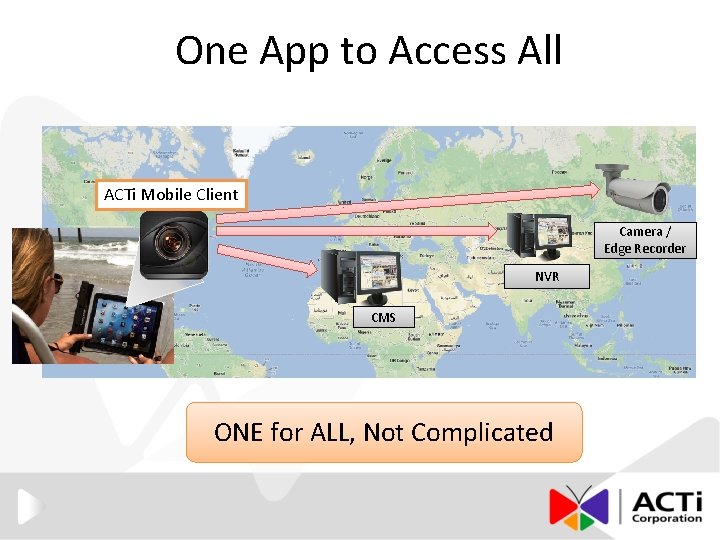
One App to Access All ACTi Mobile Client Camera / Edge Recorder NVR CMS ONE for ALL, Not Complicated
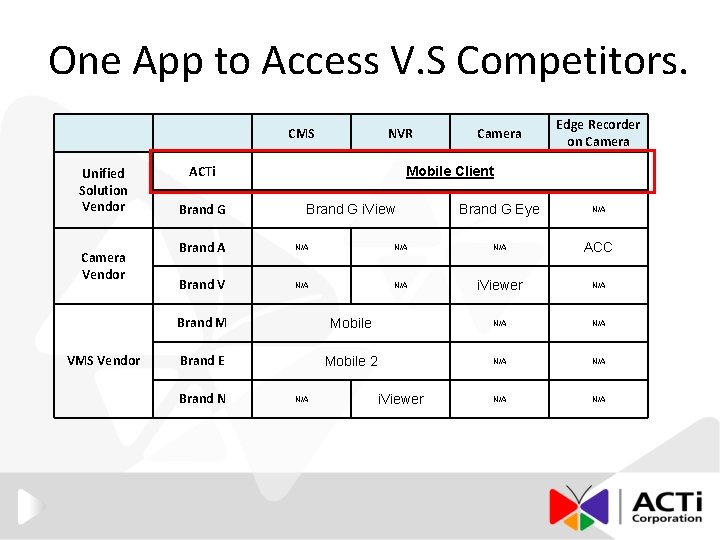
One App to Access V. S Competitors. CMS Unified Solution Vendor Camera Vendor VMS Vendor NVR ACTi Brand G Camera Edge Recorder on Camera Mobile Client Brand G i. View Brand G Eye N/A Brand A N/A N/A ACC Brand V N/A i. Viewer N/A Brand M Mobile N/A Brand E Mobile 2 N/A N/A Brand N N/A i. Viewer
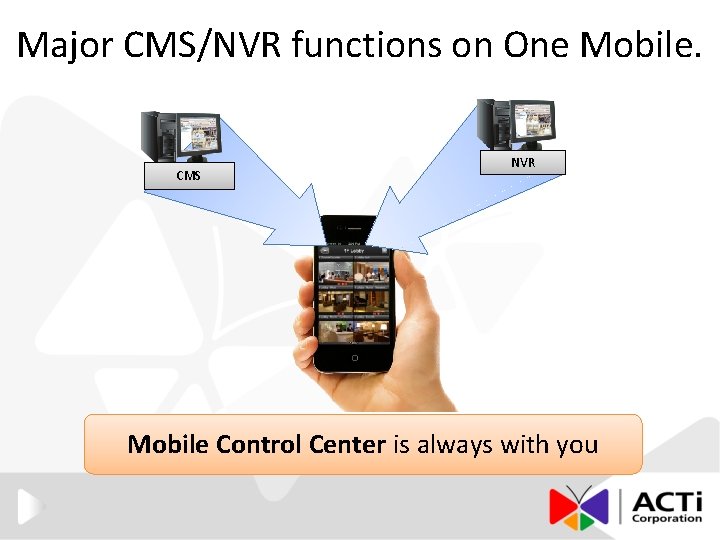
Major CMS/NVR functions on One Mobile. CMS NVR Mobile Control Center is always with you
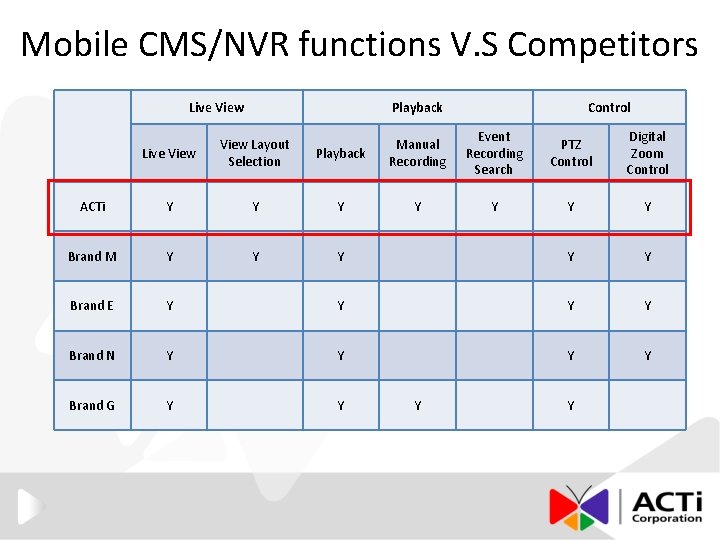
Mobile CMS/NVR functions V. S Competitors Live View Playback Control Playback Manual Recording Event Recording Search PTZ Control Digital Zoom Control Y Y Y Y Brand N Y Y Brand G Y Y Live View Layout Selection ACTi Y Brand M Y Brand E Y Y
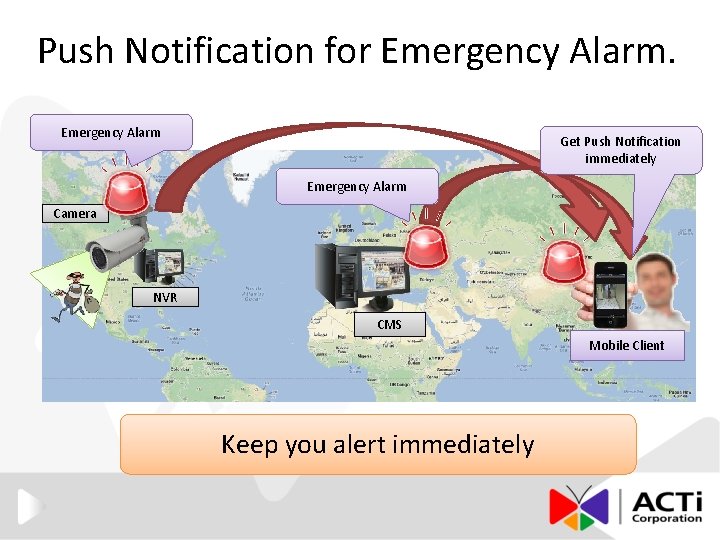
Push Notification for Emergency Alarm Get Push Notification immediately Emergency Alarm Camera NVR CMS Mobile Client Keep you alert immediately
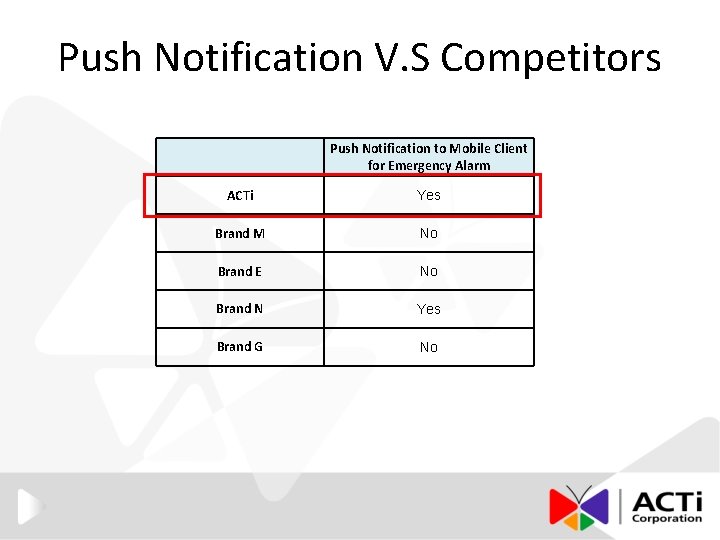
Push Notification V. S Competitors Push Notification to Mobile Client for Emergency Alarm ACTi Yes Brand M No Brand E No Brand N Yes Brand G No
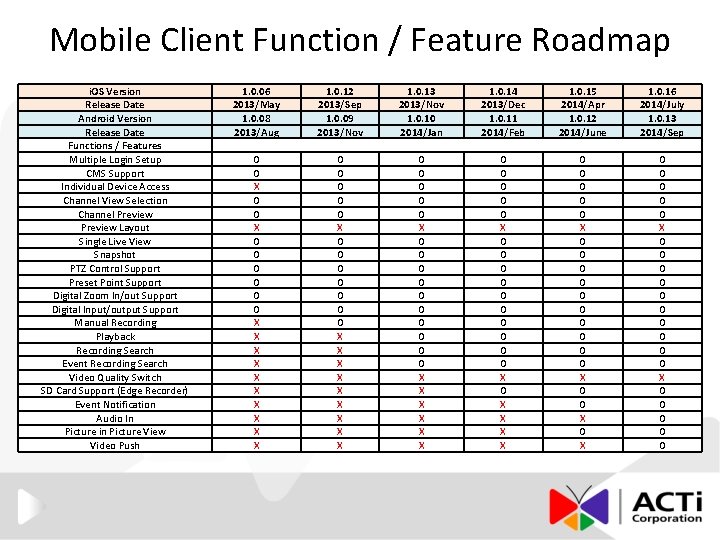
Mobile Client Function / Feature Roadmap i. OS Version Release Date Android Version Release Date Functions / Features Multiple Login Setup CMS Support Individual Device Access Channel View Selection Channel Preview Layout Single Live View Snapshot PTZ Control Support Preset Point Support Digital Zoom In/out Support Digital Input/output Support Manual Recording Playback Recording Search Event Recording Search Video Quality Switch SD Card Support (Edge Recorder) Event Notification Audio In Picture in Picture View Video Push 1. 0. 06 2013/May 1. 0. 08 2013/Aug 1. 0. 12 2013/Sep 1. 0. 09 2013/Nov 1. 0. 13 2013/Nov 1. 0. 10 2014/Jan 1. 0. 14 2013/Dec 1. 0. 11 2014/Feb 1. 0. 15 2014/Apr 1. 0. 12 2014/June 1. 0. 16 2014/July 1. 0. 13 2014/Sep O O X O O O X X X X X O O O O X X X X X O O O O X X X O O O X O O O O O X O O X O O O O O
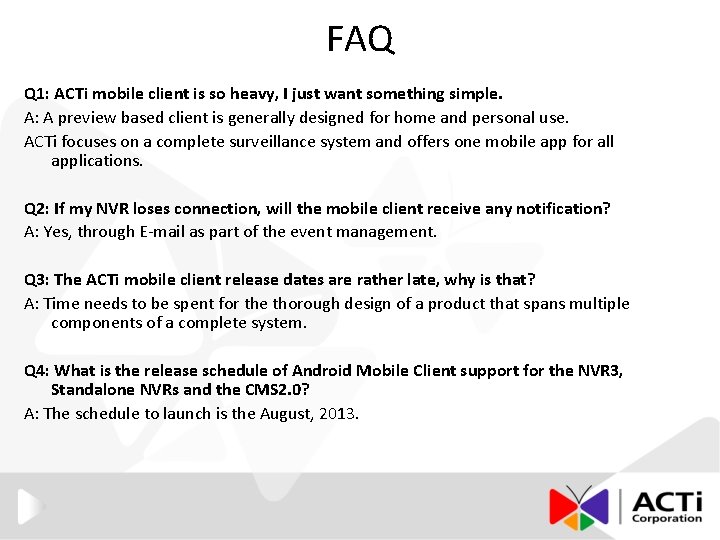
FAQ Q 1: ACTi mobile client is so heavy, I just want something simple. A: A preview based client is generally designed for home and personal use. ACTi focuses on a complete surveillance system and offers one mobile app for all applications. Q 2: If my NVR loses connection, will the mobile client receive any notification? A: Yes, through E-mail as part of the event management. Q 3: The ACTi mobile client release dates are rather late, why is that? A: Time needs to be spent for the thorough design of a product that spans multiple components of a complete system. Q 4: What is the release schedule of Android Mobile Client support for the NVR 3, Standalone NVRs and the CMS 2. 0? A: The schedule to launch is the August, 2013.

The End
- Slides: 15