
Mobile APPS Joetta Sieglock WAPED Fall Conference October
Mobile APPS Joetta Sieglock WAPED Fall Conference - October 19, 2017 Adaptive Technology Retention Specialist Eastern Washington University
Technological Distractions Everyone knows that technology makes it harder to concentrate-95% of the Internet is one massive distraction. One minute you are writing out a to-do list, the next you’re reading notifications from Facebook, Skype, and email on your phone, or one of the hundreds of other distractions that pull you away from what you really should be doing.

Study Aids – Distraction – Reducing Apps Clear. Lock for Android a productivity app: allows users to block all distracting apps on their device in order to concentrate and focus on what matters to increase productivity. Users select which apps they wish to block, for how long and that is it. [Price: Free]
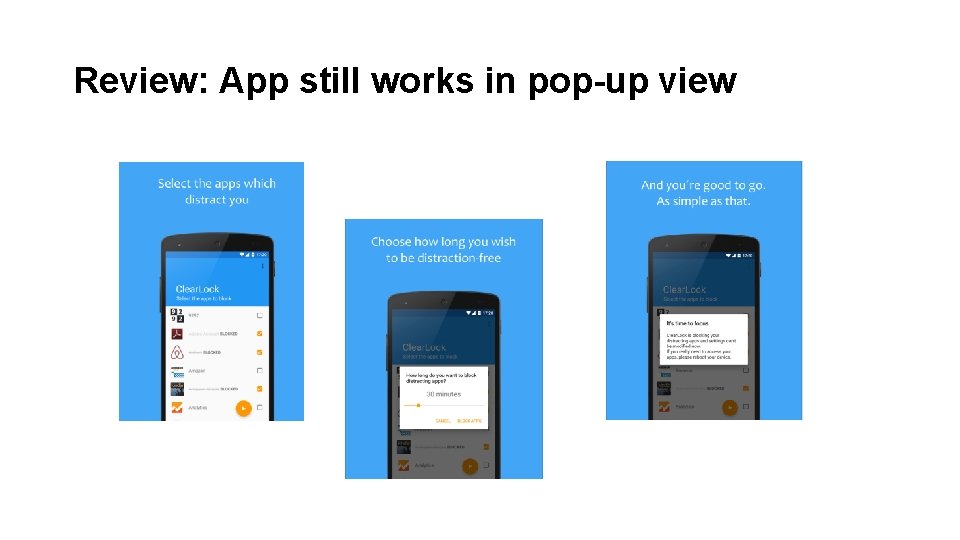
Review: App still works in pop-up view
Cold Turkey for IOS and Android: users enter a list of the most tempting websites they frequent and Cold Turkey will block access. Whatever browser users are using, the results are the same – enter one of the forbidden URLs before the time is up and you will be told that the site is unavailable. [Price: Free]

Reviews: Multi-task button is still able to be opened (on some devices), recommended longer block times Check out the PC version for more features: http: //getcoldturkey. com
Focus Lock is for Android: blocks notifications for 25 minutes from whichever apps most distract them, followed by a five-minute unlocked window. Timer defaults at 25 minutes with a 5 minute break (can be adjusted). *The block is continuous so must be manually stopped. https: //youtu. be/g. WQy. P-fgx. HE

Lock It Up
Flipd for Android and IOS Distraction blocker, stay on task, measure and track your progress Available for purchase for: students, instructors, and institutions. Price: Free trail available, price varies with app features. [Price $0. 99 - $12. 99] In-app products
Notetaking Apps Do you ever feel like you are struggling to remember everything? You are not alone which is why it is so important to take notes. There are plenty of ways to take notes. You could carry a notebook Or, better yet, you could use one of the many notebook apps.
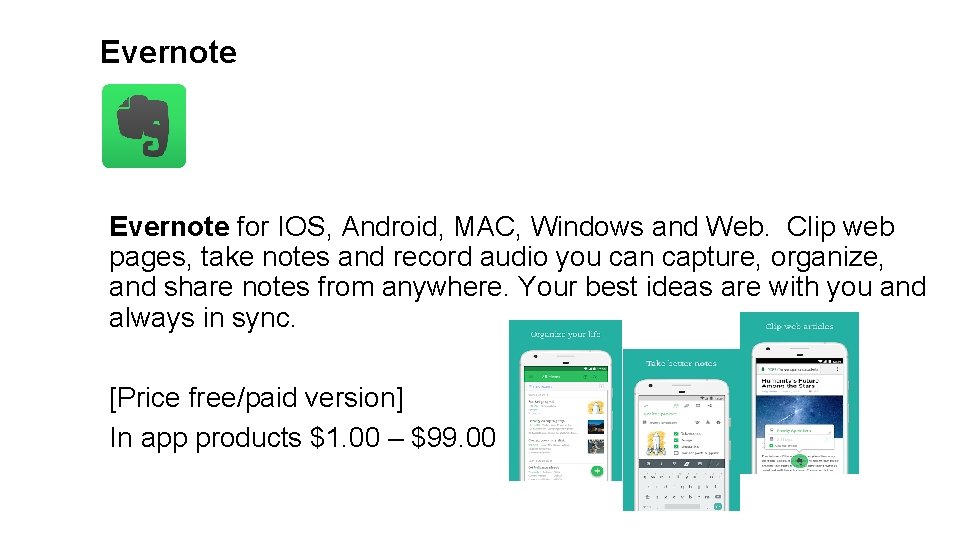
Evernote for IOS, Android, MAC, Windows and Web. Clip web pages, take notes and record audio you can capture, organize, and share notes from anywhere. Your best ideas are with you and always in sync. [Price free/paid version] In app products $1. 00 – $99. 00
Notability for IOS and Mac. Combine handwriting, photos and text in a single note. Use a wide range of note-taking and sketching tools to capture every detail. You can even add and comment on PDFs. It’s the perfect place to create and organize work, or school, and keep all of your information together. [Price $9. 99]
Microsoft One. Note for Working Memory Onenote for Android, IOS, Mac, Windows, Online Color coding, audio recording with time stamp, add pictures and text, notebook layout and note sections, and good for organization. Like a paper note, type on the page, drag in images and other attachments. [Price: Free]
Simplenote for Android, IOS, Mac and Windows. An easy way to organize notes, lists, ideas and more. Your notes stay in sync with all of your devices. As your collection of notes grows, you can search them instantly and keep them organized with tags and pins. [Price: Free]
Study Aids — Flashcards Apps Regardless of age, flashcards are still an effective learning tool. What better way to keep your mind young than actively engaging it with flashcards? Whoever you are flashcards are a terrific way to remember information and keep your mind sharp. If you need a study tool and do not feel like creating flashcards there are several flashcard apps available.
Criteria To Consider Cost: Is the app worth paying for? How about any in-app purchases? Ease of Use: Is there a learning curve to get started app? Supported Card Types: What flashcard types are supported (text-only, multimedia, two-sided, multi-sided, etc. )? Study Options: Are there different ways to study (multiple choice quizzes, reversing cards, etc. )? Content Libraries and Sharing: Does the app support Quizlet or other flashcard libraries? Are flashcards easily shareable? Design and Organization: Does the design enhance or hinder app usage? Are flashcards easily organized? Cross Platform and Sync: Can flashcards be studied on all your devices? Are flashcards synced across devices? Advanced Features: Does the app support different learning options, reports, or templates?
Study. Blue for Android, IOS, Chromebook, Kindle Fire. Create, study and share digital flashcards for free. Customize your study materials with images and audio Quiz yourself, track your progress, and set study reminders Access study materials seamlessly across desktop and mobile devices. Copy and edit flashcards to make them your own. Improve memorization and studying skills. [Price: Free ad supported version] Upgrade to Pro to get full access to all study materials, $7 to $19 a month, $84/year for Pro Version depending on how long you subscribe.
Quizlet for IOS, Android, and Web. Study on the go study tools and games designed specifically for mobile devices create flashcards or choose from flashcards created by others. Seamless syncing and will sync with the website and vice versa. Study offline and easy to navigate with a simple clear design. Listen to your material pronounced correctly in 18 languages. Enhance with custom images and audio. Quizlet Learn, which creates a study plan based on deadlines. Keeps track of your progress, creates checkpoints, and sends you reminders to study. Upgrade to Quizlet Pro and Quizlet Go to avoid the ads and get full access to all study materials or upgrade to Quizlet Plus, which lets you add photos to your flashcards and removes the app’s ads, $1. 99 - $19. 99 per app. [Price: Free ad supported version]
Studies for IOS, and Mac and sync with i. Cloud. Helps with memorization of facts, formulas, words, pictures, dates, procedures, even names and faces. Helps you achieve your learning goals in any subject matter. [Price Free for IOS] Mac 14 day free trial $ 29. 99
Anki. App for Android, IOS, Windows phone, Kindle Fire, MAC and Windows. Cross platform mobile and desktop. Easy-to-navigate, uses text, sounds and images or download premade flashcards. High efficiency learning which has advanced algorithm. After each session displays your progress. Automatically syncs to your devices via the cloud. [Price Free]
Text to Speech — Vision and other Learning Disabilities Capti Narrator Voice for IOS, MAC, Windows, Chrome ext. Screen Reader Support: Extensively customized for Voice. Over, multiple voices. 26 languages using more than 150 state-of-the-art text-tospeech voices. Sophisticated navigation, jump to the next/previous word, sentence, paragraph, heading, or page. Option for reading by: paragraph, sentence etc. Bookshare books, PDF, DOC, EPUB, PPT, and more. Text to Speech: Turn any text into an audiobook; listen hands-free and eyes-free. [Price Free] App with premium versions available $1. 99 a month $ 9. 99 for 6 months.
KNFB Reader Available for Android, IOS, Windows. Converts printed text to speech or Braille instantly and accurately. It features the best OCR (optical character recognition) technology available and uses patented image detection technology to quickly and easily detect and decipher printed text. It helps blind, low-vision, dyslexic, and other print-disabled users. Use the built-in image alignment to set up the perfect image of any text quickly and easily, take a photo, hear the text read aloud or turned into Braille. Cloud friendly and multilingual. [Price $99. 00] Limited Time Offer: Free Trial Download
FBReader Available for Android, IOS, Windows Phone, Windows, MAC. Highly customizable, choose colors, fonts, page turning animations, dictionaries, bookmarks, etc. to make reading convenient. FBReader is a popular multi-platform ebook reader, which supports ebook formats: e. Pub, fb 2, mobi, rtf, html, and plain text. Provides access to popular network libraries that contain a large set of ebooks. Download books for free or for a fee. Scans picture of document, converts and reads. [Price Free] Free app available with ads, Premium version $100. 00, price varies with app features.
Instapaper/Instapaper Premium Android, IOS, Kindle Fire, and Web ext. Productivity app, which allows you to save anything you like. With one click, you can save, read, and manage things you saved. You can read it anywhere and create notes and save it, no internet connection is needed. It will sync across your phone, tablet, and computer so you can come back to it when ever you want, even if you’re offline. Adjustable font for easy reading. Does not support pdf files. [Price Free]
Pocket for Android, IOS, Kindle Fire, Kobo, Web ext. Windows and Mac. Productivity app, allows you to save websites, blog posts, videos, and other online resources to access at a later time. It also saves the information to the device, meaning no internet connection is needed. The next time you find an article, video or link you want to read or watch later, just save it to Pocket. It will sync across your phone, tablet, and computer so you can come back to it when you want even when you’re offline. Only supports pdf and image files. [Price $. 99 - $44. 99]
Study Tracker Available for Android, IOS. Productivity app which is a simple time tracking app designed specifically for students. Use to get objective information about how much time you are spending on individual subjects. Great for motivation, allocating time between different subjects, and developing good study habits. Features include simple and effective user interface, easy tracking and editing, easy analysis charts and statistics, and a countdown mode. The ultimate goal to improve efficiency. [Price Free]
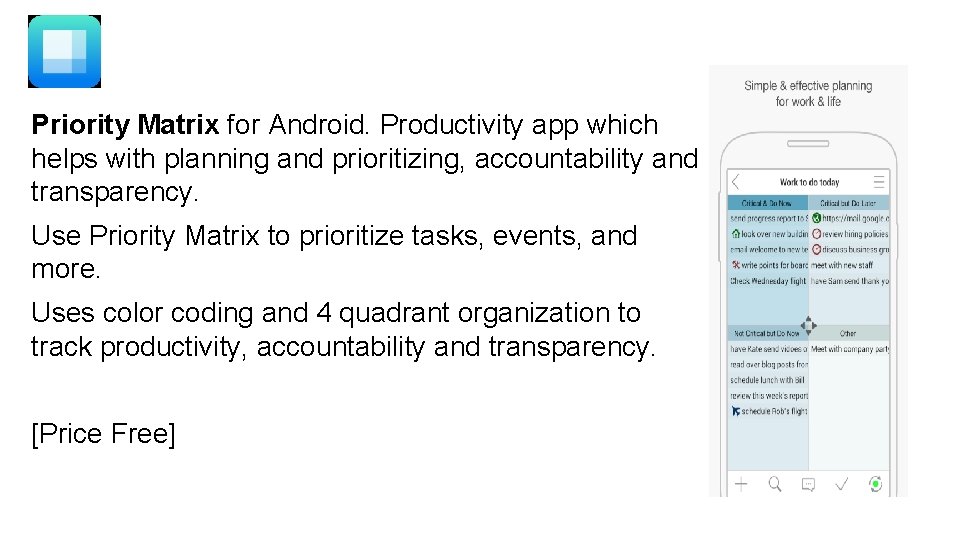
Priority Matrix for Android. Productivity app which helps with planning and prioritizing, accountability and transparency. Use Priority Matrix to prioritize tasks, events, and more. Uses color coding and 4 quadrant organization to track productivity, accountability and transparency. [Price Free]
Thank you Joetta Sieglock jsieglock@ewu. edu
- Slides: 28