
Mnemonics for Advisors PCC Academic Advising Training Series


- Slides: 78
Mnemonics for Advisors PCC Academic Advising Training Series
Introduction The following slides are the most commonly used mnemonics for advisors: • All advisors have access to these pages within Colleague. • None of “OK” and “Finish” clicks were added to this set of slides. • If you would like to schedule time with Tammy for one on one help please do not hesitate to ask.
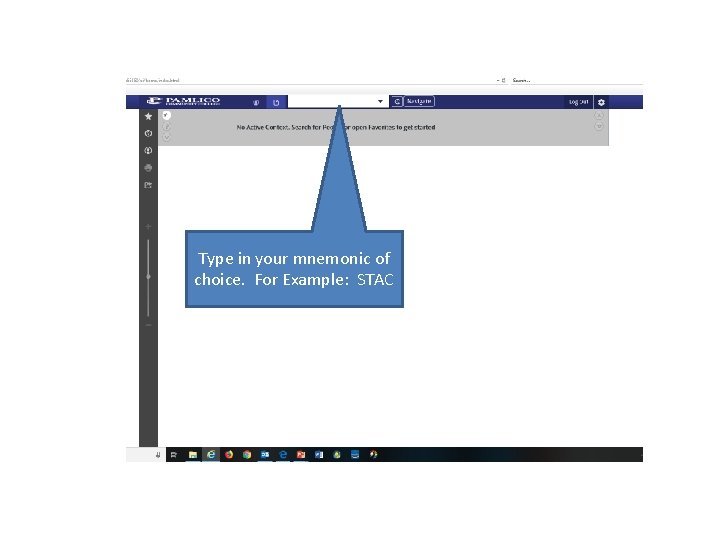
Type in your mnemonic of choice. For Example: STAC
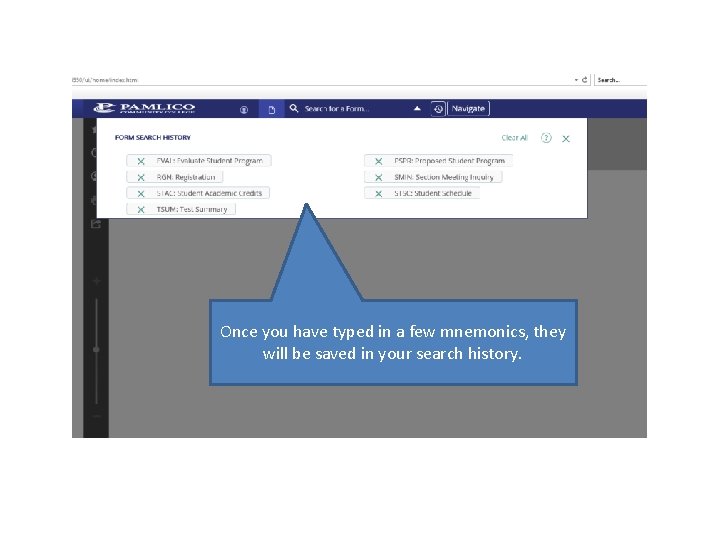
Once you have typed in a few mnemonics, they will be saved in your search history.
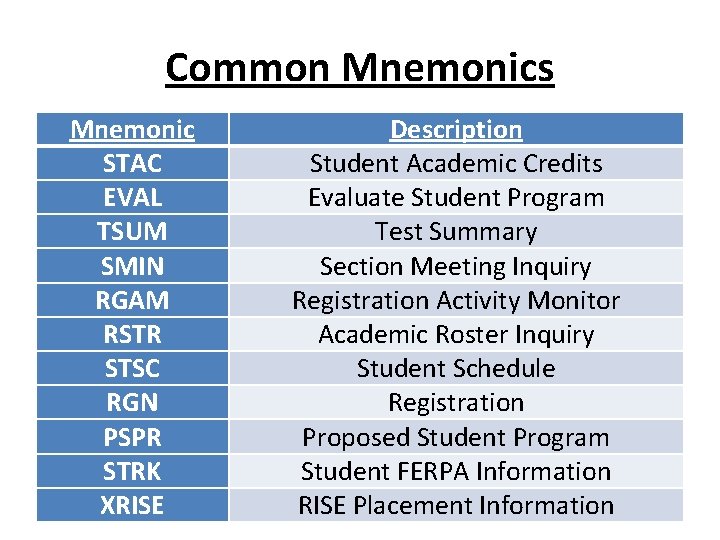
Common Mnemonics Mnemonic STAC EVAL TSUM SMIN RGAM RSTR STSC RGN PSPR STRK XRISE Description Student Academic Credits Evaluate Student Program Test Summary Section Meeting Inquiry Registration Activity Monitor Academic Roster Inquiry Student Schedule Registration Proposed Student Program Student FERPA Information RISE Placement Information
Looking Up The Last Thing Accessed • To look up the last student or course accessed, type in: –@
STAC: Student Academic Credits
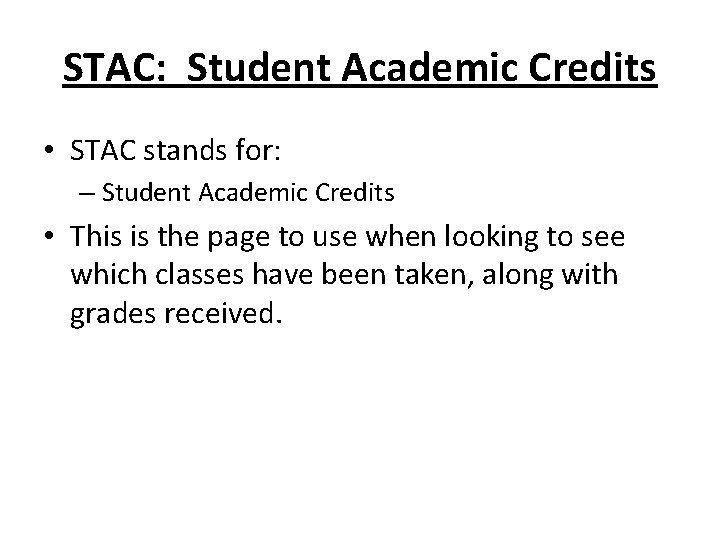
STAC: Student Academic Credits • STAC stands for: – Student Academic Credits • This is the page to use when looking to see which classes have been taken, along with grades received.
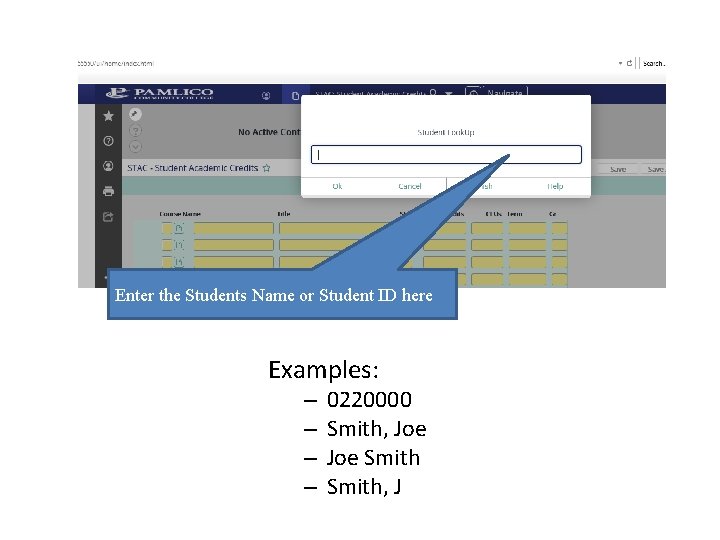
Enter the Students Name or Student ID here Examples: – – 0220000 Smith, Joe Smith, J
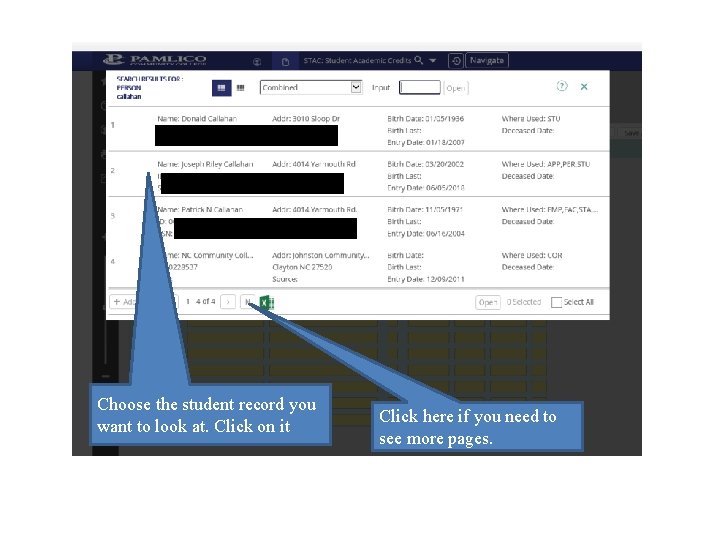
Choose the student record you want to look at. Click on it Click here if you need to see more pages.
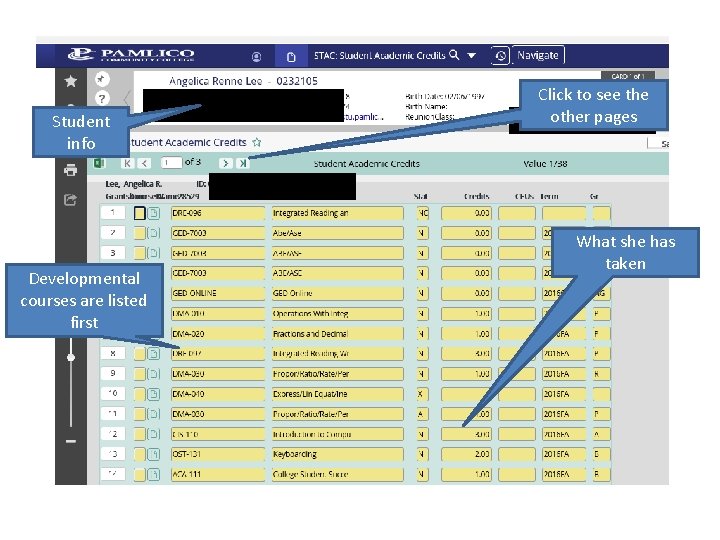
Student info Developmental courses are listed first Click to see the other pages What she has taken
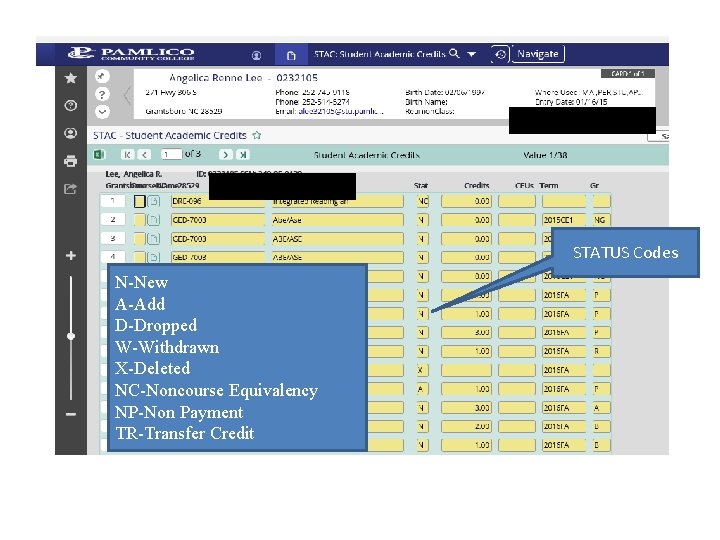
STATUS Codes N-New A-Add D-Dropped W-Withdrawn X-Deleted NC-Noncourse Equivalency NP-Non Payment TR-Transfer Credit
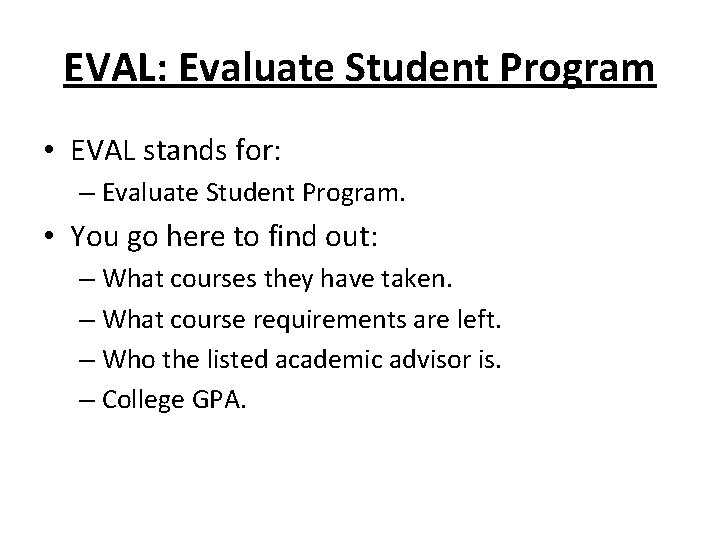
EVAL: Evaluate Student Program
EVAL: Evaluate Student Program • EVAL stands for: – Evaluate Student Program. • You go here to find out: – What courses they have taken. – What course requirements are left. – Who the listed academic advisor is. – College GPA.
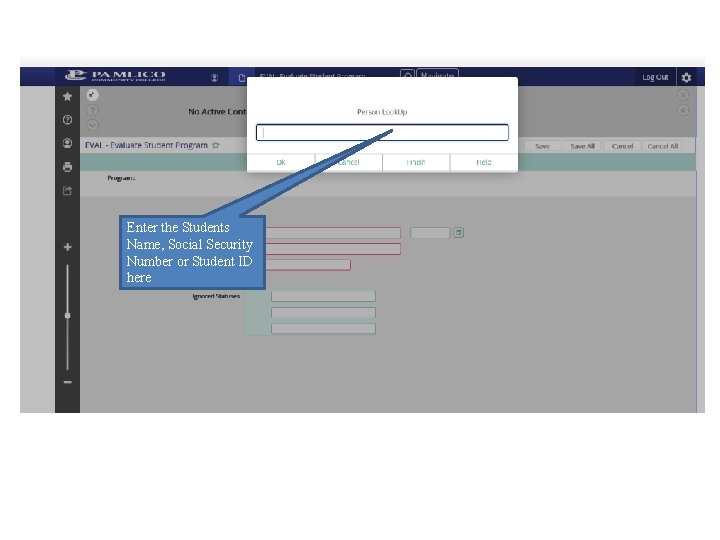
Enter the Students Name, Social Security Number or Student ID here
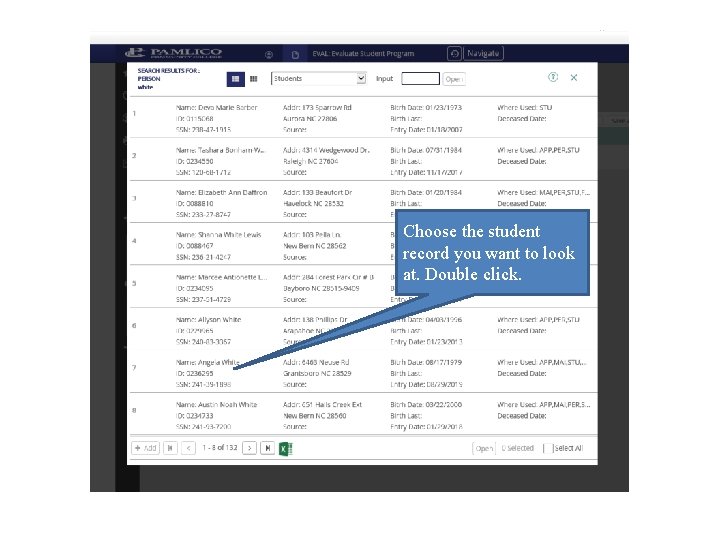
Choose the student record you want to look at. Double click.
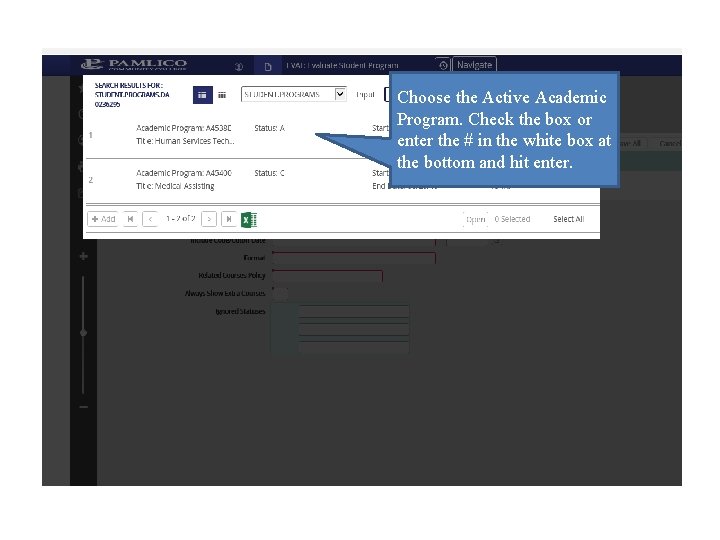
Choose the Active Academic Program. Check the box or enter the # in the white box at the bottom and hit enter.
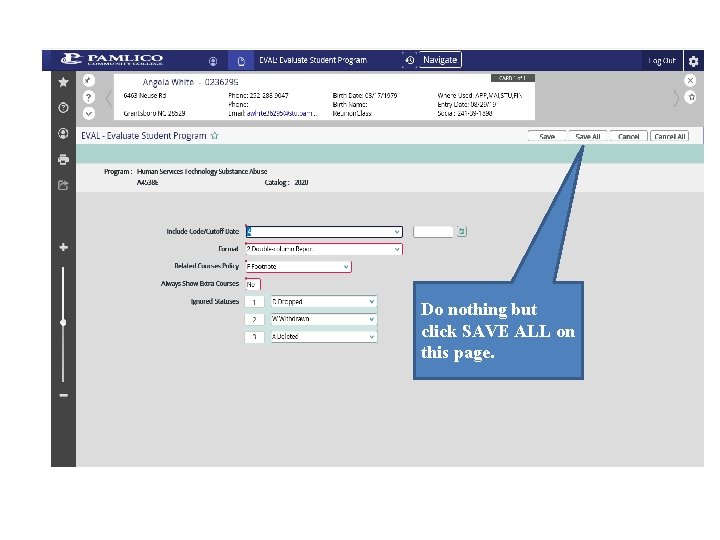
Do nothing but click SAVE ALL on this page.
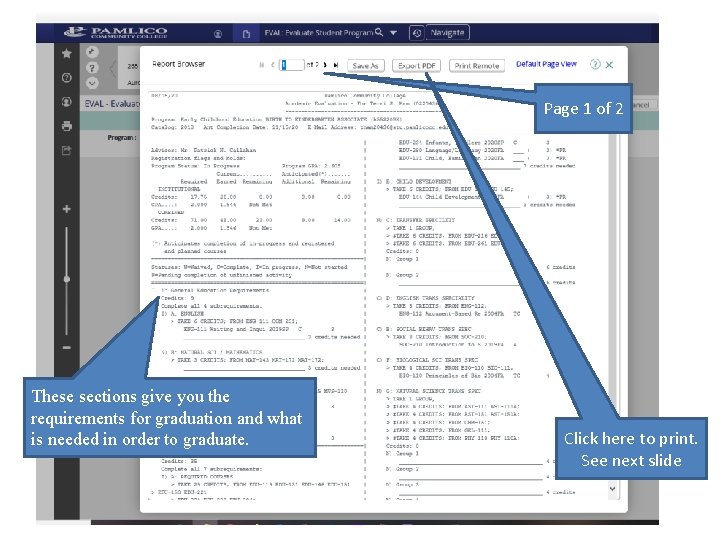
Page 1 of 2 These sections give you the requirements for graduation and what is needed in order to graduate. Click here to print. See next slide
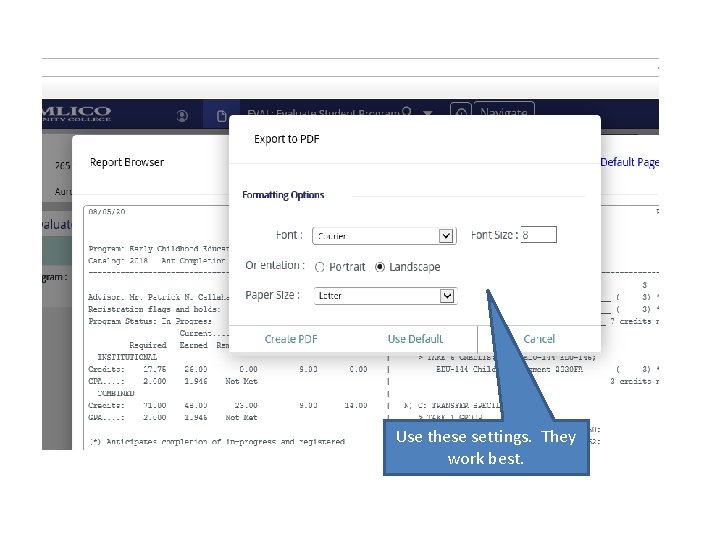
Use these settings. They work best.
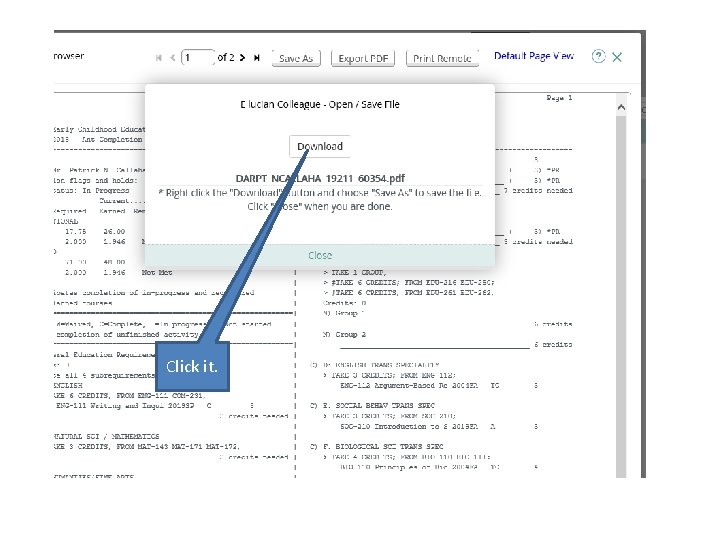
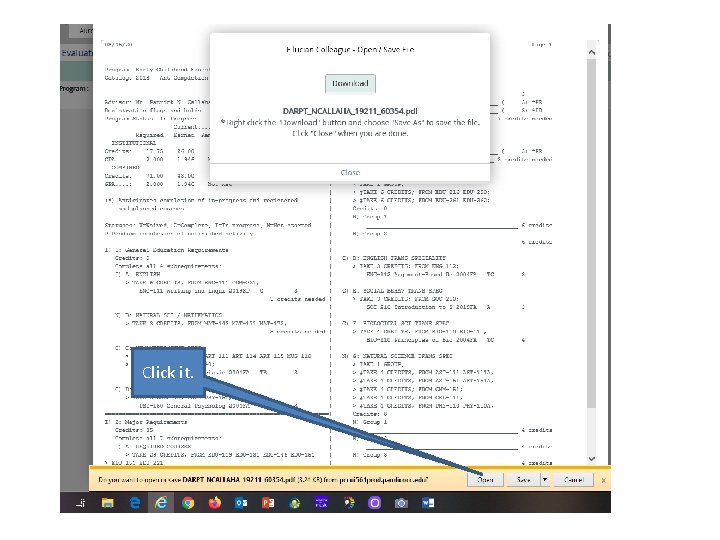
Click it.
Click it.
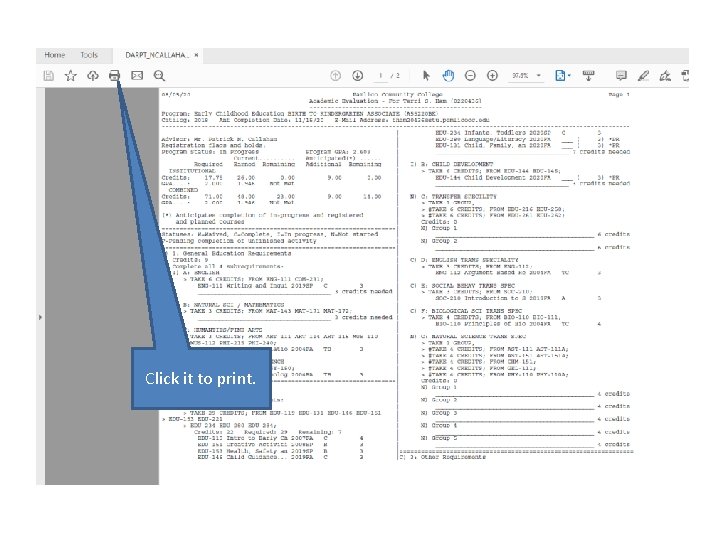
Click it to print.
TSUM-Test Summary Page
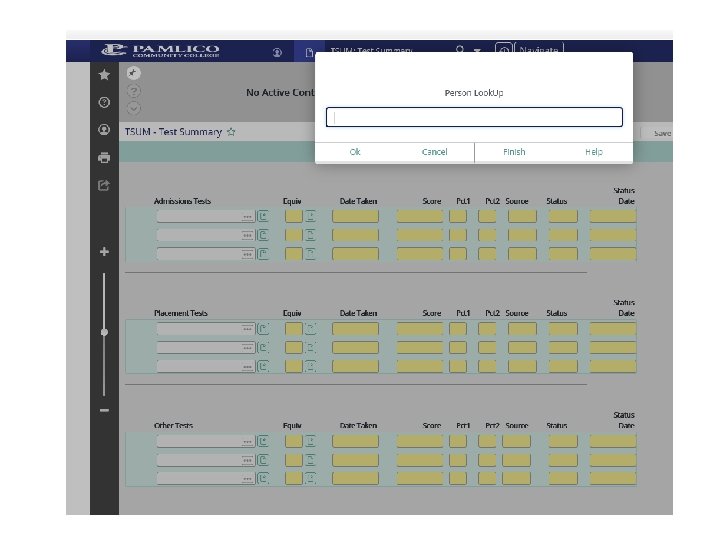
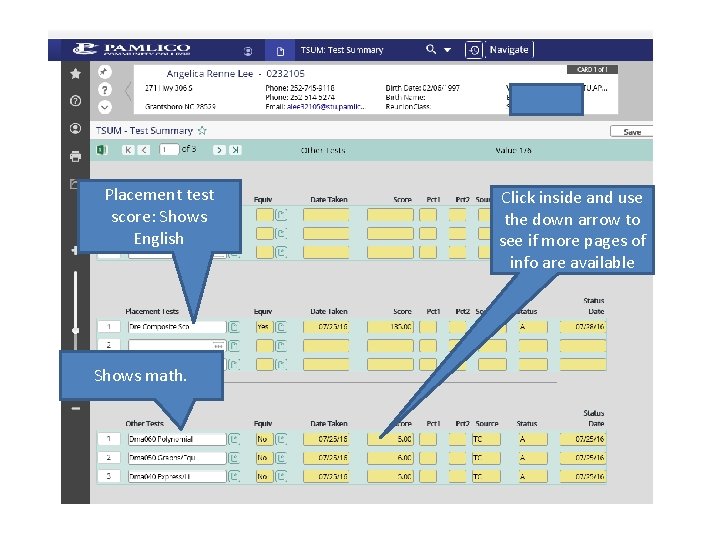
TSUM-Test Summary Page • TSUM stands for: – Test Summary Page • You go here to find: – Placement test scores and RISE information – Multiple measures
Placement test score: Shows English Shows math. Click inside and use the down arrow to see if more pages of info are available
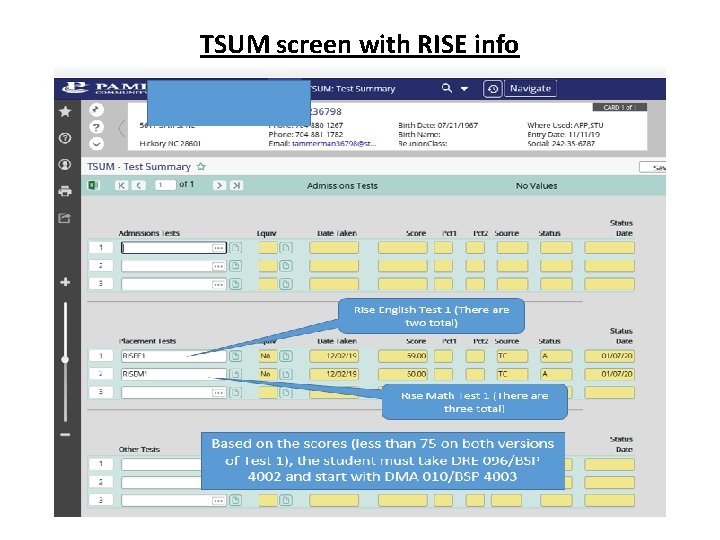
TSUM screen with RISE info
RGN-Registration Screen
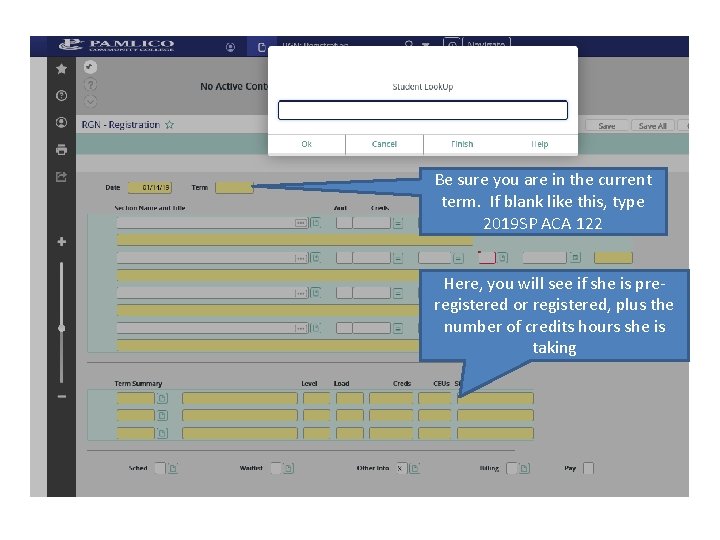
RGN-Registration Screen • RGN stands for: – Registration – This is where you register your students.
Be sure you are in the current term. If blank like this, type 2019 SP ACA 122 Here, you will see if she is preregistered or registered, plus the number of credits hours she is taking
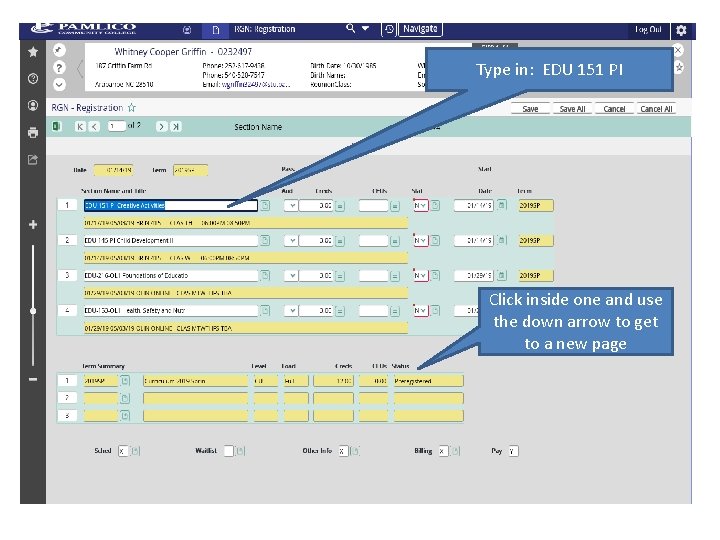
Type in: EDU 151 PI Click inside one and use the down arrow to get to a new page
RSTR-Academic Roster Inquiry
RSTR-Academic Roster Inquiry • RSTR stands for: – Academic Roster Inquiry – This page can be used to see the list or roster of students in a particular class section.
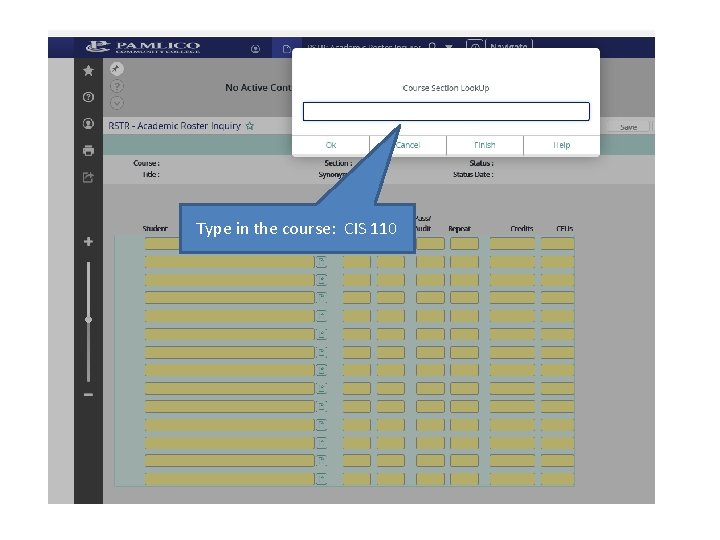
Type in the course: CIS 110
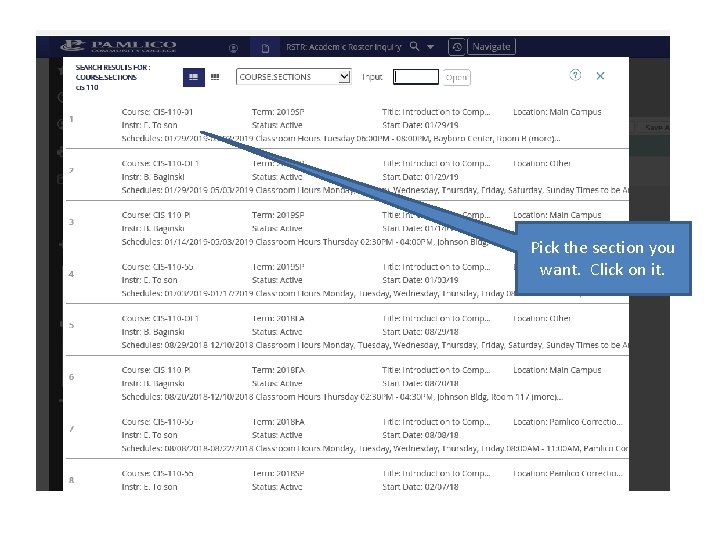
Pick the section you want. Click on it.
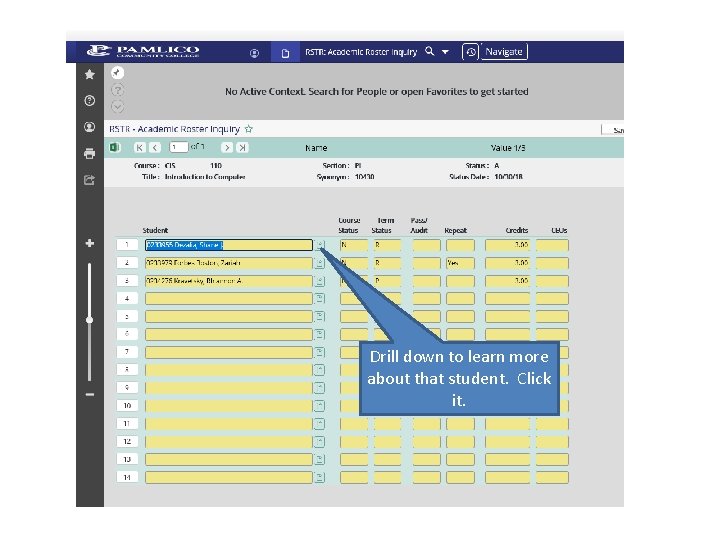
Drill down to learn more about that student. Click it.
STSC-Student Schedule
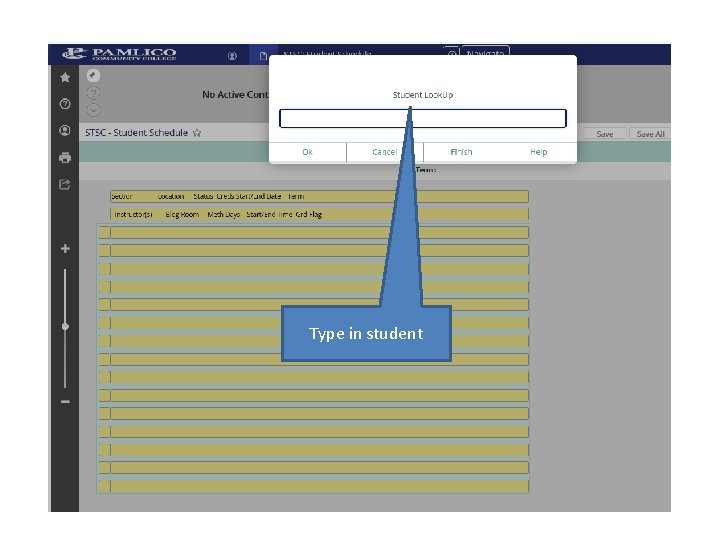
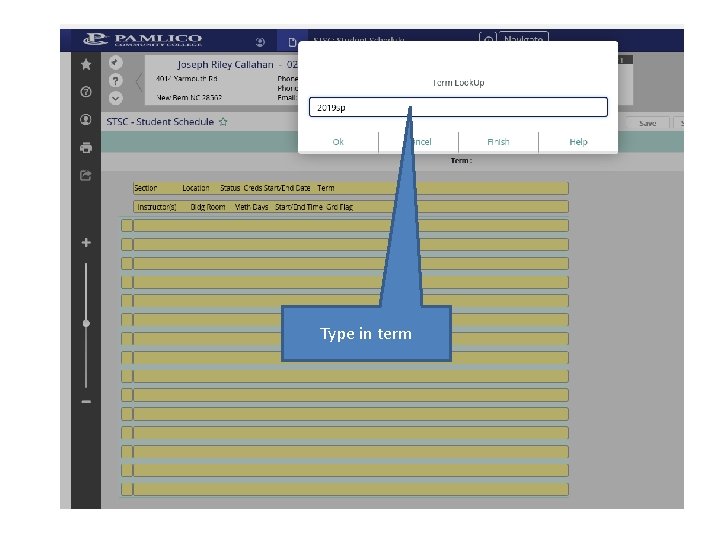
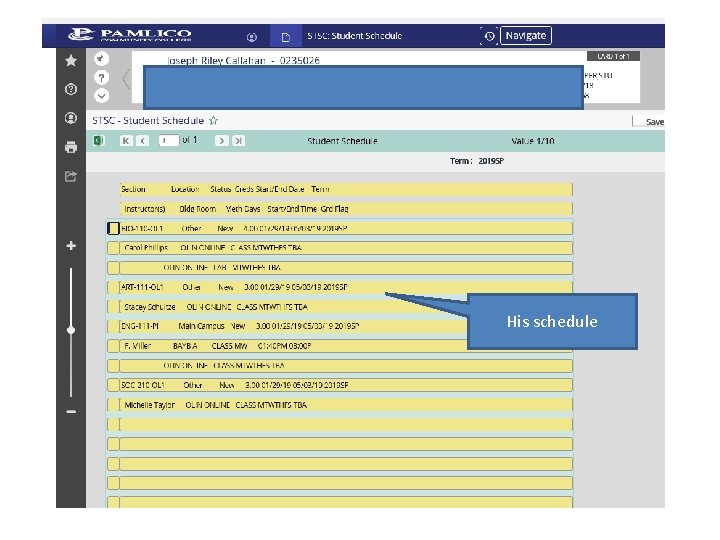
STSC-Student Schedule • STSC stands for: – Student Schedule – You use this to see what a particular student’s course schedule is.
Type in student
Type in term
His schedule
SMIN-Section Meeting Inquiry
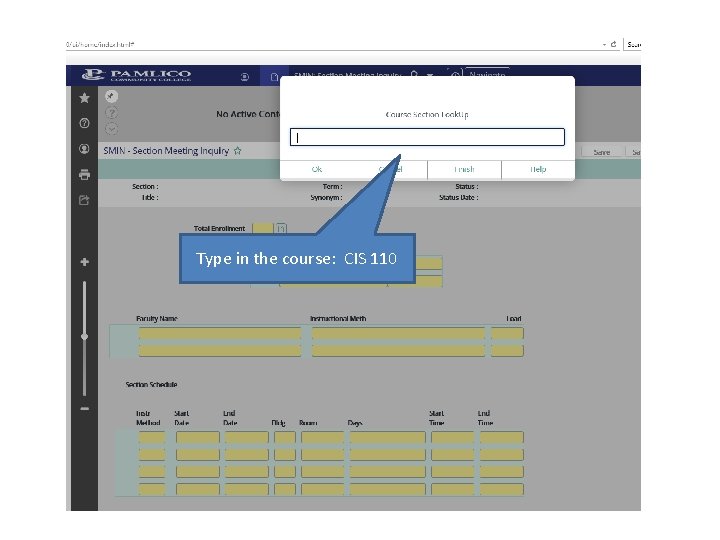
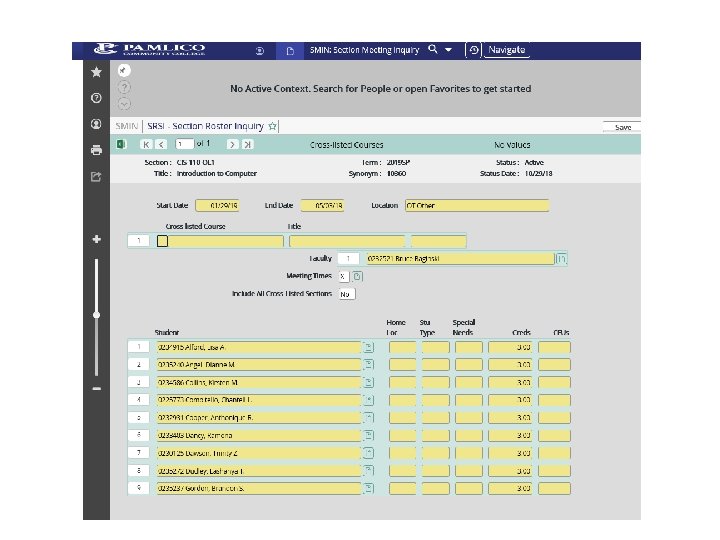
SMIN-Section Meeting Inquiry • SMIN stands for: – Section Meeting Inquiry – This page can be used to see the list or roster of students in a particular class section.
Type in the course: CIS 110
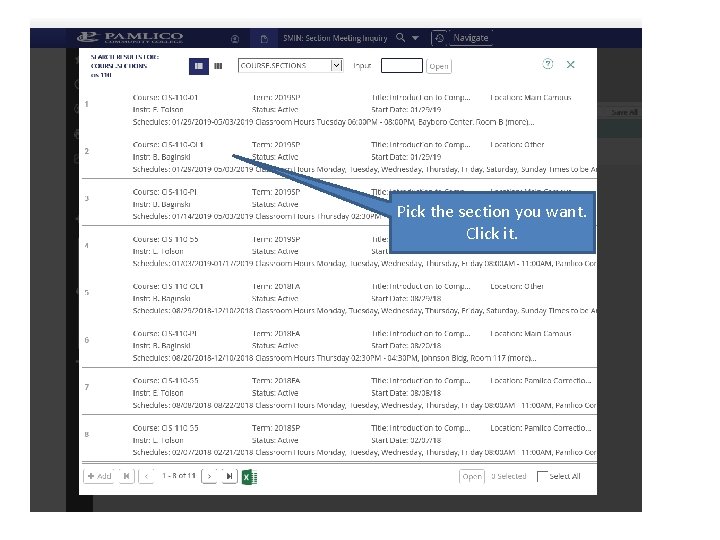
Pick the section you want. Click it.
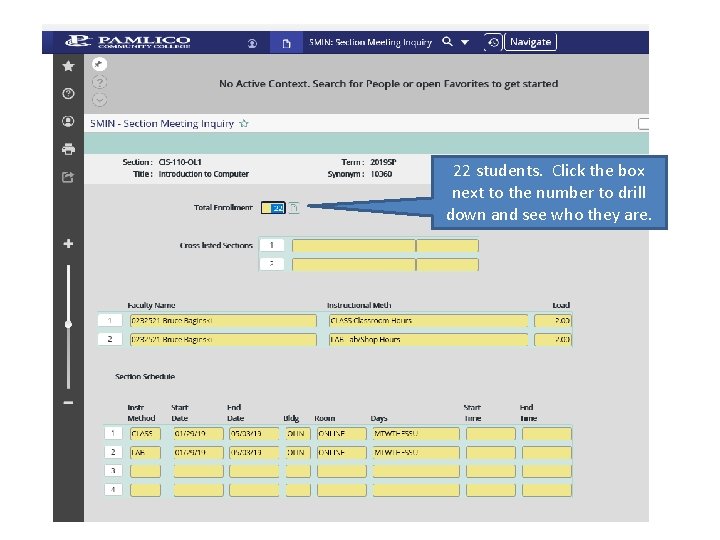
22 students. Click the box next to the number to drill down and see who they are.
STRK-Student FERPA Information
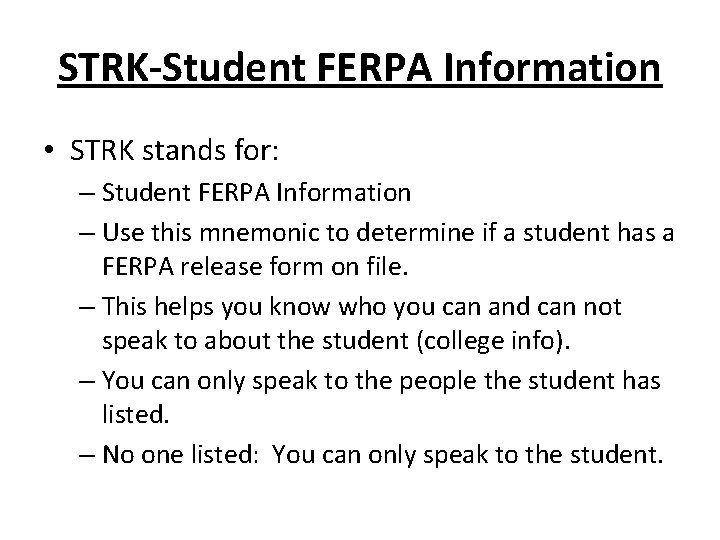
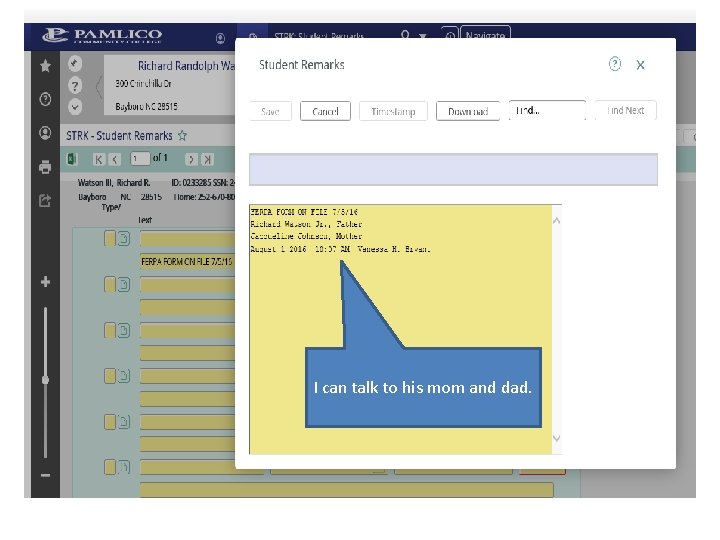
STRK-Student FERPA Information • STRK stands for: – Student FERPA Information – Use this mnemonic to determine if a student has a FERPA release form on file. – This helps you know who you can and can not speak to about the student (college info). – You can only speak to the people the student has listed. – No one listed: You can only speak to the student.
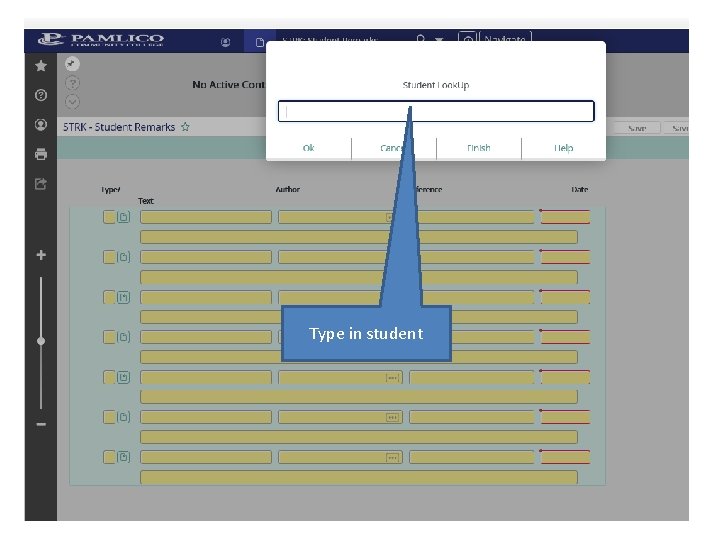
Type in student
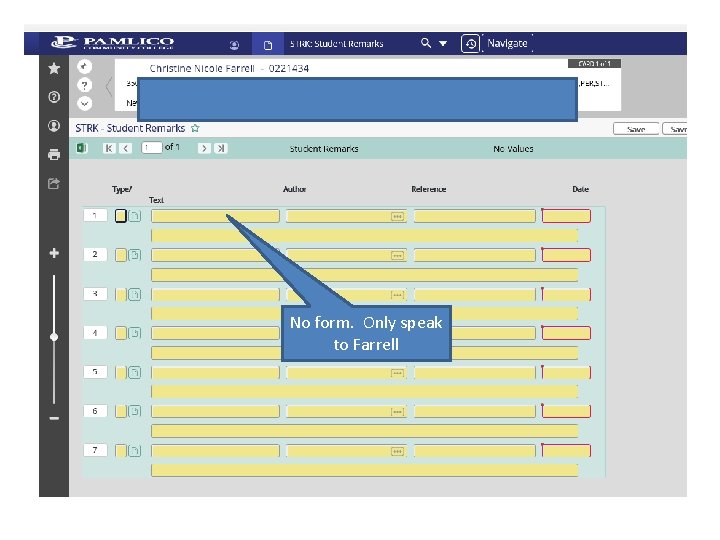
No form. Only speak to Farrell
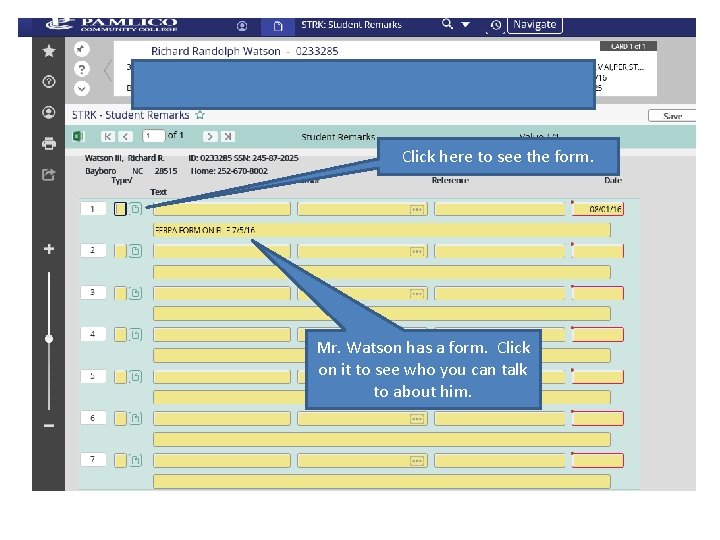
Click here to see the form. Mr. Watson has a form. Click on it to see who you can talk to about him.
I can talk to his mom and dad.
PSPR-Proposed Student Program
PSPR-Proposed Student Program • PSPR stands for: – Proposed Student Program – This is where you can get a look at the student’s transcript in their current Program of Study. – This page will also allow you to perform an evaluation on your student in any Program of Study at PCC (even if the student is not currently registered for that program).
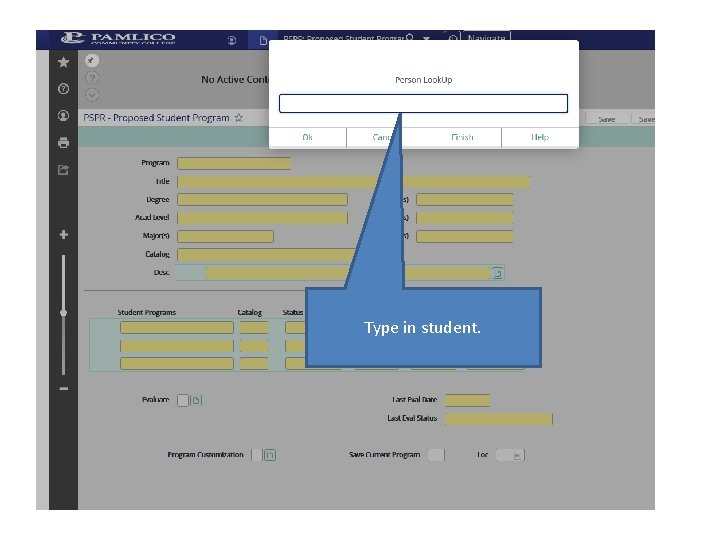
Type in student.
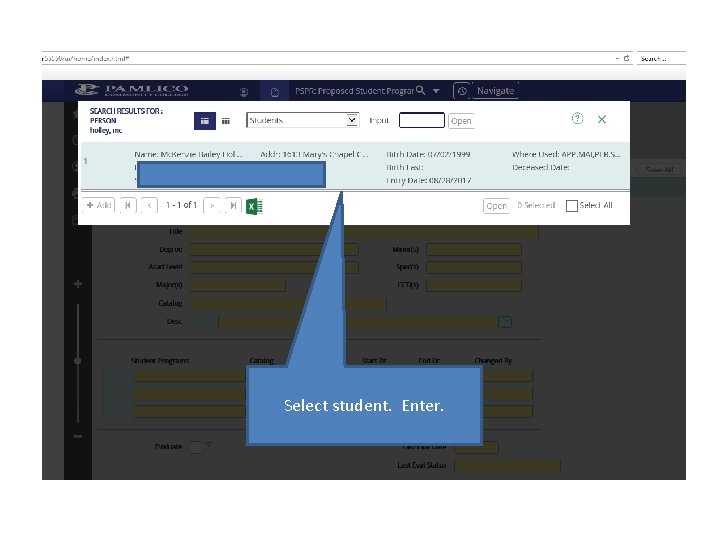
Select student. Enter.
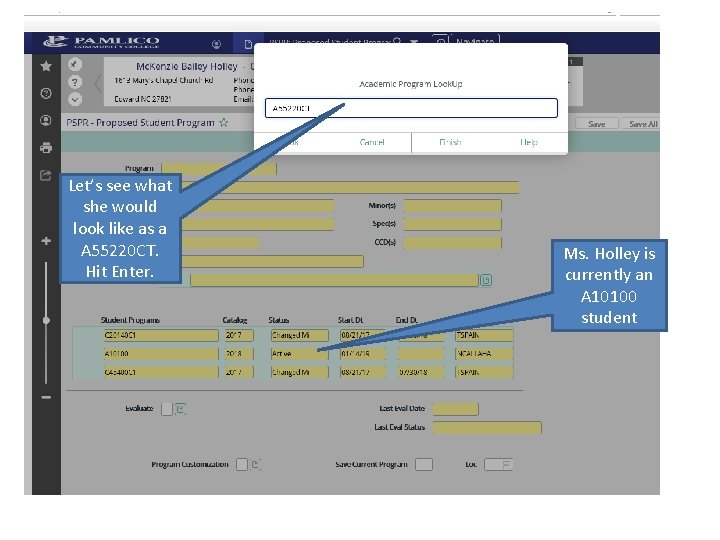
Let’s see what she would look like as a A 55220 CT. Hit Enter. Ms. Holley is currently an A 10100 student
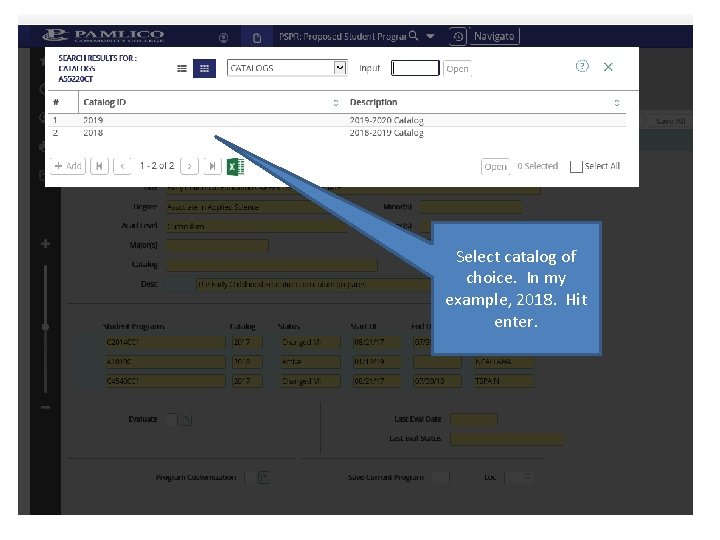
Select catalog of choice. In my example, 2018. Hit enter.
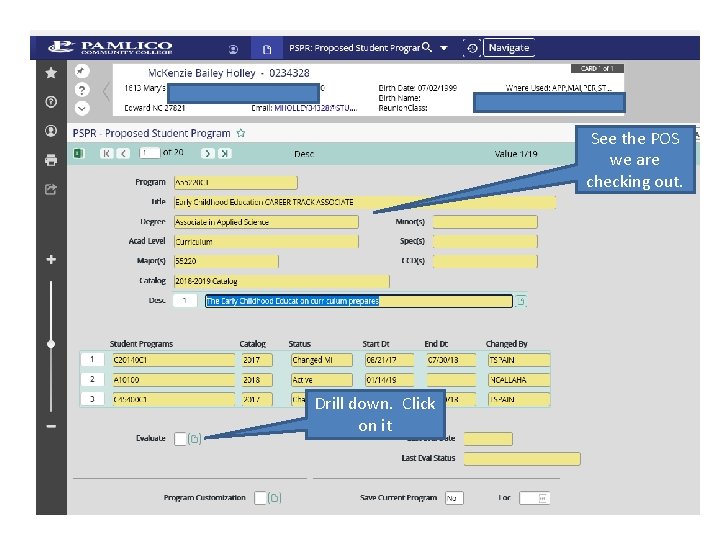
See the POS we are checking out. Drill down. Click on it
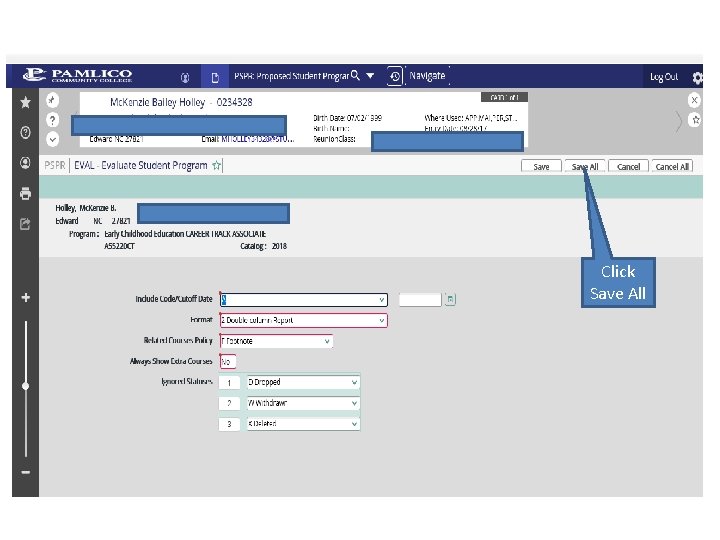
Click Save All
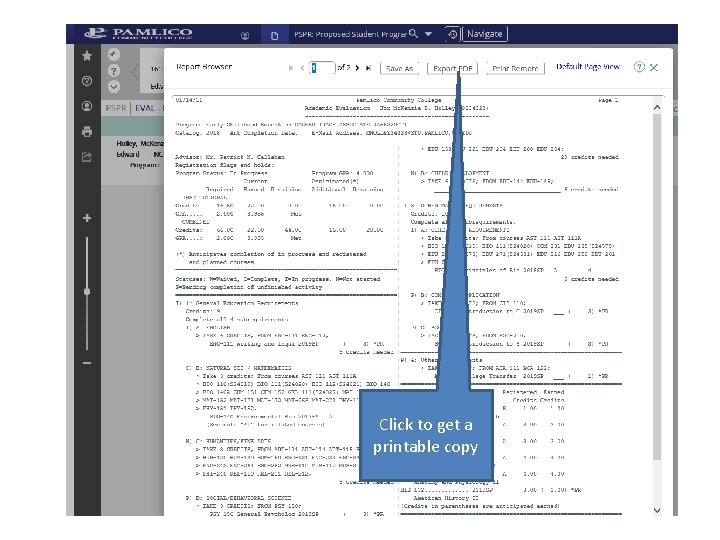
Click to get a printable copy
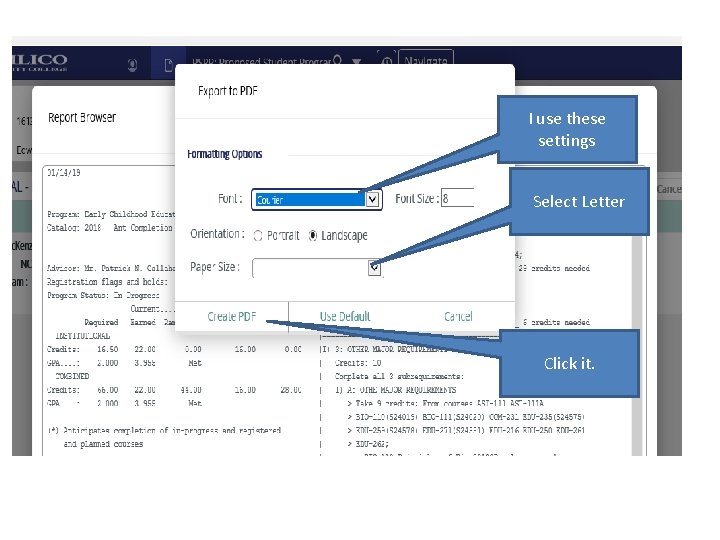
I use these settings Select Letter Click it.
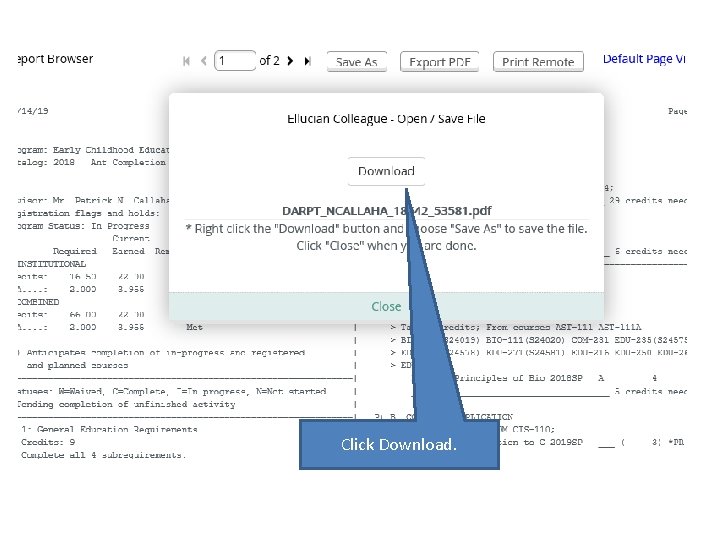
Click Download.
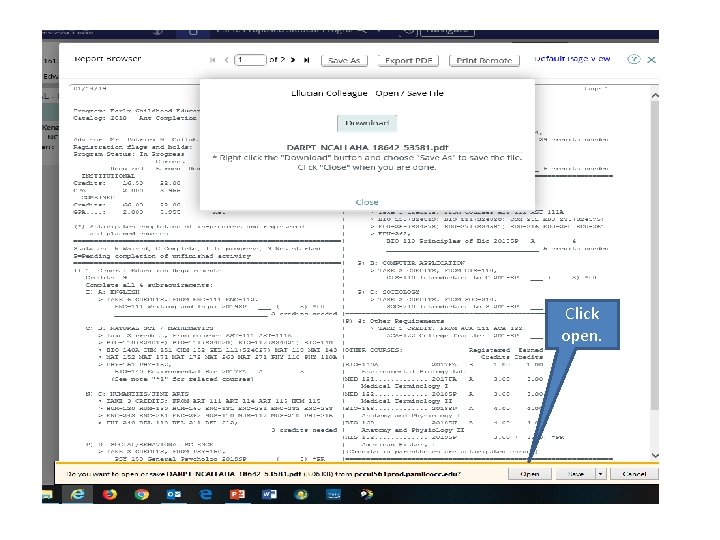
Click open.
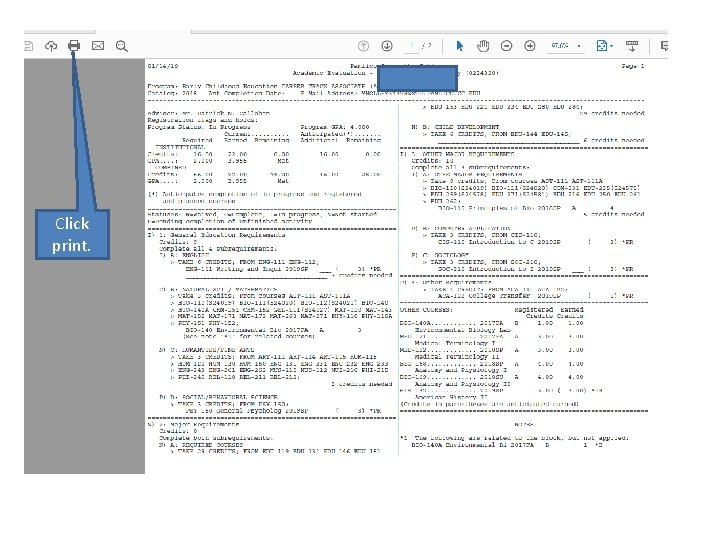
Click print.
XRISE: RISE Placement Information
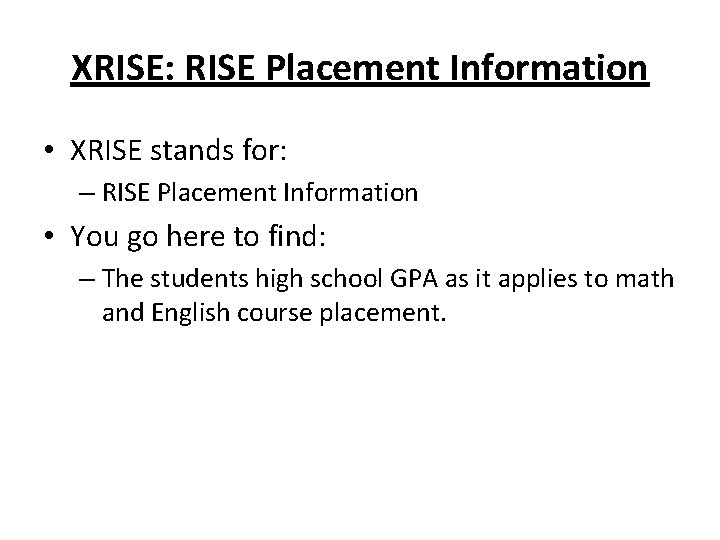
XRISE: RISE Placement Information • XRISE stands for: – RISE Placement Information • You go here to find: – The students high school GPA as it applies to math and English course placement.
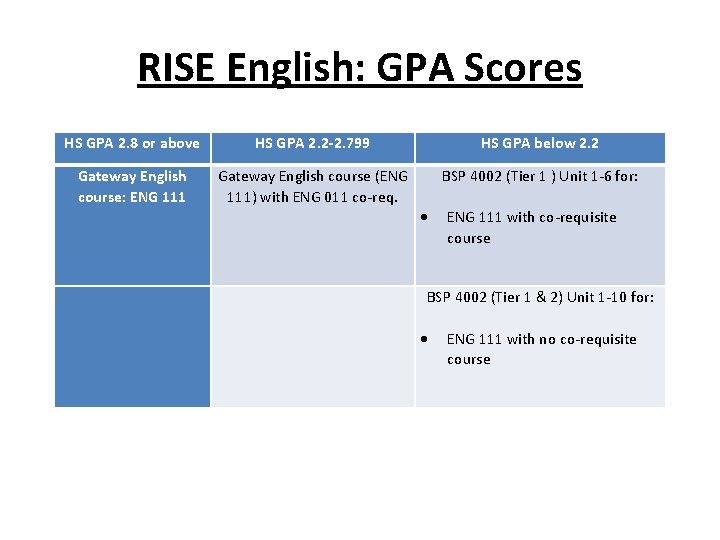
RISE English: GPA Scores HS GPA 2. 8 or above Gateway English course: ENG 111 HS GPA 2. 2 -2. 799 HS GPA below 2. 2 Gateway English course (ENG BSP 4002 (Tier 1 ) Unit 1 -6 for: 111) with ENG 011 co-req. ENG 111 with co-requisite course BSP 4002 (Tier 1 & 2) Unit 1 -10 for: ENG 111 with no co-requisite course
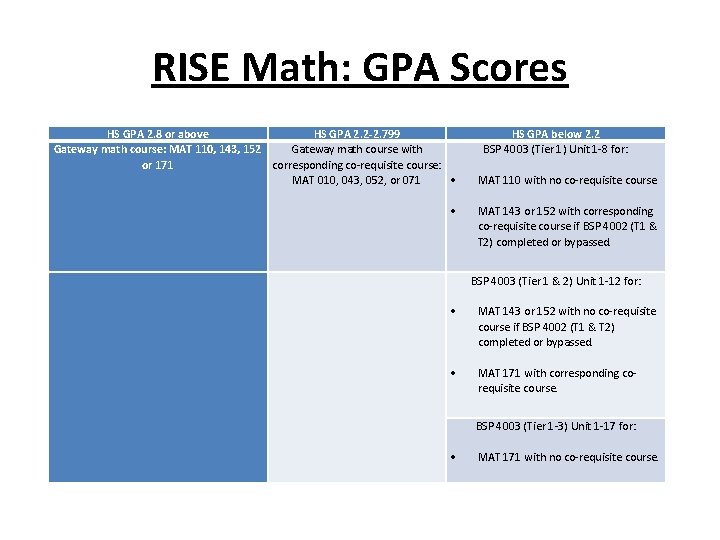
RISE Math: GPA Scores HS GPA 2. 8 or above HS GPA 2. 2 -2. 799 Gateway math course: MAT 110, 143, 152 Gateway math course with or 171 corresponding co-requisite course: MAT 010, 043, 052, or 071 HS GPA below 2. 2 BSP 4003 (Tier 1) Unit 1 -8 for: MAT 110 with no co-requisite course MAT 143 or 152 with corresponding co-requisite course if BSP 4002 (T 1 & T 2) completed or bypassed. BSP 4003 (Tier 1 & 2) Unit 1 -12 for: MAT 143 or 152 with no co-requisite course if BSP 4002 (T 1 & T 2) completed or bypassed. MAT 171 with corresponding corequisite course. BSP 4003 (Tier 1 -3) Unit 1 -17 for: MAT 171 with no co-requisite course.
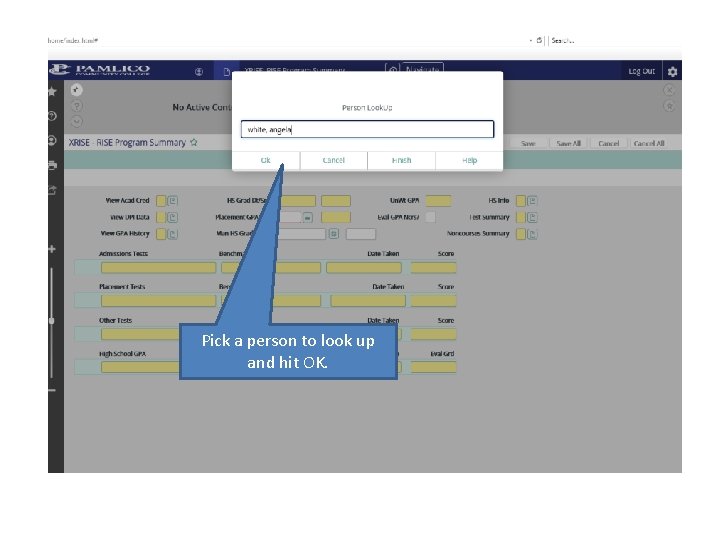
Pick a person to look up and hit OK.
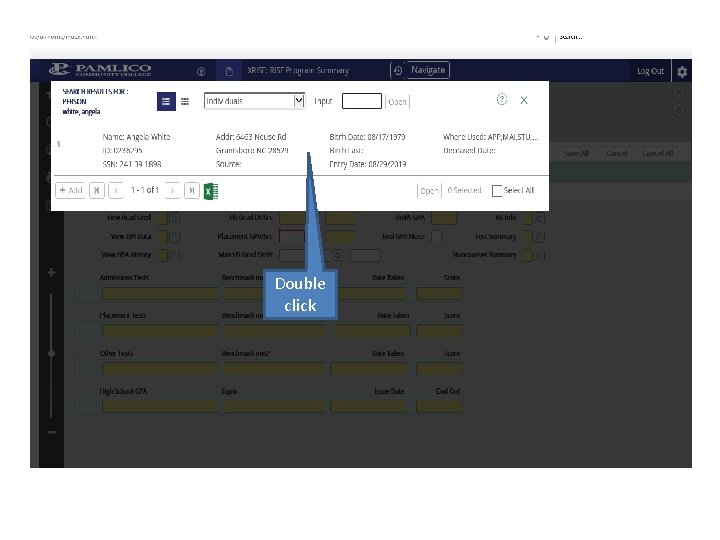
Double click
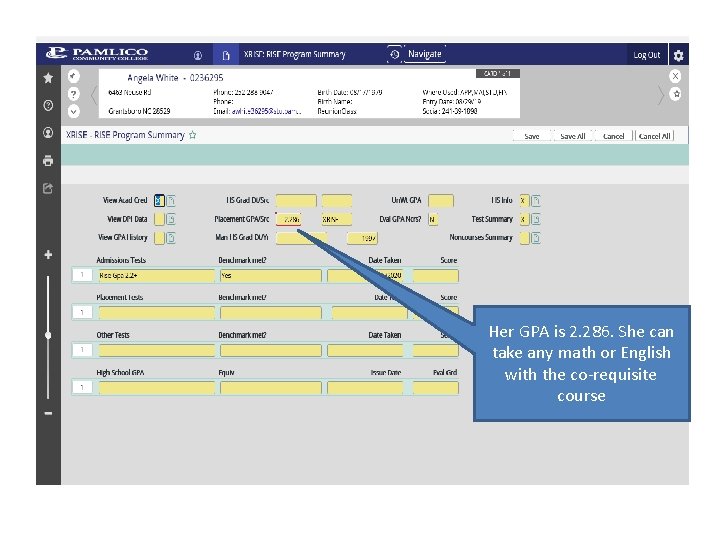
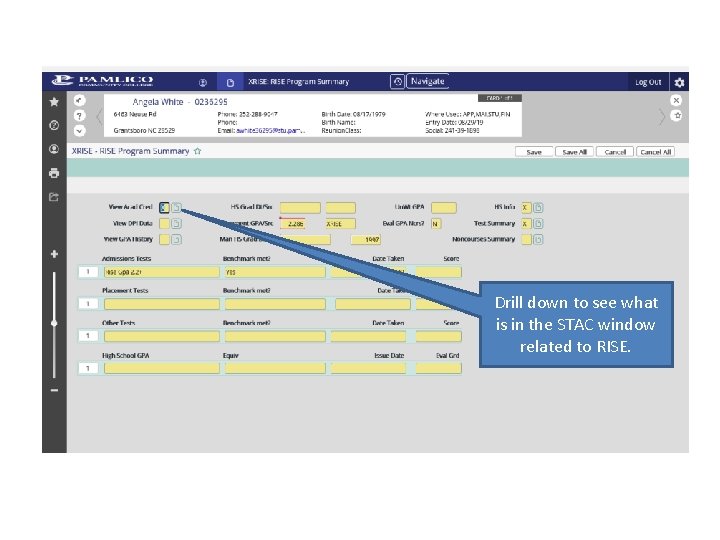
Her GPA is 2. 286. She can take any math or English with the co-requisite course
Drill down to see what is in the STAC window related to RISE.
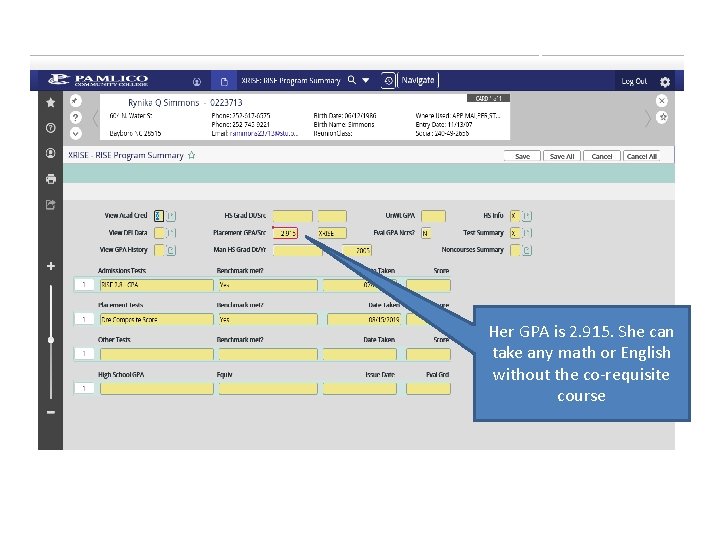
Her GPA is 2. 915. She can take any math or English without the co-requisite course
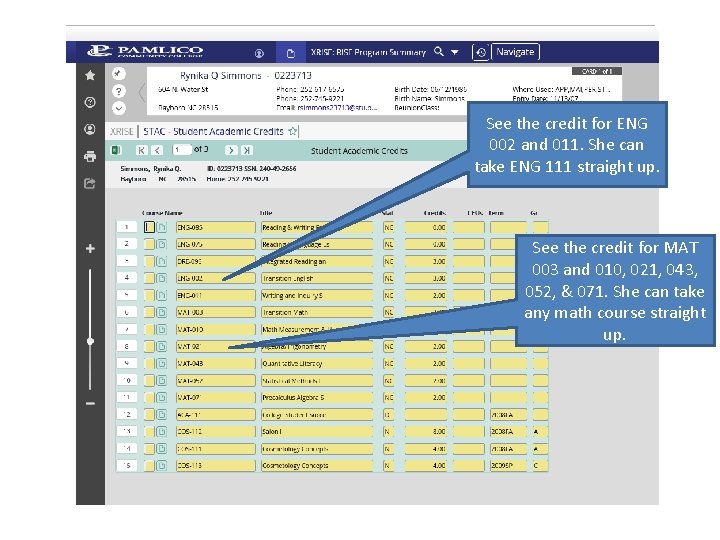
See the credit for ENG 002 and 011. She can take ENG 111 straight up. See the credit for MAT 003 and 010, 021, 043, 052, & 071. She can take any math course straight up.
Questions? Contact: The College Registrar in Student Services Or Neil Callahan ncallahan@pamlicocc. edu Ext. 3042