
MMEA Platform Harri Hytnen Vaisala September 23 2015

MMEA Platform Harri Hytönen (Vaisala) September 23, 2015
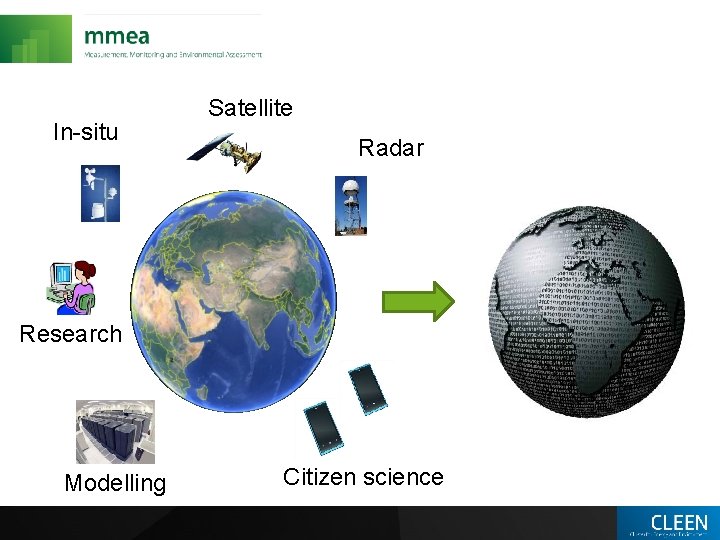
In-situ Satellite Radar Research Modelling Citizen science
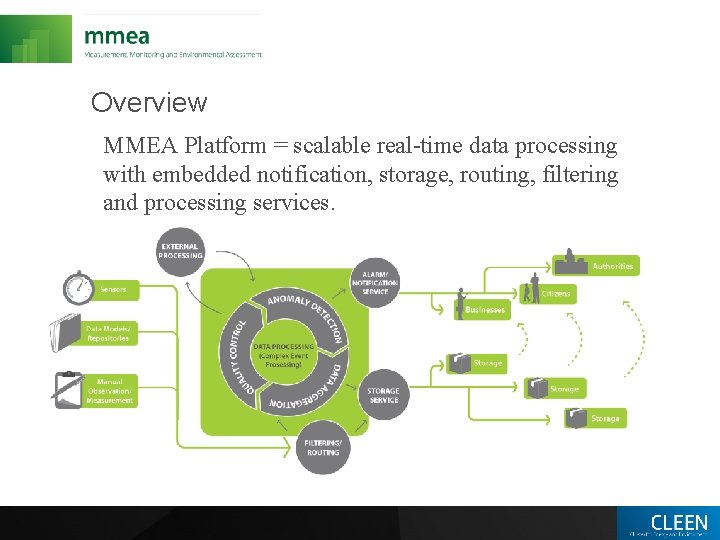
Overview MMEA Platform = scalable real-time data processing with embedded notification, storage, routing, filtering and processing services.

Contributors
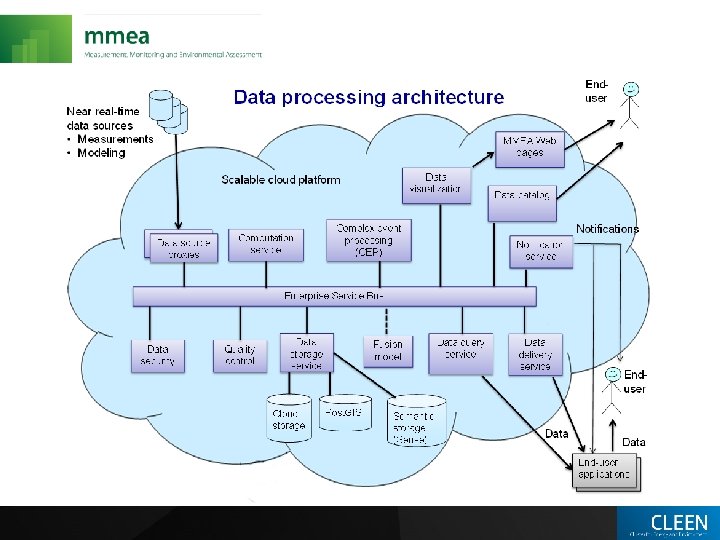
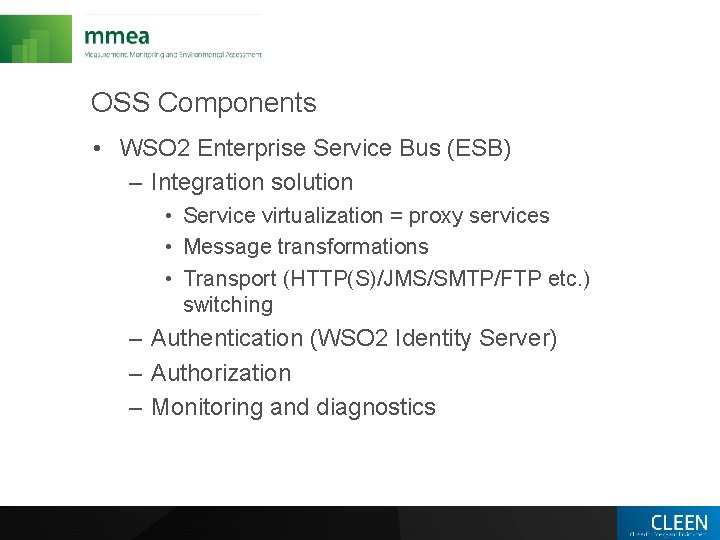
OSS Components • WSO 2 Enterprise Service Bus (ESB) – Integration solution • Service virtualization = proxy services • Message transformations • Transport (HTTP(S)/JMS/SMTP/FTP etc. ) switching – Authentication (WSO 2 Identity Server) – Authorization – Monitoring and diagnostics
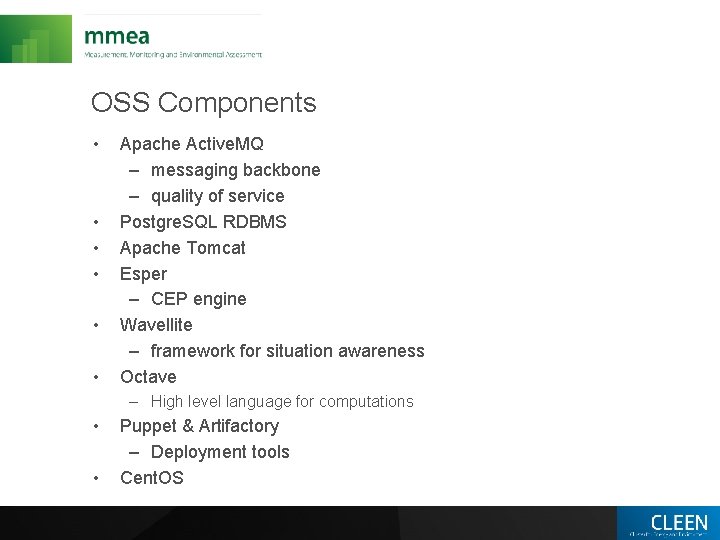
OSS Components • • • Apache Active. MQ – messaging backbone – quality of service Postgre. SQL RDBMS Apache Tomcat Esper – CEP engine Wavellite – framework for situation awareness Octave – High level language for computations • • Puppet & Artifactory – Deployment tools Cent. OS
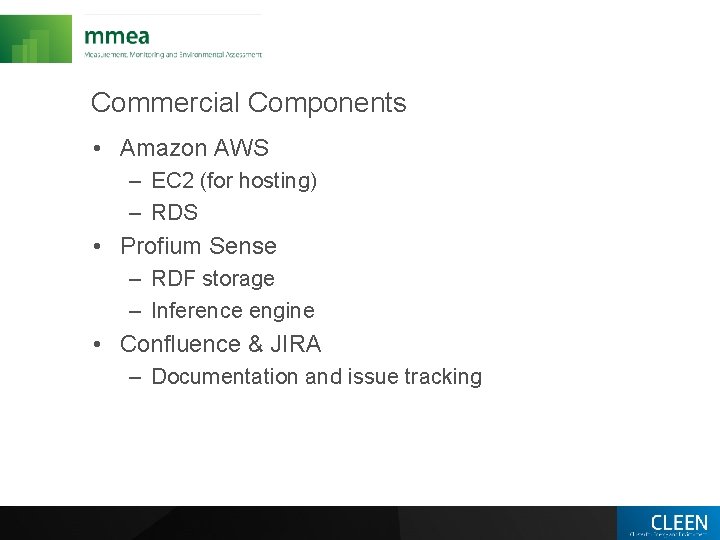
Commercial Components • Amazon AWS – EC 2 (for hosting) – RDS • Profium Sense – RDF storage – Inference engine • Confluence & JIRA – Documentation and issue tracking
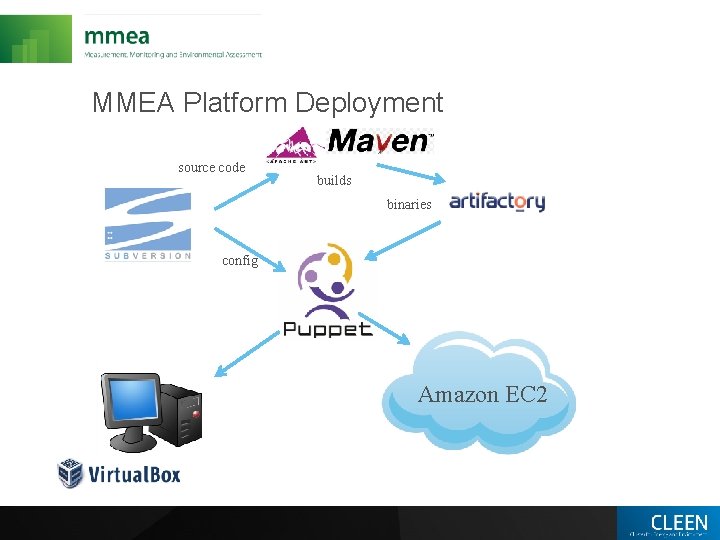
MMEA Platform Deployment source code builds binaries config Amazon EC 2
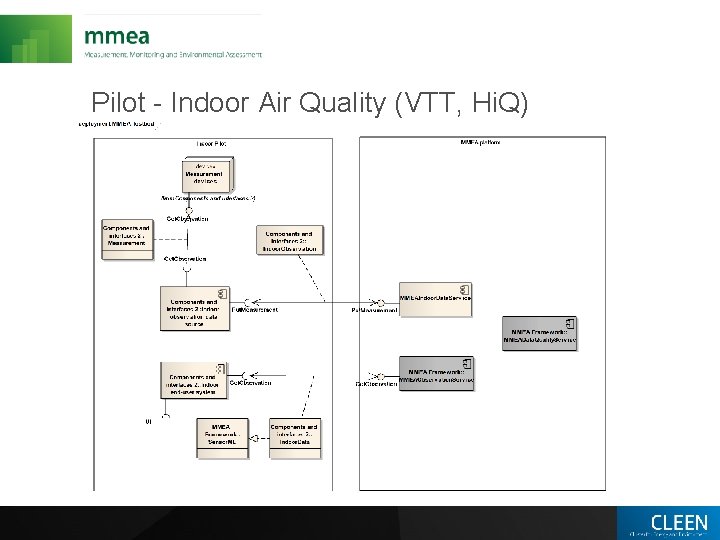
Pilot - Indoor Air Quality (VTT, Hi. Q)
Other Use Cases • • • Helsinki area outdoor air quality Weather stations data ingestion Weather radar product generation Hydrological data ingestion Situational awareness applications – Farmer’s situational awareness – Storm path detection – Semantic end user service
Complex Event Processing • • Esper – High speed event processing – Identifies meaningful events Targeted to real-time Event Driven Architectures Designed for high-volume event correlation where millions of events coming in would make it impossible to store them all to later query them using classical database architecture Some examples of applications in MMEA: – Detect patterns among events – Filter events and event aggregation – Generating notifications and alerts based on event patterns
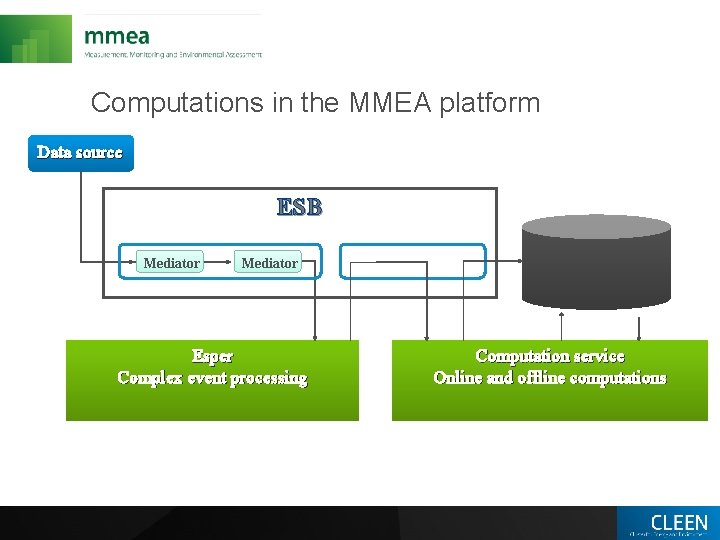
Computations in the MMEA platform Data source ESB Mediator Esper Complex event processing Computation service Online and offline computations
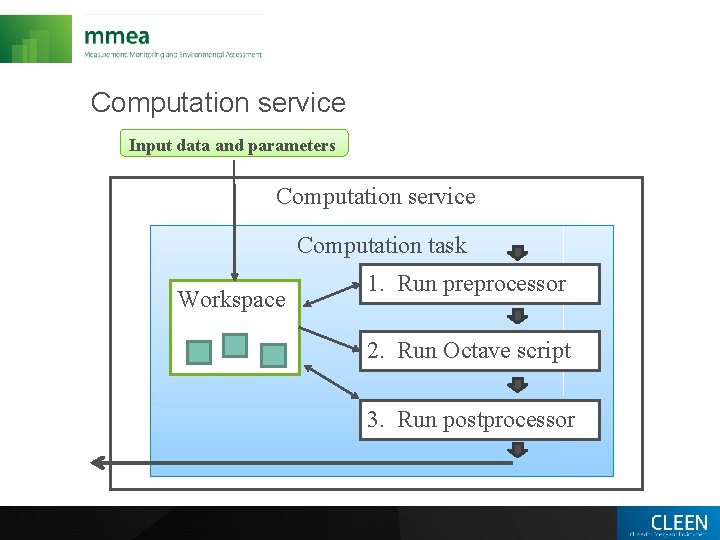
Computation service Input data and parameters Computation service Computation task Workspace 1. Run preprocessor 2. Run Octave script 3. Run postprocessor

Thank You – Questions?
- Slides: 15