
MLA Manuscript Format From A Writers Reference by
MLA Manuscript Format From A Writer’s Reference by Diana Hacker http: //www. dianahacker. com/resdoc/humanities/manuscript. html Claremont Graduate University

Overview Page Set-up Titles Spacing and Indentation Quotations Pagination Punctuation Other Common Problems Claremont Graduate University
Purpose ü These are the most common errors students make when formatting their papers ü Learning to follow one style guide makes it easier to adhere to others in various disciplines Claremont Graduate University
Materials ü Use only white paper ü Use only black ink ü Use a paper clip to fasten pages (unless the instructor specifies a staple) ü Do not use a binder or folder unless specified by instructor Claremont Graduate University
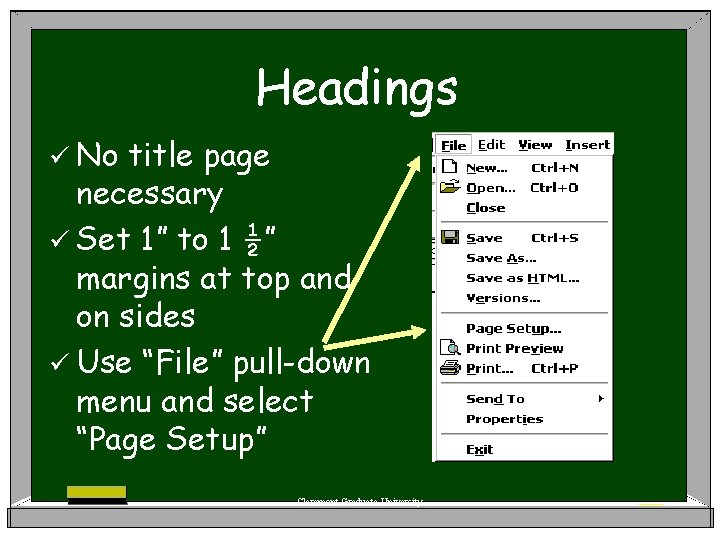
Headings ü No title page necessary ü Set 1” to 1 ½” margins at top and on sides ü Use “File” pull-down menu and select “Page Setup” Claremont Graduate University
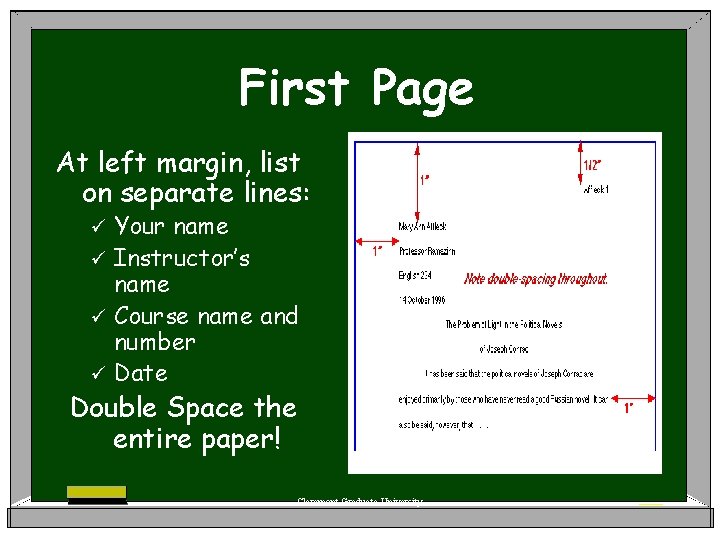
First Page At left margin, list on separate lines: Your name ü Instructor’s name ü Course name and number ü Date ü Double Space the entire paper! Claremont Graduate University
Titles Compose a title that is descriptive of the main idea in your paper ü Capitalize first word, last word, and all other words besides articles, prepositions, and coordinating conjunctions (see S 3 -c) ü Don’t underline, “quote”, italicize or bold your own title ü Claremont Graduate University
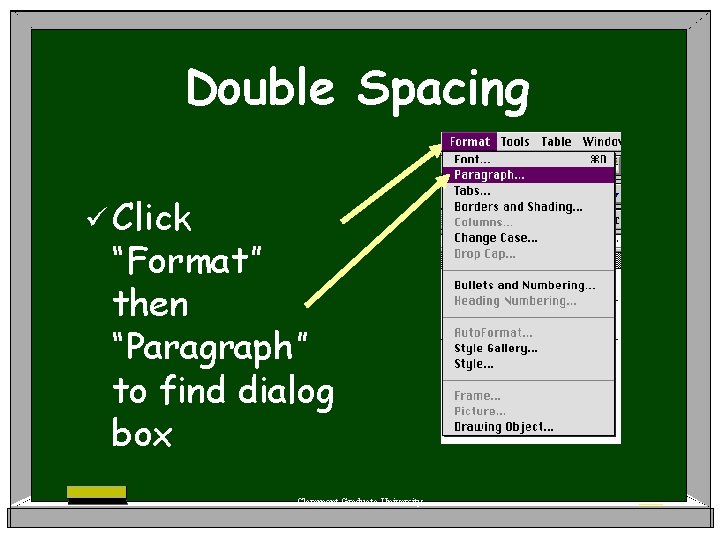
Double Spacing ü Click “Format” then “Paragraph” to find dialog box Claremont Graduate University
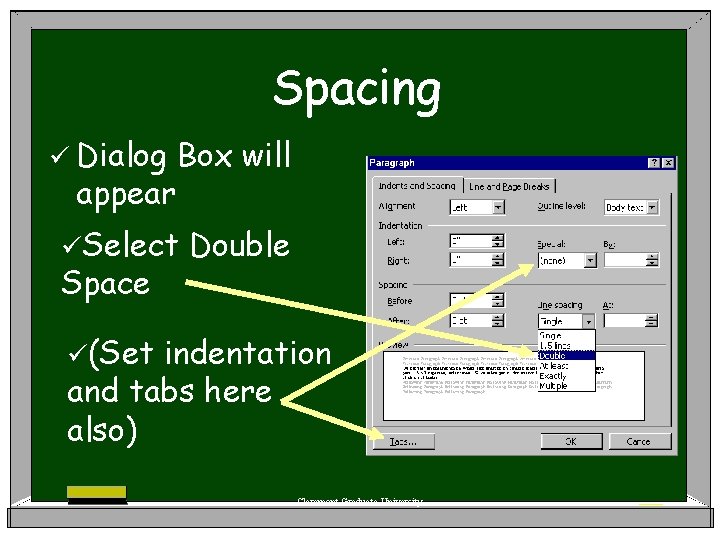
Spacing ü Dialog appear Box will üSelect Space Double ü(Set indentation and tabs here also) Claremont Graduate University
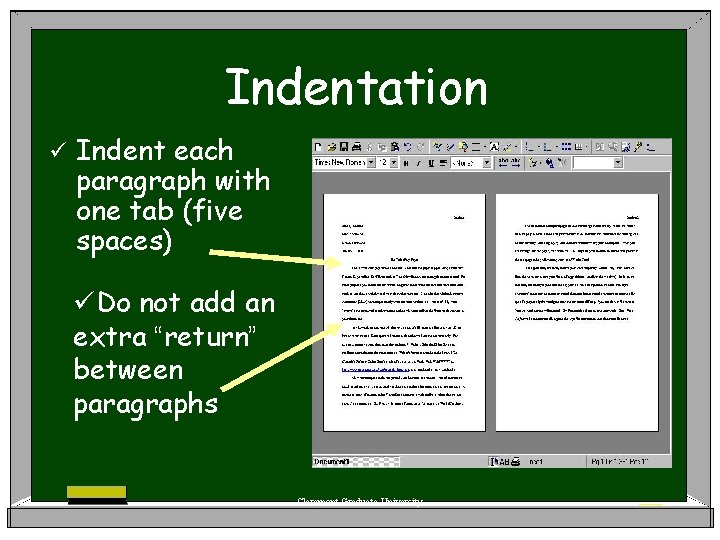
Indentation ü Indent each paragraph with one tab (five spaces) üDo not add an extra “return” between paragraphs Claremont Graduate University
(more Long Quotations than four typed prose lines or three lines of poetry) ü Indent two tabs (ten spaces) ü Do not use quotation marks ü Double space just like the rest of the paper ü Place citation outside of punctuation (see P 6 -b) Claremont Graduate University
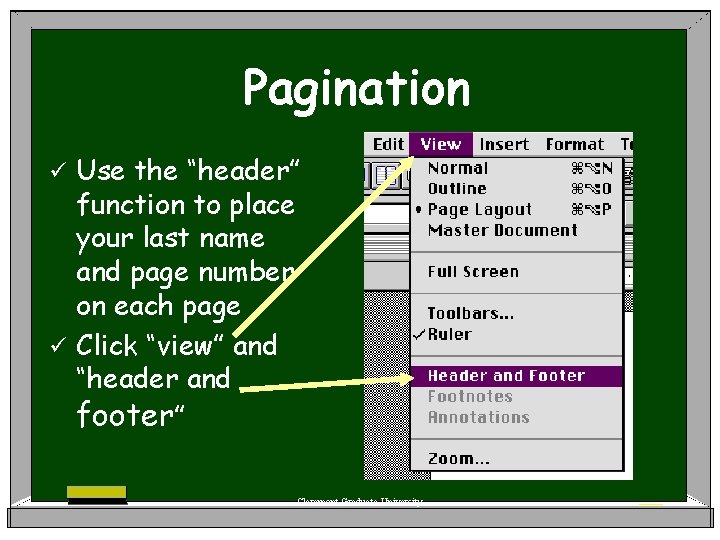
Pagination Use the “header” function to place your last name and page number on each page ü Click “view” and “header and footer” ü Claremont Graduate University
Pagination ü Type in your last name, space, then click on the # symbol ü Do not use p. , pg. , #, or any other symbol with your page numbers Claremont Graduate University
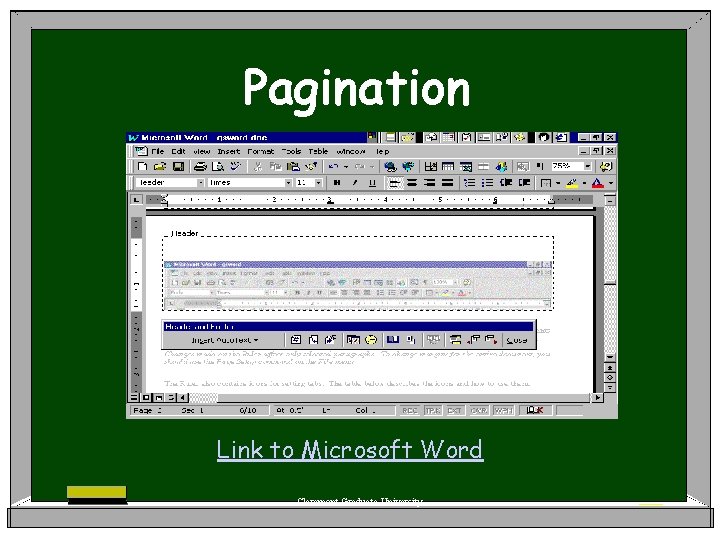
Pagination Link to Microsoft Word Claremont Graduate University
Punctuation: ellipses ü Leave a space between periods for an ellipsis mark ü The typing should look like this. . . and not this…so your reader can see the ellipsis clearly Claremont Graduate University
Punctuation: Dashes To type a dash, type two hyphens without a space before or after: Typing like this: . . . any work of literature--most specifically a novel--can be adapted into film. . . ü Should turn out like this: . . . any work of literature—most specifically a novel—can be adapted into film. . . ü Claremont Graduate University
Caution: Using only one hyphen connects, rather than separates the words: . . . any work of literature-most specifically a novel-can be adapted into film. . . Claremont Graduate University
Typing an Internet Address Remove the hyperlink if it is set automatically. ü Right-click the hyperlink you want to remove, and then click “Remove Hyperlink. ” ü Add a space where you want to begin a new line, and the margins will remain consistent. ü Claremont Graduate University
Subject Headings ü Check with your instructor before using internal headings in your paper ü Make sure the text of your paper includes smooth transitions in addition to the headings Claremont Graduate University
Visuals: (graphs, charts, maps, pictures) ü Label each visual (Table 1, Figure 4) ü If you cannot drop the visual into the text, create an appendix and refer to it in the text ü Visuals should always be referred to in the text and should not be expected to stand alone. Claremont Graduate University
Sample Paper You can view a sample MLA formatted paper at the Diana Hacker website: http: //www. dianahacker. com/resdoc/hu manities/pdf/dalypaper. pdf Claremont Graduate University

Acknowledgements § § § § MLA Format Rules: Hacker, Diana. A Writer’s Reference. New York: Bedford/St. Martins, 2003. http: //www. dianahacker. com/ writersref/ For header function image: http: //www. utexas. edu/ its/training/handouts/word/ Good hypertextual site for many writing issues—especially good for citing sources: http: //web. uvic. ca/wguide/Pages/ Start. Here. html Good Microsoft Word Tutorial and place where I copied images for tool bars: http: //www. baycongroup. com/wlesson 1. htm#title Other images from a good interactive Word tutorial site: http: //www. internet 4 classrooms. com/msword_toolbar. htm Page Setup Image & header and footer image: http: //graduate. gradsch. uga. edu/help/numbering. htm Powerpoint Templates: http: //www. brainybetty. com/ educators 1. htm Claremont Graduate University
Acknowledgements § § § First Page Image: http: //home. earthlink. net/ ~jlsterk/format. html Formatting Paragraphs Image (single space): http: //www. qcc. mass. edu/booth/wordprocess. html Formatting Paragraphs Image (double space): http: //ponce. inter. edu/acad/cdi/Tutorial. Word. html Header/footer images, paragraph pulldown: http: //www. wordmedex. com. au/formatting/pagemsw 60_mac. htm Indenting image: http: //www. oit. umass. edu/hds/docs/ thesis/word 2000/about-template. html Sample paper layout: http: //www 2. gasou. edu/facstaff/ jwalker/tutorials/mlaword. html Claremont Graduate University
- Slides: 23