
MIT DLab ICT 4 D Lab 1 SMS
MIT D-Lab ICT 4 D Lab 1: SMS Services
Intro to Lab Sessions • Goal: Give overview and examples to jump-start you • Three Sessions – SMS applications – J 2 ME (on-the-phone apps) – Advanced features (NFC, Location, MMS, etc. ) • But … we can’t teach everything in 3 sessions! – you’re expected to study and follow-up on your own – we’ll just give you simple educational examples – not necessarily the best or most scalable solutions – you’re welcome to use other tools and techniques not taught in class • These tools are works in progress -- You’re welcome to help! 2
Recap: Mobile Phone Capabilities, Apps • SMS (Text Messaging) –based services – – send text commands, receive info receive alerts and subscriptions • MMS (Multimedia Messaging) –based services – send and receive multimedia to/from server • J 2 ME (Java 2 Micro Edition) applications – – programs running on the phone e. g. , games • Internet/Web services – – via WAP (limited) and/or GPRS (dialup-speed connection) via 3 G (broadband speed connection) • Location-based services – services that make use of location of users • Micropayment applications – – ability to send/transfer cellphone credits via SMS leads to cash-less, credit-card less, electronic payment mechanisms 3
Example: SMS Job Finder Service • Service On-Demand – User texts FINDJOB <JOB> to 123 • e. g. , FINDJOB DRIVER – Service responds (via SMS text message) with … • Agency: Jobs. RUs. DRIVER needed as of 2/1/08, Call (987) 654 -3210 • Subscription Service – User can subscribe to alerts • e. g. , FINDJOB SUBS DRIVER 4
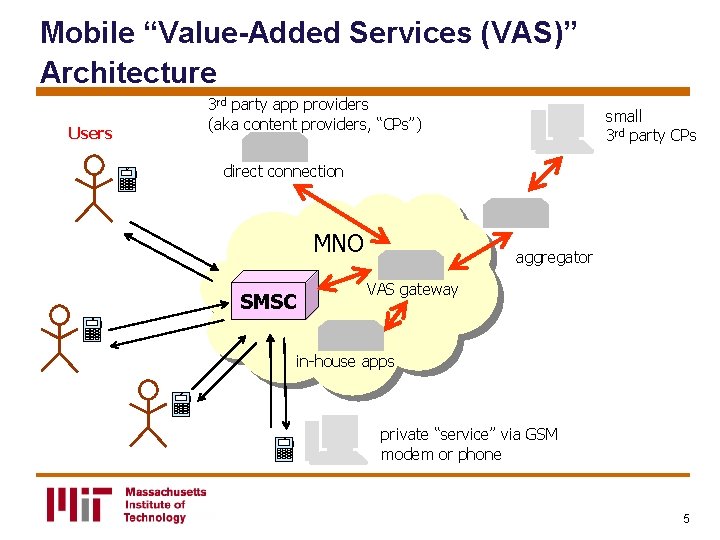
Mobile “Value-Added Services (VAS)” Architecture Users 3 rd party app providers (aka content providers, “CPs”) small 3 rd party CPs direct connection MNO SMSC aggregator VAS gateway in-house apps private “service” via GSM modem or phone 5
Writing SMS Apps: Three Options • direct to Mobile Network Operator • via Aggregator • using GSM modem or phone 6
Tools Open Source • Kannel • SMSLib • Gnokii, etc. Commercial • Aggregators – e. g. , Clickatell • Libraries for Using Private Lines – e. g. , Now. SMS, Win. SMS, etc. 7
Programming Options • Protocols – direct via language-specific API – TCP/IP-based protocols • e. g. , CIMD, SMPP, etc. – HTTP-based protocols • GET, POST, XML-RPC • Languages – Java, PHP, anything … – Note: probably also need • backend database • web front-end 8
Legal Disclaimer • The information here is for educational purposes only • We assume your programs will be used for private/personal use only • If you want to do a commercial or highvolume application, you may have to contact a mobile operator or an aggregator in your target market 9
Lab Examples
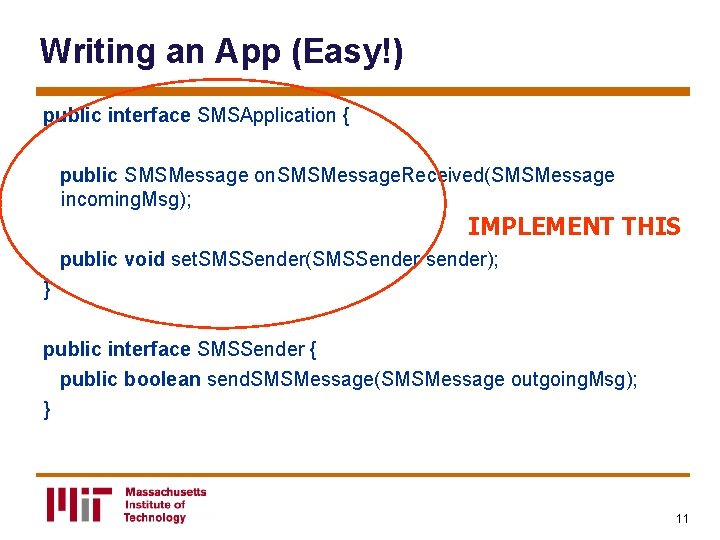
Writing an App (Easy!) public interface SMSApplication { public SMSMessage on. SMSMessage. Received(SMSMessage incoming. Msg); IMPLEMENT THIS public void set. SMSSender(SMSSender sender); } public interface SMSSender { public boolean send. SMSMessage(SMSMessage outgoing. Msg); } 11
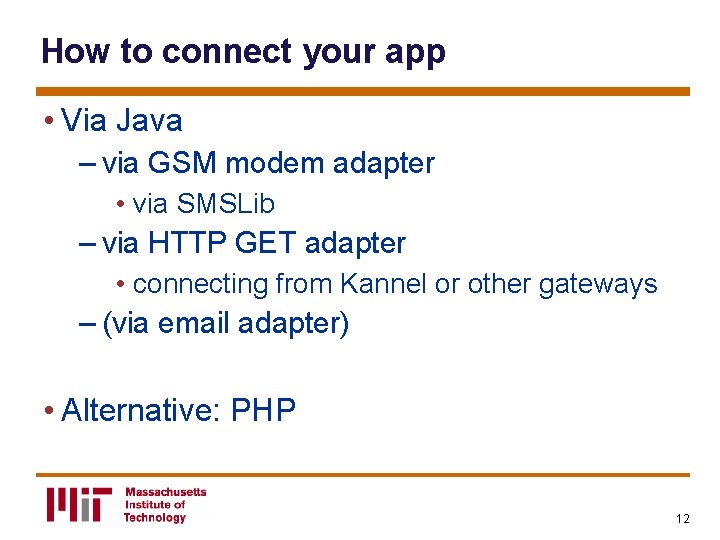
How to connect your app • Via Java – via GSM modem adapter • via SMSLib – via HTTP GET adapter • connecting from Kannel or other gateways – (via email adapter) • Alternative: PHP 12
Other Issues • Databases • Web Interface 13
References • See ict 4 dlab. org for more info and links • This is under development, so visit often for up-to-date info 14
Application Design Tips and Tricks
Caveats • Watch how you keep state – if you are running app from command-line, state that is not written to disk or persistent database will get lost when you run the app again – similar issues with web-based solutions 16
Caveats: Security • Watch for “SQL Injection” attacks! 17
General User-Interface Tips • Make inputs case-insensitive • Also whitespace insensitive • Avoid hard-to-type characters • Try to use keywords in T 9 dictionary (or compound words composed of such words) • Reply-based interfaces – keep per-user state of last transaction – enables simpler “Reply with …” commands • e. g. , “Reply NEXT to continue to get more info” 18
- Slides: 18