
MIS Management Information System 2019 FTA Drug Alcohol


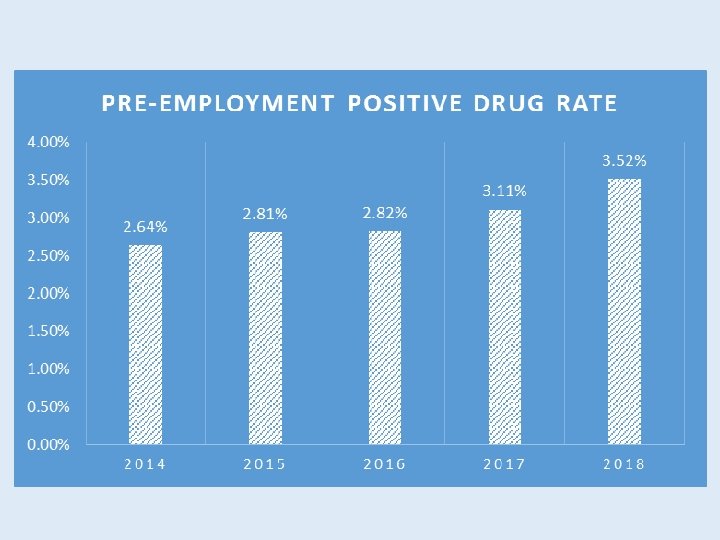
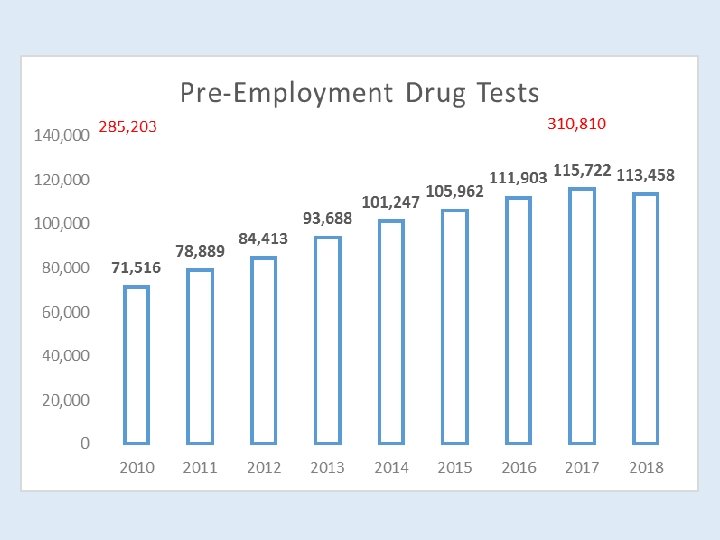
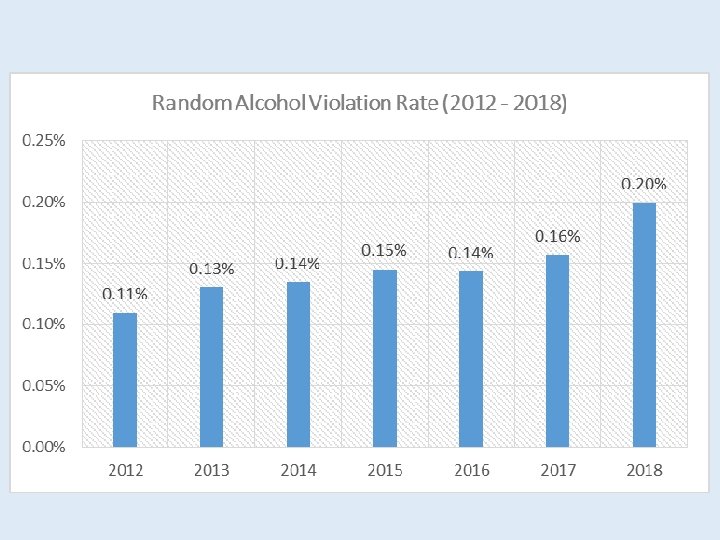
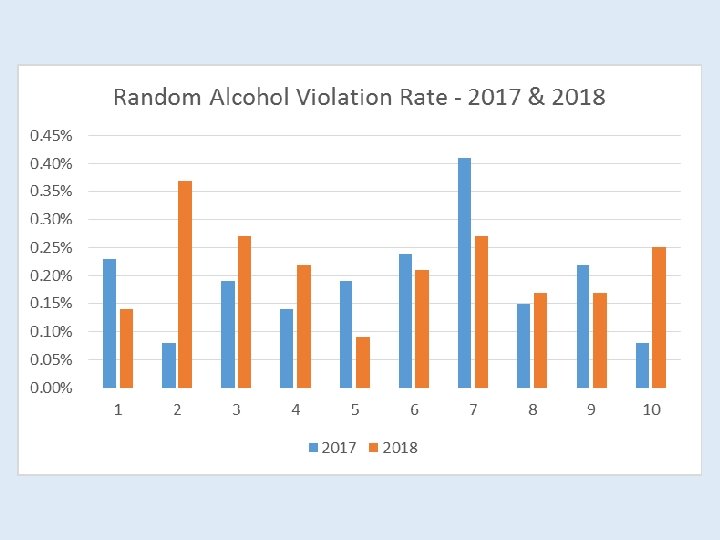
![MIS DATA THC/MARIJUANA VERIFIED POSITIVES 3, 500 3, 244 [VALUE] 3, 000 2, 770](https://slidetodoc.com/presentation_image_h/18e5b12a0891a59a2a214c72afb15ff9/image-21.jpg "MIS DATA THC/MARIJUANA VERIFIED POSITIVES 3, 500 3, 244 [VALUE] 3, 000 2, 770")
- Slides: 28
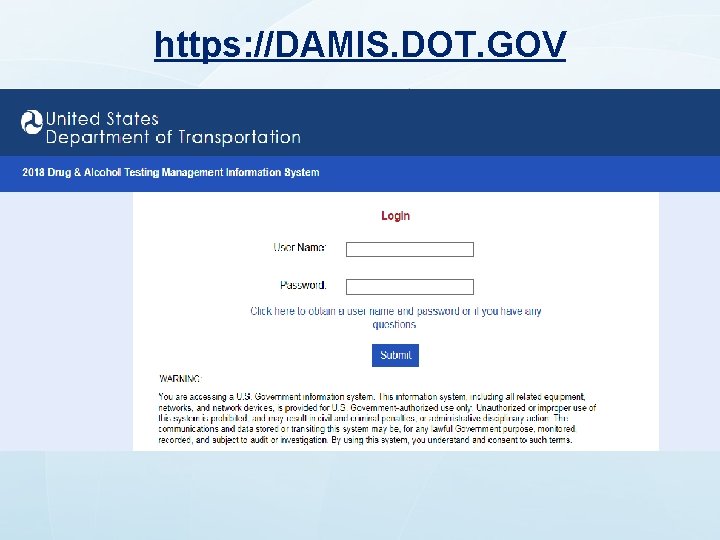
MIS Management Information System 2019 FTA Drug & Alcohol Program National Conference Milwaukee, WI https: //damis. dot. gov (617) 494 -6336
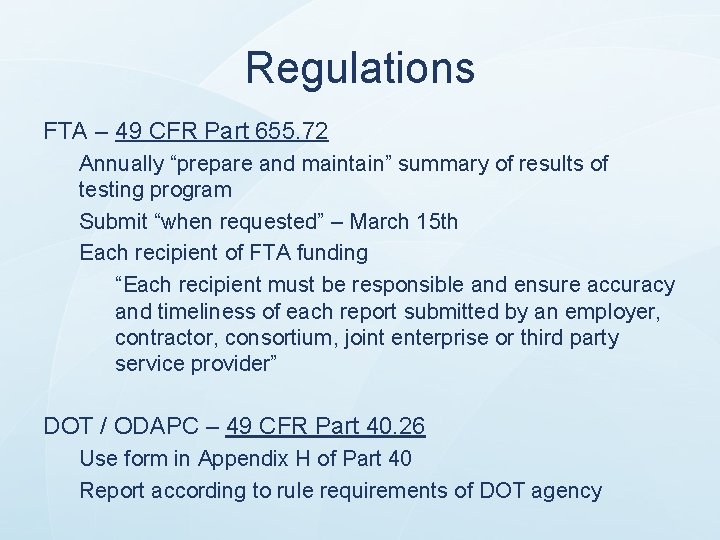
Regulations FTA – 49 CFR Part 655. 72 Annually “prepare and maintain” summary of results of testing program Submit “when requested” – March 15 th Each recipient of FTA funding “Each recipient must be responsible and ensure accuracy and timeliness of each report submitted by an employer, contractor, consortium, joint enterprise or third party service provider” DOT / ODAPC – 49 CFR Part 40. 26 Use form in Appendix H of Part 40 Report according to rule requirements of DOT agency
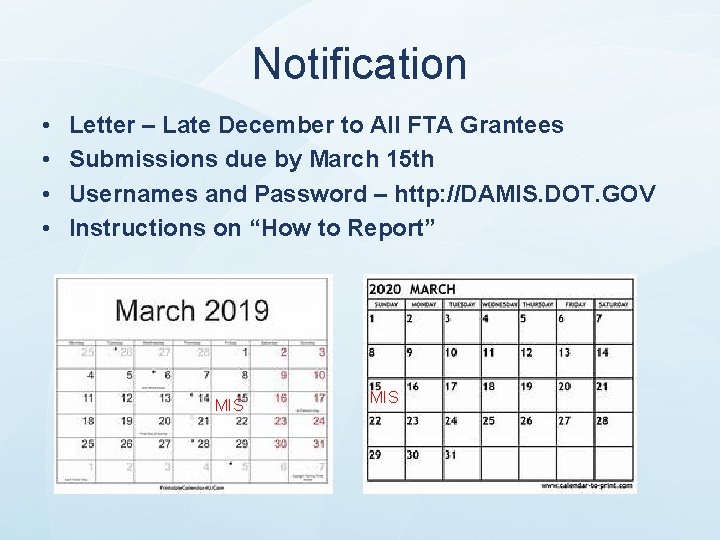
Notification • • Letter – Late December to All FTA Grantees Submissions due by March 15 th Usernames and Password – http: //DAMIS. DOT. GOV Instructions on “How to Report” MIS
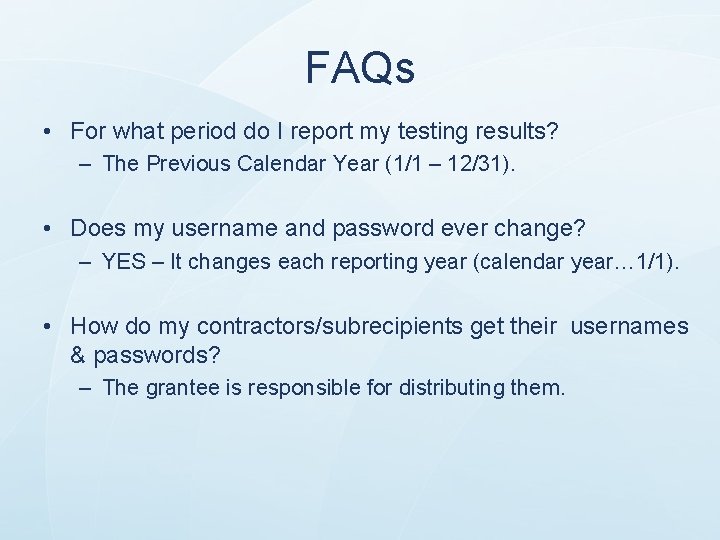
FAQs • For what period do I report my testing results? – The Previous Calendar Year (1/1 – 12/31). • Does my username and password ever change? – YES – It changes each reporting year (calendar year… 1/1). • How do my contractors/subrecipients get their usernames & passwords? – The grantee is responsible for distributing them.
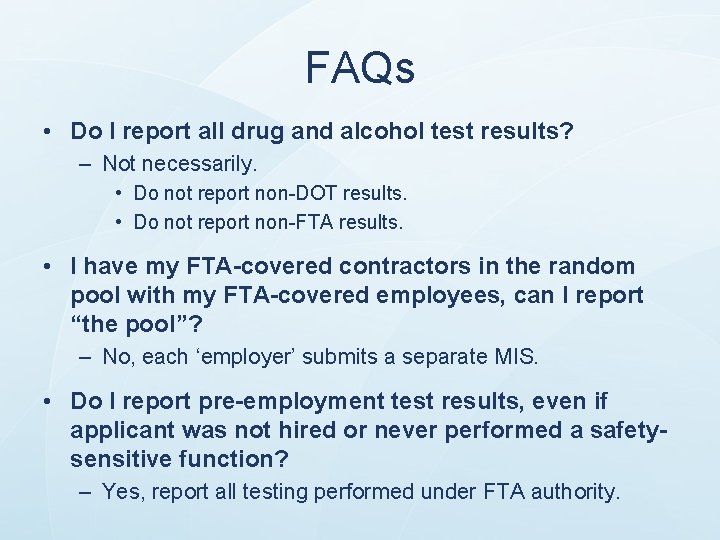
FAQs • Do I report all drug and alcohol test results? – Not necessarily. • Do not report non-DOT results. • Do not report non-FTA results. • I have my FTA-covered contractors in the random pool with my FTA-covered employees, can I report “the pool”? – No, each ‘employer’ submits a separate MIS. • Do I report pre-employment test results, even if applicant was not hired or never performed a safetysensitive function? – Yes, report all testing performed under FTA authority.
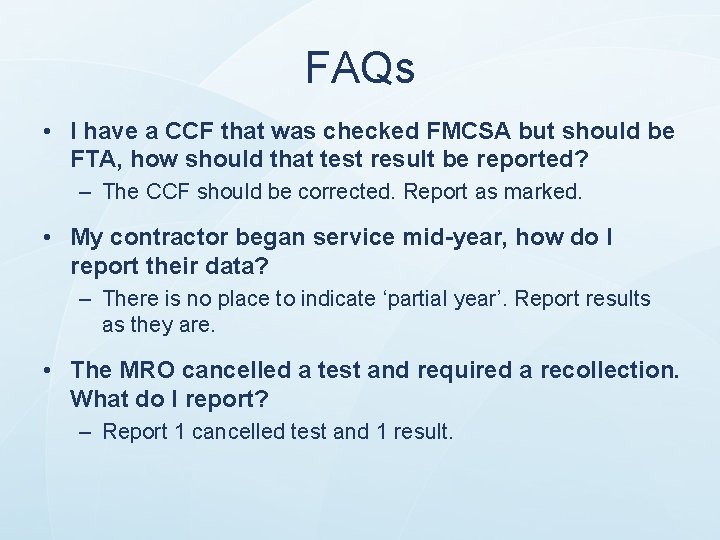
FAQs • I have a CCF that was checked FMCSA but should be FTA, how should that test result be reported? – The CCF should be corrected. Report as marked. • My contractor began service mid-year, how do I report their data? – There is no place to indicate ‘partial year’. Report results as they are. • The MRO cancelled a test and required a recollection. What do I report? – Report 1 cancelled test and 1 result.
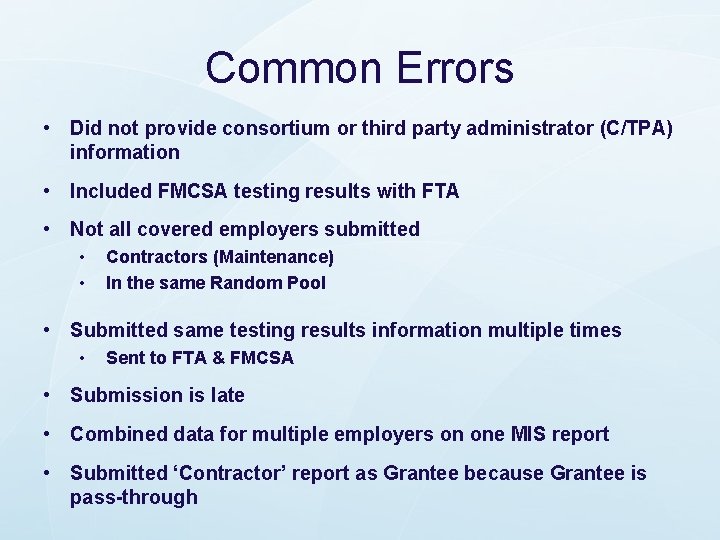
Common Errors • Did not provide consortium or third party administrator (C/TPA) information • Included FMCSA testing results with FTA • Not all covered employers submitted • • Contractors (Maintenance) In the same Random Pool • Submitted same testing results information multiple times • Sent to FTA & FMCSA • Submission is late • Combined data for multiple employers on one MIS report • Submitted ‘Contractor’ report as Grantee because Grantee is pass-through
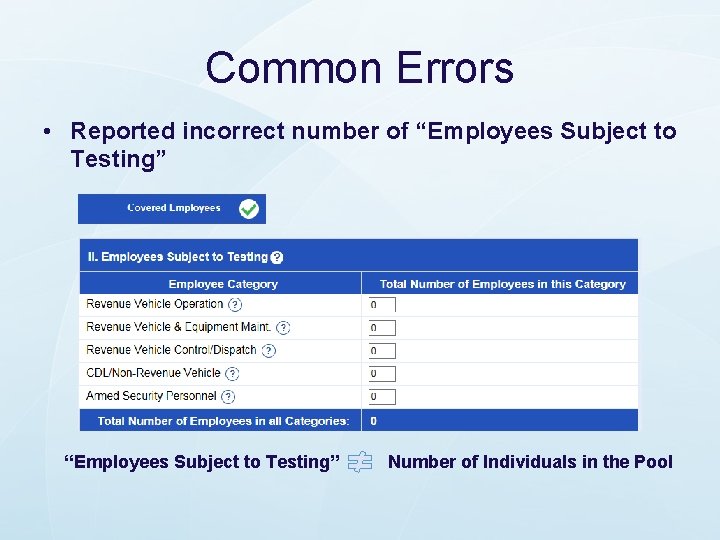
Common Errors • Reported incorrect number of “Employees Subject to Testing” Number of Individuals in the Pool
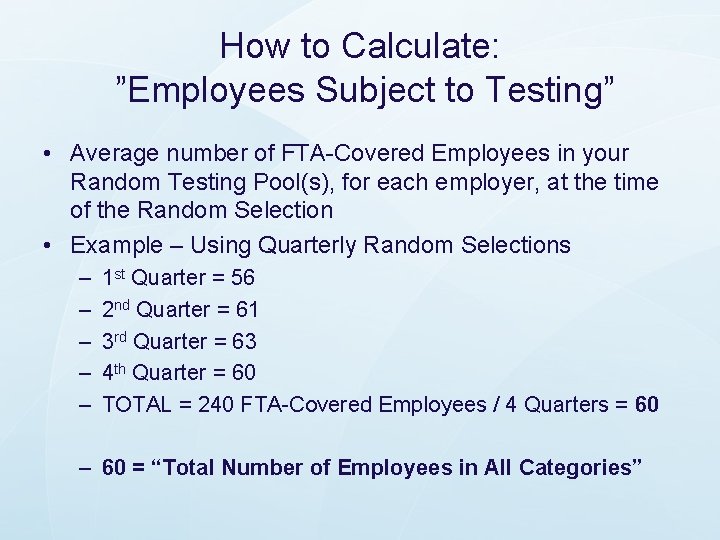
How to Calculate: ”Employees Subject to Testing” • Average number of FTA-Covered Employees in your Random Testing Pool(s), for each employer, at the time of the Random Selection • Example – Using Quarterly Random Selections – – – 1 st Quarter = 56 2 nd Quarter = 61 3 rd Quarter = 63 4 th Quarter = 60 TOTAL = 240 FTA-Covered Employees / 4 Quarters = 60 – 60 = “Total Number of Employees in All Categories”
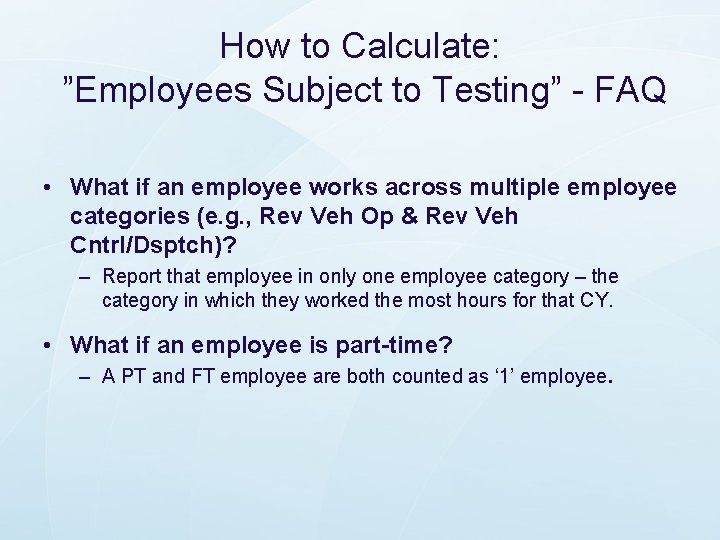
How to Calculate: ”Employees Subject to Testing” - FAQ • What if an employee works across multiple employee categories (e. g. , Rev Veh Op & Rev Veh Cntrl/Dsptch)? – Report that employee in only one employee category – the category in which they worked the most hours for that CY. • What if an employee is part-time? – A PT and FT employee are both counted as ‘ 1’ employee.
General Rules • Report What Happened – If a DOT/FTA was performed, even if it should not have been performed…report it on MIS. (Unless it was downgraded. ) • Report the Final Result • Do Not Double Report – Do not report same test result on multiple MIS submissions
How to Compile Data for MIS • 655. 72(c) states: “Each recipient shall be responsible for ensuring the accuracy and timeliness of each report submitted by an employer, contractor, consortium or joint enterprise or by a third party service provider acting on the recipient's or employer's behalf. ” • Do not use semi-annual lab report – Does not include verified (by MRO) results • Suggested: – Count up CCFs and ATFs – Whatever method “ensures accuracy”
https: //DAMIS. DOT. GOV
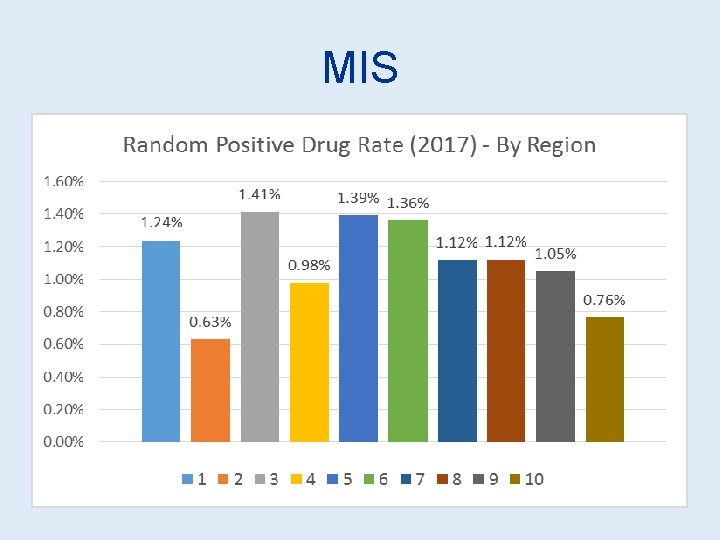
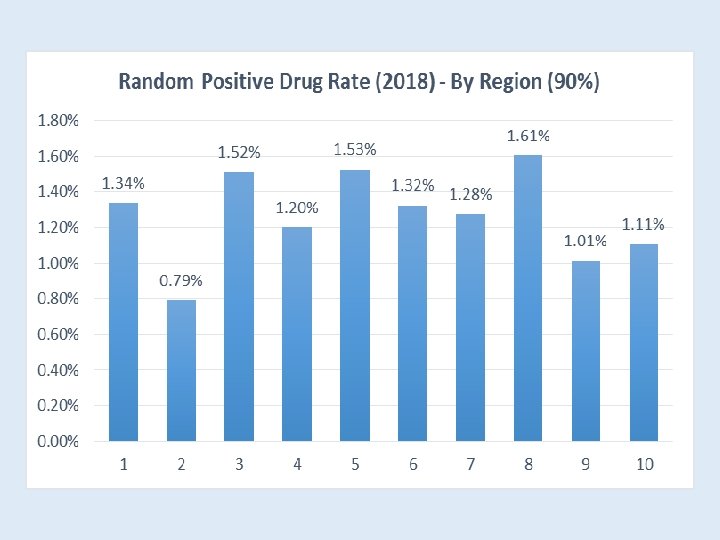
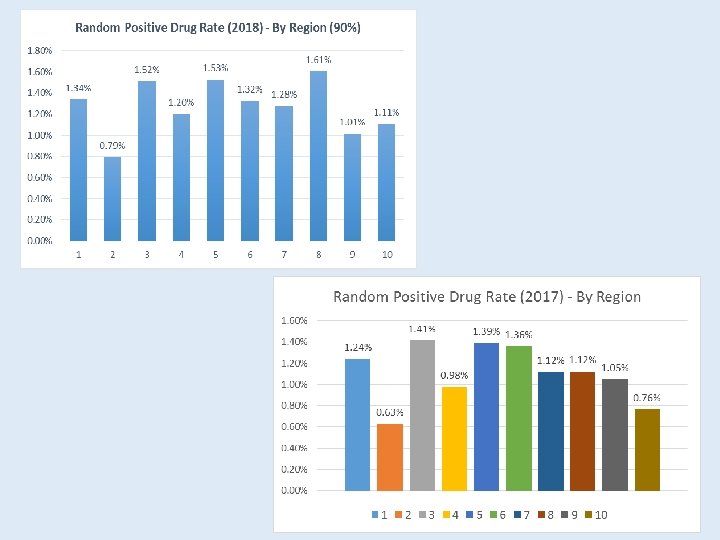
MIS DATA Random Drug Positive Rate 1. 20% 1. 06% 0. 89% 0. 90% 2013 2014 2015 0. 96% 2016 2017 *2018 * Partial data (90%)
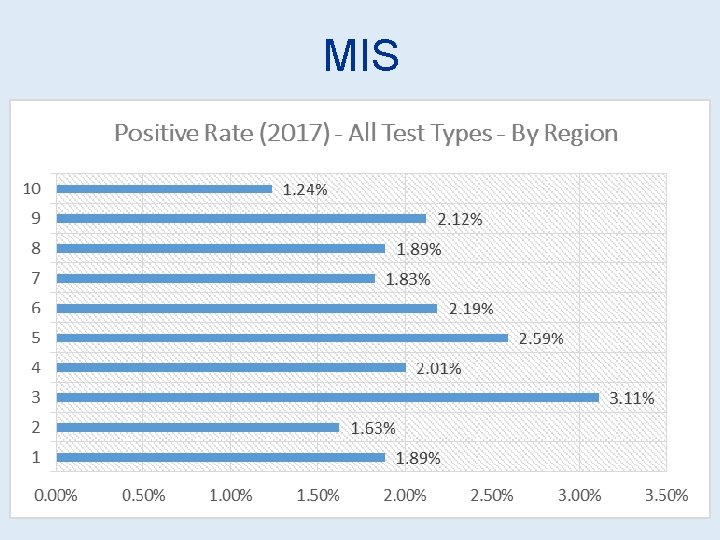
MIS
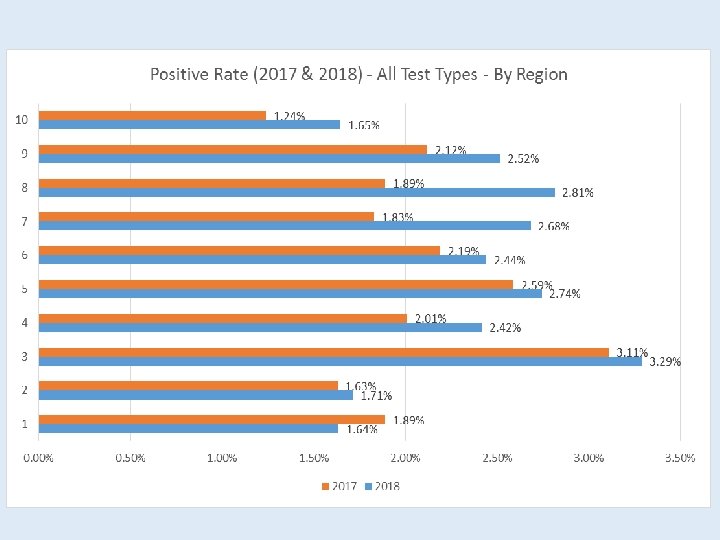
MIS
MIS DATA THC/MARIJUANA VERIFIED POSITIVES 3, 500 3, 244 [VALUE] 3, 000 2, 770 2, 645 2, 500 2, 348 2, 063 92% 2, 000 1, 684 1, 500 1, 000 500 0 2012 2013 2014 2015 2016 2017 2018*
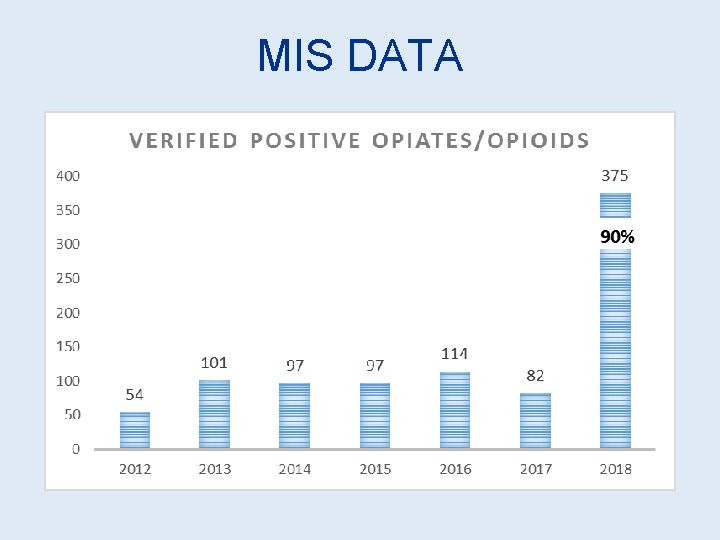
MIS DATA
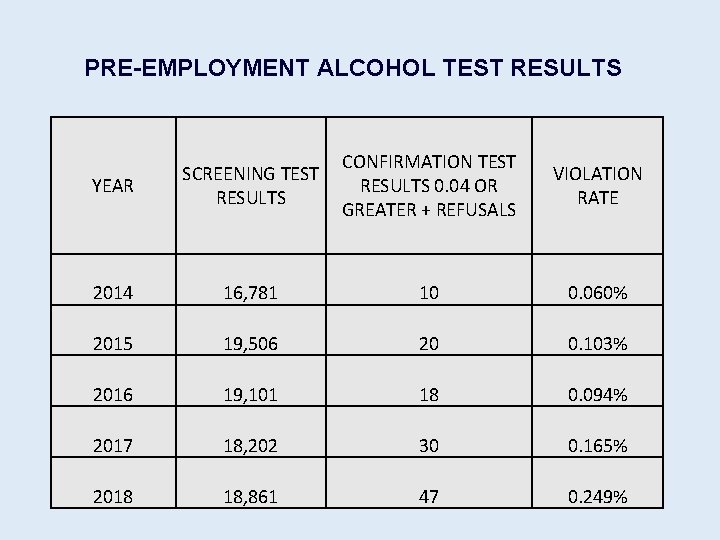
PRE-EMPLOYMENT ALCOHOL TEST RESULTS YEAR SCREENING TEST RESULTS CONFIRMATION TEST RESULTS 0. 04 OR GREATER + REFUSALS VIOLATION RATE 2014 16, 781 10 0. 060% 2015 19, 506 20 0. 103% 2016 19, 101 18 0. 094% 2017 18, 202 30 0. 165% 2018 18, 861 47 0. 249%