
MIS 2502 Data Analytics SQL Getting Information Out


- Slides: 28
MIS 2502: Data Analytics SQL – Getting Information Out of a Database Part 2: Advanced Queries Jeremy Shafer Jeremy. Shafer@temple. edu http: //community. mis. temple. edu/jshafer
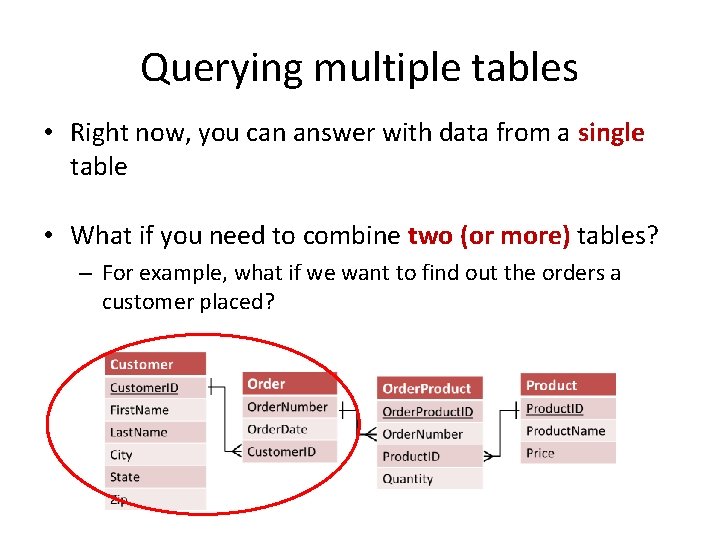
Querying multiple tables • Right now, you can answer with data from a single table • What if you need to combine two (or more) tables? – For example, what if we want to find out the orders a customer placed?
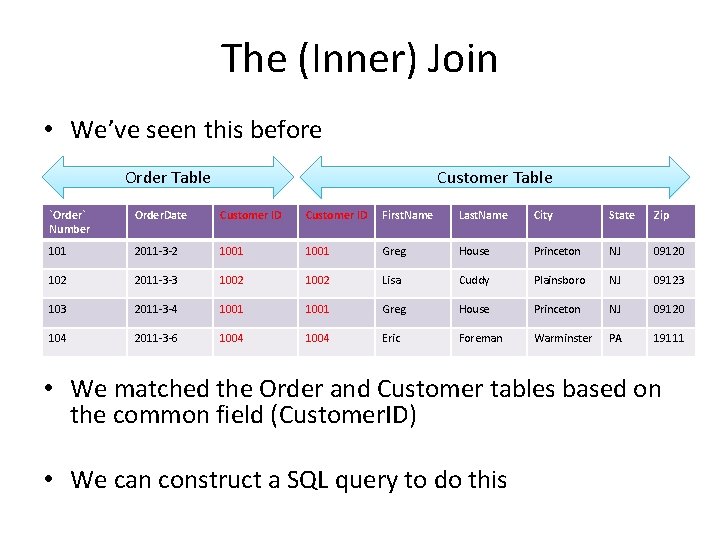
The (Inner) Join • We’ve seen this before Order Table Customer Table `Order` Number Order. Date Customer ID First. Name Last. Name City State Zip 101 2011 -3 -2 1001 Greg House Princeton NJ 09120 102 2011 -3 -3 1002 Lisa Cuddy Plainsboro NJ 09123 103 2011 -3 -4 1001 Greg House Princeton NJ 09120 104 2011 -3 -6 1004 Eric Foreman Warminster PA 19111 • We matched the Order and Customer tables based on the common field (Customer. ID) • We can construct a SQL query to do this
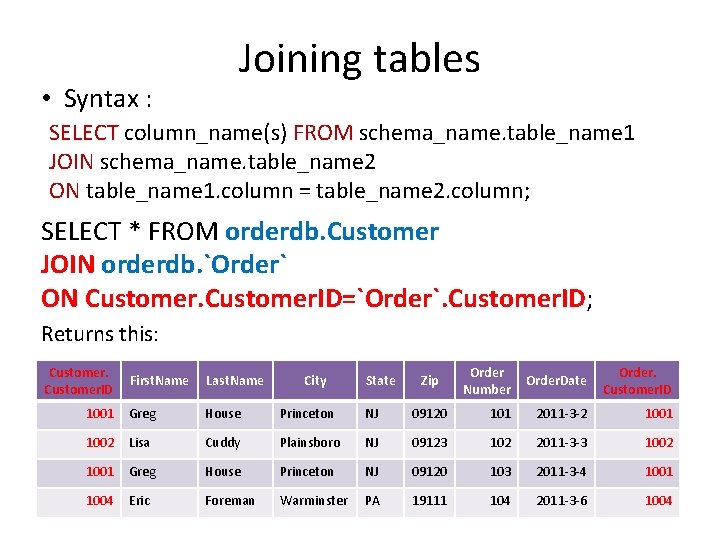
• Syntax : Joining tables SELECT column_name(s) FROM schema_name. table_name 1 JOIN schema_name. table_name 2 ON table_name 1. column = table_name 2. column; SELECT * FROM orderdb. Customer JOIN orderdb. `Order` ON Customer. ID=`Order`. Customer. ID; Returns this: Customer. ID Order Number Order. Date Order. Customer. ID 09120 101 2011 -3 -2 1001 NJ 09123 102 2011 -3 -3 1002 Princeton NJ 09120 103 2011 -3 -4 1001 Warminster PA 19111 104 2011 -3 -6 1004 First. Name Last. Name City State 1001 Greg House Princeton NJ 1002 Lisa Cuddy Plainsboro 1001 Greg House 1004 Eric Foreman Zip
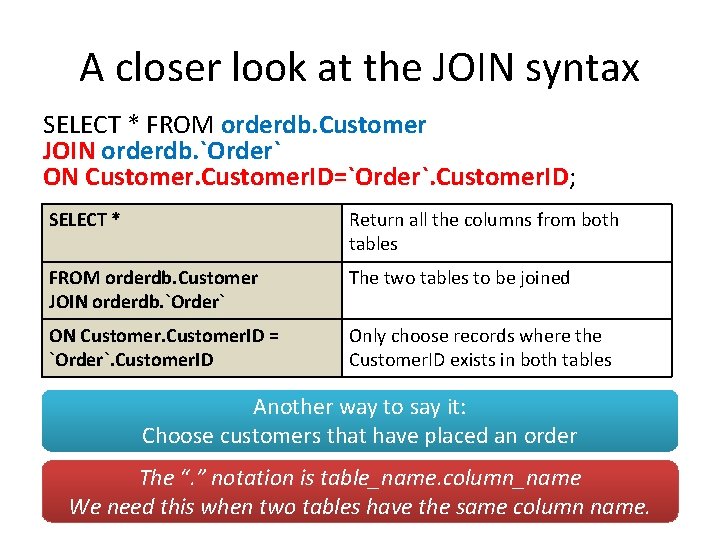
A closer look at the JOIN syntax SELECT * FROM orderdb. Customer JOIN orderdb. `Order` ON Customer. ID=`Order`. Customer. ID; SELECT * Return all the columns from both tables FROM orderdb. Customer JOIN orderdb. `Order` The two tables to be joined ON Customer. ID = `Order`. Customer. ID Only choose records where the Customer. ID exists in both tables Another way to say it: Choose customers that have placed an order The “. ” notation is table_name. column_name We need this when two tables have the same column name.
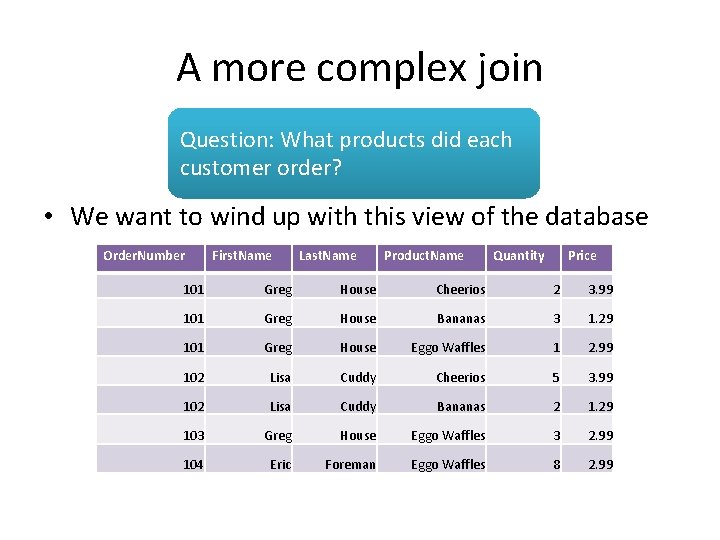
A more complex join Question: What products did each customer order? • We want to wind up with this view of the database Order. Number First. Name Last. Name Product. Name Quantity Price 101 Greg House Cheerios 2 3. 99 101 Greg House Bananas 3 1. 29 101 Greg House Eggo Waffles 1 2. 99 102 Lisa Cuddy Cheerios 5 3. 99 102 Lisa Cuddy Bananas 2 1. 29 103 Greg House Eggo Waffles 3 2. 99 104 Eric Foreman Eggo Waffles 8 2. 99
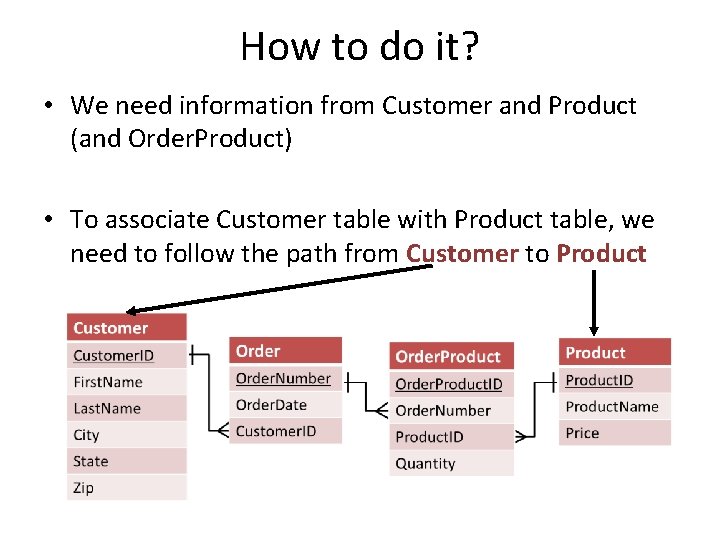
How to do it? • We need information from Customer and Product (and Order. Product) • To associate Customer table with Product table, we need to follow the path from Customer to Product
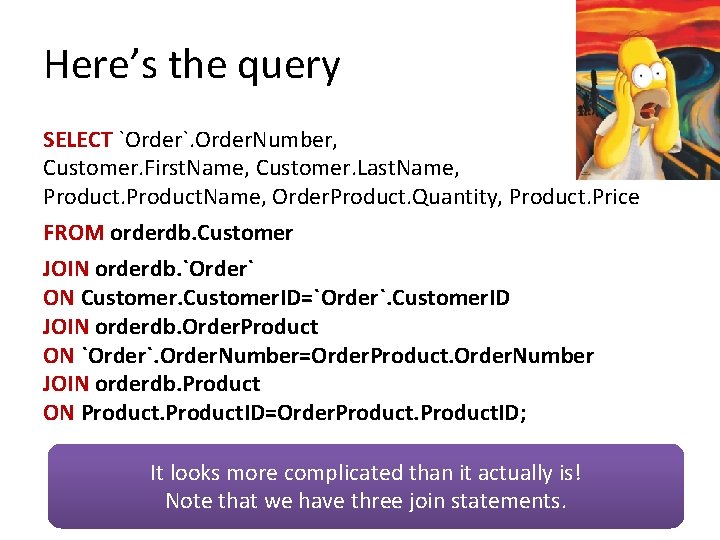
Here’s the query SELECT `Order`. Order. Number, Customer. First. Name, Customer. Last. Name, Product. Name, Order. Product. Quantity, Product. Price FROM orderdb. Customer JOIN orderdb. `Order` ON Customer. ID=`Order`. Customer. ID JOIN orderdb. Order. Product ON `Order`. Order. Number=Order. Product. Order. Number JOIN orderdb. Product ON Product. ID=Order. Product. ID; It looks more complicated than it actually is! Note that we have three join statements.
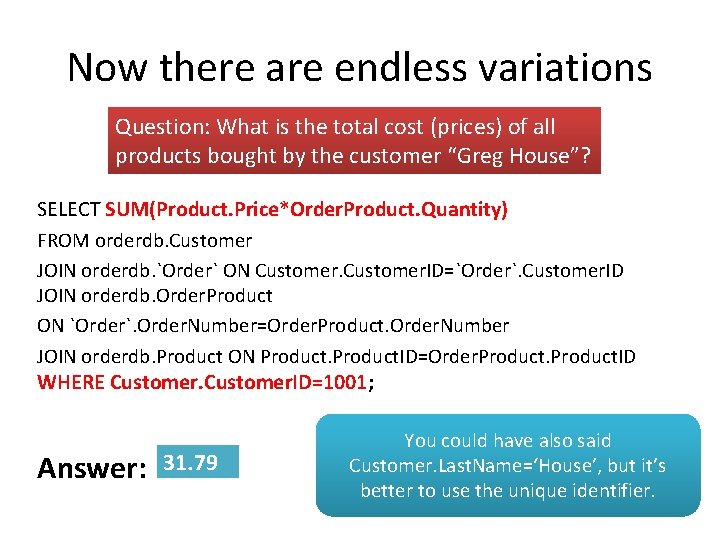
Now there are endless variations Question: What is the total cost (prices) of all products bought by the customer “Greg House”? SELECT SUM(Product. Price*Order. Product. Quantity) FROM orderdb. Customer JOIN orderdb. `Order` ON Customer. ID=`Order`. Customer. ID JOIN orderdb. Order. Product ON `Order`. Order. Number=Order. Product. Order. Number JOIN orderdb. Product ON Product. ID=Order. Product. ID WHERE Customer. ID=1001; Answer: 31. 79 You could have also said Customer. Last. Name=‘House’, but it’s better to use the unique identifier.
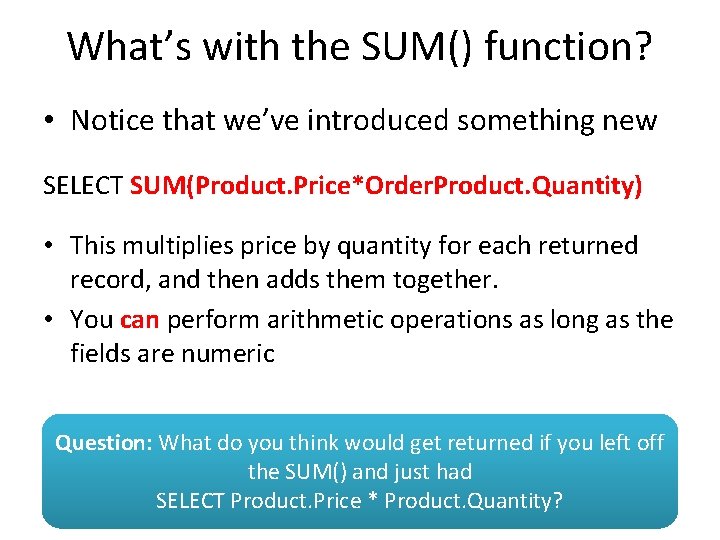
What’s with the SUM() function? • Notice that we’ve introduced something new SELECT SUM(Product. Price*Order. Product. Quantity) • This multiplies price by quantity for each returned record, and then adds them together. • You can perform arithmetic operations as long as the fields are numeric Question: What do you think would get returned if you left off the SUM() and just had SELECT Product. Price * Product. Quantity?
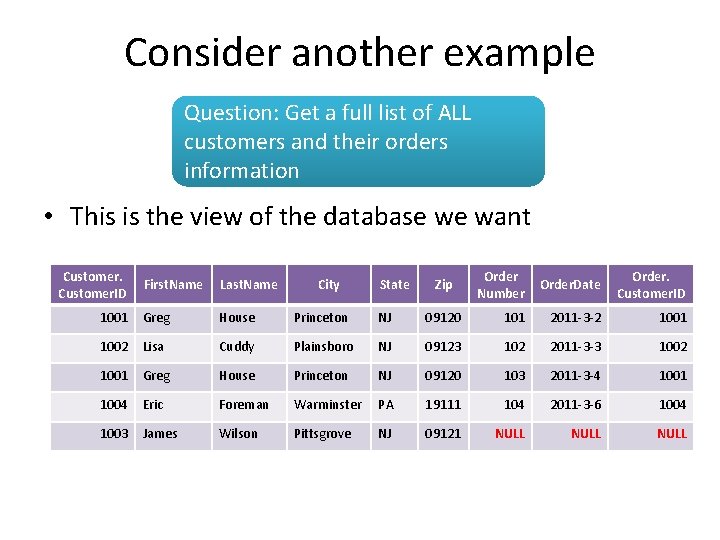
Consider another example Question: Get a full list of ALL customers and their orders information • This is the view of the database we want Customer. ID Order Number Order. Date Order. Customer. ID 09120 101 2011 -3 -2 1001 NJ 09123 102 2011 -3 -3 1002 Princeton NJ 09120 103 2011 -3 -4 1001 Foreman Warminster PA 19111 104 2011 -3 -6 1004 Wilson Pittsgrove NJ 09121 NULL First. Name Last. Name City State 1001 Greg House Princeton NJ 1002 Lisa Cuddy Plainsboro 1001 Greg House 1004 Eric 1003 James Zip
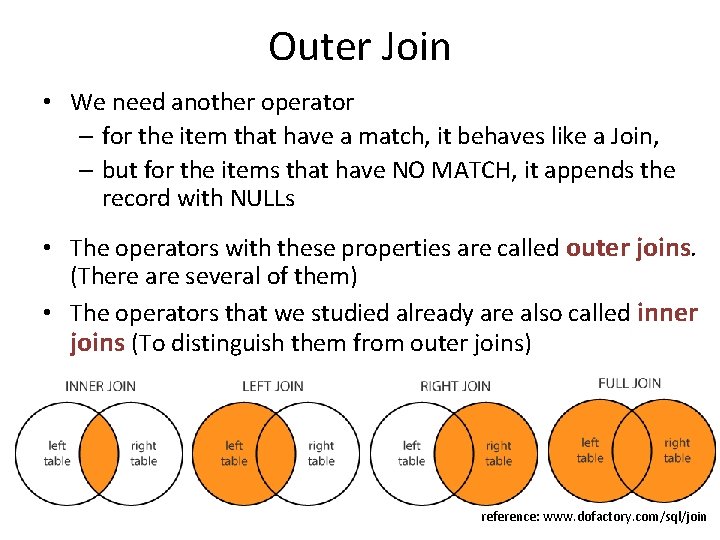
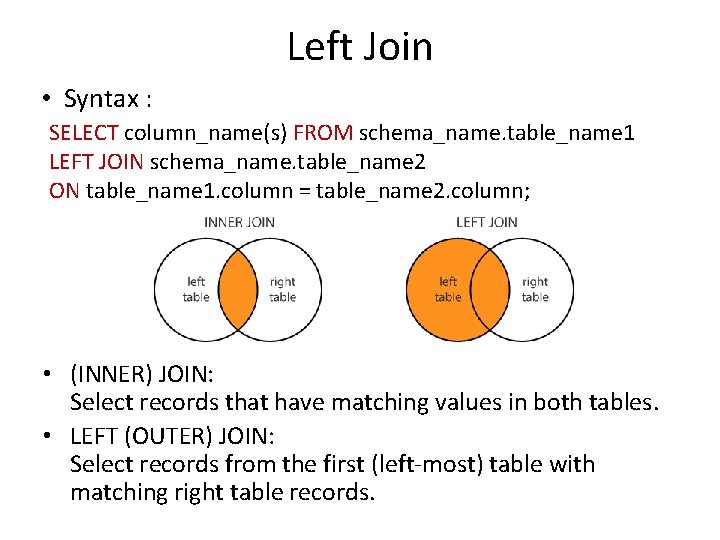
Outer Join • We need another operator – for the item that have a match, it behaves like a Join, – but for the items that have NO MATCH, it appends the record with NULLs • The operators with these properties are called outer joins. (There are several of them) • The operators that we studied already are also called inner joins (To distinguish them from outer joins) reference: www. dofactory. com/sql/join
Left Join • Syntax : SELECT column_name(s) FROM schema_name. table_name 1 LEFT JOIN schema_name. table_name 2 ON table_name 1. column = table_name 2. column; • (INNER) JOIN: Select records that have matching values in both tables. • LEFT (OUTER) JOIN: Select records from the first (left-most) table with matching right table records.
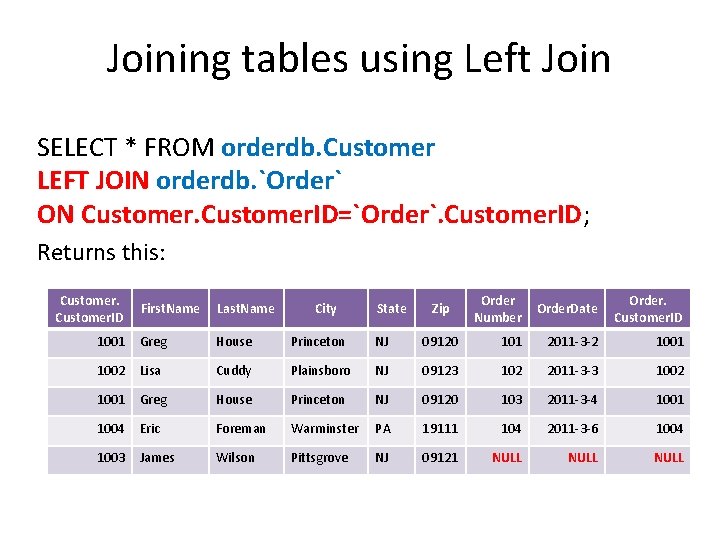
Joining tables using Left Join SELECT * FROM orderdb. Customer LEFT JOIN orderdb. `Order` ON Customer. ID=`Order`. Customer. ID; Returns this: Customer. ID Order Number Order. Date Order. Customer. ID 09120 101 2011 -3 -2 1001 NJ 09123 102 2011 -3 -3 1002 Princeton NJ 09120 103 2011 -3 -4 1001 Foreman Warminster PA 19111 104 2011 -3 -6 1004 Wilson Pittsgrove NJ 09121 NULL First. Name Last. Name City State 1001 Greg House Princeton NJ 1002 Lisa Cuddy Plainsboro 1001 Greg House 1004 Eric 1003 James Zip
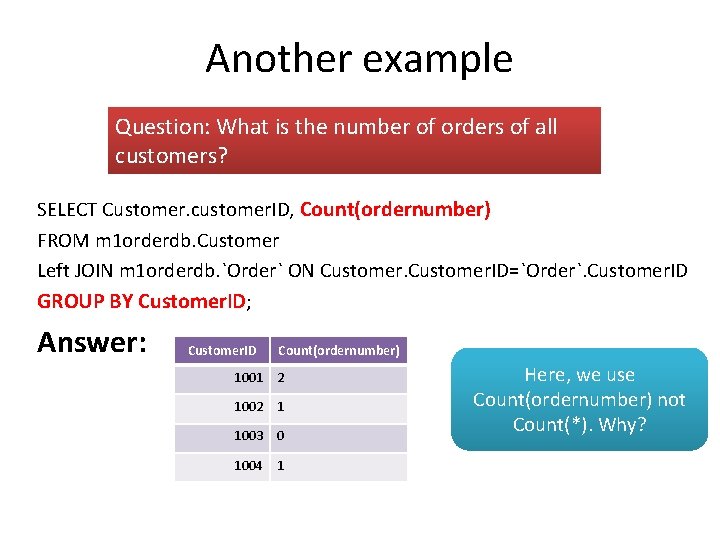
Another example Question: What is the number of orders of all customers? SELECT Customer. customer. ID, Count(ordernumber) FROM m 1 orderdb. Customer Left JOIN m 1 orderdb. `Order` ON Customer. ID=`Order`. Customer. ID GROUP BY Customer. ID; Answer: Customer. ID Count(ordernumber) 1001 2 1002 1 1003 0 1004 1 Here, we use Count(ordernumber) not Count(*). Why?
The LIMIT Clause We could try to use LIMIT to find the least expensive product: SELECT * FROM orderdb. Product ORDER BY Price ASC LIMIT 1; But what if there is more than one product with the lowest value for price AND we don’t know how many there are?
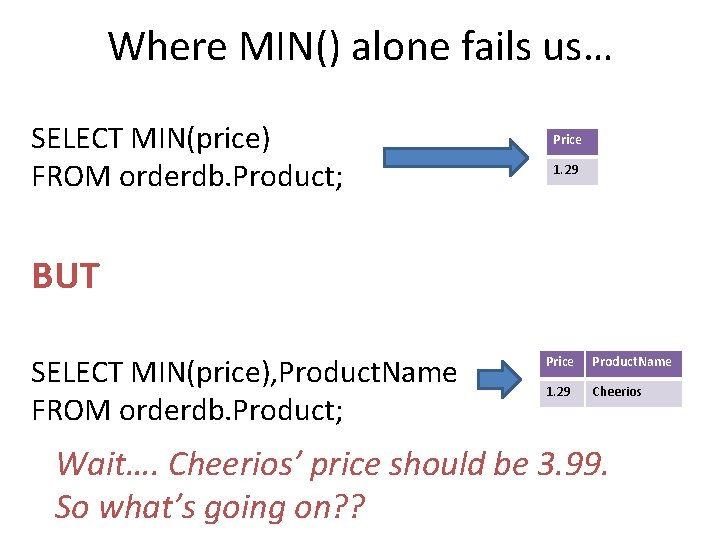
Where MIN() alone fails us… SELECT MIN(price) FROM orderdb. Product; Price 1. 29 BUT SELECT MIN(price), Product. Name FROM orderdb. Product; Price Product. Name 1. 29 Cheerios Wait…. Cheerios’ price should be 3. 99. So what’s going on? ?
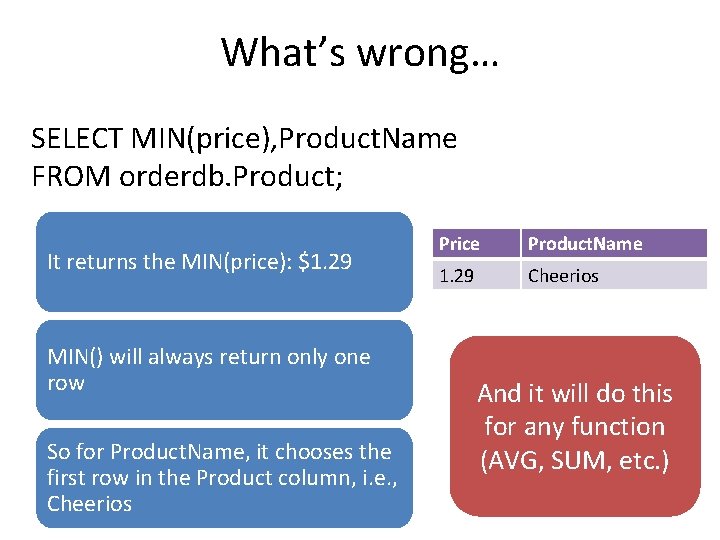
What’s wrong… SELECT MIN(price), Product. Name FROM orderdb. Product; It returns the MIN(price): $1. 29 MIN() will always return only one row So for Product. Name, it chooses the first row in the Product column, i. e. , Cheerios Price Product. Name 1. 29 Cheerios And it will do this for any function (AVG, SUM, etc. )
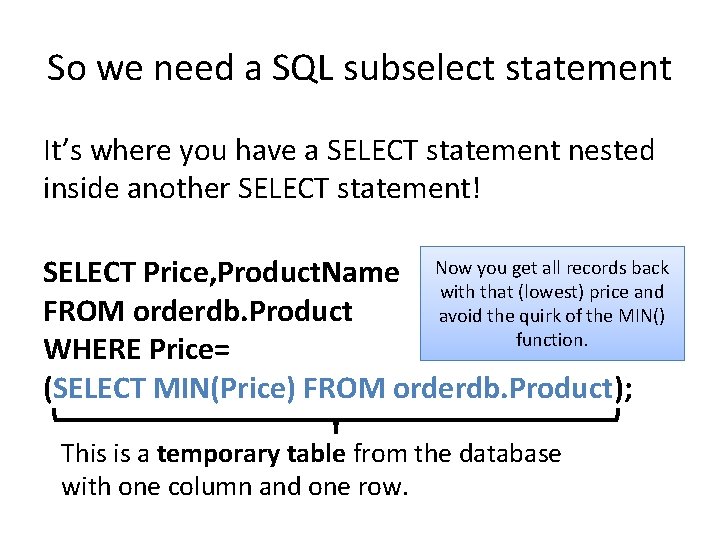
So we need a SQL subselect statement It’s where you have a SELECT statement nested inside another SELECT statement! you get all records back SELECT Price, Product. Name Now with that (lowest) price and FROM orderdb. Product avoid the quirk of the MIN() function. WHERE Price= (SELECT MIN(Price) FROM orderdb. Product); This is a temporary table from the database with one column and one row.
How would SQL execute this query? SELECT Price, Product. Name FROM orderdb. Product WHERE Price= (SELECT MIN(Price) FROM orderdb. Product); Step 1: Execute what is in the parentheses to find the lowest price Step 2: Plug the lowest price into the main query, and execute the main query SELECT MIN(Price) FROM orderdb. Product MIN(Price) 1. 29 SELECT Price, Product. Name FROM orderdb. Product WHERE Price=1. 29; Price Product. Name 1. 29 Bananas
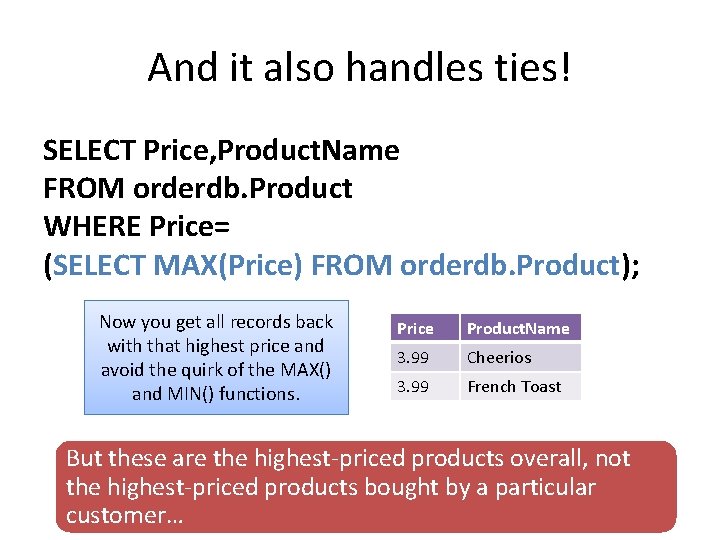
And it also handles ties! SELECT Price, Product. Name FROM orderdb. Product WHERE Price= (SELECT MAX(Price) FROM orderdb. Product); Now you get all records back with that highest price and avoid the quirk of the MAX() and MIN() functions. Price Product. Name 3. 99 Cheerios 3. 99 French Toast But these are the highest-priced products overall, not the highest-priced products bought by a particular customer…
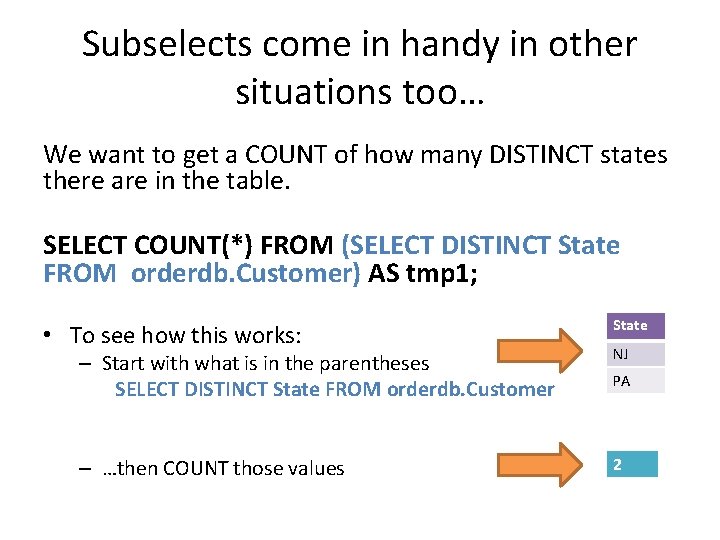
Subselects come in handy in other situations too… We want to get a COUNT of how many DISTINCT states there are in the table. SELECT COUNT(*) FROM (SELECT DISTINCT State FROM orderdb. Customer) AS tmp 1; • To see how this works: State – Start with what is in the parentheses SELECT DISTINCT State FROM orderdb. Customer NJ – …then COUNT those values 2 PA
Why do we need AS? SELECT COUNT(*) FROM (SELECT DISTINCT State FROM orderdb. Customer) AS tmp 1; • You’re basically SELECTing from the temporary table generated by the nested query. • But since you’re SELECTing FROM that temporary table you have to give it a name (i. e. , tmp 1)
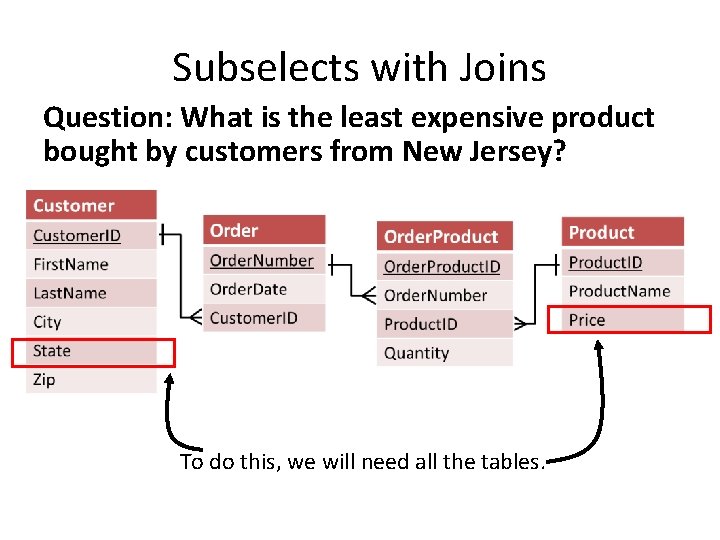
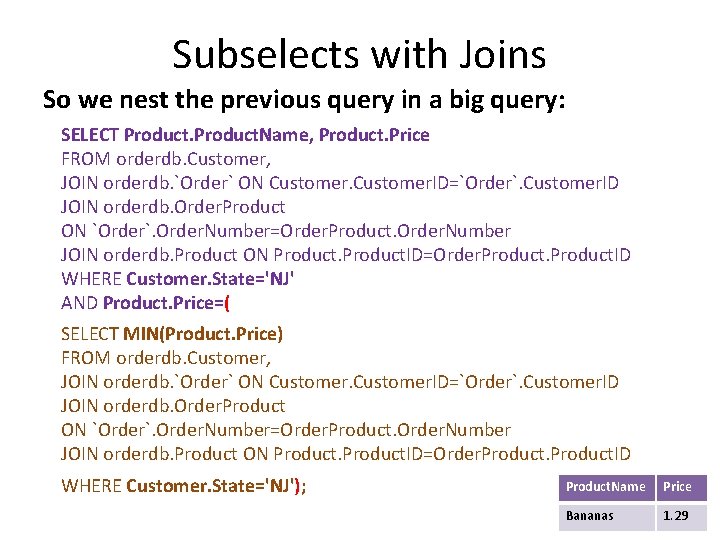
Subselects with Joins Question: What is the least expensive product bought by customers from New Jersey? To do this, we will need all the tables.
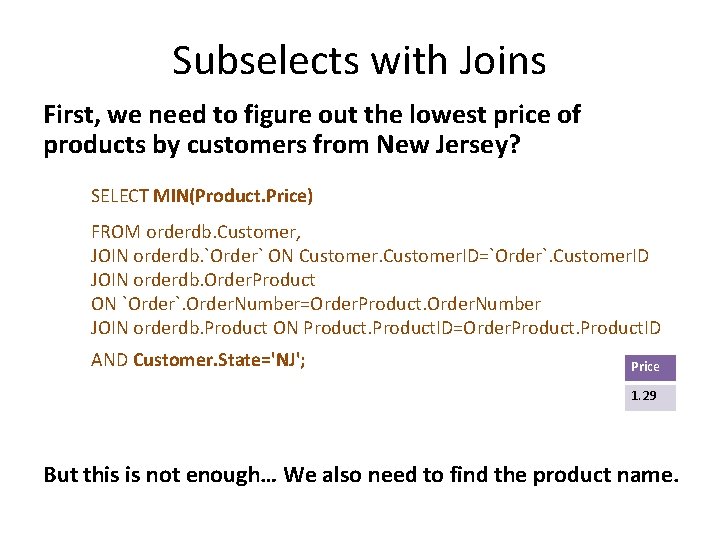
Subselects with Joins First, we need to figure out the lowest price of products by customers from New Jersey? SELECT MIN(Product. Price) FROM orderdb. Customer, JOIN orderdb. `Order` ON Customer. ID=`Order`. Customer. ID JOIN orderdb. Order. Product ON `Order`. Order. Number=Order. Product. Order. Number JOIN orderdb. Product ON Product. ID=Order. Product. ID AND Customer. State='NJ'; Price 1. 29 But this is not enough… We also need to find the product name.
Subselects with Joins So we nest the previous query in a big query: SELECT Product. Name, Product. Price FROM orderdb. Customer, JOIN orderdb. `Order` ON Customer. ID=`Order`. Customer. ID JOIN orderdb. Order. Product ON `Order`. Order. Number=Order. Product. Order. Number JOIN orderdb. Product ON Product. ID=Order. Product. ID WHERE Customer. State='NJ' AND Product. Price=( SELECT MIN(Product. Price) FROM orderdb. Customer, JOIN orderdb. `Order` ON Customer. ID=`Order`. Customer. ID JOIN orderdb. Order. Product ON `Order`. Order. Number=Order. Product. Order. Number JOIN orderdb. Product ON Product. ID=Order. Product. ID WHERE Customer. State='NJ'); Product. Name Price Bananas 1. 29
Summary • Given a schema of a database, we now should be able to create a SQL statement (query) to answer a question • Understand how to use – – – – – SELECT … FROM … DISTINCT WHERE (and how to specify conditions) AND/OR ORDER BY (ASC/DESC) Functions: COUNT, AVG, MIN, MAX, SUM GROUP BY LIMIT Joins (and differences between inner/outer join) Subselects
In Class Activity #4