
MIPS INSTRUCTION ENCODINGS Updated 7122013 INSTRUCTION FORMATS The
![EXAMPLE Assume $t 1 holds the base address of array A[]. Let h =](https://slidetodoc.com/presentation_image/26c2463f9fe715fa95d0dc4ea0f1996d/image-36.jpg "EXAMPLE Assume $t 1 holds the base address of array A[]. Let h =")
- Slides: 65
MIPS INSTRUCTION ENCODINGS Updated 7/12/2013
INSTRUCTION FORMATS � The fixed 32 -bit MIPS instruction may be encoded in one of three different formats depending on the number of operands, type of operands, and functionality of the instruction. � Immediate format � Register format � Jump format
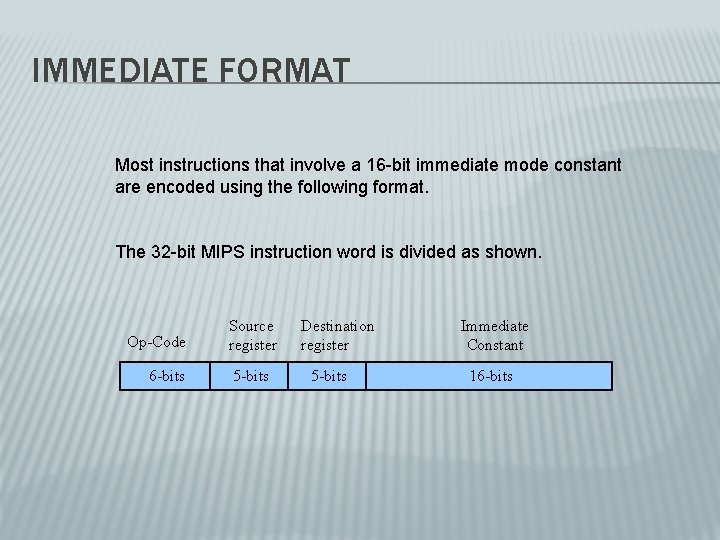
IMMEDIATE FORMAT Most instructions that involve a 16 -bit immediate mode constant are encoded using the following format. The 32 -bit MIPS instruction word is divided as shown. Op-Code 6 -bits Source register 5 -bits Destination register 5 -bits Immediate Constant 16 -bits
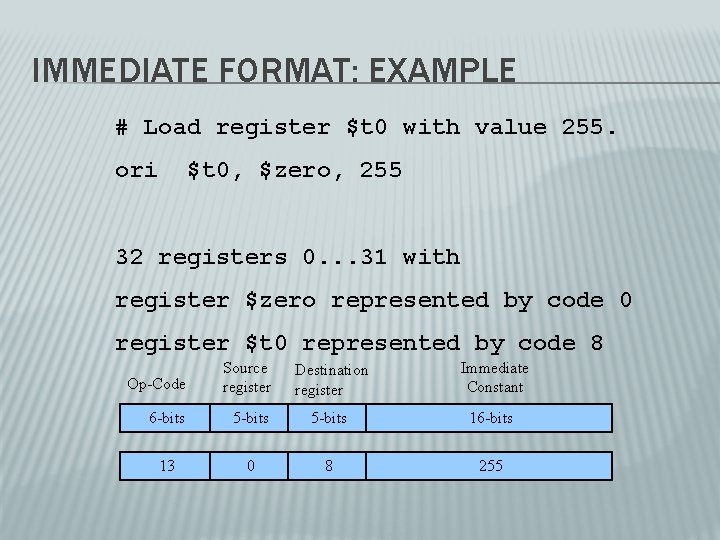
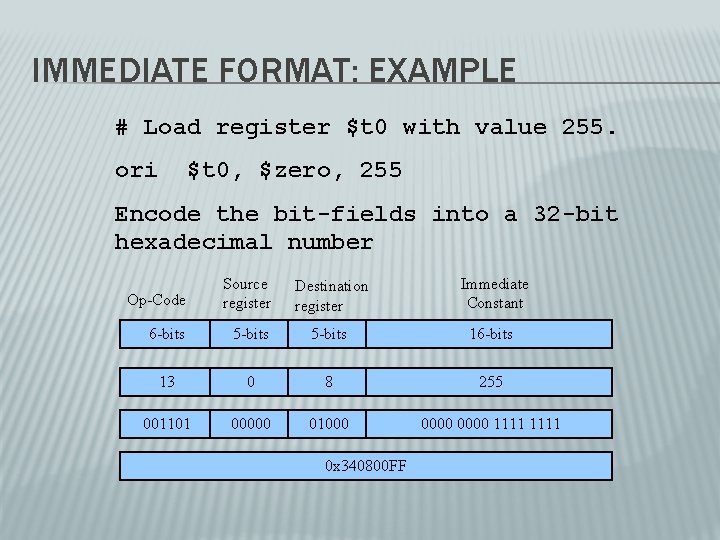
IMMEDIATE FORMAT: EXAMPLE # Load register $t 0 with value 255. ori $t 0, $zero, 255 32 registers 0. . . 31 with register $zero represented by code 0 register $t 0 represented by code 8 Op-Code Source register Destination register Immediate Constant 6 -bits 5 -bits 16 -bits 13 0 8 255
IMMEDIATE FORMAT: EXAMPLE # Load register $t 0 with value 255. ori $t 0, $zero, 255 Encode the bit-fields into a 32 -bit hexadecimal number Op-Code Source register Destination register Immediate Constant 6 -bits 5 -bits 16 -bits 13 0 8 255 001101 00000 01000 0000 1111 0 x 340800 FF
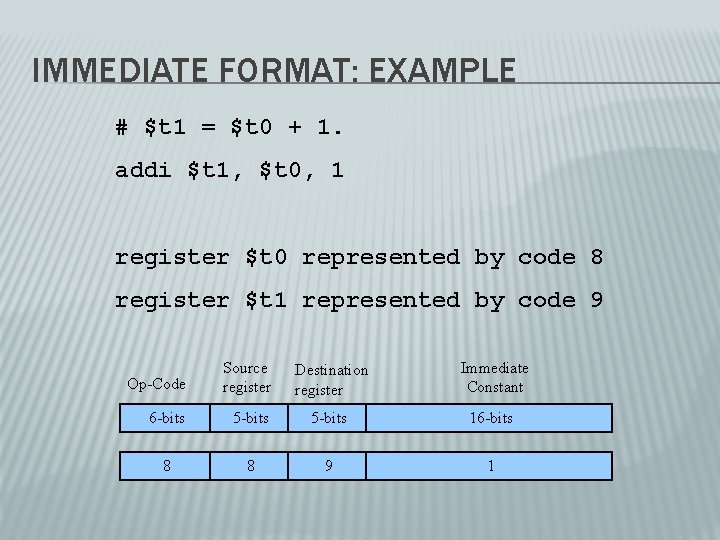
IMMEDIATE FORMAT: EXAMPLE # $t 1 = $t 0 + 1. addi $t 1, $t 0, 1 register $t 0 represented by code 8 register $t 1 represented by code 9 Op-Code Source register Destination register Immediate Constant 6 -bits 5 -bits 16 -bits 8 8 9 1
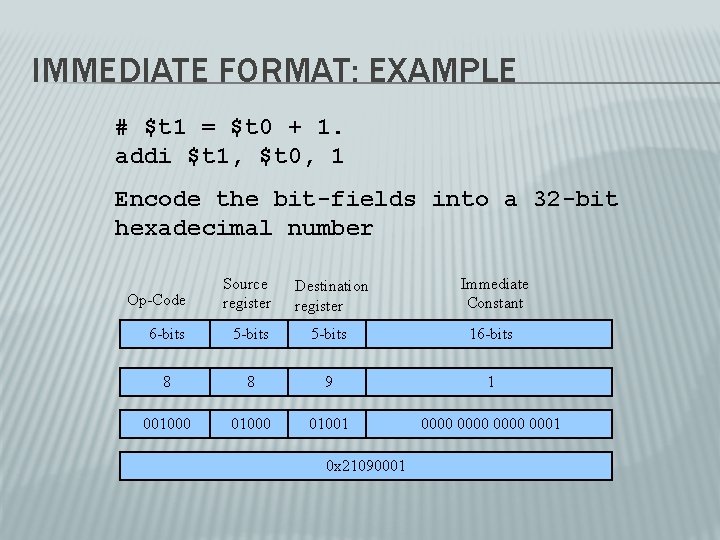
IMMEDIATE FORMAT: EXAMPLE # $t 1 = $t 0 + 1. addi $t 1, $t 0, 1 Encode the bit-fields into a 32 -bit hexadecimal number Op-Code Source register Destination register Immediate Constant 6 -bits 5 -bits 16 -bits 8 8 9 1 001000 01001 0000 0001 0 x 21090001
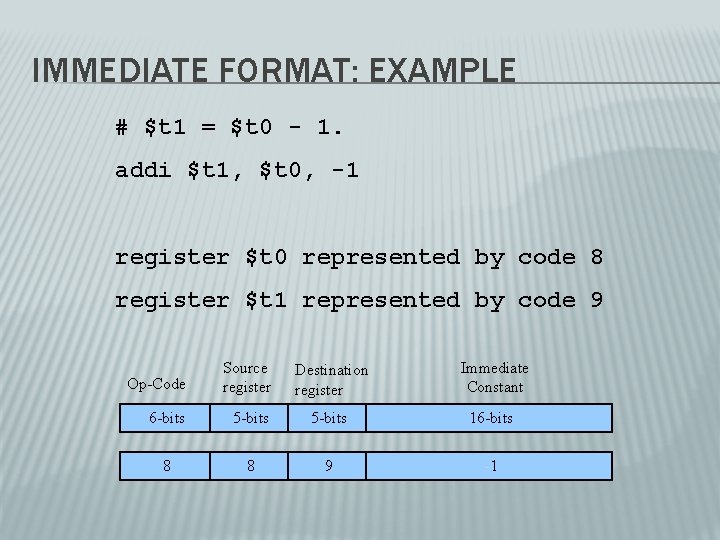
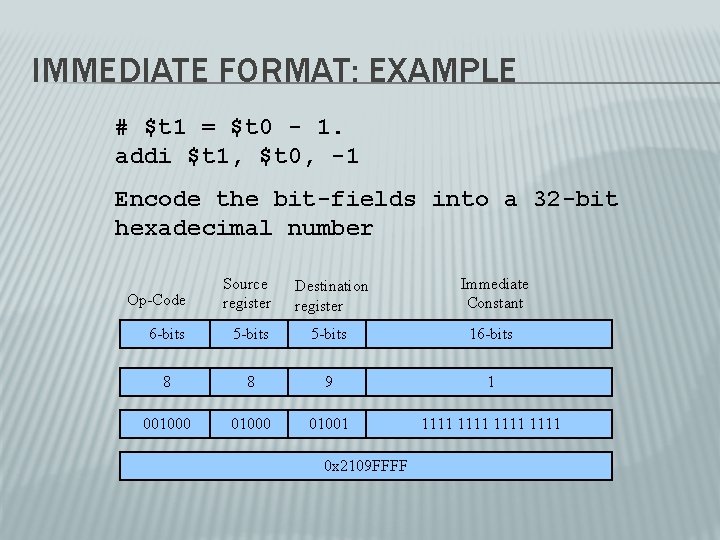
IMMEDIATE FORMAT: EXAMPLE # $t 1 = $t 0 - 1. addi $t 1, $t 0, -1 register $t 0 represented by code 8 register $t 1 represented by code 9 Op-Code Source register Destination register Immediate Constant 6 -bits 5 -bits 16 -bits 8 8 9 -1
IMMEDIATE FORMAT: EXAMPLE # $t 1 = $t 0 - 1. addi $t 1, $t 0, -1 Encode the bit-fields into a 32 -bit hexadecimal number Op-Code Source register Destination register Immediate Constant 6 -bits 5 -bits 16 -bits 8 8 9 1 001000 01001 1111 0 x 2109 FFFF
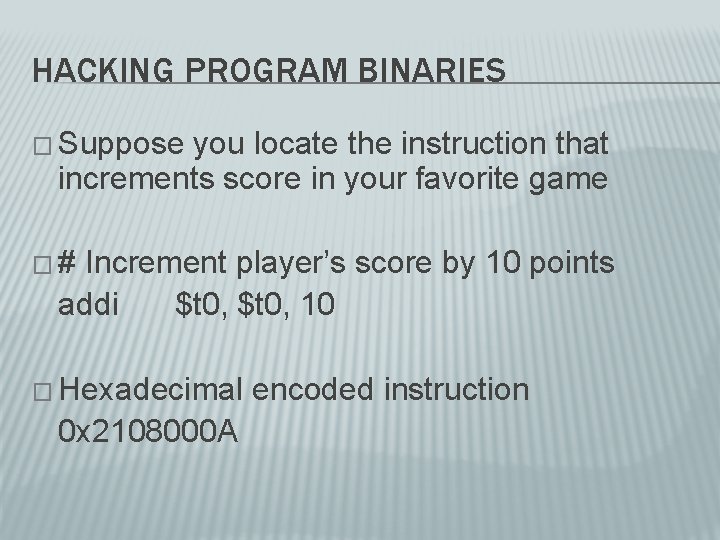
HACKING PROGRAM BINARIES � Suppose you locate the instruction that increments score in your favorite game �# Increment player’s score by 10 points addi $t 0, 10 � Hexadecimal 0 x 2108000 A encoded instruction
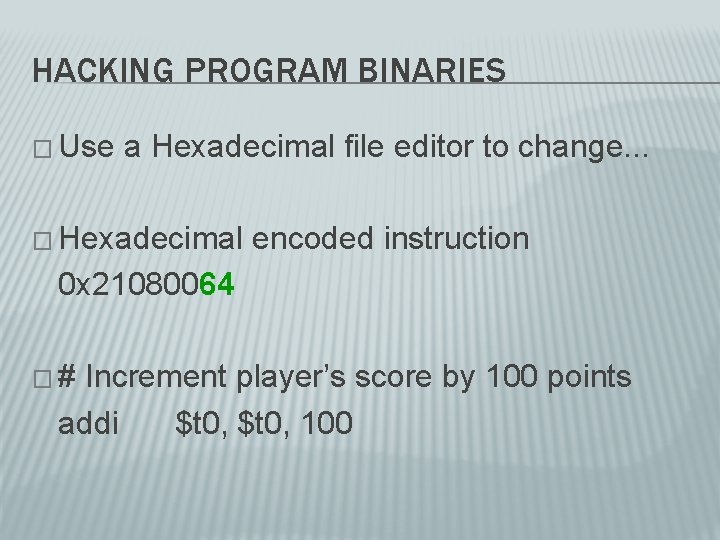
HACKING PROGRAM BINARIES � Use a Hexadecimal file editor to change. . . � Hexadecimal encoded instruction 0 x 21080064 �# Increment player’s score by 100 points addi $t 0, 100
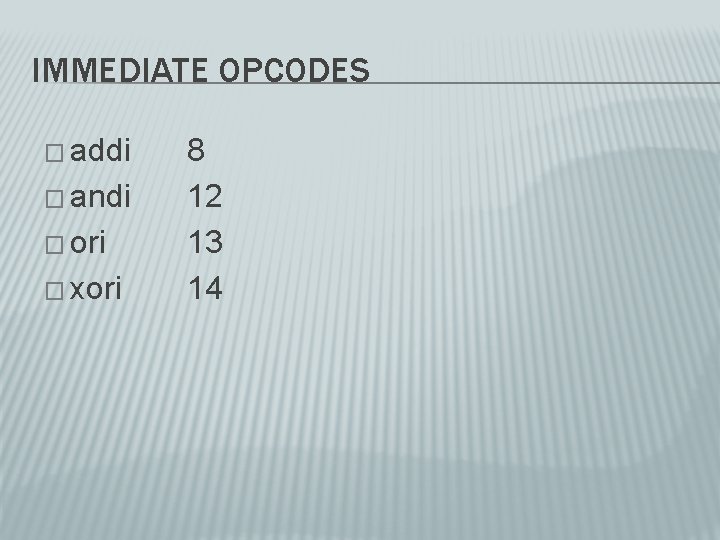
IMMEDIATE OPCODES � addi � andi � ori � xori 8 12 13 14
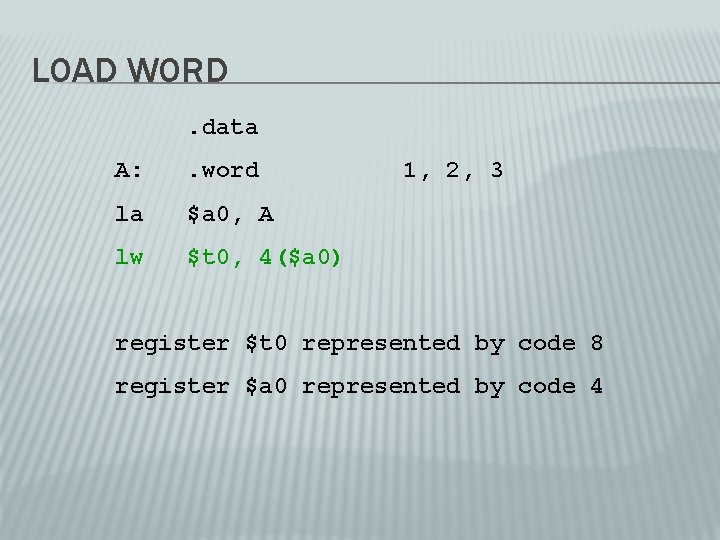
LOAD WORD. data A: . word la $a 0, A lw $t 0, 4($a 0) 1, 2, 3 register $t 0 represented by code 8 register $a 0 represented by code 4
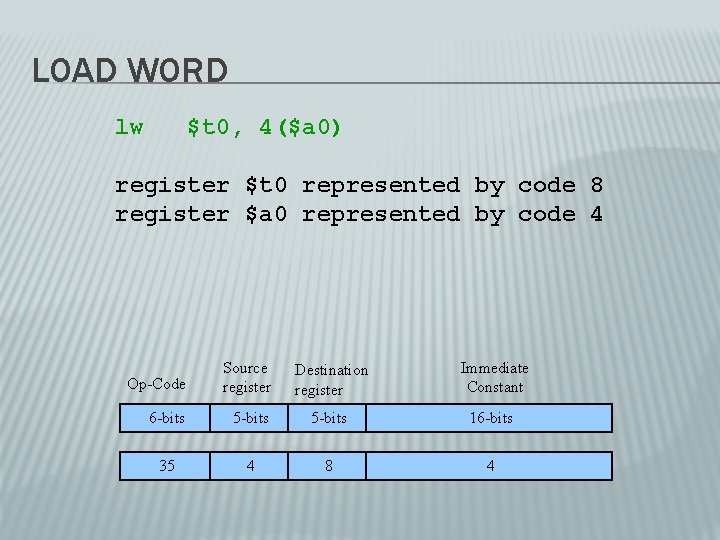
LOAD WORD lw $t 0, 4($a 0) register $t 0 represented by code 8 register $a 0 represented by code 4 Op-Code Source register Destination register Immediate Constant 6 -bits 5 -bits 16 -bits 35 4 8 4
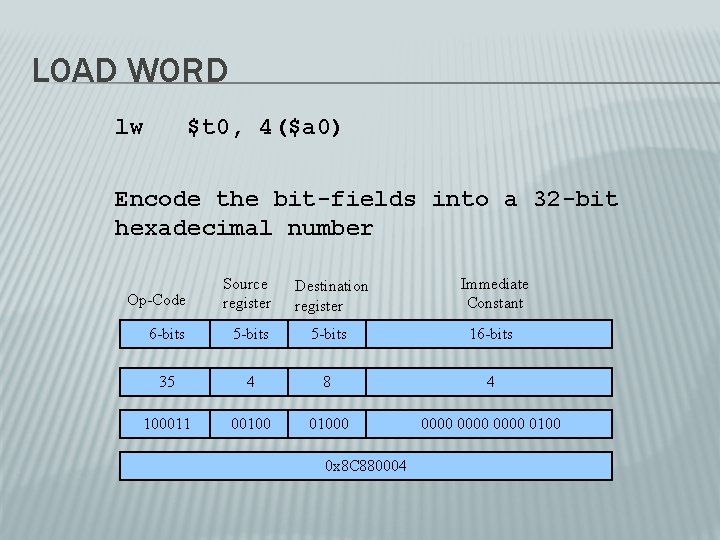
LOAD WORD lw $t 0, 4($a 0) Encode the bit-fields into a 32 -bit hexadecimal number Op-Code Source register Destination register Immediate Constant 6 -bits 5 -bits 16 -bits 35 4 8 4 100011 001000 0000 0100 0 x 8 C 880004
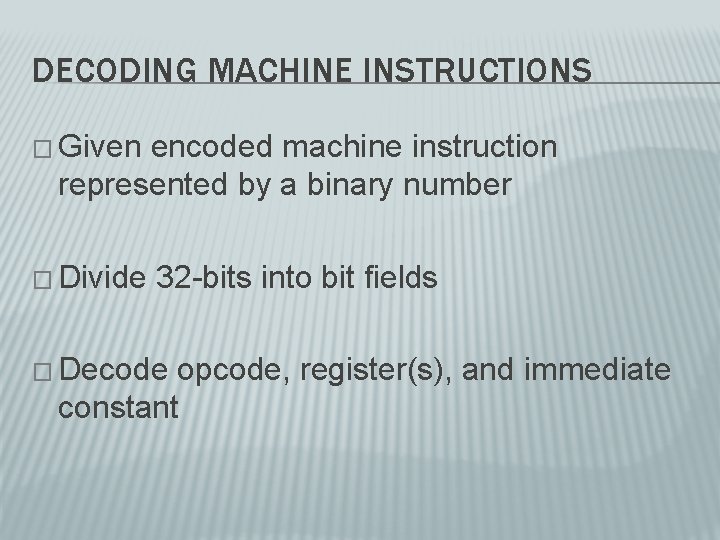
DECODING MACHINE INSTRUCTIONS � Given encoded machine instruction represented by a binary number � Divide 32 -bits into bit fields � Decode opcode, register(s), and immediate constant
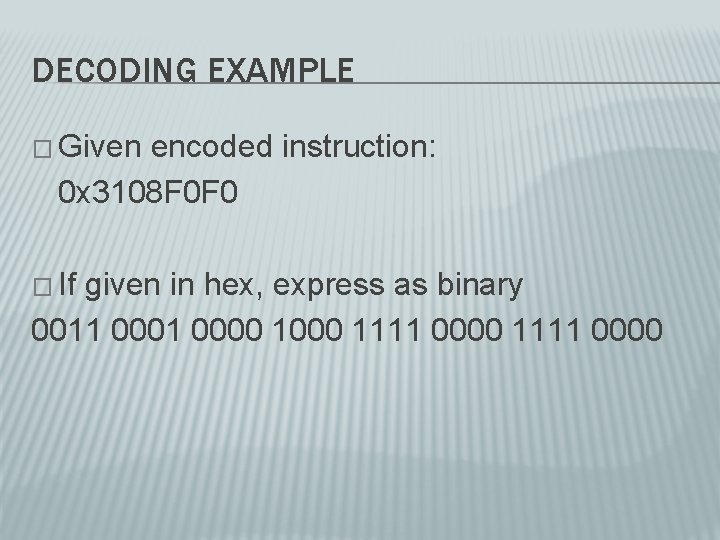
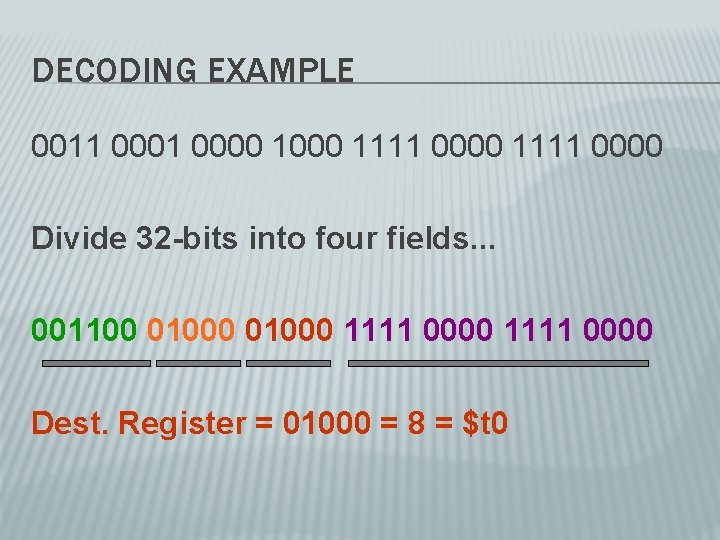
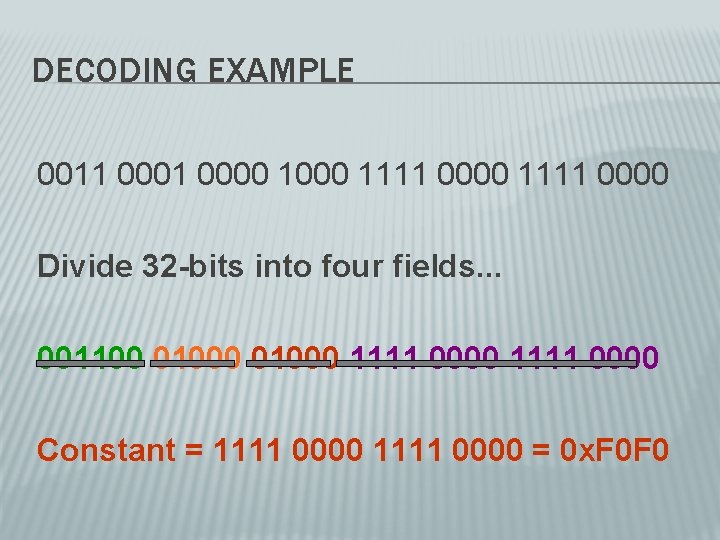
DECODING EXAMPLE � Given encoded instruction: 0 x 3108 F 0 F 0 � If given in hex, express as binary 0011 0000 1000 1111 0000
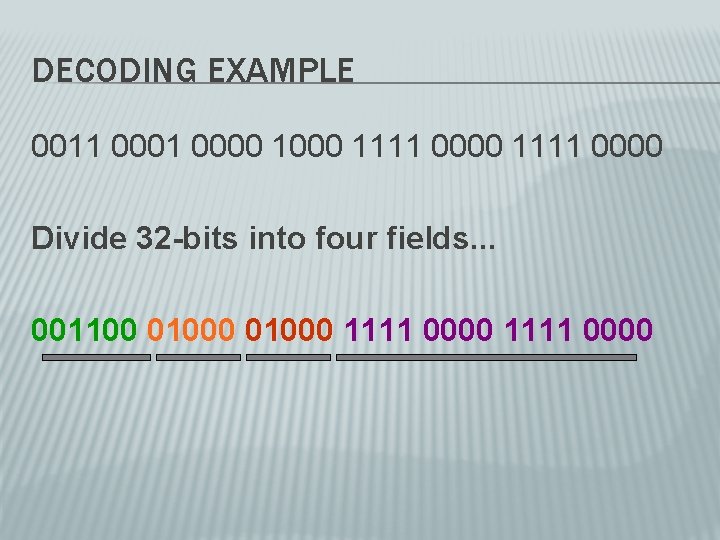
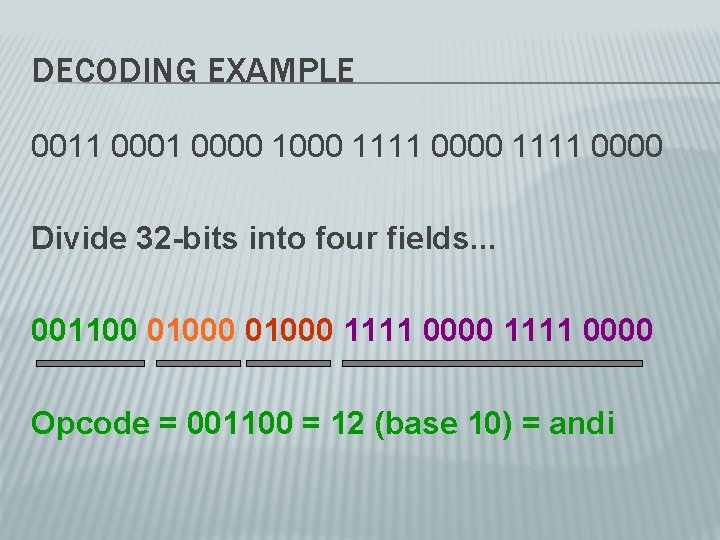
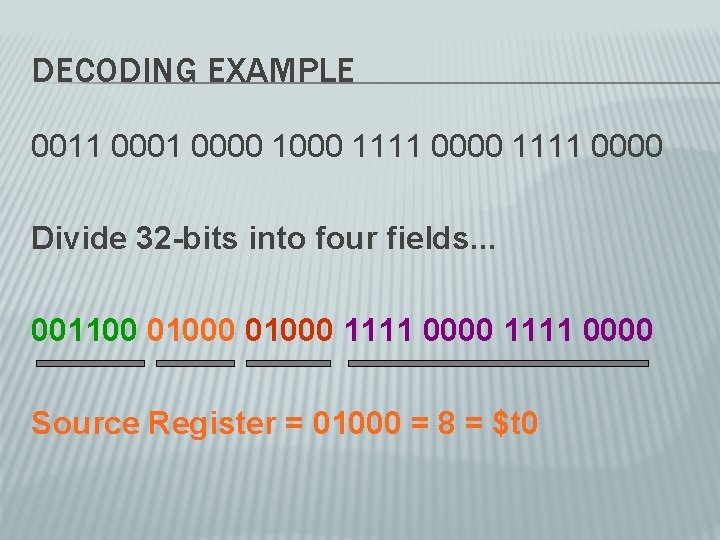
DECODING EXAMPLE 0011 0000 1000 1111 0000 Divide 32 -bits into four fields. . . 001100 01000 1111 0000
DECODING EXAMPLE 0011 0000 1000 1111 0000 Divide 32 -bits into four fields. . . 001100 01000 1111 0000 Opcode = 001100 = 12 (base 10) = andi
DECODING EXAMPLE 0011 0000 1000 1111 0000 Divide 32 -bits into four fields. . . 001100 01000 1111 0000 Source Register = 01000 = 8 = $t 0
DECODING EXAMPLE 0011 0000 1000 1111 0000 Divide 32 -bits into four fields. . . 001100 01000 1111 0000 Dest. Register = 01000 = 8 = $t 0
DECODING EXAMPLE 0011 0000 1000 1111 0000 Divide 32 -bits into four fields. . . 001100 01000 1111 0000 Constant = 1111 0000 = 0 x. F 0 F 0
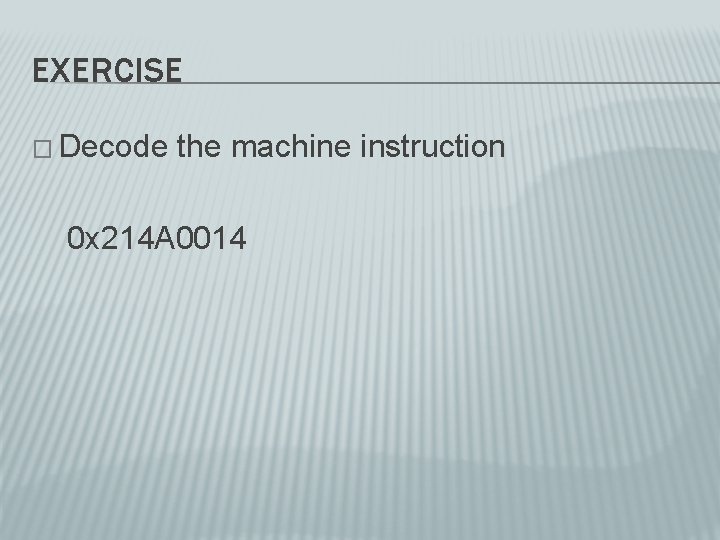
EXERCISE � Decode the machine instruction 0 x 214 A 0014
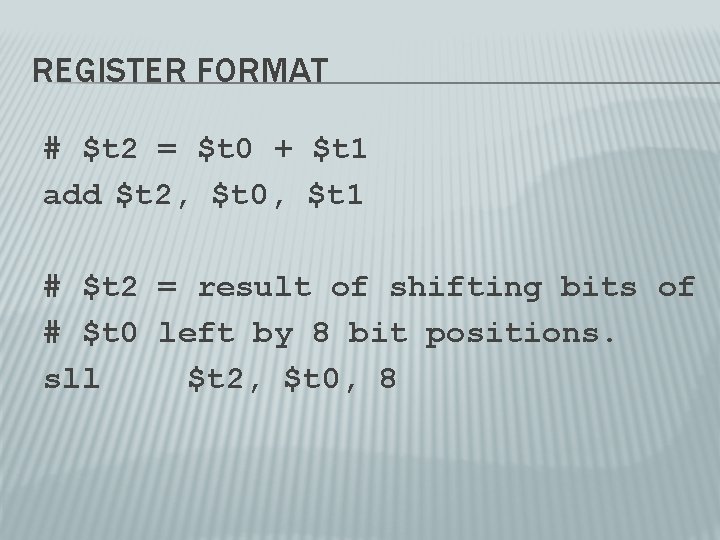
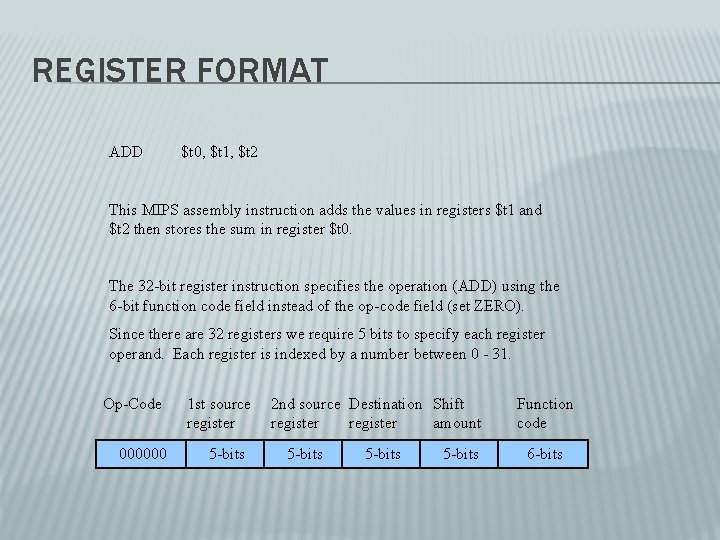
REGISTER FORMAT # $t 2 = $t 0 + $t 1 add $t 2, $t 0, $t 1 # $t 2 = result of shifting bits of # $t 0 left by 8 bit positions. sll $t 2, $t 0, 8
REGISTER FORMAT ADD $t 0, $t 1, $t 2 This MIPS assembly instruction adds the values in registers $t 1 and $t 2 then stores the sum in register $t 0. The 32 -bit register instruction specifies the operation (ADD) using the 6 -bit function code field instead of the op-code field (set ZERO). Since there are 32 registers we require 5 bits to specify each register operand. Each register is indexed by a number between 0 - 31. Op-Code 000000 1 st source register 5 -bits 2 nd source Destination Shift register amount 5 -bits Function code 6 -bits
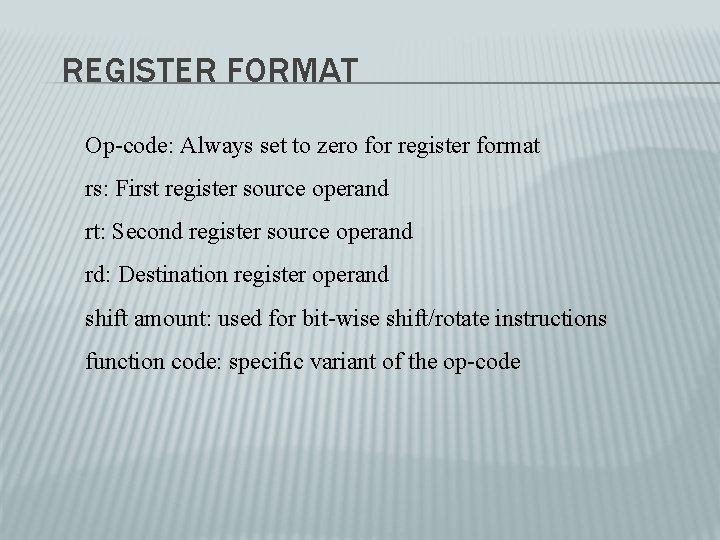
REGISTER FORMAT Op-code: Always set to zero for register format rs: First register source operand rt: Second register source operand rd: Destination register operand shift amount: used for bit-wise shift/rotate instructions function code: specific variant of the op-code
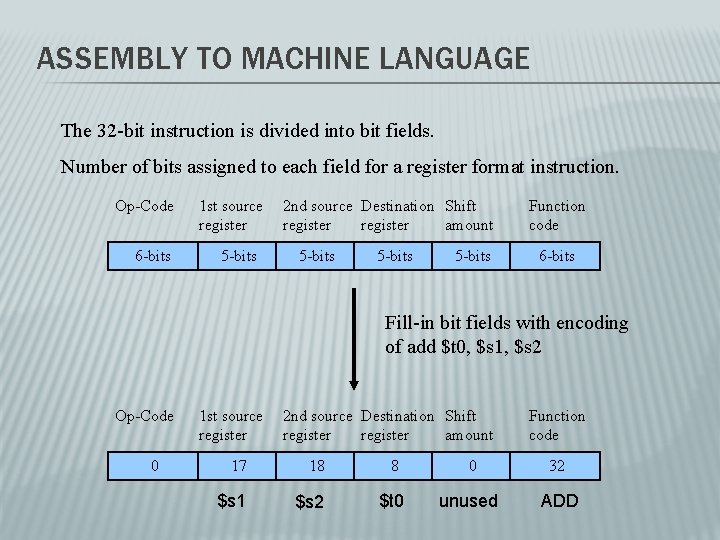
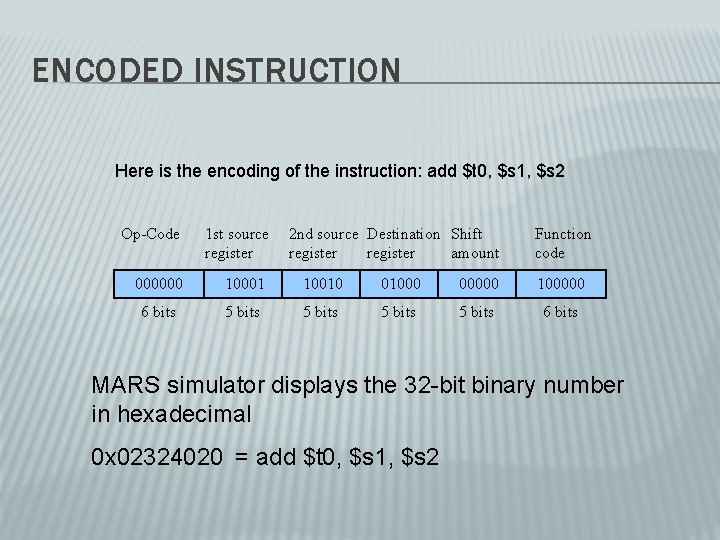
ASSEMBLY TO MACHINE LANGUAGE The 32 -bit instruction is divided into bit fields. Number of bits assigned to each field for a register format instruction. Op-Code 6 -bits 1 st source register 5 -bits 2 nd source Destination Shift register amount 5 -bits Function code 6 -bits Fill-in bit fields with encoding of add $t 0, $s 1, $s 2 Op-Code 0 1 st source register 2 nd source Destination Shift register amount 17 18 $s 1 $s 2 Function code 8 0 32 $t 0 unused ADD
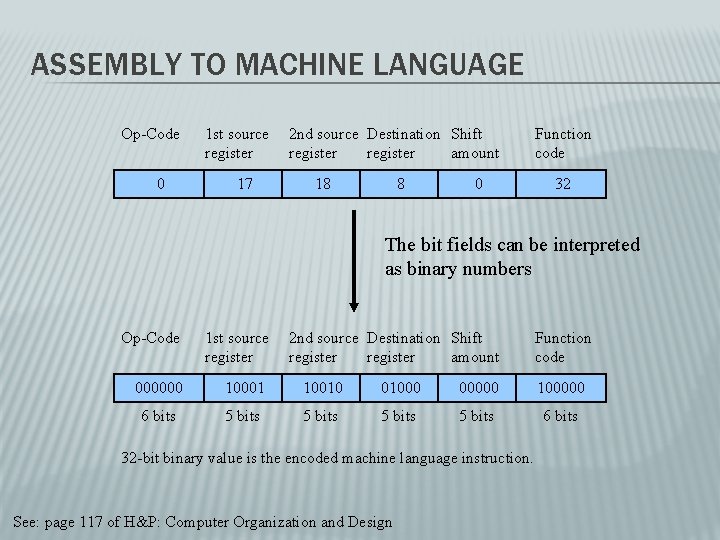
ASSEMBLY TO MACHINE LANGUAGE Op-Code 0 1 st source register 17 2 nd source Destination Shift register amount 18 8 0 Function code 32 The bit fields can be interpreted as binary numbers Op-Code 1 st source register 2 nd source Destination Shift register amount 000000 10001 10010 01000 00000 100000 6 bits 5 bits 6 bits 32 -bit binary value is the encoded machine language instruction. See: page 117 of H&P: Computer Organization and Design Function code
ENCODED INSTRUCTION Here is the encoding of the instruction: add $t 0, $s 1, $s 2 Op-Code 1 st source register 2 nd source Destination Shift register amount Function code 000000 10001 10010 01000 00000 100000 6 bits 5 bits 6 bits MARS simulator displays the 32 -bit binary number in hexadecimal 0 x 02324020 = add $t 0, $s 1, $s 2
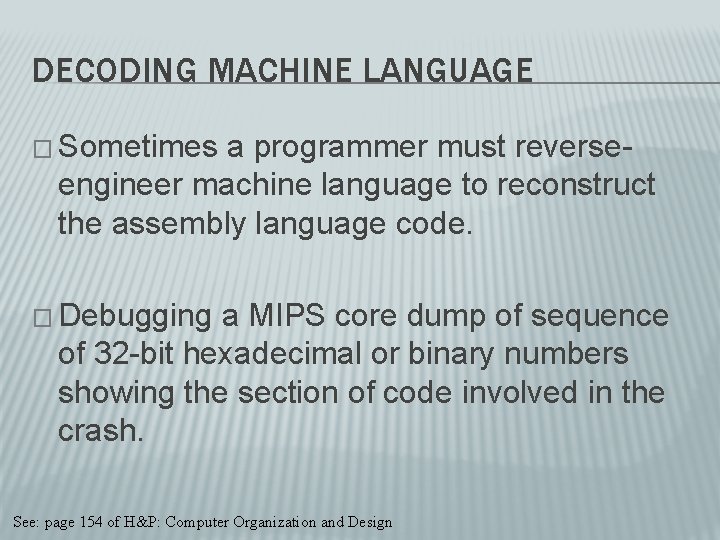
DECODING MACHINE LANGUAGE � Sometimes a programmer must reverseengineer machine language to reconstruct the assembly language code. � Debugging a MIPS core dump of sequence of 32 -bit hexadecimal or binary numbers showing the section of code involved in the crash. See: page 154 of H&P: Computer Organization and Design
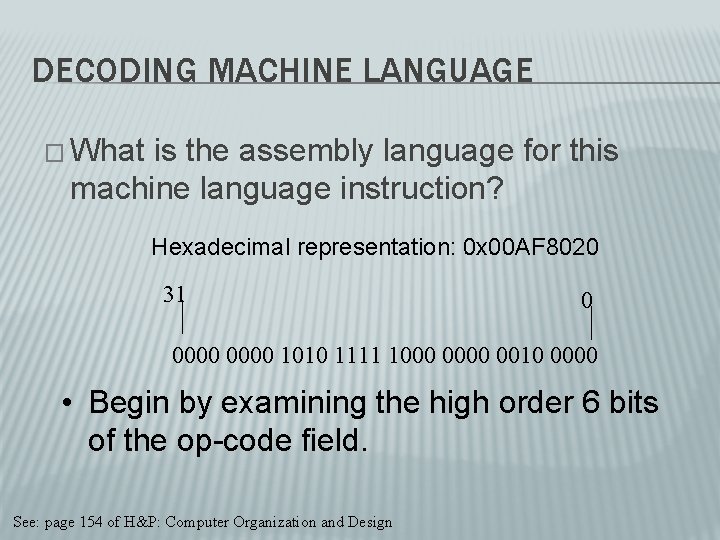
DECODING MACHINE LANGUAGE � What is the assembly language for this machine language instruction? Hexadecimal representation: 0 x 00 AF 8020 31 0 0000 1010 1111 1000 0010 0000 • Begin by examining the high order 6 bits of the op-code field. See: page 154 of H&P: Computer Organization and Design
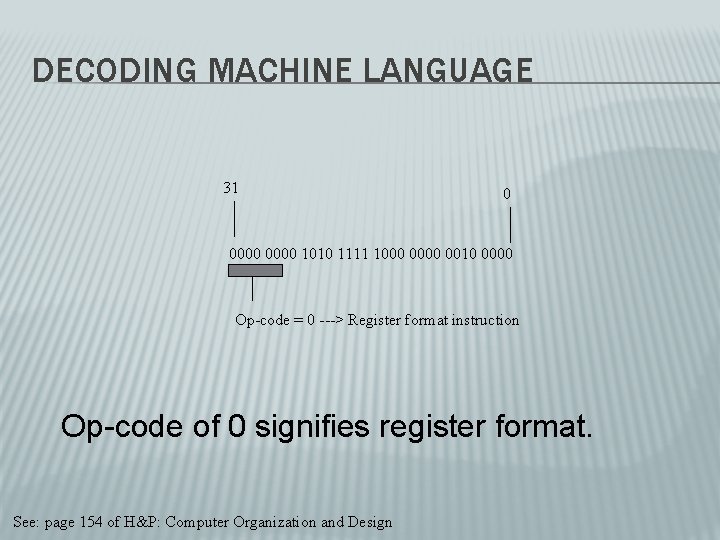
DECODING MACHINE LANGUAGE 31 0 0000 1010 1111 1000 0010 0000 Op-code = 0 ---> Register format instruction Op-code of 0 signifies register format. See: page 154 of H&P: Computer Organization and Design
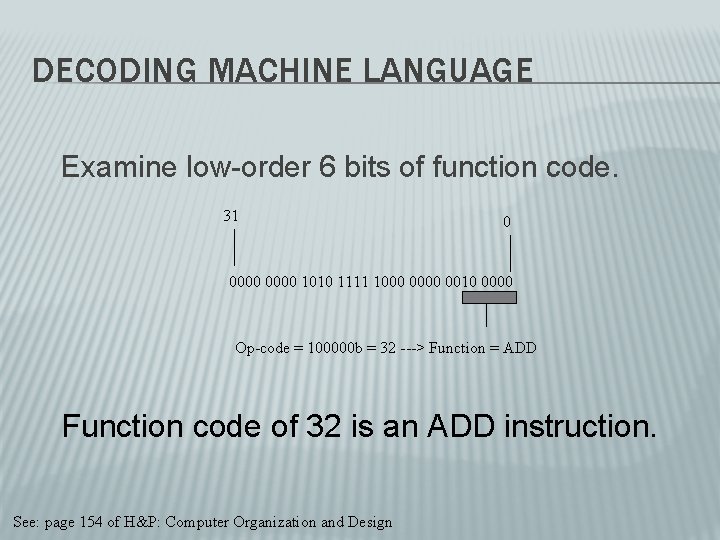
DECODING MACHINE LANGUAGE Examine low-order 6 bits of function code. 31 0 0000 1010 1111 1000 0010 0000 Op-code = 100000 b = 32 ---> Function = ADD Function code of 32 is an ADD instruction. See: page 154 of H&P: Computer Organization and Design
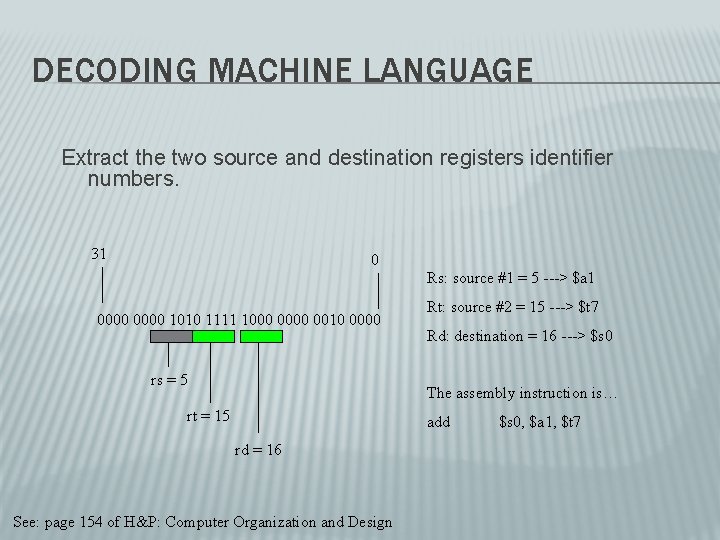
DECODING MACHINE LANGUAGE Extract the two source and destination registers identifier numbers. 31 0 Rs: source #1 = 5 ---> $a 1 0000 1010 1111 1000 0010 0000 rs = 5 Rt: source #2 = 15 ---> $t 7 Rd: destination = 16 ---> $s 0 The assembly instruction is… rt = 15 add rd = 16 See: page 154 of H&P: Computer Organization and Design $s 0, $a 1, $t 7
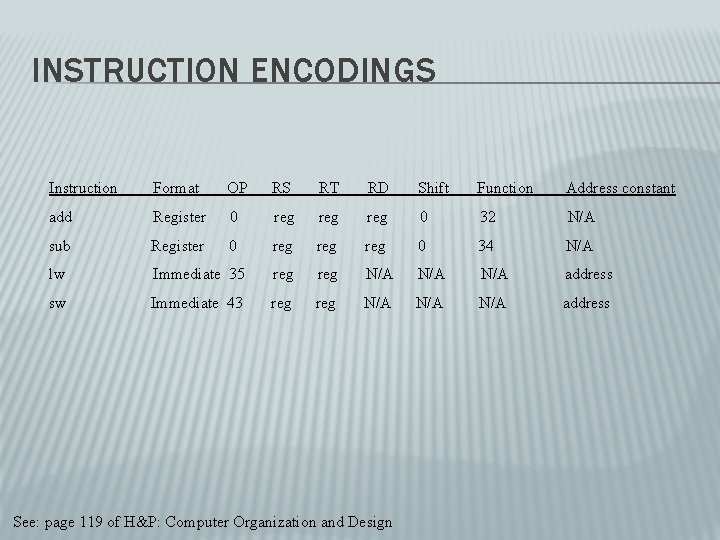
INSTRUCTION ENCODINGS Instruction Format OP RS RT RD Shift Function Address constant add Register 0 reg reg 0 32 N/A sub Register 0 reg reg 0 34 N/A lw Immediate 35 reg N/A N/A address sw Immediate 43 reg N/A N/A address See: page 119 of H&P: Computer Organization and Design
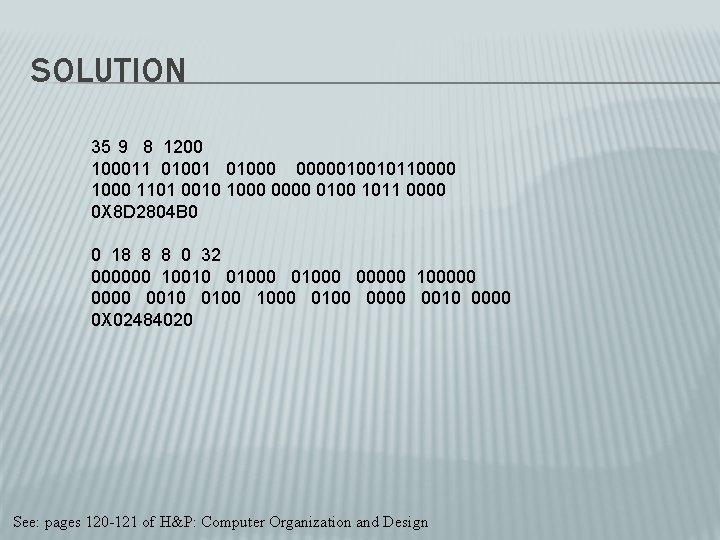
EXAMPLE Assume $t 1 holds the base address of array A[]. Let h = $s 2. Source code: A[300] = h + A[300]; Compiler or assembly programmer produces: lw $t 0, 1200 ($t 1) # $t 0 = A[300] add $t 0, $s 2, $t 0 # $t 0 = h + A[300] sw $t 0, 1200($t 1) # A[300] = $t 0 the result of the computation. What is the MIPS machine language code for these three instructions?
SOLUTION 35 9 8 1200 100011 01000 0000010010110000 1101 0010 1000 0100 1011 0000 0 X 8 D 2804 B 0 0 18 8 8 0 32 000000 10010 01000 00000 100000 0010 0100 1000 0100 0010 0000 0 X 02484020 See: pages 120 -121 of H&P: Computer Organization and Design
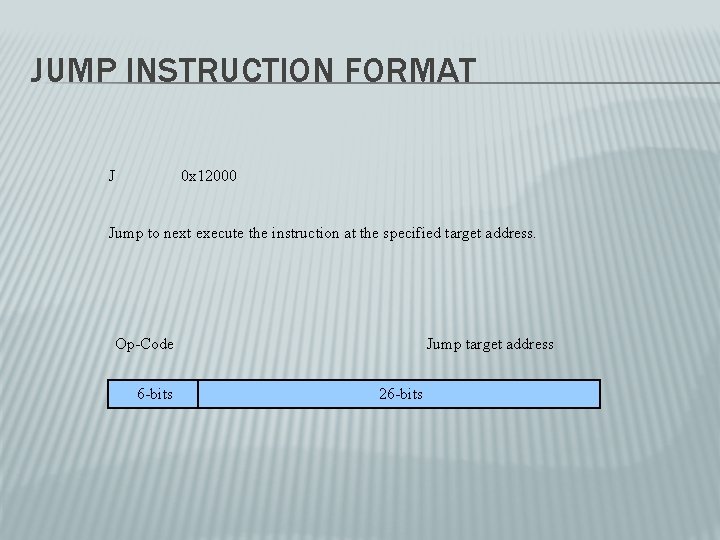
JUMP INSTRUCTION FORMAT J 0 x 12000 Jump to next execute the instruction at the specified target address. Op-Code 6 -bits Jump target address 26 -bits
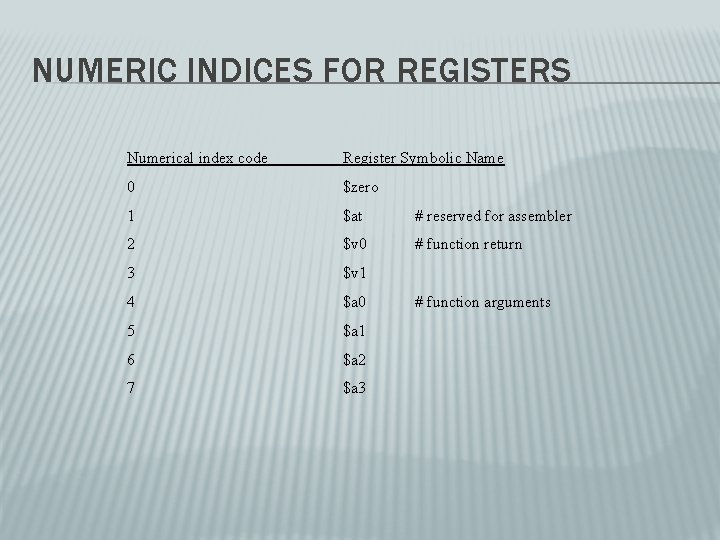
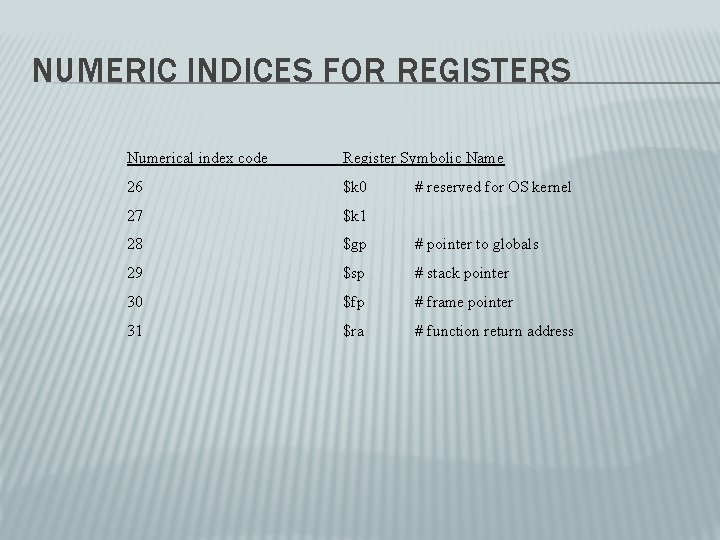
NUMERIC INDICES FOR REGISTERS Numerical index code Register Symbolic Name 0 $zero 1 $at # reserved for assembler 2 $v 0 # function return 3 $v 1 4 $a 0 5 $a 1 6 $a 2 7 $a 3 # function arguments
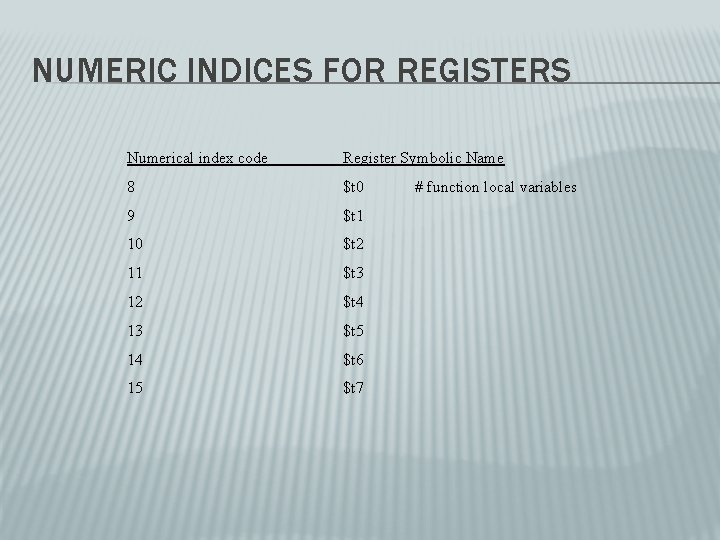
NUMERIC INDICES FOR REGISTERS Numerical index code Register Symbolic Name 8 $t 0 9 $t 1 10 $t 2 11 $t 3 12 $t 4 13 $t 5 14 $t 6 15 $t 7 # function local variables
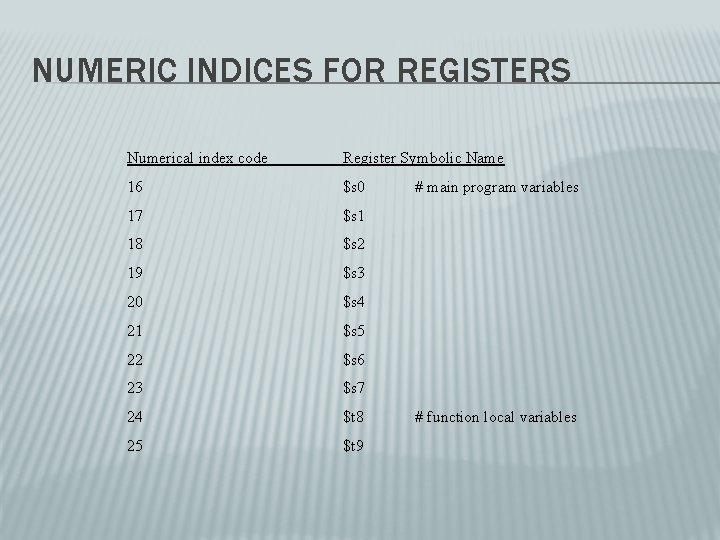
NUMERIC INDICES FOR REGISTERS Numerical index code Register Symbolic Name 16 $s 0 17 $s 1 18 $s 2 19 $s 3 20 $s 4 21 $s 5 22 $s 6 23 $s 7 24 $t 8 25 $t 9 # main program variables # function local variables
NUMERIC INDICES FOR REGISTERS Numerical index code Register Symbolic Name 26 $k 0 27 $k 1 28 $gp # pointer to globals 29 $sp # stack pointer 30 $fp # frame pointer 31 $ra # function return address # reserved for OS kernel
ASSEMBLY PROCESS � An assembler translates a source file of instructions expressed using symbolic mnemonics for the processor instructions. � Assembler outputs a binary object code file by encoding each assembly instruction as a 32 -bit binary number.
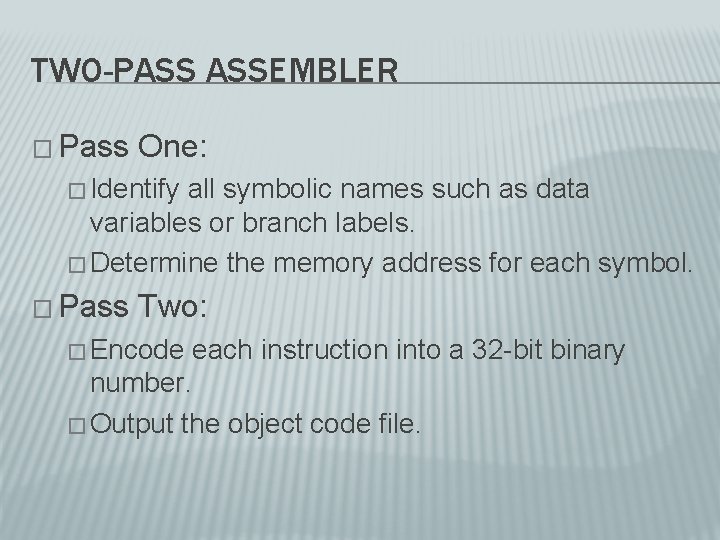
TWO-PASS ASSEMBLER � Pass One: � Identify all symbolic names such as data variables or branch labels. � Determine the memory address for each symbol. � Pass Two: � Encode each instruction into a 32 -bit binary number. � Output the object code file.
WHY TWO PASSES? � An assembler must make two passes over the assembly source instructions because some symbols are used before they are defined.
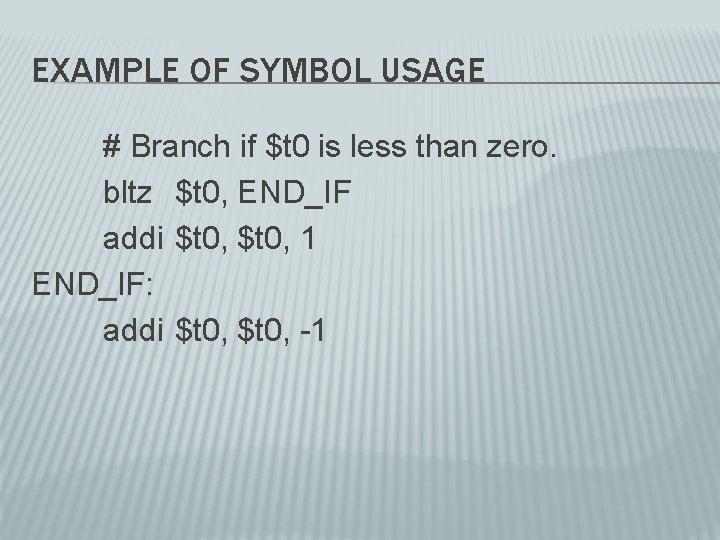
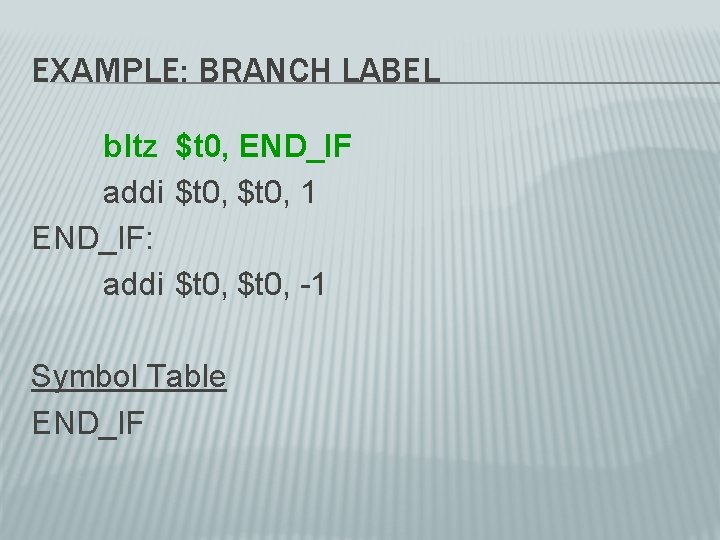
EXAMPLE OF SYMBOL USAGE # Branch if $t 0 is less than zero. bltz $t 0, END_IF addi $t 0, 1 END_IF: addi $t 0, -1
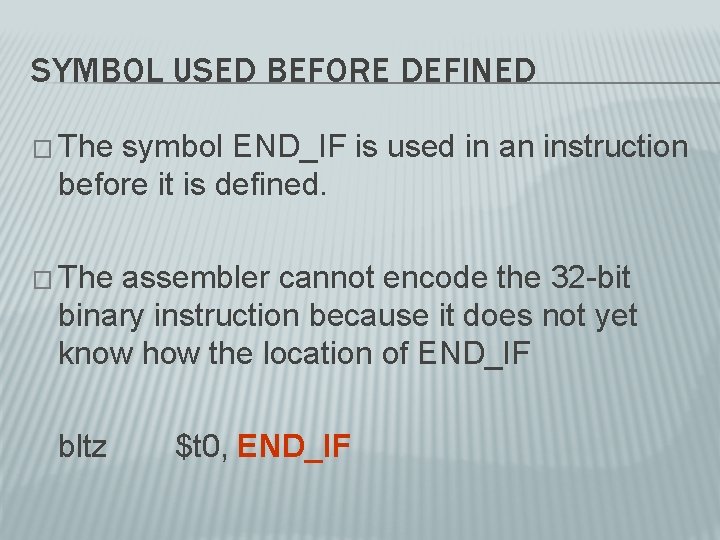
SYMBOL USED BEFORE DEFINED � The symbol END_IF is used in an instruction before it is defined. � The assembler cannot encode the 32 -bit binary instruction because it does not yet know how the location of END_IF bltz $t 0, END_IF
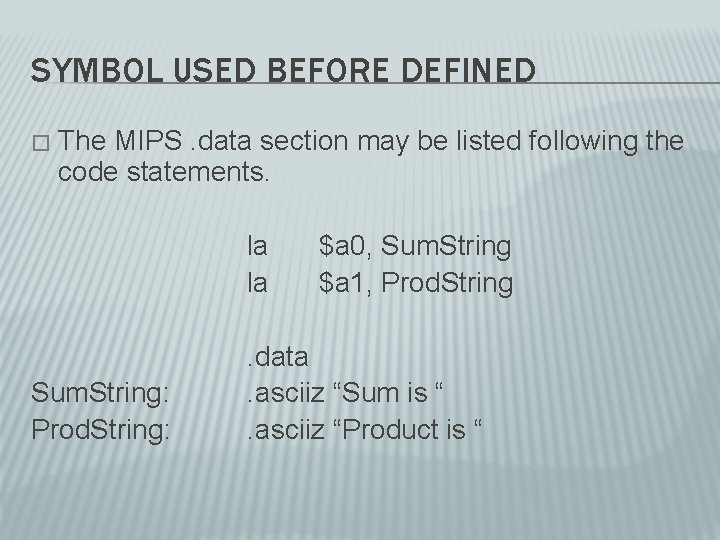
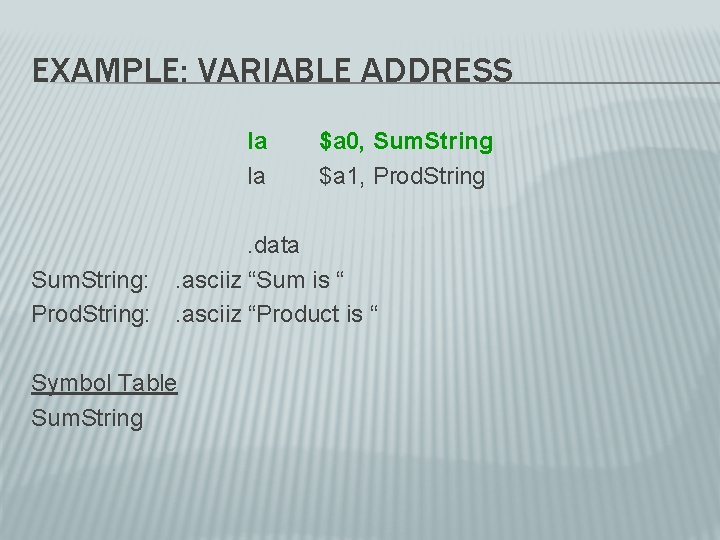
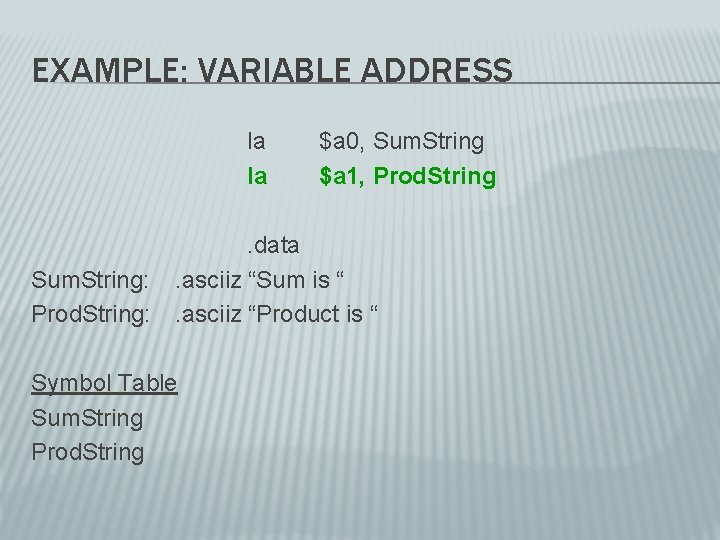
SYMBOL USED BEFORE DEFINED � The MIPS. data section may be listed following the code statements. la la Sum. String: Prod. String: $a 0, Sum. String $a 1, Prod. String . data. asciiz “Sum is “. asciiz “Product is “
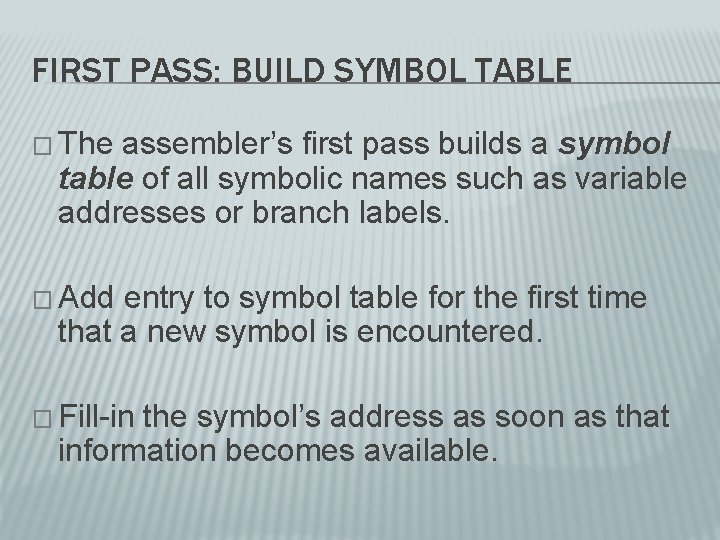
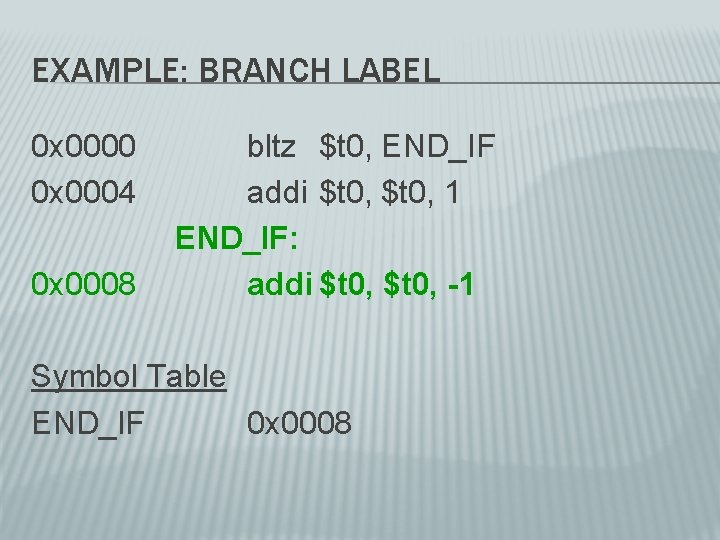
FIRST PASS: BUILD SYMBOL TABLE � The assembler’s first pass builds a symbol table of all symbolic names such as variable addresses or branch labels. � Add entry to symbol table for the first time that a new symbol is encountered. � Fill-in the symbol’s address as soon as that information becomes available.
EXAMPLE: BRANCH LABEL bltz $t 0, END_IF addi $t 0, 1 END_IF: addi $t 0, -1 Symbol Table END_IF
EXAMPLE: BRANCH LABEL 0 x 0000 0 x 0004 0 x 0008 bltz $t 0, END_IF addi $t 0, 1 END_IF: addi $t 0, -1 Symbol Table END_IF 0 x 0008
COUNT INSTRUCTION SIZES � The assembler must keep track of the address of each instruction as it scans the assembly source code. � Since all MIPS instructions encode to 32 -bits the assembler simply increments the address of each successive instruction by 4 bytes.
EXAMPLE: VARIABLE ADDRESS la la Sum. String: Prod. String: $a 0, Sum. String $a 1, Prod. String . data. asciiz “Sum is “. asciiz “Product is “ Symbol Table Sum. String
EXAMPLE: VARIABLE ADDRESS la la Sum. String: Prod. String: $a 0, Sum. String $a 1, Prod. String . data. asciiz “Sum is “. asciiz “Product is “ Symbol Table Sum. String Prod. String
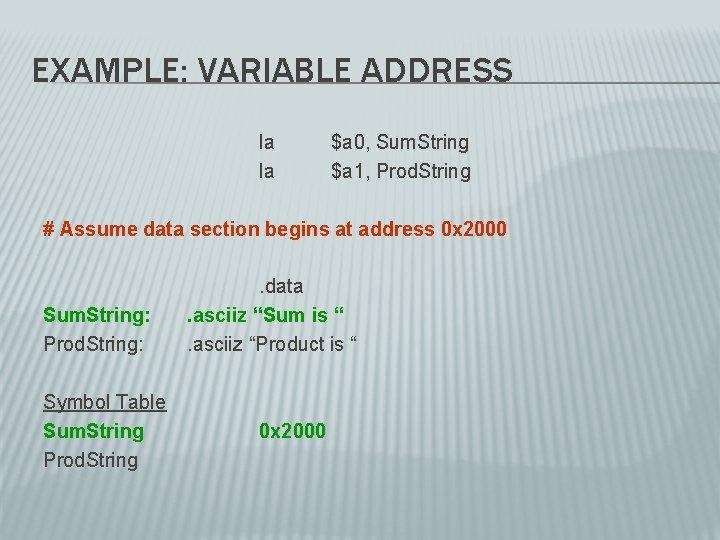
EXAMPLE: VARIABLE ADDRESS la la $a 0, Sum. String $a 1, Prod. String # Assume data section begins at address 0 x 2000 Sum. String: Prod. String: Symbol Table Sum. String Prod. String . data. asciiz “Sum is “. asciiz “Product is “ 0 x 2000
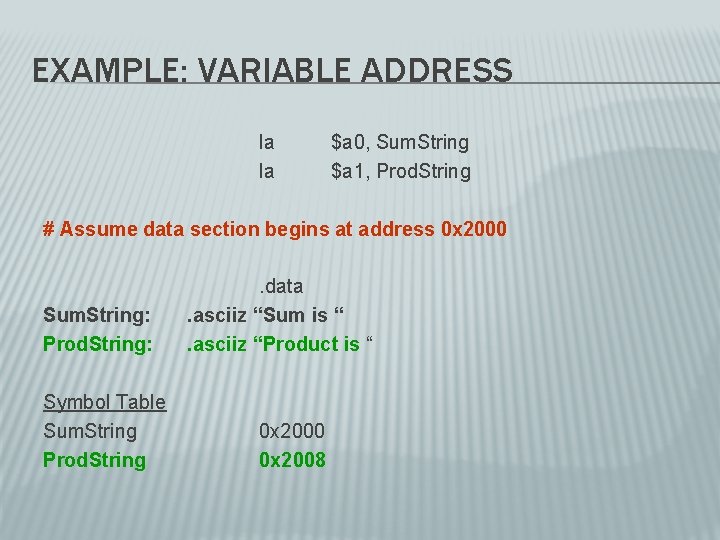
EXAMPLE: VARIABLE ADDRESS la la $a 0, Sum. String $a 1, Prod. String # Assume data section begins at address 0 x 2000 Sum. String: Prod. String: Symbol Table Sum. String Prod. String . data. asciiz “Sum is “. asciiz “Product is “ 0 x 2000 0 x 2008
PASS TWO: ENCODE INSTRUCTIONS � In its second pass over the source assembly instructions, the assembly can encode each instruction into its binary equivalent. � Whenever a symbol is encountered lookup its address from the symbol table.
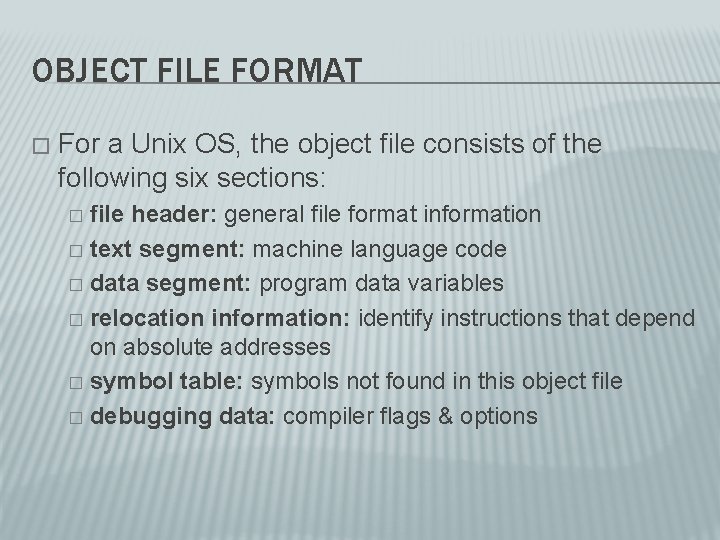
OBJECT FILE FORMAT � For a Unix OS, the object file consists of the following six sections: file header: general file format information � text segment: machine language code � data segment: program data variables � relocation information: identify instructions that depend on absolute addresses � symbol table: symbols not found in this object file � debugging data: compiler flags & options �
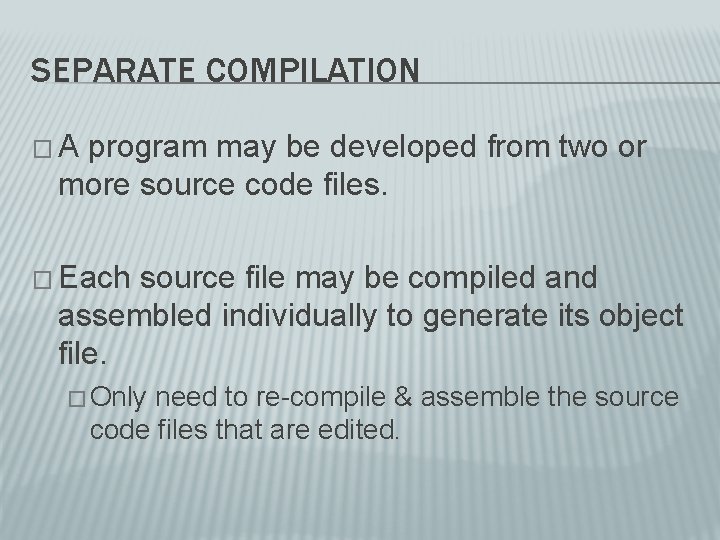
SEPARATE COMPILATION �A program may be developed from two or more source code files. � Each source file may be compiled and assembled individually to generate its object file. � Only need to re-compile & assemble the source code files that are edited.
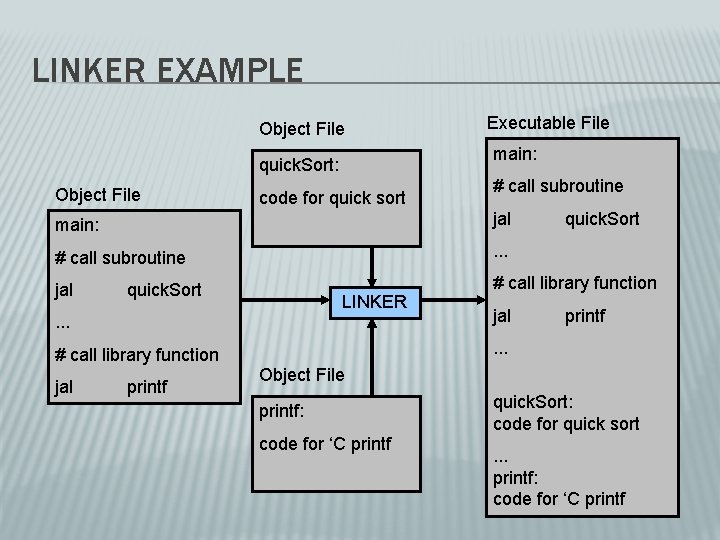
LINKERS � Separate source code files can include references to symbols that are defined in other source files. � The linker resolves instruction that reference symbols defined in other files to produce a single complete executable file.
LINKER EXAMPLE Object File main: quick. Sort: Object File Executable File code for quick sort # call subroutine main: jal # call subroutine . . . jal # call library function quick. Sort LINKER . . . printf . . . # call library function jal quick. Sort Object File printf: code for ‘C printf quick. Sort: code for quick sort. . . printf: code for ‘C printf
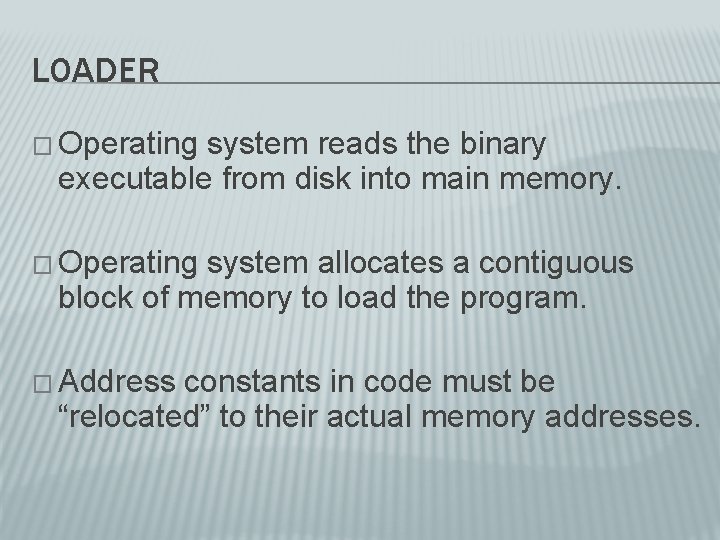
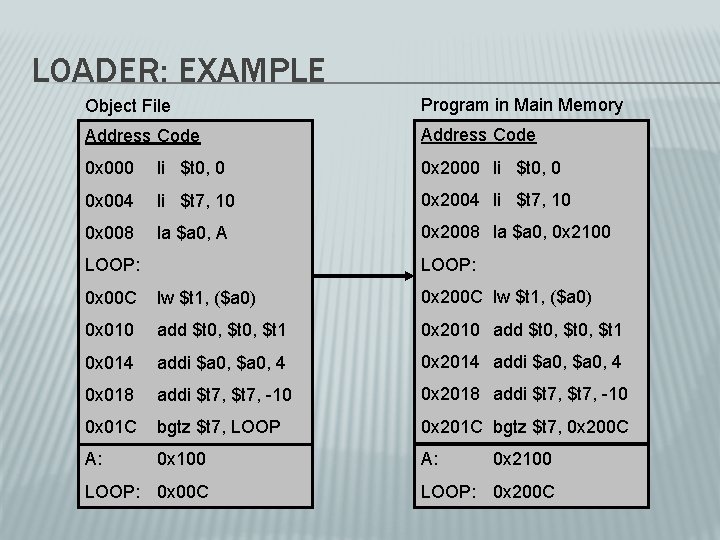
LOADER � Operating system reads the binary executable from disk into main memory. � Operating system allocates a contiguous block of memory to load the program. � Address constants in code must be “relocated” to their actual memory addresses.
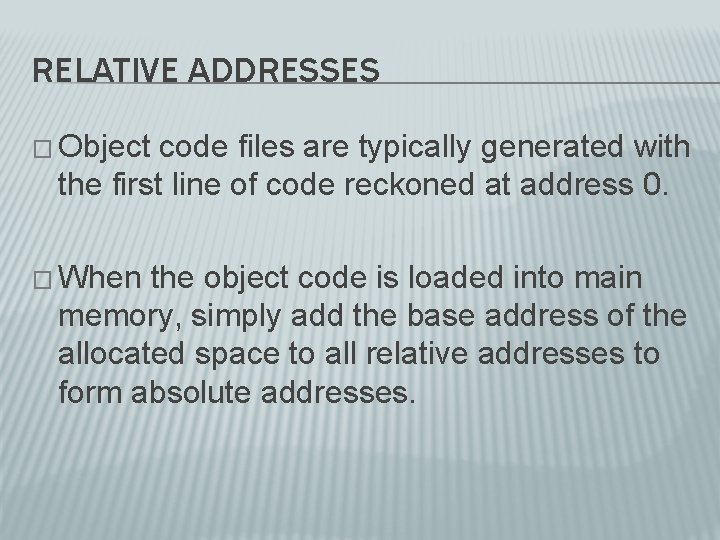
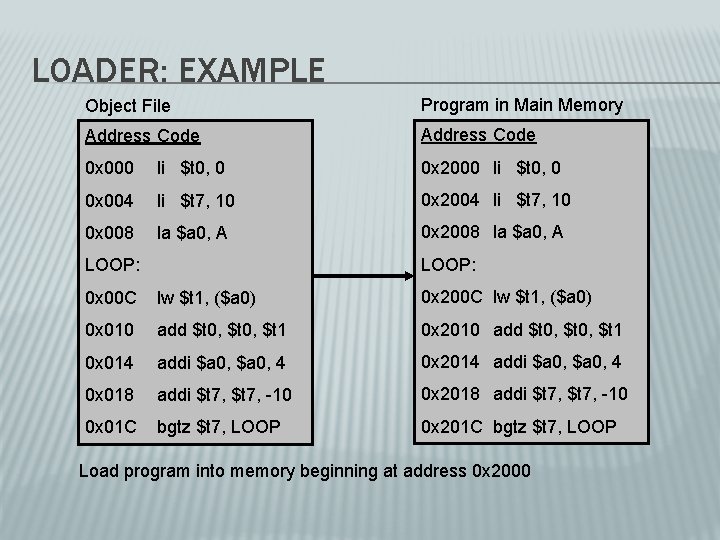
RELATIVE ADDRESSES � Object code files are typically generated with the first line of code reckoned at address 0. � When the object code is loaded into main memory, simply add the base address of the allocated space to all relative addresses to form absolute addresses.
LOADER: EXAMPLE Object File Program in Main Memory Address Code 0 x 000 li $t 0, 0 0 x 2000 li $t 0, 0 0 x 004 li $t 7, 10 0 x 2004 li $t 7, 10 0 x 008 la $a 0, A 0 x 2008 la $a 0, A LOOP: 0 x 00 C lw $t 1, ($a 0) 0 x 200 C lw $t 1, ($a 0) 0 x 010 add $t 0, $t 1 0 x 2010 add $t 0, $t 1 0 x 014 addi $a 0, 4 0 x 2014 addi $a 0, 4 0 x 018 addi $t 7, -10 0 x 2018 addi $t 7, -10 0 x 01 C bgtz $t 7, LOOP 0 x 201 C bgtz $t 7, LOOP Load program into memory beginning at address 0 x 2000
LOADER: EXAMPLE Object File Program in Main Memory Address Code 0 x 000 li $t 0, 0 0 x 2000 li $t 0, 0 0 x 004 li $t 7, 10 0 x 2004 li $t 7, 10 0 x 008 la $a 0, A 0 x 2008 la $a 0, 0 x 2100 LOOP: 0 x 00 C lw $t 1, ($a 0) 0 x 200 C lw $t 1, ($a 0) 0 x 010 add $t 0, $t 1 0 x 2010 add $t 0, $t 1 0 x 014 addi $a 0, 4 0 x 2014 addi $a 0, 4 0 x 018 addi $t 7, -10 0 x 2018 addi $t 7, -10 0 x 01 C bgtz $t 7, LOOP 0 x 201 C bgtz $t 7, 0 x 200 C A: 0 x 100 A: LOOP: 0 x 00 C 0 x 2100 LOOP: 0 x 200 C