
Midway Design Review Tablo Game Projection System Team
Midway Design Review Tablo Game Projection System Team 24 December 11 th, 2018 Department of Electrical and Computer Engineering 1
Bowen Yu, CSE Patrick Green, CSE Joo Young Park, CSE Pervesh Jaswal, EE Department of Electrical and Computer Engineering 2
Problem Statement -People spend a lot of money on table games/board games which can take up a great deal of space in one’s home. -Need to buy different kinds of board game in order to play them all -Tables serve only one purpose, pool table can only be used for pool game -Very difficult to move full size tables Department of Electrical and Computer Engineering 3
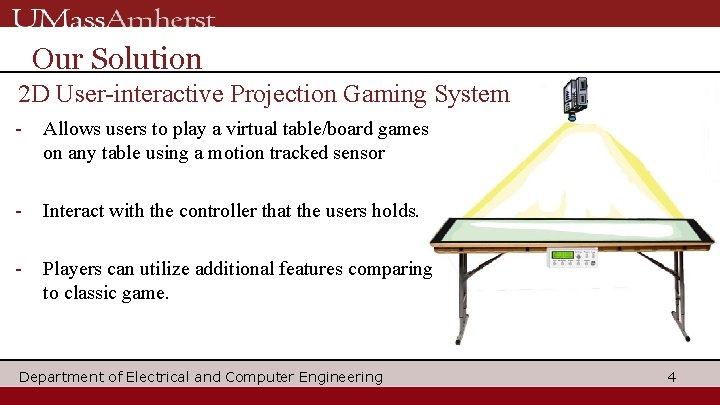
Our Solution 2 D User-interactive Projection Gaming System - Allows users to play a virtual table/board games on any table using a motion tracked sensor - Interact with the controller that the users holds. - Players can utilize additional features comparing to classic game. Department of Electrical and Computer Engineering 4
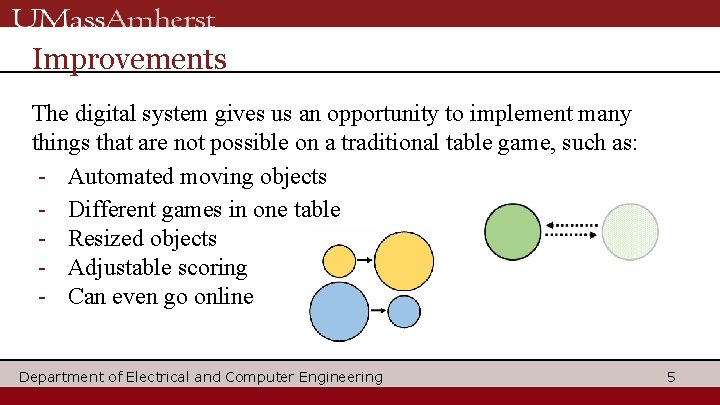
Improvements The digital system gives us an opportunity to implement many things that are not possible on a traditional table game, such as: - Automated moving objects - Different games in one table - Resized objects - Adjustable scoring - Can even go online Department of Electrical and Computer Engineering 5
General Interest 8 Ball Pool 15 million reviews between Google Play Store and Apple App Store Industry standard is to assume roughly 5% of downloaders leave a review, which translates to approximately 300 million downloads Air Hockey Gold More than 11 million downloads on the Apple App Store Pinball Millions of downloads between multiple pinball apps Department of Electrical and Computer Engineering 6
Shift of Motivations -Table games proved a little ambitious -Issues with delay and sensing in real time(especially when you move fast) -Board games are more feasible and practical -No need to worry about losing pieces -Able to play more variety of games in one system -Can have virtual statistic trackers and number generators -Can have sound or video effect to make the game more exciting -Other applications, such as education or art Department of Electrical and Computer Engineering 7
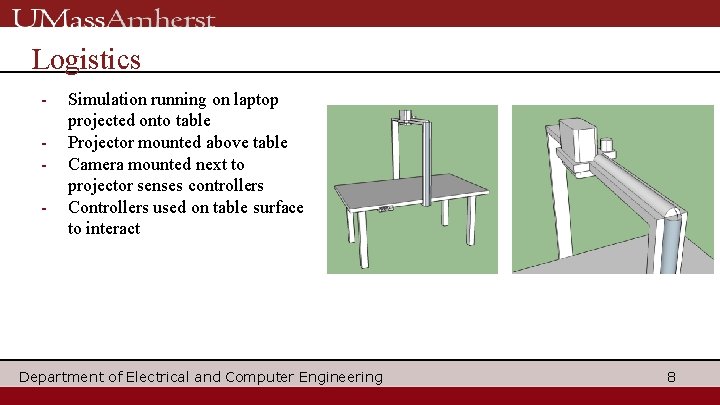
Logistics - Simulation running on laptop projected onto table Projector mounted above table Camera mounted next to projector senses controllers Controllers used on table surface to interact Department of Electrical and Computer Engineering 8
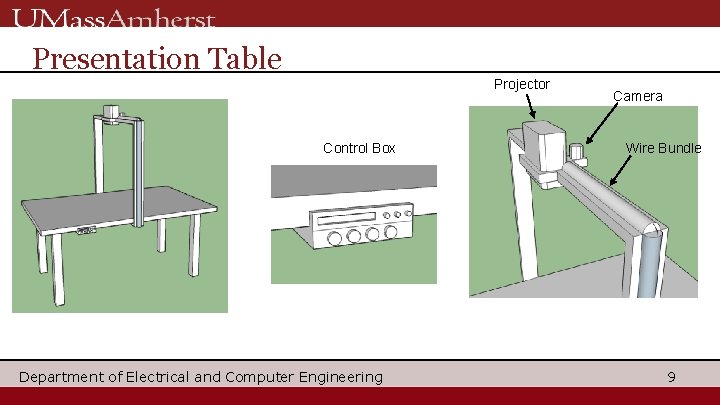
Presentation Table Projector Control Box Department of Electrical and Computer Engineering Camera Wire Bundle 9
System Specification - System must be able to sense player’s controller in real time • Also have space for 4 -player games - Mechanics of game must imitate real life / original style • Simulated game must follow all rules of original game - Projection display must keep up with interactions of players • Delay must be under 100 ms - Circuit Board Consumes no more than 650 m. W Department of Electrical and Computer Engineering 10
Input and Output Input: Dynamic coordinates of controller that is being tracked Output: Processed data from Laptop -> Live projection Department of Electrical and Computer Engineering 11
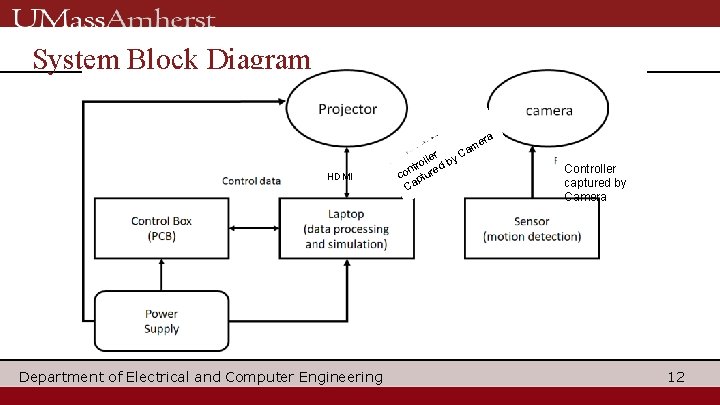
System Block Diagram era am y. C HDMI Department of Electrical and Computer Engineering er oll d b r t n e co ptur a C Controller captured by Camera 12
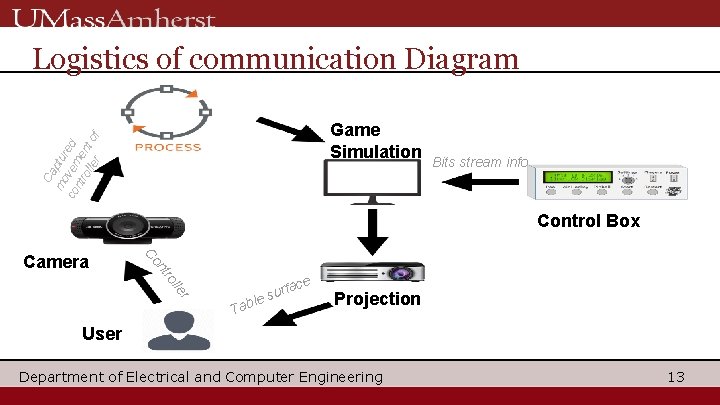
Logistics of communication Diagram Ca mo ptu co vem red ntr oll ent er of Game Simulation Bits stream info Control Box nt Co Camera r le l ro ace f r u s able T Projection User Department of Electrical and Computer Engineering 13
Proposed MDR Deliverables ▪ Functional projection system -Connect projector from laptop ▪ One functional sensor input -Implement camera as a sensor to sense targeted object ▪ Detect collision between controller location and simulation objects -Get coordinates of tracked object and export to simulator -Import coordinates and use it to simulate ▪ Displaying a moving object -Project objects that are reacted from simulation. ▪ PCB control commands outlined and set up Department of Electrical and Computer Engineering 14
Breakdown of activities for each student PCB - Pervesh Using PCB board, designed the control box that controls main function of the system. Camera Detection Bowen coded a program that detects and tracks a certain colored object using a camera. Joo. Young coded to get x, y coordinates of tracked object constantly, and made them to be saved in text file at certain location. Simulation - Patrick Made various simulations that interacts with user using saved coordinates file. Department of Electrical and Computer Engineering 15
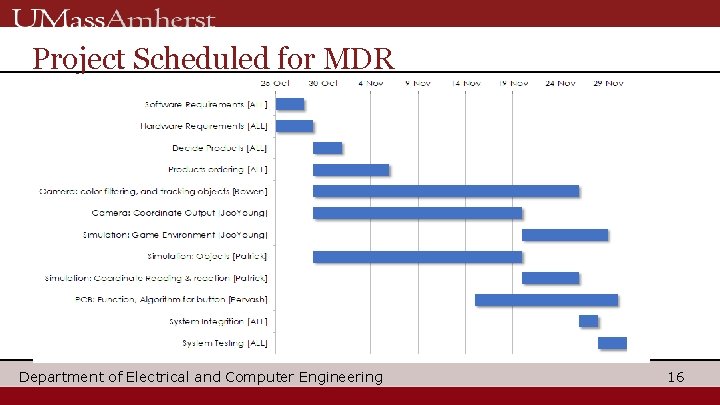
Project Scheduled for MDR Department of Electrical and Computer Engineering 16
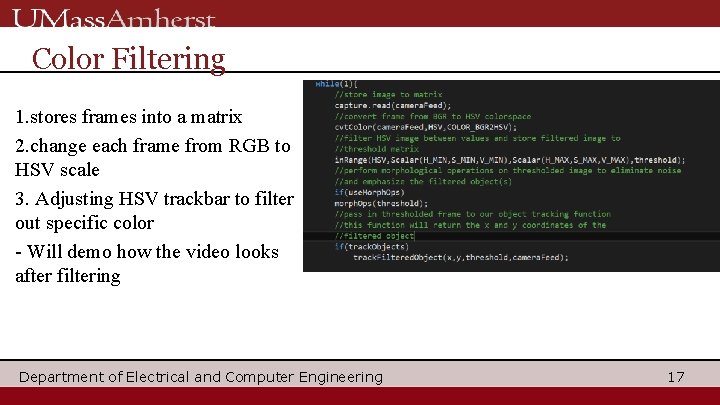
Color Filtering 1. stores frames into a matrix 2. change each frame from RGB to HSV scale 3. Adjusting HSV trackbar to filter out specific color - Will demo how the video looks after filtering Department of Electrical and Computer Engineering 17
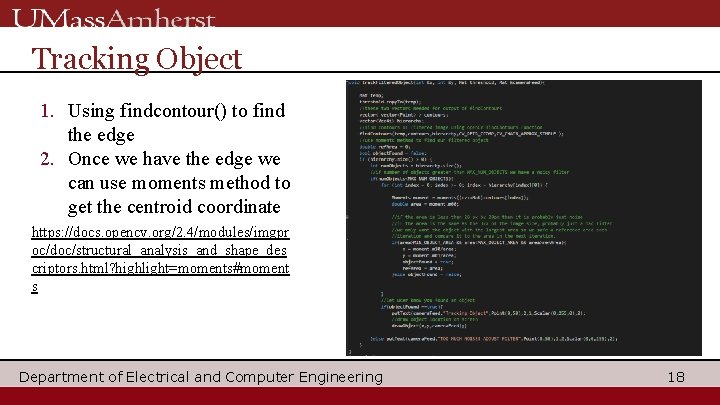
Tracking Object 1. Using findcontour() to find the edge 2. Once we have the edge we can use moments method to get the centroid coordinate https: //docs. opencv. org/2. 4/modules/imgpr oc/doc/structural_analysis_and_shape_des criptors. html? highlight=moments#moment s Department of Electrical and Computer Engineering 18
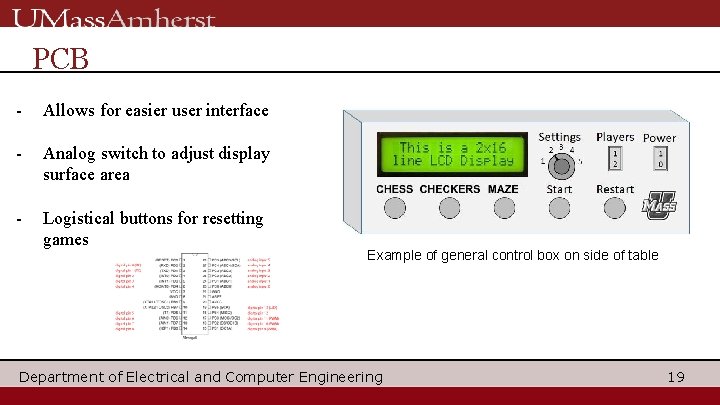
PCB - Allows for easier user interface - Analog switch to adjust display surface area - Logistical buttons for resetting games Example of general control box on side of table Department of Electrical and Computer Engineering 19
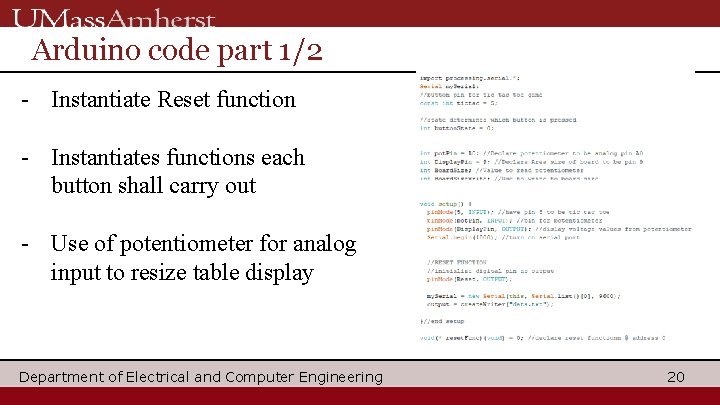
Arduino code part 1/2 - Instantiate Reset function - Instantiates functions each button shall carry out - Use of potentiometer for analog input to resize table display Department of Electrical and Computer Engineering 20
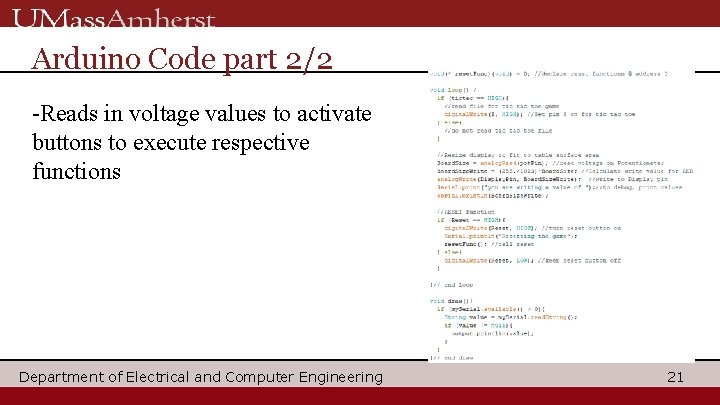
Arduino Code part 2/2 -Reads in voltage values to activate buttons to execute respective functions Department of Electrical and Computer Engineering 21
Anticipated Problems - When broken up, individual components not that complicated - Anticipate problems with the individual components communicating with each other - Interfacing (among computer to camera) - Delay Department of Electrical and Computer Engineering 22
Encountered problems 1. Sensing sensing and tracking a target object depends on environment 1. Delay faster Neglectable when moving at slow speed, huge when move 1. Communications with PCB to Laptop No compatible output text file Department of Electrical and Computer Engineering 23
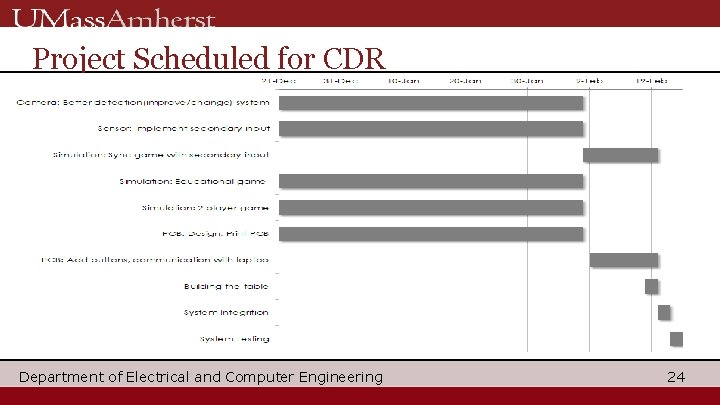
Project Scheduled for CDR Department of Electrical and Computer Engineering 24
CDR Deliverables ▪ ▪ ▪ Functional projection system on regular table Two functional sensor inputs Displaying a moving object Detect collision between sensor location and simulation objects Reaction from two functional sensor inputs and simulation objects. ▪ PCB communication with simulation Department of Electrical and Computer Engineering 25
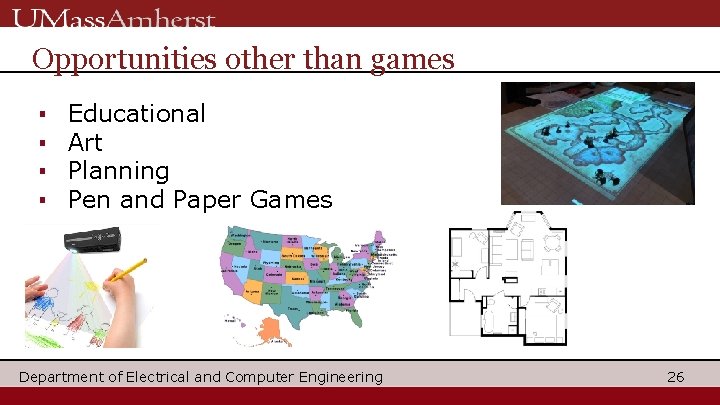
Opportunities other than games ▪ ▪ Educational Art Planning Pen and Paper Games Department of Electrical and Computer Engineering 26
Future Improvement Ideas ▪ Hand detection ▪ Multiplayer ▪ Secondary input method Department of Electrical and Computer Engineering 27
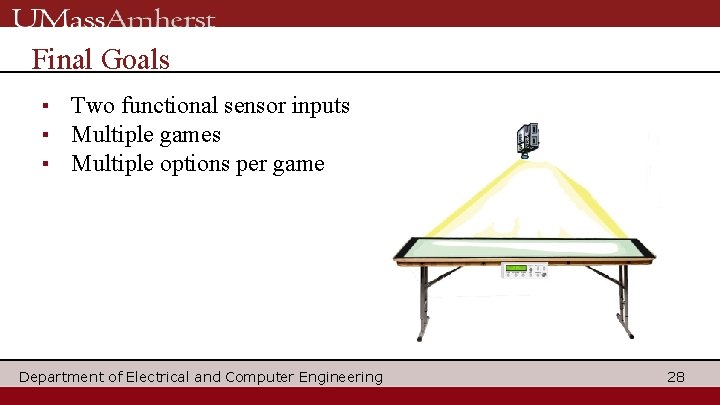
Final Goals ▪ Two functional sensor inputs ▪ Multiple games ▪ Multiple options per game Department of Electrical and Computer Engineering 28
- Slides: 28