
Microsofts Cursive Recognizer Jay Pittman and the entire
- Slides: 15
Microsoft’s Cursive Recognizer Jay Pittman and the entire Microsoft Handwriting Recognition Research and Development Team jpittman@microsoft. com July 20, 2005 Microsoft Tablet PC
The Handwriting Recognition Team Ø An experiment: § § Ø A research group, but not housed in MSR Positioned inside a product group Our direction and inspiration come directly from the users This isn’t for everyone, but we like it Just over a dozen researchers § Half with Ph. Ds § Mostly CS, but 1 Chemistry, 1 Industrial Engineering, 1 Math, 1 Speech § Mostly neural network researchers • Small to moderate experience in other recognition technologies July 20, 2005 Microsoft Tablet PC
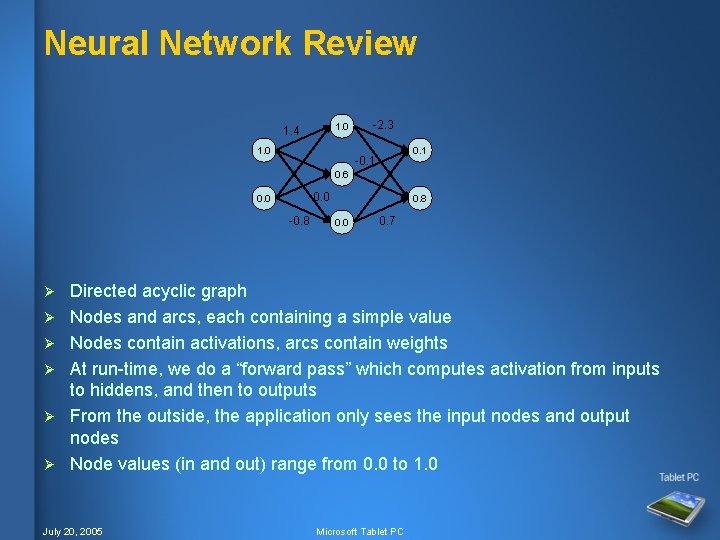
Neural Network Review 1. 0 1. 4 1. 0 -2. 3 0. 1 -0. 1 0. 6 0. 0 -0. 8 Ø Ø Ø 0. 8 0. 0 0. 7 Directed acyclic graph Nodes and arcs, each containing a simple value Nodes contain activations, arcs contain weights At run-time, we do a “forward pass” which computes activation from inputs to hiddens, and then to outputs From the outside, the application only sees the input nodes and output nodes Node values (in and out) range from 0. 0 to 1. 0 July 20, 2005 Microsoft Tablet PC
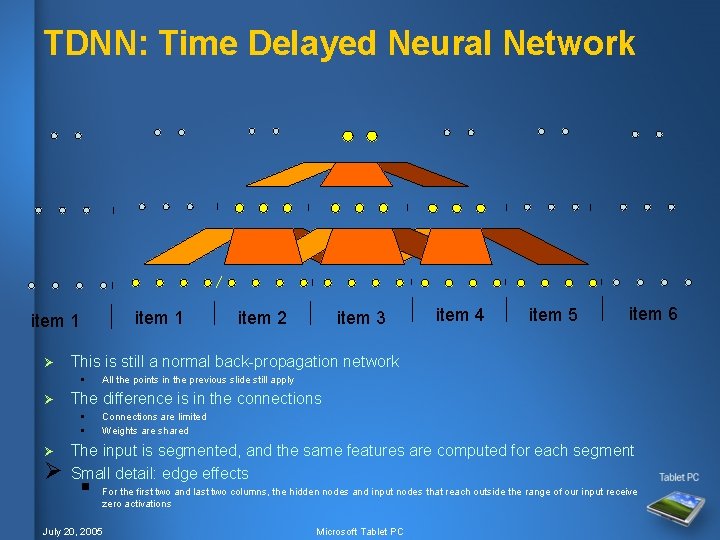
TDNN: Time Delayed Neural Network item 1 Ø Ø item 4 item 5 item 6 All the points in the previous slide still apply The difference is in the connections § § Ø item 3 This is still a normal back-propagation network § Ø item 2 Connections are limited Weights are shared The input is segmented, and the same features are computed for each segment Small detail: edge effects § For the first two and last two columns, the hidden nodes and input nodes that reach outside the range of our input receive zero activations July 20, 2005 Microsoft Tablet PC
Training We use back-propagation training Ø We collect millions of words of ink data from thousands of writers Ø § Young and old, male and female, left handed and right handed § Natural text, newspaper text, URLs, email addresses, street addresses We collect in nearly two dozen languages around the world Ø Training on such large databases takes weeks Ø We constantly worry about how well our data reflect our customers Ø § Their writing styles § Their text content Ø We can be no better than the quality of our training sets § And that goes for our test sets too July 20, 2005 Microsoft Tablet PC
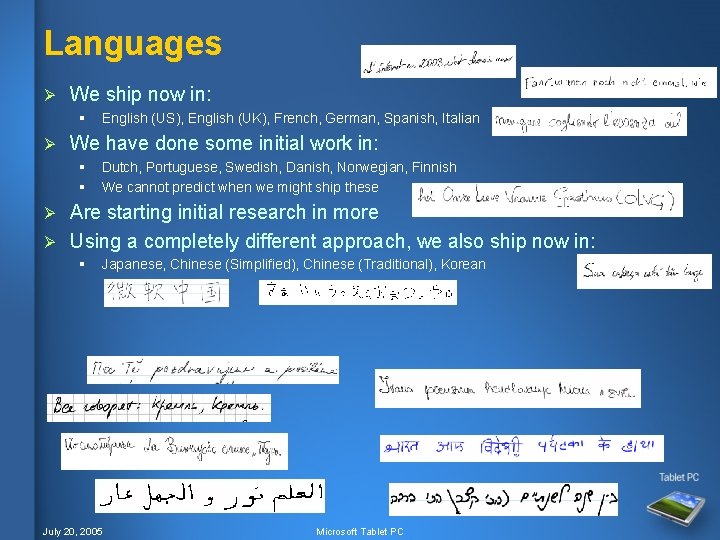
Languages Ø We ship now in: § Ø English (US), English (UK), French, German, Spanish, Italian We have done some initial work in: § § Dutch, Portuguese, Swedish, Danish, Norwegian, Finnish We cannot predict when we might ship these Are starting initial research in more Ø Using a completely different approach, we also ship now in: Ø § Japanese, Chinese (Simplified), Chinese (Traditional), Korean July 20, 2005 Microsoft Tablet PC
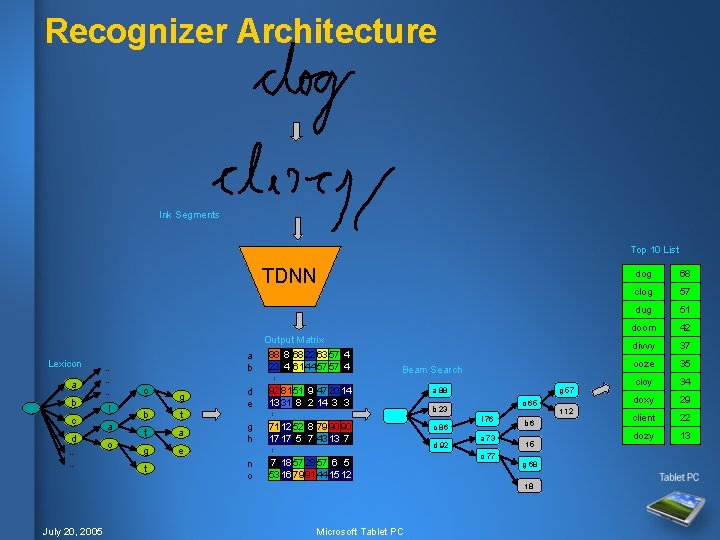
Recognizer Architecture Ink Segments Top 10 List TDNN Lexicon b d o b t g 92 81 51 9 4720 14 13 31 8 2 14 3 3 t g h 711252 8 79 90 90 1717 5 7 43 13 7 a n o 7 18 57 2857 6 5 53 16 79 914415 12 e … … … a o … c l d e Beam Search … a … … … a b Output Matrix 88 8 68226357 4 23 4 61 44 5757 4 g 57 a 88 o 65 b 23 c 86 d 92 l 76 a 73 o 77 b 6 t 5 g 68 t 8 July 20, 2005 Microsoft Tablet PC t 12 dog 68 clog 57 dug 51 doom 42 divvy 37 ooze 35 cloy 34 doxy 29 client 22 dozy 13
Language Model We get better recognition if we bias our interpretation of the output matrix with a language model Ø Better recognition means we can handle sloppier cursive Ø § You can write faster, in a more relaxed manner Ø The lexicon (system dictionary) is the main part § But there is also a user dictionary § And there are regular expressions for things like dates and currency amounts Ø We want a generator § We ask it: “what characters could be next after this prefix? ” § It answers with a set of characters Ø We still output the top letter recognitions § In case you are writing a word out-of-dictionary § You will have to write more neatly July 20, 2005 Microsoft Tablet PC
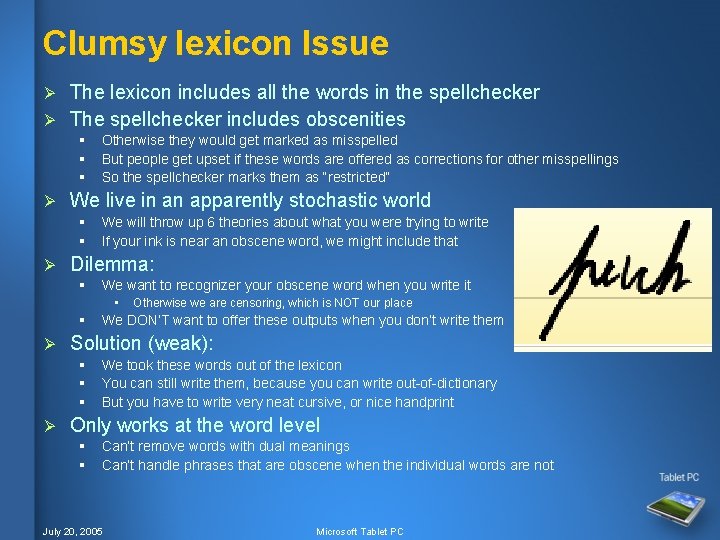
Clumsy lexicon Issue The lexicon includes all the words in the spellchecker Ø The spellchecker includes obscenities Ø § § § Ø We live in an apparently stochastic world § § Ø Otherwise they would get marked as misspelled But people get upset if these words are offered as corrections for other misspellings So the spellchecker marks them as “restricted” We will throw up 6 theories about what you were trying to write If your ink is near an obscene word, we might include that Dilemma: § We want to recognizer your obscene word when you write it • § Ø We DON’T want to offer these outputs when you don’t write them Solution (weak): § § § Ø Otherwise we are censoring, which is NOT our place We took these words out of the lexicon You can still write them, because you can write out-of-dictionary But you have to write very neat cursive, or nice handprint Only works at the word level § § Can’t remove words with dual meanings Can’t handle phrases that are obscene when the individual words are not July 20, 2005 Microsoft Tablet PC
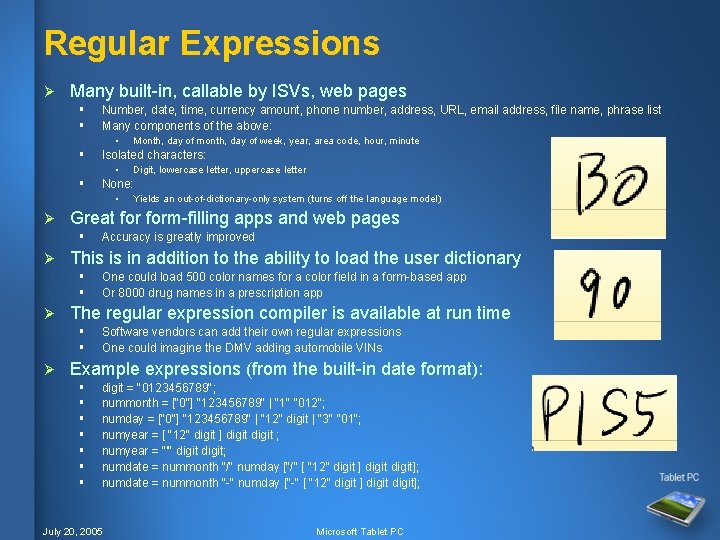
Regular Expressions Ø Many built-in, callable by ISVs, web pages § § Number, date, time, currency amount, phone number, address, URL, email address, file name, phrase list Many components of the above: • § Isolated characters: • § One could load 500 color names for a color field in a form-based app Or 8000 drug names in a prescription app The regular expression compiler is available at run time § § Ø Accuracy is greatly improved This is in addition to the ability to load the user dictionary § § Ø Yields an out-of-dictionary-only system (turns off the language model) Great form-filling apps and web pages § Ø Digit, lowercase letter, uppercase letter None: • Ø Month, day of month, day of week, year, area code, hour, minute Software vendors can add their own regular expressions One could imagine the DMV adding automobile VINs Example expressions (from the built-in date format): § § § § digit = "0123456789"; nummonth = ["0"] "123456789" | "1" "012"; numday = ["0"] "123456789" | "12" digit | "3" "01"; numyear = [ "12" digit ] digit ; numyear = "'" digit; numdate = nummonth "/" numday ["/" [ "12" digit ] digit]; numdate = nummonth "-" numday ["-" [ "12" digit ] digit]; July 20, 2005 Microsoft Tablet PC
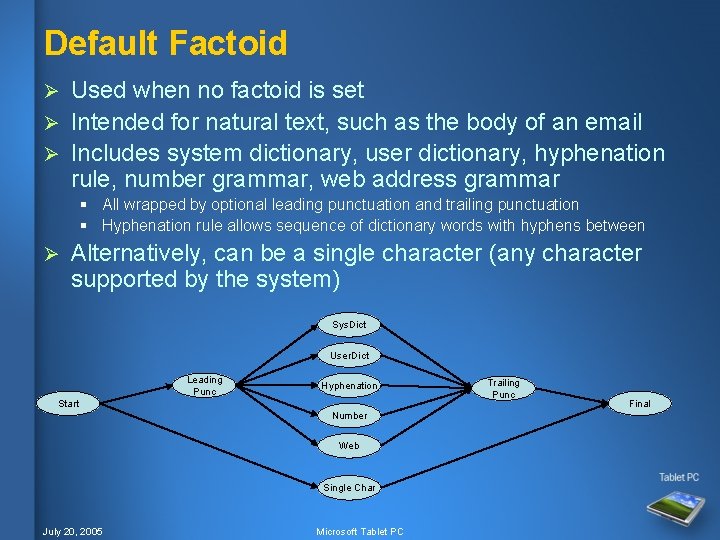
Default Factoid Used when no factoid is set Ø Intended for natural text, such as the body of an email Ø Includes system dictionary, user dictionary, hyphenation rule, number grammar, web address grammar Ø § All wrapped by optional leading punctuation and trailing punctuation § Hyphenation rule allows sequence of dictionary words with hyphens between Ø Alternatively, can be a single character (any character supported by the system) Sys. Dict User. Dict Leading Punc Hyphenation Start Number Web Single Char July 20, 2005 Microsoft Tablet PC Trailing Punc Final
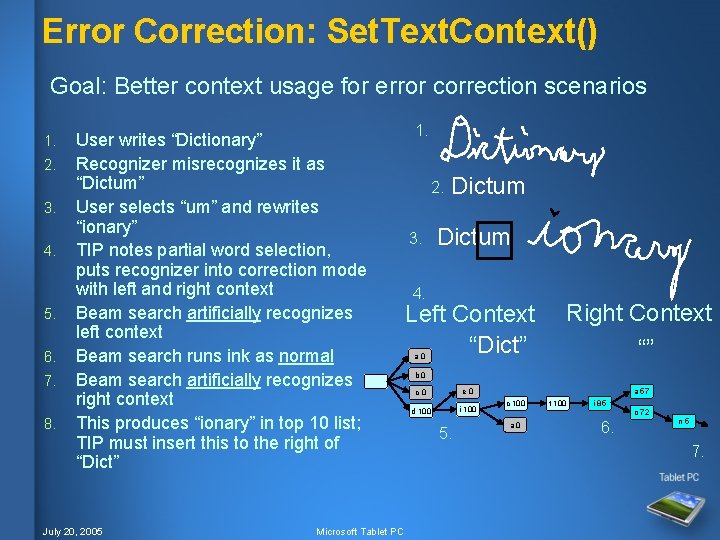
Error Correction: Set. Text. Context() Goal: Better context usage for error correction scenarios 1. 2. 3. 4. 5. 6. 7. 8. User writes “Dictionary” Recognizer misrecognizes it as “Dictum” User selects “um” and rewrites “ionary” TIP notes partial word selection, puts recognizer into correction mode with left and right context Beam search artificially recognizes left context Beam search runs ink as normal Beam search artificially recognizes right context This produces “ionary” in top 10 list; TIP must insert this to the right of “Dict” July 20, 2005 Microsoft Tablet PC 1. 2. 3. Dictum 4. Left Context “Dict” a 0 Right Context “” b 0 e 0 c 0 i 100 d 100 5. a 57 c 100 t 100 i 85 o 72 a 0 6. n 5 7.
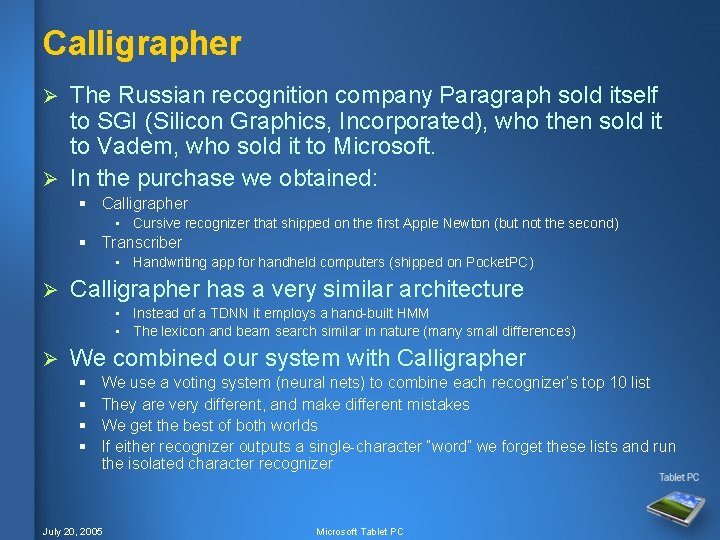
Calligrapher The Russian recognition company Paragraph sold itself to SGI (Silicon Graphics, Incorporated), who then sold it to Vadem, who sold it to Microsoft. Ø In the purchase we obtained: Ø § Calligrapher • Cursive recognizer that shipped on the first Apple Newton (but not the second) § Transcriber • Handwriting app for handheld computers (shipped on Pocket. PC) Ø Calligrapher has a very similar architecture • Instead of a TDNN it employs a hand-built HMM • The lexicon and beam search similar in nature (many small differences) Ø We combined our system with Calligrapher § § We use a voting system (neural nets) to combine each recognizer’s top 10 list They are very different, and make different mistakes We get the best of both worlds If either recognizer outputs a single-character “word” we forget these lists and run the isolated character recognizer July 20, 2005 Microsoft Tablet PC
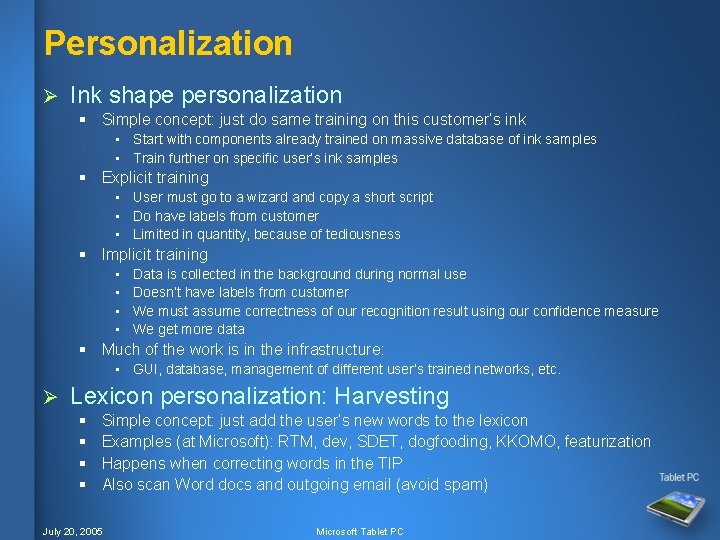
Personalization Ø Ink shape personalization § Simple concept: just do same training on this customer’s ink • Start with components already trained on massive database of ink samples • Train further on specific user’s ink samples § Explicit training • User must go to a wizard and copy a short script • Do have labels from customer • Limited in quantity, because of tediousness § Implicit training • • Data is collected in the background during normal use Doesn’t have labels from customer We must assume correctness of our recognition result using our confidence measure We get more data § Much of the work is in the infrastructure: • GUI, database, management of different user’s trained networks, etc. Ø Lexicon personalization: Harvesting § § Simple concept: just add the user’s new words to the lexicon Examples (at Microsoft): RTM, dev, SDET, dogfooding, KKOMO, featurization Happens when correcting words in the TIP Also scan Word docs and outgoing email (avoid spam) July 20, 2005 Microsoft Tablet PC
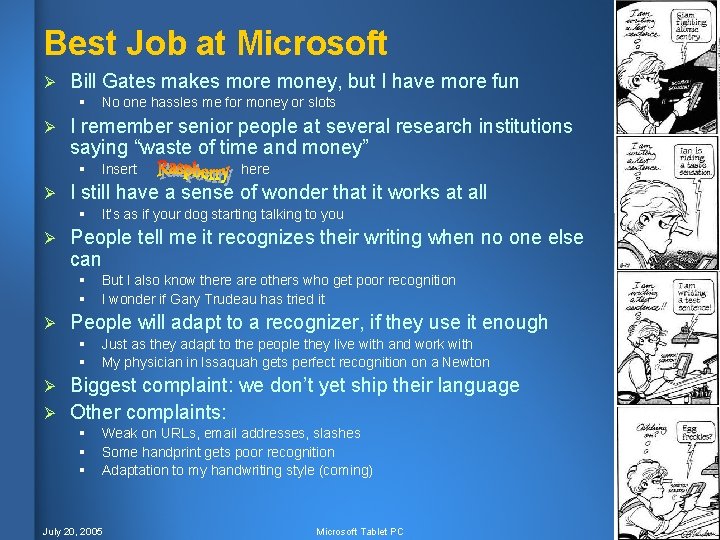
Best Job at Microsoft Ø Bill Gates makes more money, but I have more fun § Ø I remember senior people at several research institutions saying “waste of time and money” § Ø here It’s as if your dog starting talking to you People tell me it recognizes their writing when no one else can § § Ø Insert I still have a sense of wonder that it works at all § Ø No one hassles me for money or slots But I also know there are others who get poor recognition I wonder if Gary Trudeau has tried it People will adapt to a recognizer, if they use it enough § § Just as they adapt to the people they live with and work with My physician in Issaquah gets perfect recognition on a Newton Biggest complaint: we don’t yet ship their language Ø Other complaints: Ø § § § Weak on URLs, email addresses, slashes Some handprint gets poor recognition Adaptation to my handwriting style (coming) July 20, 2005 Microsoft Tablet PC