
Microsoft Word Templates and Accessibility Presentation for BostonIA
Microsoft® Word Templates and Accessibility Presentation for Boston-IA by Barbara Casaly bcasaly@comcast. net
What is a Word Template? • File with a. dot (document template) extension • Can define paragraph and character formats, page layouts, and “boilerplate” text • Normal. dot - the default Word template
Why use a Word template? • You store format settings in one file (similar to using a CSS for a website). • You can change a style in a template and update all the text that uses that style. • Applying standard styles gives your document structure and adds other information to it more accessible.
How do styles relate to accessibility? • Heading styles (Heading 1, Heading 2, etc. ) provide structure and navigation for screen reader users. • List styles (List Bullet and List Number, etc. ) provide information to screen reader users about the presence of the list and number of items in the list.
Word 2003 Templates • Location: Tools > Options > File Locations tab > User templates Default location: C: Documents and SettingsusernameApplication DataMicrosoftTemplates • Attaching a template to a document: Tools > Templates and Add-ins, Attach, Choose a template, Automatically update document styles
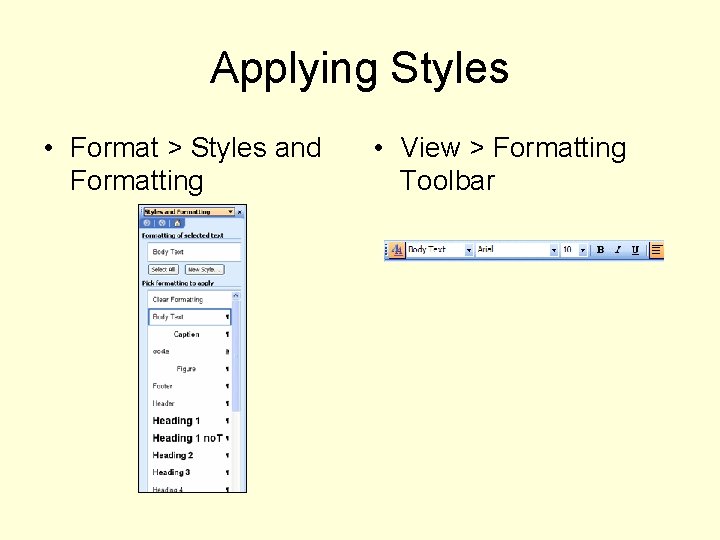
Applying Styles • Format > Styles and Formatting • View > Formatting Toolbar
Converting to PDF • Use default Adobe Acrobat conversion settings • In Adobe Acrobat, File > Document Properties > Advanced tab, choose English US for the Language
- Slides: 7