
Microsoft Visual C 2010 A First Program Using

- Slides: 51
Microsoft Visual C# 2010 A First Program Using C#
Objectives • Learn about programming • Learn about procedural and object-oriented programming • Learn about the features of object-oriented programming languages Microsoft Visual C# 2010, Fourth Edition
Microsoft Visual C# 2010, Fourth Edition 3
Objectives cont. . . • Learn about the C# programming language • Write a C# program that produces output • Learn how to select identifiers to use within your programs
Objectives (cont'd. ) • Improve programs by adding comments and using the System namespace • Write and compile a C# program using the command prompt and using Visual Studio Microsoft Visual C# 2010, Fourth Edition
Programming • Computer program – Set of instructions that tells a computer what to do – Also called software • Software comes in two broad categories – System software – Application software Microsoft Visual C# 2010, Fourth Edition
• Machine language – Expressed as a series of 1 s and 0 s • 1 s represent switches that are on, and 0 s represent switches that are off
Programming (cont'd. ) • High-level programming languages – Use reasonable terms such as “read, ” “write, ” or “add” • Instead of the sequence of on/off switches that perform these tasks – Allows you to assign reasonable names to areas of computer memory – Has its own syntax (rules of the language) Microsoft Visual C# 2010, Fourth Edition
• Compiler – Translates high-level language statements into machine code
Programming (cont'd. ) • Programming logic – Involves executing the various statements and procedures in the correct order • To produce the desired results • Debugging – Process of removing all syntax and logical errors from the program Microsoft Visual C# 2010, Fourth Edition
Procedural and Object-Oriented Programming • Procedural program – Create and name computer memory locations that can hold values (variables) – Write a series of steps or operations to manipulate those values Microsoft Visual C# 2010, Fourth Edition
• Identifier – A one-word name used to reference a variable • Procedures or methods – Logical units that group individual operations used in a computer program – Called or invoked by other procedures or methods
Procedural and Object-Oriented Programming (cont'd. ) • Object-oriented programming – An extension of procedural programming Microsoft Visual C# 2010, Fourth Edition
• Objects – – Similar to concrete objects in the real world Contain their own variables and methods Attributes of an object represent its characteristics State of an object is the collective value of all its attributes at any point in time – Behaviors of an object are things it “does”
Procedural and Object-Oriented Programming (cont'd. ) • Originally used for two types of applications – Computer simulations – Graphical user interfaces (GUIs) Microsoft Visual C# 2010, Fourth Edition
Features of Object-Oriented Programming Languages • Classes – A category of objects or a type of object – Describes the attributes and methods of every object that is an instance, or example, of that class Microsoft Visual C# 2010, Fourth Edition
• Objects – An instance of a class • Encapsulation – Technique of packaging an object’s attributes and methods into a cohesive unit; undivided entity – Using a black box
Features of Object-Oriented Programming Languages (cont'd. ) • Interface – Interaction between a method an object • Inheritance – Provides the ability to extend a class to create a more specific class Microsoft Visual C# 2010, Fourth Edition
Polymorphism – Describes the ability to create methods that act appropriately depending on the context
The C# Programming Language • Developed as an object-oriented and componentoriented language • Part of Microsoft Visual Studio 2010 • Allows every piece of data to be treated as an object and to consistently employ the principles of object-oriented programming • Contains a GUI interface that makes it similar to Visual Basic Microsoft Visual C# 2010, Fourth Edition
The C# Programming Language (cont'd. ) • Modeled after the C++ programming language – However, eliminates some of the most difficult features to understand in C++ • Very similar to Java – In C#, simple data types are objects Microsoft Visual C# 2010, Fourth Edition
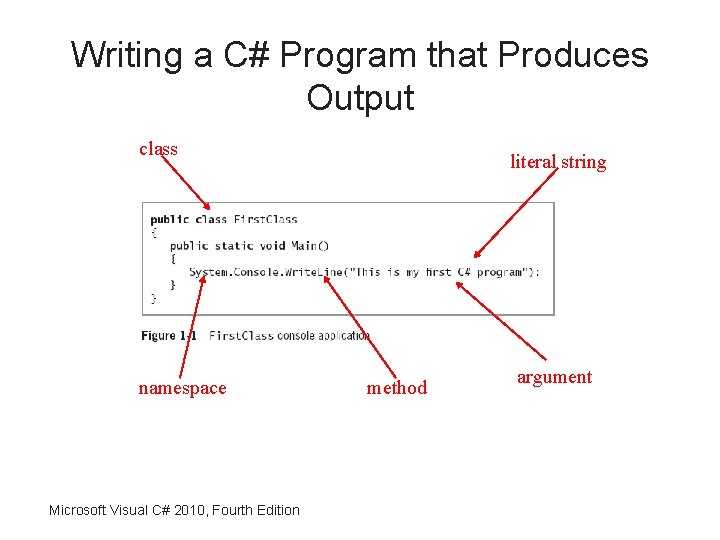
Writing a C# Program that Produces Output class namespace Microsoft Visual C# 2010, Fourth Edition literal string method argument
Writing a C# Program that Produces Output (cont'd. ) • Namespace – Provides a way to group similar classes • C# method parts – Method header • Includes the method name and information about what will pass into and be returned from a method – Method body • Contained within a pair of curly braces and includes all the instructions executed by the method Microsoft Visual C# 2010, Fourth Edition
Writing a C# Program that Produces Output (cont'd. ) • Whitespace – Any combination of spaces, tabs, and carriage returns (blank lines) – Organizes your code and makes it easier to read Microsoft Visual C# 2010, Fourth Edition
• Access modifier – Defines the circumstances under which the method can be accessed • Keywords – Predefined and reserved identifiers that have special meaning to the compiler
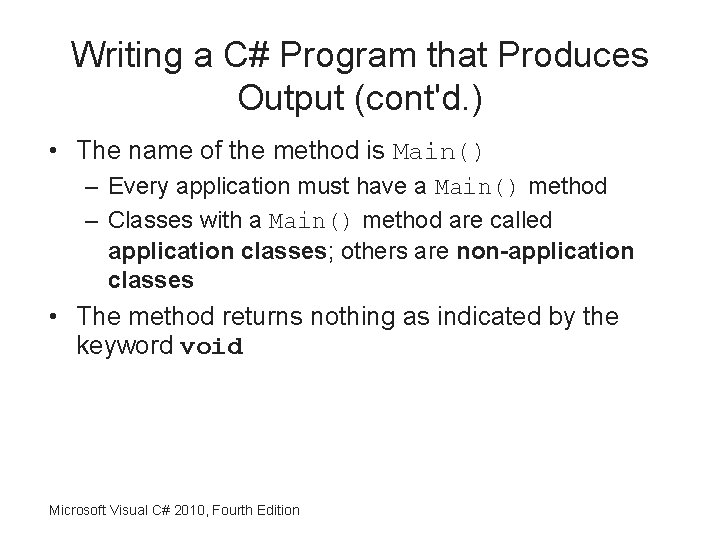
Writing a C# Program that Produces Output (cont'd. ) • The name of the method is Main() – Every application must have a Main() method – Classes with a Main() method are called application classes; others are non-application classes • The method returns nothing as indicated by the keyword void Microsoft Visual C# 2010, Fourth Edition
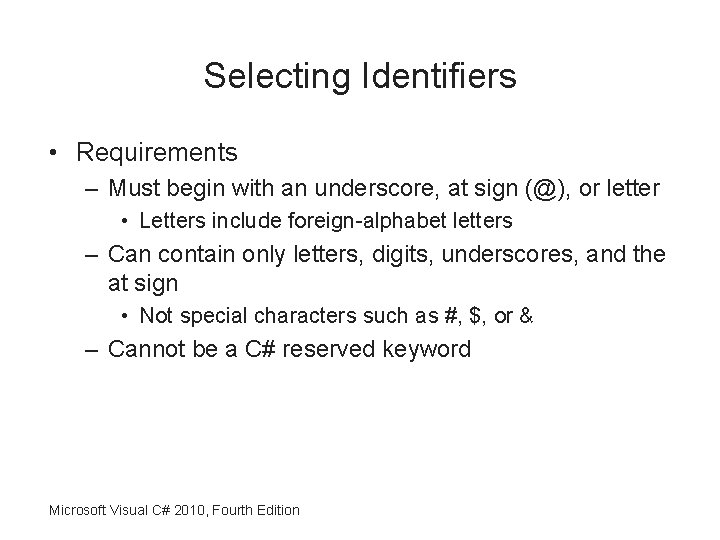
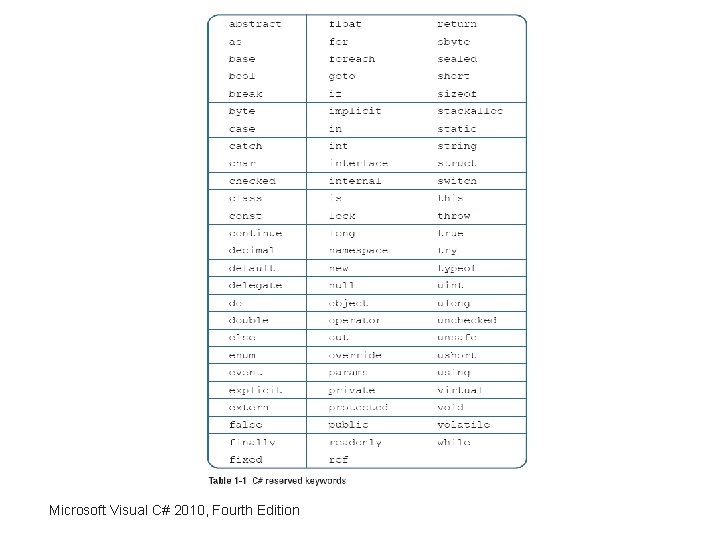
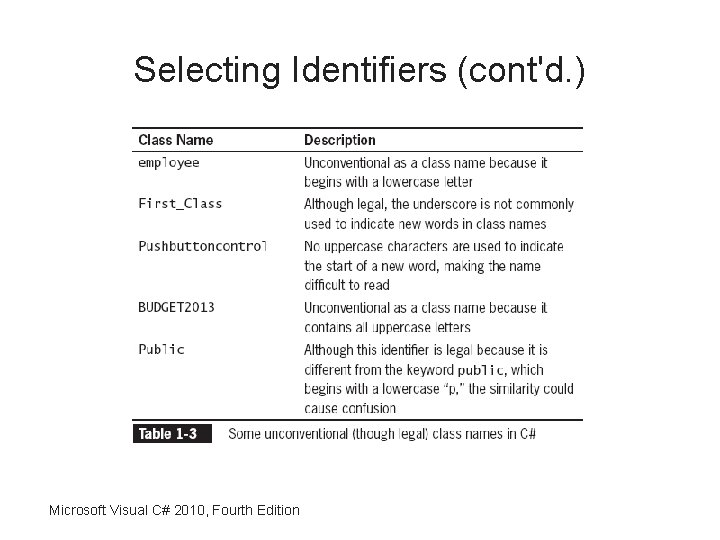
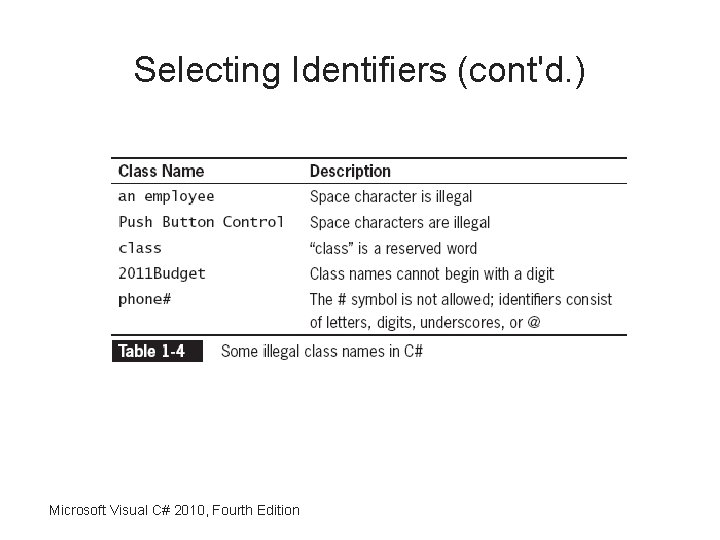
Selecting Identifiers • Requirements – Must begin with an underscore, at sign (@), or letter • Letters include foreign-alphabet letters – Can contain only letters, digits, underscores, and the at sign • Not special characters such as #, $, or & – Cannot be a C# reserved keyword Microsoft Visual C# 2010, Fourth Edition
Microsoft Visual C# 2010, Fourth Edition
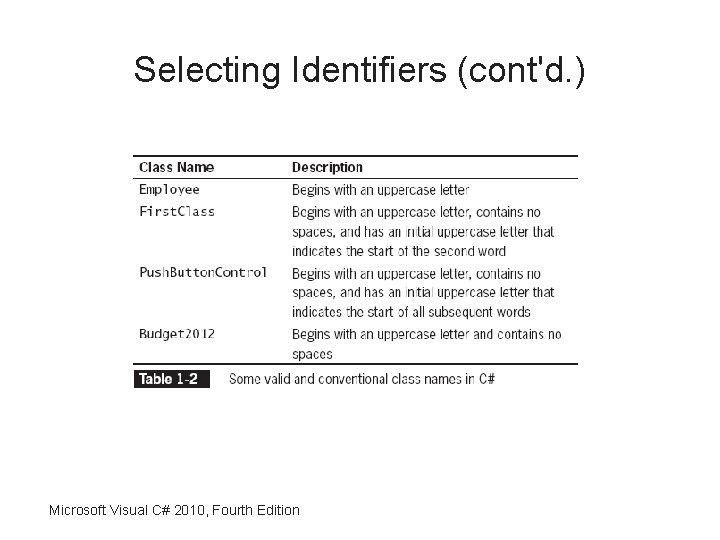
Selecting Identifiers (cont'd. ) Microsoft Visual C# 2010, Fourth Edition
Selecting Identifiers (cont'd. ) Microsoft Visual C# 2010, Fourth Edition
Selecting Identifiers (cont'd. ) Microsoft Visual C# 2010, Fourth Edition
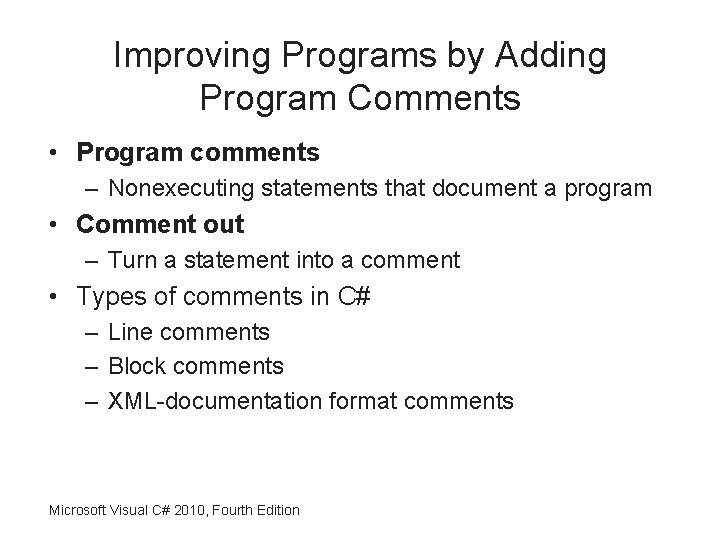
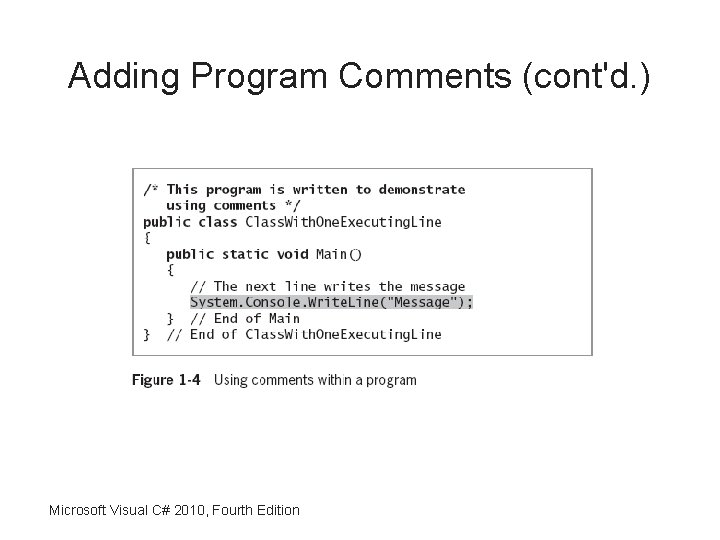
Improving Programs by Adding Program Comments • Program comments – Nonexecuting statements that document a program • Comment out – Turn a statement into a comment • Types of comments in C# – Line comments – Block comments – XML-documentation format comments Microsoft Visual C# 2010, Fourth Edition
Adding Program Comments (cont'd. ) Microsoft Visual C# 2010, Fourth Edition
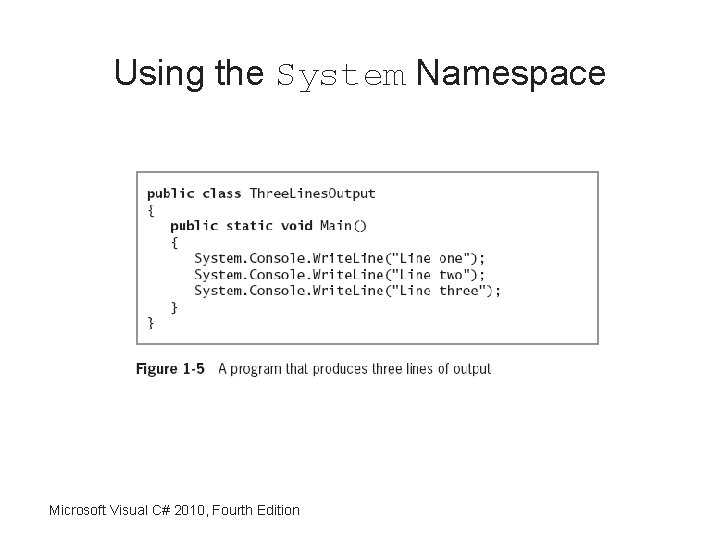
Using the System Namespace Microsoft Visual C# 2010, Fourth Edition
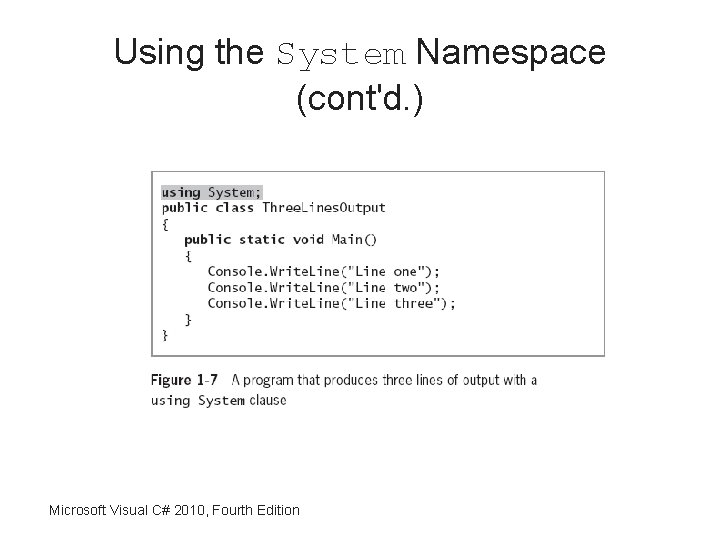
Using the System Namespace (cont'd. ) Microsoft Visual C# 2010, Fourth Edition
Writing and Compiling a C# Program • Steps for viewing a program output – Compile source code into intermediate language (IL) – C# just in time (JIT) compiler translates the intermediate code into executable statements Microsoft Visual C# 2010, Fourth Edition
• You can use either of two ways to compile – The command line – The Integrated Development Environment (IDE) • In the lab we will be using the IDE
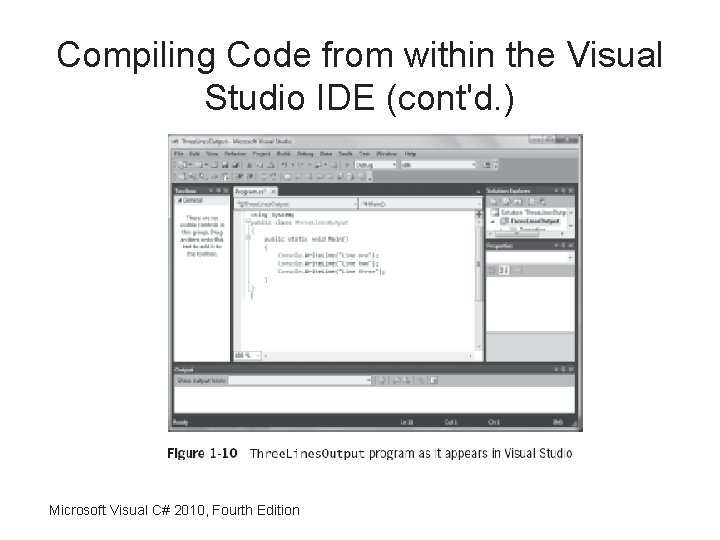
Compiling Code from within the Visual Studio IDE • Advantages of using the Visual Studio IDE – Some of the code you need is already created for you – The code is displayed in color – You can double-click an error message and the cursor will move to the line of code that contains the error – Other debugging tools are available Microsoft Visual C# 2010, Fourth Edition
Compiling Code from within the Visual Studio IDE (cont'd. ) Microsoft Visual C# 2010, Fourth Edition
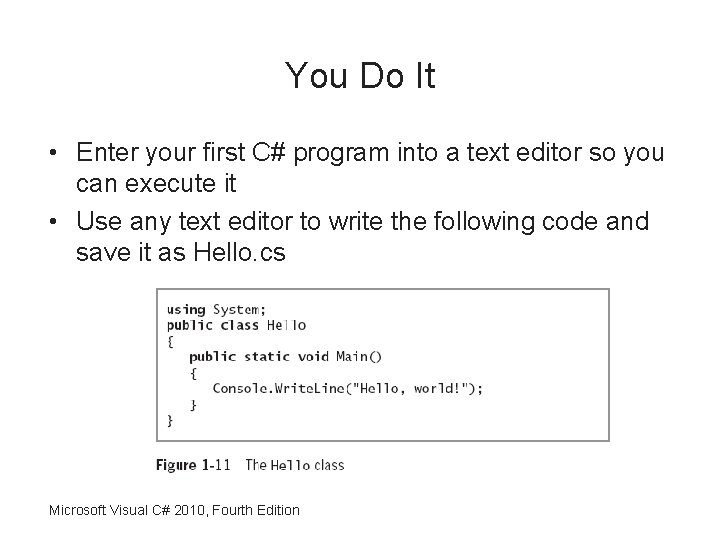
You Do It • Enter your first C# program into a text editor so you can execute it • Use any text editor to write the following code and save it as Hello. cs Microsoft Visual C# 2010, Fourth Edition
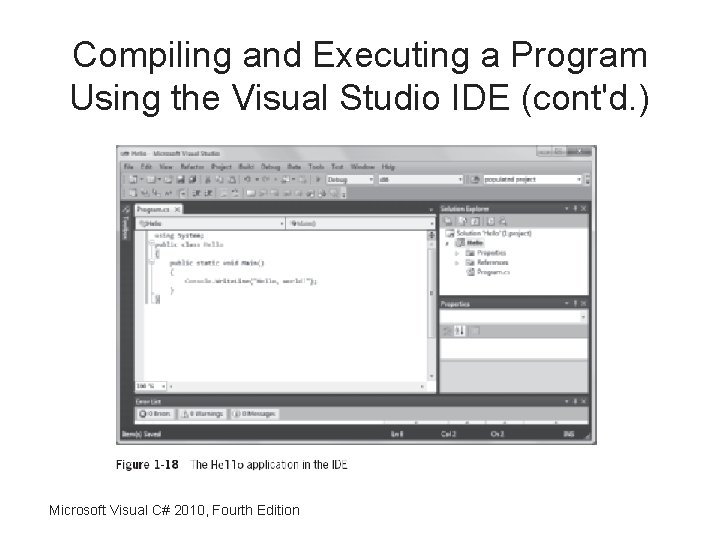
Compiling and Executing a Program Using the Visual Studio IDE • Steps – Create a new project (console application) – Enter the project name – Write your program using the editor Microsoft Visual C# 2010, Fourth Edition
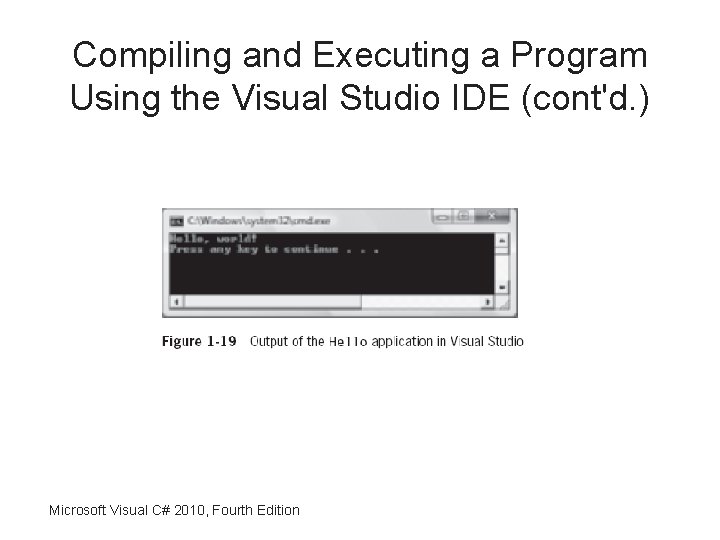
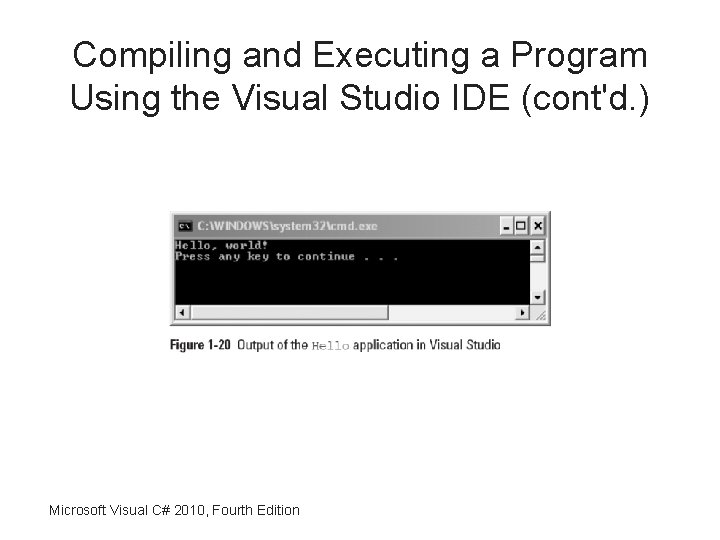
– To compile the program, click Build on the menu bar, and then click Build Solution • As an alternative, you can press F 6 – Click Debug on the menu bar and then click Start Without Debugging
Compiling and Executing a Program Using the Visual Studio IDE (cont'd. ) Microsoft Visual C# 2010, Fourth Edition
Compiling and Executing a Program Using the Visual Studio IDE (cont'd. ) Microsoft Visual C# 2010, Fourth Edition
Compiling and Executing a Program Using the Visual Studio IDE (cont'd. ) Microsoft Visual C# 2010, Fourth Edition
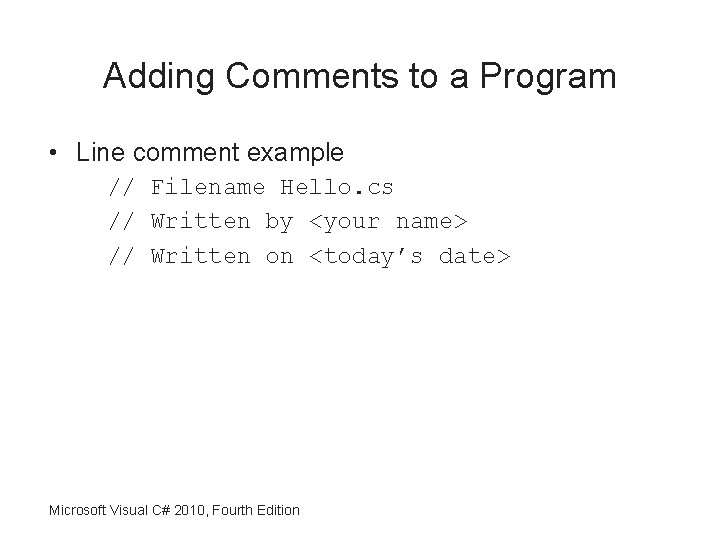
Adding Comments to a Program • Line comment example // Filename Hello. cs // Written by <your name> // Written on <today’s date> Microsoft Visual C# 2010, Fourth Edition
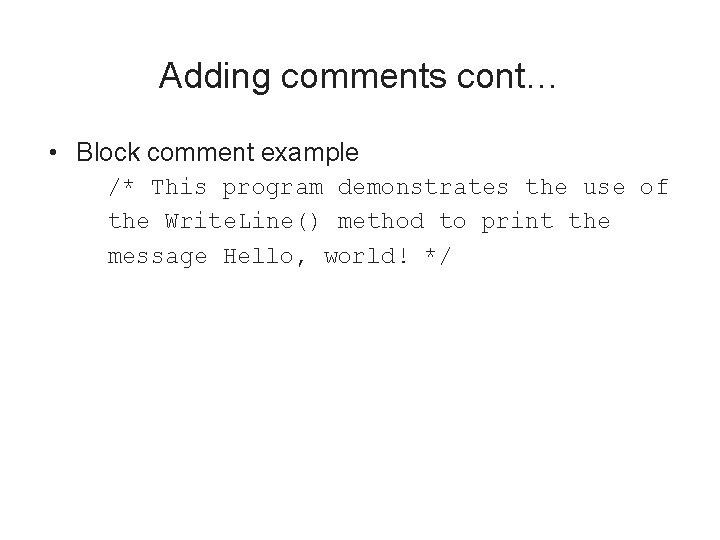
Adding comments cont… • Block comment example /* This program demonstrates the use of the Write. Line() method to print the message Hello, world! */
Summary • A computer program is a set of instructions that tell a computer what to do • Understand differences between procedural programming and object-oriented programming • Objects are instances of classes and are made up of attributes and methods Microsoft Visual C# 2010, Fourth Edition
• The C# programming language is an objectoriented and component-oriented language • System. Console. Write. Line() method – Produces a line of console output
Summary (cont'd. ) • You can define a C# class or variable by using any name or identifier • Comments are nonexecuting statements that you add to document a program – Or to disable statements when you test a program Microsoft Visual C# 2010, Fourth Edition
• Use namespaces to improve programs • To create a C# program, you can use the Microsoft Visual Studio environment