
Microsoft Visual Basic Pertemuan2 Membuat User Interface 2
Microsoft Visual Basic Pertemuan-2 Membuat User Interface
2 Overview ■ ■ ■ ■ Classes dan Objects Properties, Methods dan Events Namespaces Encapsulation Merencanakan sebuah Aplikasi - TOE Chart Label Keterangan dan Output Konvensi Pemberian Nama Tip desain dengan GUI dan tip lainnya 2009 Pearson Education, Inc. All rights reserved.
3 Class dan Object ■ Dalam Pemrograman berorientasi Objek, sebuah class dianalogikan sebagai sebuah cetakan untuk sebuah objek. Dapat digunakan untuk membuat banyak objek berulang kali. ■ Setiap menambahkan sebuah control pada sebuah form (seperti sebuah button atau text box), berarti anda membuat instances dari class yang direpresentasikan oleh control tersebut. 2009 Pearson Education, Inc. All rights reserved.
4 Properties, Methods dan Events ■ Setiap objek mempunyai Properties, Methods dan Events yang spesifik. ■ Properties: atribut yang menjelaskan sebuah objek ■ Events: Karakteristik bagaimana sebuah objek dapat merespon ■ Methods: Menentukan tindakan yang dapat dilakukan oleh objek ■ Function – mengembalikan hasil ketika dipanggil ■ Sub – tidak mengembalikan hasil ketika dipanggil 2009 Pearson Education, Inc. All rights reserved.
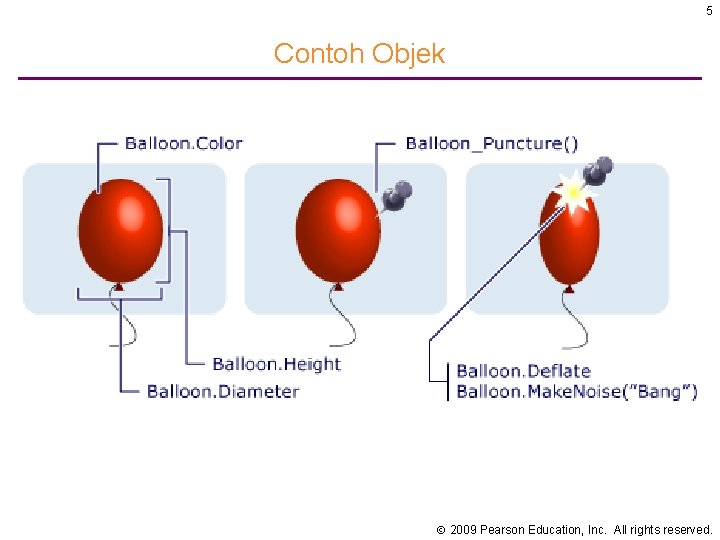
5 Contoh Objek 2009 Pearson Education, Inc. All rights reserved.
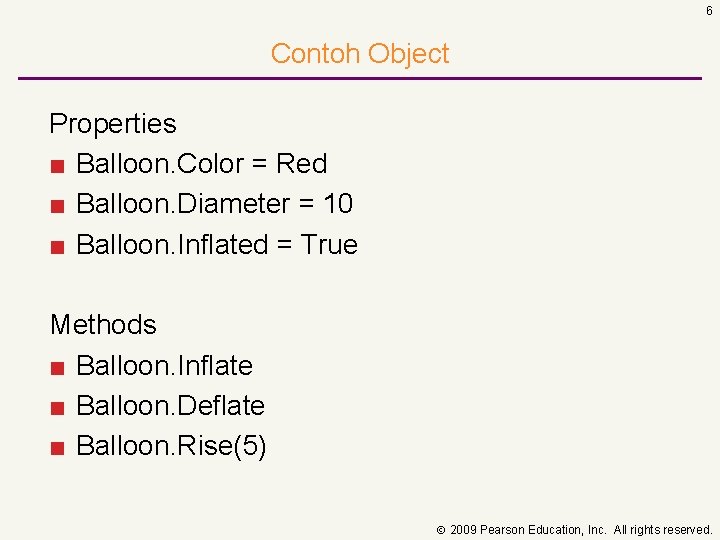
6 Contoh Object Properties ■ Balloon. Color = Red ■ Balloon. Diameter = 10 ■ Balloon. Inflated = True Methods ■ Balloon. Inflate ■ Balloon. Deflate ■ Balloon. Rise(5) 2009 Pearson Education, Inc. All rights reserved.
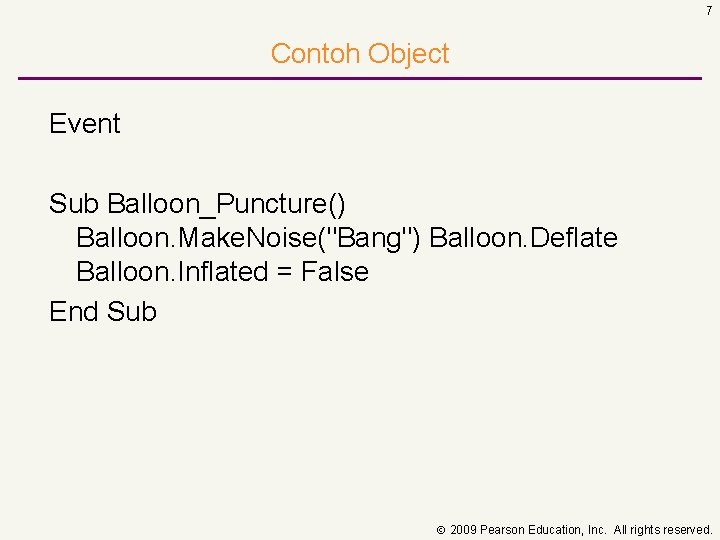
7 Contoh Object Event Sub Balloon_Puncture() Balloon. Make. Noise("Bang") Balloon. Deflate Balloon. Inflated = False End Sub 2009 Pearson Education, Inc. All rights reserved.
8 Common Form Controls (Objects) ■ ■ ■ ■ ■ Buttons Text Box Labels Radio Buttons Check Box Combo Box List Box Tool Tip Numeric Up Down 2009 Pearson Education, Inc. All rights reserved.
9 Common Control Properties ■ ■ ■ ■ Back. Color Enabled Fore. Color Location Name Size (Height, Width) Text Visible Dapat “secara manual” diatur, tapi nanti akan ditunjukkan bagaimana memanipulasinya dengan code. 2009 Pearson Education, Inc. All rights reserved.
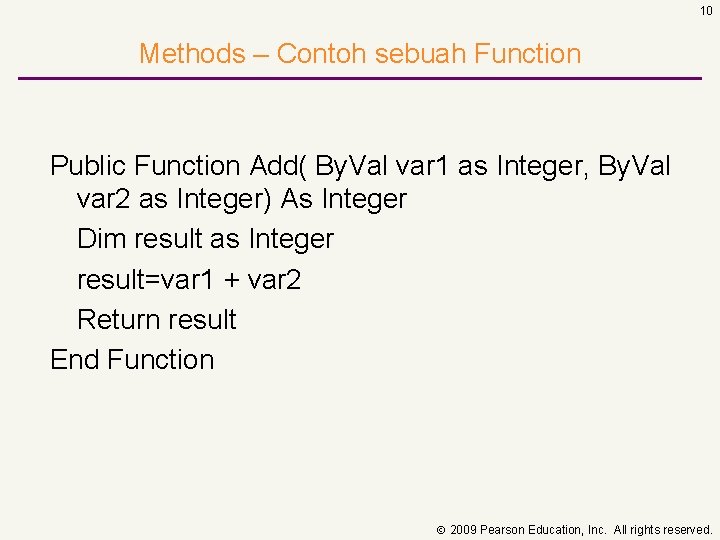
10 Methods – Contoh sebuah Function Public Function Add( By. Val var 1 as Integer, By. Val var 2 as Integer) As Integer Dim result as Integer result=var 1 + var 2 Return result End Function 2009 Pearson Education, Inc. All rights reserved.
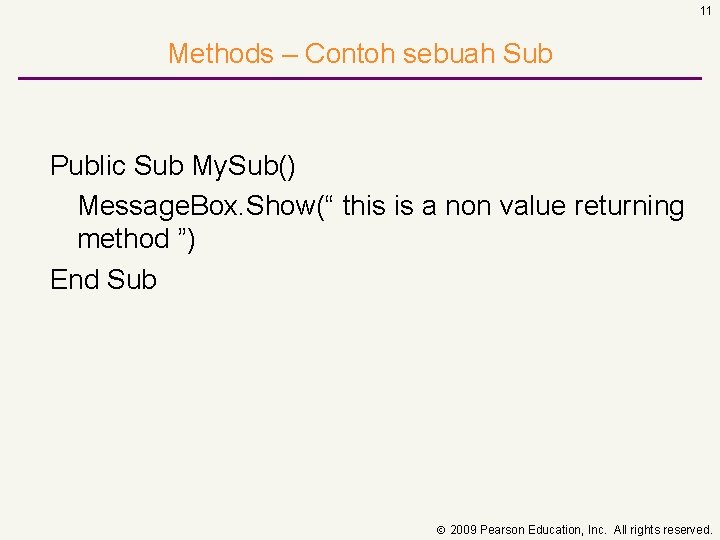
11 Methods – Contoh sebuah Sub Public Sub My. Sub() Message. Box. Show(“ this is a non value returning method ”) End Sub 2009 Pearson Education, Inc. All rights reserved.
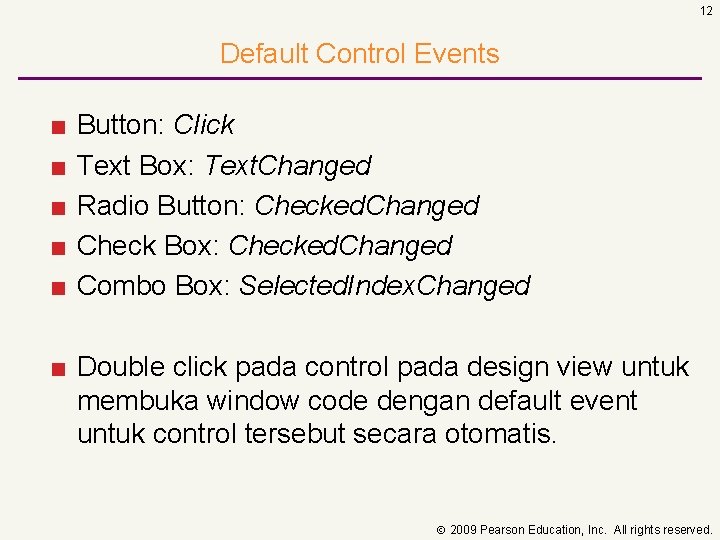
12 Default Control Events ■ ■ ■ Button: Click Text Box: Text. Changed Radio Button: Checked. Changed Check Box: Checked. Changed Combo Box: Selected. Index. Changed ■ Double click pada control pada design view untuk membuka window code dengan default event untuk control tersebut secara otomatis. 2009 Pearson Education, Inc. All rights reserved.
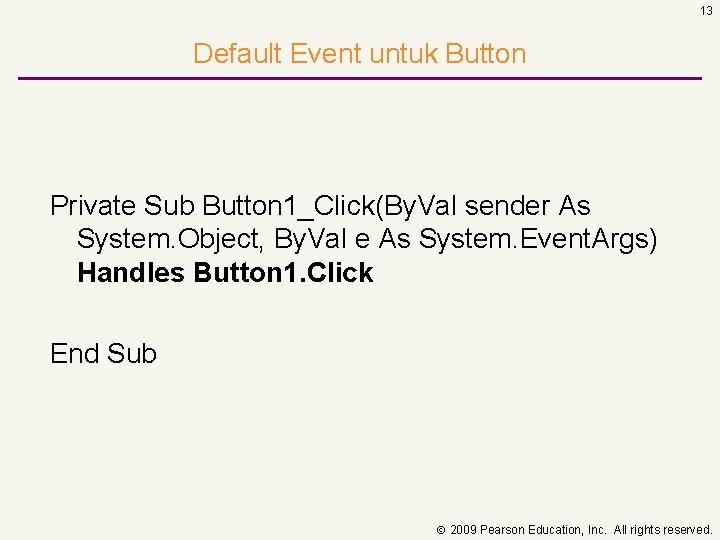
13 Default Event untuk Button Private Sub Button 1_Click(By. Val sender As System. Object, By. Val e As System. Event. Args) Handles Button 1. Click End Sub 2009 Pearson Education, Inc. All rights reserved.
14 Event lain untuk Command Button ■ ■ ■ Enter Text. Changed Key. Down Mouse. Enter Mouse. Leave Mouse. Hover ■ Dan banyak lagi (semuanya ada 68) yang dapat diekplor pada browser objek, Properties Window atau Code Window 2009 Pearson Education, Inc. All rights reserved.
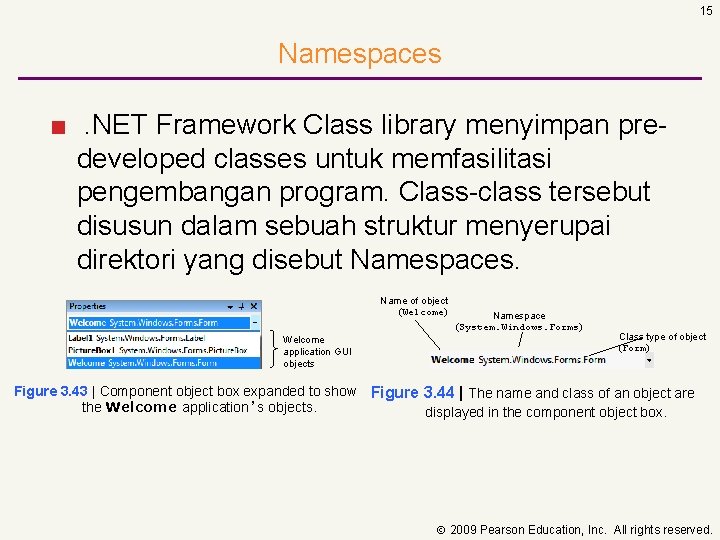
15 Namespaces ■. NET Framework Class library menyimpan predeveloped classes untuk memfasilitasi pengembangan program. Class-class tersebut disusun dalam sebuah struktur menyerupai direktori yang disebut Namespaces. Name of object (Welcome) Welcome application GUI objects Namespace (System. Windows. Forms) Class type of object (Form) Figure 3. 43 | Component object box expanded to show Figure 3. 44 | The name and class of an object are the Welcome application’s objects. displayed in the component object box. 2009 Pearson Education, Inc. All rights reserved.
16 Contoh Namespace ■ System: root untuk tipe data primitive dan namespace lain dalam. NET base class library ■ System. Data. SQLClient: namespace ini mengandung class yang optimum digunakan untuk interaksi dengan MS SQL Server ■ System. Windows. Forms: namespace ini mengandung tipe-tipe yang terlibat dalam pembuatan aplikasi windows standar. Class yang merepresentasikan form dan control juga terdapat dalam namespace ini. 2009 Pearson Education, Inc. All rights reserved.
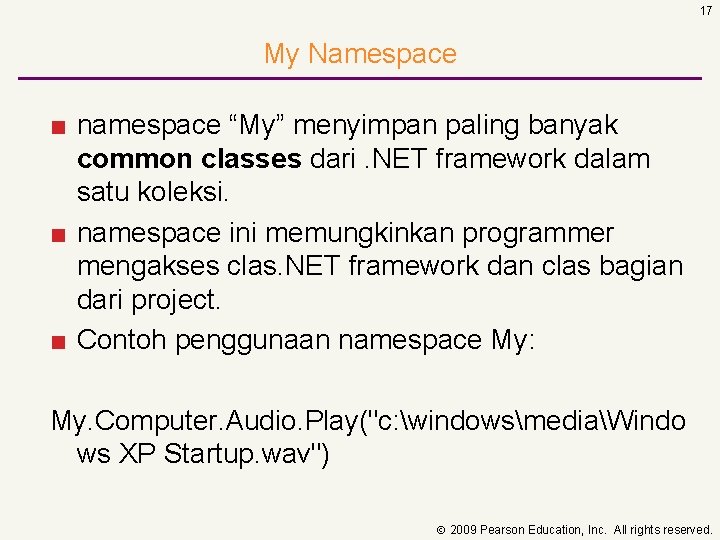
17 My Namespace ■ namespace “My” menyimpan paling banyak common classes dari. NET framework dalam satu koleksi. ■ namespace ini memungkinkan programmer mengakses clas. NET framework dan clas bagian dari project. ■ Contoh penggunaan namespace My: My. Computer. Audio. Play("c: windowsmediaWindo ws XP Startup. wav") 2009 Pearson Education, Inc. All rights reserved.
18 Pekerjaan yang biasa menggunakan Namespace My ■ ■ Menampilkan splash screen Mengambil nama computer Mengambil pengaturan jaringan Memastikan sebuah web site apakah ada dan jalan ■ Membaca file teks kedalam sebuah string ■ Mengirim sesuatu untuk di cetak di printer ■ Mendapatkan pengaturan aplikasi 2009 Pearson Education, Inc. All rights reserved.
19 Encapsulation ■ Anda tidak perlu tahu BAGAIMANA sesuatu berjalan secara detail, yang perlu anda ketahui adalah bagaimana memanggilnya dengan kode. ■ Satu baris kode yang digunakan untuk membuat sebuah web browser adalah contoh dari Encapsulation. my. Browser. Navigate(txt. URL. Text) ■ Setiap control yang ditambahkan kedalam form secara otomatis dibuat oleh Visual Studio tanpa harus membuat kode classnya. Mudahkan! 2009 Pearson Education, Inc. All rights reserved.
Membuat Rencana Aplikasi ■ Rencanakan aplikasi sebelum membuat desain interfacenya ■ Bekerjasama dengan user untuk memastikan keberhasilan aplikasi ■ Diagram TOE (Task, Object, Event) : Memperlihatkan tugas 2 aplikasi, objek dan event ■ Tugas, Objek, dan event harus diidentifikasi dalam tiga tahap perencanaan ■ Sunshine Cellular Company: Takes orders by phone for cell phones priced at $100 each Two colors: blue and silver Currently the salespeople calculate the order total 2009 Pearson Education, Inc. All rights reserved.
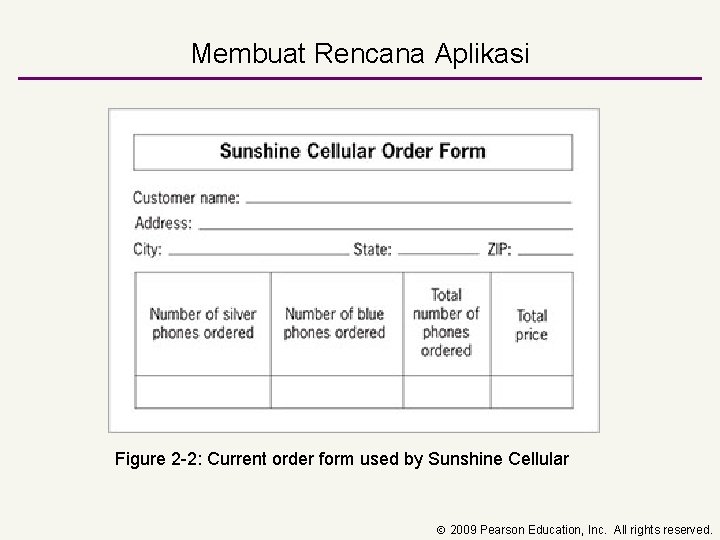
Membuat Rencana Aplikasi Figure 2 -2: Current order form used by Sunshine Cellular 2009 Pearson Education, Inc. All rights reserved.
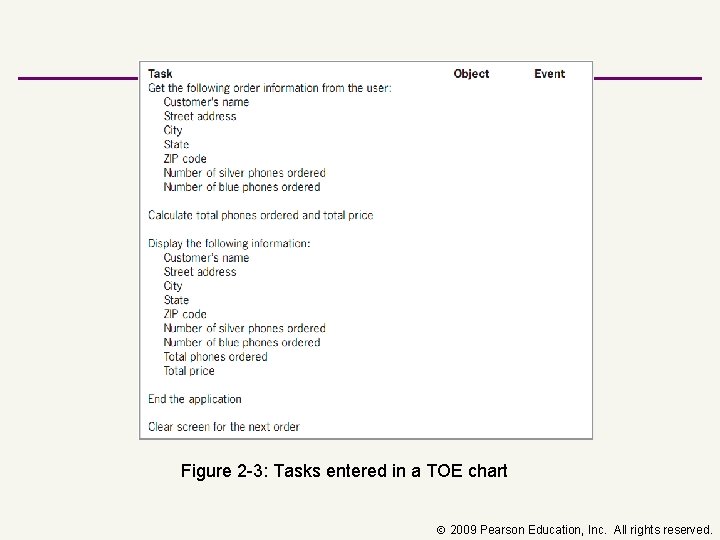
Figure 2 -3: Tasks entered in a TOE chart 2009 Pearson Education, Inc. All rights reserved.
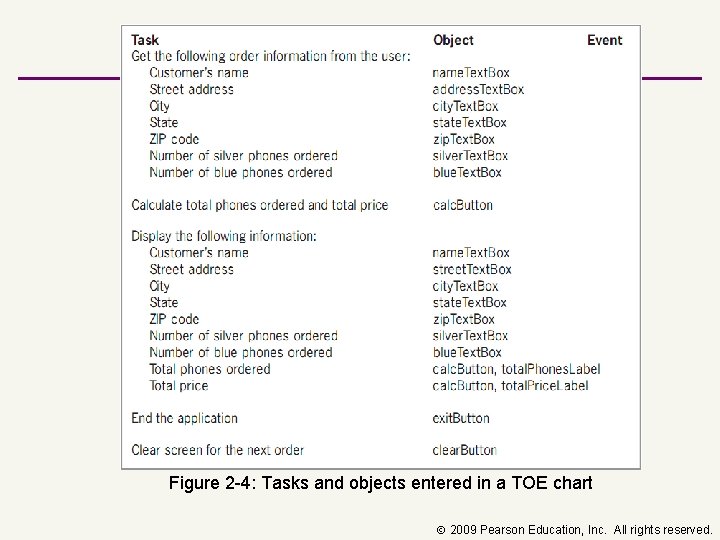
Figure 2 -4: Tasks and objects entered in a TOE chart 2009 Pearson Education, Inc. All rights reserved.
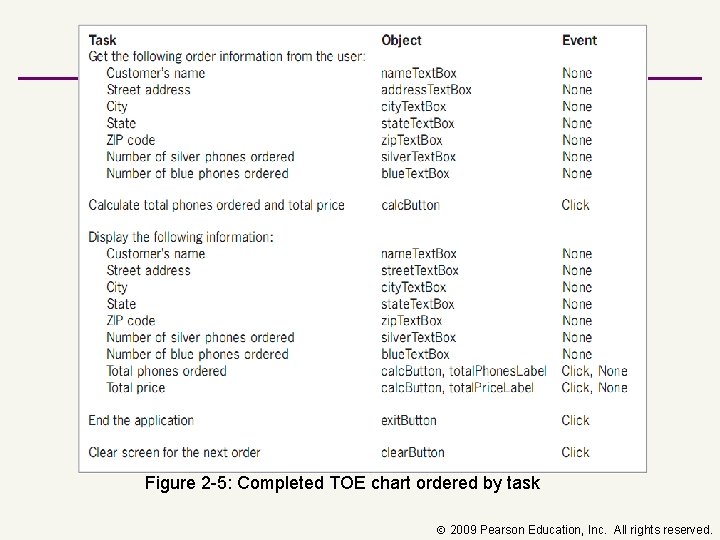
Figure 2 -5: Completed TOE chart ordered by task 2009 Pearson Education, Inc. All rights reserved.
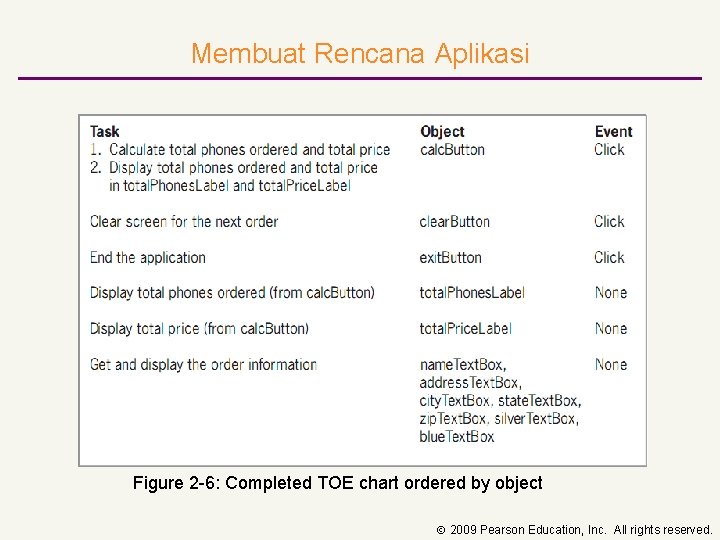
Membuat Rencana Aplikasi Figure 2 -6: Completed TOE chart ordered by object 2009 Pearson Education, Inc. All rights reserved.
26 Labels ■Sesuai dengan namanya, Label sering digunakan untuk memberi identitas pada control lain pada Form. ■Label yang jelas membantu user untuk memahasi tujuan dari masing-masing control tersebut. ■Output Labels menampilkan output program. 2009 Pearson Education, Inc. All rights reserved.
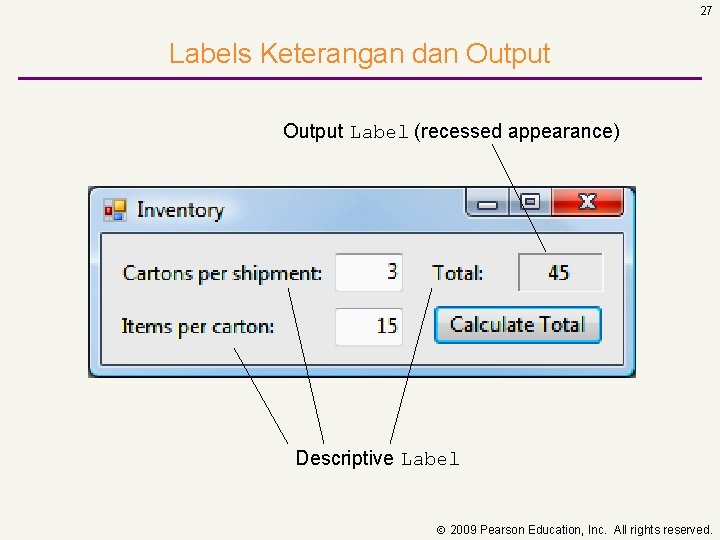
27 Labels Keterangan dan Output Label (recessed appearance) Descriptive Label 2009 Pearson Education, Inc. All rights reserved.
28 Konvensi Pemberian Nama ■Ubah nama Form dengan nama yang unik dan mempunyai arti untuk mempermudah identifikasi. ■Beri huruf besar pada huruf pertama nama Form karena Form adalah sebuah class. ■Objects (seperti juga control) harus diawali dengan huruf kecil. ■Ubah judul untuk mempermudah user mengidentifikasi tujuan dari Form. ■Judul Form harus menggunakan huruf capital ditiap awal kata. 2009 Pearson Education, Inc. All rights reserved.
29 Konvensi Pemberian Nama ■ Gunakan awalan untuk nama objek (control dan Form) sehingga dapat dikenali. ■ Tambahkan awalan Form untuk memberi nama Form. ■ Tambahkan awalan Label untuk semua nama control Label. ■ Tambahkan awalan Button untuk nama control Button. 2009 Pearson Education, Inc. All rights reserved.
30 TUGAS ■ Rancang sebuah Interface Aplikasi untuk Pembayaran pada sebuah mini market. (slide 21) ■ Buat Diagram TOE (Task, Object, Event) untuk interface tersebut. ■ Upload file tugas dengan nama : tugas 1+nim ke portal mahasiswa. 2009 Pearson Education, Inc. All rights reserved.
- Slides: 30