
Microsoft Virtual Academy Module 5 Implementing Active Directory

- Slides: 28
Microsoft Virtual Academy ® Module 5 Implementing Active Directory Domain Services Sites and Replication
Module Overview • AD DS Replication Overview • Configuring AD DS Sites • Configuring and Monitoring AD DS Replication
AD DS Replication Overview
Lesson 1: AD DS Replication Overview • Characteristics of AD DS Replication • How AD DS Replication Works Within a Site • Resolving Replication Conflicts • How Replication Topology Is Generated • How RODC Replication Works • How SYSVOL Replication Works
Characteristics of AD DS Replication • Key characteristics of Active Directory replication include: Multimaster replication • Pull replication • Store-and-forward • Partitions • Automatic generation of an efficient, robust replication topology • Attribute-level and multi-value replication • Distinct control of intrasite and intersite replication • Collision detection and remediation •
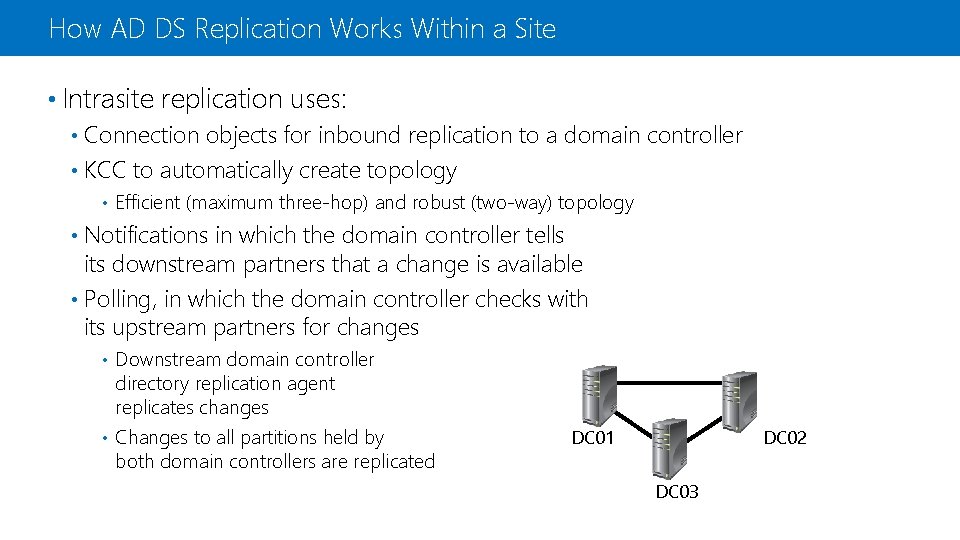
How AD DS Replication Works Within a Site • Intrasite replication uses: Connection objects for inbound replication to a domain controller • KCC to automatically create topology • • Efficient (maximum three-hop) and robust (two-way) topology Notifications in which the domain controller tells its downstream partners that a change is available • Polling, in which the domain controller checks with its upstream partners for changes • Downstream domain controller directory replication agent replicates changes • Changes to all partitions held by both domain controllers are replicated • DC 01 DC 02 DC 03
Resolving Replication Conflicts • In multimaster replication models, replication conflicts arise when: The same attribute is changed on two domain controllers simultaneously • An object is moved or added to a deleted container on another domain controller • Two objects with the same relative distinguished name are added to the same container on two different domain controllers • • To resolve replication conflicts, AD DS uses: Version number • Time stamp • Server GUID •
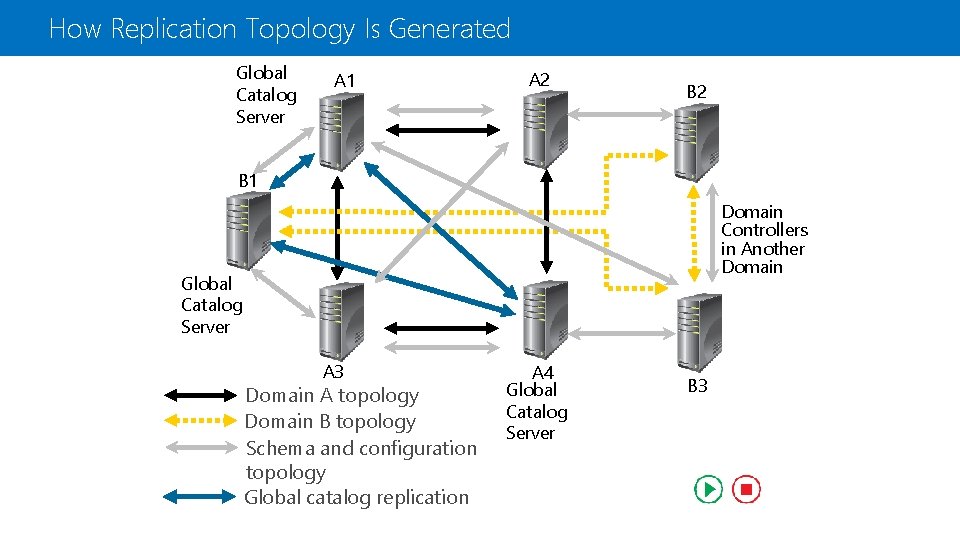
How Replication Topology Is Generated Global Catalog Server A 1 A 2 B 1 Domain Controllers in Another Domain Global Catalog Server A 3 Domain A topology Domain B topology Schema and configuration topology Global catalog replication A 4 Global Catalog Server B 3
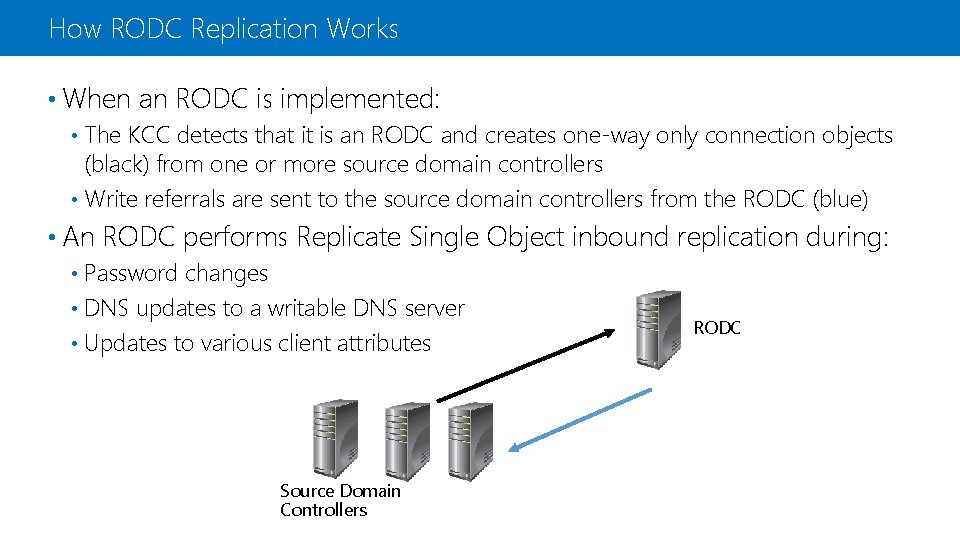
How RODC Replication Works • When an RODC is implemented: The KCC detects that it is an RODC and creates one-way only connection objects (black) from one or more source domain controllers • Write referrals are sent to the source domain controllers from the RODC (blue) • • An RODC performs Replicate Single Object inbound replication during: Password changes • DNS updates to a writable DNS server • Updates to various client attributes • Source Domain Controllers RODC
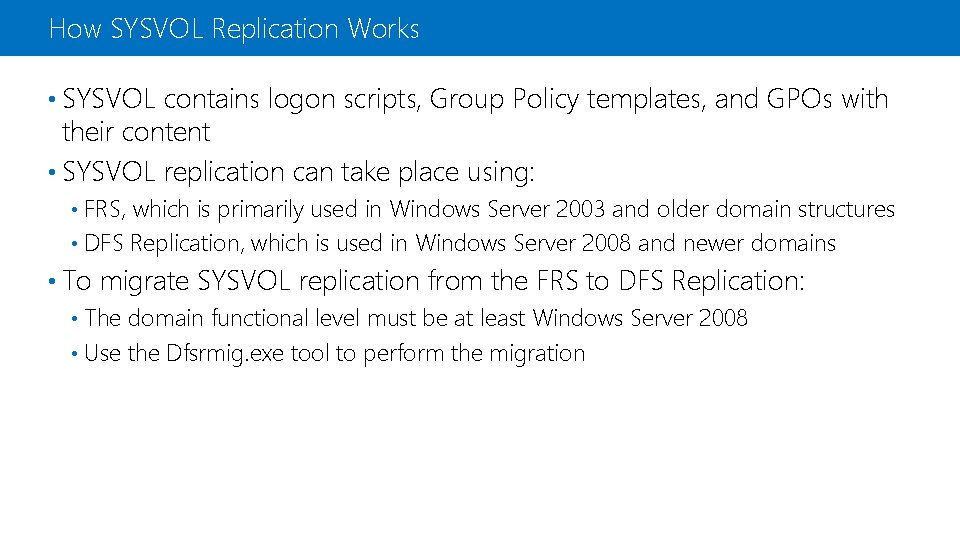
How SYSVOL Replication Works • SYSVOL contains logon scripts, Group Policy templates, and GPOs with their content • SYSVOL replication can take place using: FRS, which is primarily used in Windows Server 2003 and older domain structures • DFS Replication, which is used in Windows Server 2008 and newer domains • • To migrate SYSVOL replication from the FRS to DFS Replication: The domain functional level must be at least Windows Server 2008 • Use the Dfsrmig. exe tool to perform the migration •
Configuring AD DS Sites
Lesson 2: Configuring AD DS Sites • What Are AD DS Sites? • Why Implement Additional Sites? • Demonstration: Configuring AD DS Sites • How Replication Works Between Sites • What Is the Intersite Topology Generator? • Optimizing Domain Controller Coverage in Multiple Site Scenarios • How Client Computers Locate Domain Controllers Within Sites
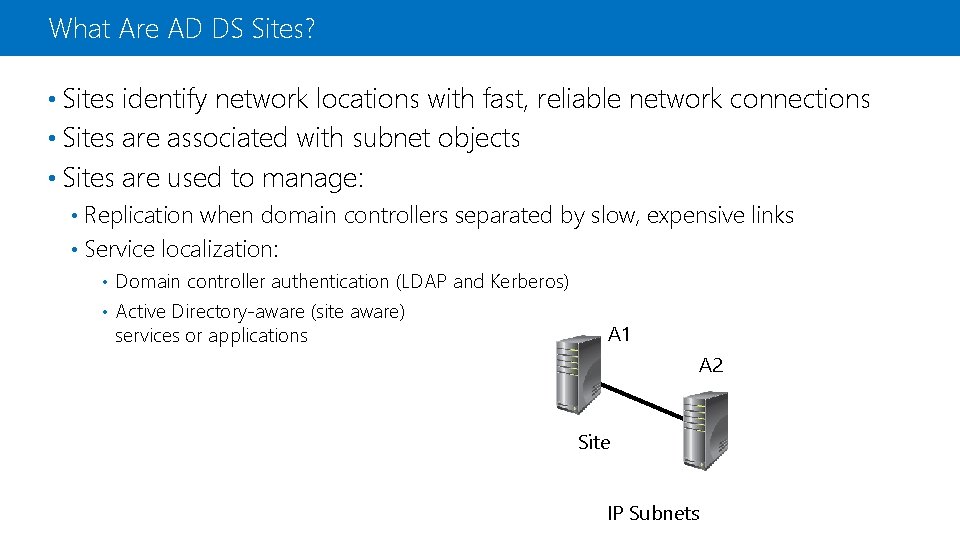
What Are AD DS Sites? • Sites identify network locations with fast, reliable network connections • Sites are associated with subnet objects • Sites are used to manage: Replication when domain controllers separated by slow, expensive links • Service localization: • Domain controller authentication (LDAP and Kerberos) • Active Directory-aware (site aware) services or applications • A 1 A 2 Site IP Subnets
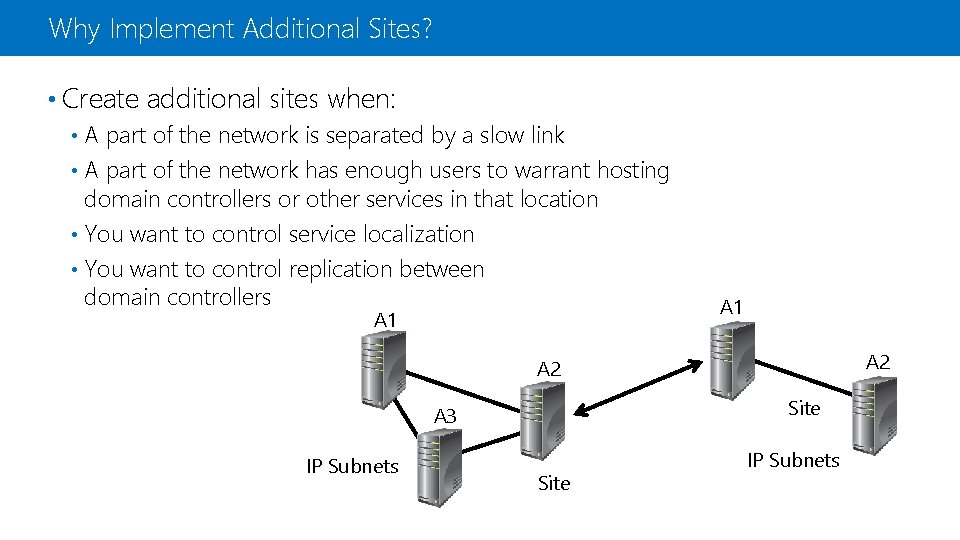
Why Implement Additional Sites? • Create additional sites when: A part of the network is separated by a slow link • A part of the network has enough users to warrant hosting domain controllers or other services in that location • You want to control service localization • You want to control replication between domain controllers • A 1 A 2 Site A 3 IP Subnets Site IP Subnets
Demonstration: Configuring AD DS Sites In this demonstration, you will see how to configure AD DS sites
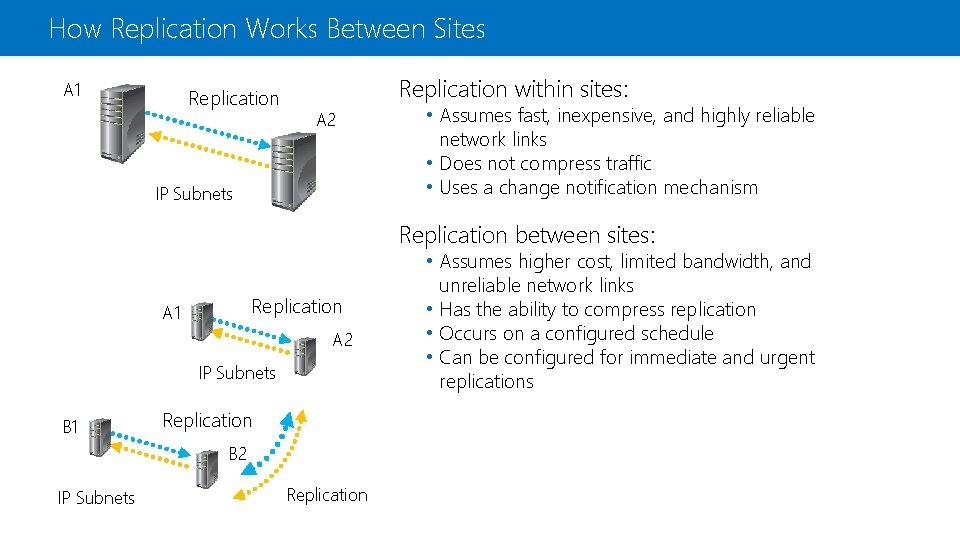
How Replication Works Between Sites A 1 Replication within sites: A 2 IP Subnets • Assumes fast, inexpensive, and highly reliable network links • Does not compress traffic • Uses a change notification mechanism Replication between sites: Replication A 1 A 2 IP Subnets B 1 Replication B 2 IP Subnets Replication • Assumes higher cost, limited bandwidth, and unreliable network links • Has the ability to compress replication • Occurs on a configured schedule • Can be configured for immediate and urgent replications
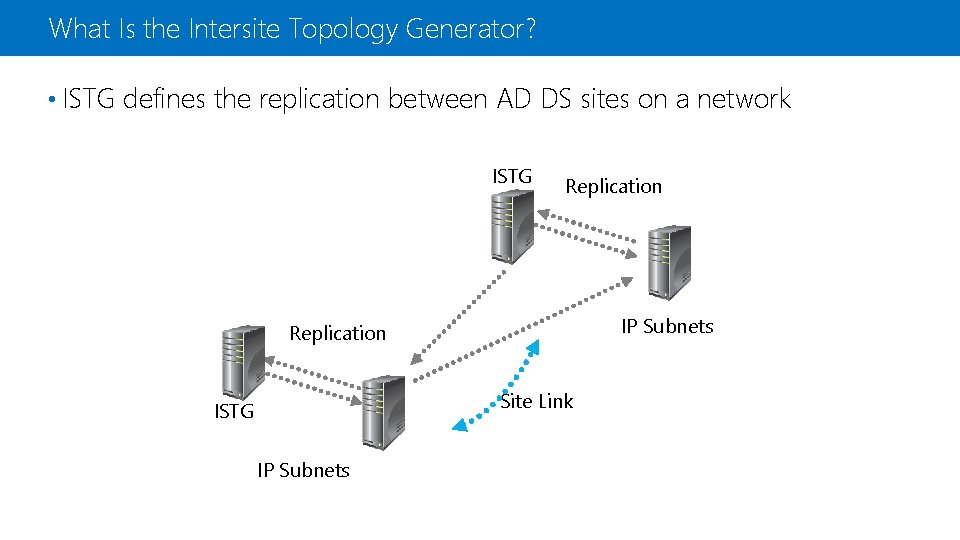
What Is the Intersite Topology Generator? • ISTG defines the replication between AD DS sites on a network ISTG Replication IP Subnets Replication Site Link ISTG IP Subnets
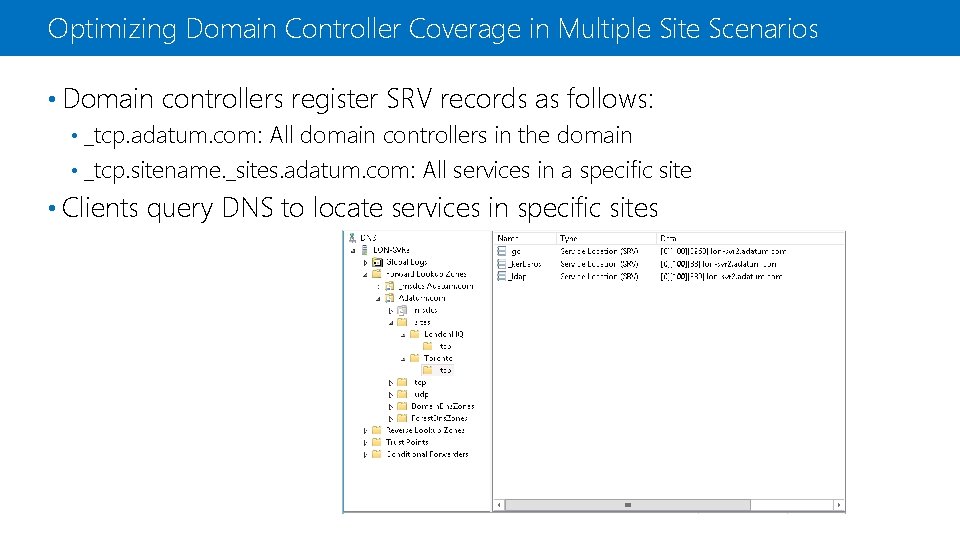
Optimizing Domain Controller Coverage in Multiple Site Scenarios • Domain controllers register SRV records as follows: _tcp. adatum. com: All domain controllers in the domain • _tcp. sitename. _sites. adatum. com: All services in a specific site • • Clients query DNS to locate services in specific sites
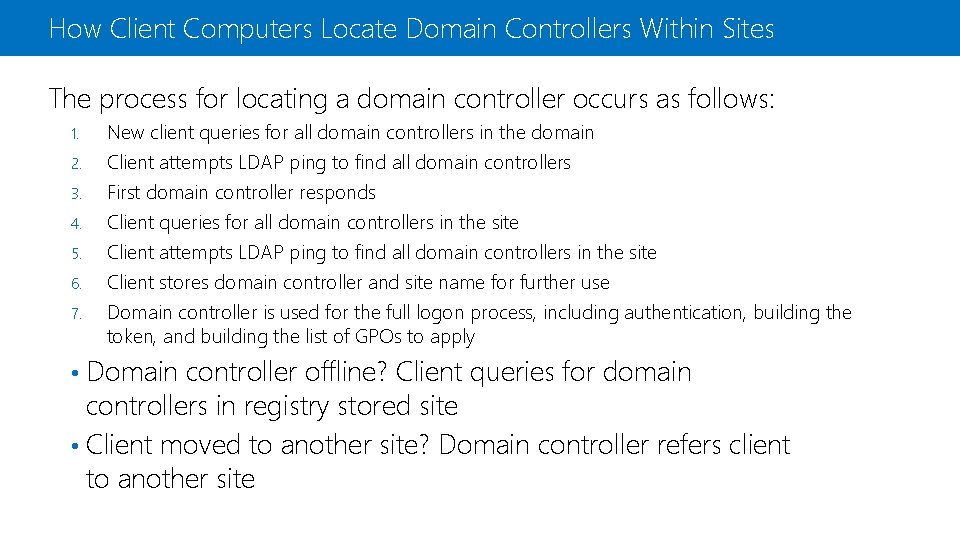
How Client Computers Locate Domain Controllers Within Sites The process for locating a domain controller occurs as follows: 1. 2. 3. 4. 5. 6. 7. New client queries for all domain controllers in the domain Client attempts LDAP ping to find all domain controllers First domain controller responds Client queries for all domain controllers in the site Client attempts LDAP ping to find all domain controllers in the site Client stores domain controller and site name for further use Domain controller is used for the full logon process, including authentication, building the token, and building the list of GPOs to apply Domain controller offline? Client queries for domain controllers in registry stored site • Client moved to another site? Domain controller refers client to another site •
Configuring and Monitoring AD DS Replication
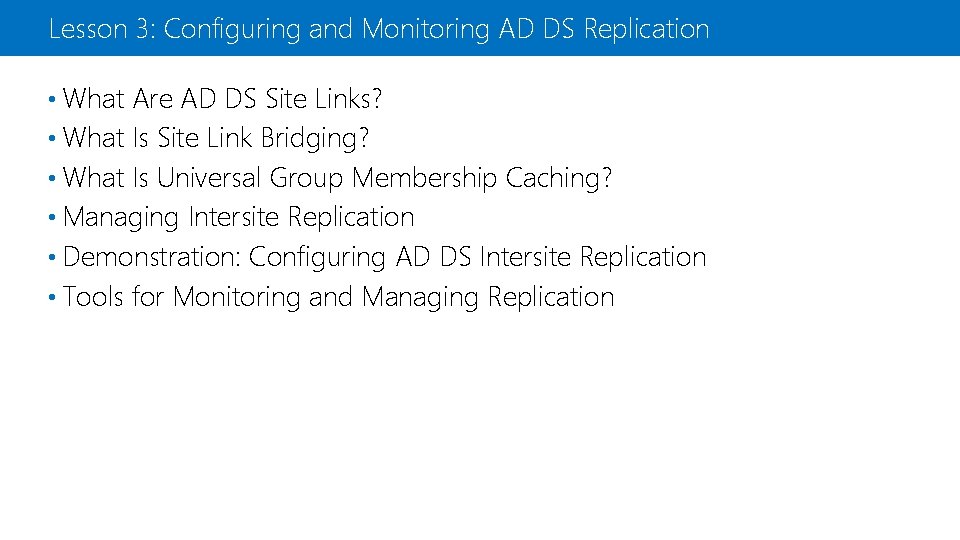
Lesson 3: Configuring and Monitoring AD DS Replication • What Are AD DS Site Links? • What Is Site Link Bridging? • What Is Universal Group Membership Caching? • Managing Intersite Replication • Demonstration: Configuring AD DS Intersite Replication • Tools for Monitoring and Managing Replication
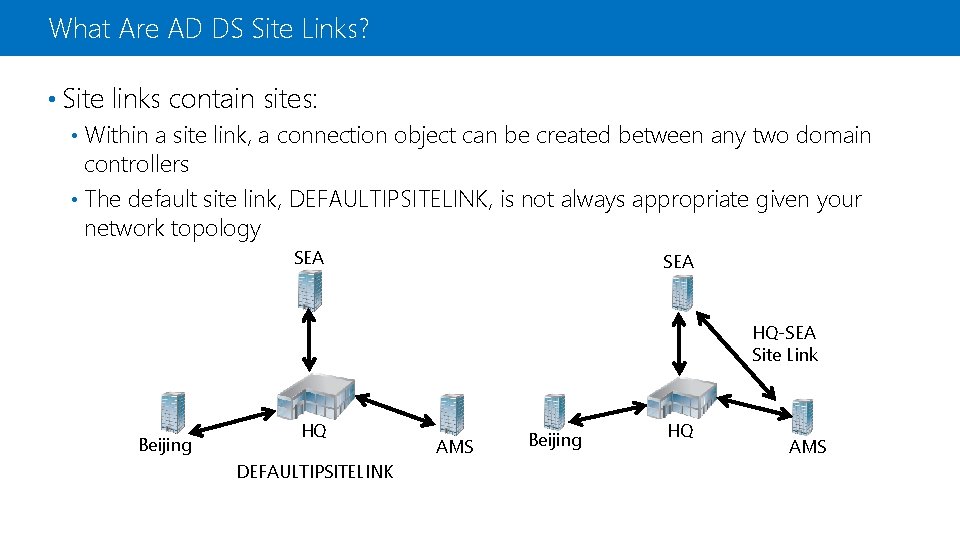
What Are AD DS Site Links? • Site links contain sites: Within a site link, a connection object can be created between any two domain controllers • The default site link, DEFAULTIPSITELINK, is not always appropriate given your network topology • SEA HQ-SEA Site Link Beijing HQ DEFAULTIPSITELINK AMS Beijing HQ AMS
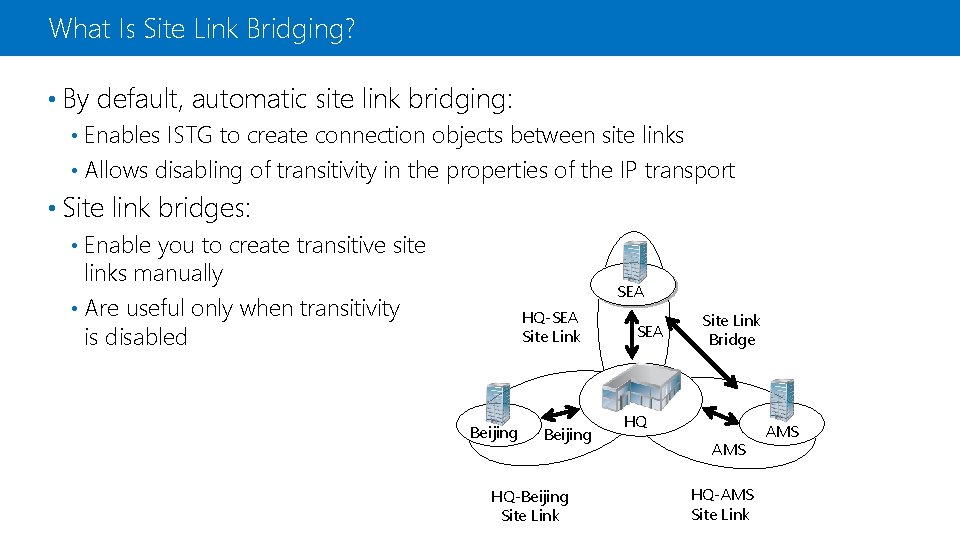
What Is Site Link Bridging? • By default, automatic site link bridging: Enables ISTG to create connection objects between site links • Allows disabling of transitivity in the properties of the IP transport • • Site link bridges: Enable you to create transitive site links manually • Are useful only when transitivity is disabled • SEA HQ-SEA Site Link Beijing HQ-Beijing Site Link SEA Site Link Bridge HQ AMS HQ-AMS Site Link AMS
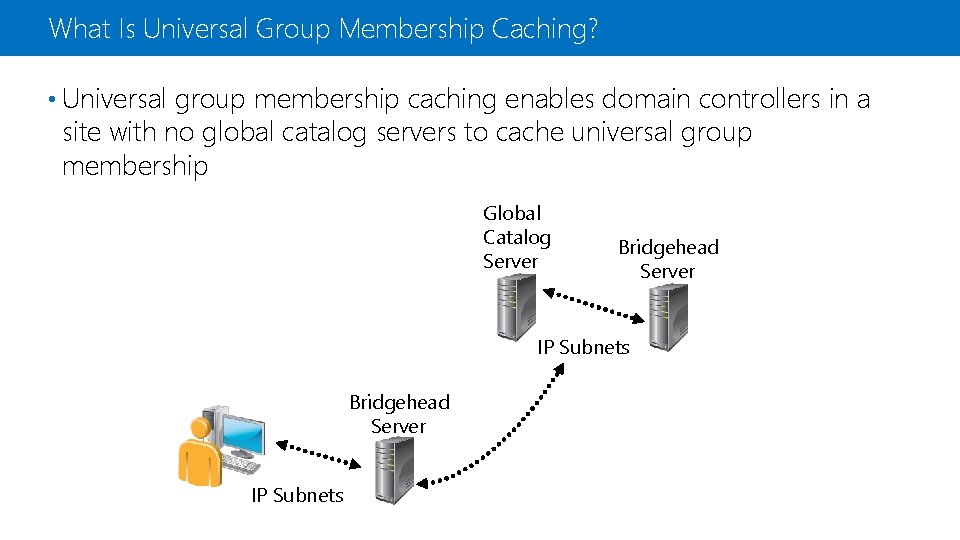
What Is Universal Group Membership Caching? • Universal group membership caching enables domain controllers in a site with no global catalog servers to cache universal group membership Global Catalog Server Bridgehead Server IP Subnets
Managing Intersite Replication • Site link costs: • Replication uses the connections with the lowest cost • Replication: • Polling: Downstream bridgehead polls upstream partners Default is 3 hours • Minimum is 15 minutes • Recommended is 15 minutes • • Replication schedules: 24 hours a day • Can be scheduled •
Demonstration: Configuring AD DS Intersite Replication In this demonstration, you will see how to configure AD DS intersite replication
Tools for Monitoring and Managing Replication • Repadmin. exe examples: • Dcdiag. exe /test: test. Name: • Windows Power. Shell
Additional Resources & Next Steps Instructor-Led Courses • 20412 C: Configuring Advanced Windows Server 2012 Services Books • Exam Ref 70 -412: Configuring Advanced Windows Server 2012 Services Exams & Certifications • Exam 70 -412: Configuring Advanced Windows Server 2012 Services