
Microsoft Teams Welcome to your Teams Manual St
- Slides: 11
Microsoft Teams Welcome to your Teams Manual St Monica’s Primary School
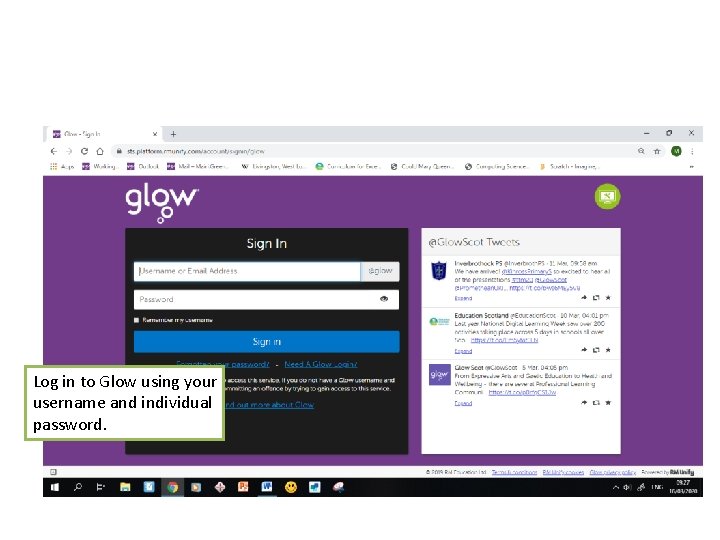
Log in to Glow using your username and individual password.
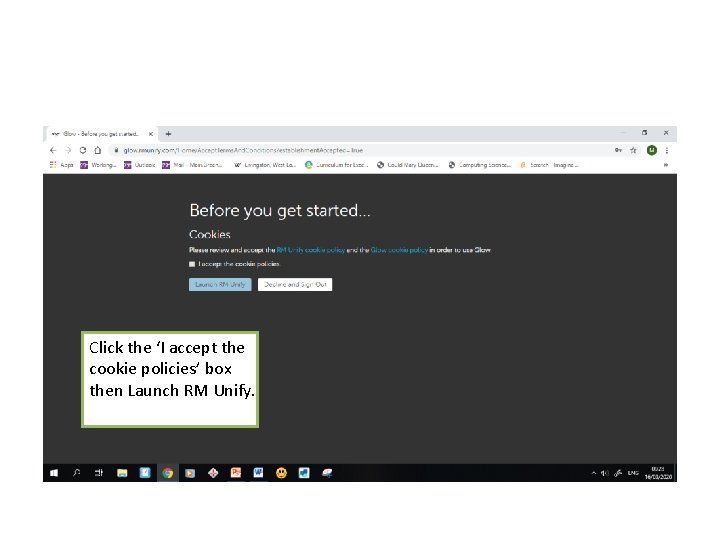
Click the ‘I accept the cookie policies’ box then Launch RM Unify.
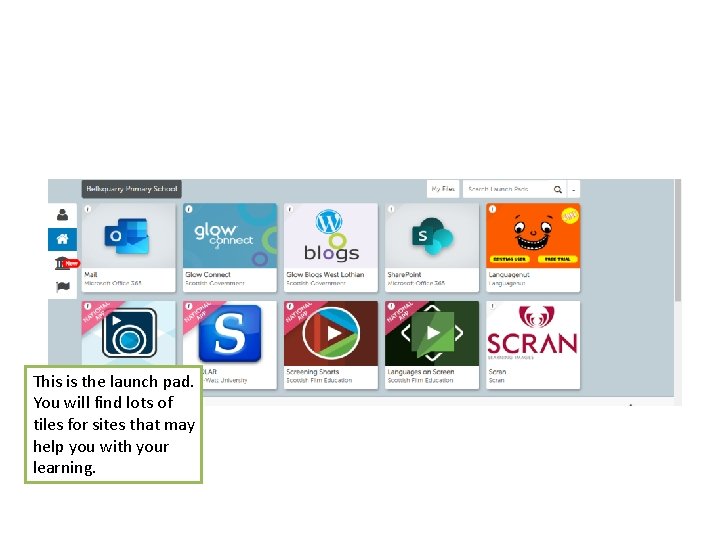
This is the launch pad. You will find lots of tiles for sites that may help you with your learning.
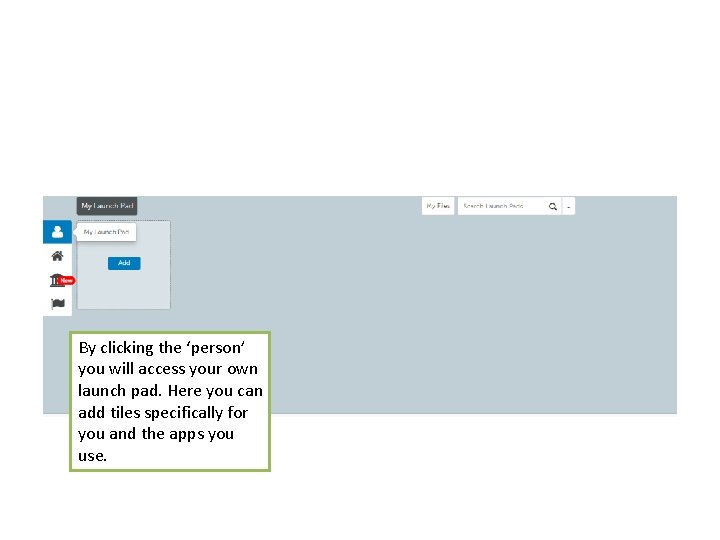
By clicking the ‘person’ you will access your own launch pad. Here you can add tiles specifically for you and the apps you use.
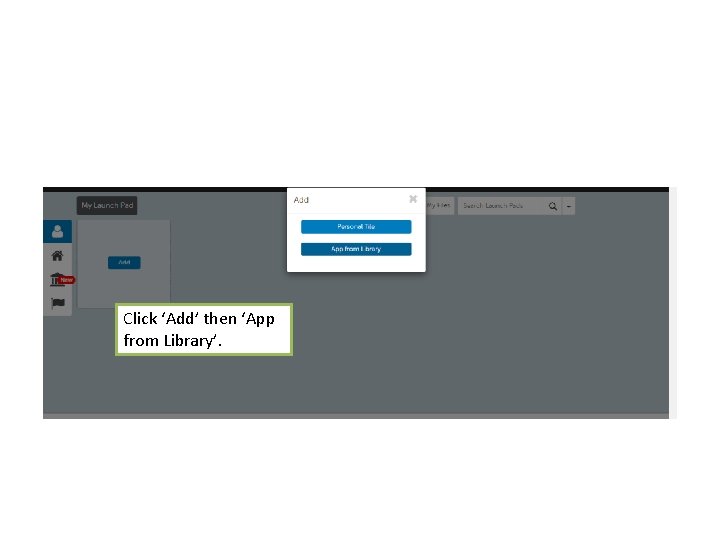
Click ‘Add’ then ‘App from Library’.
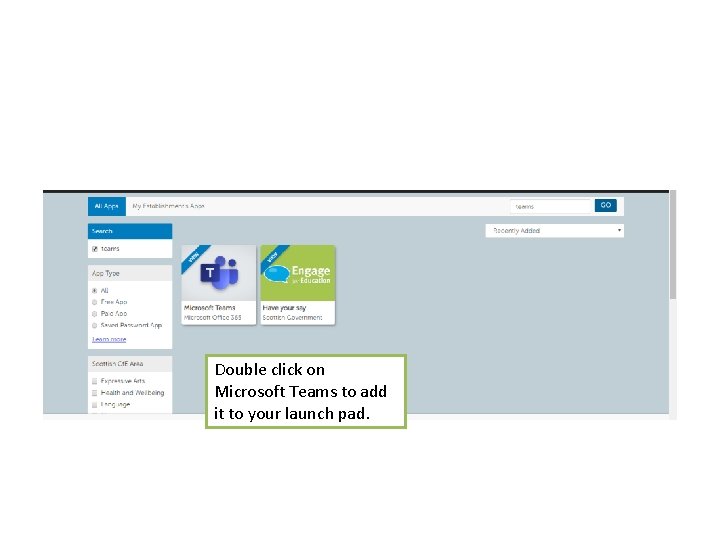
Double click on Microsoft Teams to add it to your launch pad.
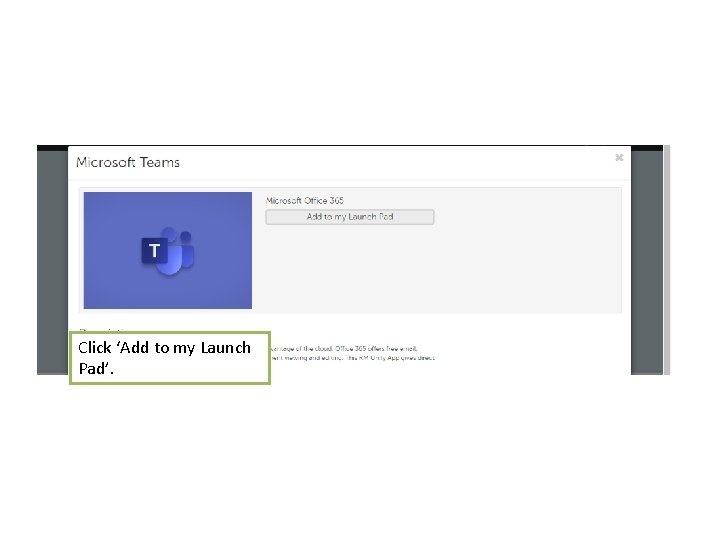
Click ‘Add to my Launch Pad’.
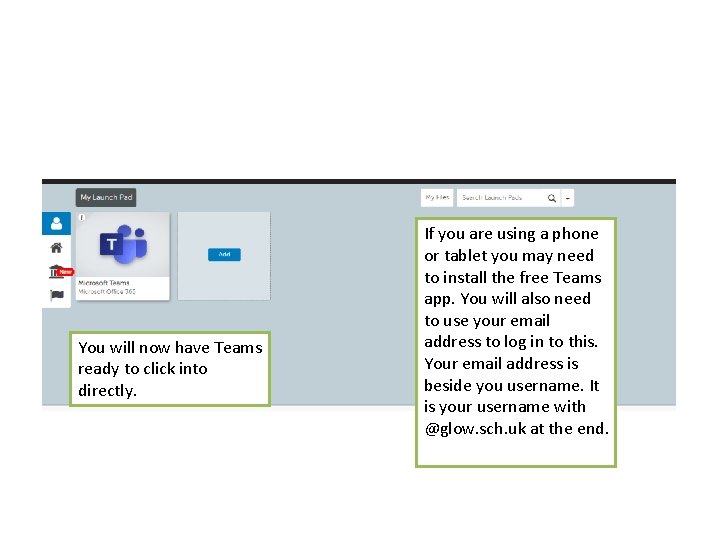
You will now have Teams ready to click into directly. If you are using a phone or tablet you may need to install the free Teams app. You will also need to use your email address to log in to this. Your email address is beside you username. It is your username with @glow. sch. uk at the end.
Remember: • It is your responsibility to look after your username and remember your unique password • Never share your password with anyone • Contact your teachers if you see anything on Teams that upsets you • Use the help guides • Always be kind, polite and respectful when commenting • Always think carefully and check what you have written before posting.
Glow Rules BE POLITE Always treat others with respect. Always keep your Glow password to yourself. Never post or share a message, document, image, Always sign out of Glow when you are no longer using video or any other content that is inappropriate or it. likely to cause harm or offence to others. BE SAFE Always remember to be careful when communicating BE RESPONSIBLE over the internet – other users may not be who they Always be mindful that once you put something online, seem. that information may be beyond your control. Don’t share your personal details with other people. Never post or share a message, document, image, video Never agree to meet someone in person who you have or any other content online that you would not wish only met on the internet unless accompanied by a other learners, teachers, or parents to see. parent, carer or other known and trusted adult. Remember that anything you do can be traced back to Speak to an adult immediately if you see a message, you. image or anything else on the internet that concerns If you misuse Glow, this can be reported to your school. you. BE LEGAL Never post or share a message, document, image, video or any other content that you do not have permission to use. BE SECURE