
Microsoft Power BI SelfService BI Governance Suresh Datla

Microsoft Power BI Self-Service BI Governance Suresh Datla Microsoft Practice Lead sdatla@designmind. com Angel Abundez VP Solutions Architecture angel@designmind. com
Why Govern Agenda What to Govern How to Govern
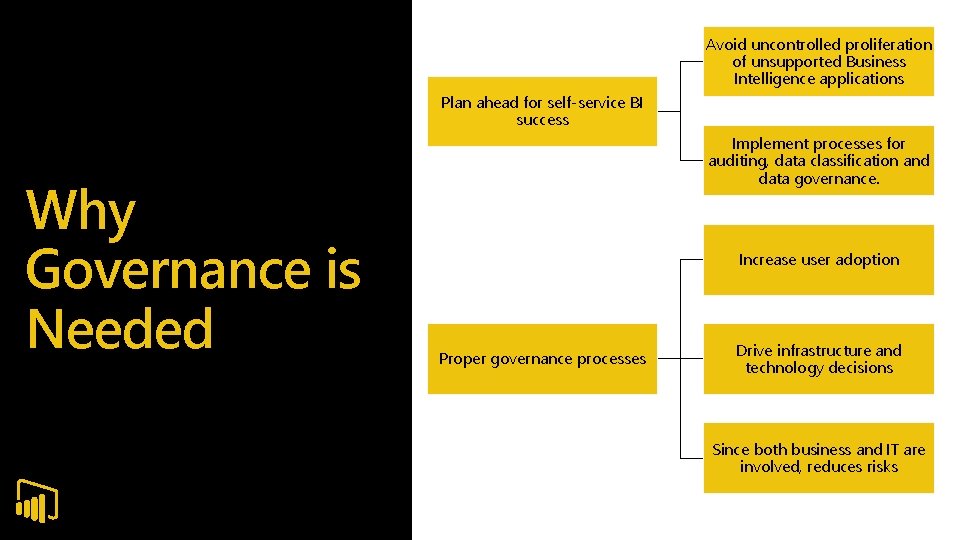
Avoid uncontrolled proliferation of unsupported Business Intelligence applications Plan ahead for self-service BI success Why Governance is Needed Implement processes for auditing, data classification and data governance. Increase user adoption Proper governance processes Drive infrastructure and technology decisions Since both business and IT are involved, reduces risks
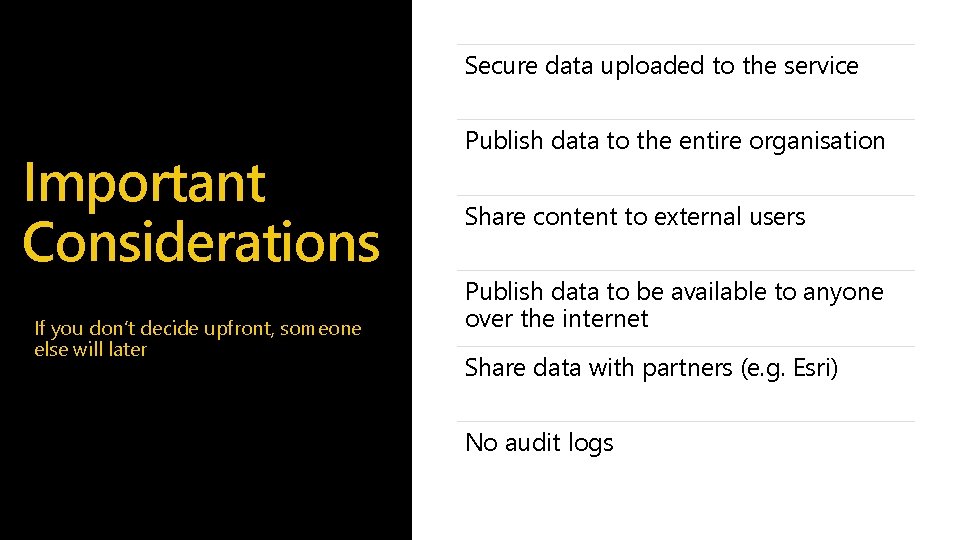
Secure data uploaded to the service Important Considerations If you don’t decide upfront, someone else will later Publish data to the entire organisation Share content to external users Publish data to be available to anyone over the internet Share data with partners (e. g. Esri) No audit logs

Successful deployment of a managed selfservice BI platform requires the following elements for governance: What to Govern Published source data and business data models Power. BI. com app workspaces or Power BI Report Server folders Security standards for accessing source data, and business information in reports, Power BI Desktop and Excel
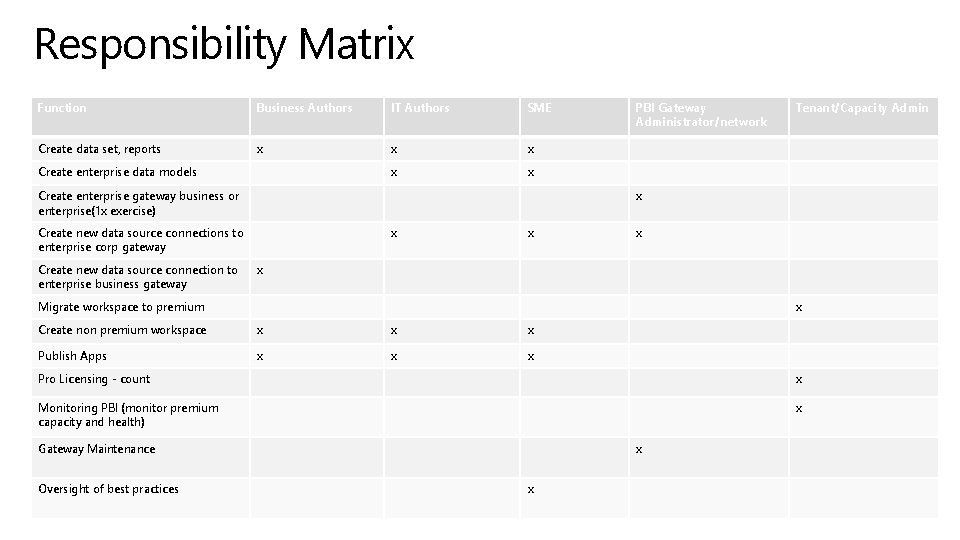
Responsibility Matrix Function Business Authors IT Authors SME Create data set, reports x x x Create enterprise data models Create enterprise gateway business or enterprise(1 x exercise) Tenant/Capacity Admin x Create new data source connections to enterprise corp gateway Create new data source connection to enterprise business gateway PBI Gateway Administrator/network x x Migrate workspace to premium x Create non premium workspace x x x Publish Apps x x x Pro Licensing - count x Monitoring PBI (monitor premium capacity and health) x Gateway Maintenance Oversight of best practices x x
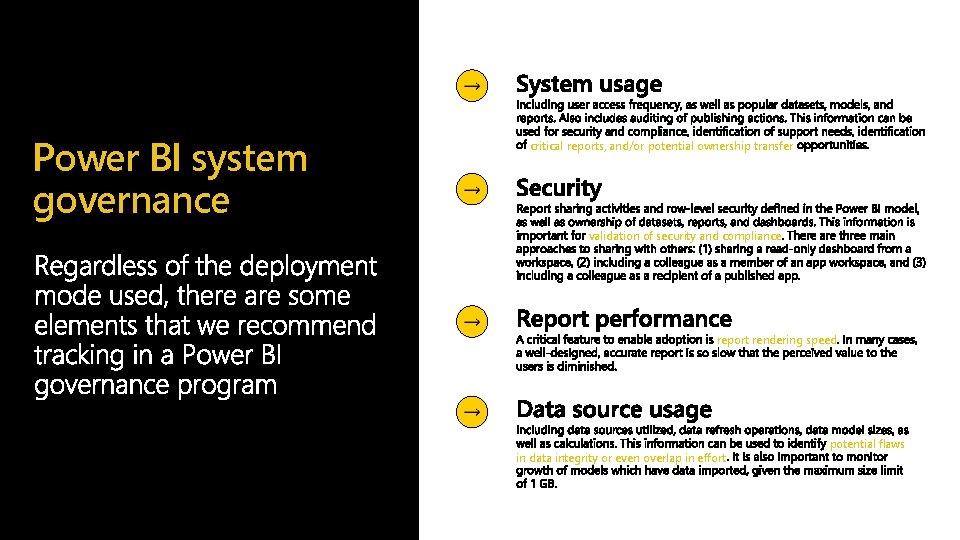
Power BI system governance critical reports, and/or potential ownership transfer validation of security and compliance report rendering speed in data integrity or even overlap in effort potential flaws
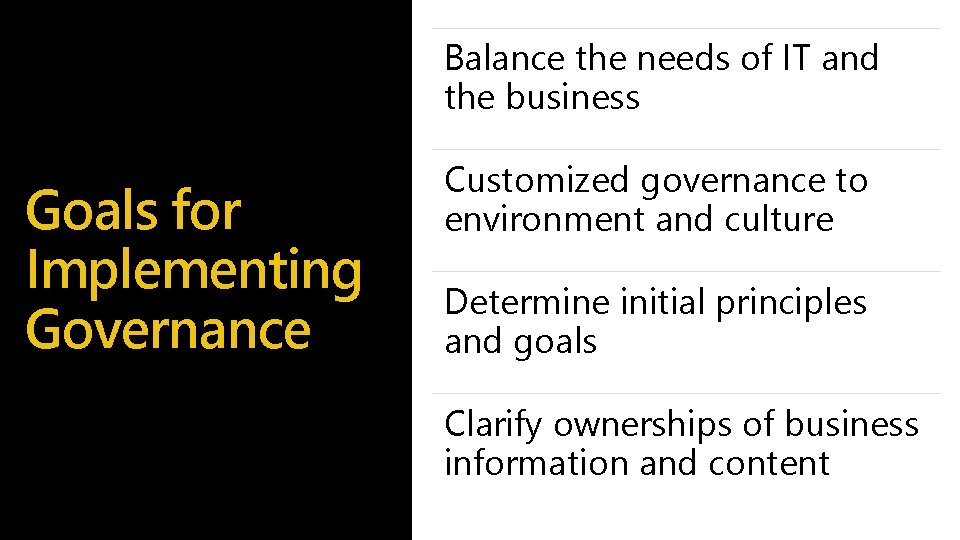
Balance the needs of IT and the business Goals for Implementing Governance Customized governance to environment and culture Determine initial principles and goals Clarify ownerships of business information and content
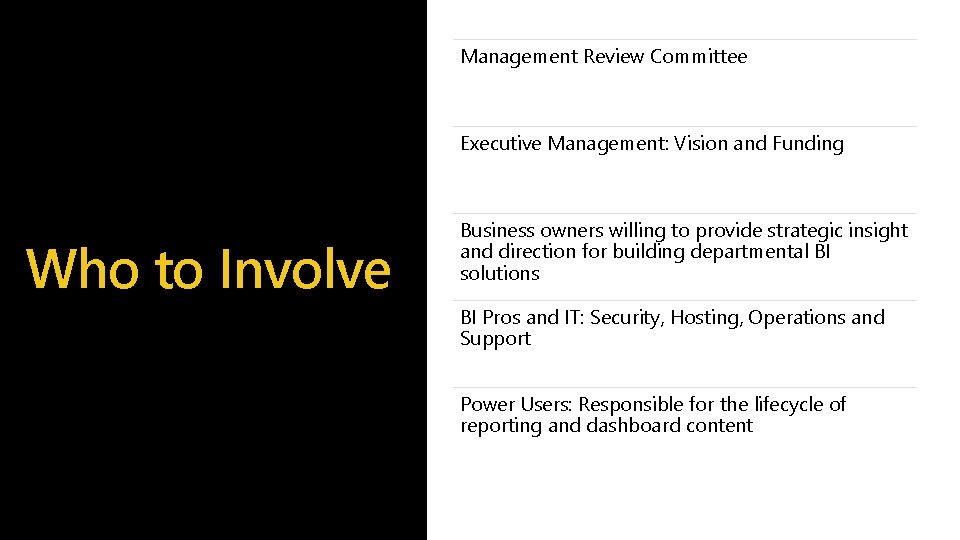
Management Review Committee Executive Management: Vision and Funding Who to Involve Business owners willing to provide strategic insight and direction for building departmental BI solutions BI Pros and IT: Security, Hosting, Operations and Support Power Users: Responsible for the lifecycle of reporting and dashboard content
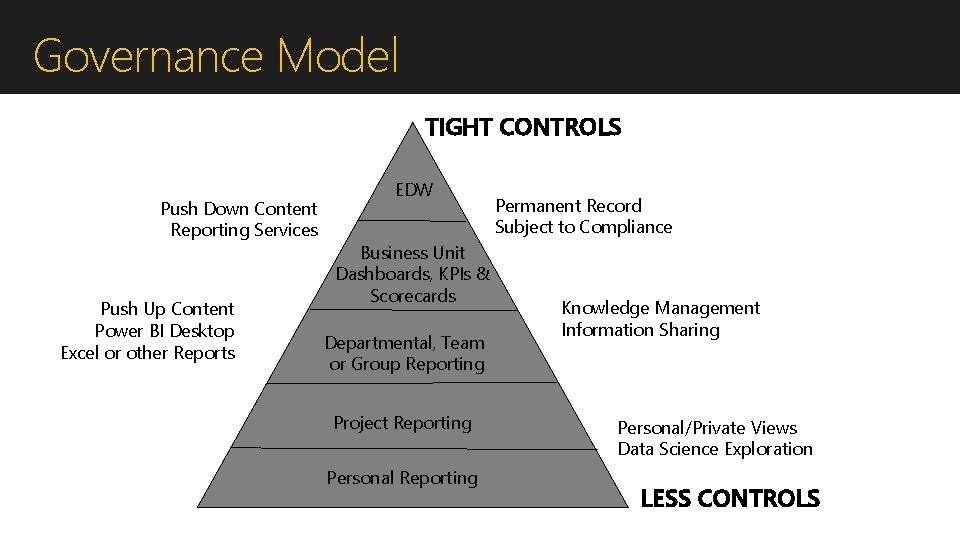
Governance Model TIGHT CONTROLS Push Down Content Reporting Services Push Up Content Power BI Desktop Excel or other Reports EDW Business Unit Dashboards, KPIs & Scorecards Departmental, Team or Group Reporting Project Reporting Personal Reporting Permanent Record Subject to Compliance Knowledge Management Information Sharing Personal/Private Views Data Science Exploration LESS CONTROLS
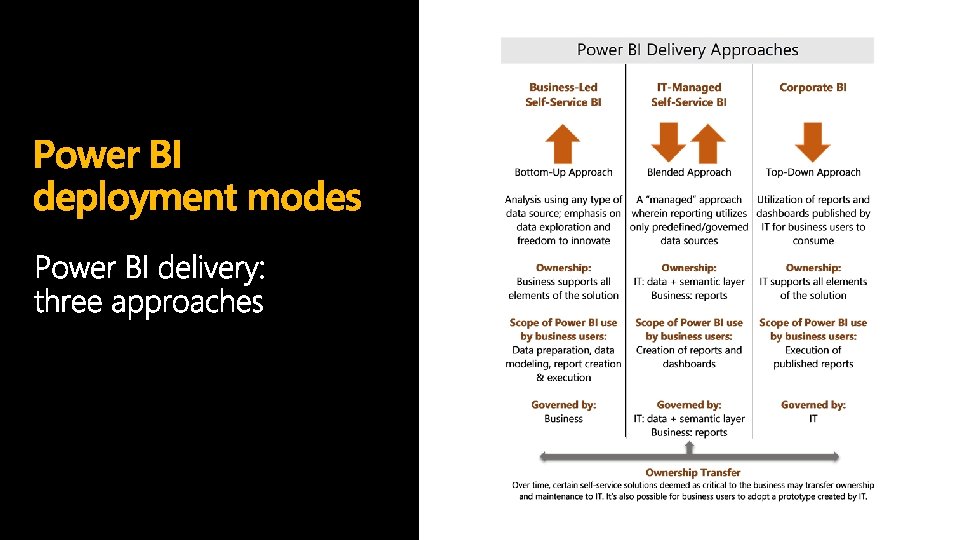
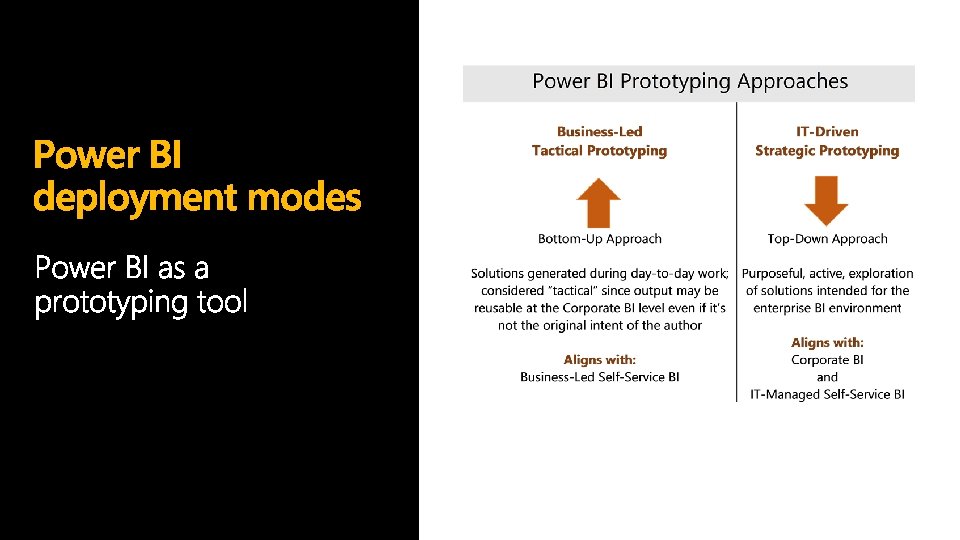

Phases of delivery: Self-Service BI
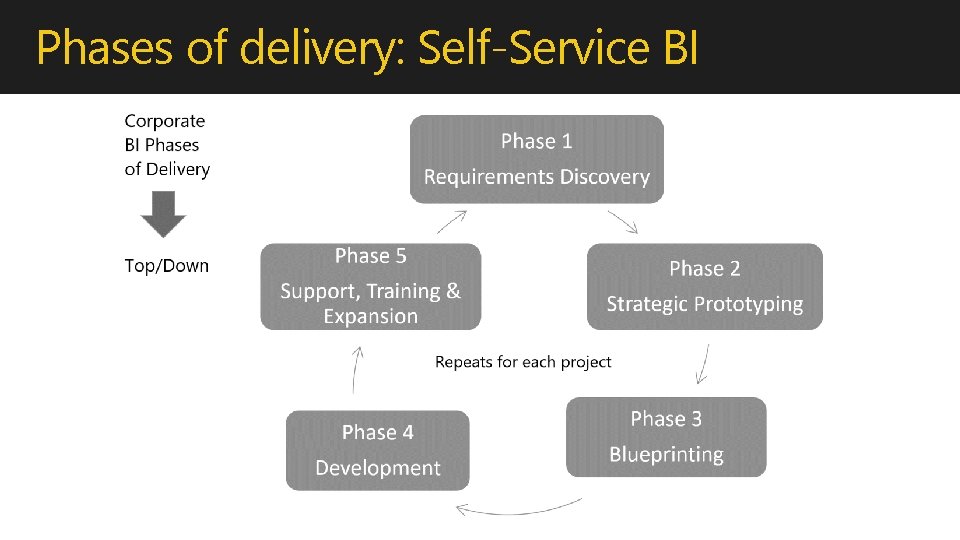
Phases of delivery: Self-Service BI
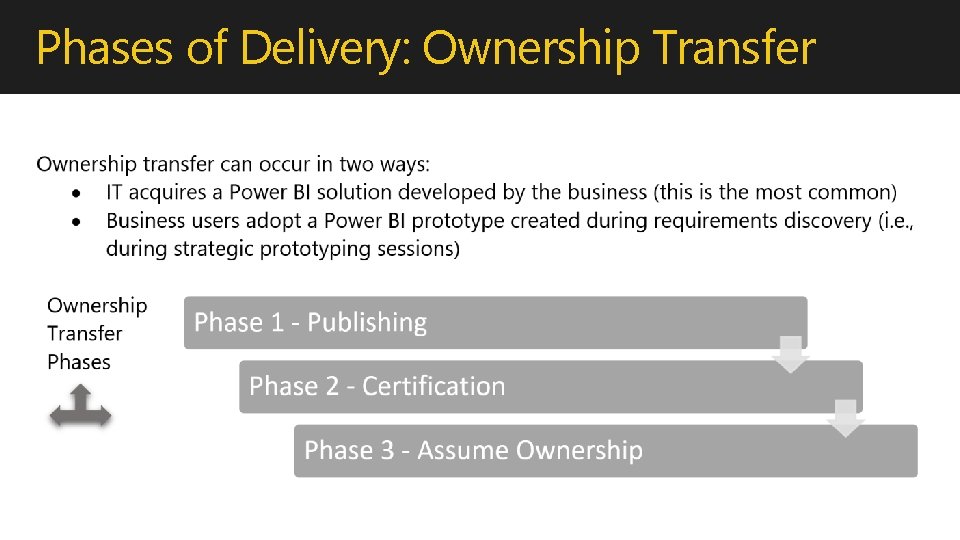
Phases of Delivery: Ownership Transfer
Benefits of ownership transfer to IT Data can be centrally refreshed, often on a faster time schedule. Data size limits are typically no longer a constraint. Additional security capabilities become available. The solution can receive formal IT support and fall under existing service level agreements (SLAs). Frees up business users to continue exploring new data patterns while maintaining other Power BI solutions which are not yet production-ready, or an ownership transfer to IT does not make sense from a cost/effort perspective.
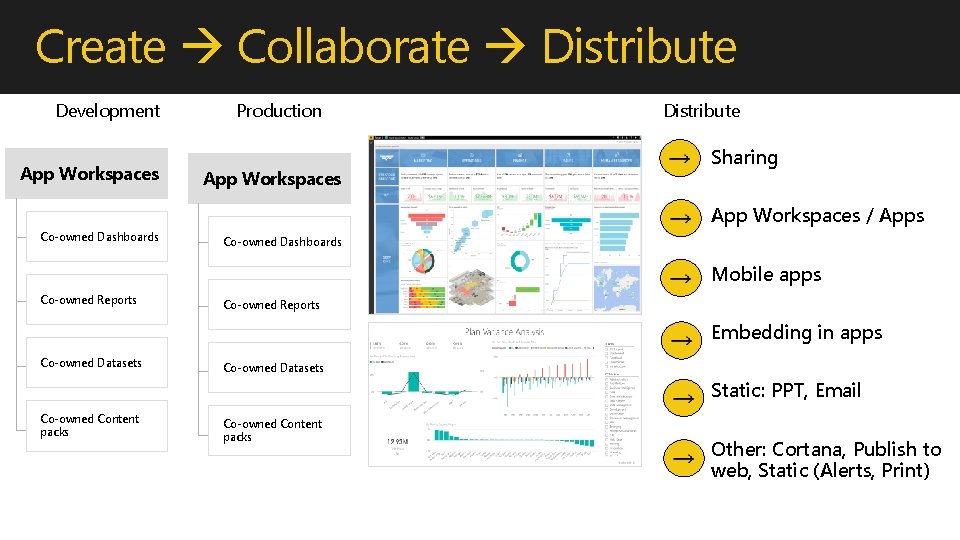
Create Collaborate Distribute Development App Workspaces Production App Workspaces Distribute Sharing App Workspaces / Apps Co-owned Dashboards Mobile apps Co-owned Reports Embedding in apps Co-owned Datasets Static: PPT, Email Co-owned Content packs Other: Cortana, Publish to web, Static (Alerts, Print)
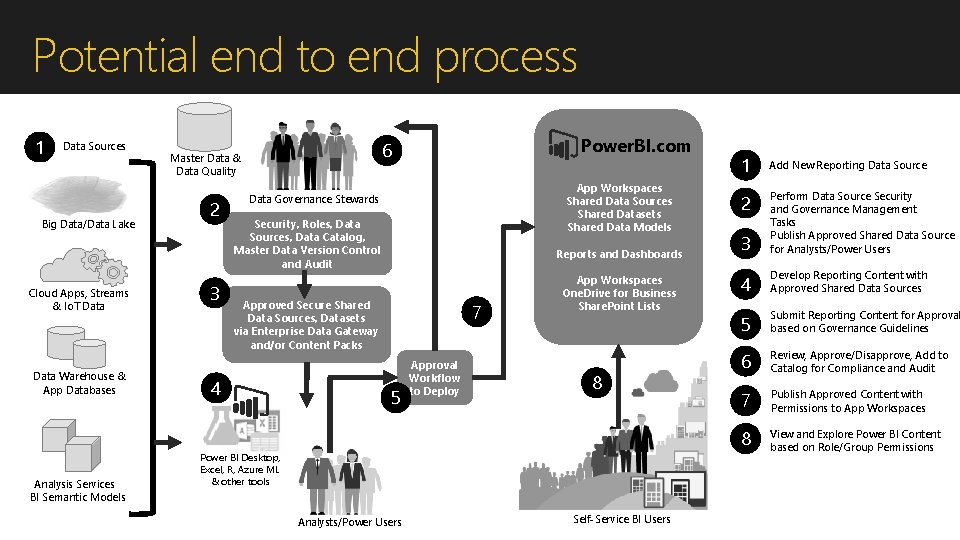
Potential end to end process 1 Data Sources Big Data/Data Lake Cloud Apps, Streams & Io. T Data Warehouse & App Databases Analysis Services BI Semantic Models 2 3 Power. BI. com 6 Master Data & Data Quality App Workspaces Shared Data Sources Shared Datasets Shared Data Models Data Governance Stewards Security, Roles, Data Sources, Data Catalog, Master Data Version Control and Audit Reports and Dashboards Approved Secure Shared Data Sources, Datasets via Enterprise Data Gateway and/or Content Packs 4 7 5 Approval Workflow to Deploy App Workspaces One. Drive for Business Share. Point Lists 8 Power BI Desktop, Excel, R, Azure ML & other tools Analysts/Power Users Self-Service BI Users 1 Add New Reporting Data Source 2 3 Perform Data Source Security and Governance Management Tasks Publish Approved Shared Data Source for Analysts/Power Users 4 Develop Reporting Content with Approved Shared Data Sources 5 Submit Reporting Content for Approval based on Governance Guidelines 6 Review, Approve/Disapprove, Add to Catalog for Compliance and Audit 7 Publish Approved Content with Permissions to App Workspaces 8 View and Explore Power BI Content based on Role/Group Permissions
Does BI start from the top and then trickle down in an organization? Where does change start? Technology or people? Governance Considerations Should BI be restricted to a “needs to know” only basis? Who should be allowed to see and use business intelligence data? Fail quickly? What do you mean by that and how does it apply to business intelligence?
Summary Governance can help you plan ahead for success Business and IT involvement will reduce risks Proper governance processes will increase adoption

Questions

- Slides: 22