
Microsoft Office XP Illustrated Introductory Enhanced Integrating Word
- Slides: 11
Microsoft Office XP Illustrated Introductory, Enhanced Integrating Word and Excel
Objectives Understand Integration Open multiple programs Copy Word data into Excel Integrating Word and Excel Unit A 2
Understanding Integration The ability to use information across multiple programs to share data between documents is called integration. The file from which the information is copied is the source file. The file that receives the information is the destination file. Integrating Word and Excel Unit A 3
Understanding Integration (cont. ) Microsoft Office integration features. – Copy and paste data – Drag and drop data – Link and embed objects • A linked object maintains a connection to the source file so it can be automatically updated • An embedded object is not linked to its source file but can be opened with the source program Integrating Word and Excel Unit A 4
Understanding Integration (cont. ) Microsoft Office integration features (cont. ) – Import and export text and graphics – Create hyperlinks – Use Office e. Services Web site – E-mail files – Collaborate online Integrating Word and Excel Unit A 5
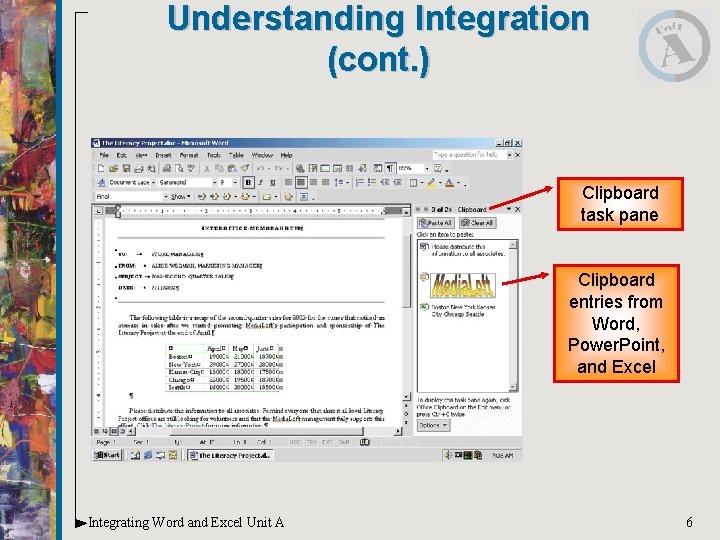
Understanding Integration (cont. ) Clipboard task pane Clipboard entries from Word, Power. Point, and Excel Integrating Word and Excel Unit A 6
Opening Multiple Programs Windows allows you to have more than program open at a time. – To view more than one program on the same screen simultaneously is called multitasking – Vertically tile the program windows, so each program window is seen on the screen Integrating Word and Excel Unit A 7
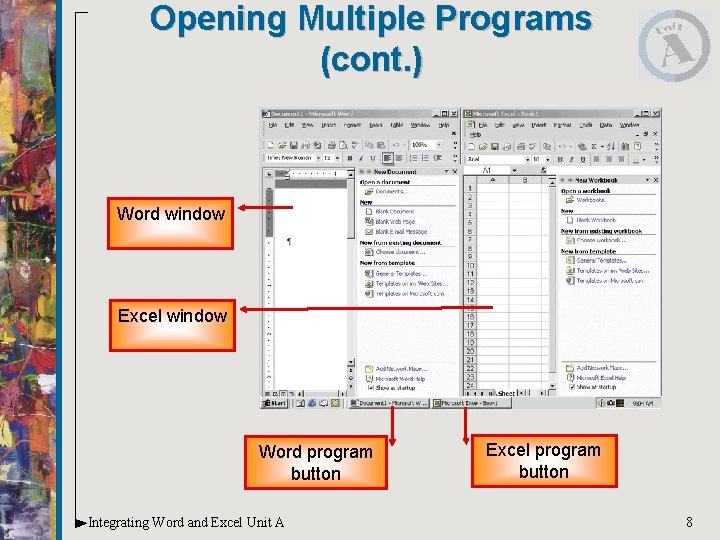
Opening Multiple Programs (cont. ) Word window Excel window Word program button Integrating Word and Excel Unit A Excel program button 8
Opening Multiple Programs (cont. ) Using shortcut keys to switch between open programs. – Switch between open programs by clicking the program buttons on the taskbar or – by using the shortcut key combination [Alt][Tab] • Open programs appear in the center of the screen • Cycle between programs Integrating Word and Excel Unit A 9
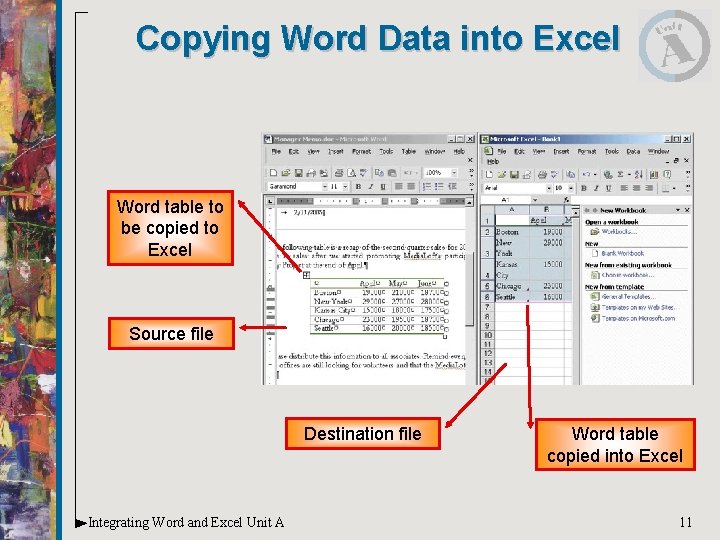
Copying Word Data into Excel Moving or copying information from one program to another is just like moving or copying information within a single program. – Use the Cut, Copy, and Paste commands; buttons on the toolbar; or drag-and-drop technique Integrating Word and Excel Unit A 10
Copying Word Data into Excel Word table to be copied to Excel Source file Destination file Integrating Word and Excel Unit A Word table copied into Excel 11