
Microsoft Office 365 One Drive for Business Quick
Microsoft Office 365 One. Drive for Business Quick Guide GOAL ACCELERATOR Copyright© 2017 by PTT Digital Solutions Company Limited. All rights reserved.

One. Drive For Business Content • • • Benefit Office 365 Sign in One. Drive Setup in PC Moving File to One. Drive and Synchronization Official Training Material หมายเหต : ในขนตนน Explorer เทานน Copyright© 2017 by PTT Digital Solutions Company Limited. All rights reserved. Service Desk ใหคำปรกษาผาน LINE และอเมลในเรองของ Email บน Outlook และ One. Drive for Business บน File

Microsoft Office 365 One. Drive For Business Benefits 1. 1 TB storage on cloud 2. Access anywhere, anytime, and any device Copyright© 2017 by PTT Digital Solutions Company Limited. All rights reserved.
Office 365 Sign in
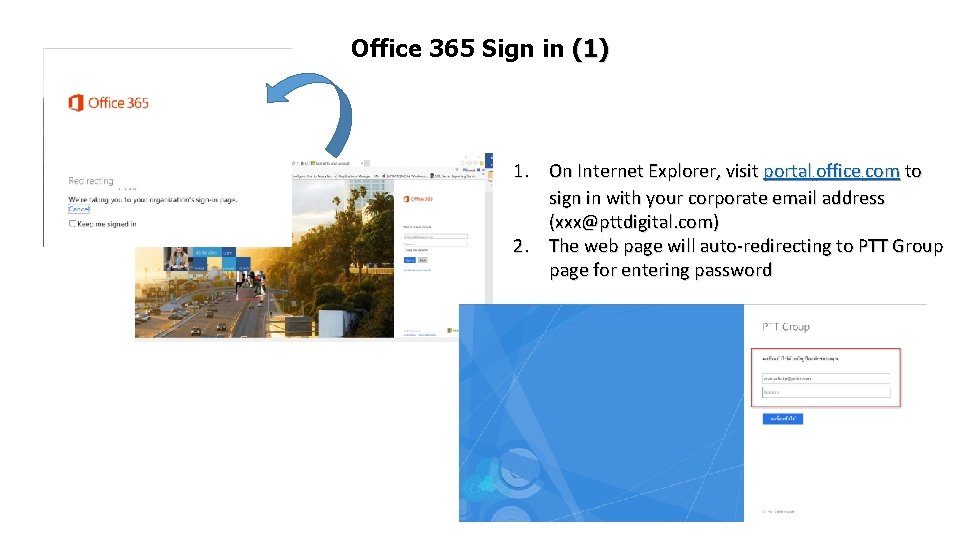
Office 365 Sign in (1) 1. On Internet Explorer, visit portal. office. com to sign in with your corporate email address (xxx@pttdigital. com) 2. The web page will auto-redirecting to PTT Group page for entering password
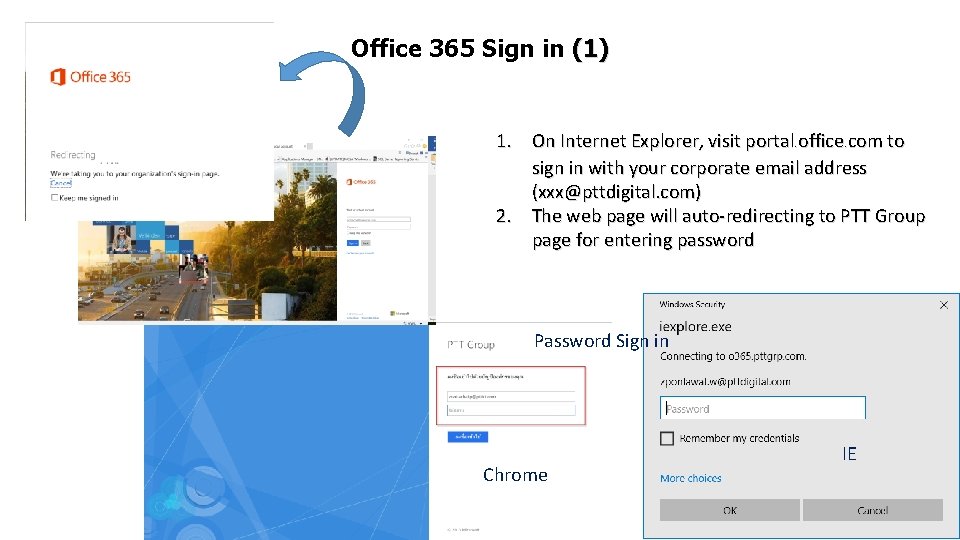
Office 365 Sign in (1) 1. On Internet Explorer, visit portal. office. com to sign in with your corporate email address (xxx@pttdigital. com) 2. The web page will auto-redirecting to PTT Group page for entering password Password Sign in Chrome IE
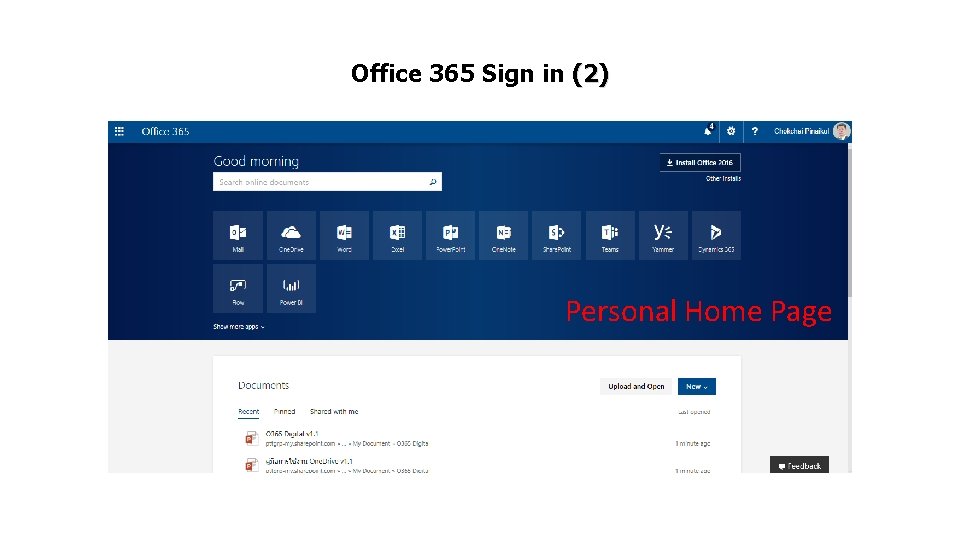
Office 365 Sign in (2) Personal Home Page
One. Drive Setup in PC
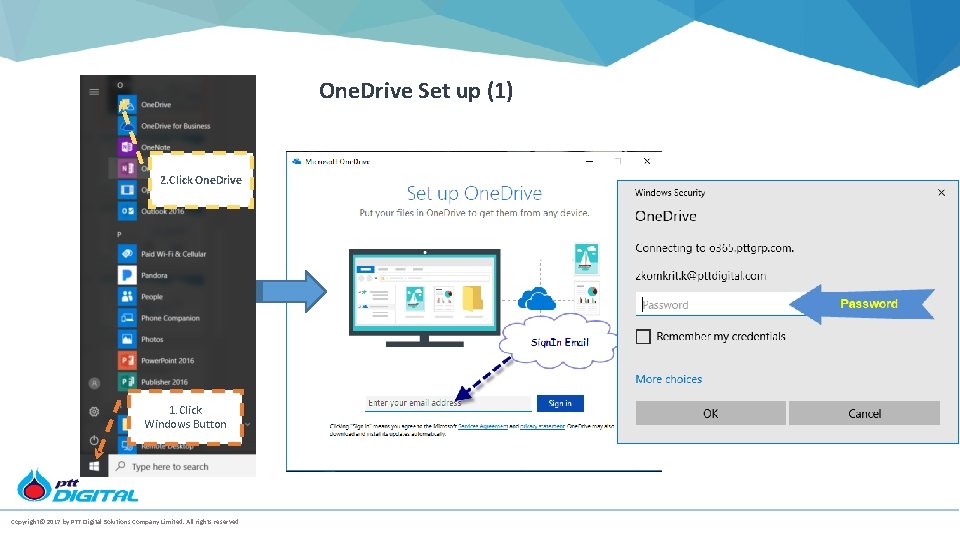
One. Drive Set up (1) 2. Click One. Drive 1. Click Windows Button Copyright© 2017 by PTT Digital Solutions Company Limited. All rights reserved.
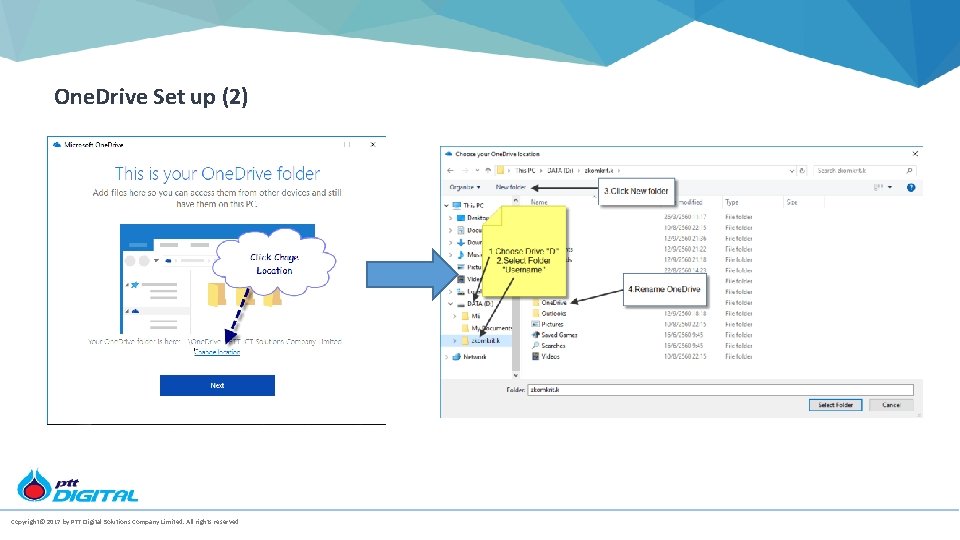
One. Drive Set up (2) Copyright© 2017 by PTT Digital Solutions Company Limited. All rights reserved.
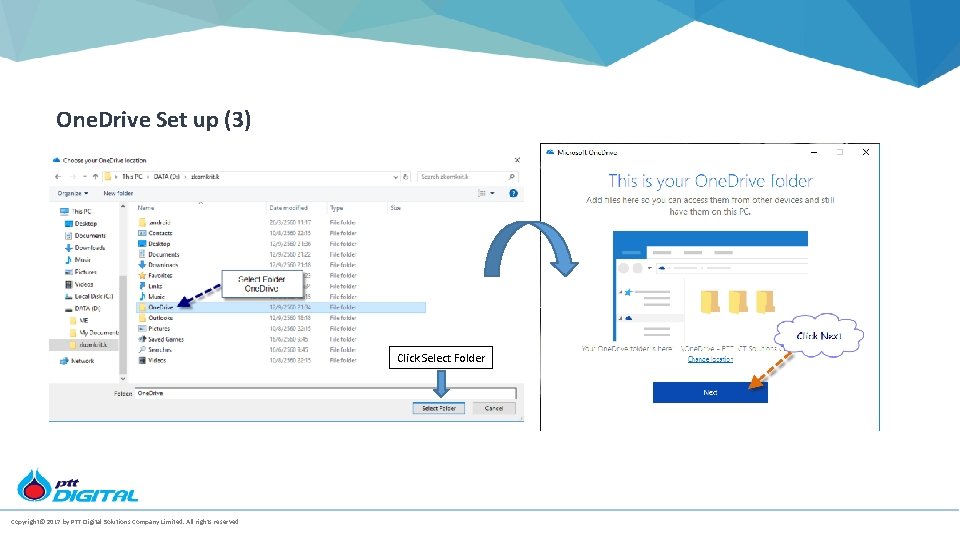
One. Drive Set up (3) Click Select Folder Copyright© 2017 by PTT Digital Solutions Company Limited. All rights reserved.
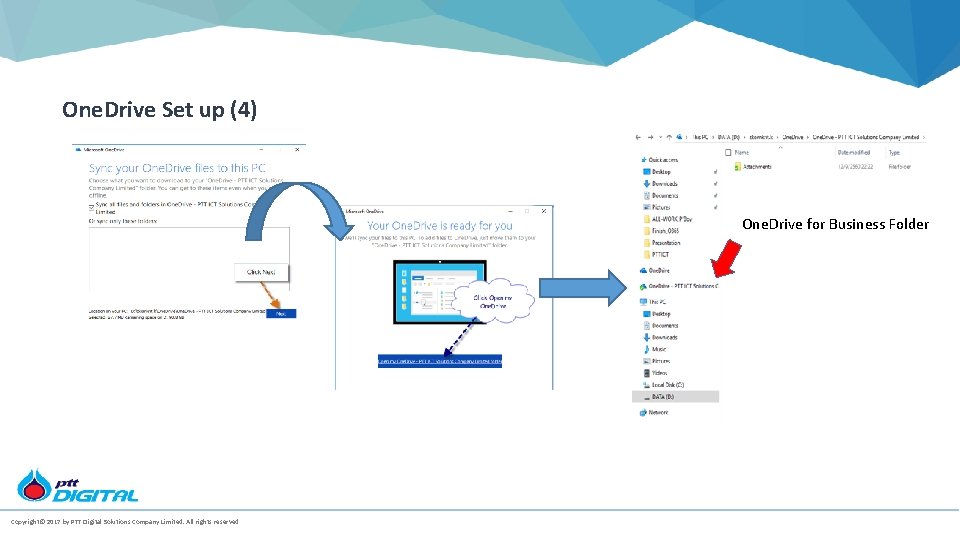
One. Drive Set up (4) One. Drive for Business Folder Copyright© 2017 by PTT Digital Solutions Company Limited. All rights reserved.
Moving File to One. Drive for Business and Synchronization
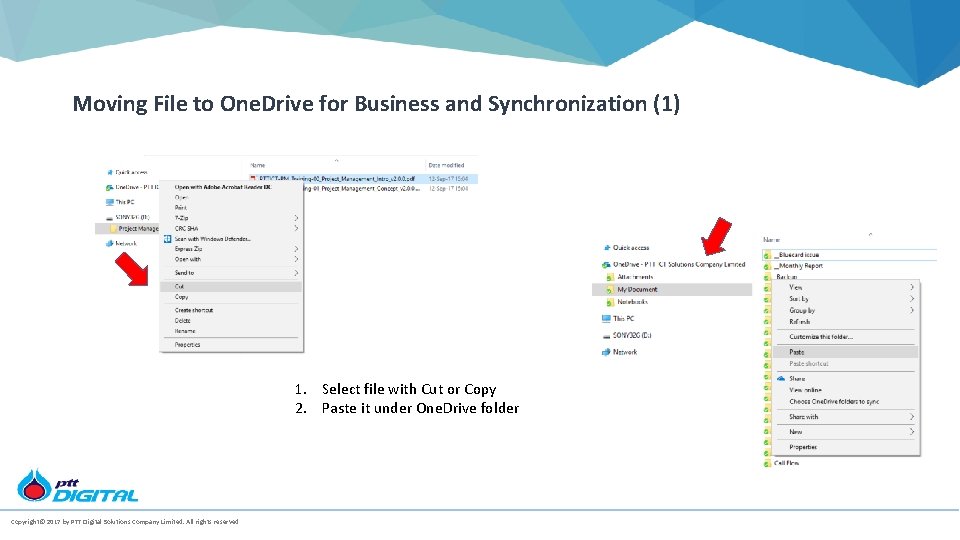
Moving File to One. Drive for Business and Synchronization (1) 1. Select file with Cut or Copy 2. Paste it under One. Drive folder Copyright© 2017 by PTT Digital Solutions Company Limited. All rights reserved.
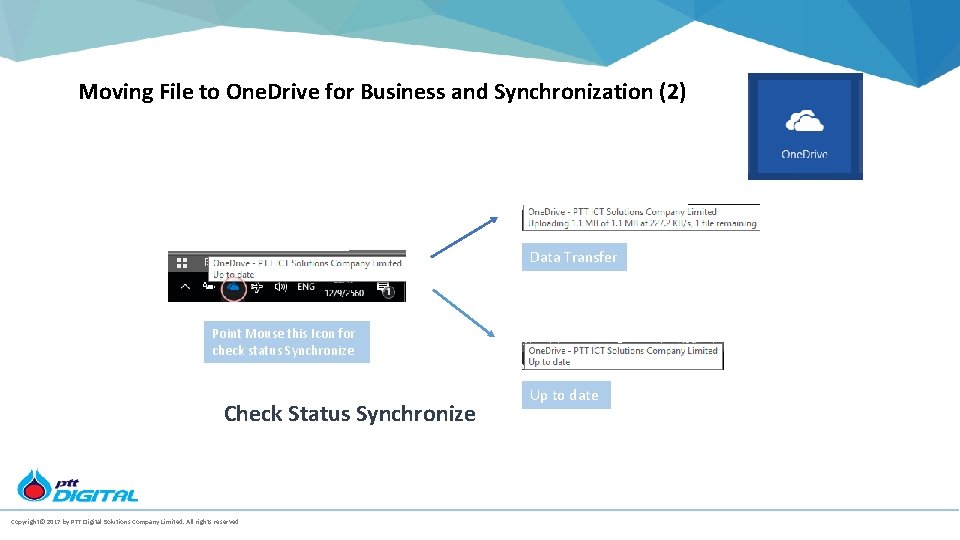
Moving File to One. Drive for Business and Synchronization (2) Data Transfer Point Mouse this Icon for check status Synchronize Check Status Synchronize Copyright© 2017 by PTT Digital Solutions Company Limited. All rights reserved. Up to date

Official Training Material

Official Training Material • For more detail, please visit One. Drive Video Training page https: //support. office. com/en-us/article/One. Drive-training-1 f 608184 -b 7 e 6 -43 ca-87532 ff 679203132#ID 0 ECBAAA=One. Drive_for_Business
- Slides: 17