
Microsoft Dynamics 365 for Finance and Operations Public

Microsoft Dynamics 365 for Finance and Operations: Public Sector Investments
Disclaimer This presentation is provided "as-is. " Information and views expressed in this document, including URL and other Internet Web site references, may change without notice. You bear the risk of using it. All dates and features specified are preliminary and subject to change without notice. Some information in this presentation relates to a pre-released product which may be substantially modified before it is commercially released. Microsoft makes no warranties, express or implied, with respect to the information provided here.
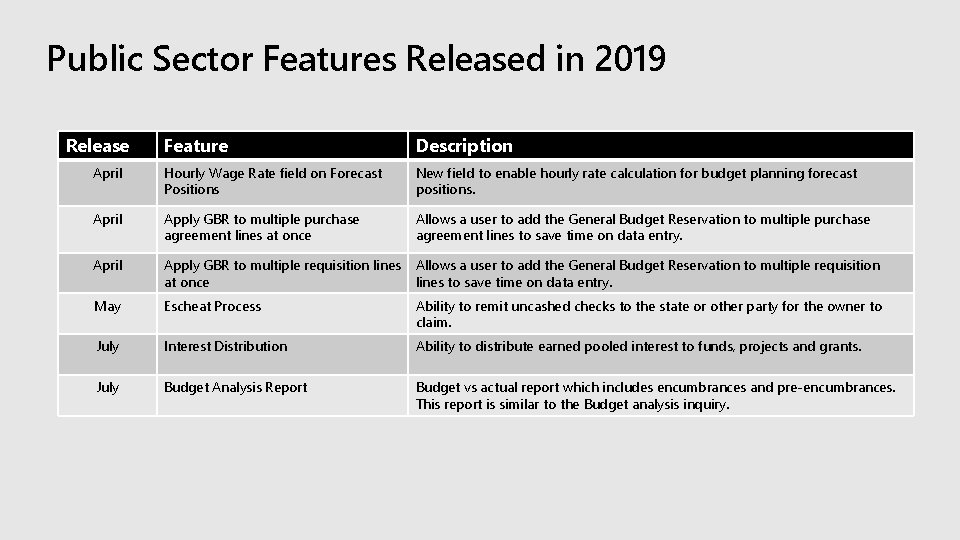
Public Sector Features Released in 2019 Release Feature Description April Hourly Wage Rate field on Forecast Positions New field to enable hourly rate calculation for budget planning forecast positions. April Apply GBR to multiple purchase agreement lines at once Allows a user to add the General Budget Reservation to multiple purchase agreement lines to save time on data entry. April Apply GBR to multiple requisition lines at once Allows a user to add the General Budget Reservation to multiple requisition lines to save time on data entry. May Escheat Process Ability to remit uncashed checks to the state or other party for the owner to claim. July Interest Distribution Ability to distribute earned pooled interest to funds, projects and grants. July Budget Analysis Report Budget vs actual report which includes encumbrances and pre-encumbrances. This report is similar to the Budget analysis inquiry.

Demo
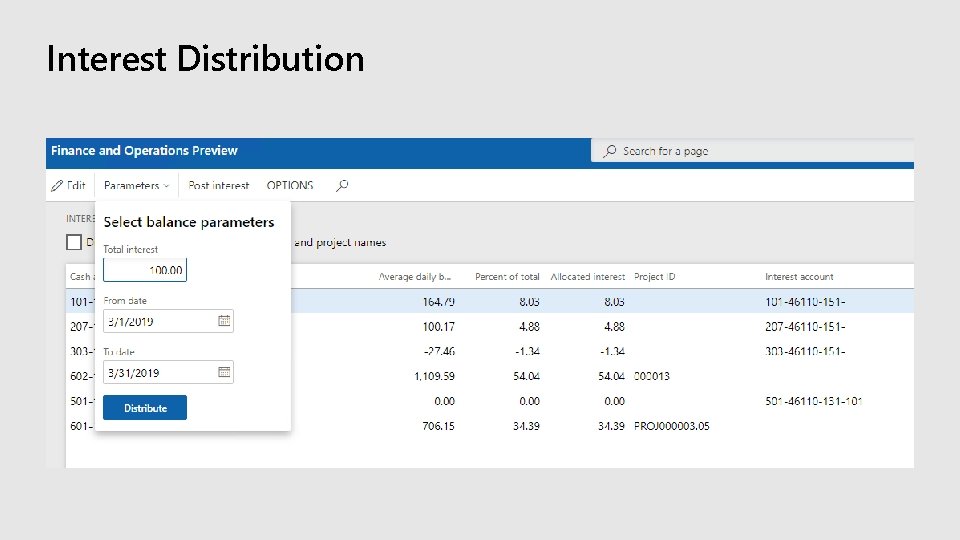
Interest Distribution
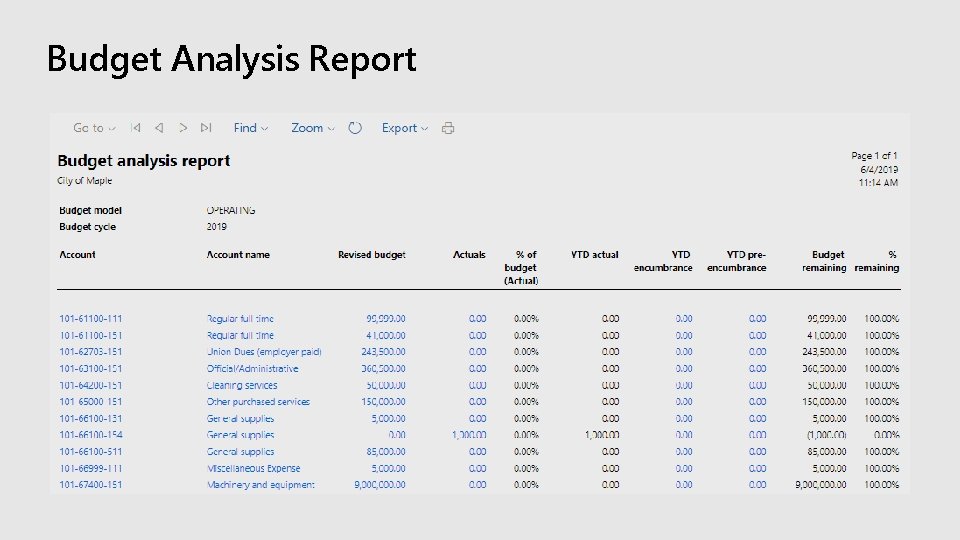
Budget Analysis Report
Features In Progress Note: These slides describe functionality that may not have been released yet. Delivery timelines and projected functionality may change or may not ship (see Microsoft policy).
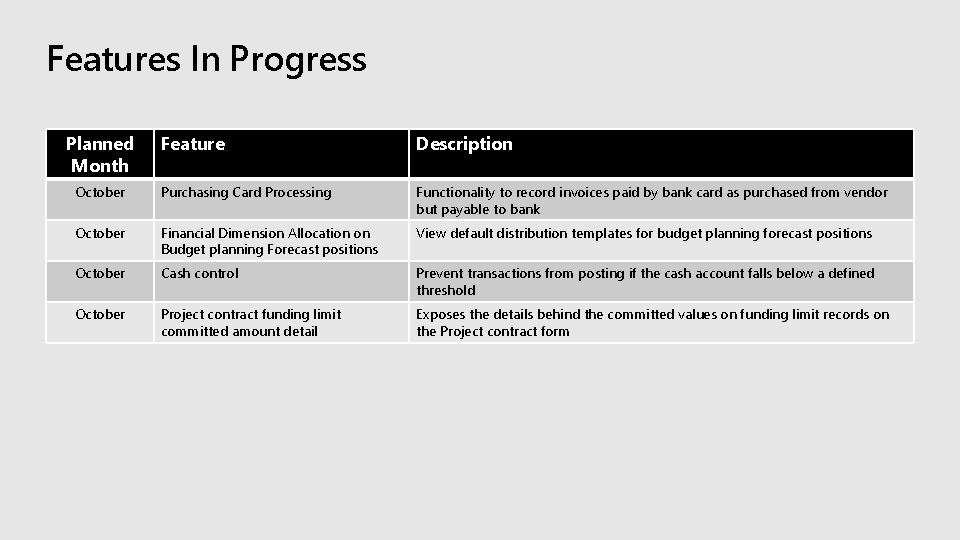
Features In Progress Planned Month Feature Description October Purchasing Card Processing Functionality to record invoices paid by bank card as purchased from vendor but payable to bank October Financial Dimension Allocation on Budget planning Forecast positions View default distribution templates for budget planning forecast positions October Cash control Prevent transactions from posting if the cash account falls below a defined threshold October Project contract funding limit committed amount detail Exposes the details behind the committed values on funding limit records on the Project contract form
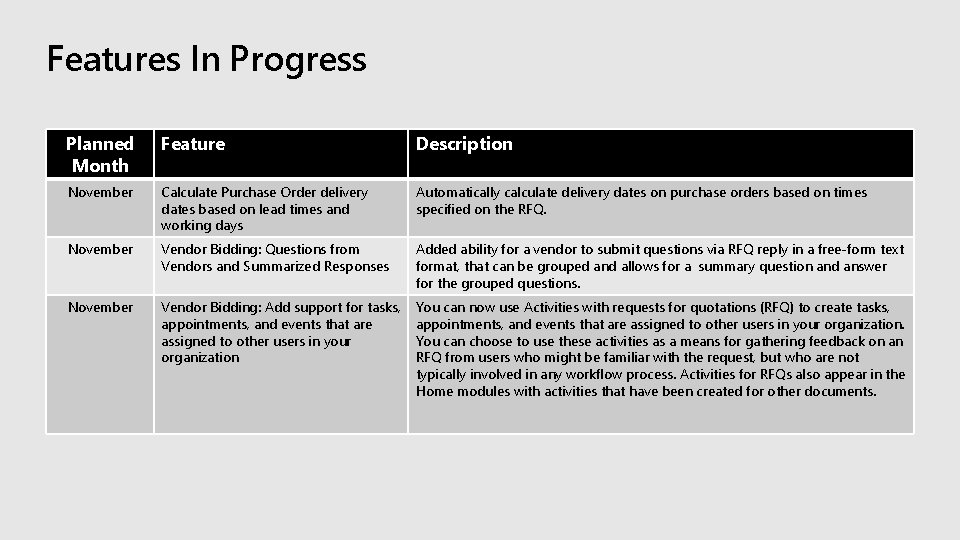
Features In Progress Planned Month Feature Description November Calculate Purchase Order delivery dates based on lead times and working days Automatically calculate delivery dates on purchase orders based on times specified on the RFQ. November Vendor Bidding: Questions from Vendors and Summarized Responses Added ability for a vendor to submit questions via RFQ reply in a free-form text format, that can be grouped and allows for a summary question and answer for the grouped questions. November Vendor Bidding: Add support for tasks, appointments, and events that are assigned to other users in your organization You can now use Activities with requests for quotations (RFQ) to create tasks, appointments, and events that are assigned to other users in your organization. You can choose to use these activities as a means for gathering feedback on an RFQ from users who might be familiar with the request, but who are not typically involved in any workflow process. Activities for RFQs also appear in the Home modules with activities that have been created for other documents.

Cash Control
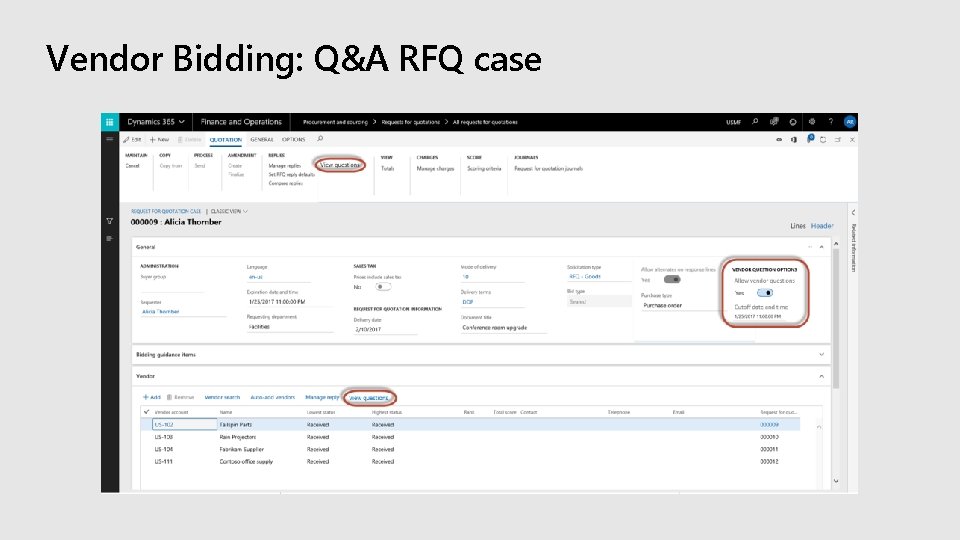
Vendor Bidding: Q&A RFQ case
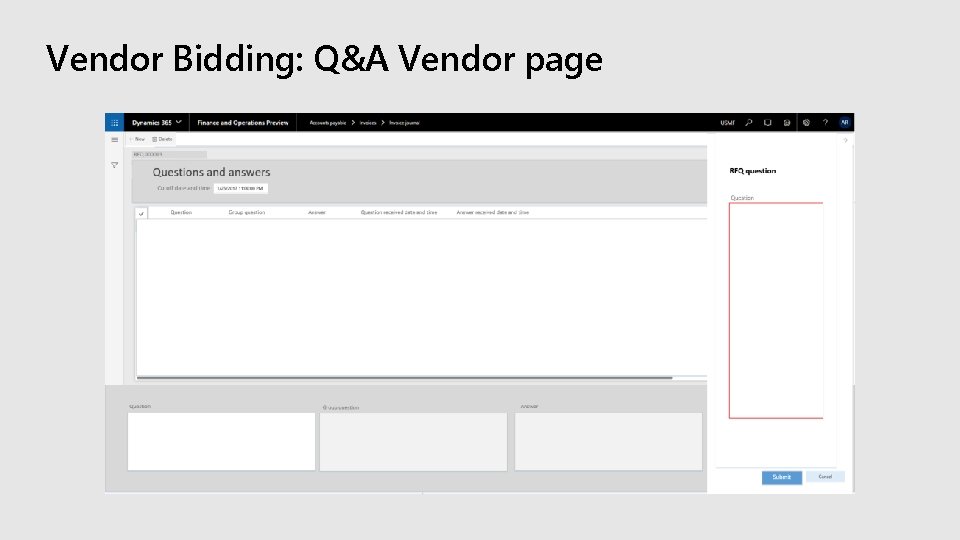
Vendor Bidding: Q&A Vendor page
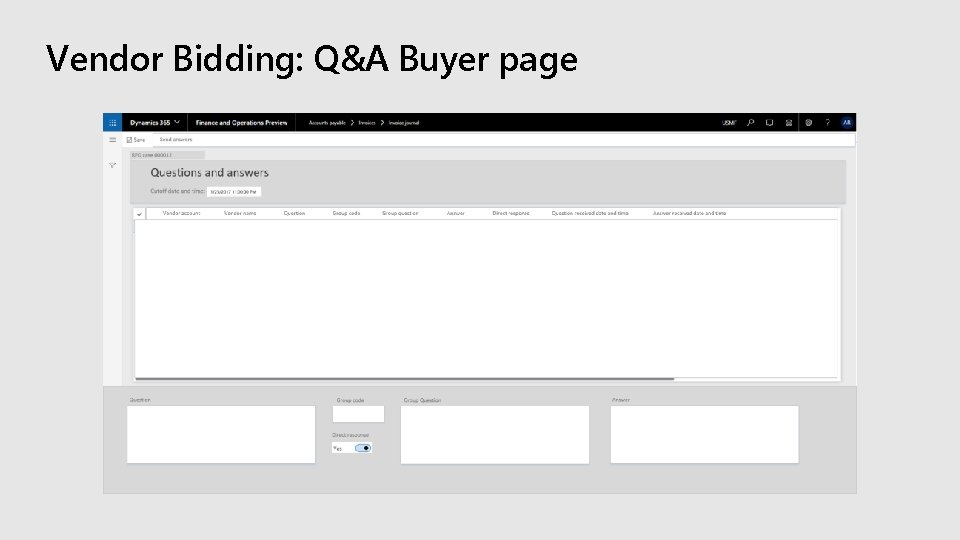
Vendor Bidding: Q&A Buyer page
Public Sector 2019/2020 Release Roadmap Note: These slides describe functionality that may not have been released yet. Delivery timelines and projected functionality may change or may not ship (see Microsoft policy).
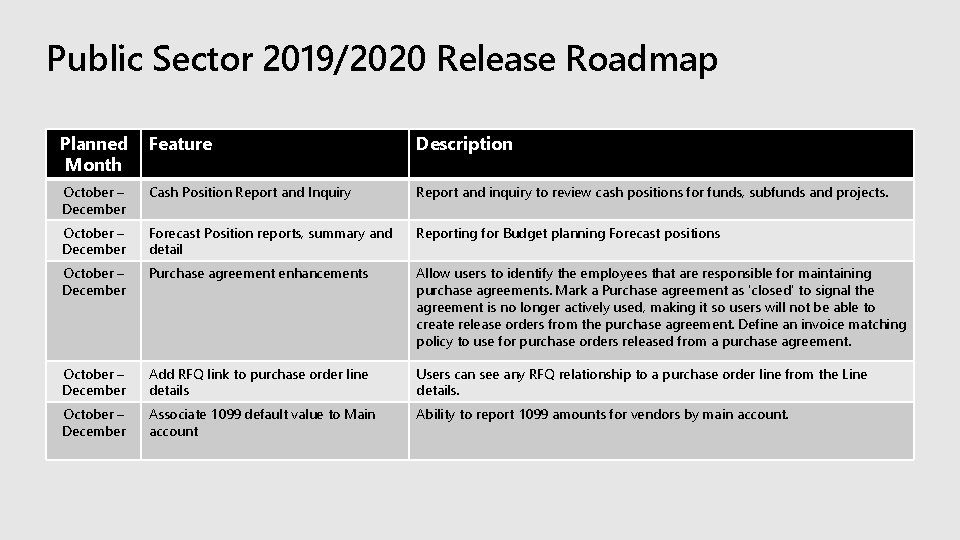
Public Sector 2019/2020 Release Roadmap Planned Month Feature Description October – December Cash Position Report and Inquiry Report and inquiry to review cash positions for funds, subfunds and projects. October – December Forecast Position reports, summary and detail Reporting for Budget planning Forecast positions October – December Purchase agreement enhancements Allow users to identify the employees that are responsible for maintaining purchase agreements. Mark a Purchase agreement as 'closed' to signal the agreement is no longer actively used, making it so users will not be able to create release orders from the purchase agreement. Define an invoice matching policy to use for purchase orders released from a purchase agreement. October – December Add RFQ link to purchase order line details Users can see any RFQ relationship to a purchase order line from the Line details. October – December Associate 1099 default value to Main account Ability to report 1099 amounts for vendors by main account.
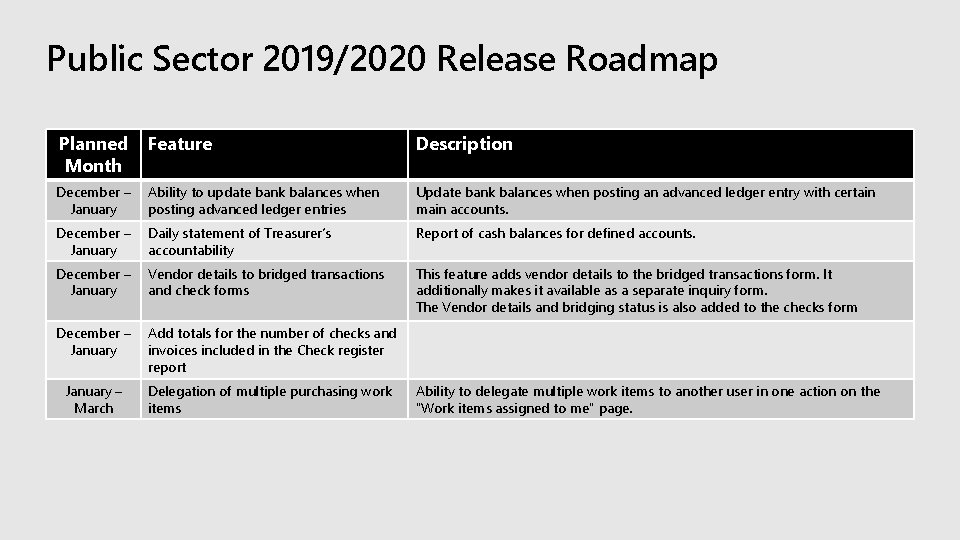
Public Sector 2019/2020 Release Roadmap Planned Month Feature Description December – January Ability to update bank balances when posting advanced ledger entries Update bank balances when posting an advanced ledger entry with certain main accounts. December – January Daily statement of Treasurer’s accountability Report of cash balances for defined accounts. December – January Vendor details to bridged transactions and check forms This feature adds vendor details to the bridged transactions form. It additionally makes it available as a separate inquiry form. The Vendor details and bridging status is also added to the checks form December – January Add totals for the number of checks and invoices included in the Check register report January – March Delegation of multiple purchasing work items Ability to delegate multiple work items to another user in one action on the "Work items assigned to me" page.
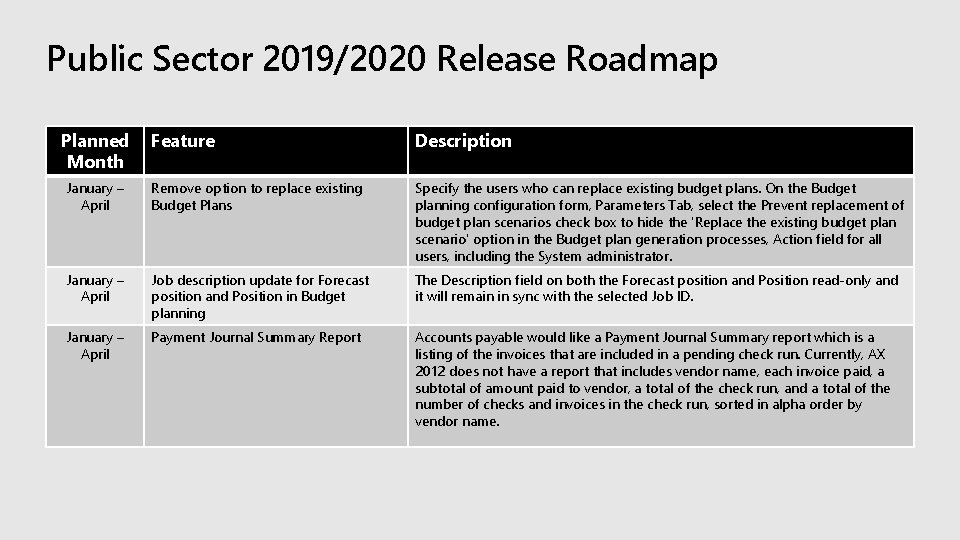
Public Sector 2019/2020 Release Roadmap Planned Month Feature Description January – April Remove option to replace existing Budget Plans Specify the users who can replace existing budget plans. On the Budget planning configuration form, Parameters Tab, select the Prevent replacement of budget plan scenarios check box to hide the 'Replace the existing budget plan scenario' option in the Budget plan generation processes, Action field for all users, including the System administrator. January – April Job description update for Forecast position and Position in Budget planning The Description field on both the Forecast position and Position read-only and it will remain in sync with the selected Job ID. January – April Payment Journal Summary Report Accounts payable would like a Payment Journal Summary report which is a listing of the invoices that are included in a pending check run. Currently, AX 2012 does not have a report that includes vendor name, each invoice paid, a subtotal of amount paid to vendor, a total of the check run, and a total of the number of checks and invoices in the check run, sorted in alpha order by vendor name.
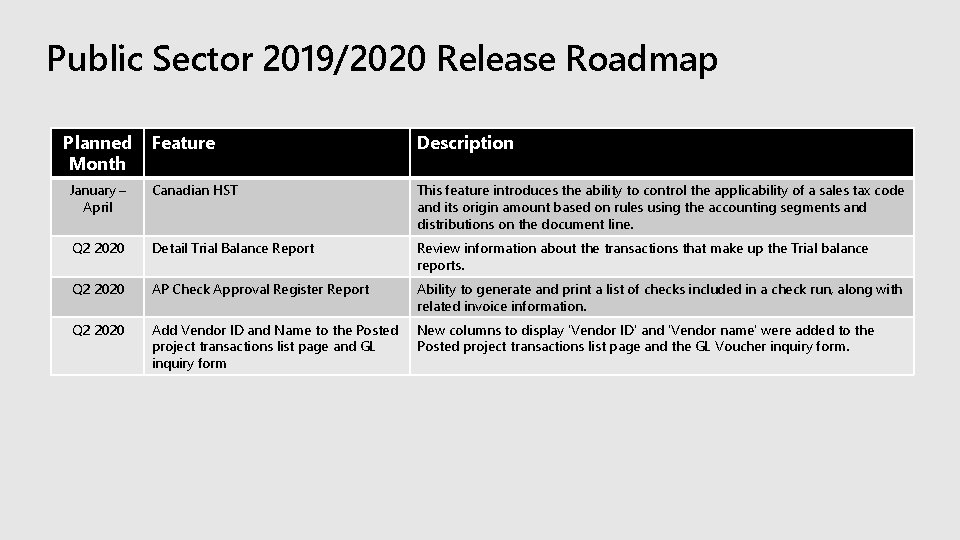
Public Sector 2019/2020 Release Roadmap Planned Month Feature Description January – April Canadian HST This feature introduces the ability to control the applicability of a sales tax code and its origin amount based on rules using the accounting segments and distributions on the document line. Q 2 2020 Detail Trial Balance Report Review information about the transactions that make up the Trial balance reports. Q 2 2020 AP Check Approval Register Report Ability to generate and print a list of checks included in a check run, along with related invoice information. Q 2 2020 Add Vendor ID and Name to the Posted project transactions list page and GL inquiry form New columns to display 'Vendor ID' and 'Vendor name' were added to the Posted project transactions list page and the GL Voucher inquiry form.
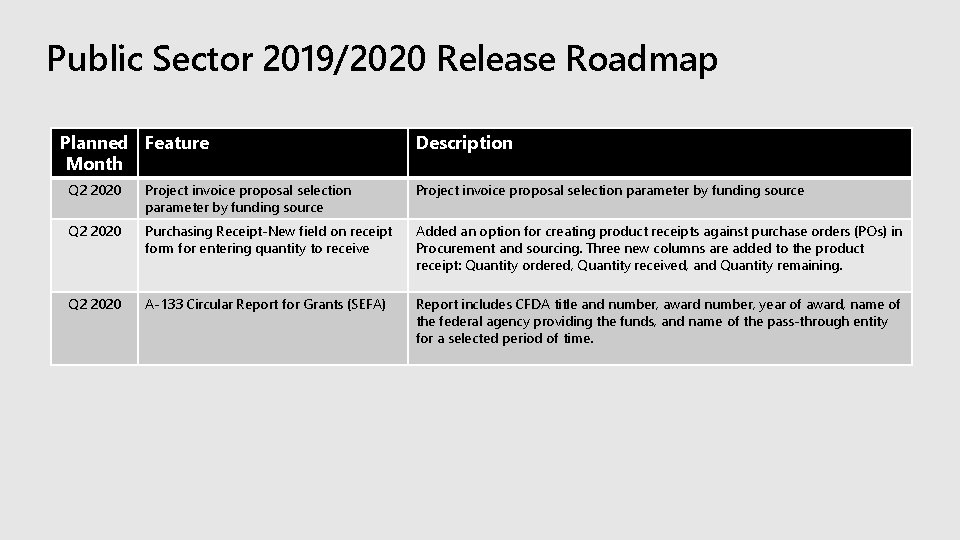
Public Sector 2019/2020 Release Roadmap Planned Feature Month Description Q 2 2020 Project invoice proposal selection parameter by funding source Q 2 2020 Purchasing Receipt-New field on receipt form for entering quantity to receive Added an option for creating product receipts against purchase orders (POs) in Procurement and sourcing. Three new columns are added to the product receipt: Quantity ordered, Quantity received, and Quantity remaining. Q 2 2020 A-133 Circular Report for Grants (SEFA) Report includes CFDA title and number, award number, year of award, name of the federal agency providing the funds, and name of the pass-through entity for a selected period of time.
Evaluate this session https: //aka. ms/MBASeventapp

- Slides: 22