
Microsoft 365 Network Connectivity Video Series Network connectivity

- Slides: 16
Microsoft 365 Network Connectivity Video Series Network connectivity for remote users Roshan Padmanabhan Program Manager – Microsoft 365 Customer Experience July 2020
Network connectivity for remote users 01 Microsoft 365 Network Connectivity Principles 02 Understanding remote user expectations in terms of connectivity & experience 03 What is VPN Split Tunneling & why is this relevant for remote user connectivity? 04 Office 365 network connectivity guidance for remote users 05 Support from VPN vendors & solution providers to split tunnel Office 365 traffic 06 What tool can you use to verify VPN split tunneling for Office 365 connectivity?
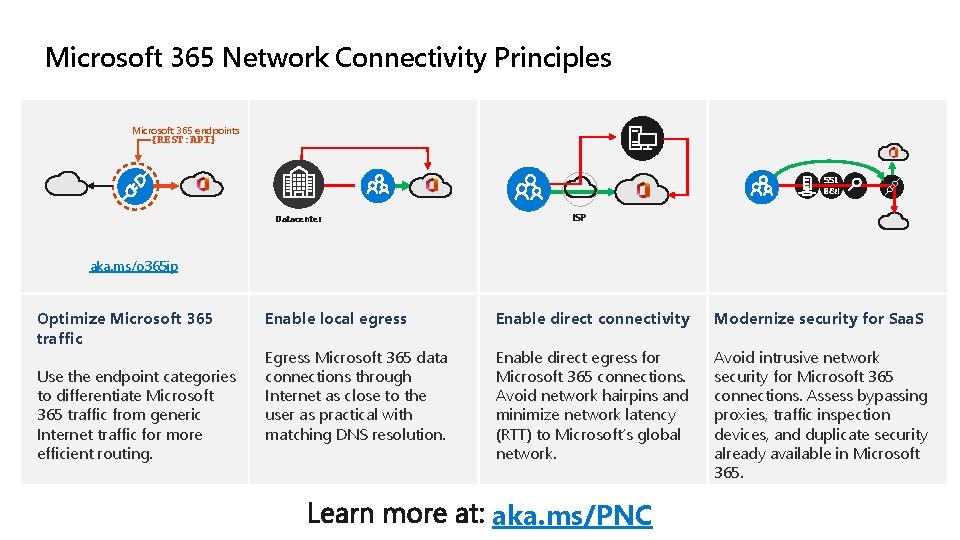
Microsoft 365 Network Connectivity Principles Microsoft 365 endpoints {REST: API} SSL B&I Datacenter ISP aka. ms/o 365 ip Optimize Microsoft 365 traffic Use the endpoint categories to differentiate Microsoft 365 traffic from generic Internet traffic for more efficient routing. Enable local egress Enable direct connectivity Modernize security for Saa. S Egress Microsoft 365 data connections through Internet as close to the user as practical with matching DNS resolution. Enable direct egress for Microsoft 365 connections. Avoid network hairpins and minimize network latency (RTT) to Microsoft’s global network. Avoid intrusive network security for Microsoft 365 connections. Assess bypassing proxies, traffic inspection devices, and duplicate security already available in Microsoft 365. aka. ms/PNC
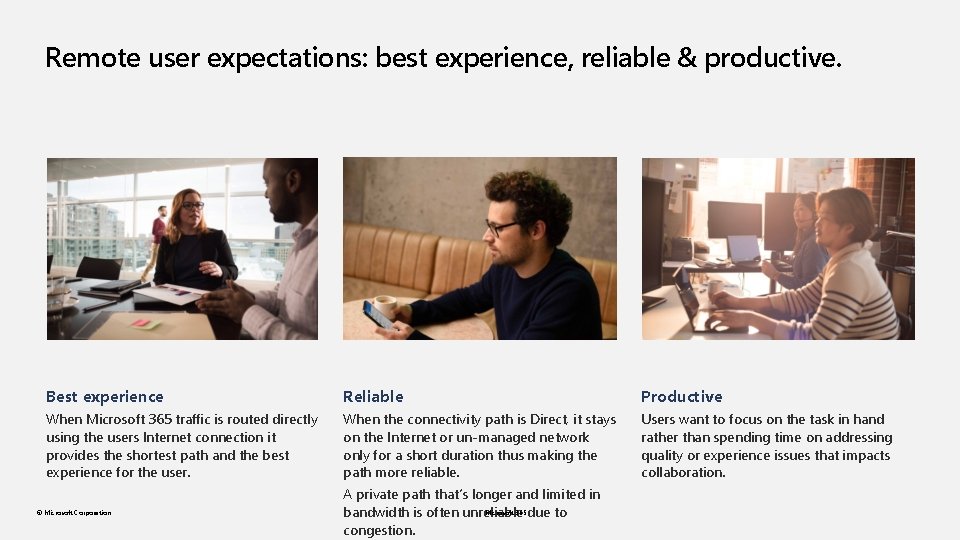
Remote user expectations: best experience, reliable & productive. Best experience Reliable Productive When Microsoft 365 traffic is routed directly using the users Internet connection it provides the shortest path and the best experience for the user. When the connectivity path is Direct, it stays on the Internet or un-managed network only for a short duration thus making the path more reliable. Users want to focus on the task in hand rather than spending time on addressing quality or experience issues that impacts collaboration. © Microsoft Corporation A private path that’s longer and limited in Microsoft 365 due to bandwidth is often unreliable congestion.
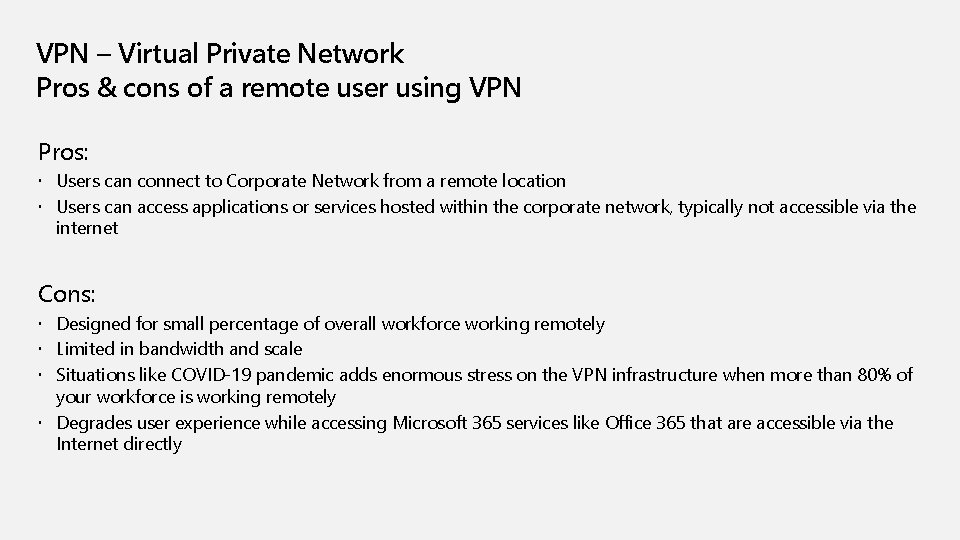
VPN – Virtual Private Network Pros & cons of a remote user using VPN Pros: Users can connect to Corporate Network from a remote location Users can access applications or services hosted within the corporate network, typically not accessible via the internet Cons: Designed for small percentage of overall workforce working remotely Limited in bandwidth and scale Situations like COVID-19 pandemic adds enormous stress on the VPN infrastructure when more than 80% of your workforce is working remotely Degrades user experience while accessing Microsoft 365 services like Office 365 that are accessible via the Internet directly
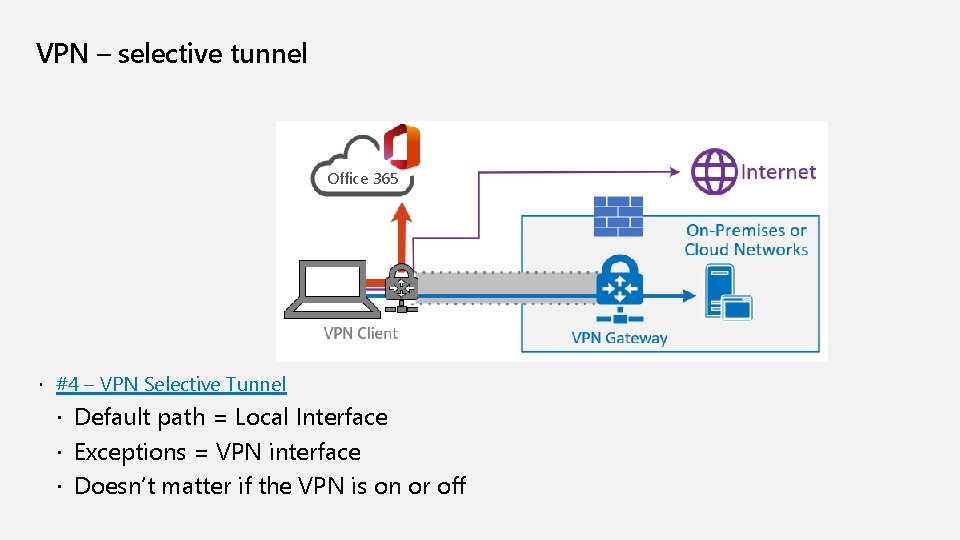
VPN – selective tunnel Office 365 #4 – VPN Selective Tunnel Default path = Local Interface Exceptions = VPN interface Doesn’t matter if the VPN is on or off
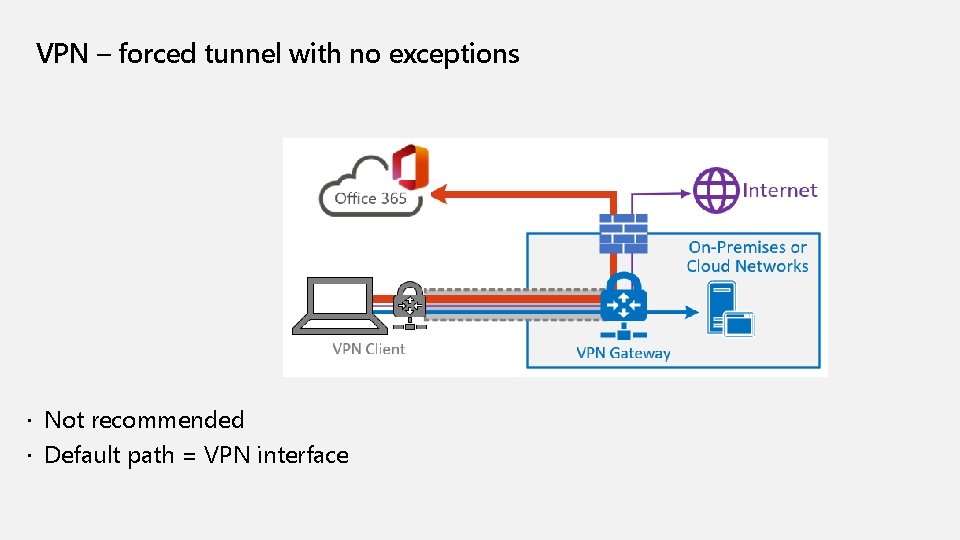
VPN – forced tunnel with no exceptions Not recommended Default path = VPN interface
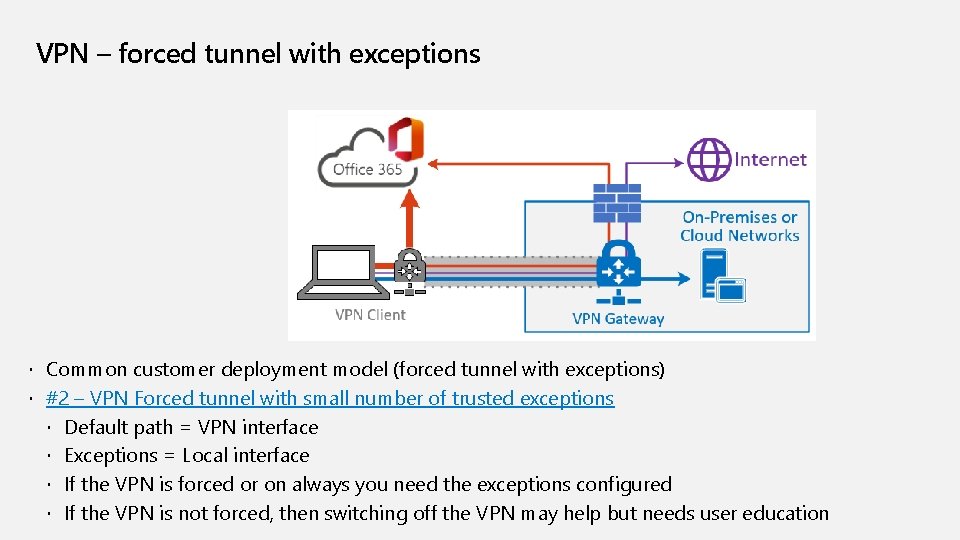
VPN – forced tunnel with exceptions Common customer deployment model (forced tunnel with exceptions) #2 – VPN Forced tunnel with small number of trusted exceptions Default path = VPN interface Exceptions = Local interface If the VPN is forced or on always you need the exceptions configured If the VPN is not forced, then switching off the VPN may help but needs user education
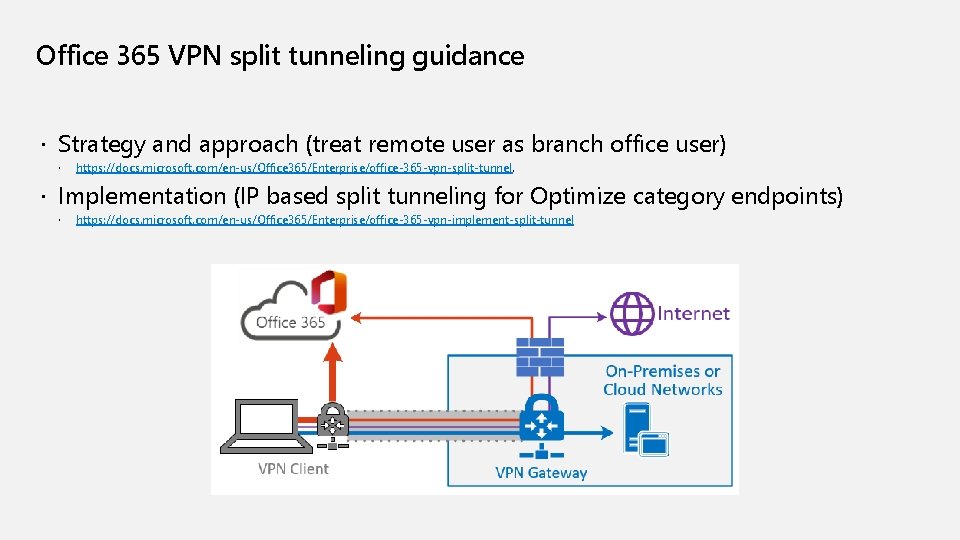
Office 365 VPN split tunneling guidance Strategy and approach (treat remote user as branch office user) https: //docs. microsoft. com/en-us/Office 365/Enterprise/office-365 -vpn-split-tunnel. Implementation (IP based split tunneling for Optimize category endpoints) https: //docs. microsoft. com/en-us/Office 365/Enterprise/office-365 -vpn-implement-split-tunnel
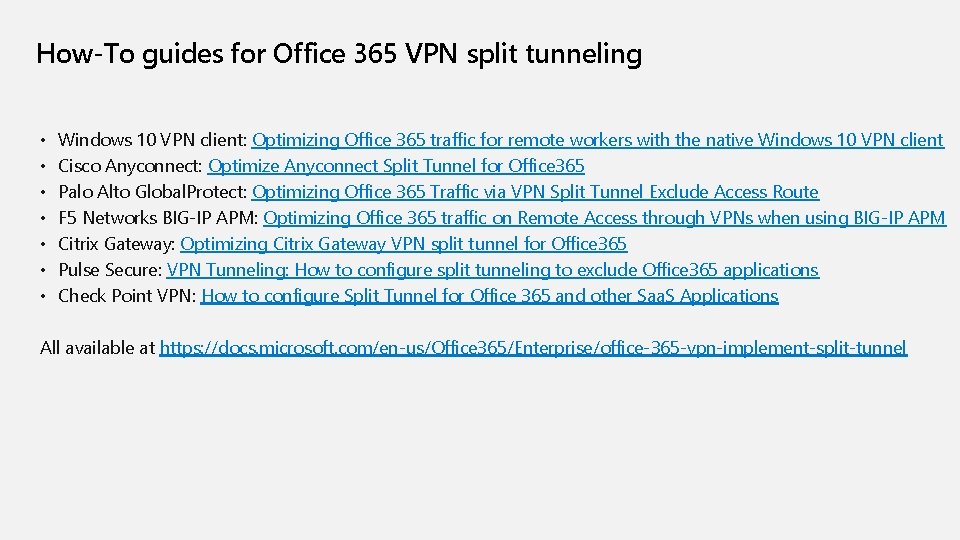
How-To guides for Office 365 VPN split tunneling • Windows 10 VPN client: Optimizing Office 365 traffic for remote workers with the native Windows 10 VPN client • Cisco Anyconnect: Optimize Anyconnect Split Tunnel for Office 365 • Palo Alto Global. Protect: Optimizing Office 365 Traffic via VPN Split Tunnel Exclude Access Route • F 5 Networks BIG-IP APM: Optimizing Office 365 traffic on Remote Access through VPNs when using BIG-IP APM • Citrix Gateway: Optimizing Citrix Gateway VPN split tunnel for Office 365 • Pulse Secure: VPN Tunneling: How to configure split tunneling to exclude Office 365 applications • Check Point VPN: How to configure Split Tunnel for Office 365 and other Saa. S Applications All available at https: //docs. microsoft. com/en-us/Office 365/Enterprise/office-365 -vpn-implement-split-tunnel
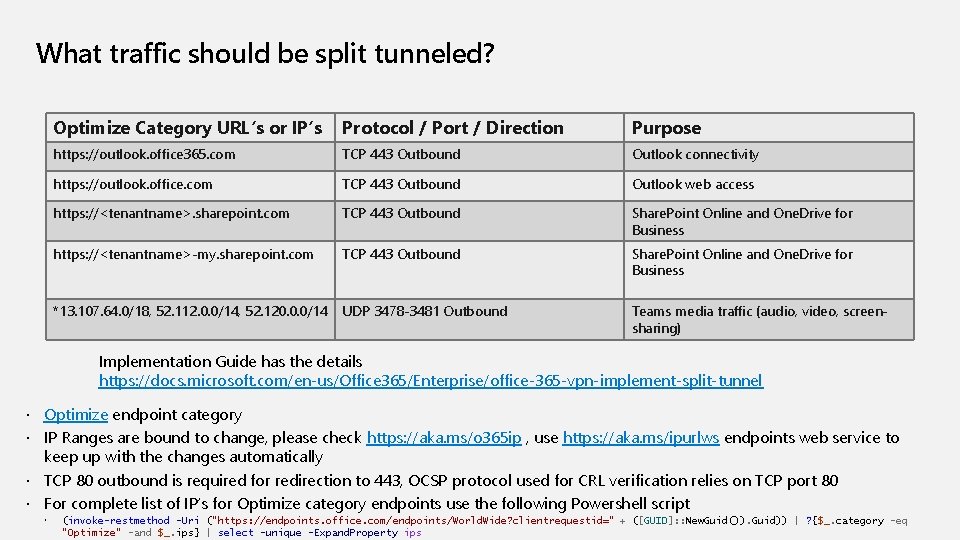
What traffic should be split tunneled? Optimize Category URL’s or IP’s Protocol / Port / Direction Purpose https: //outlook. office 365. com TCP 443 Outbound Outlook connectivity https: //outlook. office. com TCP 443 Outbound Outlook web access https: //<tenantname>. sharepoint. com TCP 443 Outbound Share. Point Online and One. Drive for Business https: //<tenantname>-my. sharepoint. com TCP 443 Outbound Share. Point Online and One. Drive for Business *13. 107. 64. 0/18, 52. 112. 0. 0/14, 52. 120. 0. 0/14 UDP 3478 -3481 Outbound Teams media traffic (audio, video, screensharing) Implementation Guide has the details https: //docs. microsoft. com/en-us/Office 365/Enterprise/office-365 -vpn-implement-split-tunnel Optimize endpoint category IP Ranges are bound to change, please check https: //aka. ms/o 365 ip , use https: //aka. ms/ipurlws endpoints web service to keep up with the changes automatically TCP 80 outbound is required for redirection to 443, OCSP protocol used for CRL verification relies on TCP port 80 For complete list of IP’s for Optimize category endpoints use the following Powershell script (invoke-restmethod -Uri ("https: //endpoints. office. com/endpoints/World. Wide? clientrequestid=" + ([GUID]: : New. Guid()). Guid)) | ? {$_. category -eq "Optimize" -and $_. ips} | select -unique -Expand. Property ips
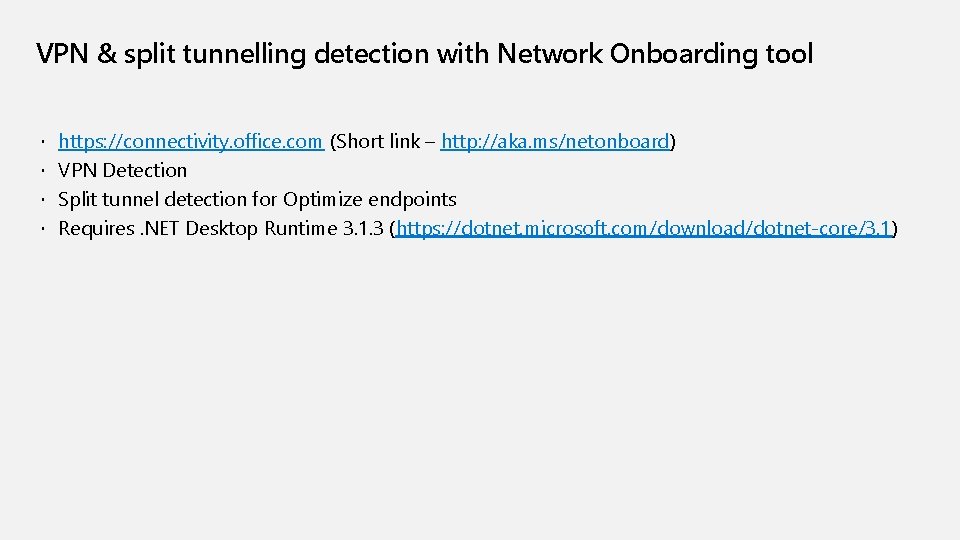
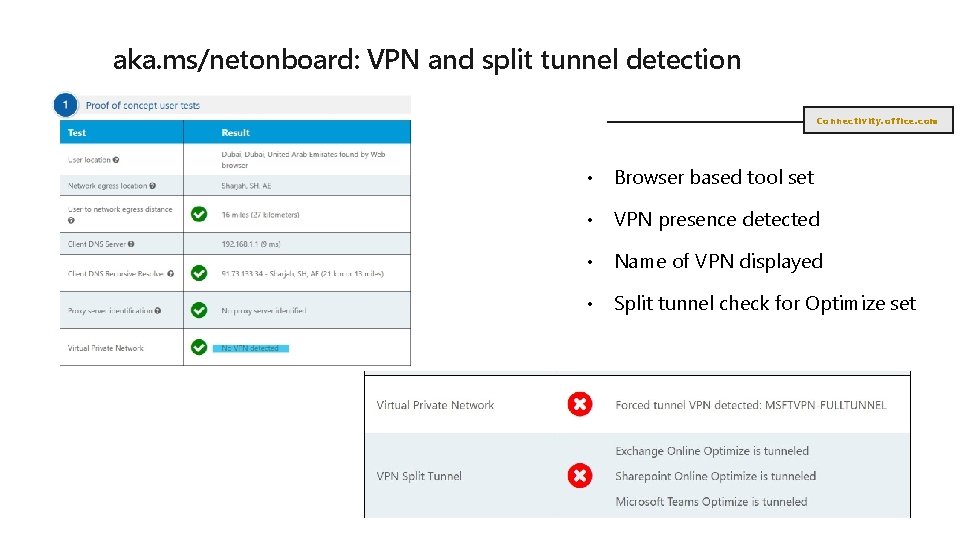
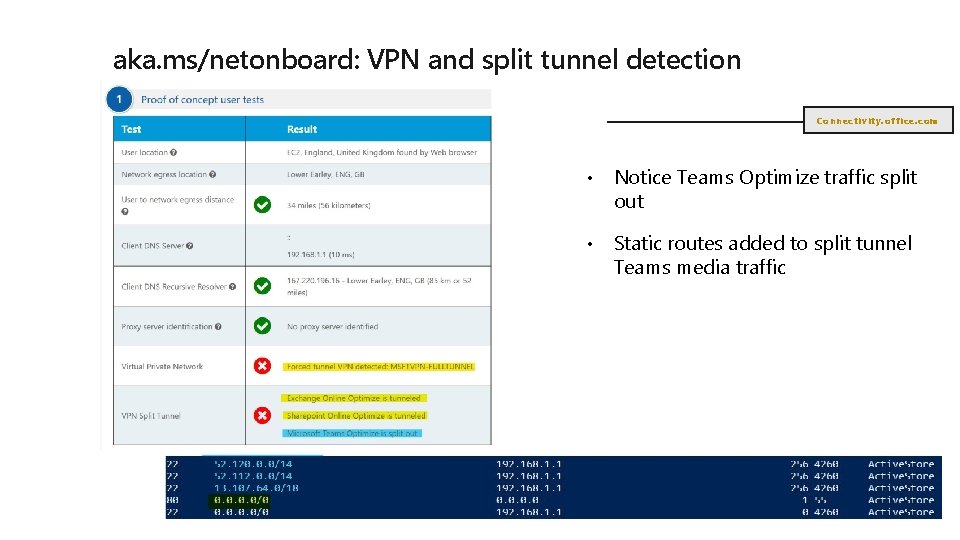
VPN & split tunnelling detection with Network Onboarding tool https: //connectivity. office. com (Short link – http: //aka. ms/netonboard) VPN Detection Split tunnel detection for Optimize endpoints Requires. NET Desktop Runtime 3. 1. 3 (https: //dotnet. microsoft. com/download/dotnet-core/3. 1)
aka. ms/netonboard: VPN and split tunnel detection Connectivity. office. com • Browser based tool set • VPN presence detected • Name of VPN displayed • Split tunnel check for Optimize set
aka. ms/netonboard: VPN and split tunnel detection Connectivity. office. com • Notice Teams Optimize traffic split out • Static routes added to split tunnel Teams media traffic
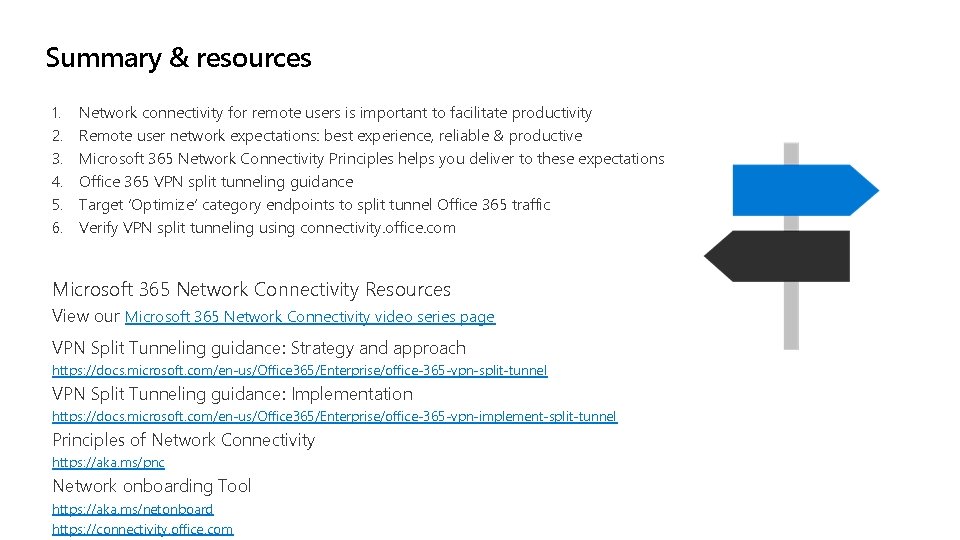
Summary & resources 1. 2. 3. 4. 5. 6. Network connectivity for remote users is important to facilitate productivity Remote user network expectations: best experience, reliable & productive Microsoft 365 Network Connectivity Principles helps you deliver to these expectations Office 365 VPN split tunneling guidance Target ‘Optimize’ category endpoints to split tunnel Office 365 traffic Verify VPN split tunneling using connectivity. office. com Microsoft 365 Network Connectivity Resources View our Microsoft 365 Network Connectivity video series page VPN Split Tunneling guidance: Strategy and approach https: //docs. microsoft. com/en-us/Office 365/Enterprise/office-365 -vpn-split-tunnel VPN Split Tunneling guidance: Implementation https: //docs. microsoft. com/en-us/Office 365/Enterprise/office-365 -vpn-implement-split-tunnel Principles of Network Connectivity https: //aka. ms/pnc Network onboarding Tool https: //aka. ms/netonboard https: //connectivity. office. com